service Acura ILX Hybrid 2013 Owner's Guide
[x] Cancel search | Manufacturer: ACURA, Model Year: 2013, Model line: ILX Hybrid, Model: Acura ILX Hybrid 2013Pages: 365, PDF Size: 8.63 MB
Page 300 of 365
299
uuChecking and Maintaining TiresuWear Indicators
Maintenance
Wear Indicators
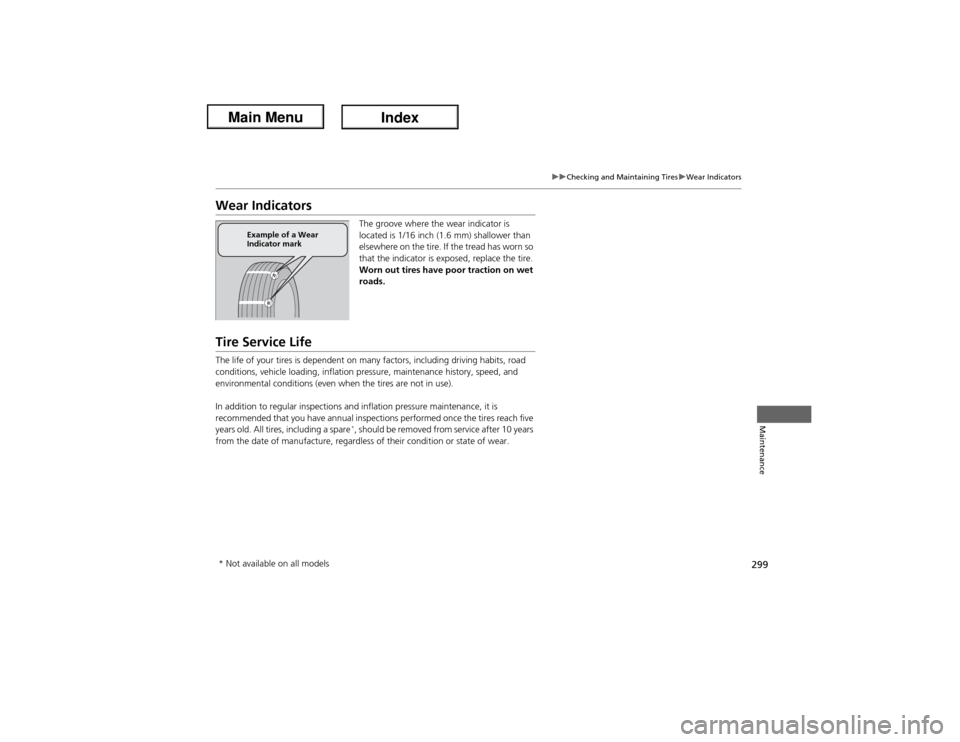
The groove where the wear indicator is
located is 1/16 inch (1.6 mm) shallower than
elsewhere on the tire. If the tread has worn so
that the indicator is exposed, replace the tire.
Worn out tires have poor traction on wet
roads.
Tire Service LifeThe life of your tires is dependent on many factors, including driving habits, road
conditions, vehicle loading, inflation pressure, maintenance history, speed, and
environmental conditions (even when the tires are not in use).
In addition to regular inspections and inflation pressure maintenance, it is
recommended that you have annual inspections performed once the tires reach five
years old. All tires, including a spare
*, should be removed from service after 10 years
from the date of manufacture, regardless of their condition or state of wear.
Example of a Wear
Indicator mark
* Not available on all models
Page 314 of 365
313
Continued
Handling the Unexpected
If a Tire Goes FlatTemporarily Repairing a Flat TireThis vehicle is not equipped with a spare tire. If the tire has a large cut or is otherwise
severely damaged, you will need to have the vehicle towed. If the tire only has a
small puncture, from a nail for instance, you can use the tire repair kit so that you
can drive to the nearest service station for a more permanent repair.
If a tire goes flat while driving, grasp the steering wheel firmly, and brake gradually
to reduce speed. Then stop in a safe place.
1.Park the vehicle on firm, level, and non-slippery ground.
2.Put the shift lever in
(P.
3.Set the parking brake.
4.Turn on the hazard warning lights and set the power mode to VEHICLE OFF
(LOCK).
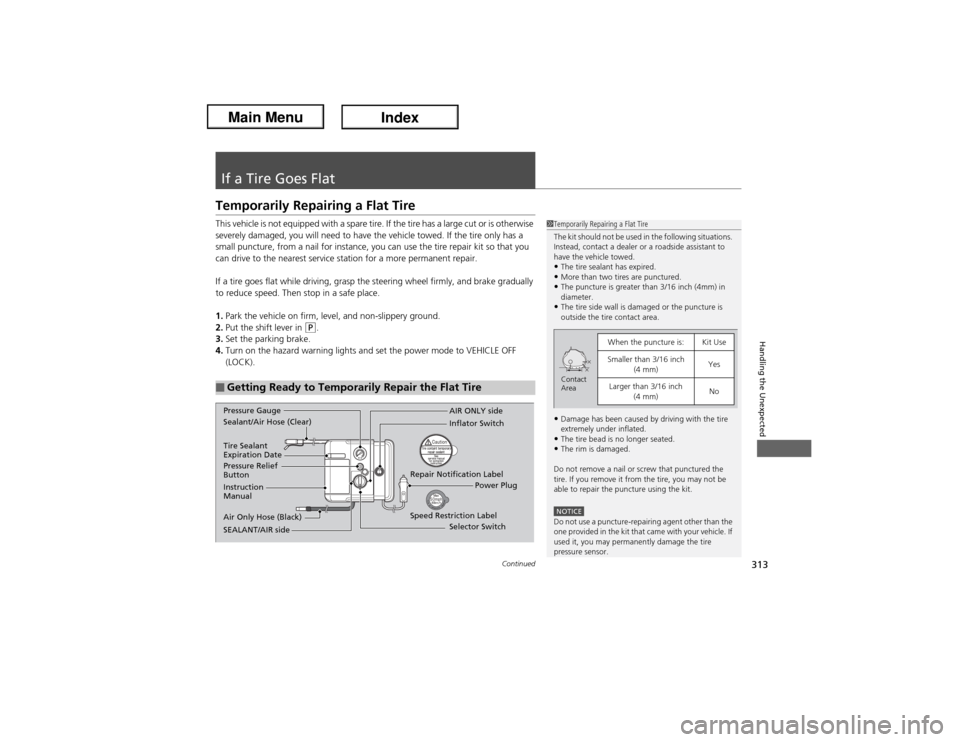
■Getting Ready to Temporarily Repair the Flat Tire
1Temporarily Repairing a Flat Tire
The kit should not be used in the following situations.
Instead, contact a dealer or a roadside assistant to
have the vehicle towed.•The tire sealant has expired.•More than two tires are punctured.•The puncture is greater than 3/16 inch (4mm) in
diameter.•The tire side wall is damaged or the puncture is
outside the tire contact area.•Damage has been caused by driving with the tire
extremely under inflated.•The tire bead is no longer seated.•The rim is damaged.
Do not remove a nail or screw that punctured the
tire. If you remove it from the tire, you may not be
able to repair the puncture using the kit.NOTICEDo not use a puncture-repairing agent other than the
one provided in the kit that came with your vehicle. If
used it, you may permanently damage the tire
pressure sensor.
When the puncture is:
Kit Use
Smaller than 3/16 inch
(4 mm)
Yes
Larger than 3/16 inch
(4 mm)
No
Contact
Area
Instruction
Manual
Air Only Hose (Black)Speed Restriction Label Repair Notification Label Pressure Relief
ButtonInflator Switch
Selector Switch
SEALANT/AIR side Sealant/Air Hose (Clear)AIR ONLY side
Power Plug Pressure Gauge
Tire Sealant
Expiration Date
Page 318 of 365
Continued
317
uuIf a Tire Goes FlatuTemporarily Repairing a Flat Tire
Handling the Unexpected
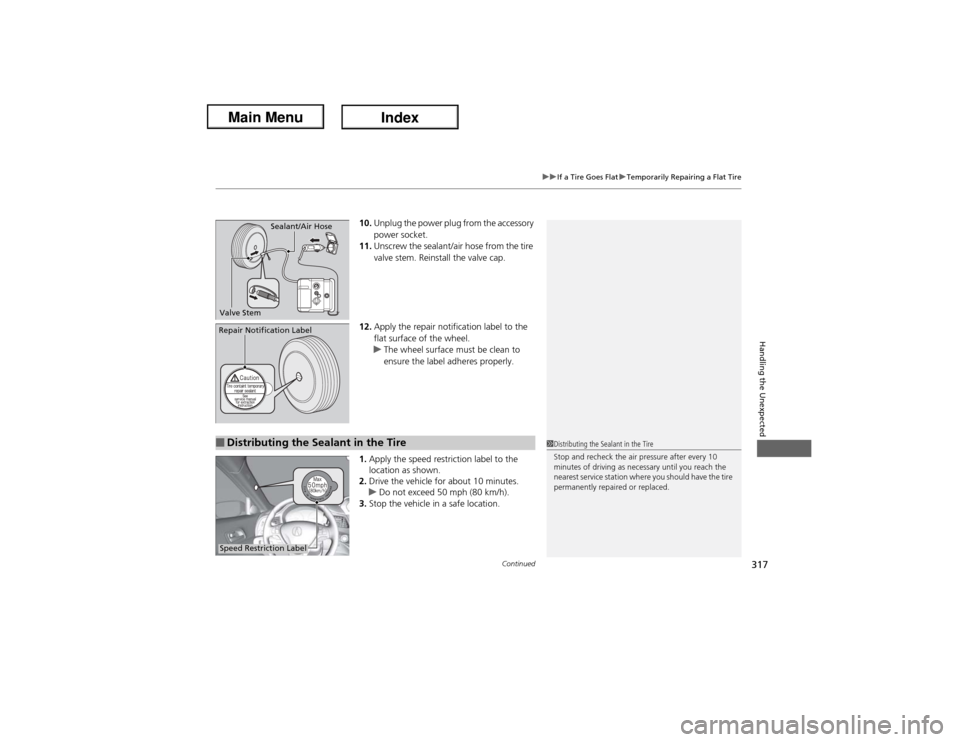
10.Unplug the power plug from the accessory
power socket.
11.Unscrew the sealant/air hose from the tire
valve stem. Reinstall the valve cap.
12.Apply the repair notification label to the
flat surface of the wheel.
uThe wheel surface must be clean to
ensure the label adheres properly.
1.Apply the speed restriction label to the
location as shown.
2.Drive the vehicle for about 10 minutes.
uDo not exceed 50 mph (80 km/h).
3.Stop the vehicle in a safe location.
Sealant/Air Hose
Valve Stem
Repair Notification Label■Distributing the Sealant in the Tire
1Distributing the Sealant in the Tire
Stop and recheck the air pressure after every 10
minutes of driving as necessary until you reach the
nearest service station where you should have the tire
permanently repaired or replaced.
Speed Restriction Label
Page 319 of 365
318
uuIf a Tire Goes FlatuTemporarily Repairing a Flat Tire
Handling the Unexpected
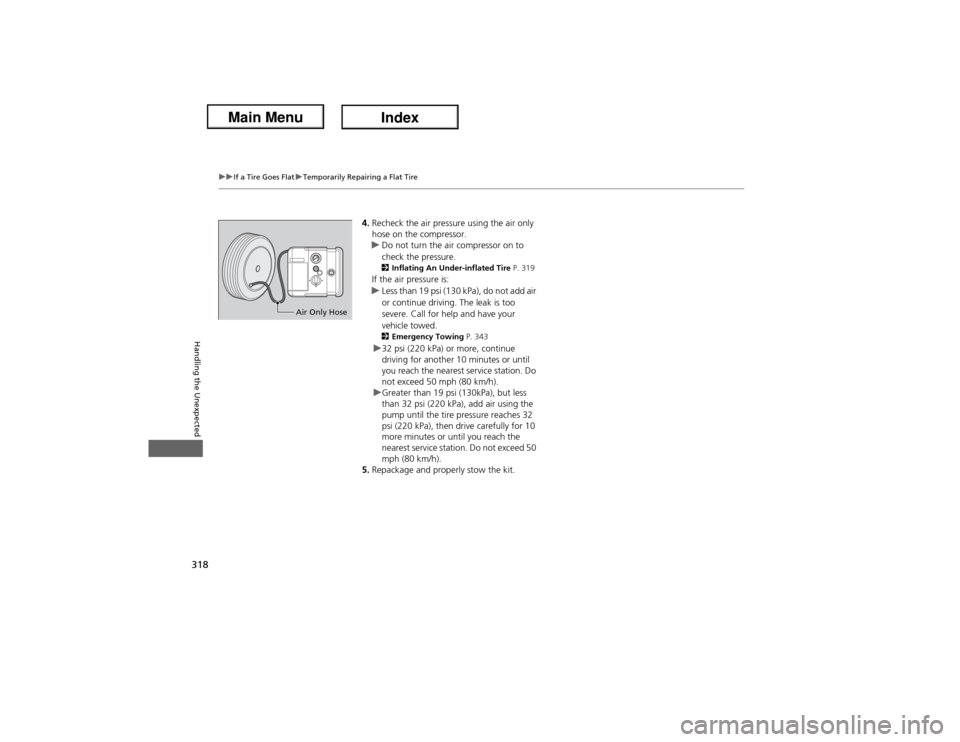
4.Recheck the air pressure using the air only
hose on the compressor.
uDo not turn the air compressor on to
check the pressure.
2Inflating An Under-inflated Tire P. 319If the air pressure is:
uLess than 19 psi (130 kPa), do not add air
or continue driving. The leak is too
severe. Call for help and have your
vehicle towed.2Emergency Towing P. 343u32 psi (220 kPa) or more, continue
driving for another 10 minutes or until
you reach the nearest service station. Do
not exceed 50 mph (80 km/h).
uGreater than 19 psi (130kPa), but less
than 32 psi (220 kPa), add air using the
pump until the tire pressure reaches 32
psi (220 kPa), then drive carefully for 10
more minutes or until you reach the
nearest service station. Do not exceed 50
mph (80 km/h).
5.Repackage and properly stow the kit.
Air Only Hose
Page 333 of 365
332
uuJump Startingu
Handling the Unexpected
Once your vehicle's engine has started, remove the jumper cables in the following
order.
1.Disconnect the jumper cable from your vehicle's ground.
2.Disconnect the other end of the jumper cable from the assisting vehicle's battery
- terminal.
3.Disconnect the jumper cable from your vehicle's battery + terminal.
4.Disconnect the other end of the jumper cable from the assisting vehicle's battery
+ terminal.
Have your vehicle inspected by a nearby service station or a dealer.■What to Do After the Engine Starts
Page 344 of 365
343Handling the Unexpected
Emergency TowingCall a professional towing service if you need to tow your vehicle.■Flat bed equipment
The operator loads your vehicle on the back of a truck.
This is the best way to transport your vehicle.■Wheel lift equipment
The tow truck uses two pivoting arms that go under the front tires and lift them off
the ground. The rear tires remain on the ground. This is an acceptable way to
tow your vehicle.
1Emergency TowingNOTICETrying to lift or tow your vehicle by the bumpers will
cause serious damage. The bumpers are not designed
to support the vehicle's weight.NOTICEImproper towing such as towing behind a
motorhome or other motor vehicle can damage the
transmission.
Never tow your vehicle with just a rope or chain.
It is very dangerous, since ropes or chains may shift
from side to side or break.
Page 346 of 365
345
Information
This chapter includes your vehicle's specifications, locations of identification numbers, and other
information required by regulation.
Specifications.................................... 346
Identification Numbers
Vehicle Identification Number (VIN) .. 348Engine Number and Transmission
Number...................................... 348Devices that Emit Radio Waves....... 349
Reporting Safety Defects................. 350Emissions Testing
Testing of Readiness Codes.............. 351
Warranty Coverages........................ 353
Authorized Manuals......................... 355
Client Service Information............... 356
Page 356 of 365
355Information
Authorized Manuals■Service Express:
For electronic copies of service publications, you can purchase a subscription to
Service Express. Visit www.techinfo.honda.com for pricing and options.■For U.S. Owners:
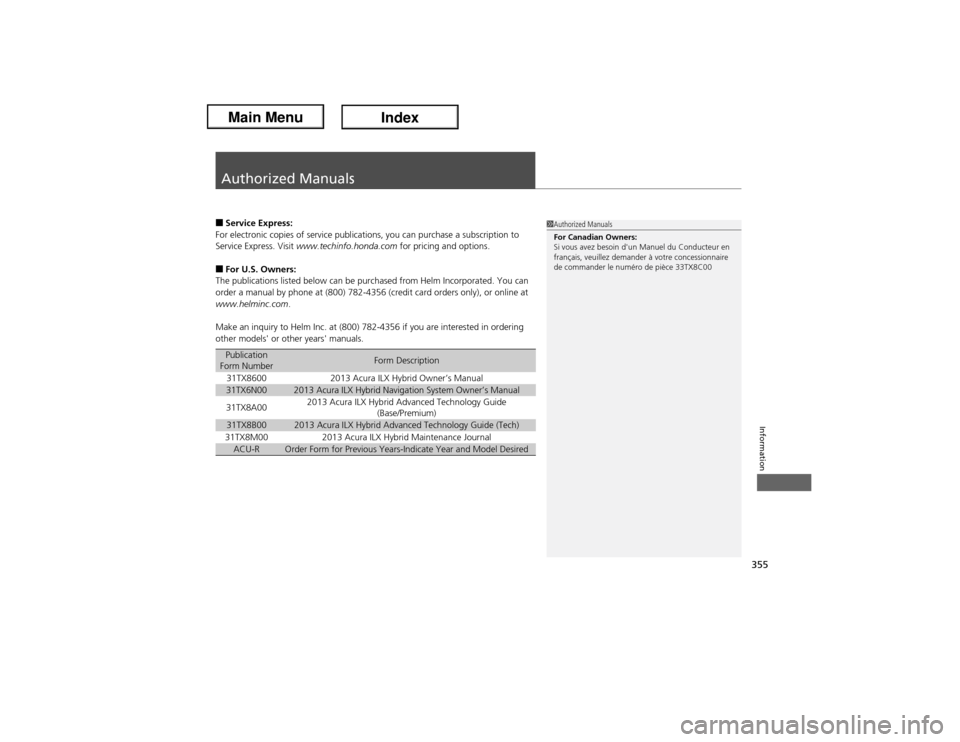
The publications listed below can be purchased from Helm Incorporated. You can
order a manual by phone at (800) 782-4356 (credit card orders only), or online at
www.helminc.com.
Make an inquiry to Helm Inc. at (800) 782-4356 if you are interested in ordering
other models' or other years' manuals.Publication
Form Number
Form Description
31TX8600
2013 Acura ILX Hybrid Owner’s Manual
31TX6N00
2013 Acura ILX Hybrid Navigation System Owner’s Manual
31TX8A00
2013 Acura ILX Hybrid Advanced Technology Guide
(Base/Premium)
31TX8B00
2013 Acura ILX Hybrid Advanced Technology Guide (Tech)
31TX8M00
2013 Acura ILX Hybrid Maintenance Journal
ACU-R
Order Form for Previous Years-Indicate Year and Model Desired
1Authorized Manuals
For Canadian Owners:
Si vous avez besoin d'un Manuel du Conducteur en
français, veuillez demander à votre concessionnaire
de commander le numéro de pièce 33TX8C00
Page 357 of 365
356Information
Client Service InformationAcura dealership personnel are trained professionals.
They should be able to answer all your questions. If you encounter a problem that
your dealership does not solve to your satisfaction, please discuss it with the
dealership's service manager or general manager. If you are dissatisfied with the
decision made by the dealership's management, contact Acura Client Relations/
Services.
U.S. Owners:
American Honda Motor Co., Inc.
Acura Client Relations
Mail Stop 500-2N-7E
1919 Torrance Blvd.
Torrance, CA 90501-2746
Tel: (800) 382-2238Canadian Owners:
Honda Canada Inc.
Acura Client Services
180 Honda Boulevard
Markham, ON
L6C 0H9
Tel: 1-888-9-ACURA-9
Fax: 1-877-939-0909
E-mail: [email protected]
In Puerto Rico and the U.S. Virgin Islands:
Bella International
P.O. Box 190816
San Juan, PR 00919-0816
Tel: (787) 620-7546
1Client Service Information
When you call or write, please give us the following
information:•Vehicle Identification Number
2Vehicle Identification Number (VIN)
P. 348•Date of purchase•Odometer reading of your vehicle•Your name, address, and telephone number•A detailed description of the problem•Name of the dealer who sold the vehicle to you
Page 359 of 365
358Index
Maintenance (Checking the 12 Volt
Battery) .................................................. 303
Maintenance (Replacing).......................... 304
Belts (Seat).................................................. 32
Beverage Holders...................................... 143
Bluetooth® Audio..................................... 176
Bluetooth® HandsFreeLink®..................... 189
Booster Seats (For Children)....................... 65
Brake System............................................. 245
Anti-lock Brake System (ABS) ................... 247
Brake Assist System ................................. 248
Brake System Indicator....................... 71, 338
Fluid ........................................................ 280
Foot Brake ............................................... 246
Indicator ............................................ 71, 338
Parking Brake .......................................... 245
Brightness Control (Instrument Panel).... 131
Bulb Replacement..................................... 282
Back-Up Light Bulbs ................................. 290
Brake Light, Taillight, Rear Turn Signal Light
and Rear Side Marker Light Bulbs ........... 288
Bulb Specifications ................................... 346
Fog Lights ................................................ 284
Front Turn Signal Light Bulbs ................... 286
Headlights ............................................... 282
High-Mount Brake Light .......................... 291
Parking/Side Marker Light Bulbs ............... 287
Rear License Plate Light............................ 291
CCarbon Monoxide Gas............................... 66
Carrying Cargo................................. 221, 223
CD Player................................................... 165
Certification Label.................................... 348
Changing Bulbs........................................ 282
Charge/Assist Gauge.................................. 86
Charging System Indicator................. 72, 336
Child Safety................................................. 54
Childproof Door Locks............................. 112
Emergency Trunk Opener ........................ 117
Child Seat.................................................... 54
Booster Seats ............................................ 65
Child Seat for Infants................................. 56
Child Seat for Small Children ..................... 57
Installing a Child Seat with a Lap/Shoulder Seat
Belt ......................................................... 61
Larger Children ......................................... 64
Rear-facing Child Seat ............................... 56
Selecting a Child Seat ................................ 58
Using a Tether ........................................... 63
Childproof Door Locks............................. 112
Cleaning the Exterior............................... 308
Cleaning the Interior................................ 306
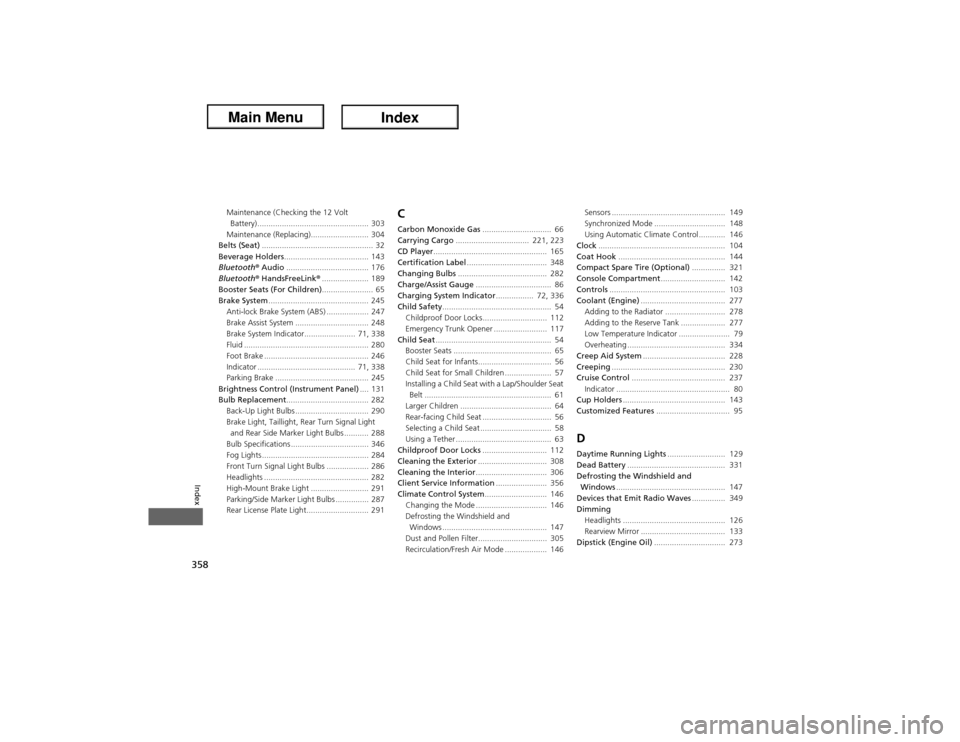
Client Service Information....................... 356
Climate Control System............................ 146
Changing the Mode ................................ 146
Defrosting the Windshield and
Windows ............................................... 147
Dust and Pollen Filter............................... 305
Recirculation/Fresh Air Mode ................... 146Sensors ................................................... 149
Synchronized Mode ................................ 148
Using Automatic Climate Control ............ 146
Clock......................................................... 104
Coat Hook................................................ 144
Compact Spare Tire (Optional)............... 321
Console Compartment............................. 142
Controls.................................................... 103
Coolant (Engine)...................................... 277
Adding to the Radiator ........................... 278
Adding to the Reserve Tank .................... 277
Low Temperature Indicator ....................... 79
Overheating ............................................ 334
Creep Aid System..................................... 228
Creeping................................................... 230
Cruise Control.......................................... 237
Indicator ................................................... 80
Cup Holders.............................................. 143
Customized Features................................. 95
DDaytime Running Lights.......................... 129
Dead Battery............................................ 331
Defrosting the Windshield and
Windows................................................. 147
Devices that Emit Radio Waves............... 349
Dimming
Headlights .............................................. 126
Rearview Mirror ...................................... 133
Dipstick (Engine Oil)................................ 273