mirror Acura ILX Hybrid 2013 Owner's Manual
[x] Cancel search | Manufacturer: ACURA, Model Year: 2013, Model line: ILX Hybrid, Model: Acura ILX Hybrid 2013Pages: 365, PDF Size: 8.63 MB
Page 2 of 365
Contents
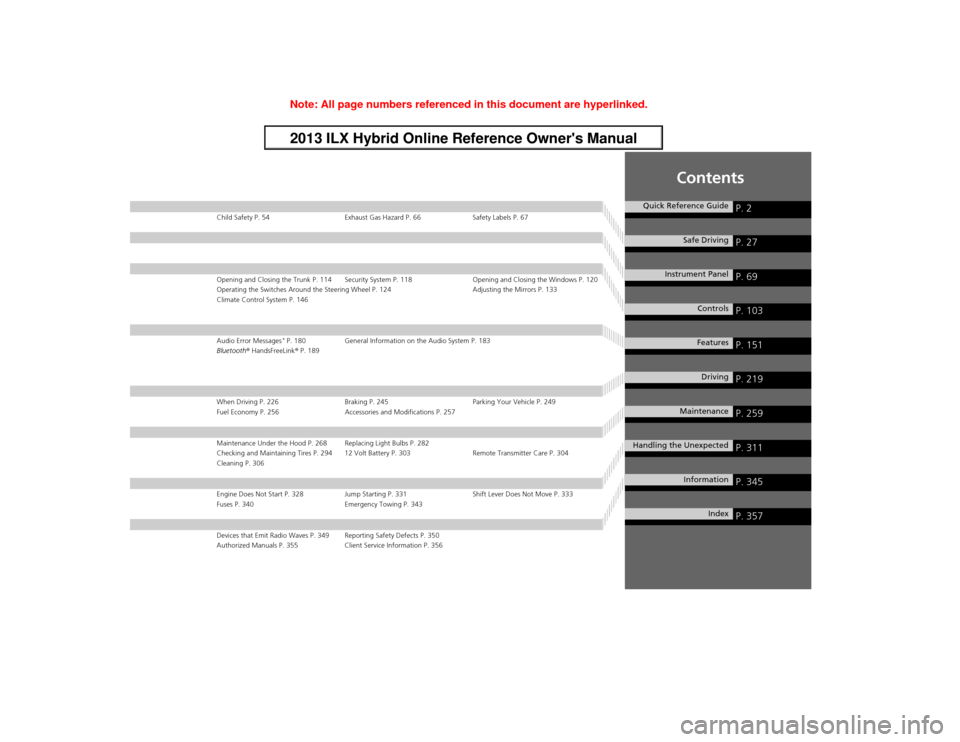
Child Safety P. 54 Exhaust Gas Hazard P. 66 Safety Labels P. 67Opening and Closing the Trunk P. 114 Security System P. 118 Opening and Closing the Windows P. 120
Operating the Switches Around the Steering Wheel P. 124 Adjusting the Mirrors P. 133
Climate Control System P. 146Audio Error Messages
* P. 180 General Information on the Audio System P. 183
Bluetooth® HandsFreeLink® P. 189
When Driving P. 226 Braking P. 245 Parking Your Vehicle P. 249
Fuel Economy P. 256 Accessories and Modifications P. 257Maintenance Under the Hood P. 268 Replacing Light Bulbs P. 282
Checking and Maintaining Tires P. 294 12 Volt Battery P. 303 Remote Transmitter Care P. 304
Cleaning P. 306Engine Does Not Start P. 328 Jump Starting P. 331 Shift Lever Does Not Move P. 333
Fuses P. 340 Emergency Towing P. 343Devices that Emit Radio Waves P. 349 Reporting Safety Defects P. 350
Authorized Manuals P. 355 Client Service Information P. 356
Quick Reference Guide
P. 2
Safe Driving
P. 27
Instrument Panel
P. 69
Controls
P. 103
Features
P. 151
Driving
P. 219
Maintenance
P. 259
Handling the Unexpected
P. 311
Information
P. 345
Index
P. 357
Page 3 of 365
2Quick Reference Guide
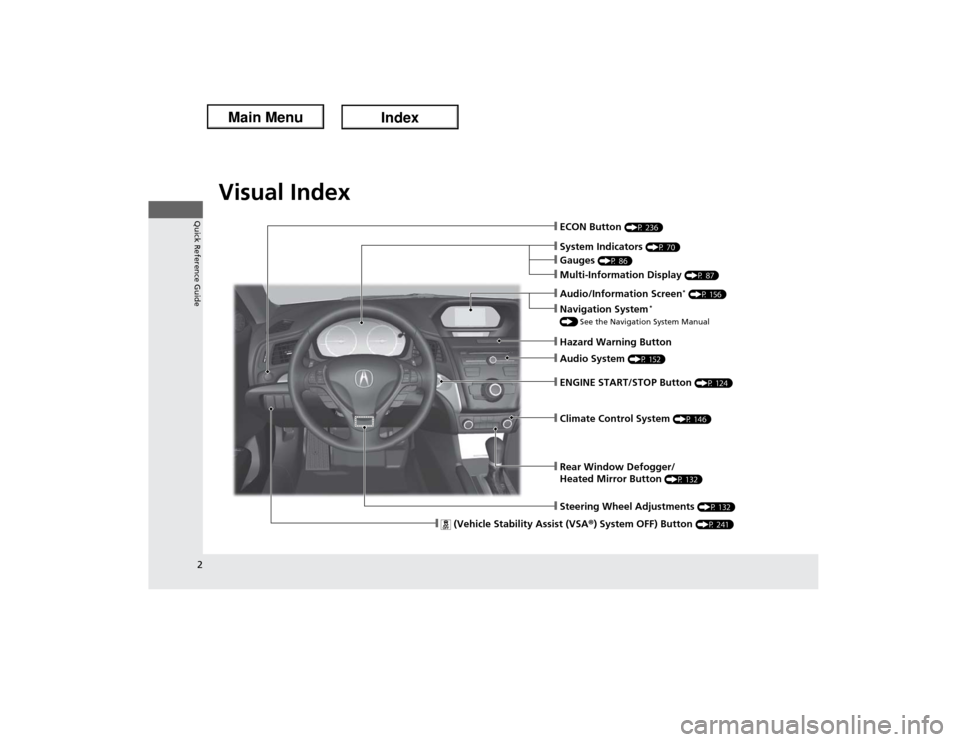
Quick Reference GuideVisual Index
❙Audio System
(P 152)
❙Rear Window Defogger/
Heated Mirror Button
(P 132)
❙Steering Wheel Adjustments
(P 132)
❙Climate Control System
(P 146)
❙System Indicators
(P 70)
❙Gauges
(P 86)
❙Multi-Information Display
(P 87)
❙Hazard Warning Button❙ENGINE START/STOP Button
(P 124)
❙ECON Button
(P 236)
❙
(Vehicle Stability Assist (VSA®) System OFF) Button
(P 241)
❙Audio/Information Screen
* (P 156)
❙Navigation System
*
() See the Navigation System Manual
Page 5 of 365
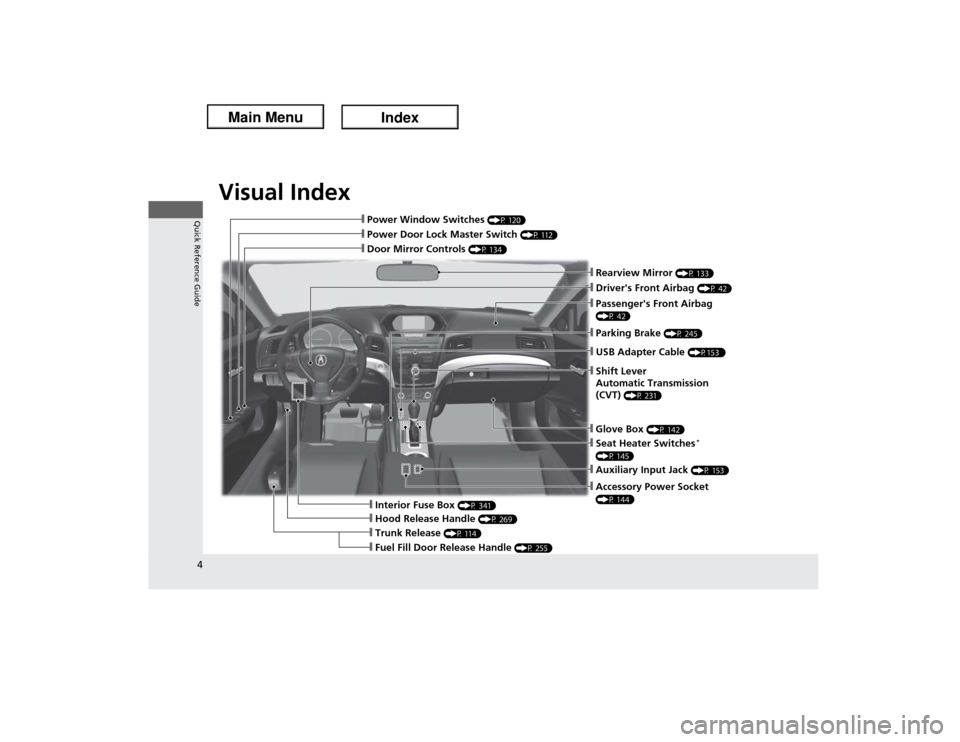
Visual Index
4Quick Reference Guide
❙Door Mirror Controls
(P 134)
❙Parking Brake
(P 245)
❙Rearview Mirror
(P 133)
❙Power Door Lock Master Switch
(P 112)
❙Power Window Switches
(P 120)
❙Driver's Front Airbag
(P 42)
❙Seat Heater Switches
*
(P 145)
❙Trunk Release
(P 114)
❙Fuel Fill Door Release Handle
(P 255)
❙Hood Release Handle
(P 269)
❙Interior Fuse Box
(P 341)
❙Passenger's Front Airbag (P 42)❙USB Adapter Cable
(P153 )
❙Shift Lever
Automatic Transmission
(CVT)
(P 231)
❙Glove Box
(P 142)
❙Accessory Power Socket (P 144)❙Auxiliary Input Jack
(P 153)
Page 6 of 365
5Quick Reference Guide
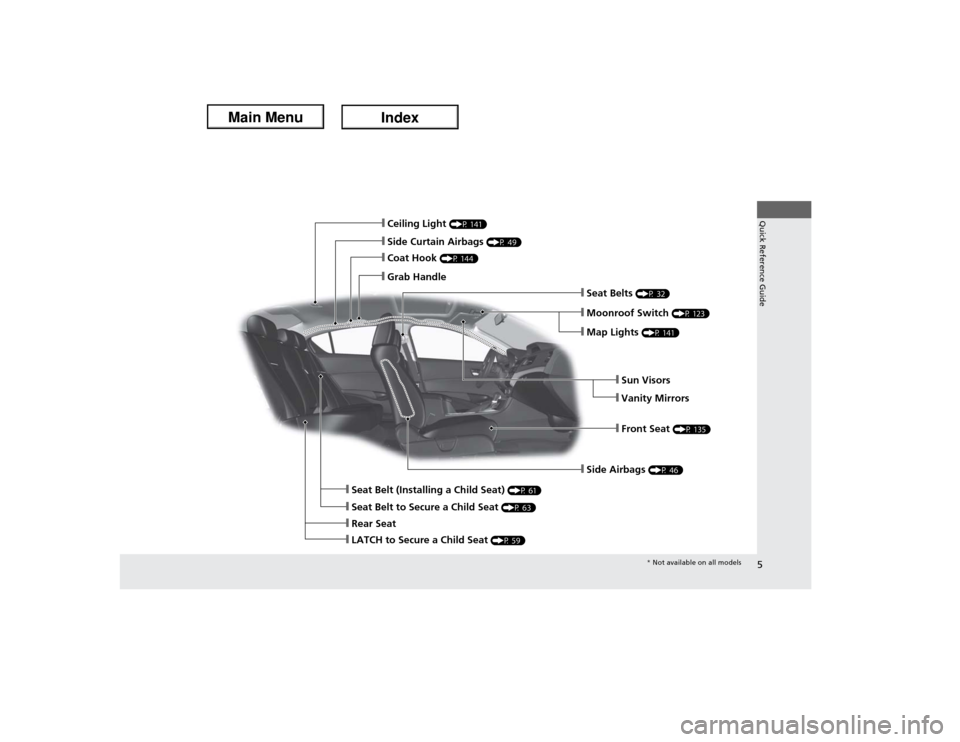
❙Side Airbags
(P 46)
❙Ceiling Light
(P 141)
❙Side Curtain Airbags
(P 49)
❙Coat Hook
(P 144)
❙Grab Handle
❙Moonroof Switch
(P 123)
❙Seat Belts
(P 32)
❙Seat Belt to Secure a Child Seat
(P 63)
❙LATCH to Secure a Child Seat
(P 59)
❙Seat Belt (Installing a Child Seat)
(P 61)
❙Rear Seat
❙Front Seat
(P 135)
❙Sun Visors❙Vanity Mirrors
❙Map Lights
(P 141)* Not available on all models
Page 7 of 365
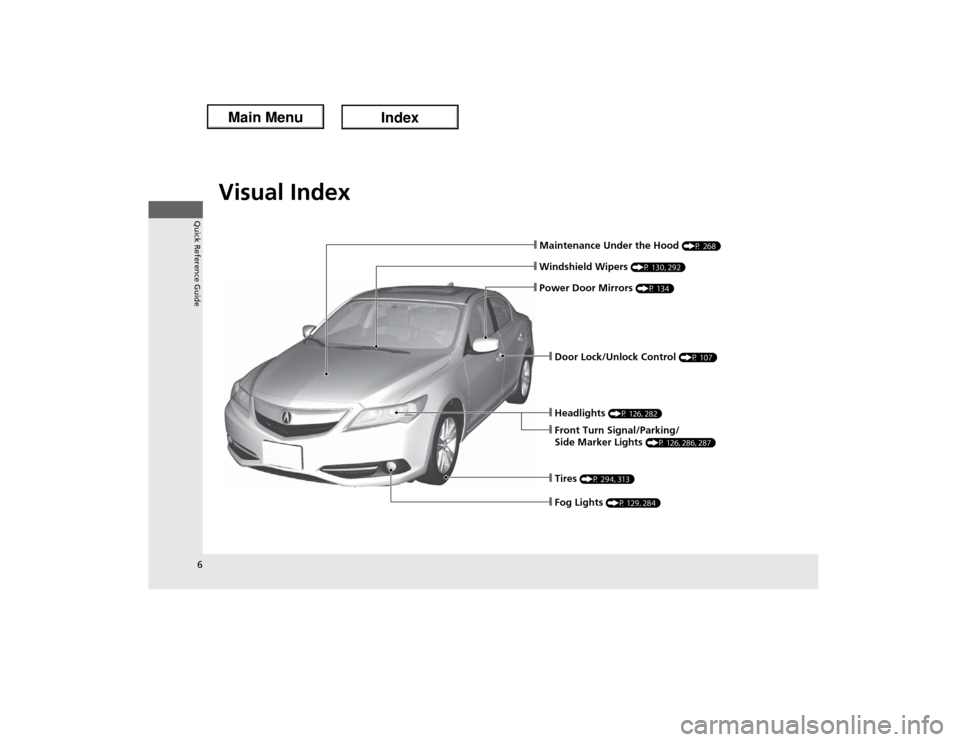
Visual Index
6Quick Reference Guide
❙Maintenance Under the Hood
(P 268)
❙Windshield Wipers
(P 130, 292)
❙Headlights
(P 126, 282)
❙Front Turn Signal/Parking/
Side Marker Lights
(P 126, 286, 287)
❙Tires
(P 294, 313)
❙Door Lock/Unlock Control
(P 107)
❙Power Door Mirrors
(P 134)
❙Fog Lights
(P 129, 284)
Page 13 of 365
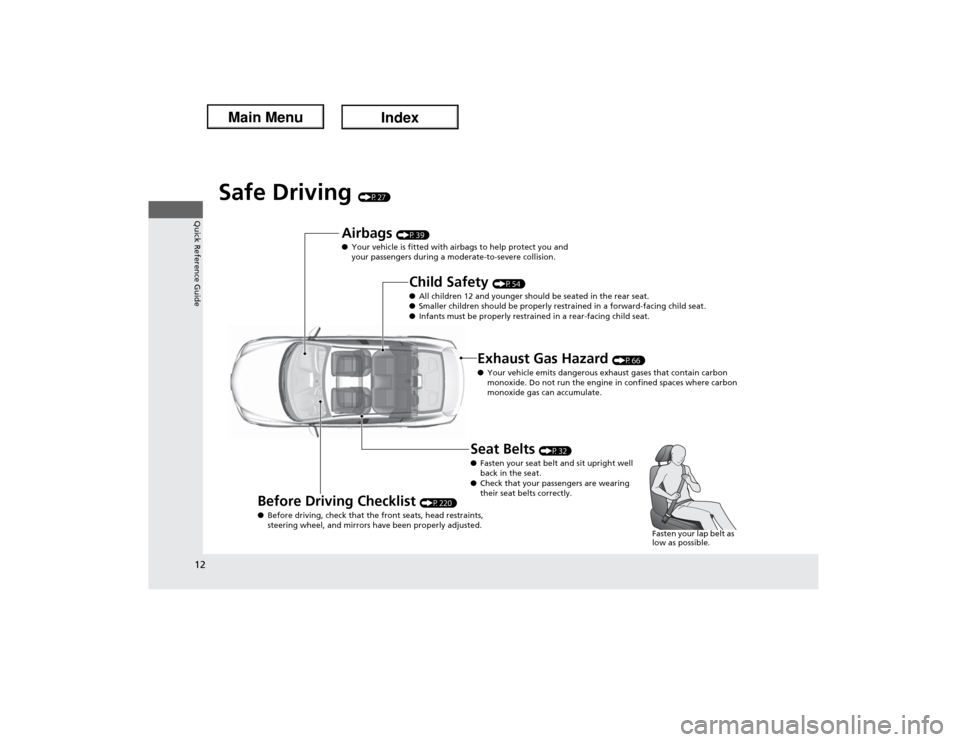
12Quick Reference Guide
Safe Driving
(P27)
Airbags
(P39)
●Your vehicle is fitted with airbags to help protect you and
your passengers during a moderate-to-severe collision.
Child Safety
(P54)
●All children 12 and younger should be seated in the rear seat.
●Smaller children should be properly restrained in a forward-facing child seat.
●Infants must be properly restrained in a rear-facing child seat.
Exhaust Gas Hazard
(P66)
●Your vehicle emits dangerous exhaust gases that contain carbon
monoxide. Do not run the engine in confined spaces where carbon
monoxide gas can accumulate.
Before Driving Checklist
(P220)
●Before driving, check that the front seats, head restraints,
steering wheel, and mirrors have been properly adjusted.
Seat Belts
(P32)
●Fasten your seat belt and sit upright well
back in the seat.
●Check that your passengers are wearing
their seat belts correctly.
Fasten your lap belt as
low as possible.
Page 16 of 365
15Quick Reference Guide
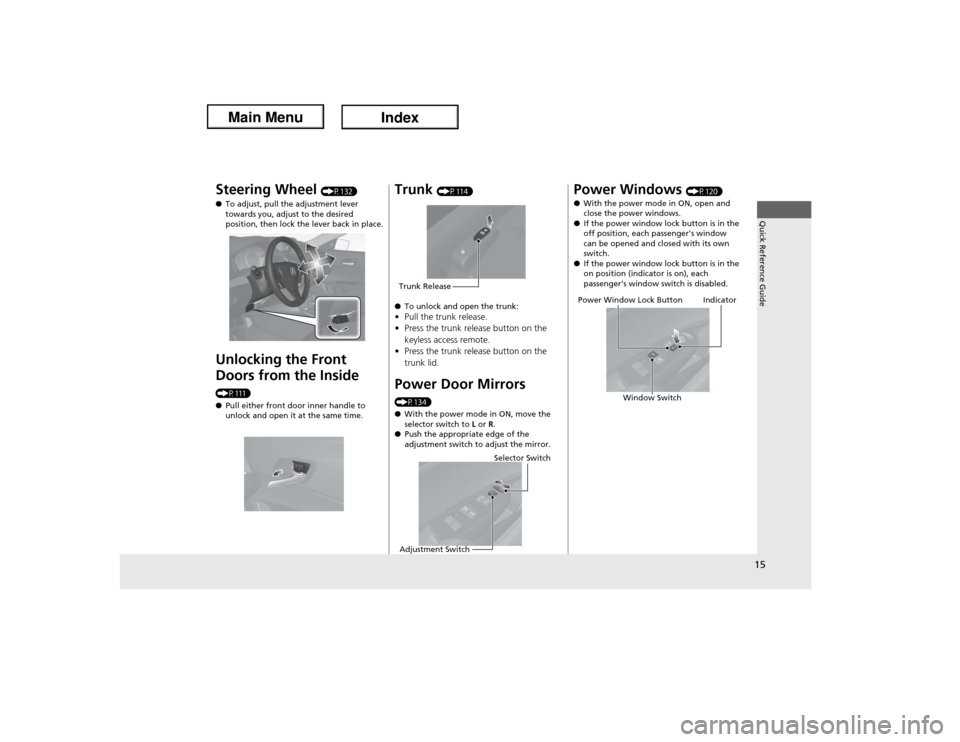
Steering Wheel
(P132)
●To adjust, pull the adjustment lever
towards you, adjust to the desired
position, then lock the lever back in place.
Unlocking the Front
Doors from the Inside (P111)
●Pull either front door inner handle to
unlock and open it at the same time.
Trunk
(P114)
●To unlock and open the trunk:
•Pull the trunk release.
•Press the trunk release button on the
keyless access remote.
•Press the trunk release button on the
trunk lid.Power Door Mirrors (P134)
●With the power mode in ON, move the
selector switch to L or R.
●Push the appropriate edge of the
adjustment switch to adjust the mirror.Trunk Release
Selector Switch
Adjustment Switch
Power Windows
(P120)
●With the power mode in ON, open and
close the power windows.
●If the power window lock button is in the
off position, each passenger's window
can be opened and closed with its own
switch.
●If the power window lock button is in the
on position (indicator is on), each
passenger's window switch is disabled.
Power Window Lock Button
Window Switch
Indicator
Page 17 of 365
16Quick Reference Guide
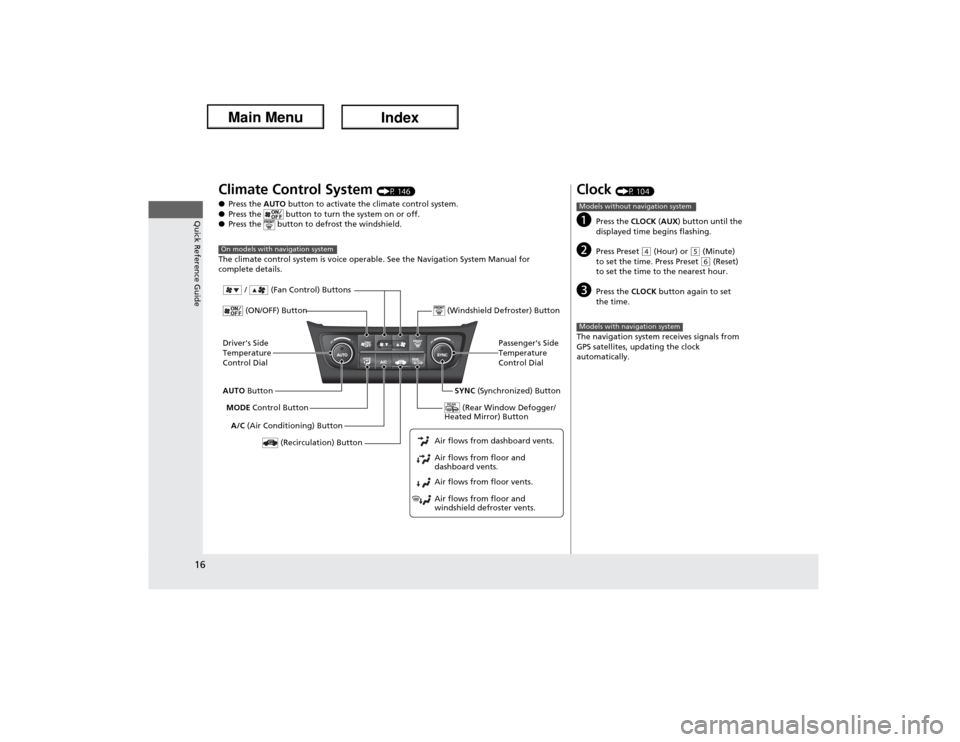
Climate Control System
(P 146)
●Press the AUTO button to activate the climate control system.
●Press the button to turn the system on or off.
●Press the button to defrost the windshield.
The climate control system is voice operable. See the Navigation System Manual for
complete details.
On models with navigation systemDriver's Side
Temperature
Control Dial
A/C (Air Conditioning) Button
Air flows from floor and
windshield defroster vents. Air flows from floor vents. Air flows from floor and
dashboard vents. Air flows from dashboard vents.AUTO Button
(Recirculation) Button
Passenger's Side
Temperature
Control Dial
MODE Control Button
(ON/OFF) Button
SYNC (Synchronized) Button (Windshield Defroster) Button
/ (Fan Control) Buttons
(Rear Window Defogger/
Heated Mirror) Button
Clock
(P 104)
a
Press the CLOCK (AUX) button until the
displayed time begins flashing.
b
Press Preset
(4 (Hour) or
(5 (Minute)
to set the time. Press Preset (6 (Reset)
to set the time to the nearest hour.
c
Press the CLOCK button again to set
the time.
The navigation system receives signals from
GPS satellites, updating the clock
automatically.
Models without navigation systemModels with navigation system
Page 104 of 365
103
Controls
This chapter explains how to operate the various controls necessary for driving.
Setting the Clock.............................. 104
Locking and Unlocking the Doors
Key Types and Functions .................. 105
Low Keyless Access Remote Signal
Strength......................................... 106
Locking/Unlocking the Doors from the
Outside .......................................... 107
Locking/Unlocking the Doors from the
Inside ............................................. 111
Childproof Door Locks ..................... 112
Auto Door Locking/Unlocking .......... 113
Opening and Closing the Trunk....... 114
Security System
Immobilizer System .......................... 118Security System Alarm...................... 118
Opening and Closing the Windows.... 120
Opening and Closing the Moonroof... 123Operating the Switches Around the
Steering Wheel
ENGINE START/STOP Button............. 124
Turn Signals ..................................... 126
Light Switches.................................. 126
Fog Lights ........................................ 129
Daytime Running Lights ................... 129
Wipers and Washers ........................ 130
Brightness Control ........................... 131
Rear Defogger/Heated Door Mirror Button...132
Adjusting the Steering Wheel........... 132Adjusting the Mirrors
Interior Rearview Mirror ................... 133
Power Door Mirrors ......................... 134
Adjusting the Seats
Adjusting the Seat Positions ............. 135
Interior Lights/Interior Convenience
Items
Interior Lights .................................. 141
Interior Convenience Items .............. 142
Climate Control System
Using Automatic Climate Control .... 146
Synchronized Mode .............................. 148
Automatic Climate Control Sensors ...... 149
Page 133 of 365
132
uuOperating the Switches Around the Steering WheeluRear Defogger/Heated Door Mirror Button
Controls
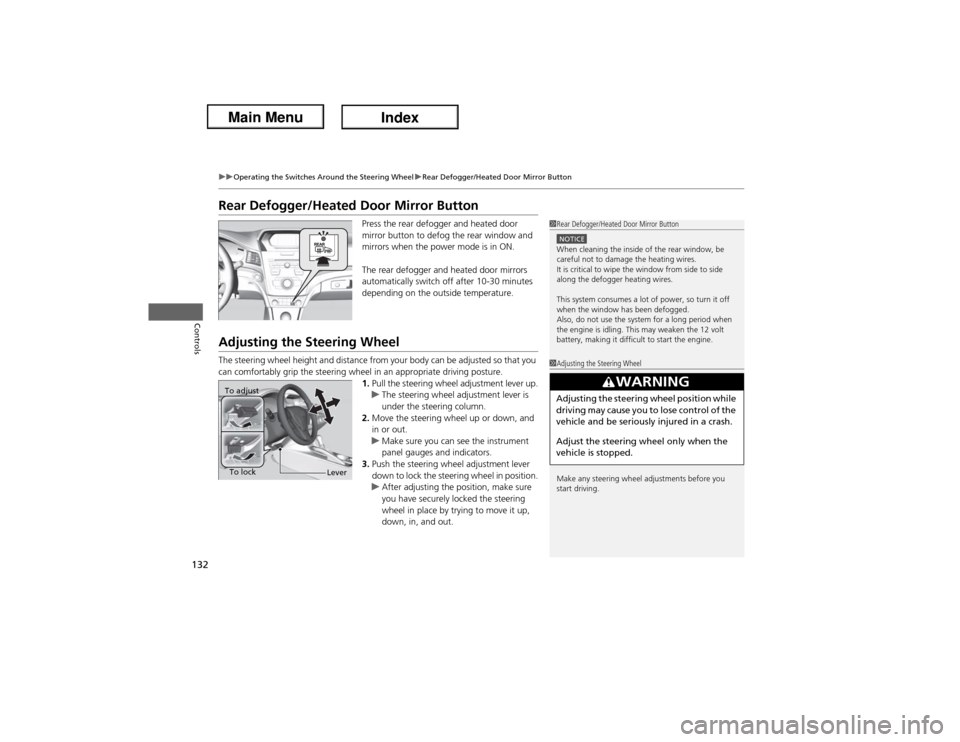
Rear Defogger/Heated Door Mirror Button
Press the rear defogger and heated door
mirror button to defog the rear window and
mirrors when the power mode is in ON.
The rear defogger and heated door mirrors
automatically switch off after 10-30 minutes
depending on the outside temperature.
Adjusting the Steering WheelThe steering wheel height and distance from your body can be adjusted so that you
can comfortably grip the steering wheel in an appropriate driving posture.
1.Pull the steering wheel adjustment lever up.
uThe steering wheel adjustment lever is
under the steering column.
2.Move the steering wheel up or down, and
in or out.
uMake sure you can see the instrument
panel gauges and indicators.
3.Push the steering wheel adjustment lever
down to lock the steering wheel in position.
uAfter adjusting the position, make sure
you have securely locked the steering
wheel in place by trying to move it up,
down, in, and out.
1Rear Defogger/Heated Door Mirror ButtonNOTICEWhen cleaning the inside of the rear window, be
careful not to damage the heating wires.
It is critical to wipe the window from side to side
along the defogger heating wires.
This system consumes a lot of power, so turn it off
when the window has been defogged.
Also, do not use the system for a long period when
the engine is idling. This may weaken the 12 volt
battery, making it difficult to start the engine.1Adjusting the Steering Wheel
Make any steering wheel adjustments before you
start driving.
3
WARNING
Adjusting the steering wheel position while
driving may cause you to lose control of the
vehicle and be seriously injured in a crash.
Adjust the steering wheel only when the
vehicle is stopped.
To adjust
To lock
Lever