charging ACURA INTEGRA 2023 User Guide
[x] Cancel search | Manufacturer: ACURA, Model Year: 2023, Model line: INTEGRA, Model: ACURA INTEGRA 2023Pages: 740, PDF Size: 22.94 MB
Page 340 of 740

338
uuGeneral Information on the Audio System uHonda App License Agreement
Features
E. Information Collection and Storage
1. Information Collection , Use, Transmission and Storage of Data. Consent to Use of Data:
You agree that HONDA and PROVIDERS may
collect and use your information gathered in any manner as part of product support services related to the SOFTWARE or related services.
HONDA may share such information with third parties, including, without limitation, PROV IDERS, third party software and service s
suppliers, their affiliates and/or their design ated agents, solely to improve their products or to provide services or technologies to you.
HONDA, third party software and systems supp liers, their affiliates and/or their designated agent may disclose this information to others,
but not in a form that pe rsonally identifies you.
2. Information Storage.
Depending on the type of multimedia system you have in your VEHICLE, certain information may be stored for ease
of use of the SOFTWARE including, without limitation, search hi story, location history in certain applications, previous and saved
destinations, map locations within certain applications, and device numbers and contact information.
(a) Vehicle Health Information.
Your VEHICLE may remotely trans mit information regarding the status and health of your VEHICLE
(“VEHICLE INFORMATION”) to HONDA without notification to you. VEHICLE INFORMATION may contain VEHICLE maintenance and
malfunction status that is derived from VEHICLE diagnostic data and includes, but is not limited to, status of powered doors and windows,
battery life data, battery charging data, VEHICLE speed, coolant temperat ure, air compressor revolution, output power, warning codes,
diagnostic trouble codes, fuel injection volu me, and engine rotations per minute. VEHICL E HEALTH INFORMATION may be used by HON DA
for research and development, to deliver HO NDA SERVICES and information to you, and to contact you, and is retained only for a period
of time necessary to fulfill these goals.
(b) VEHICLE Geolocation Data (non-navigation/map based).
If you opt-in to geolocation-based SERVICES, your vehicle’s geolocation data
(latitude and longitude) will be automatically sent from your VEHICLE to HONDA and PROVIDERS.
(c) You understand that the inputting or uploading of information to your VEHICLE’s multimedia system or the SOFTWARE or SERVICES is
at your own risk and that HONDA is not resp onsible for unauthorized access to or use of any personal or other information. All information
uploaded to the SOFTWARE and SERVICES may be stored on your VEHI CLES’s multimedia system and you understand that the security and
safety of your VEHICLE’s multimedia system is your sole responsibility.
23 ACURA INTEGRA-313S56000_03.book 338 ページ 2022年3月18日 金曜日 午前11時47分
Page 654 of 740
652
uuBattery uCharging the Battery
Maintenance
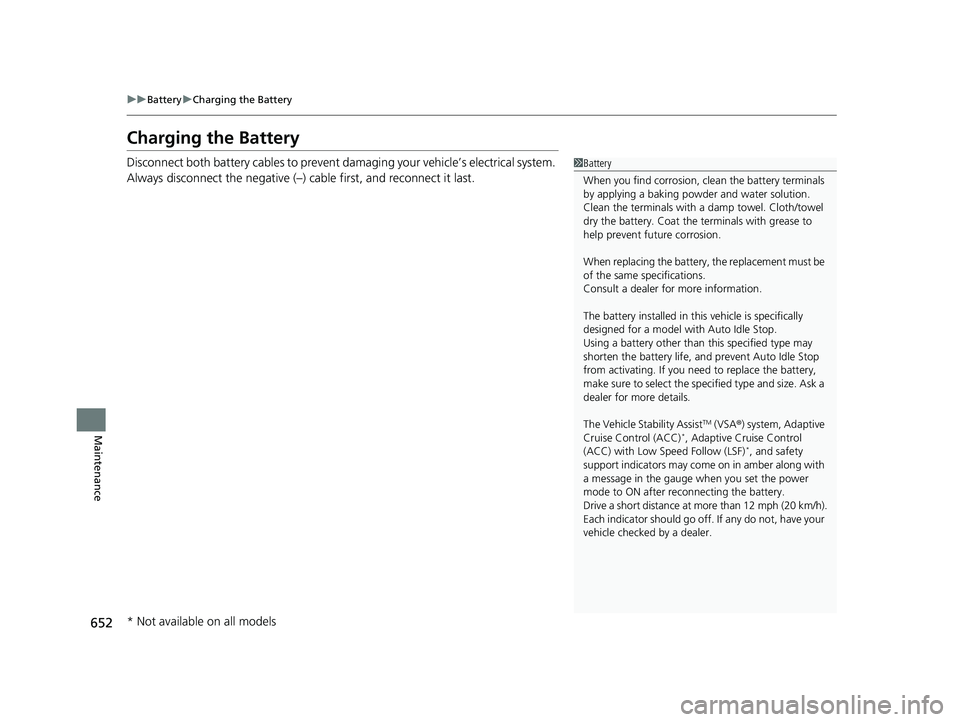
Charging the Battery
Disconnect both battery cables to prevent da maging your vehicle’s electrical system.
Always disconnect the negative (–) cable first, and reconnect it last.1 Battery
When you find corrosion, cl ean the battery terminals
by applying a baking powder and water solution.
Clean the terminals with a damp towel. Cloth/towel
dry the battery. Coat the terminals with grease to
help prevent future corrosion.
When replacing the battery, the replacement must be
of the same specifications.
Consult a dealer for more information.
The battery installed in this vehicle is specifically
designed for a model wi th Auto Idle Stop.
Using a battery other than this specified type may
shorten the battery life, a nd prevent Auto Idle Stop
from activating. If you need to replace the battery,
make sure to select the specified type and size. Ask a
dealer for more details.
The Vehicle Stability Assist
TM (VSA ®) system, Adaptive
Cruise Control (ACC)*, Adaptive Cruise Control
(ACC) with Low Speed Follow (LSF)*, and safety
support indicators may come on in amber along with
a message in the gauge when you set the power
mode to ON after re connecting the battery.
Drive a short distance at more than 12 mph (20 km/h).
Each indicator should go off. If any do not, have your
vehicle checked by a dealer.
* Not available on all models
23 ACURA INTEGRA-313S56000_03.book 652 ページ 2022年3月18日 金曜日 午前11時47分
Page 667 of 740
665
Handling the Unexpected
This chapter explains how to handle unexpected troubles.
ToolsTypes of Tools .................................. 666
If a Tire Goes Flat Temporarily Repairi ng a Flat Tire....... 667
Changing a Flat Tire ......................... 682
Engine Does Not Start Checking the Engine ........................ 689
If the Keyless Remote Battery is Weak .. 691Emergency Engine Start ................... 692
Emergency Engine Stop ................... 693
If the Battery Is Dead
Jump Starting Procedure .................. 694
Shift Lever Does Not Move .............. 696Overheating
How to Handle Overheating............. 697
Indicator, Coming On/Blinking If the Engine oil pressure low Warning Appears ......................................... 699
If the Charging System Indicator Comes On ................................................. 700
If the Malfunction Indicator Lamp Comes
On or Blinks ................................... 700
If the Brake System Indicator (Red) Comes On or Blinks ................................... 701
If the Brake System Indicator (Red) Comes On
or Blinks at the Same Time When the Brake
System Indicator (Amber) Comes On .. 703
If the Electric Power Steering (EPS) System Indicator Comes On......................... 702
If the Low Tire Pressure/TPMS Indicator Comes On or Blinks ....................... 704
Fuses
Fuse Locations ................................. 705
Inspecting and Changing Fuses ........ 709
Emergency Towing ........................... 711
If You Cannot Unlock the Fuel Fill Door.. 712If You Cannot Open the Hatch ........ 713
Refueling ........................................... 714
23 ACURA INTEGRA-313S56000_03.book 665 ページ 2022年3月18日 金曜日 午前11時47分
Page 696 of 740

694
Handling the Unexpected
If the Battery Is Dead
Jump Starting Procedure
Turn off the power to electric devices, such as audio and lights. Turn off the engine,
then open the hood. 1.Open the cover on the positive + terminal.
2. Connect the first jump er cable to your
vehicle’s battery + terminal.
3. Connect the other end of the first jumper
cable to the booster battery + terminal.
u Use a 12-volt booster battery only.
u When using an automotive battery
charger to boost your 12-volt battery,
select a lower charging voltage than 15-
volt. Check the charger manual for the
proper setting.
4. Connect the second jumper cable to the
booster battery - terminal.
5. Connect the other end of the second
jumper cable to the stud bolt as shown. Do
not connect this jumper cable to any other
part.
6. If your vehicle is connected to another
vehicle, start the assi sting vehicle’s engine
and increase its rpm slightly.
7. Attempt to start your vehicle’s engine. If it
turns over slowly, check that the jumper
cables have good metal-to-metal contact.1If the Battery Is Dead
Securely attach the jumper cables clips so that they
do not come off when the e ngine vibrates. Be careful
not to tangle the jumper cables or allow the cable
ends to touch each other while attaching or
detaching the jumper cables.
Battery performance degrades in cold conditions and
may prevent the engi ne from starting.
3WARNING
A battery can explode if you do not follow
the correct procedure, seriously injuring
anyone nearby.
Keep all sparks, open flames, and smoking
materials away from the battery.
Booster Battery
23 ACURA INTEGRA-313S56000_03.book 694 ページ 2022年3月18日 金曜日 午前11時47分
Page 702 of 740

700
uuIndicator, Coming On/BlinkinguIf the Charging System Indicator Comes On
Handling the Unexpected
If the Charging System Indicator Comes On
■Reasons for the indicator to come on
Comes on when there is a prob lem with the charging system.
■What to do when the indicator comes on
Stop in a safe place and have yo ur vehicle checked by a dealer
immediately.
If the Malfunction Indicator Lamp Comes On or
Blinks
■Reasons for the indicator la mp to come on or blink
• Comes on when there is a problem with the engine emissions control
system.
• Blinks when engine misfiring is detected.
■What to do when the indicator lamp comes on
Avoid high speeds and immediately get your vehicle inspected at a
dealer.
■What to do when the indicator lamp blinks
Park the vehicle in a safe place with no flammable items and wait at least
10 minutes or more with the engine stopped until it cools.
1 If the Charging System Indicator Comes On
If you need to stop temporarily, do not turn off the
engine. Restarting the engi ne may rapidly discharge
the battery.
1 If the Malfunction Indicato r Lamp Comes On or Blinks
NOTICE
If you drive with the malf unction indicator lamp on,
the emissions control system and the engine could be
damaged.
If the malfunction indicator lamp blinks again when
restarting the engine, drive to the nearest dealer at
31 mph (50 km/h) or less. Have your vehicle
inspected.
23 ACURA INTEGRA-313S56000_03.book 700 ページ 2022年3月18日 金曜日 午前11時47分
Page 732 of 740

730
Index
Audio/Information Screen........................ 261
Authorized Manuals ................................. 726
Auto Door Locking/Unlocking ................. 161
Auto High-Beam ....................................... 180
Indicator .................................................... 93
Auto Idle Stop ................................... 455, 461
OFF Button ...................................... 456, 462
Automatic Brake Hold .............................. 589
Indicator ............................................ 88, 589
Automatic Brake Hold System Indicator ............................................ 88, 589
Automatic Lighting .................................. 177
Average Fuel Economy ............................. 114
Average Speed .......................................... 116
B
Battery....................................................... 651
Charging System Indicator ................. 89, 700
If the Battery Is Dead ............................... 694
Maintenance (Checking the Battery) ........ 651
Maintenance (Replacing).......................... 653
Belts (Seat) .................................................. 40
Beverage Holders ...................................... 204
Blind Spot Information System ................ 474
Bluetooth ® Audio ............................. 245, 302
Bluetooth ® HandsFreeLink ®........... 383, 403
Booster Seats (For Children) ....................... 80
Brake System ............................................. 584
Anti-lock Brake System (ABS) ................... 594
Automatic Brake Hold.............................. 589 Brake Assist System ................................. 595
Fluid ........................................................ 635
Foot Brake............................................... 588
Indicator (Amber) .............................. 88, 703
Indicator (Red) ..................... 86, 87, 701, 703
Parking Brake .......................................... 584
Brightness ................................................. 124
Built-in Key ............................................... 145
Bulb Replacement .................................... 637
Brake, Rear Side Marker, Brake/Chicane
TM
Taillights, Back-Up, and Rear Turn Signal
Lights .................................................. 638
Door Outer Handle Ambient Lights.......... 637
Fog Lights ............................................... 637
Front Turn Signal, Parking/Chicane
TM
Daytime Running, and Front Side Marker
Lights .................................................. 637
Headlights ............................................... 637
High-Mount Brake Light .......................... 638
Rear License Plate Light ........................... 638
Side Turn Signal/Emergency Indicator Lights .................................................... 637
Bulb Specifications ................................... 716
C
Carbon Monoxide Gas ............................... 81
Cargo Area Cover ..................................... 209
Carrying Cargo ................................. 425, 427
Certification Label .................................... 718
Changing Bulbs ........................................ 637 Charging System Indicator
................ 89, 700
Chicane
TM Daytime Running Lights ......... 179
Child Safety ................................................ 68
Childproof Door Locks ............................ 160
Child Seat ................................................... 68
Booster Seats ............................................ 80
Child Seat for Infants ................................ 70
Child Seat for Small Children .................... 71
Installing a Child Seat with a Lap/Shoulder
Seat Belt ................................................. 75
Larger Children ......................................... 79
Rear-facing Child Seat............................... 70
Selecting a Child Seat ............................... 72
Using a Tether .......................................... 77
Childproof Door Locks ............................. 160
Cleaning the Exterior ............................... 659
Cleaning the Interior ............................... 656
Client Service Information ....................... 727
Climate Control System ........................... 218
Changing the Mode........................ 218, 219
Defrosting the Windshield and Windows .............................................. 220
Dust and Pollen Filter .............................. 655
Recirculation/Fresh Air Mode................... 219
Sensors ................................................... 223
Synchronization Mode ............................ 222
Using Automatic Climate Control............ 218
Clutch Fluid .............................................. 635
CMBS
TM (Collision Mitigation Braking
SystemTM) ................................................ 481
Coat Hooks ............................................... 206
23 ACURA INTEGRA-313S56000_03.book 730 ページ 2022年3月18日 金曜日 午前11時47分
Page 735 of 740
733
Index
I
Identification NumbersVehicle Identification............................... 718
Immobilizer System .................................. 165
Indicator ................................................... 95
Indicators .................................................... 84
Adaptive Cruise Control (ACC)................ 525
Adaptive Cruise Control (ACC) with
Low Speed Follow ........................... 98, 504
Adaptive Cruise Control (ACC) with Low Speed Follow Interval .............................. 99
Anti-lock Brake System (ABS) .................... 91
Auto High-Beam ....................................... 93
Auto Idle Stop (Green) .............................. 96
Auto Idle Stop OFF .................................... 96
Auto Idle Stop Suspend............................. 97
Auto Idle Stop System (Amber) ................. 96
Automatic Brake Hold ....................... 88, 589
Automatic Brake Hold System ........... 88, 589
Charging System............................... 89, 700
COMFORT Mode ...................................... 94
Cruise Mode ............................................. 99
Electric Power Steering (EPS) System ............................................ 91, 702
Fog Light .................................................. 93
High Beam ................................................ 93
Immobilizer System ................................... 95
INDIVIDUAL Mode .................................... 94
Lane Keeping Assist System (LKAS) ........... 99
Lights On .................................................. 93
Low Fuel ................................................... 91 Low Tire Pressure/TPMS ............. 92, 472, 704
M (7-speed manual shift mode) Indicator/
Shift ........................................................ 89
Malfunction Indicator Lamp ............... 89, 700
NORMAL Mode ......................................... 94
Parking Brake and Brake System (Amber) ........................................... 88, 703
Parking Brake and Brake
System (Red) ...................... 86, 87, 701, 703
Safety Support ................................. 100, 103
Seat Belt Reminder .............................. 42, 90
Security System Alarm ............................... 95
Shift Position ............................................. 89
SPORT Mode ............................................. 94
Supplemental Restraint System ............ 64, 91
System Message ........................................ 94
Transmission System .................................. 90
Turn Signal and Haza rd Warning ............... 93
Vehicle Stability Assist
TM (VSA ®) OFF ... 92, 467
Vehicle Stability AssistTM (VSA ®)
System............................................. 92, 466
Information ............................................... 715
Instant Fuel Economy ............................... 114
Instrument Panel ........................................ 83
Integrated Dynamics System .................... 449
Dynamic Mode Switch ............................. 450
Interior Lights ........................................... 201
Interior Rearview Mirror .......................... 189
iPod ................................................... 239, 296
J
Jack (Wheel Nut Wrench) ........................ 685
Jump Starting ........................................... 694
K
Key Number Tag ....................................... 145
Keyless Access System .............................. 147
Keys ........................................................... 144
Number Tag ............................................ 145
Rear Door Won’t Open............................ 160
Remote Transmitter ................................. 153
Two-way Keyless Remote ........................ 154
Types and Functions ................................ 144
Kickdown (Continuously Variable Transmission) .......................................... 439
L
Lane Keeping Assist System (LKAS) ......... 545
LATCH (Child Seats) .................................... 73
23 ACURA INTEGRA-313S56000_03.book 733 ページ 2022年3月18日 金曜日 午前11時47分