transmission ACURA INTEGRA 2023 User Guide
[x] Cancel search | Manufacturer: ACURA, Model Year: 2023, Model line: INTEGRA, Model: ACURA INTEGRA 2023Pages: 740, PDF Size: 22.94 MB
Page 86 of 740
84
Instrument Panel
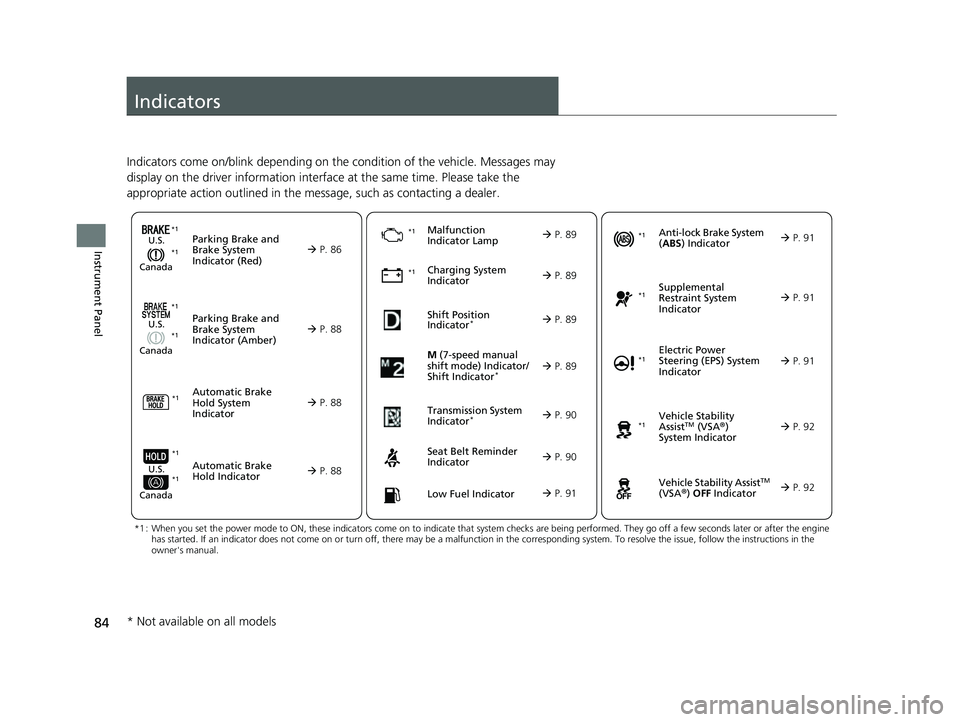
Indicators
Indicators come on/blink depending on the condition of the vehicle. Messages may
display on the driver information interface at the same time. Please take the
appropriate action outlined in the message, such as contacting a dealer.
M (7-speed manual
shift mode) Indicator/
Shift Indicator
* P. 89
Parking Brake and
Brake System
Indicator (Red)
Parking Brake and
Brake System
Indicator (Amber)U.S.
Canada
U.S.
Canada
Automatic Brake
Hold System
Indicator
Automatic Brake
Hold IndicatorU.S.
Canada
*1 : When you set the power mode to ON, these indicators come on to indicate that system checks are being perf ormed. They go off a few seconds later or after the engine
has started. If an indicator does not come on or turn off, th ere may be a malfunction in the corresponding system. To resolve the issue, follow the instructions in the
owner's manual.
P. 86
*1Malfunction
Indicator Lamp
Charging System
Indicator
Seat Belt Reminder
Indicator
Low Fuel Indicator
P. 88
P. 88
P. 88
P.
89
P. 89
*1 *1
*1Shift Position
Indicator*
P. 89
Transmission System
Indicator
* P. 90
P. 90
P. 91
*1
Anti-lock Brake System
(ABS ) Indicator
Vehicle Stability
AssistTM (VSA®)
System Indicator
Vehicle Stability Assist
TM
(VSA®) OFF Indicator
Supplemental
Restraint System
Indicator
Electric Power
Steering (EPS) System
Indicator
*1
P. 91
P. 91
P. 92*1
*1
P. 92
*1 P. 91
*1 *1
*1 *1
* Not available on all models
23 ACURA INTEGRA-313S56000_03.book 84 ページ 2022年3月18日 金曜日 午前11 時47分
Page 89 of 740
87
uuIndicators u
Continued
Instrument Panel
IndicatorNameOn/BlinkingExplanation
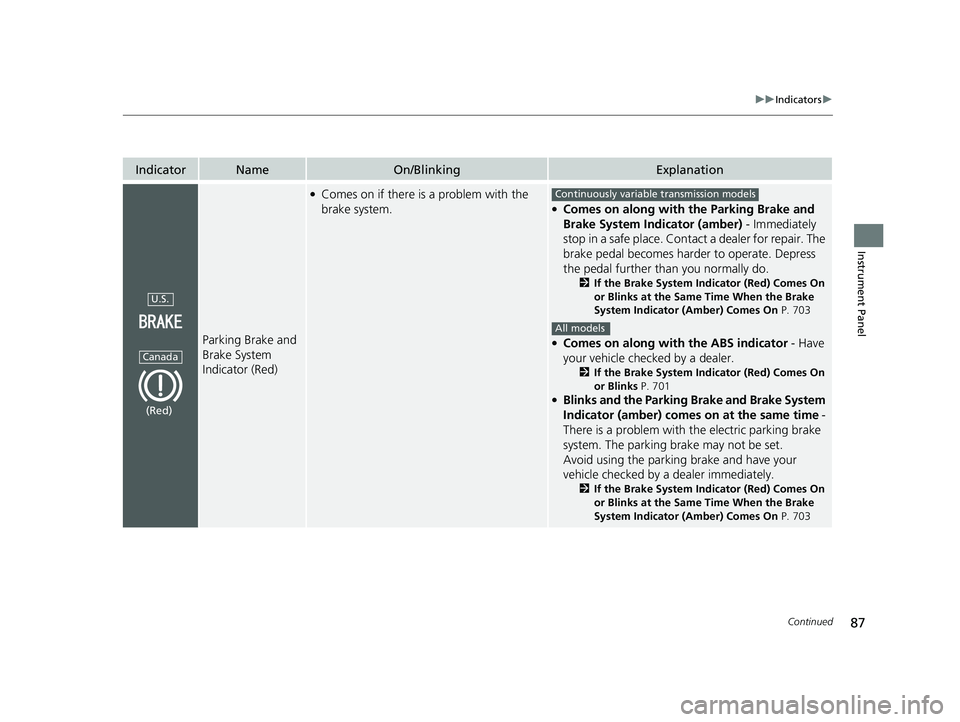
Parking Brake and
Brake System
Indicator (Red)
●Comes on if there is a problem with the
brake system.●Comes on along with the Parking Brake and
Brake System Indicator (amber) - Immediately
stop in a safe place. Contact a dealer for repair. The
brake pedal becomes harder to operate. Depress
the pedal further than you normally do.
2 If the Brake System Indicator (Red) Comes On
or Blinks at the Same Time When the Brake
System Indicator (Amber) Comes On P. 703
●Comes on along with the ABS indicator - Have
your vehicle checked by a dealer.
2 If the Brake System Indicator (Red) Comes On
or Blinks P. 701
●Blinks and the Parking Brake and Brake System
Indicator (amber) comes on at the same time -
There is a problem with the electric parking brake
system. The parking brake may not be set.
Avoid using the parking brake and have your
vehicle checked by a dealer immediately.
2 If the Brake System Indicator (Red) Comes On
or Blinks at the Same Time When the Brake
System Indicator (Amber) Comes On P. 703
U.S.
Canada
(Red)
Continuously variable transmission models
All models
23 ACURA INTEGRA-313S56000_03.book 87 ページ 2022年3月18日 金曜日 午前11 時47分
Page 92 of 740

90
uuIndicators u
Instrument Panel
IndicatorNameOn/BlinkingExplanation
Transmission
System Indicator*
●Blinks if the transmission system has a
problem.●Have your vehicle checked by a dealer immediately.
Seat Belt Reminder
Indicator
●Blinks and the beeper sounds for a few
seconds if you are not wearing a seat belt
when you set the power mode to ON, then
the indicator comes on.
●If the front passenger is not wearing a seat
belt, the indicator comes on a few seconds
later.
●Comes on for a while when the rear seat
belt is unfastened while the power mode in
ON.
●Blinks while driving if you and/or any
passenger has not fastened a seat belt. The
beeper sounds and the indicator blinks at
regular intervals.
●The beeper stops and the indicator goes off when
you and the passengers fasten their seat belts.
●Stays on after you and/or the passengers have
fastened the seat belt(s) - A detection error may
have occurred in the sensor. Have your vehicle
checked by a dealer.
2 Seat Belt Reminder P. 42
* Not available on all models
23 ACURA INTEGRA-313S56000_03.book 90 ページ 2022年3月18日 金曜日 午前11 時47分
Page 99 of 740

97
uuIndicators u
Continued
Instrument Panel
IndicatorNameOn/BlinkingExplanation
Auto Idle Stop
Suspend Indicator
●Comes on while Auto Idle Stop is
temporarily suspended in the following
situations.
—
-Brake pedal is not fully pressed●Depress the brake pedal firmly.
-The transmission is in a position other than
(D
2 Auto Idle Stop P. 455
-System charging is prioritized
2 Auto Idle Stop P. 455, 461-Climate control system is prioritized
-Engine coolant temperature is not in
operating range
-The Integrated Dynamics System mode is in
SPORT or INDIVIDUAL* mode (when the
Auto Idle Stop setting is set to Disable).2Auto Idle Stop P. 455, 461
2 Customizing the INDIVIDUAL Settings P. 453
-The battery temperature is too low.
- Auto Idle Stop does not activate for some
reason.
2 Auto Idle Stop P. 455, 461
—
●If you press and hold the Auto Idle Stop OFF
button, you can select whether to display the status
messages or not.
Continuously variable transmission models
Continuously variable transmission models
* Not available on all models
23 ACURA INTEGRA-313S56000_03.book 97 ページ 2022年3月18日 金曜日 午前11 時47分
Page 111 of 740
Continued109
uuGauges and Displays uDriver Information Interface (Left Side Area)
Instrument Panel
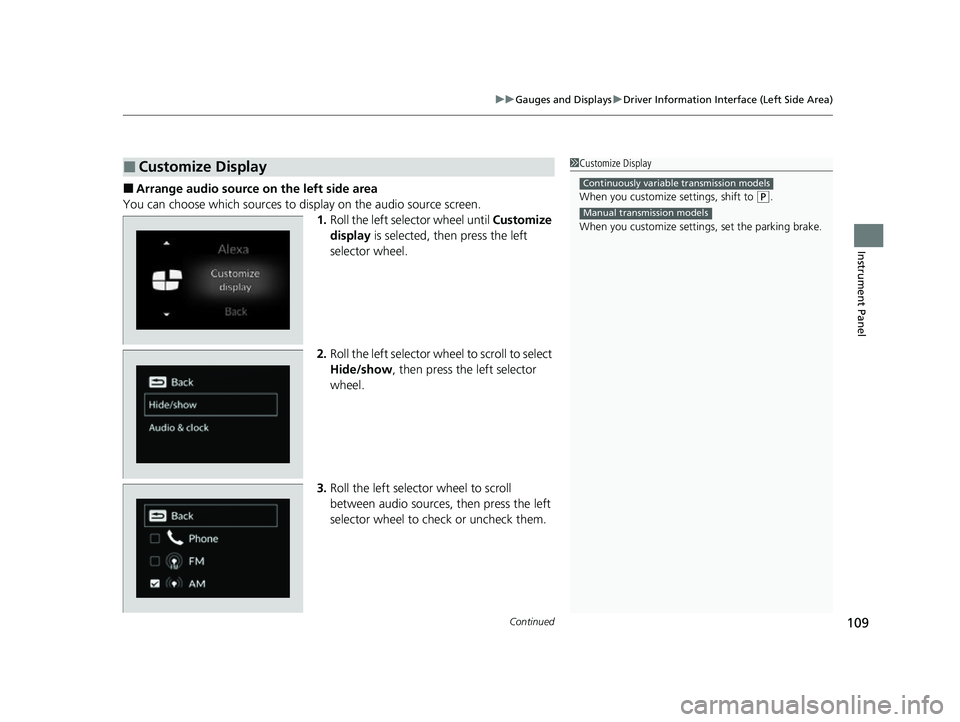
■Arrange audio source on the left side area
You can choose which sources to display on the audio source screen. 1.Roll the left selector wheel until Customize
display is selected, then press the left
selector wheel.
2. Roll the left selector wheel to scroll to select
Hide/show , then press the left selector
wheel.
3. Roll the left selector wheel to scroll
between audio sources, then press the left
selector wheel to check or uncheck them.
■Customize Display1Customize Display
When you customize settings, shift to
(P.
When you customize setti ngs, set the parking brake.
Continuously variable transmission models
Manual transmission models
23 ACURA INTEGRA-313S56000_03.book 109 ページ 2022年3月18日 金曜日 午前11時47分
Page 127 of 740
Continued125
uuGauges and Displays uDriver Information Interface (Right Side Area)
Instrument Panel
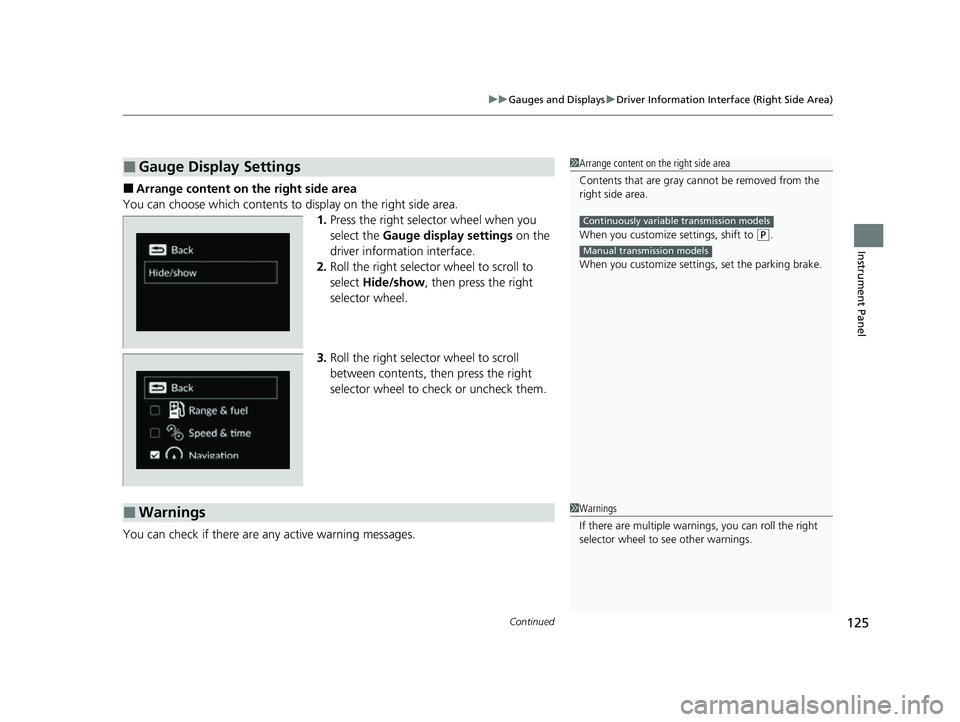
■Arrange content on the right side area
You can choose which contents to display on the right side area. 1.Press the right selector wheel when you
select the Gauge display settings on the
driver information interface.
2. Roll the right selector wheel to scroll to
select Hide/show , then press the right
selector wheel.
3. Roll the right selector wheel to scroll
between contents, then press the right
selector wheel to check or uncheck them.
You can check if there are any active warning messages.
■Gauge Display Settings1 Arrange content on the right side area
Contents that are gray ca nnot be removed from the
right side area.
When you customize settings, shift to
( P.
When you customize setti ngs, set the parking brake.
Continuously variable transmission models
Manual transmission models
■Warnings1Warnings
If there are multiple warnings, you can roll the right
selector wheel to see other warnings.
23 ACURA INTEGRA-313S56000_03.book 125 ページ 2022年3月18日 金曜日 午前11時47分
Page 167 of 740
165Continued
Controls
Security System
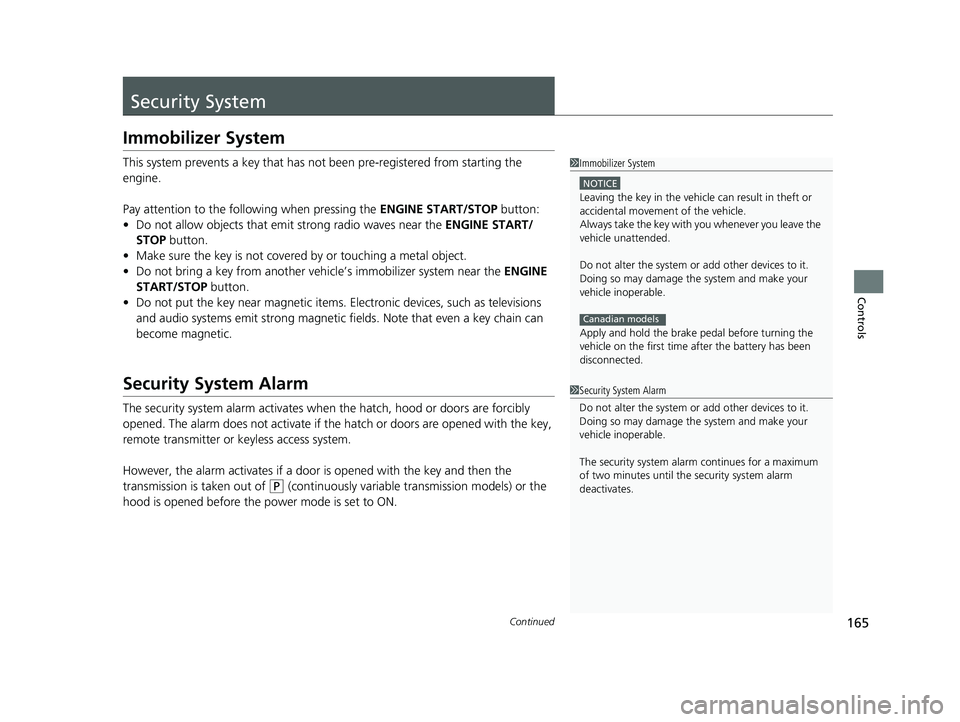
Immobilizer System
This system prevents a key that has not been pre-registered from starting the
engine.
Pay attention to the follo wing when pressing the ENGINE START/STOP button:
• Do not allow objects that emit strong radio waves near the ENGINE START/
STOP button.
• Make sure the key is not covered by or touching a metal object.
• Do not bring a key from another vehicle’s immobilizer system near the ENGINE
START/STOP button.
• Do not put the key near magnetic items. Electronic devices, such as televisions
and audio systems emit strong magnetic fields. Note that even a key chain can
become magnetic.
Security System Alarm
The security system alarm activates when the hatch, hood or doors are forcibly
opened. The alarm does not activate if th e hatch or doors are opened with the key,
remote transmitter or keyless access system.
However, the alarm activates if a door is opened with the key and then the
transmission is taken out of
(P (continuously variable transmission models) or the
hood is opened before the power mode is set to ON.
1 Immobilizer System
NOTICE
Leaving the key in the vehicl e can result in theft or
accidental movement of the vehicle.
Always take the key with you whenever you leave the
vehicle unattendedM
Do not alter the system or add other devices to itM
Doing so may damage the system and make your
vehicle inoperableM
Apply and hold the brake pedal before turning the
vehicle on the first time after the battery has been
disconnectedM
Canadian models
1 Security System Alarm
Do not alter the system or add other devices to it.
Doing so may damage the system and make your
vehicle inoperable.
The security system alarm continues for a maximum
of two minutes until the security system alarm
deactivates.
23 ACURA INTEGRA-313S56000_03.book 165 ページ 2022年3月18日 金曜日 午前11時47分
Page 168 of 740

uuSecurity System uSecurity System Alarm
166
Controls
■When the security sy stem alarm activates
The horn sounds intermittently, and some exterior lights flash.
■To deactivate the security system alarm
Unlock the vehicle using the key, remote transmitter or keyless access system, or set
the power mode to ON. The system, along with the horn and flashing lights, is
deactivated.
■Setting the security system alarm
The security system alarm automatically sets when the following conditions have
been met:
• The power mode is set to VEHICLE OFF.
• The hood is closed.
• All doors and hatch are locked from outs ide with the remote transmitter or
keyless access system.
■When the security system alarm sets
The security system alarm indicator in the instrument panel blinks and the blinking
interval changes after about 15 seconds.
■To cancel the security system alarm
The security system alarm is canceled when the vehicle is unlocked using the remote
transmitter or keyless access system, or wh en the power mode is set to ON. The
security system alarm indicator goes off at the same time.
1 Security System Alarm
Do not set the security system alarm when someone
is in the vehicle or a window is open. The system can
accidentally activate when:
•Unlocking the door with the lock tab.•Opening the hood with the hood release.
•Taking the transmission out of ( P.
If the battery goes dead after you have set the
security system alarm, the security alarm may go off
once the battery is re charged or replaced.
If this occurs, deactivate the security system alarm by
unlocking a door using the ke y, remote transmitter or
keyless access system.
Continuously variable transmission models
23 ACURA INTEGRA-313S56000_03.book 166 ページ 2022年3月18日 金曜日 午前11時47分
Page 174 of 740

172
Controls
Operating the Switches Around the Steering Wheel
ENGINE START/STOP Button
*1:Manual transmission models
■Changing the Power Mode1ENGINE START/STOP Button
ENGINE START/STOP Button Operating Range
You can start the engine when the keyless remote is
inside the vehicle.
The engine may also start if the keyless remote is
close to the door or window, ev en if it is outside the
vehicle.
ON mode:
The ENGINE START/STOP button is on (in red), if the
engine is running.
If the battery of the keyless remote is getting low, the
engine may not start when you push the ENGINE
START/STOP button. If the engi ne does not start,
refer to the following link.
2 If the Keyless Remote Battery is Weak
P. 691
Operating Range
Continuously Variable Transmission Manual Transmission
VEHICLE OFF (LOCK)
The button is off.
The steering wheel is locked
*1.
The power to all electrical
components is turned off.
Press the button without the
transmission in
( P.
Press the button with the
transmission in
( P. Press the button.
Without pressing
the clutch pedal
Without pressing
the brake pedal ACCESSORY
The button blinks (in red).
Operate the audio system and
other accessories in this position.
ON
The button blinks (in red).
All electrical components can be
used.
Put the transmission into (P.
23 ACURA INTEGRA-313S56000_03.book 172 ページ 2022年3月18日 金曜日 午前11時47分
Page 175 of 740

Continued173
uuOperating the Switches Around the Steering Wheel uENGINE START/STOP Button
Controls
If you leave the vehicle for 30 to 60 minutes with the transmission in (P
(continuously variable transmission) and the power mode in ACCESSORY, the
vehicle automatically goes into the mode similar to VEHICLE OFF (LOCK) to avoid
draining the battery.
When in this mode:
The steering wheel does not lock. You cannot lock or unlock doors with the remote
transmitter or the keyless access system. Press the ENGINE START/STOP button
twice to switch the mode to VEHICLE OFF (LOCK).
If you open the driver’s door when the power mode is in ACCESSORY, a warning
beep sounds.
■Automatic Power Off
■Power Mode Reminder
1 ENGINE START/STOP Button
If the power mode does not change from VEHICLE
OFF to ACCESSORY, press the ENGINE START/STOP
button while moving the st eering wheel left and
right. The steering wheel will unlock, allowing the
mode to change.
Do not leave the power mode in ACCESSORY or ON
when you get out.
Manual transmission models
Manual transmission models
23 ACURA INTEGRA-313S56000_03.book 173 ページ 2022年3月18日 金曜日 午前11時47分