brake light ACURA INTEGRA 2024 User Guide
[x] Cancel search | Manufacturer: ACURA, Model Year: 2024, Model line: INTEGRA, Model: ACURA INTEGRA 2024Pages: 766, PDF Size: 28.39 MB
Page 447 of 766

Continued445
uuWhen Driving uShifting
Driving
■Shift Operation1Shift Operation
NOTICE
When you change the shift position from (D to (R
and vice versa, come to a complete stop and keep the
brake pedal depressed.
Operating the shift lever be fore the vehicle has come
to a complete standstill can damage the transmission.
Use the shift position indicator to check the lever
position before pulling away.
If the transmission system indicator blinks when
driving, in any shift positi on, there is a problem with
the transmission.
Avoid sudden acceleration and have the transmission
checked by a dealer as soon as possible.
The fuel supply may be cut of f if you drive at engine
speeds in or over the ta chometer red zone (engine
speed limit). If this happe ns, you may experience a
slight jolt.
It may not be possible to operate the shift lever if the
brake pedal is applied while the shift lever release
button is held down.
Depress the brake pedal first.
When shifting positions in extremely low
temperatures (-22°F/-30°C), there may be a short
delay before the shift posit ion is displayed. Always
confirm you are in the corr ect shift position before
driving.
Shift Position Indicator
(Transmission System Indicator)
Press the shift lever release button and shift. Depress the brake pedal and press the shift lever release
button to shift.
Shift without pressing the shift lever release button. M
(7-Speed Manual Shift Mode) Indicator/
Shift Indicator
Tachometer Red Zone
24 ACURA INTEGRA-313S56100.book 445 ページ 2023年2月13日 月曜日 午後2時41分
Page 470 of 766

uuWhen Driving uAuto Idle Stop
468
Driving
■The engine restarts even if the brake pedal is depressed*1 when:
• The Auto Idle Stop OFF button is pressed.
• The steering wheel is operated.
• The transmission is put into
(R or (S, or when it is set from (N to (D.
u If you put the transmission into
(P after the Auto Idle Stop activates, the Auto
Idle Stop continues to operate. In this case, the engine restarts when you
depress the brake pedal.
• The pressure on the brake pedal is redu ced and the vehicle starts moving while
stopped on an incline.
• The pressure on the brake pedal is repeated ly applied and released slightly during
a stop.
• The battery charge becomes low.
• The accelerator pedal is depressed.
• The driver’s seat belt is unlatched.
• is ON (indicator on).
• The climate control system is in us e, and the difference between the set
temperature and actual interior temperature becomes significant.
• The climate control system is bein g used to dehumidify the interior.
• The vehicle ahead of you starts again when your vehicle stops automatically with
Adaptive Cruise Control ( ACC) with Low Speed Follow.
• The Integrated Dynamics Sy stem mode is changed to SPORT mode.
• The Auto Idle Stop is set to off on INDIVIDUAL Setting screen.
2Customizing the INDIVIDUAL Settings P. 460
Briefly keeps the brake applied after releasi ng the brake pedal to restart the engine.
This can keep your vehicle from unexpectedly moving while on an incline.
■Starting Assist Brake Function
1 The engine restarts even if the brake pedal is depressed*1 when:
*1: With the automatic brake hold system activated,
you can release the brake pe dal while Auto Idle Stop
is in operation.
If the automatic brake hold system has been turned
off, or if there is a problem with the system, the
engine will restart automatically when you release
the brake pedal. 2 Automatic Brake Hold P. 600
Models with INDIVIDUAL mode
24 ACURA INTEGRA-313S56100.book 468 ページ 2023年2月13日 月曜日 午後2時41分
Page 475 of 766

473
uuWhen Driving uAuto Idle Stop*
Driving
The clutch pedal is depressed.
■The engine automatically restarts even if the clutch pedal is not depressed
with the transmission in
(N when:
• The Auto Idle Stop OFF button is pressed.
• The pressure on the brake pedal is reduced and the vehicle starts moving while
stopped on an incline.
• The steering wheel is operated.
• The pressure on the brake pedal is repeat edly applied and released slightly during
a stop.
• The battery charge becomes low.
• is ON (indicator on).
• The climate control system is in use, and the difference between the set
temperature and actual interior temperature becomes significant.
• The climate control system is being used to dehumidify the interior.
• The Integrated Dynamics Sy stem mode is changed to SPORT mode.
• The Auto Idle Stop is set to off on INDIVIDUAL Setting screen.
2Customizing the INDIVIDUAL Settings P. 460
■The Engine Automatically Restarts When:1The Engine Automatically Restarts When:
If you are using an electroni c device during Auto Idle
Stop, the device may tempor arily be turned off when
the engine restarts.
The engine does not restart automatically when there
is a problem in the system. Follow the normal
procedure to start the engine. 2 Starting the Engine P. 433
The engine does not rest art automatically when:
•The driver’s seat belt is unlatched.
•The transmission is put in to a position other than
(N. Put the transmission into (N to restart the
engine.
NOTICE
Auto Idle Stop system also comes with stall recovery.
If you fully depress the clut ch pedal after stalling the
engine, the engine au tomatically restarts.
2 Starting to Drive P. 438
When the system stops ope rating, follow the normal
procedure to start the engine. 2 Starting the Engine P. 433
24 ACURA INTEGRA-313S56100.book 473 ページ 2023年2月13日 月曜日 午後2時41分
Page 478 of 766

476
uuWhen Driving uAgile Handling Assist
Driving
Agile Handling Assist
Lightly brakes the front wheel s, as needed, when you turn the steering wheel, and
helps support the vehicle’s stability and performance during cornering.1 Agile Handling Assist
The agile handling assist ca nnot enhance stability in
all driving situations. You still need to drive and
corner at speeds appropriate for the conditions and
always leave a sufficient margin of safety.
When the VSA ® system indicator comes on and stays
on while driving, the agil e handling assist does not
activate.
You may hear a sound coming from the engine
compartment while the agile handling assist is
activated. This is normal.
24 ACURA INTEGRA-313S56100.book 476 ページ 2023年2月13日 月曜日 午後2時41分
Page 493 of 766

Continued491
uuAcuraWatchTMuCollision Mitigation Braking SystemTM (CMBSTM)
Driving
■When the system activates
You can change the distance ( Long/Normal /Short ) between vehicles at which the
system’s earliest collision alert will come on.
2 Vehicle Settings* P. 134
2 Customized Features P. 367
1When the system activates
The head-up warning uses a lens located at the front
end of the dashboard.
Do not cover the lens or spill any liquid on it.
Models with Head-up display
Lens
The system provides visual and audible alerts of a possible collision, and stops if the
collision is avoided.
u Take appropriate action to prevent a collision (apply the brakes, change
lanes, etc.)
Visual Alerts
Beep
Audible Alert
Head-up Warning
Lights*
Models with 7-in. Color Touchscreen
Models with 9-in. Color Touchscreen
* Not available on all models
24 ACURA INTEGRA-313S56100.book 491 ページ 2023年2月13日 月曜日 午後2時41分
Page 514 of 766
512
uuAcuraWatchTMuAdaptive Cruise Control (ACC) with Low Speed Follow*
Driving
Adaptive Cruise Control (ACC) with Low Speed
Follow*
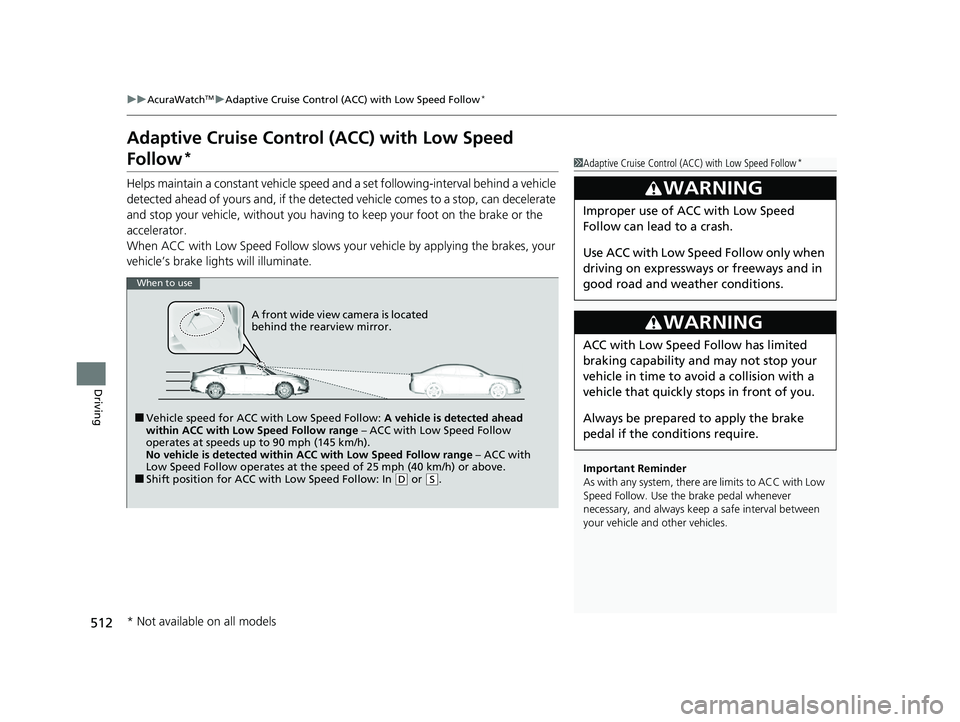
Helps maintain a constant vehicle speed a nd a set following-interval behind a vehicle
detected ahead of yours and, if the detect ed vehicle comes to a stop, can decelerate
and stop your vehicle, without you having to keep your foot on the brake or the
accelerator.
When ACC with Low Speed Follow slows y our vehicle by applying the brakes, your
vehicle’s brake lights will illuminate.
1 Adaptive Cruise Control (ACC) with Low Speed Follow*
Important Reminder
As with any system, there are limits to ACC with Low
Speed Follow. Use the brake pedal whenever
necessary, and always keep a safe interval between
your vehicle and other vehicles.
3WARNING
Improper use of ACC with Low Speed
Follow can lead to a crash.
Use ACC with Low Speed Follow only when
driving on expressways or freeways and in
good road and weather conditions.
3WARNING
ACC with Low Speed Follow has limited
braking capability and may not stop your
vehicle in time to avoid a collision with a
vehicle that quickly stops in front of you.
Always be prepared to apply the brake
pedal if the conditions require.
When to use
■Vehicle speed for ACC wi th Low Speed Follow: A vehicle is detected ahead
within ACC with Low Speed Follow range – ACC with Low Speed Follow
operates at speeds up to 90 mph (145 km/h).
No vehicle is detected within ACC with Low Speed Follow range – ACC with
Low Speed Follow operates at the speed of 25 mph (40 km/h) or above.
■Shift position for ACC with Low Speed Follow: In ( D or (S.
A front wide view camera is located
behind the rearview mirror.
* Not available on all models
24 ACURA INTEGRA-313S56100.book 512 ページ 2023年2月13日 月曜日 午後2時41分
Page 518 of 766
uuAcuraWatchTMuAdaptive Cruise Control (ACC) with Low Speed Follow*
516
Driving
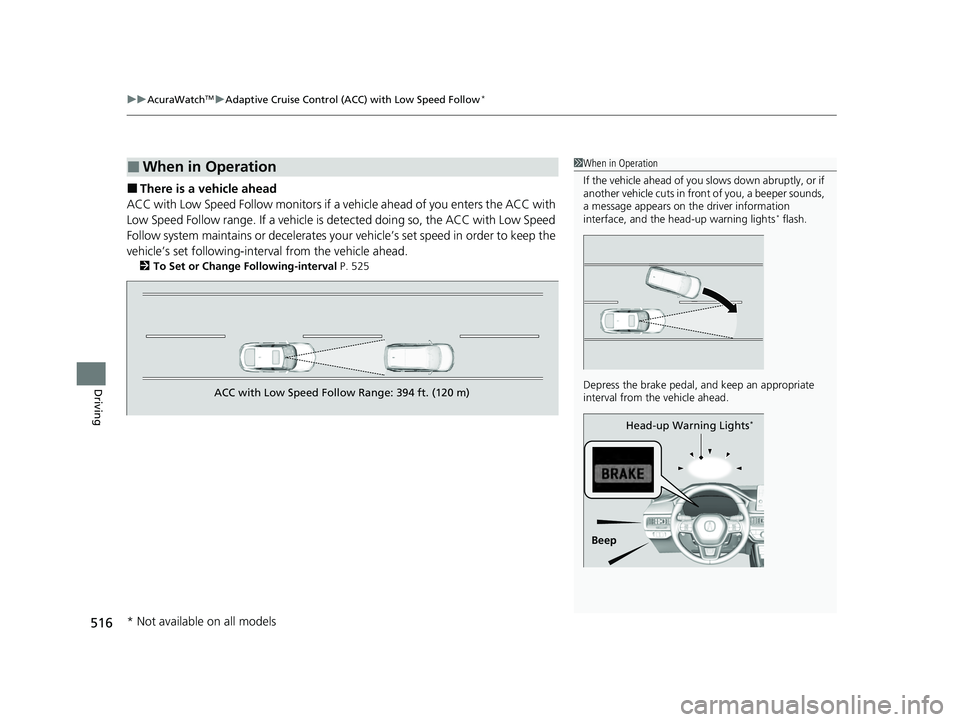
■There is a vehicle ahead
ACC with Low Speed Follow monitors if a ve hicle ahead of you enters the ACC with
Low Speed Follow range. If a vehicle is detected doing so, the ACC with Low Speed
Follow system maintains or decelerates your vehicle’s set speed in order to keep the
vehicle’s set followi ng-interval from the vehicle ahead.
2To Set or Change Following-interval P. 525
■When in Operation1When in Operation
If the vehicle ahead of you slows down abruptly, or if
another vehicle cuts in front of you, a beeper sounds,
a message appears on th e driver information
interface, and the he ad-up warning lights
* flash.
Depress the brake pedal, and keep an appropriate
interval from the vehicle ahead.
Beep Head-up Warning Lights
*
ACC with Low Speed Follow Range: 394 ft. (120 m)
* Not available on all models
24 ACURA INTEGRA-313S56100.book 516 ページ 2023年2月13日 月曜日 午後2時41分
Page 520 of 766
uuAcuraWatchTMuAdaptive Cruise Control (ACC) with Low Speed Follow*
518
Driving
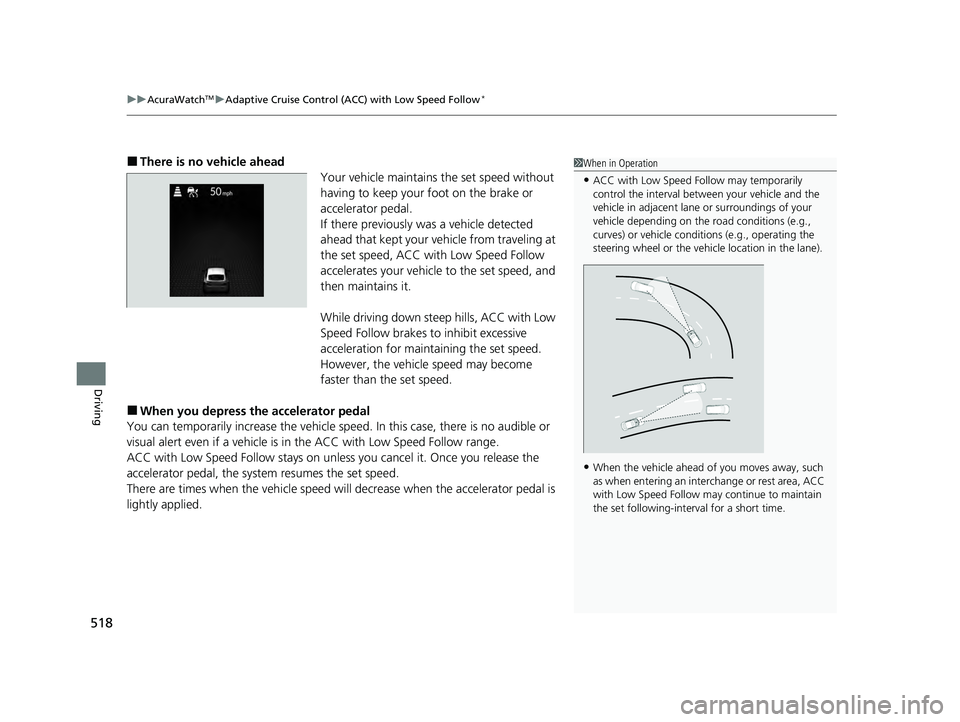
■There is no vehicle ahead
Your vehicle maintains the set speed without
having to keep your foot on the brake or
accelerator pedal.
If there previously was a vehicle detected
ahead that kept your vehicle from traveling at
the set speed, ACC with Low Speed Follow
accelerates your vehicle to the set speed, and
then maintains it.
While driving down steep hills, ACC with Low
Speed Follow brakes to inhibit excessive
acceleration for maintaining the set speed.
However, the vehicle speed may become
faster than the set speed.
■When you depress the accelerator pedal
You can temporarily increase the vehicle speed. In this ca se, there is no audible or
visual alert even if a vehicle is in the ACC with Low Speed Follow range.
ACC with Low Speed Follow stays on unless you cancel it. Once you release the
accelerator pedal, the system resumes the set speed.
There are times when the vehicle speed will decrease when the accelerator pedal is
lightly applied.
1 When in Operation
•ACC with Low Speed Follow may temporarily
control the interval between your vehicle and the
vehicle in adjacent lane or surroundings of your
vehicle depending on the road conditions (e.g.,
curves) or vehicle condi tions (e.g., operating the
steering wheel or the vehicle location in the lane).
•When the vehicle ahead of you moves away, such
as when entering an interchange or rest area, ACC
with Low Speed Follow may continue to maintain
the set following-interval for a short time.
24 ACURA INTEGRA-313S56100.book 518 ページ 2023年2月13日 月曜日 午後2時41分
Page 530 of 766
uuAcuraWatchTMuAdaptive Cruise Control (ACC) with Low Speed Follow*
528
Driving
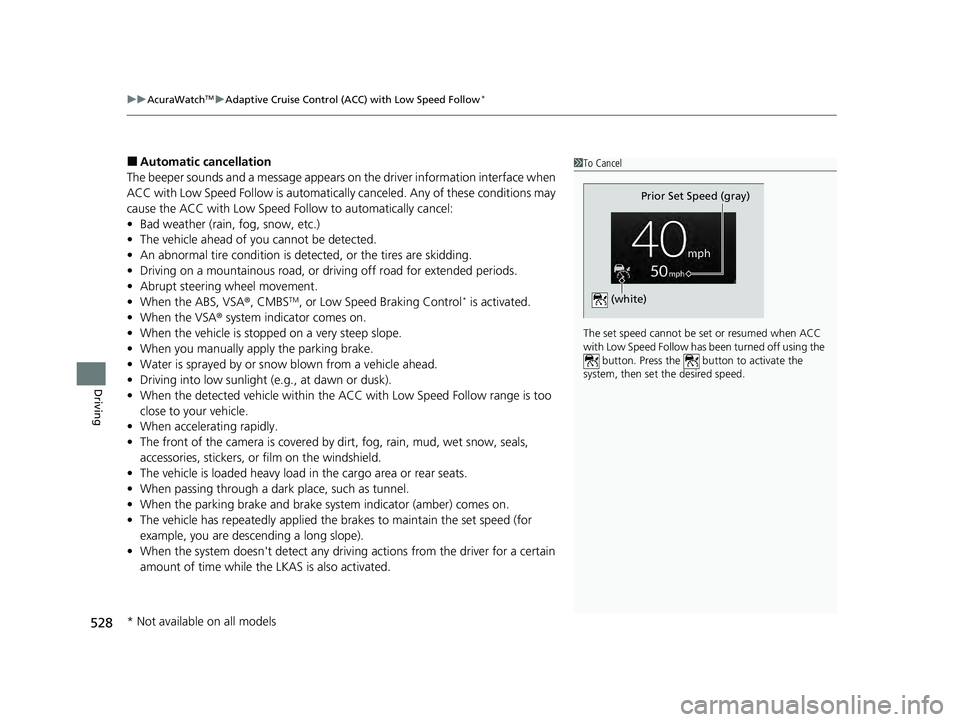
■Automatic cancellation
The beeper sounds and a message appears on the driver information interface when
ACC with Low Speed Follow is automaticall y canceled. Any of these conditions may
cause the ACC with Low Speed Fo llow to automatically cancel:
• Bad weather (rain, fog, snow, etc.)
• The vehicle ahead of you cannot be detected.
• An abnormal tire condition is detected, or the tires are skidding.
• Driving on a mountainous road, or driving off road for extended periods.
• Abrupt steering wheel movement.
• When the ABS, VSA ®, CMBS
TM, or Low Speed Braking Control* is activated.
• When the VSA ® system indicator comes on.
• When the vehicle is stopped on a very steep slope.
• When you manually apply the parking brake.
• Water is sprayed by or snow blown from a vehicle ahead.
• Driving into low sunlight (e.g., at dawn or dusk).
• When the detected vehicle within the ACC with Low Speed Follow range is too
close to your vehicle.
• When accelerating rapidly.
• The front of the camera is covered by dirt, fog, rain, mud, wet snow, seals,
accessories, stickers, or film on the windshield.
• The vehicle is loaded heavy load in the cargo area or rear seats.
• When passing through a dark place, such as tunnel.
• When the parking brake and brake system indicator (amber) comes on.
• The vehicle has repeatedly applied the brakes to maintain the set speed (for
example, you are descending a long slope).
• When the system doesn't detect any driv ing actions from the driver for a certain
amount of time while the LKAS is also activated.
1 To Cancel
The set speed cannot be set or resumed when ACC
with Low Speed Follow has been turned off using the button. Press the button to activate the
system, then set the desired speed.
Prior Set Speed (gray)
(white)
* Not available on all models
24 ACURA INTEGRA-313S56100.book 528 ページ 2023年2月13日 月曜日 午後2時41分
Page 535 of 766
533
uuAcuraWatchTMuAdaptive Cruise Control (ACC)*
Continued
Driving
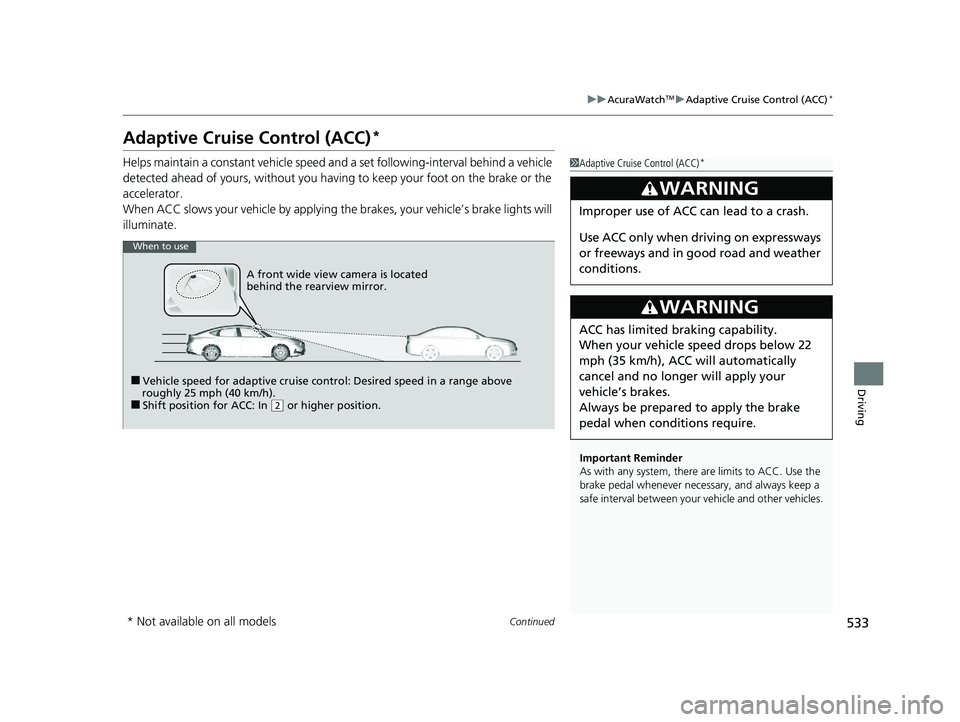
Adaptive Cruise Control (ACC)*
Helps maintain a constant vehicle speed a nd a set following-interval behind a vehicle
detected ahead of yours, without you having to keep your foot on the brake or the
accelerator.
When ACC slows your vehicle by applying the brakes, your vehicle’s brake lights will
illuminate.1 Adaptive Cruise Control (ACC)*
Important Reminder
As with any system, there are limits to ACC. Use the
brake pedal whenever necessary, and always keep a
safe interval betw een your vehicle and other vehicles.
3WARNING
Improper use of ACC can lead to a crash.
Use ACC only when driving on expressways
or freeways and in go od road and weather
conditions.
3WARNING
ACC has limited braking capability.
When your vehicle speed drops below 22
mph (35 km/h), ACC will automatically
cancel and no longer will apply your
vehicle’s brakes.
Always be prepared to apply the brake
pedal when conditions require.
When to use
■Vehicle speed for adaptive cruise control: Desired speed in a range above
roughly 25 mph (40 km/h).
■Shift position for ACC: In ( 2 or higher position.
A front wide view camera is located
behind the rearview mirror.
* Not available on all models
24 ACURA INTEGRA-313S56100.book 533 ページ 2023年2月13日 月曜日 午後2時41分