dashboard Acura MDX 2003 Owner's Manua
[x] Cancel search | Manufacturer: ACURA, Model Year: 2003, Model line: MDX, Model: Acura MDX 2003Pages: 420, PDF Size: 5.46 MB
Page 58 of 420

Your vehicle has front passenger’s
weightsensorsaspartof the
advanced airbag system. They are
located under both of the f ront
passenger’s seat rails. These sensors
monitor the weight on the seat at the
seat cushion, seat-back, seat-back
pocket, and seat rails.
If the total weight on the seat is
about65lbs(30kg)orless,the
system shuts of f the f ront passenger’s
airbag and the passenger airbag
cutof f indicator comes on. It reminds
you that the f ront passenger’s airbag
will not inf late during a crash.
If there is no passenger in the f ront
passenger’s seat, the passenger
airbag cutoff indicator does not
come on, however the system shuts
of f the f ront passenger’s airbag.The driver’s and f ront passenger’s
seat sensors may not work properly
if :
For additional information on how
your airbags work, see the booklet
titled
that came with your
owner’s manual.
For additional information on how
your airbags work, ask your dealer
f or a copy of the booklet titled
You do not wear your seat belt
properly.
You do not sit upright and as f ar
back as possible f rom the steering
wheel or the dashboard (see page
).
You do not secure the child seat
properly, and move the f ront seat
as far back as possible.
Be caref ul not to spill any liquids.
Spilled liquids could damage the
sensors under the f ront seats.
If your vehicle sustains a severe
impact, have the driver’s seat
position sensor and the f ront
passenger’s weight sensors
inspected by your Honda dealer. 18
SRS: What You Need to Know
About Airbags
SRS:
What You Need to Know About Airbags
.
Additional Inf ormation About Your Airbags
Driver and Passenger Saf ety
Front Passenger’s Weight Sensors
Canadian Owners
U.S. Owners
54
Page 67 of 420
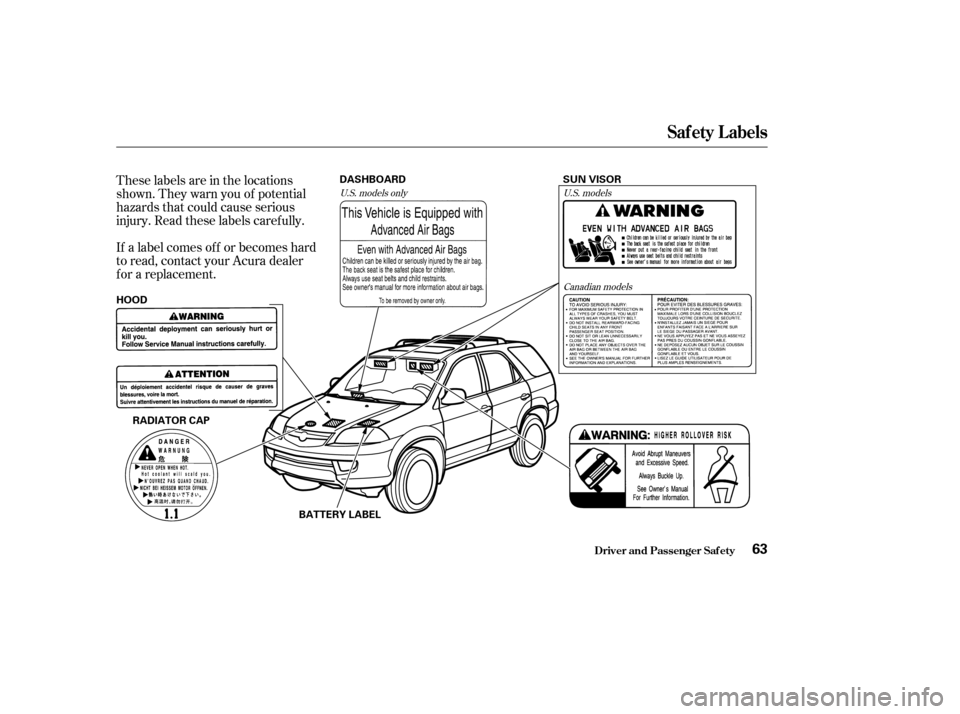
These labels are in the locations
shown. They warn you of potential
hazards that could cause serious
injury. Read these labels caref ully.
If a label comes of f or becomes hard
to read, contact your Acura dealer
f or a replacement.U.S. models onlyU.S. models
Canadian models
Saf ety L abels
Driver and Passenger Saf ety63
RADIATOR CAP SUN VISOR
HOOD DASHBOARD
BATTERY LABEL
Page 85 of 420
Even with the automatic lighting
f eature turned on, we recommend
thatyouturnonthelightsmanually
when driving at night or in a dense
f og, or when you enter dark areas,
such as long tunnels or parking
structures.The Automatic Lighting Of f f eature
turns of f the headlights, f og lights,
parking lights, taillights, side marker
lights, license plate lights and
instrument panel lights within 15
seconds of removing the key f rom
the ignition switch and closing the
driver’s door.
This feature activates if you leave
the headlight switch in the or
position, remove the key, open,
then close the driver’s door.
If you remove the key f rom the
ignition switch with the headlight
switch on, but do not open the door
and get out, the lights will turn of f
af ter 10 minutes.
Do not leave the light switch in
AUTO if you will not be driving the
vehicle f or an extended period (a
weekormore).Youshouldalsoturn
of f the lights if you plan to leave the
engine idling or the engine of f f or a
long time.
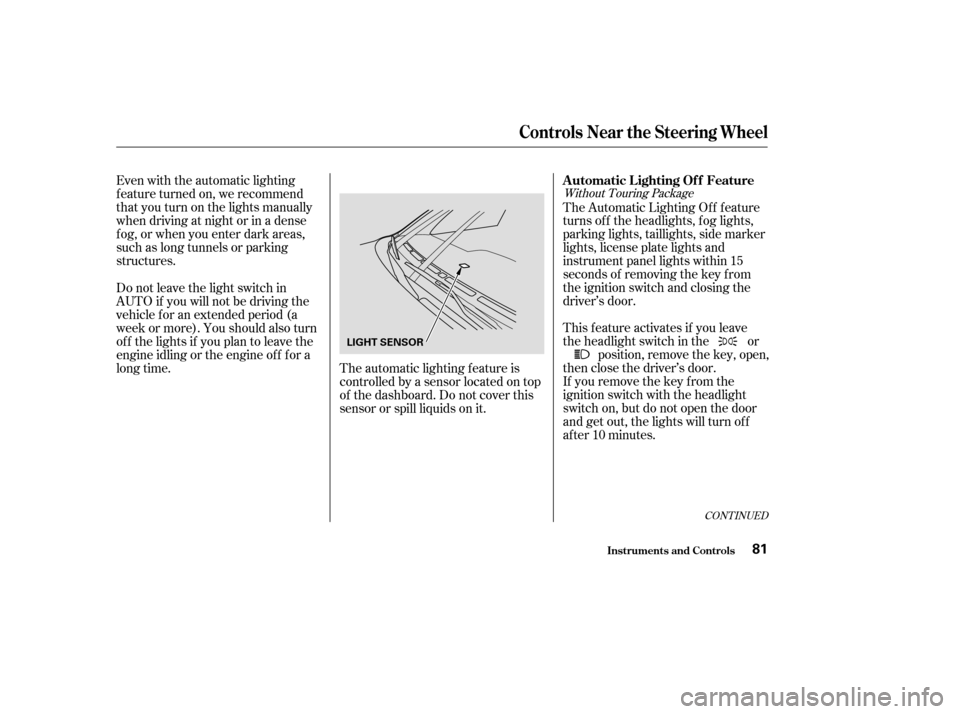
The automatic lighting f eature is
controlledbyasensorlocatedontop
of the dashboard. Do not cover this
sensor or spill liquids on it.
CONT INUED
Without Touring Package
Controls Near the Steering Wheel
Inst rument s and Cont rols
Automatic Lighting Of f Feature
81
LIGHT SENSOR
Page 118 of 420
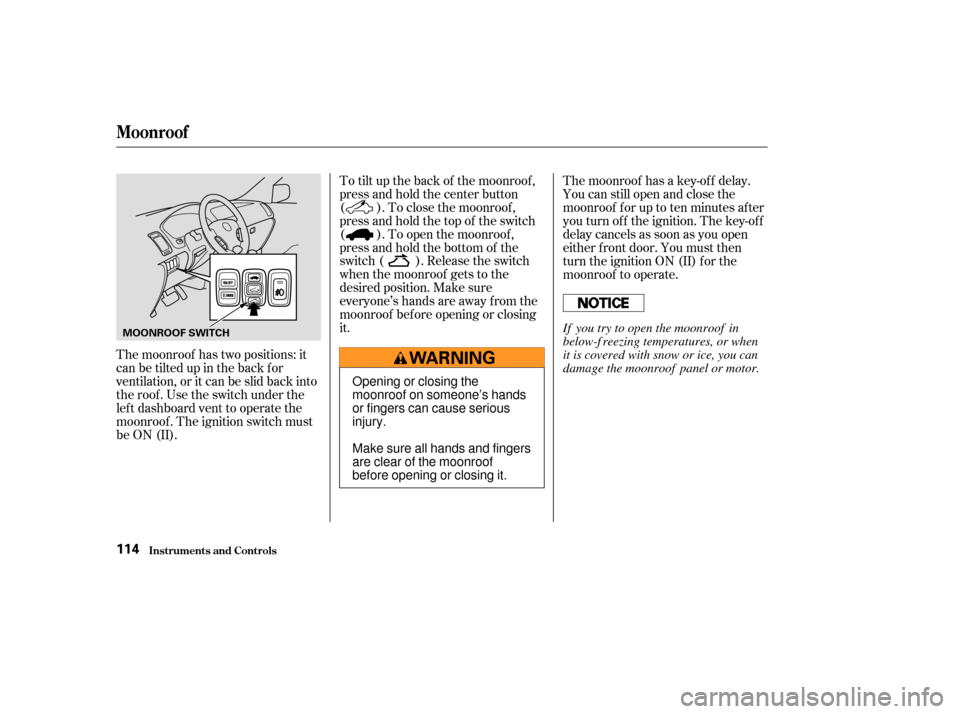
The moonroof has two positions: it
can be tilted up in the back f or
ventilation, or it can be slid back into
the roof . Use the switch under the
lef t dashboard vent to operate the
moonroof . The ignition switch must
be ON (II).To tilt up the back of the moonroof ,
press and hold the center button
( ). To close the moonroof ,
press and hold the top of the switch
( ). To open the moonroof ,
press and hold the bottom of the
switch ( ). Release the switch
when the moonroof gets to the
desired position. Make sure
everyone’s hands are away f rom the
moonroof bef ore opening or closing
it.
The moonroof has a key-of f delay.
You can still open and close the
moonroof f or up to ten minutes af ter
you turn of f the ignition. The key-of f
delay cancels as soon as you open
either f ront door. You must then
turn the ignition ON (II) for the
moonroof to operate.
Moonroof
Inst rument s and Cont rols114
MOONROOF SWITCH
Opening or closing the
moonroof on someone’s hands
or fingers can cause serious
injury.
Make sure all hands and fingers
are clear of the moonroof
before opening or closing it.If you try to open the moonroof in
below-f reezing temperatures, or when
it is covered with snow or ice, you can
damage the moonroof panel or motor.
Page 120 of 420
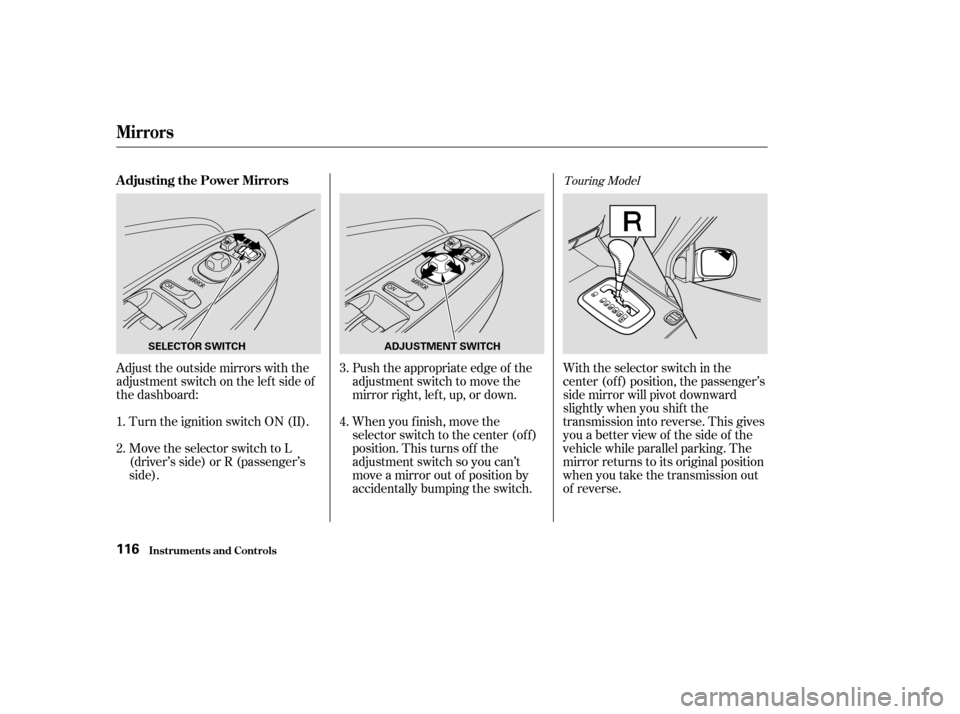
Adjust the outside mirrors with the
adjustment switch on the lef t side of
the dashboard:Turn the ignition switch ON (II).
Move the selector switch to L
(driver’s side) or R (passenger’s
side). Push the appropriate edge of the
adjustment switch to move the
mirrorright,left,up,ordown.
When you f inish, move the
selector switch to the center (off)
position. This turns of f the
adjustment switch so you can’t
move a mirror out of position by
accidentally bumping the switch.With the selector switch in the
center (of f ) position, the passenger’s
side mirror will pivot downward
slightly when you shif t the
transmission into reverse. This gives
you a better view of the side of the
vehicle while parallel parking. The
mirror returns to its original position
when you take the transmission out
of reverse.
1.
2. 3.
4.
Touring ModelAdjusting the Power Mirrors
Mirrors
Inst rument s and Cont rols116
SELECTOR SWITCH
ADJUSTMENT SWITCH
Page 138 of 420
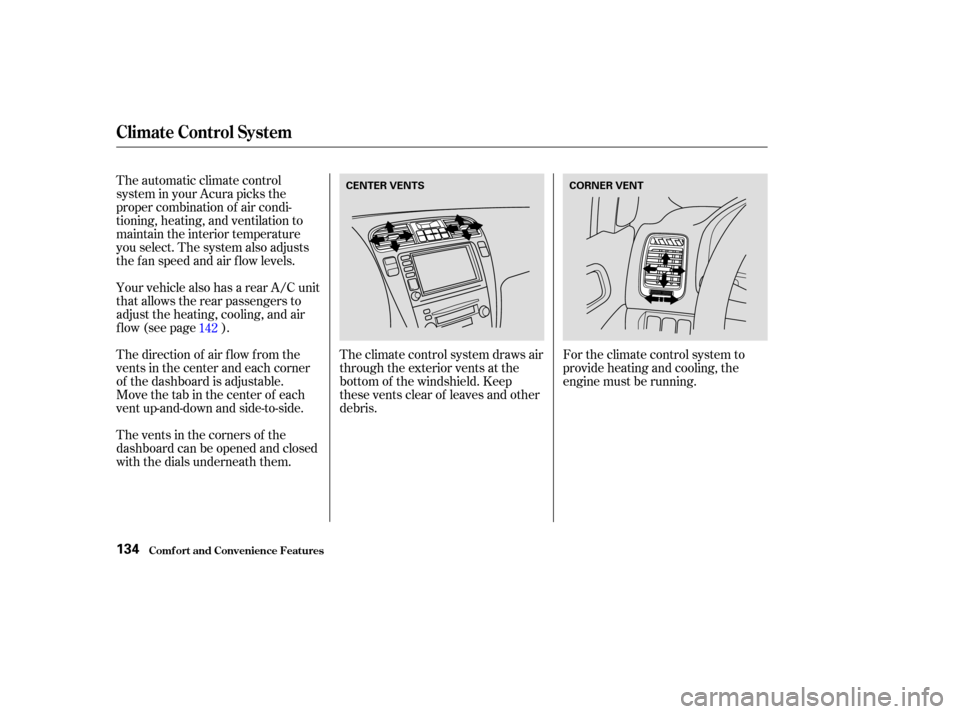
For the climate control system to
provide heating and cooling, the
engine must be running.
The automatic climate control
system in your Acura picks the
proper combination of air condi-
tioning, heating, and ventilation to
maintain the interior temperature
you select. The system also adjusts
the fan speed and air flow levels.
Your vehicle also has a rear A/C unit
that allows the rear passengers to
adjust the heating, cooling, and air
f low (see page ).
The direction of air f low f rom the
vents in the center and each corner
of the dashboard is adjustable.
Move the tab in the center of each
vent up-and-down and side-to-side.
The vents in the corners of the
dashboard can be opened and closed
with the dials underneath them.
The climate control system draws air
through the exterior vents at the
bottom of the windshield. Keep
these vents clear of leaves and other
debris.
142
Climat e Cont rol Syst em
Comf ort and Convenience Feat ures134
CENTER VENTS
CORNER VENT
Page 143 of 420

CONT INUED
Use the MODE Button or MODE
icon to select the vents the air flows
f rom. Some air will f low f rom the
dashboard corner vents in all modes.
Each time you press the MODE
button or touch the icon, the display
shows the mode selected. Press
(touch) f our times to see all the
modes.The main air flow comes
f rom the dashboard vents. The main air f low is divided
between the dashboard vents and
the f loor vents. The main air flow comes
f rom the f loor vents. The main air f low is divided
between the f loor vents and de-
froster vents at the base of the wind-
shield.
Climat e Cont rol Syst em
Comf ort and Convenience Feat ures
Mode Button/Mode Icon
139
Page 144 of 420
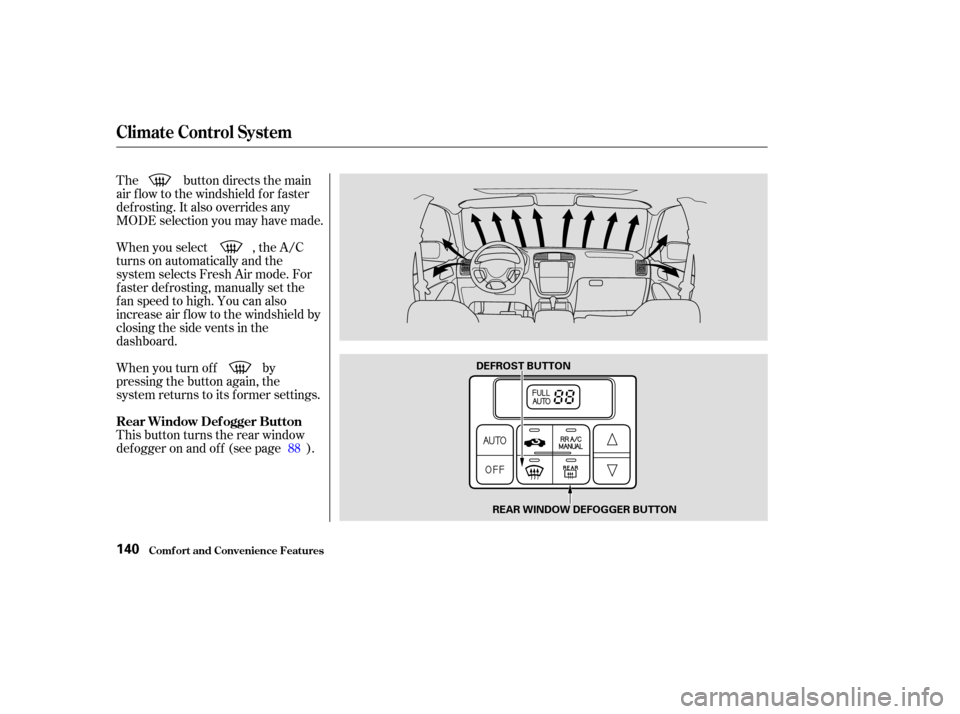
The button directs the main
air f low to the windshield f or f aster
def rosting. It also overrides any
MODE selection you may have made.
When you turn of f by
pressing the button again, the
system returns to its former settings. When you select , the A/C
turns on automatically and the
system selects Fresh Air mode. For
f aster def rosting, manually set the
fanspeedtohigh.Youcanalso
increase air f low to the windshield by
closing the side vents in the
dashboard.
This button turns the rear window
def ogger on and of f (see page ).88
Rear Window Def ogger Button
Climat e Cont rol Syst em
Comf ort and Convenience Feat ures140
DEFROST BUTTON
REAR WINDOW DEFOGGER BUTTON
Page 145 of 420
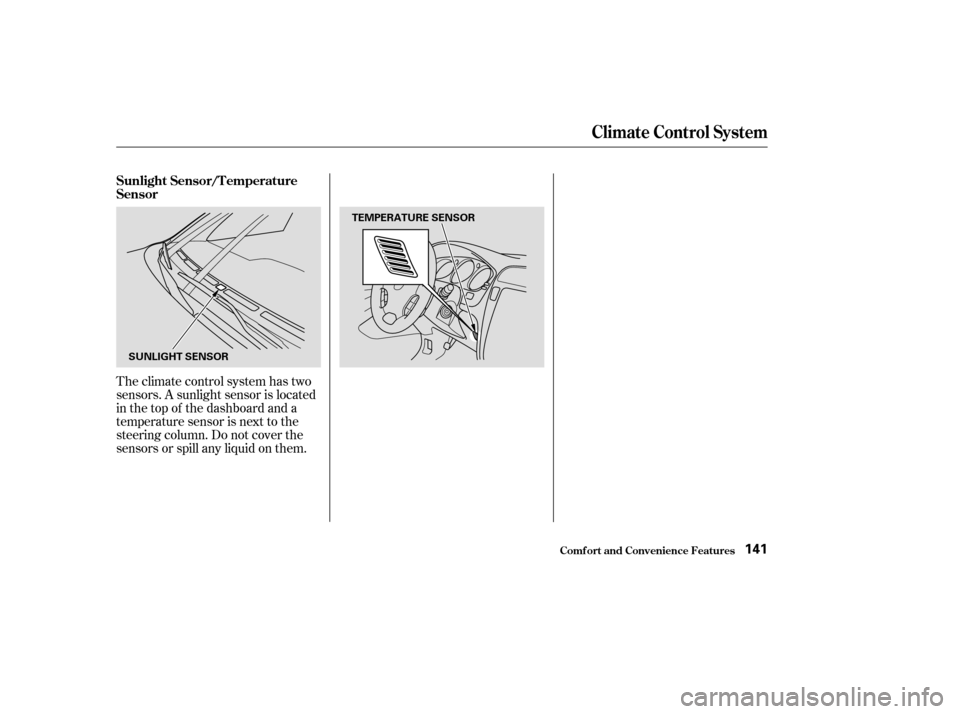
Theclimatecontrolsystemhastwo
sensors. A sunlight sensor is located
in the top of the dashboard and a
temperature sensor is next to the
steering column. Do not cover the
sensors or spill any liquid on them. Sunlight Sensor/T emperature
Sensor
Climat e Cont rol Syst em
Comf ort and Convenience Feat ures141
SUNLIGHT SENSORTEMPERATURE SENSOR
Page 219 of 420
The security system helps to protect
your vehicle and valuables f rom thef t.
The horn sounds and a combination
of headlights, parking lights, side
marker lights and taillights f lashes if
someone attempts to break into your
vehicleorremovetheradio.This
alarm continues f or two minutes,
then the system resets. To reset an
alarming system before the two
minutes have elapsed, unlock the
driver’s f ront door with the key or
the remote transmitter.Do not attempt to alter this system
or add other devices to it. The security system will not set if
the hood, tailgate, or any door is not
f ully closed. If the system will not set,
check the Door and Tailgate Open
Monitor on the instrument panel
(see page ) to see if the doors and
tailgate are f ully closed. Since it is
notpartofthemonitordisplay,
manually check the hood.
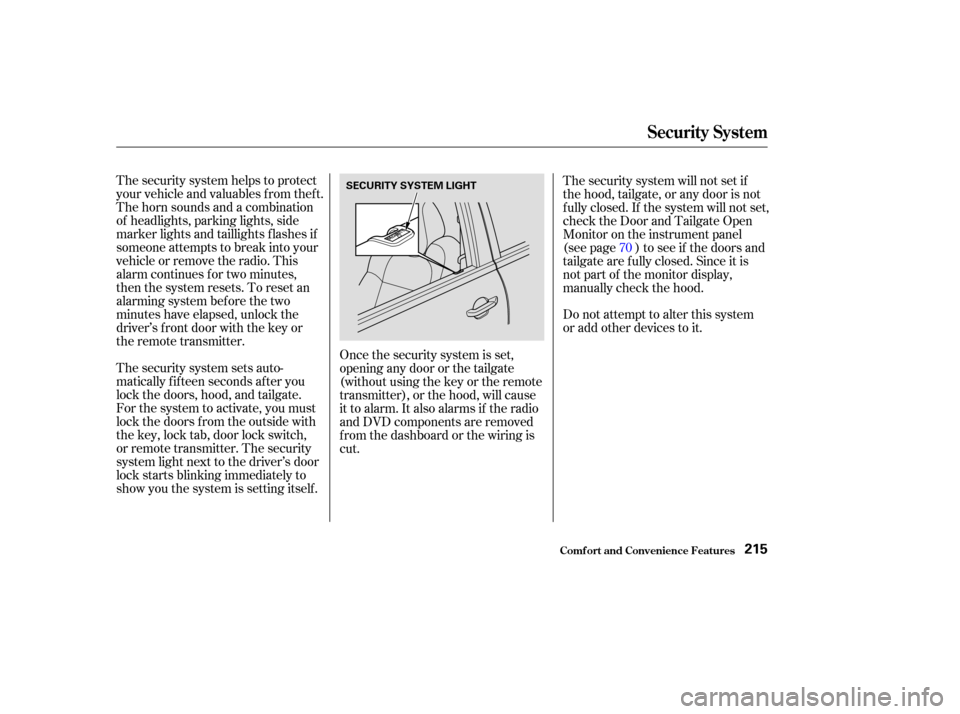
The security system sets auto-
matically fifteen seconds after you
lock the doors, hood, and tailgate.
For the system to activate, you must
lock the doors f rom the outside with
the key, lock tab, door lock switch,
or remote transmitter. The security
system light next to the driver’s door
lock starts blinking immediately to
show you the system is setting itself . Once the security system is set,
opening any door or the tailgate
(without using the key or the remote
transmitter), or the hood, will cause
it to alarm. It also alarms if the radio
and DVD components are removed
f rom the dashboard or the wiring is
cut. 70
Security System
Comf ort and Convenience Feat ures215
SECURITY SYSTEM LIGHT