AUX Acura MDX 2012 User Guide
[x] Cancel search | Manufacturer: ACURA, Model Year: 2012, Model line: MDX, Model: Acura MDX 2012Pages: 621, PDF Size: 11.15 MB
Page 296 of 621
●
Depending on the software the
files were made with, it may not be
possible to play some files, or
display some text data.
●
Depending on the type of
encoding and writing software
used, there may be cases where
character information does not
display properly.
●
The order of files in USB playback
may be different from the order of
files displayed in PC or other
devices etc. Files are played in the
order stored in USB flash memory
device.
Voice Control SystemYou can select the AUX mode by
using the voice control buttons, but
cannot operate the play mode
functions.Even if recorded in MP3, WMA or
AAC format, a file with unsupported
version cannot be played. If the
system finds it, the audio unit
displays UNSUPPORTED, and then
skips to the next file.
Combining a low sampling frequency
with a low bitrate may result in
extremely degraded sound quality.
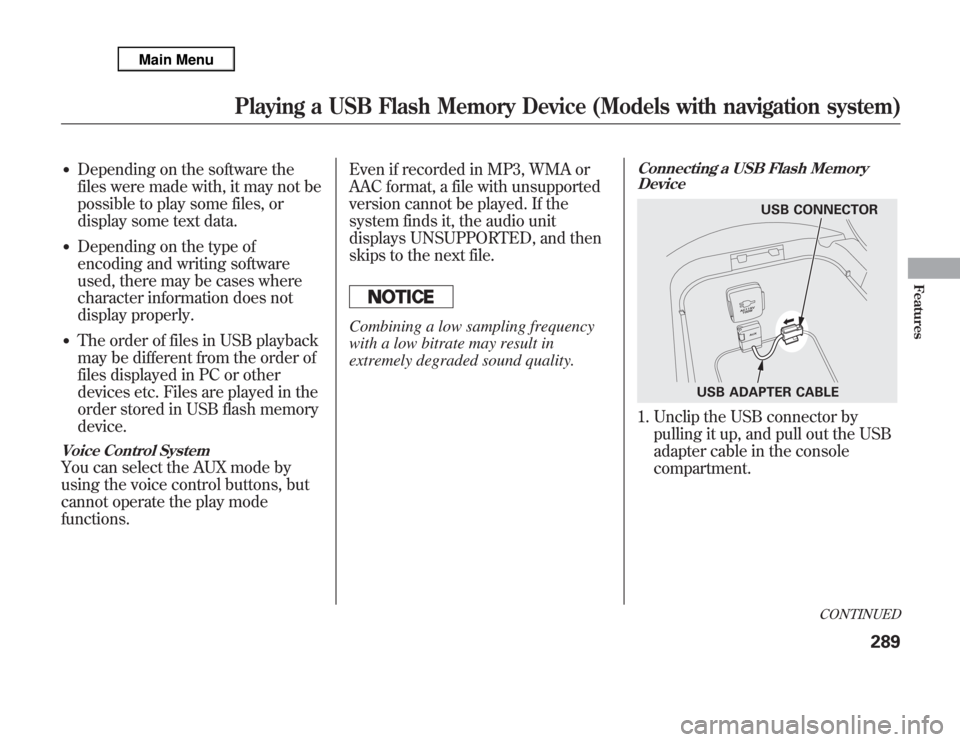
Connecting a USB Flash Memory
Device1. Unclip the USB connector by
pulling it up, and pull out the USB
adapter cable in the console
compartment.
USB CONNECTOR
USB ADAPTER CABLE
CONTINUED
Playing a USB Flash Memory Device (Models with navigation system)
289
Features
Page 305 of 621
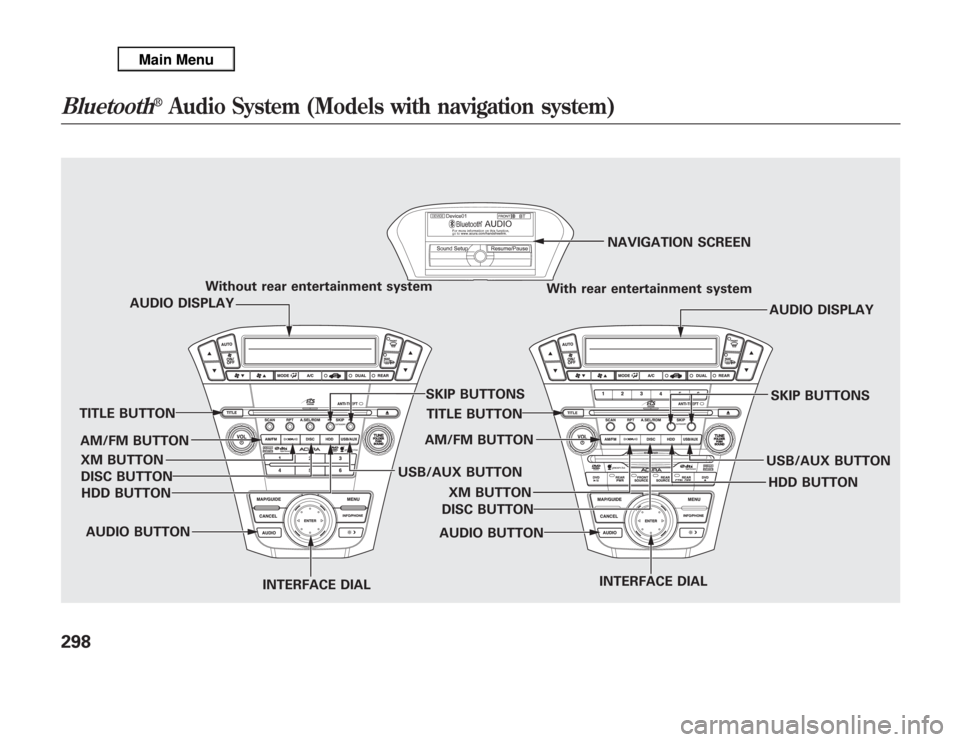
Without rear entertainment system
With rear entertainment systemNAVIGATION SCREEN
AUDIO DISPLAY
TITLE BUTTON
AUDIO BUTTON
INTERFACE DIALINTERFACE DIAL USB/AUX BUTTONSKIP BUTTONS
AUDIO BUTTON TITLE BUTTONAUDIO DISPLAY
SKIP BUTTONS
USB/AUX BUTTON AM/FM BUTTON
XM BUTTON
HDD BUTTON DISC BUTTON
HDD BUTTON AM/FM BUTTON
XM BUTTON
DISC BUTTON
Bluetooth
®
Audio System (Models with navigation system)
298
Page 306 of 621
Your vehicle is equipped with aBluetooth
®audio system, which
allows you to listen to streaming
audio from your
Bluetooth
®audio
compatible phone. This function is
only available on
Bluetooth
®Audio
Compatible phones that are paired
and linked to the vehicle's
Bluetooth
®HandsFreeLink
®(HFL)
system (see page 390).
Not all Bluetooth-enabled phones
with streaming audio capabilities are
compatible with the system. You can
find an approved phone by visiting
www.acura.com/handsfreelink
,orby
calling the HandsFreeLink
®
consumer support at 1-888-528-7876.
In Canada, visit
www.acura.ca
, or call
1-888-9-ACURA-9.
NOTE:In some states, provinces,
and territories it may be illegal to
perform some data device functions
while driving.To Play
Bluetooth
®Audio Files
Make sure that your phone is paired
and linked to the HFL.
To begin to play the audio files, you
may need to operate your phone. If
so, follow the phone maker's
operating instructions.Press the USB/AUX button
ᤳ
with
the ignition switch in the
ACCESSORY (I) or the ON (II)
position. When the phone is
recognized, you will see the
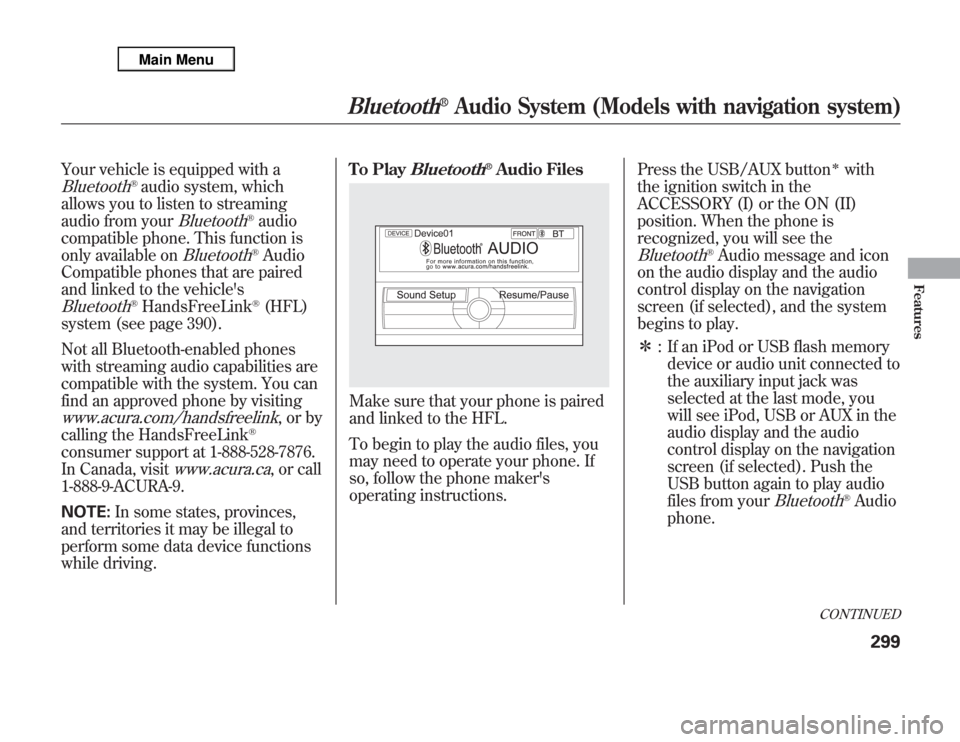
Bluetooth
®Audio message and icon
on the audio display and the audio
control display on the navigation
screen (if selected), and the system
begins to play.
ᤳ: If an iPod or USB flash memory
device or audio unit connected to
the auxiliary input jack was
selected at the last mode, you
will see iPod, USB or AUX in the
audio display and the audio
control display on the navigation
screen (if selected). Push the
USB button again to play audio
files from your
Bluetooth
®Audio
phone.
CONTINUED
Bluetooth
®
Audio System (Models with navigation system)
299
Features
Page 307 of 621
Once a device is linked, the name of
the device will appear on the screen.
Pressing the TITLE button switches
the audio display between theBluetooth
®Audio and the device
name.
If more than one phone is paired to
the HFL system, there will be delay
before the system begins to play.In the following conditions, the
display shows‘‘NO CONNECT’’
message after pressing the TITLE
button.
●
The phone is not linked to HFL.
●
The phone is not turned on.
●
The phone is not in the vehicle.
●
Another HFL compatible phone,
which is not compatible forBluetooth
®Audio, is already
connected.If your
Bluetooth
®Audio compatible
phone does not operate as described,
make sure it is an Acura approved
phone. To find out if your phone is
approved, go to
www.acura.com/
handsfreelink(in Canada,
www.
acura.ca
), or call the
HandsFreeLink
®consumer support
at 1-888-528-7876.
Voice Control SystemYou can select the AUX mode by
using the voice control buttons, but
cannot operate the play mode
functions.To skip a filePress the side
of the SKIP
button to skip forward to the next
file, and press the
side to skip
backward to the beginning of the
current file. Push the
side again
to skip to the previous file.
Bluetooth
®
Audio System (Models with navigation system)
300
Page 312 of 621
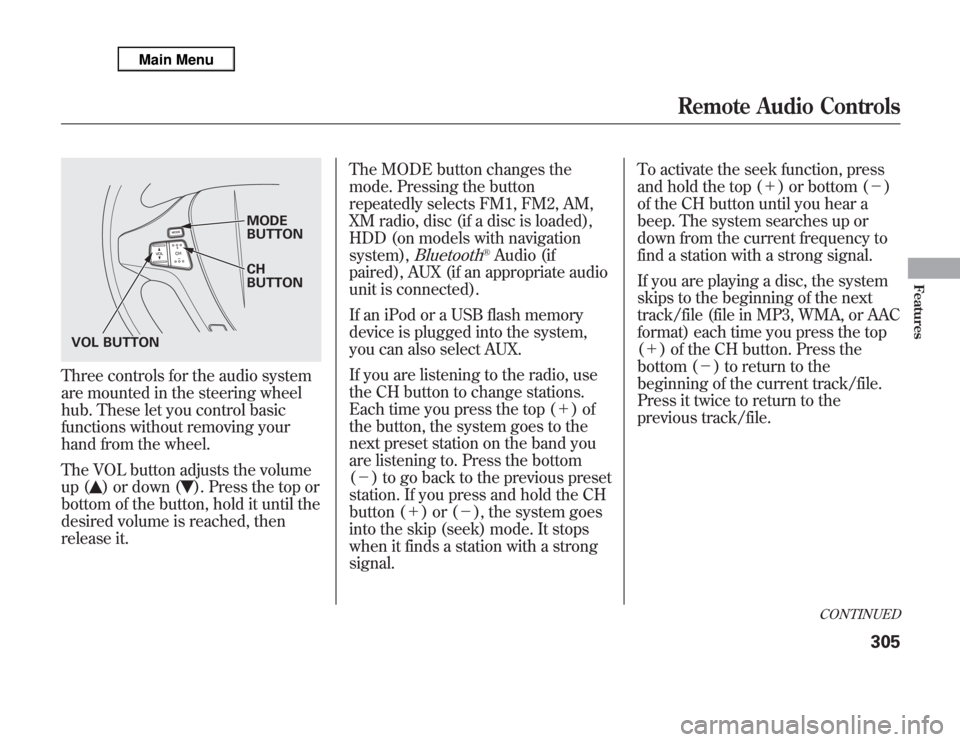
Three controls for the audio system
are mounted in the steering wheel
hub. These let you control basic
functions without removing your
hand from the wheel.
The VOL button adjusts the volume
up (
) or down (
). Press the top or
bottom of the button, hold it until the
desired volume is reached, then
release it.The MODE button changes the
mode. Pressing the button
repeatedly selects FM1, FM2, AM,
XM radio, disc (if a disc is loaded),
HDD (on models with navigation
system),
Bluetooth
®Audio (if
paired), AUX (if an appropriate audio
unit is connected).
If an iPod or a USB flash memory
device is plugged into the system,
you can also select AUX.
If you are listening to the radio, use
the CH button to change stations.
Each time you press the top (+)of
the button, the system goes to the
next preset station on the band you
are listening to. Press the bottom
(-) to go back to the previous preset
station. If you press and hold the CH
button (+)or(-), the system goes
into the skip (seek) mode. It stops
when it finds a station with a strong
signal.To activate the seek function, press
and hold the top (+) or bottom (-)
of the CH button until you hear a
beep. The system searches up or
down from the current frequency to
find a station with a strong signal.
If you are playing a disc, the system
skips to the beginning of the next
track/file (file in MP3, WMA, or AAC
format) each time you press the top
(+) of the CH button. Press the
bottom (-) to return to the
beginning of the current track/file.
Press it twice to return to the
previous track/file.
MODE
BUTTON
CH
BUTTON
VOL BUTTON
CONTINUED
Remote Audio Controls
305
Features
Page 314 of 621
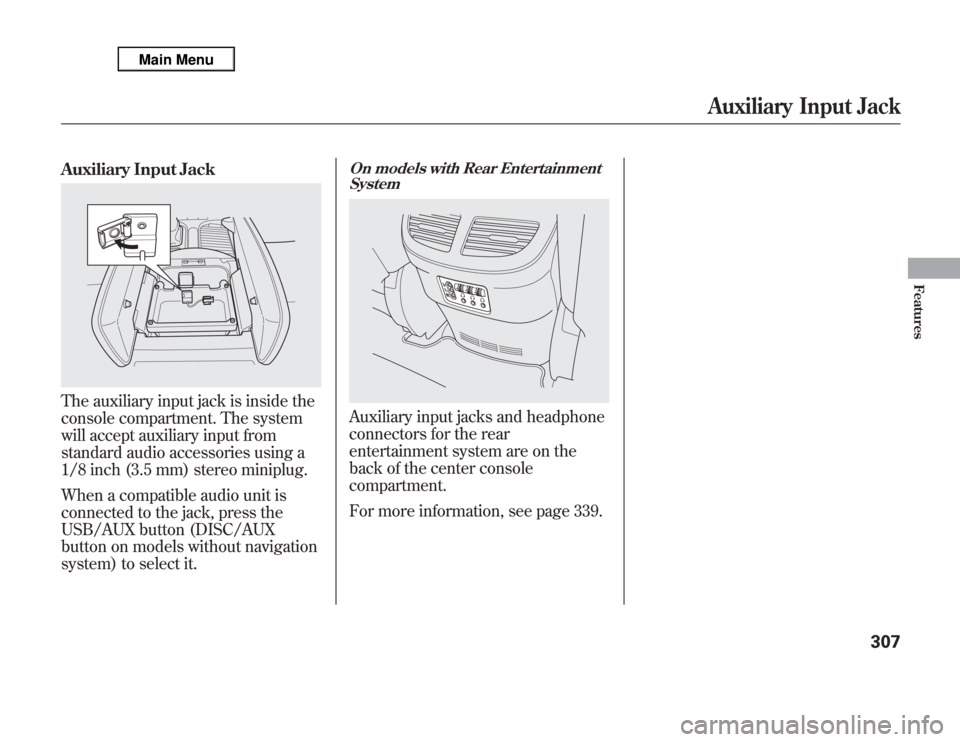
Auxiliary Input JackThe auxiliary input jack is inside the
console compartment. The system
will accept auxiliary input from
standard audio accessories using a
1/8 inch (3.5 mm) stereo miniplug.
When a compatible audio unit is
connected to the jack, press the
USB/AUX button (DISC/AUX
button on models without navigation
system) to select it.
On models with Rear Entertainment
SystemAuxiliary input jacks and headphone
connectors for the rear
entertainment system are on the
back of the center console
compartment.
For more information, see page 339.
Auxiliary Input Jack
307
Features
Page 322 of 621
SKIP-Press and hold thebutton to move forward; you will see
the time elapsed shown in the
overhead screen advancing rapidly.
Press and hold the
button to
move backward; you will see the time
elapsed shown in the overhead
screen decreasing. Release the
button when the system reaches the
point you want.
Each time you press the
button
and release it, the system skips
forward to the beginning of the next
track or chapter. Press and release
the
button to skip backward to
the beginning of the current track.
Press and release it again to skip to
the beginning of the previous track
or chapter.EJECT-Press the eject button to
remove the DVD from the drive.
To Return to Front Audio Controls
To return front panel control to the
front audio system, press the FRONT
SOURCE button. You will hear a
beep and the indicator in the button
comes on. The indicator also comes
on automatically, when you do not
operate the rear entertainment
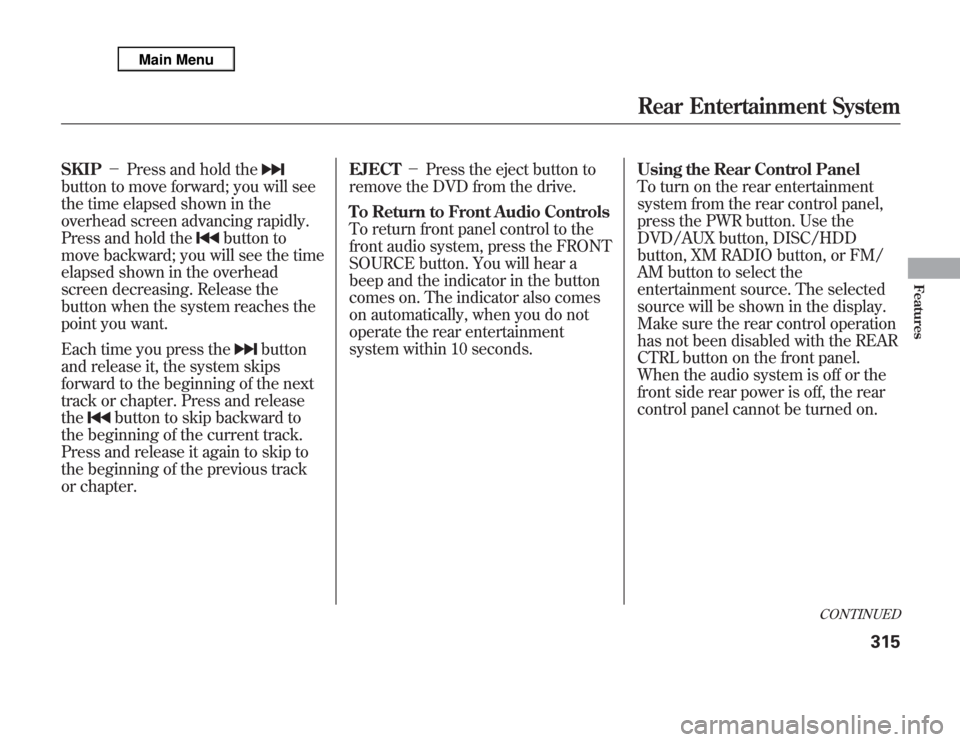
system within 10 seconds.Using the Rear Control Panel
To turn on the rear entertainment
system from the rear control panel,
press the PWR button. Use the
DVD/AUX button, DISC/HDD
button, XM RADIO button, or FM/
AM button to select the
entertainment source. The selected
source will be shown in the display.
Make sure the rear control operation
has not been disabled with the REAR
CTRL button on the front panel.
When the audio system is off or the
front side rear power is off, the rear
control panel cannot be turned on.
CONTINUED
Rear Entertainment System
315
Features
Page 346 of 621
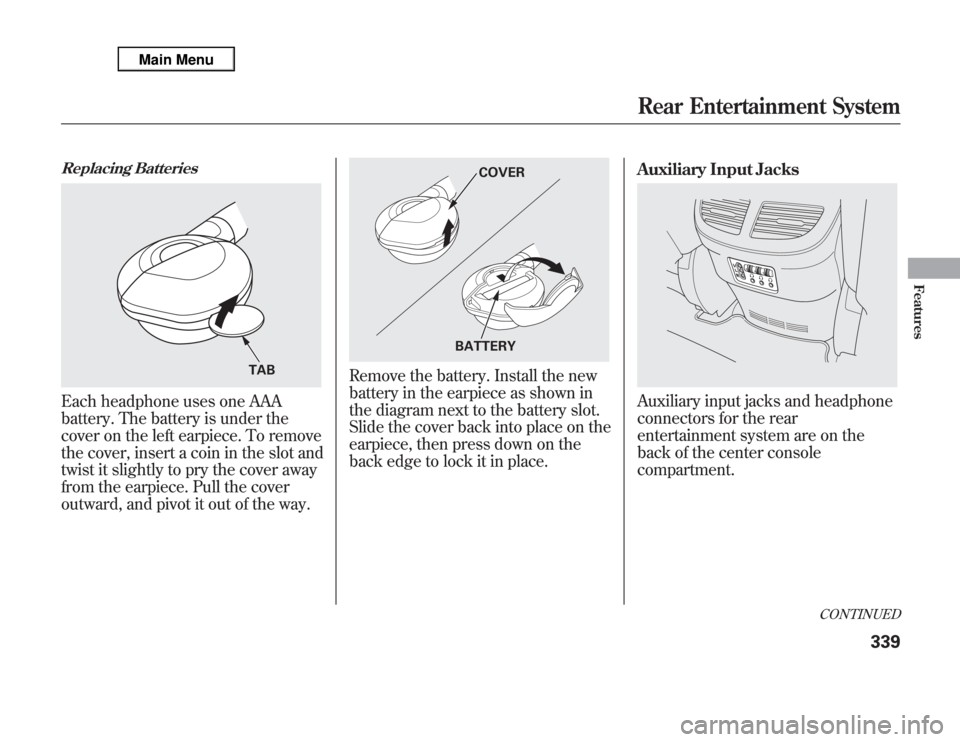
Replacing BatteriesEach headphone uses one AAA
battery. The battery is under the
cover on the left earpiece. To remove
the cover, insert a coin in the slot and
twist it slightly to pry the cover away
from the earpiece. Pull the cover
outward, and pivot it out of the way.
Remove the battery. Install the new
battery in the earpiece as shown in
the diagram next to the battery slot.
Slide the cover back into place on the
earpiece, then press down on the
back edge to lock it in place.Auxiliary Input Jacks
Auxiliary input jacks and headphone
connectors for the rear
entertainment system are on the
back of the center console
compartment.
TAB
COVER
BATTERY
CONTINUED
Rear Entertainment System
339
Features
Page 347 of 621
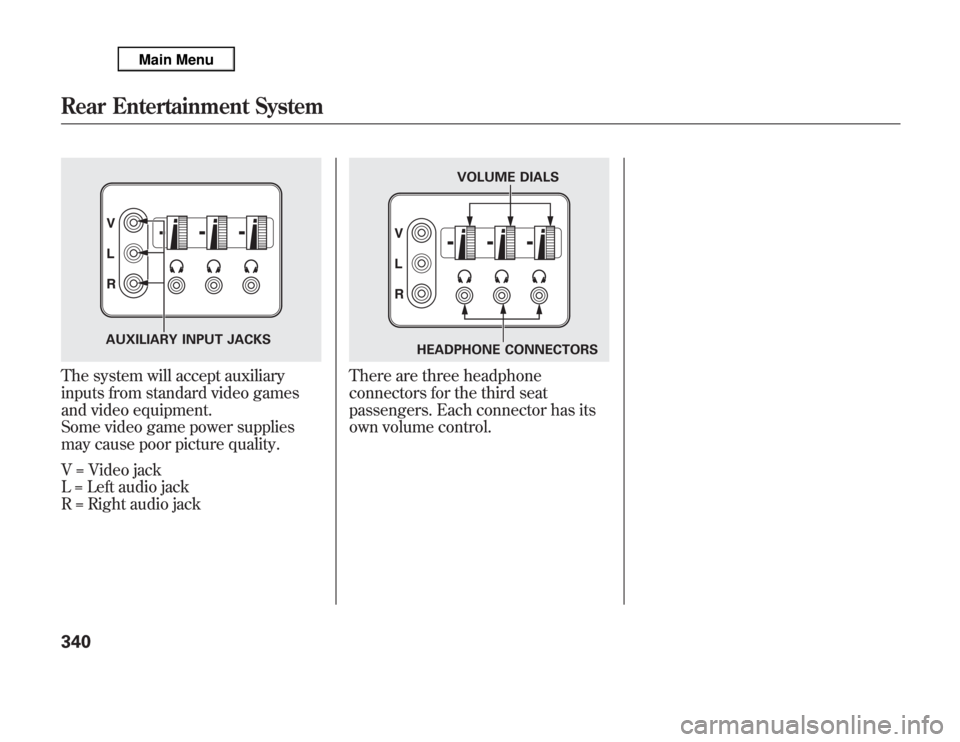
The system will accept auxiliary
inputs from standard video games
and video equipment.
Some video game power supplies
may cause poor picture quality.
V = Video jack
L = Left audio jack
R = Right audio jack
There are three headphone
connectors for the third seat
passengers. Each connector has its
own volume control.
AUXILIARY INPUT JACKS
VOLUME DIALS
HEADPHONE CONNECTORS
Rear Entertainment System340
Page 578 of 621

INTERIOR FUSE BOXNo. Amps. Circuits Protected
1 7.5 A TPMS
2 10 A Driver's Lumbar Support
Motor
3 15 A Moonroof
4 20 A Front Heated Seats
5 10 A Audio
6 7.5 A Interior Light
7 10 A Back Up
8 20 A Door Lock
9 15 A ACC Socket
10 15 A IG Coil
11 30 A Windshield Wiper
12 10 A Subwoofer
13 20 A Passenger's Power ReclineNo. Amps. Circuits Protected
14 20 A Driver's Power Slide
15 20 A Telescopic Steering Wheel
16 20 A Driver's Power Recline
17 20 A Passenger's Power Slide
18 10 A Alternator
19 20 A Fuel Pump
20 10 A SH-AWD, ODS
21 7.5 A Gauges
22 10 A SRS
23-Not Used
24 20 A Left Rear Power Window
25 20 A Right Rear Power Window
26 30 A Passenger's Power Window
27 30 A Driver's Power Window
28 20 A Tilt Steering Wheel
29 10 A ABS VSA
30 10 A A/C
31 15 A Washer
32 10 A ACC
33-Not Used
Auxiliary (Holder1)No. Amps. Circuits Protected
1 7.5 A Starter DIAG
2 7.5 A SH-AWDAuxiliary (Holder2)No. Amps. Circuits Protected
1 7.5 A STS
2 7.5 A ODS
Auxiliary
(Holder1)Auxiliary
(Holder2)
Fuse Locations
571
Taking Care of the Unexpected