battery Acura MDX 2012 User Guide
[x] Cancel search | Manufacturer: ACURA, Model Year: 2012, Model line: MDX, Model: Acura MDX 2012Pages: 621, PDF Size: 11.15 MB
Page 202 of 621
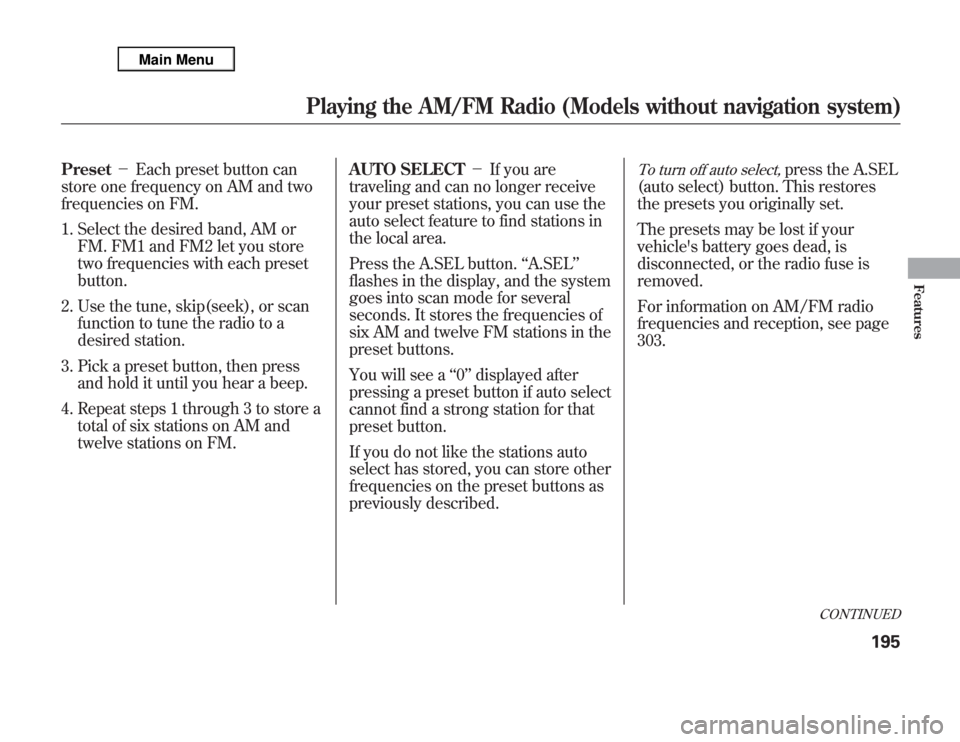
Preset-Each preset button can
store one frequency on AM and two
frequencies on FM.
1. Select the desired band, AM or
FM. FM1 and FM2 let you store
two frequencies with each preset
button.
2. Use the tune, skip(seek), or scan
function to tune the radio to a
desired station.
3. Pick a preset button, then press
and hold it until you hear a beep.
4. Repeat steps 1 through 3 to store a
total of six stations on AM and
twelve stations on FM.AUTO SELECT-If you are
traveling and can no longer receive
your preset stations, you can use the
auto select feature to find stations in
the local area.
Press the A.SEL button.‘‘A.SEL’’
flashes in the display, and the system
goes into scan mode for several
seconds. It stores the frequencies of
six AM and twelve FM stations in the
preset buttons.
You will see a‘‘0’’displayed after
pressing a preset button if auto select
cannot find a strong station for that
preset button.
If you do not like the stations auto
select has stored, you can store other
frequencies on the preset buttons as
previously described.
To turn off auto select,
press the A.SEL
(auto select) button. This restores
the presets you originally set.
The presets may be lost if your
vehicle's battery goes dead, is
disconnected, or the radio fuse is
removed.
For information on AM/FM radio
frequencies and reception, see page
303.
CONTINUED
Playing the AM/FM Radio (Models without navigation system)
195
Features
Page 206 of 621
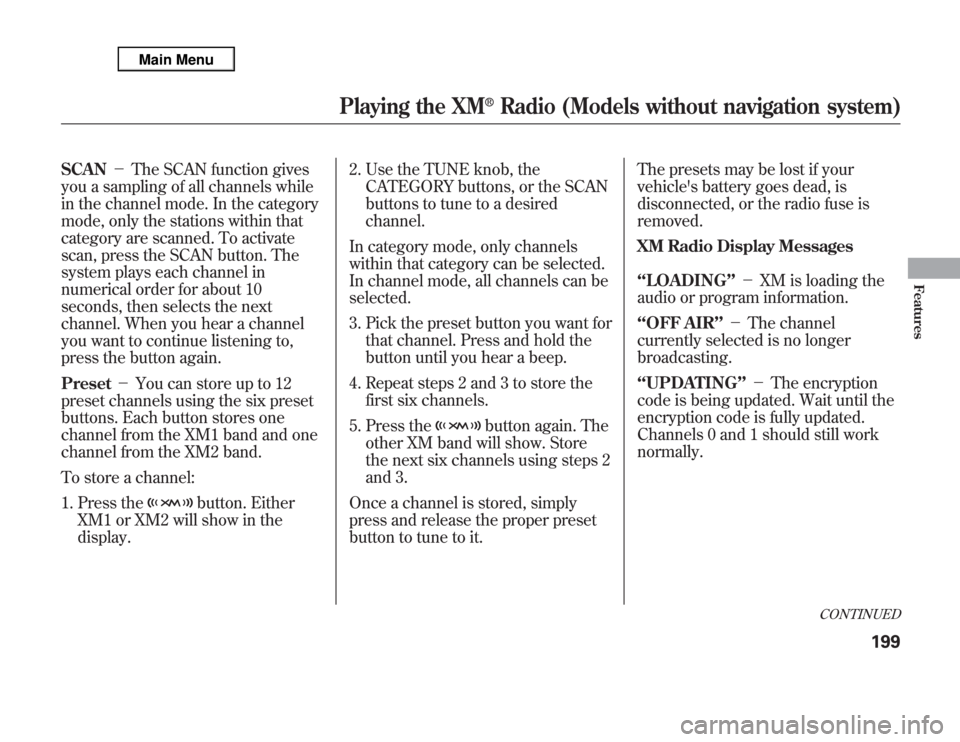
SCAN-The SCAN function gives
you a sampling of all channels while
in the channel mode. In the category
mode, only the stations within that
category are scanned. To activate
scan, press the SCAN button. The
system plays each channel in
numerical order for about 10
seconds, then selects the next
channel. When you hear a channel
you want to continue listening to,
press the button again.
Preset-You can store up to 12
preset channels using the six preset
buttons. Each button stores one
channel from the XM1 band and one
channel from the XM2 band.
To store a channel:
1. Press the
button. Either
XM1 or XM2 will show in the
display.2. Use the TUNE knob, the
CATEGORY buttons, or the SCAN
buttons to tune to a desired
channel.
In category mode, only channels
within that category can be selected.
In channel mode, all channels can be
selected.
3. Pick the preset button you want for
that channel. Press and hold the
button until you hear a beep.
4. Repeat steps 2 and 3 to store the
first six channels.
5. Press the
button again. The
other XM band will show. Store
the next six channels using steps 2
and 3.
Once a channel is stored, simply
press and release the proper preset
button to tune to it.The presets may be lost if your
vehicle's battery goes dead, is
disconnected, or the radio fuse is
removed.
XM Radio Display Messages
‘‘LOADING’’-XM is loading the
audio or program information.
‘‘OFF AIR’’-The channel
currently selected is no longer
broadcasting.
‘‘UPDATING’’-The encryption
code is being updated. Wait until the
encryption code is fully updated.
Channels 0 and 1 should still work
normally.
CONTINUED
Playing the XM
®
Radio (Models without navigation system)
199
Features
Page 315 of 621
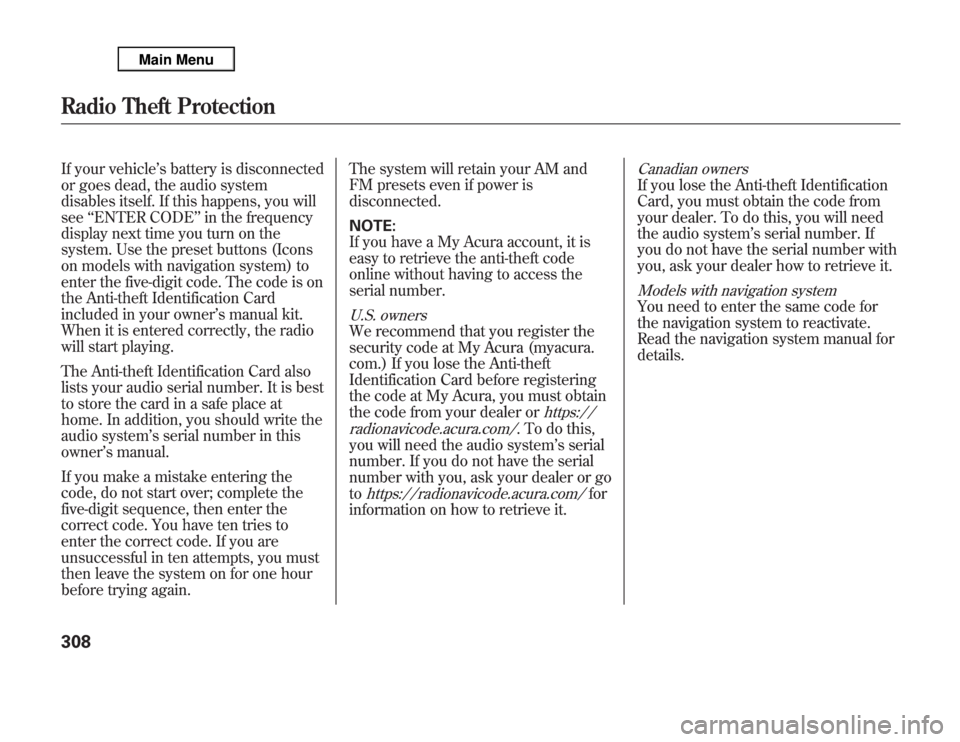
If your vehicle’s battery is disconnected
or goes dead, the audio system
disables itself. If this happens, you will
see‘‘ENTER CODE’’in the frequency
display next time you turn on the
system. Use the preset buttons (Icons
on models with navigation system) to
enter the five-digit code. The code is on
the Anti-theft Identification Card
included in your owner’s manual kit.
When it is entered correctly, the radio
will start playing.
The Anti-theft Identification Card also
lists your audio serial number. It is best
to store the card in a safe place at
home. In addition, you should write the
audio system’s serial number in this
owner’s manual.
If you make a mistake entering the
code, do not start over; complete the
five-digit sequence, then enter the
correct code. You have ten tries to
enter the correct code. If you are
unsuccessful in ten attempts, you must
then leave the system on for one hour
before trying again.The system will retain your AM and
FM presets even if power is
disconnected.
NOTE:
If you have a My Acura account, it is
easy to retrieve the anti-theft code
online without having to access the
serial number.
U.S. ownersWe recommend that you register the
security code at My Acura (myacura.
com.) If you lose the Anti-theft
Identification Card before registering
the code at My Acura, you must obtain
the code from your dealer or
https://
radionavicode.acura.com/
. To do this,
you will need the audio system’s serial
number. If you do not have the serial
number with you, ask your dealer or go
to
https://radionavicode.acura.com/
for
information on how to retrieve it.
Canadian ownersIf you lose the Anti-theft Identification
Card, you must obtain the code from
your dealer. To do this, you will need
the audio system’s serial number. If
you do not have the serial number with
you, ask your dealer how to retrieve it.Models with navigation systemYou need to enter the same code for
the navigation system to reactivate.
Read the navigation system manual for
details.
Radio Theft Protection308
Page 342 of 621
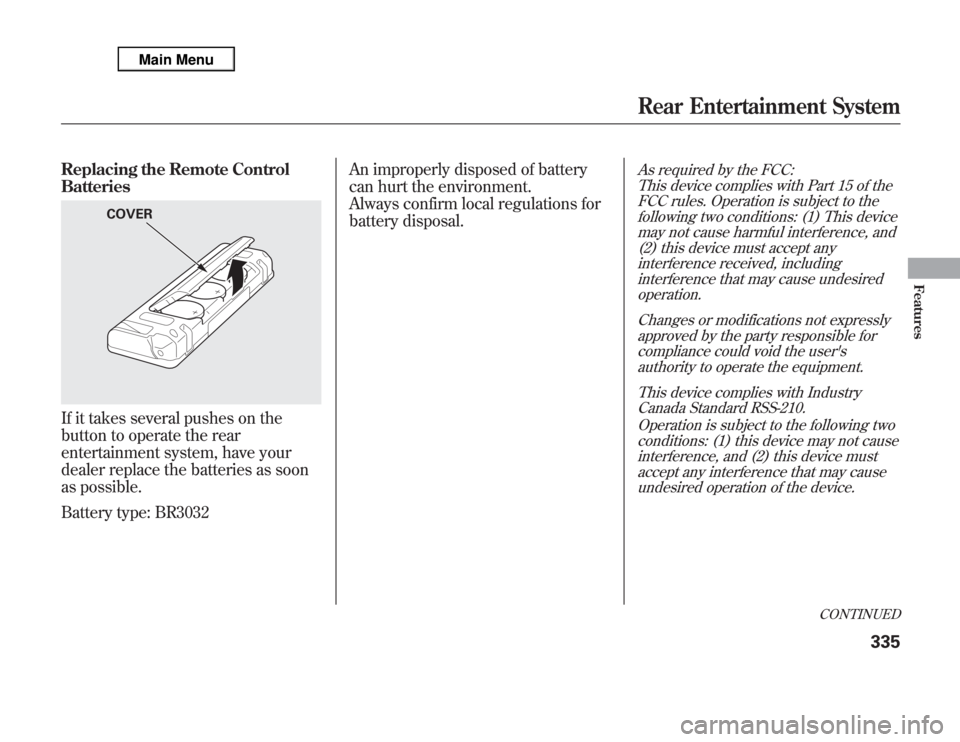
Replacing the Remote Control
BatteriesIf it takes several pushes on the
button to operate the rear
entertainment system, have your
dealer replace the batteries as soon
as possible.
Battery type: BR3032An improperly disposed of battery
can hurt the environment.
Always confirm local regulations for
battery disposal.
As required by the FCC:
This device complies with Part 15 of the
FCC rules. Operation is subject to the
following two conditions: (1) This device
may not cause harmful interference, and
(2) this device must accept any
interference received, including
interference that may cause undesired
operation.
Changes or modifications not expressly
approved by the party responsible for
compliance could void the user's
authority to operate the equipment.
This device complies with Industry
Canada Standard RSS-210.
Operation is subject to the following two
conditions: (1) this device may not cause
interference, and (2) this device must
accept any interference that may cause
undesired operation of the device.
COVER
CONTINUED
Rear Entertainment System
335
Features
Page 346 of 621
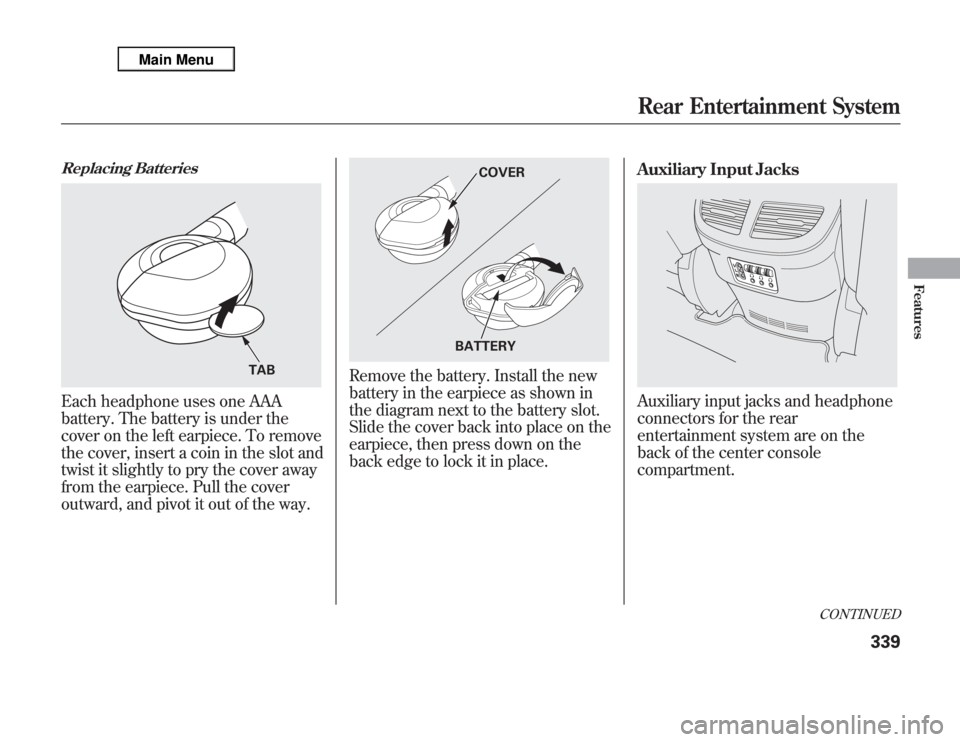
Replacing BatteriesEach headphone uses one AAA
battery. The battery is under the
cover on the left earpiece. To remove
the cover, insert a coin in the slot and
twist it slightly to pry the cover away
from the earpiece. Pull the cover
outward, and pivot it out of the way.
Remove the battery. Install the new
battery in the earpiece as shown in
the diagram next to the battery slot.
Slide the cover back into place on the
earpiece, then press down on the
back edge to lock it in place.Auxiliary Input Jacks
Auxiliary input jacks and headphone
connectors for the rear
entertainment system are on the
back of the center console
compartment.
TAB
COVER
BATTERY
CONTINUED
Rear Entertainment System
339
Features
Page 374 of 621

●
To change the volume level of
HFL, use the audio system volume
knob or the steering wheel volume
controls.
Help Features●
To hear general HFL information,
including help on pairing a phone
or setting up the system, say
‘‘Tutorial.’’
●
For help at any time, including a
list of available commands, say
‘‘Hands free help.’’
Information DisplayAs an incoming call notification, you
will see the following display:SIGNAL
STRENGTHHFL
MODEBATTERY
LEVEL STATUS
PHONE DIALING ROAM STATUS
CONTINUED
Bluetooth
®
HandsFreeLink
®
(Models without navigation system)
367
Features
Page 375 of 621

Some phones may send battery,
signal strength, and roaming status
information to HFL.
You will see‘‘HANDSFREELINK’’
and the‘‘
’’indicator on the audio
display when you operate HFL.
Bluetooth
®
HandsFreeLink
®
(Models without navigation system)
368
Page 379 of 621

To use HFL, you need to pair your
Bluetooth-compatible cell phone to
the system.
Phone Setup
This command group is available for
paired cell phones.Phone pairing tips●
You cannot pair your phone while
the vehicle is moving.
●
Your phone must be in discovery
or search mode to pair. Refer to
your phone's manual.
●
Up to six phones can be paired.
●
Your phone's battery may drain
faster when it is paired to HFL.
●
If after three minutes your phone
is not ready to pair or a phone is
not found, the system will time out
and return to idle.
To pair a cell phone:1. Press and release the HFL Talk
button. If you are pairing a phone
for the first time, HFL will give you
information about the pairing
process. If it is not the first phone
you are pairing, say‘‘Phone
setup’’and say‘‘Pair.’’
2. Follow the HFL prompts and put
your phone in discovery or search
mode. HFL will give you a 4-digit
pairing code and begin searching
for your phone.
3. When your phone finds a
Bluetooth device, select HFL from
the options and enter the 4-digit
code from the previous step.
4. Follow the HFL prompts and name
the newly paired phone.
To rename a paired phone:Press and release the HFL Talk
button before a command.
1. Say‘‘Phone setup.’’
2. Say‘‘Edit’’after the prompts.
3. If there is more than one phone
paired to the system, HFL will ask
you which phone's name you want
to change. Follow the HFL
prompts and rename the phone.
Bluetooth
®
HandsFreeLink
®
(Models without navigation system)
372
Page 381 of 621
To change from the currently linked
phone to another paired phone:Press and release the HFL Talk
button before a command.
1. Say‘‘Phone setup.’’
2. Say‘‘Next phone’’after the
prompts.
3. HFL disconnects the linked phone
and searches for another paired
phone.
4. Once another phone is found, it is
linked to the system. HFL will
inform you which phone is now
linked.
If no other phones are found or
paired, HFL will inform you that the
original phone is linked again.
To change the pairing code setting:Press and release the HFL Talk
button before a command.
1. Say‘‘Phone setup.’’
2. Say‘‘Set pairing code’’after the
prompts.
3. If you want HFL to create a
random code each time you pair a
phone, say‘‘Random.’’If you want
to choose your own 4-digit code to
be used each time, say‘‘Fixed’’
and follow the HFL prompts.Making a Call
You can make calls using a name in
the HFL phonebook or any phone
number. You can also redial the last
number called.
HFL uses a Class 2 Bluetooth, which
means the maximum range between
your phone and vehicle is 30 feet (10
meters).
During a call, HFL allows you to talk
up to 30 minutes after you remove
the key from the ignition switch.
However, this may weaken the
vehicle's battery.
Bluetooth
®
HandsFreeLink
®
(Models without navigation system)
374
Page 392 of 621

DisplaysWhen you receive an incoming call,
you will see the following displays
and notifications.
On the audio screen:You will see‘‘HANDSFREELINK’’on
the audio display while HFL is in use.On the navigation screen:
On the Cellular Phone screen:Some phones may send battery,
signal strength, and roaming status
information to the screen.
CONTINUED
Bluetooth
®
HandsFreeLink
®
(Models with navigation system)
385
Features