USB Acura MDX 2012 Owner's Guide
[x] Cancel search | Manufacturer: ACURA, Model Year: 2012, Model line: MDX, Model: Acura MDX 2012Pages: 621, PDF Size: 11.15 MB
Page 303 of 621
To Stop Playing a USB Flash
Memory Device
To play the radio, press the AM/FM,
or XM button. Press the DISC button
to switch to the disc mode. Press the
HDD button to switch to HDD
Audio.
If you reconnect the same USB flash
memory device, the system will
begin playing where it left off.
Disconnecting a USB Flash Memory
DeviceYou can disconnect the USB flash
memory device at any time even if
the USB mode is selected on the
audio system. Always follow the USB
flash memory device's instructions
when you remove it.
When you disconnect the USB flash
memory device while it is playing,
the audio display and the navigation
screen (if selected) show NO DATA.
Playing a USB Flash Memory Device (Models with navigation system)296
Page 304 of 621
If you see an error message in the
center display while playing a USB
flash memory device, find the
solution in the chart to the right. If
you cannot clear the error message,
take your vehicle to your dealer.
Error Message Solution
BAD USB DEVICE PLEASE
CHECK OWNER'S
MANUALUSB flash memory device is drawing too much current.
Check owner's manual for compatible USB devices.
ERRORInternal USB ROM Error. Try a different USB device.
USB Flash Memory Device Error Messages (Models with navigation system)
297
Features
Page 305 of 621
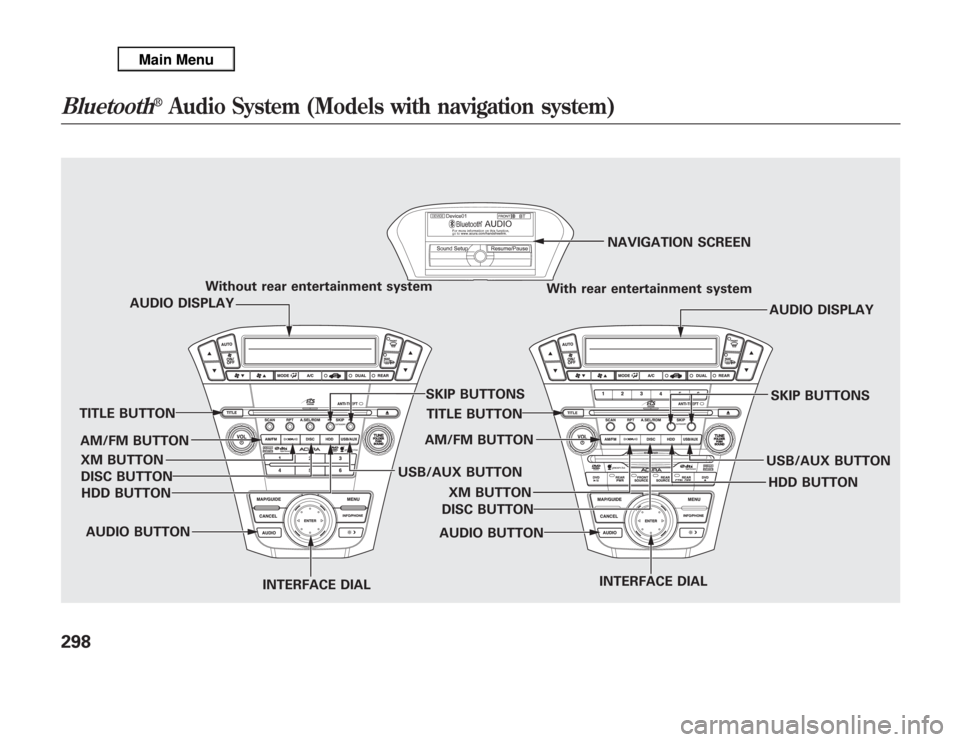
Without rear entertainment system
With rear entertainment systemNAVIGATION SCREEN
AUDIO DISPLAY
TITLE BUTTON
AUDIO BUTTON
INTERFACE DIALINTERFACE DIAL USB/AUX BUTTONSKIP BUTTONS
AUDIO BUTTON TITLE BUTTONAUDIO DISPLAY
SKIP BUTTONS
USB/AUX BUTTON AM/FM BUTTON
XM BUTTON
HDD BUTTON DISC BUTTON
HDD BUTTON AM/FM BUTTON
XM BUTTON
DISC BUTTON
Bluetooth
®
Audio System (Models with navigation system)
298
Page 306 of 621
Your vehicle is equipped with aBluetooth
®audio system, which
allows you to listen to streaming
audio from your
Bluetooth
®audio
compatible phone. This function is
only available on
Bluetooth
®Audio
Compatible phones that are paired
and linked to the vehicle's
Bluetooth
®HandsFreeLink
®(HFL)
system (see page 390).
Not all Bluetooth-enabled phones
with streaming audio capabilities are
compatible with the system. You can
find an approved phone by visiting
www.acura.com/handsfreelink
,orby
calling the HandsFreeLink
®
consumer support at 1-888-528-7876.
In Canada, visit
www.acura.ca
, or call
1-888-9-ACURA-9.
NOTE:In some states, provinces,
and territories it may be illegal to
perform some data device functions
while driving.To Play
Bluetooth
®Audio Files
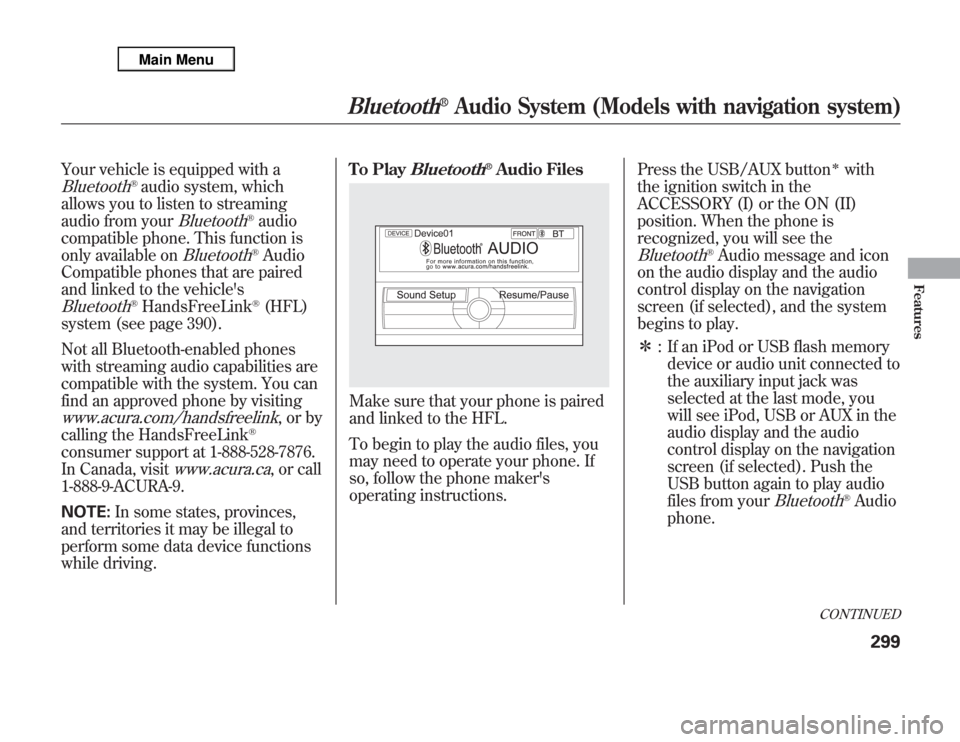
Make sure that your phone is paired
and linked to the HFL.
To begin to play the audio files, you
may need to operate your phone. If
so, follow the phone maker's
operating instructions.Press the USB/AUX button
ᤳ
with
the ignition switch in the
ACCESSORY (I) or the ON (II)
position. When the phone is
recognized, you will see the
Bluetooth
®Audio message and icon
on the audio display and the audio
control display on the navigation
screen (if selected), and the system
begins to play.
ᤳ: If an iPod or USB flash memory
device or audio unit connected to
the auxiliary input jack was
selected at the last mode, you
will see iPod, USB or AUX in the
audio display and the audio
control display on the navigation
screen (if selected). Push the
USB button again to play audio
files from your
Bluetooth
®Audio
phone.
CONTINUED
Bluetooth
®
Audio System (Models with navigation system)
299
Features
Page 312 of 621
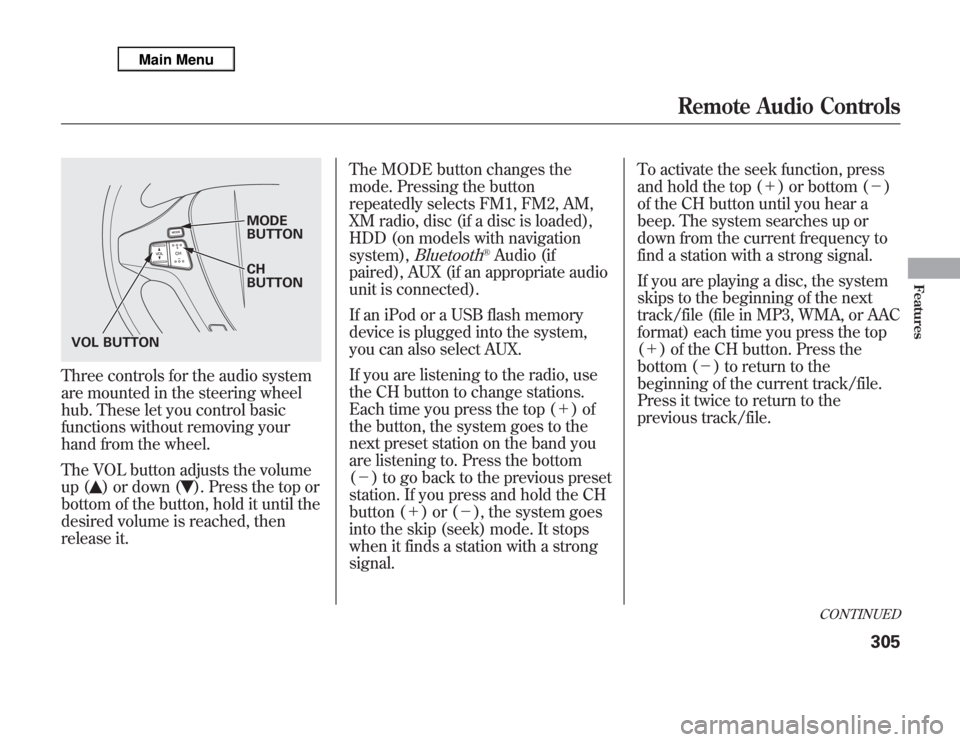
Three controls for the audio system
are mounted in the steering wheel
hub. These let you control basic
functions without removing your
hand from the wheel.
The VOL button adjusts the volume
up (
) or down (
). Press the top or
bottom of the button, hold it until the
desired volume is reached, then
release it.The MODE button changes the
mode. Pressing the button
repeatedly selects FM1, FM2, AM,
XM radio, disc (if a disc is loaded),
HDD (on models with navigation
system),
Bluetooth
®Audio (if
paired), AUX (if an appropriate audio
unit is connected).
If an iPod or a USB flash memory
device is plugged into the system,
you can also select AUX.
If you are listening to the radio, use
the CH button to change stations.
Each time you press the top (+)of
the button, the system goes to the
next preset station on the band you
are listening to. Press the bottom
(-) to go back to the previous preset
station. If you press and hold the CH
button (+)or(-), the system goes
into the skip (seek) mode. It stops
when it finds a station with a strong
signal.To activate the seek function, press
and hold the top (+) or bottom (-)
of the CH button until you hear a
beep. The system searches up or
down from the current frequency to
find a station with a strong signal.
If you are playing a disc, the system
skips to the beginning of the next
track/file (file in MP3, WMA, or AAC
format) each time you press the top
(+) of the CH button. Press the
bottom (-) to return to the
beginning of the current track/file.
Press it twice to return to the
previous track/file.
MODE
BUTTON
CH
BUTTON
VOL BUTTON
CONTINUED
Remote Audio Controls
305
Features
Page 313 of 621
You will see the track/file number
and the elapsed time. If the disc has
text data or is compressed inMP3 or
WMA, you can also see any other
information (track title, file name,
folder name, etc.).
In MP3 or WMA mode, you can use
the seek function to select folders.
Press and hold the top (+) of the CH
button until you hear a beep, to skip
forward to the first file of the next
folder. Press the bottom (-) to skip
backward to the previous folder.
If you are playing a USB flash
memory device or iPod with the USB
adapter cable, press and release the
top (+) of the CH button to skip
forward to the beginning of the next
file. Press the bottom (-) to skip
backward to the beginning to the
current file. Press it twice to return to
the previous file.When playing a USB flash memory
device, you can also use the seek
function to skip the folder. To
activate this, press and hold either
side of the CH button until you hear
a beep.
On models without navigation
systemIf you are playing a conventional CD
(without the text data and not
compressed in MP3 or WMA), you
can use the skip function to select
discs. Press and hold the top (+)of
the CH button until you hear a beep,
to skip forward to the next disc.
Press and hold the bottom (-)to
skip backward to the previous disc.
Remote Audio Controls306
Page 314 of 621
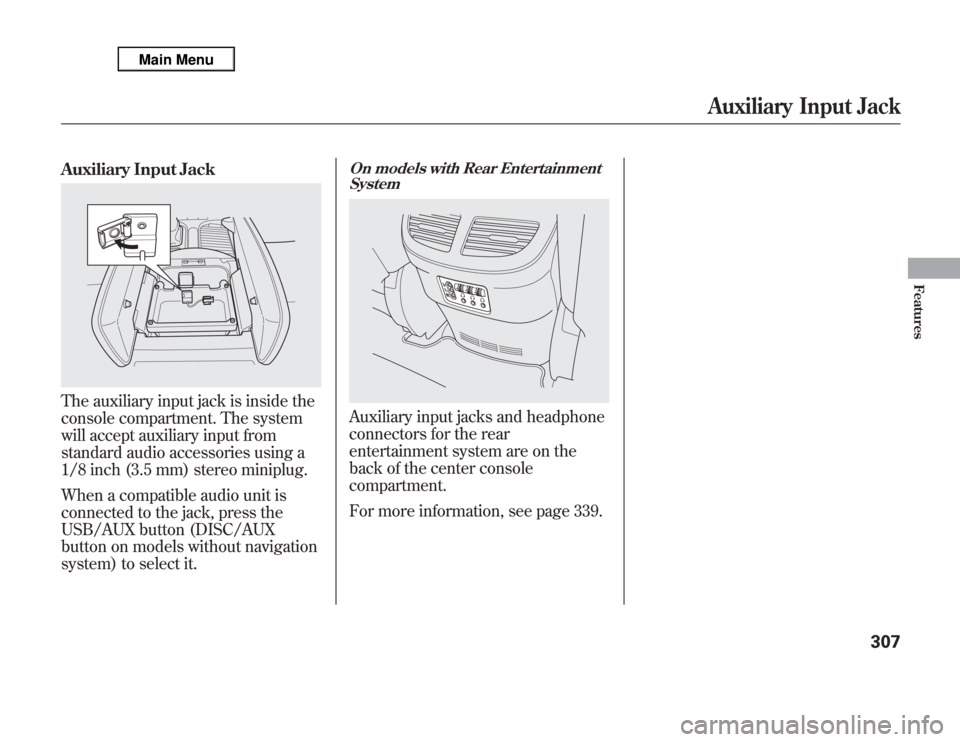
Auxiliary Input JackThe auxiliary input jack is inside the
console compartment. The system
will accept auxiliary input from
standard audio accessories using a
1/8 inch (3.5 mm) stereo miniplug.
When a compatible audio unit is
connected to the jack, press the
USB/AUX button (DISC/AUX
button on models without navigation
system) to select it.
On models with Rear Entertainment
SystemAuxiliary input jacks and headphone
connectors for the rear
entertainment system are on the
back of the center console
compartment.
For more information, see page 339.
Auxiliary Input Jack
307
Features
Page 317 of 621
U.S. Technology Package with
Entertainment, Advance Package with
Entertainment, Canadian Technology,
and Elite PackagesYour vehicle is equipped with a rear
entertainment system that includes a
DVD player for the enjoyment of the
rear passengers.
With this system, the rear
passengers can enjoy a different
entertainment source (radio, disc,
HDD, USB, iPod
®, DVD player, or
XM Radio) than the front seat
occupants. The audio is broadcast
through the supplied wireless
headphones.
The ignition switch must be in the
ACCESSORY (I) or the ON (II)
position to operate the rear
entertainment system.
This vehicle's overhead mounted video
display, if so equipped, includes
mercury-containing components. Upon
removal, please reuse, recycle, or
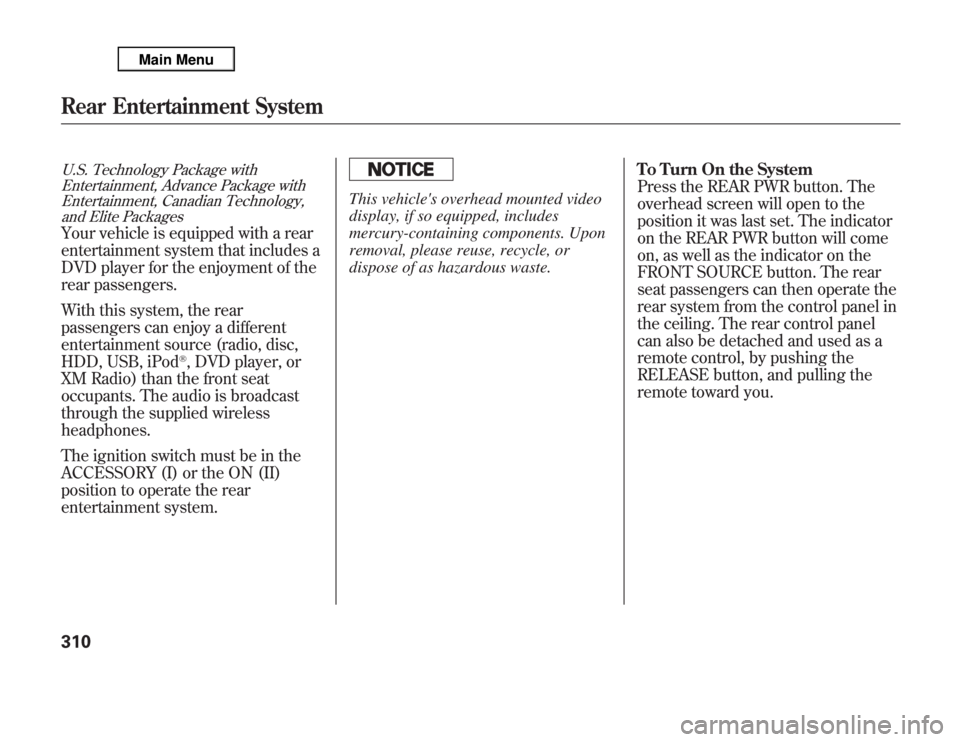
dispose of as hazardous waste.To Turn On the System
Press the REAR PWR button. The
overhead screen will open to the
position it was last set. The indicator
on the REAR PWR button will come
on, as well as the indicator on the
FRONT SOURCE button. The rear
seat passengers can then operate the
rear system from the control panel in
the ceiling. The rear control panel
can also be detached and used as a
remote control, by pushing the
RELEASE button, and pulling the
remote toward you.
Rear Entertainment System310
Page 324 of 621
To Play a Disc, HDD, USB, or
iPod
®from the Rear Control Panel
Press the MENU button to display
the Audio Menu on the overhead
screen. Use the interface dial to
highlight REPEAT, RANDOM, or
SCAN on the screen. You can enter
the highlighted function by pressing
the ENTER button. These functions
have the same features as those of
the front audio system.
When TITLE/SCROLL button is
pressed, the title scrolls. When it's
pushed again, scrolling stops.To Play a DVD from the Rear
Control Panel
The video screen is for use by rear
seat passengers only. The driver and
front seat passenger should not try to
view the screen while driving.
Press the REAR PWR button in the
front panel or press the
button in
the rear control panel when REAR
PWR is on. The overhead screen will
open to the position it was last set.
You can tilt the screen at nine
different angles from 90 to 130
degrees using the tilt button in the
rear control panel. The default
setting is 100 degrees.
Press the
button when you want
to pause the DVD. Press this button
again to go back to PLAY.
Press thebutton to skip to the
beginning of the next chapter. Press
the
button to return to the
beginning of the current chapter.Press the
button again quickly to
go to the previous chapter.
To move rapidly within a chapter,
press and hold the
or
button.
The system will continue to move
through the chapter. Press the
button to move forward, or thebutton to move backward. Release
the button when the system reaches
the point you want.
To select the menu on the DVD,
press the MENU button. Use the
interface dial to turn to the desired
menu selection, then press the
ENTER button to enter your
selection.
CONTINUED
Rear Entertainment System
317
Features
Page 613 of 621
Parking Brake and Brake System
Indicator
...........................
69, 564
Parking Lights
...........................
128
Parking Over Things that
Burn
................................
454, 589
Passenger Airbag Off Indicator
....
37
PGM-FI System
..........................
588
Playing a Disc
............................
235
Playing an iPod
®.........................
278
Playing a USB Flash Memory
Device
....................................
287
Playing Disc
...............................
203
Playing Hard Disc Drive (HDD)
Audio (Models with navigation
system)
...............................
250
Playing the AM/FM
Radio
...............................
193, 213
Playing the XM
®Radio
........
197, 226
Pollen Filter
...............................
534
Power Seat Adjustments
............
149
Power Socket Locations
.............
177
Power Steering Fluid
.................
526
Power Windows
.........................
160
Pregnancy, Using Seat Belts
........
19
Preparing to Drive
......................
441
Proper Seat Belt Usage
................
16Protecting Adults and Teens
........
12
Additional Safety Precautions
...
20
Advice for Pregnant Women
....
19
Protecting Children
......................
40
General Guidelines
..................
40
Protecting Infants
.....................
45
Protecting Larger Children
......
57
Protecting Small Children
........
46
Using Child Seats with
Tethers
.................................
54
Using LATCH
..........................
50
R
Radiator Overheating
.................
560
Radio/CD Sound System
...........
192
Radio/Disc Sound
System
............................
193, 213
Radio Theft Protection
...............
308
Readiness Codes
........................
590
Rear A/C Unit
............................
187
Rear Audio Control Panel
...........
315
Rear Entertainment System
.......
310
Rear Lights, Bulb
Replacement
...........................
531Rearview Mirror
.........................
165
Rearview Mirror with Rearview
Camera Display
......................
417
Rear Window Defogger
..............
132
Rear Window Wiper and
Washer
...................................
127
Recalling a Memorized Driving
Position
..................................
148
Reclining the Seat Backs
............
149
Reclining the Second Seats
........
153
Refueling
....................................
424
Reminder Indicators
.....................
68
Remote Audio Controls
..............
305
Remote Control (RES)
...............
334
Remote Transmitter
...................
145
Replacement Information
Dust and Pollen Filter
.............
534
Engine Oil and Filter
...............
518
Fuses
......................................
565
Schedule
.................................
514
Spark Plugs
.............................
579
Timing Belt
.............................
526
Tires
.......................................
544
Wiper Blades
..........................
536
Replacing Seat Belts After a
Crash
........................................
25
IndexVIII