Brake Acura MDX 2016 Owners Manual
[x] Cancel search | Manufacturer: ACURA, Model Year: 2016, Model line: MDX, Model: Acura MDX 2016Pages: 557, PDF Size: 31.09 MB
Page 501 of 557

500
uuIf a Tire Goes Flat uTemporarily Repairing a Flat Tire*
Handling the Unexpected
Temporarily Repairing a Flat Tire*
If the tire has a large cut or is otherwise se verely damaged, you will need to have the
vehicle towed. If the tire only has a smal l puncture, from a nail for instance, you can
use the temporary tire repair kit so that you can drive to the nearest service station
for a more permanent repair.
If a tire goes flat while driving, grasp the steering wheel firmly, and brake gradually
to reduce speed. Then stop in a safe place.
1. Park the vehicle on a firm, level, and non-slippery surface and apply the parking
brake.
2. Change the gear position to
(P.
3. Turn on the hazard warning lights an d set the power mode to VEHICLE OFF
(LOCK).
1 Temporarily Repairing a Flat Tire*
The kit should not be used in the following situations.
Instead, contact a dealer or a roadside assistant to
have the vehicle towed.
•The tire sealant has expired.
•More than one tire is punctured.•The puncture or cut is larger than 3/16 inch (4mm).
•The tire side wall is da maged or the puncture is
outside the contact area.
•Damage has been caused by driving with the tire
extremely under inflated.
•The tire bead is no longer seated.
•The rim is damaged.
Do not remove a nail or screw that punctured the
tire. If you remove it from the tire, you may not be
able to repair the puncture using the kit.
NOTICE
Do not use a puncture-repairing agent other than the
one provided in the kit that came with your vehicle. If
a different agent is used, you may permanently
damage the tire pressure sensor.
When the puncture is:Kit Use
Smaller than 3/16 inch (4 mm)Yes
Larger than 3/16 inch (4 mm)No
Contact
Area
* Not available on all models
16 ACURA MDX-31TZ56200.book 500 ページ 2015年3月4日 水曜日 午後2時59分
Page 514 of 557

513
uuEngine Does Not Start uIf the Keyless Access Remote Battery is Weak
Handling the Unexpected
If the Keyless Access Re mote Battery is Weak
If the beeper sounds, the To Start, Hold Remote Near Start Button message
appears on the MID, the indicator on the ENGINE START/STOP button flashes, and
the engine won’t start, st art the engine as follows.
1.Touch the center of the ENGINE START/
STOP button with the A logo on the keyless
access remote while the indicator on the
ENGINE START/STOP button is flashing.
The buttons on the keyless access remote
should be facing you.
u The indicator flashes for about 30
seconds.
2. Depress the brake pedal and press the
ENGINE START/STOP button within 10
seconds after the beeper sounds and the
indicator changes from flashing to on.
u If you don’t depress the pedal, the mode
will change to ACCESSORY.
ENGINE
START
STOP
16 ACURA MDX-31TZ56200.book 513 ページ 2015年3月4日 水曜日 午後2時59分
Page 515 of 557

514
uuEngine Does Not Start uEmergency Engine Stop
Handling the Unexpected
Emergency Engine Stop
The ENGINE START/STOP button may be used to st op the engine due to an
emergency situation even while driving. If you must stop the engine, do either of the
following operations:
• Press and hold the ENGINE START/STOP button for about two seconds.
• Firmly press the ENGINE START/STOP button twice.
The steering wheel will not lock. However, because turning off the engine disables
the power assist the engine provides to the steering and braking systems, it will
require significantly more physical effort an d time to steer and slow the vehicle. Use
both feet on the brake pedal to slow down the vehicle and stop immediately in a
safe place.
The gear position auto matically changes to
(P after the vehicle comes to a complete
stop. Then, the power mode changes to VEHICLE OFF.
1Emergency Engine Stop
Do not press the button while driving unless it is
absolutely necessary for th e engine to be switched
off.
16 ACURA MDX-31TZ56200.book 514 ページ 2015年3月4日 水曜日 午後2時59分
Page 522 of 557

521
uuIndicator, Comin g On/BlinkinguIf the Brake System Indicator (Red) Comes On
Handling the Unexpected
If the Brake System Indicator (Red) Comes On
■Reasons for the indicator to come on
• The brake fluid is low.
• There is a malfunction in the brake system.
■What to do when the indica tor comes on while driving
Press the brake pedal lightly to check pedal pressure.
• If normal, check the brake fluid level the next time you stop.
• If abnormal, take immediate acti on. If necessary, downshift the
transmission to slow the vehicle using engine braking.
If the Speed-Sensitive Electric Power Steering (EPS)
System Indicator Comes On
■Reasons for the indicator to come on
• Comes on if there is a problem with the EPS system.
• If you depress the accelerator pedal repeatedly to increase the engine
speed while the engine is idling, the indicator comes on, and
sometimes the steering wheel becomes harder to operate.
■What to do when th e indicator comes on
Stop the vehicle in a safe place and restart the engine.
If the indicator comes on and stays on, immediately have your vehicle
inspected by a dealer.
1 If the Brake System Indicator (Red) Comes On
Have your vehicle re paired immediately.
It is dangerous to drive with low brake fluid. If there
is no resistance from the brake pedal, stop
immediately in a safe plac e. If necessary downshift
the gears.
If the brake system indicator and ABS indicator come
on simultaneously, the elec tronic brake distribution
system is not working. Th is can result in vehicle
instability under sudden braking.
Have your vehicle inspecte d by a dealer immediately.U.S.
Canada
16 ACURA MDX-31TZ56200.book 521 ページ 2015年3月4日 水曜日 午後2時59分
Page 523 of 557
522
uuIndicator, Coming On/Blinking uIf the Low Tire Pressure/TPMS Indicator Comes On or Blinks
Handling the Unexpected
If the Low Tire Pressure/TPMS Indicator Comes On or
Blinks
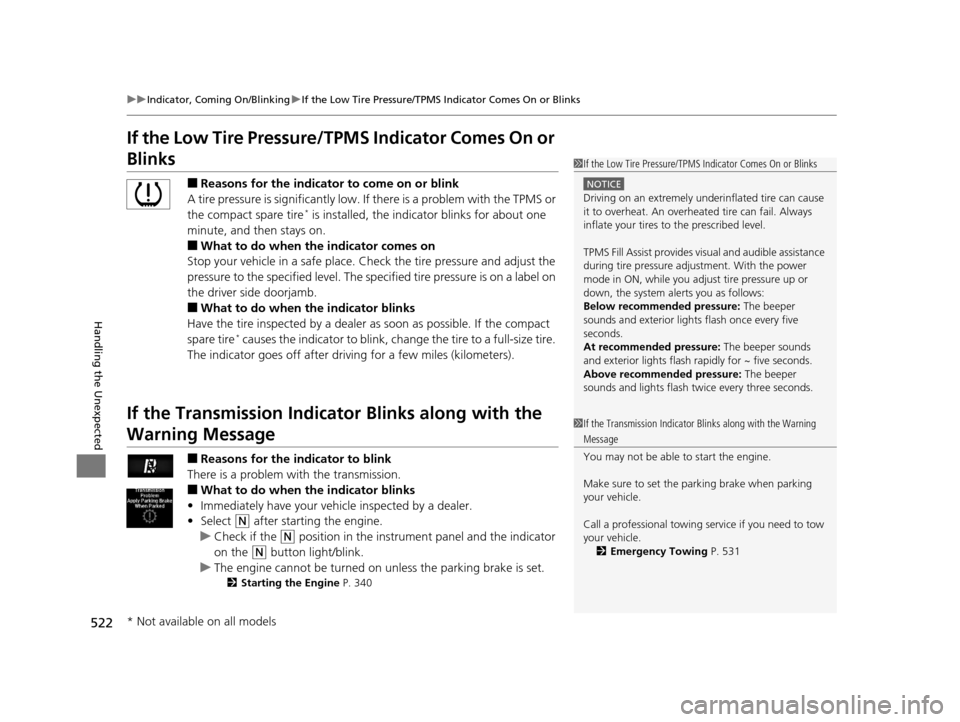
■Reasons for the indicator to come on or blink
A tire pressure is significantly low. If there is a problem with the TPMS or
the compact spare tire
* is installed, the indica tor blinks for about one
minute, and then stays on.
■What to do when the indicator comes on
Stop your vehicle in a safe place. Ch eck the tire pressure and adjust the
pressure to the specified level. The sp ecified tire pressure is on a label on
the driver side doorjamb.
■What to do when the indicator blinks
Have the tire inspected by a dealer as soon as possible. If the compact
spare tire
* causes the indicator to blink, change the tire to a full-size tire.
The indicator goes off after driv ing for a few miles (kilometers).
If the Transmission Indicator Blinks along with the
Warning Message
■Reasons for the indicator to blink
There is a problem with the transmission.
■What to do when the indicator blinks
• Immediately have your vehi cle inspected by a dealer.
• Select
(N after starting the engine.
u Check if the
(N position in the instrume nt panel and the indicator
on the
(N button light/blink.
u The engine cannot be turned on unless the parking brake is set.
2 Starting the Engine P. 340
1If the Low Tire Pressure/TPMS Indicator Comes On or Blinks
NOTICE
Driving on an extremely unde rinflated tire can cause
it to overheat. An overheated tire can fail. Always
inflate your tires to the prescribed level.
TPMS Fill Assist provides visual and audible assistance
during tire pressure adjustment. With the power
mode in ON, while you adjust tire pressure up or
down, the system alerts you as follows:
Below recommended pressure: The beeper
sounds and exterior lights flash once every five
seconds.
At recommended pressure: The beeper sounds
and exterior lights flash ra pidly for ~ five seconds.
Above recommended pressure: The beeper
sounds and lights flash twice every three seconds.
1 If the Transmission Indicator Blinks along with the Warning
Message
You may not be able to start the engine.
Make sure to set the pa rking brake when parking
your vehicle.
Call a professional towing service if you need to tow
your vehicle.
2 Emergency Towing P. 531
* Not available on all models
16 ACURA MDX-31TZ56200.book 522 ページ 2015年3月4日 水曜日 午後2時59分
Page 524 of 557

523Continued
Handling the Unexpected
Fuses
Fuse Locations
If any electrical devices are not working, set
the power mode to VEHICLE OFF (LOCK)
and check to see if any applicable fuse is
blown.
Fuse locations are shown on the fuse box
cover. Locate the fuse in question by the
fuse number and box cover number.
Located near the brake fluid reservoir. Push
the tabs to open the box.
■Engine Compartment Fuse
Box Type A
Tab
■Circuit protected and fuse rating
Circuit ProtectedAmps
1STRLD*27.5 A
2−−
3ACG FR15 A
4Washer 15 A
5−−
6 ECU FR 7.5 A
7Starter*27.5 A
8FI Sub 15A
9DBW15 A
10 FI Main 15 A
11IG Coil15 A
12 DRL R 10 A
13DRL L10 A
14 Injector 20 A
15Radio*120 A
*1:Models without Auto Idle Stop
*2:Models with Auto Idle Stop 16 Back Up 10 A
17MG Clutch7.5 A
18 FR Fog*(20 A)
19−−
20 H/L HI R 7.5 A
21−−
22 Small*110 A
23Gear Selector15 A
24 H/L HI L 7.5 A
25−−
26 H/L LO R 10 A
27H/L LO L10 A
28 Oil LVL 7.5 A
29Main Fan30 A
30 Sub Fan 30 A
31Wiper Main30 A
Circuit ProtectedAmps
* Not available on all models
16 ACURA MDX-31TZ56200.book 523 ページ 2015年3月4日 水曜日 午後2時59分
Page 530 of 557

529
uuFuses uFuse Locations
Handling the Unexpected
Located on the left side of cargo area.
Remove the cover by prying on the edge of
the cover using a flat-tip screwdriver.
u Wrap the flat-tip screwdriver with a
cloth to prevent scratches.
Fuse locations are shown on the cover.
Locate the fuse in question by the fuse
number and box cover number.
■Rear Fuse Box
Fuse Label
Fuse BoxCover
■Circuit protected and fuse rating
Circuit ProtectedAmps
1PTG Closer20 A
2Trailer Small LT*(20 A)
3−−
4Fuel Lid7.5 A
5Seat Slide20 A
6−−
7RR Heat Seat*(20 A)
8−−
9Trailer Charge*(20 A)
10Trailer Back LT*(7.5 A)
11Trailer Hazard*(7.5 A)
12Rear Wiper10 A
13Rear ECU7.5 A
144WD(20 A)
15−−
16−−
17Trailer E-Brake*(20 A)
18PTG MTR40 A
* Not available on all models
16 ACURA MDX-31TZ56200.book 529 ページ 2015年3月4日 水曜日 午後2時59分
Page 537 of 557

536
Information
Specifications
■Vehicle Specifications
*1: 2WD models
*2: AWD models
ModelAcura MDX
No. of Passengers:
Front 2
Rear 2nd Row 3 3rd Row 2
Total 7
Weights:Gross Vehicle
Weight RatingU.S.:5,368 lbs (2,435 kg)*1
5,677 lbs (2,575 kg)*2
Canada:2,575 kgGross Axle Weight
Rating (Front)U.S.:2,811 lbs (1,275 kg)*1
2,910 lbs (1,320 kg)*2
Canada:1,320 kgGross Axle Weight
Rating (Rear)U.S.:2,734 lbs (1,240 kg)*1
2,965 lbs (1,345 kg)*2
Canada:1,345 kg
Gross Combined Weight
Rating U.S.: 8,036 lbs (3,645 kg)*1
9,833 lbs (4,460 kg)*2
Canada:4,460 kgAir Conditioning:Refrigerant TypeHFC-134a (R-134a)Charge Quantity23.8 – 25.6 oz (675 – 725 g)Lubricant TypePAG RL897
■
Engine Specifications
■ Fuel
■ Washer Fluid
Displacement211.8 cu-in (3,471 cm3)
Spark Plugs NGK DILZKR7B11G
TypeUnleaded premium gasoline, Pump octane
number of 91 or higher
Fuel Tank Capacity 19.5 US gal (73.8 ℓ)
Tank CapacityU.S.: 4 US qt (3.8 ℓ)
Canada: 5.6 US qt (5.3 ℓ)
■ Light Bulbs
■ Brake Fluid
Headlights (High/Low Beam)LED
Fog Lights*LEDFront Turn Signal/Side Marker/
Parking Lights28/8 W (Amber)
Daytime Running Lights LED
Side Turn Signal Lights (on Door
Mirrors)LED
Brake Lights 21 W
Rear Side Marker LightsLED
Taillights LED
Back-Up Lights21 W
Rear Turn Signal Lights 21 W
High-Mount Brake LightLED
Rear License Plate Light LED
Puddle Lights*LED
Interior Lights Front, Second Row and Third
Row Lights LED
Front and Rear Ambient Lights LED
Vanity Mirror Lights 1.4 W
Door Courtesy Lights 3.4 W
Door Inner Handle Lights LED
Console Compartment Light 1.4 W
Glove Box Light 1.4 W
Foot Lights 5 W
Cargo Area Lights 5 W
SpecifiedAcura Heavy Duty Brake Fluid DOT 3
* Not available on all models
16 ACURA MDX-31TZ56200.book 536 ページ 2015年3月4日 水曜日 午後2時59分
Page 543 of 557

542
uuEmissions Testing uTesting of Readiness Codes
Information
7. Select a nearby, lightly traveled major hi ghway where you can maintain a speed
of 50 to 60 mph (80 to 97 km/h) for at least 20 minutes. Drive on the highway in
(D. Do not use cruise control. When tra ffic allows, drive for 90 seconds without
moving the accelerator pedal. (Vehicle spee d may vary slightly; this is okay.) If you
cannot do this for a continuous 90 seconds because of traffic conditions, drive for
at least 30 seconds, then repeat it two mo re times (for a total of 90 seconds).
8. Drive in city/suburban traffic for at l east 10 minutes. When traffic conditions
allow, let the vehicle coast for several se conds without using the accelerator pedal
or the brake pedal.
9. Park the vehicle and leave the engine off for 30 minutes.
16 ACURA MDX-31TZ56200.book 542 ページ 2015年3月4日 水曜日 午後2時59分
Page 548 of 557
Index
547
Index
Index
A
AAC................................................... 238, 248
ABS (Anti-lock Brake System) .................. 414
AC Power Outlet ...................................... 194
Accessories and Modifications ................ 438
Accessory Power Sockets ......................... 193
Adaptive Cruise Control (ACC) with Low Speed Follow (LSF) ................................. 365
Indicator ................................................... 87
Additives Coolant .................................................. 455
Engine Oil ............................................... 450
Washer ................................................... 458
Additives, Engine Oil ............................... 450
Adjusting Armrest .................................................. 185
Front Seats.............................................. 175
Head Restraints ....................... 178, 179, 180
Headlights .............................................. 459
Mirrors.................................................... 172
Rear Seats ............................................... 182
Second Row Seat .................................... 176
Steering Wheel ....................................... 171
Temperature ........................................... 113
Agile Handling Assist System .................. 404
Aha
TM Menu ............................................. 247
AhaTM Radio .............................................. 258
Air Conditioning System (Climate Control
System) .................................................... 200
Changing the Mode................................ 203 Defrosting the Windshield and
Windows ............................................... 207
Dust and Pollen Filter ............................... 484
Rear Climate Control System ................... 208
Recirculation/Fresh Air Mode ................... 205
Sensors .................................................... 212
Synchronized Mode ................................. 204
Using Automatic Climate Control ............ 200
Air Pressure ....................................... 470, 537
Airbags ........................................................ 41
Advanced Airbags ..................................... 47
After a Collision ......................................... 45
Airbag Care ............................................... 55
Driver’s Knee Airbag .................................. 48
Event Data Recorder .................................... 0
Front Airbags (SRS) .................................... 44
Indicator .............................................. 53, 77
Passenger Airbag Off Indicator .................. 54
Sensors ...................................................... 41
Side Airbags .............................................. 50
Side Curtain Airbags .................................. 52
AM/FM Radio ............................................ 231
Anti-lock Brake System (ABS) .................. 414
Indicator .................................................... 77
Armrest ..................................................... 185
Audio Remote Controls ............................ 217
Audio System ............................................ 214
Adjusting the Sound ................................ 229
Auxiliary Input Jack .................................. 215
Error Messages ........................................ 254
General Information ................................ 259 Internet Radio ......................................... 245
iPod ........................................................ 241
MP3/WMA/AAC .............................. 238, 248
Reactivating ............................................ 216
Recommended CDs ................................. 260
Recommended Devices............................ 262
Remote Controls ..................................... 217
Security Code .......................................... 216
Shortcuts................................................. 220
Theft Protection ...................................... 216
USB Flash Drives .............................. 248, 262
USB Port.................................................. 215
Authorized Manuals ................................ 545
Auto Door Locking/Unlocking ................. 141
Customize ....................................... 123, 275
Auto Idle Stop .......................................... 355
OFF Button .............................................. 355
Auto Idle Stop Indicator (Green) ............... 83
Auto Idle Stop System Indicator
(Amber) ..................................................... 83
Automatic Intermittent Wipers ............... 164
Automatic Lighting .................................. 160
Automatic Transmission ........................... 346
Creeping ................................................. 346
Fluid ........................................................ 457
Kickdown ................................................ 346
Operating the Shift Button ...................... 349
Shifting ................................................... 347
Auxiliary Input Jack .................................. 215
Average Fuel Economy ............................ 113
Average Speed ......................................... 114
16 ACURA MDX-31TZ56200.book 547 ページ 2015年3月4日 水曜日 午後2時59分