Ds mode Acura MDX 2016 Owner's Manual
[x] Cancel search | Manufacturer: ACURA, Model Year: 2016, Model line: MDX, Model: Acura MDX 2016Pages: 557, PDF Size: 31.09 MB
Page 197 of 557
uuInterior Lights/Interior Convenience Items uInterior Convenience Items
196
Controls
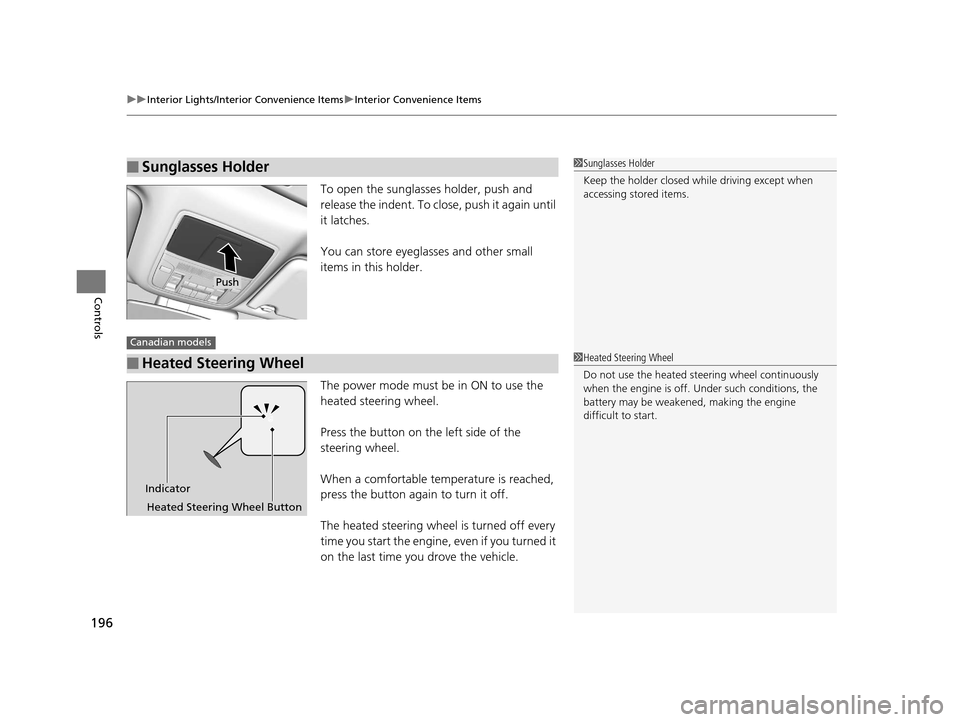
To open the sunglasses holder, push and
release the indent. To clos e, push it again until
it latches.
You can store eyeglasses and other small
items in this holder.
The power mode must be in ON to use the
heated steering wheel.
Press the button on the left side of the
steering wheel.
When a comfortable temperature is reached,
press the button again to turn it off.
The heated steering wheel is turned off every
time you start the engine, even if you turned it
on the last time you drove the vehicle.
■Sunglasses Holder1 Sunglasses Holder
Keep the holder closed wh ile driving except when
accessing stored items.
Push
■Heated Steering Wheel
Canadian models
1 Heated Steering Wheel
Do not use the heated steering wheel continuously
when the engine is off. Under such conditions, the
battery may be weaken ed, making the engine
difficult to start.
Indicator
Heated Steering Wheel Button
16 ACURA MDX-31TZ56200.book 196 ページ 2015年3月4日 水曜日 午後2時59分
Page 198 of 557
Continued197
uuInterior Lights/Interior Convenience Items uInterior Convenience Items
Controls
If the power mode is in ON:
Seat heater - The HI setting heats the seats
faster than the LO setting.
Seat ventilation
* - The HI setting ventilates
the seats faster than the LO setting.
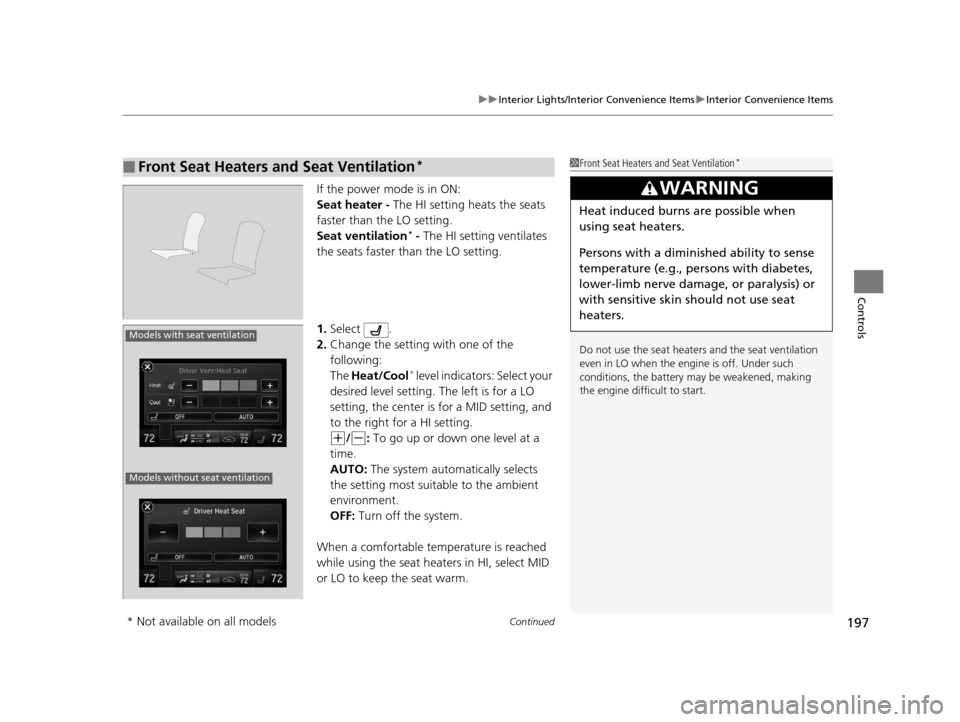
1. Select .
2. Change the setting with one of the
following:
The Heat/Cool
* level indicators: Select your
desired level setting. The left is for a LO
setting, the center is for a MID setting, and
to the right for a HI setting.
(+/(-: To go up or down one level at a
time.
AUTO: The system automatically selects
the setting most suitable to the ambient
environment.
OFF: Turn off the system.
When a comfortable temperature is reached
while using the seat heaters in HI, select MID
or LO to keep the seat warm.
■Front Seat Heaters and Seat Ventilation*1 Front Seat Heaters and Seat Ventilation*
Do not use the seat heater s and the seat ventilation
even in LO when the engine is off. Under such
conditions, the battery ma y be weakened, making
the engine difficult to start.
3WARNING
Heat induced burns are possible when
using seat heaters.
Persons with a diminished ability to sense
temperature (e.g., persons with diabetes,
lower-limb nerve damage, or paralysis) or
with sensitive skin should not use seat
heaters.
Models with seat ventilation
Models without seat ventilation
* Not available on all models
16 ACURA MDX-31TZ56200.book 197 ページ 2015年3月4日 水曜日 午後2時59分
Page 199 of 557
uuInterior Lights/Interior Convenience Items uInterior Convenience Items
198
Controls
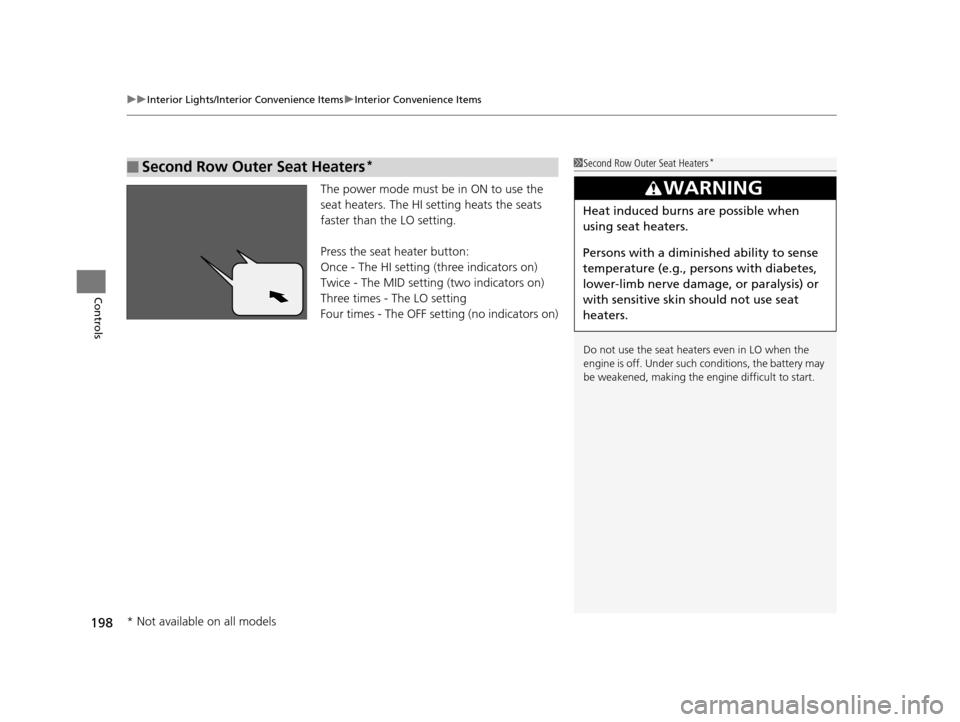
The power mode must be in ON to use the
seat heaters. The HI setting heats the seats
faster than the LO setting.
Press the seat heater button:
Once - The HI setting (three indicators on)
Twice - The MID setting (two indicators on)
Three times - The LO setting
Four times - The OFF se tting (no indicators on)
■Second Row Outer Seat Heaters*1Second Row Outer Seat Heaters*
Do not use the seat heaters even in LO when the
engine is off. Under such conditions, the battery may
be weakened, making the engine difficult to start.
3WARNING
Heat induced burns are possible when
using seat heaters.
Persons with a diminished ability to sense
temperature (e.g., persons with diabetes,
lower-limb nerve damage, or paralysis) or
with sensitive skin should not use seat
heaters.
* Not available on all models
16 ACURA MDX-31TZ56200.book 198 ページ 2015年3月4日 水曜日 午後2時59分
Page 200 of 557

199
uuInterior Lights/Interior Convenience Items uInterior Convenience Items
Controls
Pull the tab and roll up the sunshade all the
way. Use the hooks to hang it.
■Integrated Sunshades*1Integrated Sunshades*
Use the sunshades only when the windows are fully
closed. Using the shade while a window is open can
unhook and blow off the sh ade, hitting and hurting
anyone sitting near the window.
Tab
Hook
* Not available on all models
16 ACURA MDX-31TZ56200.book 199 ページ 2015年3月4日 水曜日 午後2時59分
Page 201 of 557

200
Controls
Climate Control System
Using Automatic Climate Control
The automatic climate control system maintains the interior temperature you select.
The system also selects the proper mix of heated or cooled air that raises or lowers
the interior temperature to your pr eference as quickly as possible.
Use the system when the engine is running.
1. Press the AUTO button.
2. Adjust the interior temperature using the driver’s side or passenger’s side
temperature control switch.
3. Press the (On/Off) button to cancel.1Using Automatic Climate Control
If any buttons/icons on the touch screen are pressed
while using the climate control system in AUTO, the
function of the button/icon th at was pressed will take
priority.
The AUTO indicator will go off, but functions
unrelated to the button/icon that was pressed will be
controlled automatically.
During the Auto Idle Stop, the air conditioning
system will be turned off.
To prevent cold air from bl owing in from outside, the
fan may operate at low speed for a while after the
AUTO button has been pressed.
If the interior is very warm, you can cool it down
more rapidly by partial ly opening the windows,
turning the system on auto, and setting the
temperature to low. Change the fresh mode to
recirculation mode until the temperature cools down.
When you set the temperat ure to the lower or upper
limit, Lo or Hi is displayed.
Pressing the button switches the climate control
system between on and off. When turned on, the
system returns to your last selection.
Models with Auto Idle Stop
All models
(On/Off) ButtonAUTO Button
On Demand Multi-Use Display
TM
Driver’s Side
Temperature
Control Switch
Passenger’s
Side
Temperature
Control Switch Passenger’s
Side
Temperature
Driver’s Side
Temperature
16 ACURA MDX-31TZ56200.book 200 ページ 2015年3月4日 水曜日 午後2時59分
Page 202 of 557

Continued201
uuClimate Control System uUsing Automatic Climate Control
Controls
In addition to the button/sw itch controls, you can operate the climate control system
from the On Demand Multi-Use DisplayTM touch screen.
■Operating from the On Demand Multi-Use DisplayTM1 Using Automatic Climate Control
When you unlock the doors with your remote, the
driver’s ID ( Driver 1 or Driver 2) is detected, and the
climate control settings are turned to the respective
mode automatically when you set the power mode to
ON.
You can store two customized climate control
settings to the system and recall them from the On
Demand Multi-Use Display
TM.
2 Shortcuts P. 206
On Demand Multi-Use DisplayTM
A/C (Air Conditioning) and
SYNC (Synchronized) Icon
Driver’s Side
Temperature
Control Icon Recirculation/
Fresh Air mode
Icon
Fan Control Icon Passenger’s Side
Temperature
Control Icon
Shortcuts
Icon
16 ACURA MDX-31TZ56200.book 201 ページ 2015年3月4日 水曜日 午後2時59分
Page 203 of 557
uuClimate Control System uUsing Automatic Climate Control
202
Controls
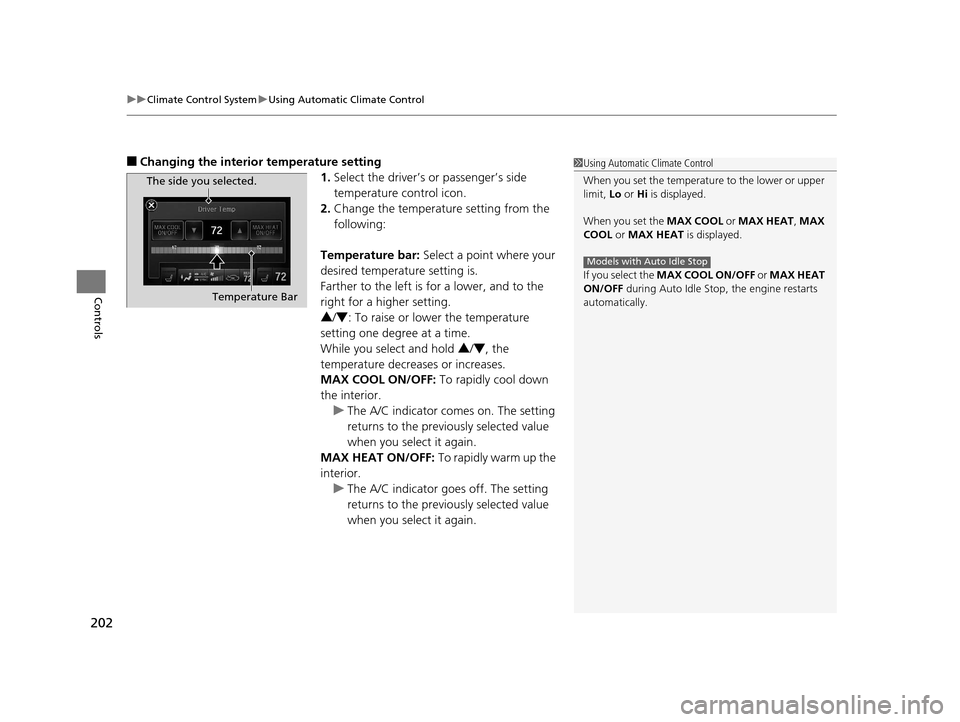
■Changing the interior temperature setting
1.Select the driver’s or passenger’s side
temperature control icon.
2. Change the temperature setting from the
following:
Temperature bar: Select a point where your
desired temperature setting is.
Farther to the left is for a lower, and to the
right for a higher setting.
3 /4 : To raise or lower the temperature
setting one degree at a time.
While you select and hold 3/4 , the
temperature decreases or increases.
MAX COOL ON/OFF: To rapidly cool down
the interior. u The A/C indicator comes on. The setting
returns to the previo usly selected value
when you select it again.
MAX HEAT ON/OFF: To rapidly warm up the
interior.
u The A/C indicator goe s off. The setting
returns to the previo usly selected value
when you select it again.1 Using Automatic Climate Control
When you set the temperat ure to the lower or upper
limit, Lo or Hi is displayed.
When you set the MAX COOL or MAX HEAT , MAX
COOL or MAX HEAT is displayed.
If you select the MAX COOL ON/OFF or MAX HEAT
ON/OFF during Auto Idle Stop , the engine restarts
automatically.
Models with Auto Idle Stop
The side you selected.
Temperature Bar
16 ACURA MDX-31TZ56200.book 202 ページ 2015年3月4日 水曜日 午後2時59分
Page 204 of 557
Continued203
uuClimate Control System uUsing Automatic Climate Control
Controls
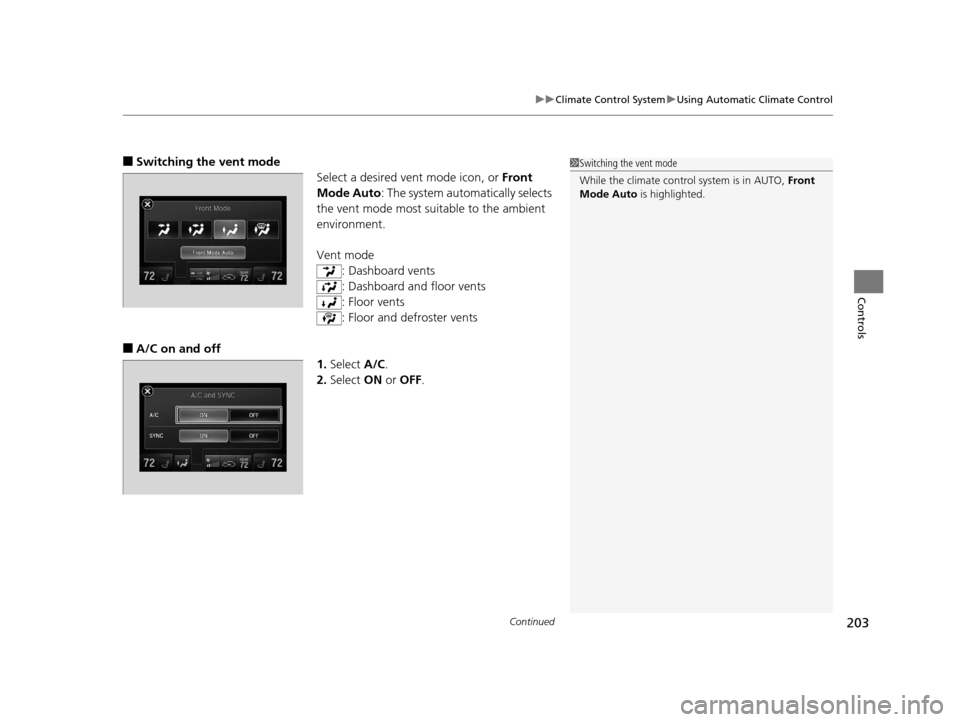
■Switching the vent mode
Select a desired vent mode icon, or Front
Mode Auto: The system automatically selects
the vent mode most suitable to the ambient
environment.
Vent mode
: Dashboard vents
: Dashboard and floor vents
: Floor vents
: Floor and defroster vents
■A/C on and off 1.Select A/C.
2. Select ON or OFF .
1Switching the vent mode
While the climate control system is in AUTO, Front
Mode Auto is highlighted.
16 ACURA MDX-31TZ56200.book 203 ページ 2015年3月4日 水曜日 午後2時59分
Page 205 of 557
uuClimate Control System uUsing Automatic Climate Control
204
Controls
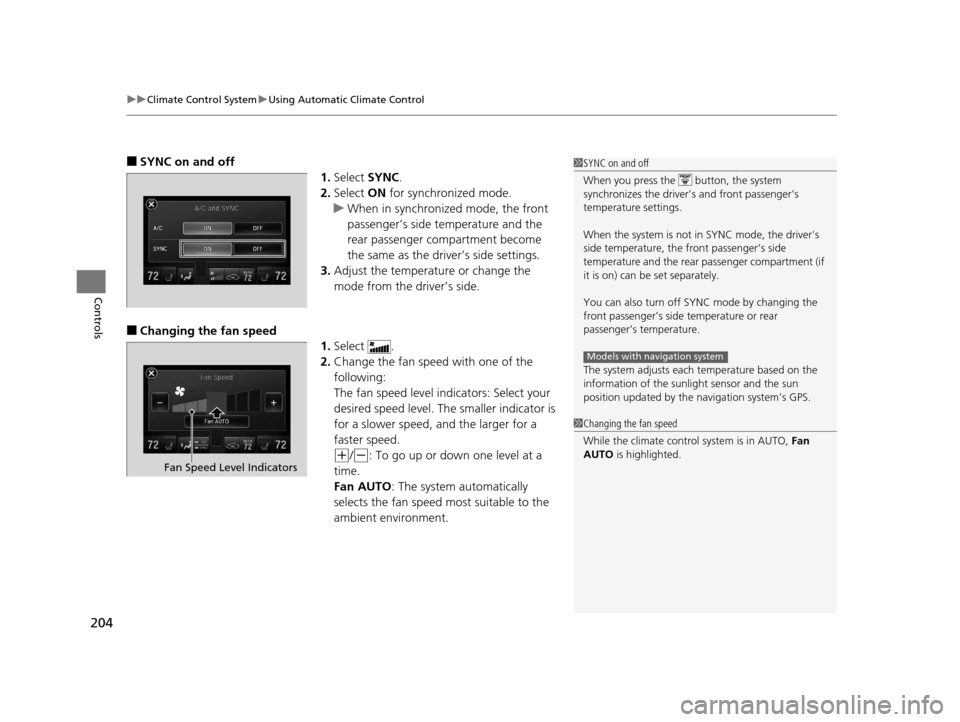
■SYNC on and off
1.Select SYNC.
2. Select ON for synchronized mode.
u When in synchronized mode, the front
passenger’s side temperature and the
rear passenger compartment become
the same as the driver’s side settings.
3. Adjust the temperature or change the
mode from the driver’s side.
■Changing the fan speed
1.Select .
2. Change the fan speed with one of the
following:
The fan speed level indicators: Select your
desired speed level. The smaller indicator is
for a slower speed, an d the larger for a
faster speed.
(+/(-: To go up or down one level at a
time.
Fan AUTO: The system automatically
selects the fan speed most suitable to the
ambient environment.
1 SYNC on and off
When you press the button, the system
synchronizes the driver's and front passenger's
temperature settings.
When the system is not in SYNC mode, the driver's
side temperature, the front passenger’s side
temperature and the rear passenger compartment (if
it is on) can be set separately.
You can also turn off SYNC mode by changing the
front passenger’s side temperature or rear
passenger’s temperature.
The system adjusts each temperature based on the
information of the sunli ght sensor and the sun
position updated by the na vigation system’s GPS.
Models with navigation system
1Changing the fan speed
While the climate control system is in AUTO, Fan
AUTO is highlighted.
Fan Speed Level Indicators
16 ACURA MDX-31TZ56200.book 204 ページ 2015年3月4日 水曜日 午後2時59分
Page 206 of 557
205
uuClimate Control System uUsing Automatic Climate Control
Continued
Controls
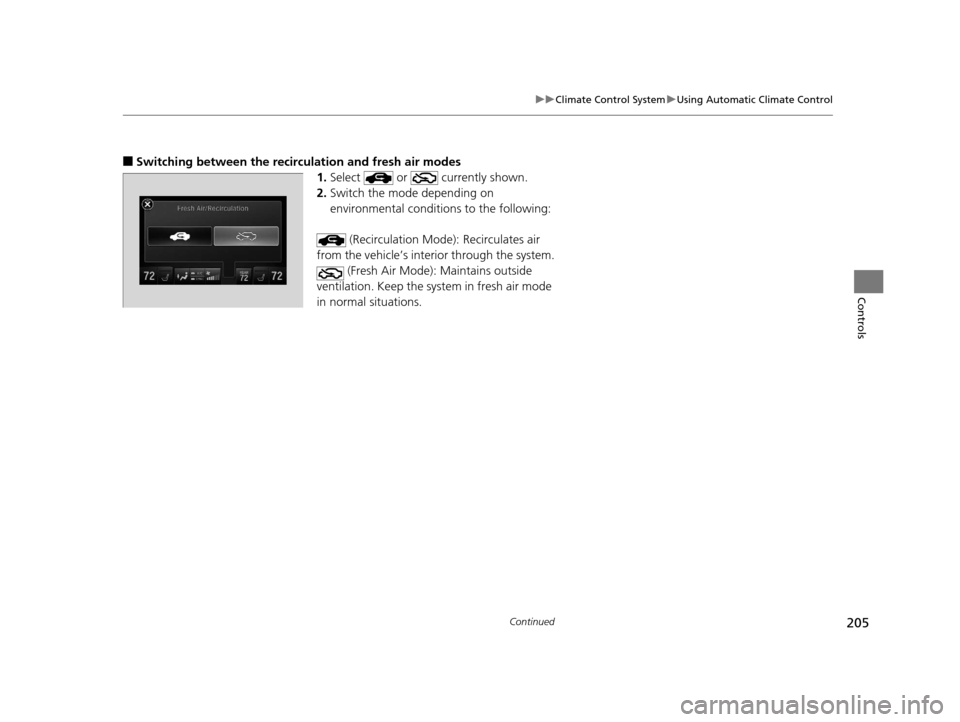
■Switching between the recirc ulation and fresh air modes
1.Select or currently shown.
2. Switch the mode depending on
environmental conditi ons to the following:
(Recirculation Mode ): Recirculates air
from the vehicle’s interior through the system. (Fresh Air Mode): Maintains outside
ventilation. Keep the system in fresh air mode
in normal situations.
16 ACURA MDX-31TZ56200.book 205 ページ 2015年3月4日 水曜日 午後2時59分