Brakes Acura MDX 2016 User Guide
[x] Cancel search | Manufacturer: ACURA, Model Year: 2016, Model line: MDX, Model: Acura MDX 2016Pages: 557, PDF Size: 31.09 MB
Page 367 of 557

uuWhen Driving uAdaptive Cruise Control (ACC) with Low Speed Follow (LSF)*
366
Driving
■How to activate the system1Adaptive Cruise Control (ACC) with Low Speed Follow (LSF)*
When the MAIN button is pressed, ACC with LSF and
Lane Keeping Assist System (LKAS) are both turned on
or off.
ACC with LSF may not work properly under certain
conditions. 2 ACC with LSF Conditions and Limitations
P. 371
When not using ACC with LSF: Turn off adaptive
cruise by pressing the MAIN button. This also will
turn off the Lane Keeping Assist System (LKAS).
Do not use the ACC with LSF under the following
conditions.
•On roads with heavy traf fic or while driving in
continuous stop and go traffic.
•On roads with sharp turns.
•On roads with steep downhill sections, as the set
vehicle speed can be exceeded by coasting. In such
cases, the ACC with LSF will not apply the brakes to
maintain the set speed.
•On roads with toll collection facilities or other
objects between lanes of traffic, or in parking
areas, or faci lities with driv e through access.
■Press the MAIN button on
the steering wheel. ACC
(green) is on in the
instrument panel.
ACC with LSF is ready to
use.
* Not available on all models
16 ACURA MDX-31TZ56200.book 366 ページ 2015年3月4日 水曜日 午後2時59分
Page 373 of 557

372
uuWhen Driving uAdaptive Cruise Control (ACC) with Low Speed Follow (LSF)*
Driving
■Detection limitations
• A vehicle or pedestrian suddenly crosses in front of you.
• The distance between your vehicle and the vehicle or pedestrian ahead of you is
too short.
• A vehicle cuts in front of you at a slow speed, and it brakes suddenly.
• When you accelerate rapidly and approach the vehicle or pedestrian ahead of you
at high speed.
• The vehicle ahead of you is a motorcycle, bicycle, mobility scooter, or other small
vehicle.
• When there are animals in front of your vehicle.
• When you drive on a curved or winding or undulating road that makes it difficult
for the sensor to properly detect a vehicle or a pedestrian in front of you.
• The speed difference between your vehicl e and a vehicle in front of you is
significantly large.
• An oncoming vehicle suddenly comes in front of you.
• Your vehicle abruptly crosses over in front of an oncoming vehicle.
• When driving through a narrow iron bridge.
• When the vehicle ahead of you brakes suddenly.
• When the vehicle ahead of you has a unique shape.
• When your vehicle or the vehicle ahead of you is driving on one edge of the lane.
16 ACURA MDX-31TZ56200.book 372 ページ 2015年3月4日 水曜日 午後2時59分
Page 380 of 557
379
uuWhen Driving uForward Collision Warning (FCW ) with Pedestrian Detection*
Continued
Driving
Forward Collision Warning (FCW) with Pedestrian
Detection*
Alerts you when it determines the possibility of your vehicle colliding with a vehicle
or pedestrian detected in front of you.
If the system determines a collision is possible, it gives visual and audible alerts.
u Take appropriate action to prevent a coll ision (apply the brakes, change lanes,
etc.).
■How the system works
For a possible collision with a vehicle: Warnings may be given when your vehicle
speed is about 10 mph (15 km/h) and above.
For a possible collision with a pedestrian: Warnings may be given when your vehicle
speed is between about 10 and 62 mph (15 and 100 km/h).
1 Forward Collision Warning (FCW) with Pedestrian Detection*
Important Safety Reminder
FCW with Pedestrian Detection cannot detect all
objects ahead and may not detect a given object;
accuracy of the system will vary based on weather,
speed and other factors. FCW with Pedestrian
Detection does not include a braking function. It is
always your responsibilit y to safely operate the
vehicle and avoid collisions.
You can change the Forward Collision Warning
Distance setting or turn the system on and off. 2 Customized Features P. 117, 263
You can read about handling information for the
camera equipped with this system. 2 Front Sensor Camera
* P. 363
Long
Normal Short
Your Vehicle Vehicle Ahead
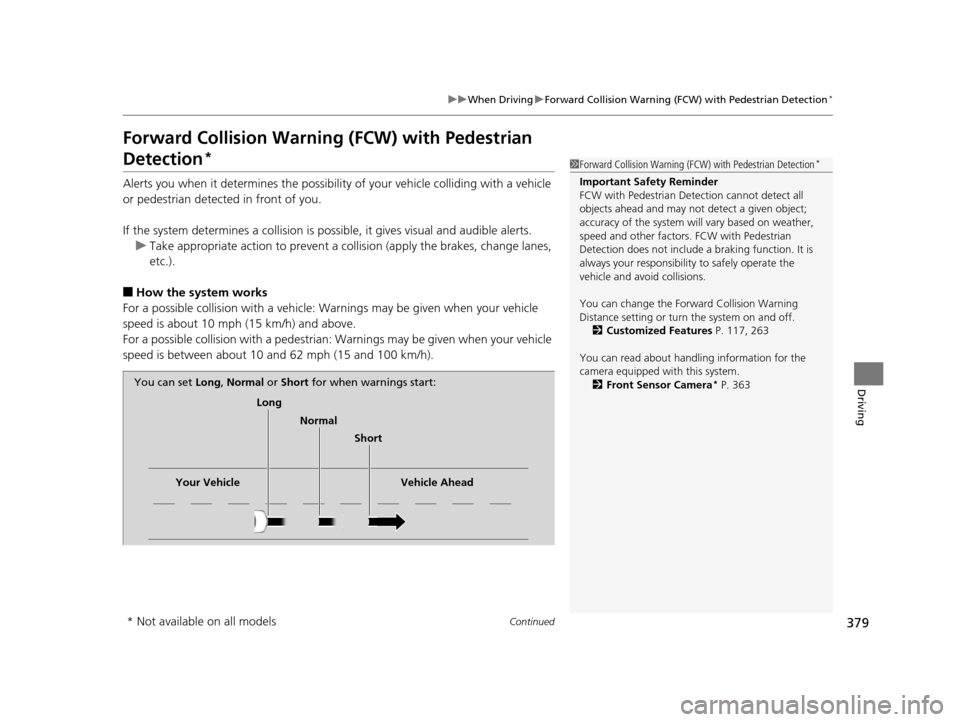
You can set
Long, Normal or Short for when warnings start:
* Not available on all models
16 ACURA MDX-31TZ56200.book 379 ページ 2015年3月4日 水曜日 午後2時59分
Page 385 of 557
384
uuWhen Driving uForward Collision Warning (FCW ) with Pedestrian Detection*
Driving
■Detection limitations
• A vehicle or pedestrian suddenly crosses in front of you.
• The distance between your vehicle and the vehicle or pedestrian ahead of you is
too short.
• A vehicle cuts in front of you at a slow speed, and it brakes suddenly.
• When you accelerate rapidly and approach the vehicle or pedestrian ahead of you
at high speed.
• The vehicle ahead of you is a motorcycle, bicycle, mobility scooter or other small
vehicle.
• When there are animals in front of your vehicle.
• When you drive on a curved winding or undulating road th at makes it difficult for
the sensor to properly detect a vehicle in front of you.
• The speed difference between your vehicl e and a vehicle in front of you is
significantly large.
■Limitations pedestrians only
• When there is a group of people in front of your vehicle walking together side by
side.
• Surrounding conditions or belongings of the pedestrian alter the pedestrian’s
shape, preventing the system from recogn izing that the person is a pedestrian.
• When the pedestrian is squatting.
• When the pedestrian is shorter than about 3.3 feet (1 meter) or taller than about
6.6 feet (2 meters) in height.
16 ACURA MDX-31TZ56200.book 384 ページ 2015年3月4日 水曜日 午後2時59分
Page 403 of 557
402
uuWhen Driving uVehicle Stability Assist (VSA® ), aka Electronic Stability Control (ESC), System
Driving
Vehicle Stability Assist (VSA®), aka Electronic
Stability Control (ESC), System
VSA ® helps to stabilize the vehicle during cornering if the vehicle turns more or less
than what was intended. It also assists in maintaining traction on slippery surfaces.
It does so by regulating engine output and selectively applying the brakes.
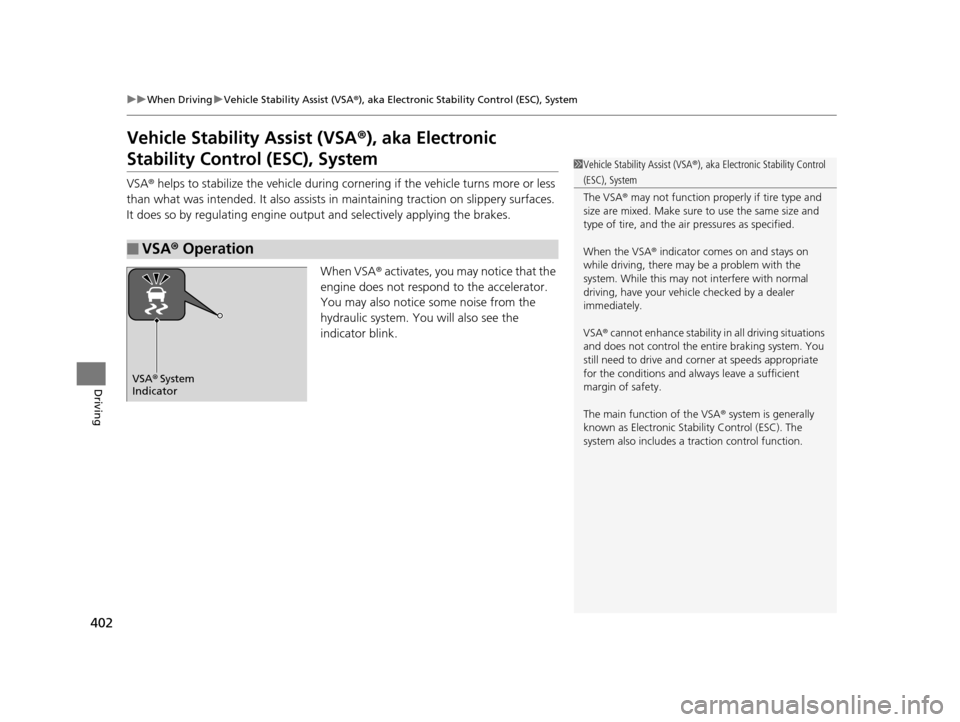
When VSA® activates, you may notice that the
engine does not respond to the accelerator.
You may also notice some noise from the
hydraulic system. You will also see the
indicator blink.
■VSA ® Operation
1 Vehicle Stability Assist (VSA ®), aka Electronic Stability Control
(ESC), System
The VSA ® may not function properl y if tire type and
size are mixed. Make sure to use the same size and
type of tire, and the air pressures as specified.
When the VSA ® indicator comes on and stays on
while driving, there may be a problem with the
system. While this may not interfere with normal
driving, have your vehi cle checked by a dealer
immediately.
VSA ® cannot enhance stability in all driving situations
and does not control the entire braking system. You
still need to drive and corner at speeds appropriate
for the conditions and always leave a sufficient
margin of safety.
The main function of the VSA ® system is generally
known as Electronic Stab ility Control (ESC). The
system also includes a traction control function.
VSA® System
Indicator
16 ACURA MDX-31TZ56200.book 402 ページ 2015年3月4日 水曜日 午後2時59分
Page 405 of 557

404
uuWhen Driving uAgile Handling Assist System
Driving
Agile Handling Assist System
Lightly brakes each of the front and rear wheels, as needed, when you turn the
steering wheel, and helps support the vehi cle’s stability and performance during
cornering.1 Agile Handling Assist System
The agile handling assist system cannot enhance
stability in all driving situat ions. You still need to drive
and corner at speeds appr opriate for the conditions
and always leave a sufficient margin of safety.
When the VSA ® indicator comes on and stays on
while driving, the agile handling assist system does
not activate.
You may hear a sound coming from the engine
compartment while the system is activated. This is
normal.
16 ACURA MDX-31TZ56200.book 404 ページ 2015年3月4日 水曜日 午後2時59分
Page 408 of 557
407
uuWhen Driving uSuper Handling-All Wheel DriveTM (SH-AWD ®)*
Driving
Super Handling-Al l Wheel DriveTM (SH-AWD®)*
The system controls and trans fers varying amounts of engine torque to each wheel
in accordance with the driving conditions.
SH-AWD ® helps to enhance driving stability, and lets you handle situations like
slippery surfaces, such as snow, sand, mud, and steep hills, better than when driving
with two wheel drive. Howeve r, the system does not help to enhance braking. Be
precautious about the following:
• It is still your responsibility to drive sa fely when you steer, accelerate, and apply
brakes.
• Leave a sufficient margin when braking on slippery surfaces.1Super Handling-All Wheel DriveTM (SH-AWD ®)*
NOTICE
Avoid continuously driving in sand or mud where a
wheel is likely to spin out, and do not drive once the
SH-AWD ® indicator starts blinking. Driving
continuously under such conditions can damage the
system’s torque distribution unit.
Do not drive through deep water.
The SH-AWD ® system may not function properly if
tire type and size are mixed.
Make sure to use the same size and type of tire, and
the air pressures as specified. 2 Tire and Wheel Replacement P. 475
* Not available on all models
16 ACURA MDX-31TZ56200.book 407 ページ 2015年3月4日 水曜日 午後2時59分
Page 413 of 557

412
Driving
Braking
Brake System
Use the parking brake to keep the vehicle stationary when parking.To apply:
Depress the parking brake pedal down with
your foot.
To release:
1.Depress the brake pedal.
2. Depress the parking brake.
■Parking Brake1Parking Brake
NOTICE
Release the parking brake fu lly before driving. The
rear brakes and axle can be damaged if you drive
with the parki ng brake applied.
If you start driving without fully releasing the parking
brake, a buzzer sounds as a warning, and Release
Parking Brake appears on the MID.
Always apply the parking brake when parking.
16 ACURA MDX-31TZ56200.book 412 ページ 2015年3月4日 水曜日 午後2時59分
Page 414 of 557

413
uuBraking uBrake System
Driving
Your vehicle is equipped with disc brakes at all four wheels. A vacuum power assist
helps reduce the effort needed on the brake pedal. The brake assist system increases
the stopping force when you depress the brake pedal hard in an emergency
situation. The anti-lock brake system (ABS) helps you retain steering control when
braking very hard.
2 Brake Assist System P. 415
2 Anti-lock Brake System (ABS) P. 414
■Foot Brake1Foot Brake
Check the brakes after driving through deep water,
or if there is a buildup of road surface water. If
necessary, dry the brakes by lightly depressing the
pedal several times.
If you hear a continuous me tallic friction sound when
applying the brakes, the brake pads need to be
replaced. Have the vehicle checked by a dealer.
Constantly using the brak e pedal while going down a
long hill builds up heat, which reduces the brake
effectiveness. Apply engine braking by taking your
foot off the accelerator pe dal and downshifting to a
lower gear.
Do not rest your foot on the brake pedal while
driving, as it will lightly apply the brakes and cause
them to lose effectiveness over time and reduce pad
life. It will also conf use drivers behind you.
16 ACURA MDX-31TZ56200.book 413 ページ 2015年3月4日 水曜日 午後2時59分
Page 415 of 557
414
uuBraking uAnti-lock Brake System (ABS)
Driving
Anti-lock Brake System (ABS)
Helps prevent the wheels from locking up, an d helps you retain steering control by
pumping the brakes rapidly, much faster than you.
The electronic brake distribution (EBD) system, which is part of the ABS, also
balances the front-to-rear braking distri bution according to vehicle loading.
You should never pump the brake pedal. Let the ABS work for you by always
keeping firm, steady pressure on the brake pe dal. This is sometimes referred to as
“stomp and steer.”
■ABS operation
The brake pedal may pulsate slightly when the ABS is working. Keep holding the
pedal firmly down. On dry pavement, you will need to press on the brake pedal very
hard before the ABS activates. However, you may feel the ABS activate immediately
if you are trying to stop on snow or ice.
When the vehicle speed goes unde r 6 mph (10 km/h), the ABS stops.
■ABS1Anti-lock Brake System (ABS)
NOTICE
The ABS may not function correctly if you use an
incorrect tire type and size.
When the ABS indicator comes on while driving,
there may be a problem with the system.
While normal braking is not affected, there is a
possibility of the ABS not operating. Have the vehicle
checked by a dealer immediately.
The ABS does not reduce the ti me or distance it takes
to stop the vehicle. It only helps with steering control
during hard braking.
In the following cases, yo ur vehicle may need more
stopping distance than a vehicle without the ABS:
•When driving on rough road surfaces, including
when driving on uneven surf aces, such as gravel or
snow.
•When tire chains are installed.
You may hear a motor sound coming from the
engine compartment while system checks are being
performed immediately after starting the engine or
while driving. This is normal.
16 ACURA MDX-31TZ56200.book 414 ページ 2015年3月4日 水曜日 午後2時59分