hood open Acura MDX 2016 User Guide
[x] Cancel search | Manufacturer: ACURA, Model Year: 2016, Model line: MDX, Model: Acura MDX 2016Pages: 557, PDF Size: 31.09 MB
Page 357 of 557
uuWhen Driving uAuto Idle Stop*
356
Driving
The vehicle stops with the gear position in (D and the brake pedal depressed.
■Auto idle stop does not activate when:
• The driver’s seat belt is not fastened.
• The engine coolant temperature is low or high.
• The transmission fluid temperature is low or high.
• The vehicle comes to a stop again befo re the vehicle speed reaches 3 mph (5
km/h) after the engine starts.
• Stopped on a steep incline.
• A gear position other than
(D.
• The engine is started with the hood open.
u Turn off the engine. Close the hood before you restart the engine to activate
Auto Idle Stop.
• The battery charge is low.
• The internal temperature of the ba ttery is 14°F (−10°C). or less.
• The climate control system is in use, an d the outside temperature is below −4°F
(−20°C) or over 104°F (40°C).
• The climate control system temperature is set to the Hi or Lo .
• is ON (indicator on).
• When the rear fan is set to maximum speed.
u Auto Idle Stop may not ac tivate under other conditions when the rear climate
control system is in use.
■Auto Idle Stop Activates When:1 Auto Idle Stop Activates When:
When ACC with LSF is in operation, the vehicle stops
without depressing the br ake pedal and Auto Idle
Stop may activate.
Do not open the hood while the Auto Idle Stop
function is activated. If the hood is opened, the
engine will not re start automatically.
In this case, restart the engine with the ENGINE
START/STOP button. 2 Starting the Engine P. 340
Pressing the ENGINE START/STOP button changes
the power mode to ACCESSORY even while Auto Idle
Stop is in operation. Once in ACCESSORY, the engine
no longer restarts automatica lly. Follow the standard
procedure to start the engine.
2 Starting the Engine P. 340
16 ACURA MDX-31TZ56200.book 356 ページ 2015年3月4日 水曜日 午後2時59分
Page 440 of 557
439
Maintenance
This chapter discusses basic maintenance.
Before Performing MaintenanceInspection and Maintenance ............ 440
Safety When Performing Maintenance ..441
Parts and Fluids Used in Maintenance Service ........................................... 442
Maintenance Minder
TM..................... 443
Maintenance Under the Hood Maintenance Items Under the Hood .. 447
Opening the Hood ........................... 448
Engine Compartment Cover ............. 449
Recommended Engine Oil ................ 450
Oil Check ......................................... 451
Adding Engine Oil ............................ 452 Changing the Engine Oi
l and Oil Filter... 453
Engine Coolant ................................ 455
Transmission Fluid ............................ 457
Brake Fluid ....................................... 458
Refilling Window Washer Fluid......... 458
Replacing Light Bulbs ....................... 459Checking and Maintaining Wiper Blades... 465Checking and Maintaining Tires
Checking Tires ................................. 469
Tire and Loading Information Label .. 470
Tire Labeling .................................... 470
DOT Tire Quality Grading (U.S. Vehicles).. 472Wear Indicators................................ 474 Tire Service Life ................................ 474
Tire and Wheel Replacement ........... 475
Tire Rotation .................................... 476
Winter Tires ..................................... 477
Battery ............................................... 478
Remote Transmitter Care
Replacing the Button Battery ........... 480
Remote Control and Wireless Headphone Care
*........................... 482Climate Control System Maintenance.. 484Cleaning Interior Care .................................... 485
Exterior Care.................................... 487
* Not available on all models
16 ACURA MDX-31TZ56200.book 439 ページ 2015年3月4日 水曜日 午後2時59分
Page 442 of 557

441
uuBefore Performing Maintenance uSafety When Performing Maintenance
Maintenance
Safety When Performing Maintenance
Some of the most important safe ty precautions are given here.
However, we cannot warn you of every conceivable hazard that can arise in
performing maintenance. Only you can decide whether or not you should perform
a given task.
• To reduce the possibility of fire or explos ion, keep cigarettes, sparks, and flames
away from the battery and all fuel related parts.
• Never leave rags, towels, or other flammable objects under the hood.
u Heat from the engine and exhaust can ignite them causing a fire.
• To clean parts, use a co mmercially available degreaser or parts cleaner, not
gasoline.
• Wear eye protection and prot ective clothing when working with the battery or
compressed air.
• Engine exhaust contains carbon monoxide, which is poisonous and can kill you.
u Only operate the engine if th ere is sufficient ventilation.
• The vehicle must be in a stationary condition.
u Make sure your vehicle is parked on le vel ground, the parking brake is set, and
the engine is off.
• Be aware that hot parts can burn you.
u Make sure to let the engine and exhaust system cool thoroughly before
touching vehicle parts.
• Be aware that moving parts can injure you.
u Do not start the engine unless instruct ed, and keep your hands and limbs away
from moving parts.
u Do not open the hood while the Auto Idle Stop function
* is activated.
■Maintenance Safety
■Vehicle Safety
1Safety When Performing Maintenance
3WARNING
Improperly maintaining this vehicle or
failing to correct a pr oblem before driving
can cause a crash in which you can be
seriously hurt or killed.
Always follow the inspection and
maintenance recommendations according
to the schedules in this owner’s manual.
3WARNING
Failure to properly follow maintenance
instructions and prec autions can cause you
to be seriously hurt or killed.
Always follow the procedures and
precautions in this owner’s manual.
* Not available on all models
16 ACURA MDX-31TZ56200.book 441 ページ 2015年3月4日 水曜日 午後2時59分
Page 449 of 557

448
uuMaintenance Under the Hood uOpening the Hood
Maintenance
Opening the Hood
1. Park the vehicle on a level surface, and set
the parking brake.
2. Pull the hood release handle under the
lower left corner of the dashboard.
u The hood will pop up slightly.
3. Push up the hood latch lever in the center
of the hood to release the lock mechanism,
and open the hood.
4. Lift the hood up most of the way.
u The hydraulic supports will lift it up the
rest of the way and hold it up.
When closing, lower it to approximately 12
inches (30 cm), then pr ess down firmly with
your hands.1 Opening the Hood
NOTICE
Do not open the hood when the wiper arms are
raised.
The hood will strike the wipers, and may damage
either the hood or the wipers.
When closing the hood, check that the hood is
securely latched.
If the hood latch lever moves stiffly, or if you can
open the hood without lifti ng the lever, the latch
mechanism should be cleaned and lubricated.
Do not open the hood while the Auto Idle Stop
function is activated.
Models with Auto Idle Stop
Hood Release Handle
Pull
Lever
16 ACURA MDX-31TZ56200.book 448 ページ 2015年3月4日 水曜日 午後2時59分
Page 454 of 557

453
uuMaintenance Under the Hood uChanging the Engine Oil and Oil Filter
Continued
Maintenance
Changing the Engine Oil and Oil Filter
You must change the engine oil and oil fi lter regularly in order to maintain the
engine’s lubrication. The engine may be damaged if they are not changed regularly.
Change the oil and filter in accordance with the maintenance message on the multi-
information display. 1.Run the engine until it reaches normal
operating temperature, and then turn the
engine off.
2. Open the hood and remove the engine oil
fill cap.
3. Remove the drain bolt and washer from
the bottom of the engine, and drain the
oil into a suitable container.1Changing the Engine Oil and Oil Filter
NOTICE
You may damage the environment if you do not
dispose of the oil in a suitable way. If you are
changing the oil by yourself , appropriately dispose of
the used oil. Put the oil in a sealed container and take
it to a recycling center. Do not throw the oil away
into a garbage can or onto the ground.
Drain Bolt
Washer
16 ACURA MDX-31TZ56200.book 453 ページ 2015年3月4日 水曜日 午後2時59分
Page 516 of 557

515Continued
Handling the Unexpected
Jump Starting
Turn off the power to electric devices, such as audio and lights. Turn off the engine,
then open the hood. 1.Pull up on the engine cover, remove it from
the pins.
u Start on the passenger side and lift the
outermost edge of the cover.
u Move towards the driver side while
applying uniform upward pressure.
2. Connect the first jumper cable to your
vehicle’s battery + terminal.
3. Connect the other end of the first jumper
cable to the booster battery + terminal.
u Use a 12-volt booster battery only.
u When using an automotive battery
charger to boost your 12-volt battery,
select a lower charging voltage than 15
volts. Check the ch arger manual for the
proper setting.
4. Connect the second jumper cable to the
booster battery - terminal.
■Jump Starting Procedure1Jump Starting
Securely attach the jumper cables clips so that they
do not come off when the e ngine vibrates. Also be
careful not to tangle the ju mper cables or allow the
cable ends to touch each other while attaching or
detaching the jumper cables.
Battery performance degrades in cold conditions and
may prevent the engi ne from starting.
3WARNING
A battery can explode if you do not follow
the correct procedure, seriously injuring
anyone nearby.
Keep all sparks, open flames, and smoking
materials away from the battery.
Engine CoverPin
Booster Battery
16 ACURA MDX-31TZ56200.book 515 ページ 2015年3月4日 水曜日 午後2時59分
Page 518 of 557
517Continued
Handling the Unexpected
Overheating
How to Handle Overheating
Overheating symptoms are as follows:
•The temperature gauge needle is at the mark or the engine suddenly loses
power.
• Steam or spray comes out of the engine compartment.
■First thing to do
1. Immediately park the vehicle in a safe place.
2. Turn off all accessories and turn on the hazard warning lights.
u No steam or spray present: Keep the engine running and open the hood.
u Steam or spray is present: Turn off the engine and wait until it subsides.
Then, open the hood.
1 How to Handle Overheating
NOTICE
Continuing to drive with the temperature gauge
needle at the mark may damage the engine.
3WARNING
Steam and spray from an overheated
engine can seriously scald you.
Do not open the hood if steam is coming
out.
H
H
16 ACURA MDX-31TZ56200.book 517 ページ 2015年3月4日 水曜日 午後2時59分
Page 520 of 557
519
Handling the Unexpected
Indicator, Coming On/Blinking
If the Low Oil Pressure Indicator Comes On
■Reasons for the indicator to come on
Comes on when the engine oil pressure is low.
■What to do as soon as the indicator comes on
1. Immediately park the vehicle on level ground in a safe place.
2. If necessary, turn the hazard warning lights on.
■What to do after parking the vehicle
1. Stop the engine and let it sit for about three minutes.
2. Open the hood and check the oil level.
2 Oil Check P. 451
3.Start the engine and check th e low oil pressure indicator.
u The indicator goes off: Start driving again.
u The indicator does not go off with in 10 seconds: Stop the engine
and contact a dealer for repairs immediately.
If the Charging System Indicator Comes On
■Reasons for the indicator to come on
Comes on when the battery is not being charged.
■What to do when th e indicator comes on
Turn off the climate control system, rear defogger, and other electrical
systems, and immediately co ntact a dealer for repairs.
1If the Low Oil Pressure Indicator Comes On
NOTICE
Running the engine with low oil pressure can cause
serious mechanical damage almost immediately.
1If the Charging System Indicator Comes On
If you need to stop temporarily, do not turn off the
engine. Restarting the engi ne may rapidly discharge
the battery.
16 ACURA MDX-31TZ56200.book 519 ページ 2015年3月4日 水曜日 午後2時59分
Page 553 of 557
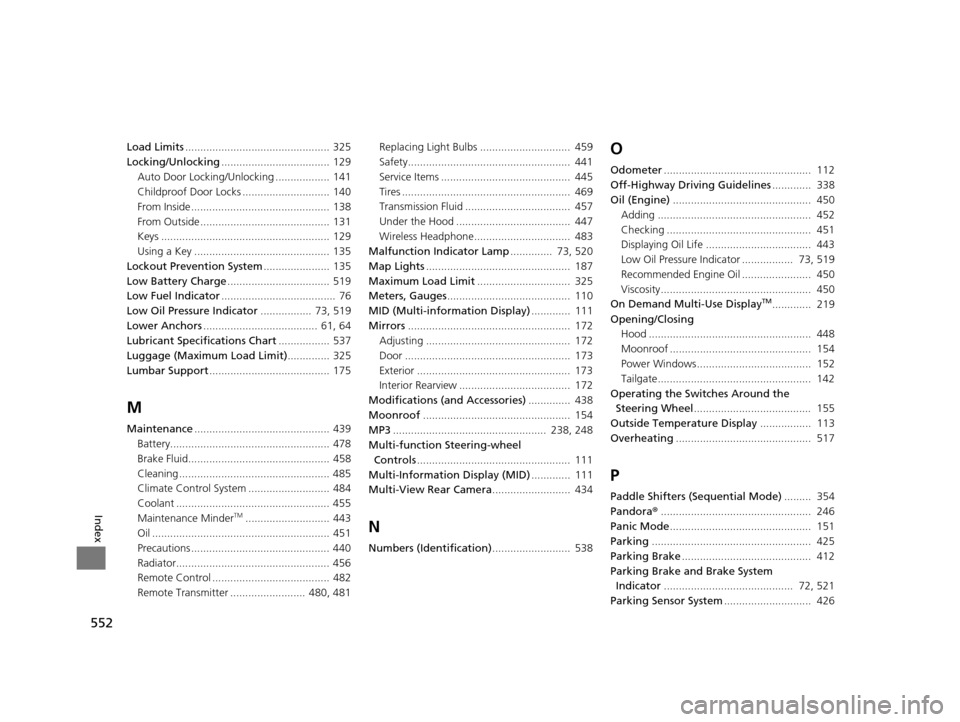
552
Index
Load Limits................................................ 325
Locking/Unlocking .................................... 129
Auto Door Locking/Unlocking .................. 141
Childproof Door Locks ............................. 140
From Inside .............................................. 138
From Outside ........................................... 131
Keys ........................................................ 129
Using a Key ............................................. 135
Lockout Prevention System ...................... 135
Low Battery Charge .................................. 519
Low Fuel Indicator ...................................... 76
Low Oil Pressure Indicator ................. 73, 519
Lower Anchors ...................................... 61, 64
Lubricant Specifications Chart ................. 537
Luggage (Maximum Load Limit) .............. 325
Lumbar Support ........................................ 175
M
Maintenance............................................. 439
Battery..................................................... 478
Brake Fluid............................................... 458
Cleaning .................................................. 485
Climate Control System ........................... 484
Coolant ................................................... 455
Maintenance Minder
TM............................ 443
Oil ........................................................... 451
Precautions .............................................. 440
Radiator................................................... 456
Remote Control ....................................... 482
Remote Transmitter ......................... 480, 481 Replacing Light Bulbs .............................. 459
Safety...................................................... 441
Service Items ........................................... 445
Tires ........................................................ 469
Transmission Fluid ................................... 457
Under the Hood ...................................... 447
Wireless Headphone................................ 483
Malfunction Indicator Lamp .............. 73, 520
Map Lights ................................................ 187
Maximum Load Limit ............................... 325
Meters, Gauges ......................................... 110
MID (Multi-information Display) ............. 111
Mirrors ...................................................... 172
Adjusting ................................................ 172
Door ....................................................... 173
Exterior ................................................... 173
Interior Rearview ..................................... 172
Modifications (and Accessories) .............. 438
Moonroof ................................................. 154
MP3 ................................................... 238, 248
Multi-function Steering-wheel Controls ................................................... 111
Multi-Information Display (MID) ............. 111
Multi-View Rear Camera .......................... 434N
Numbers (Identification).......................... 538
O
Odometer................................................. 112
Off-Highway Driving Guidelines ............. 338
Oil (Engine) .............................................. 450
Adding ................................................... 452
Checking ................................................ 451
Displaying Oil Life ................................... 443
Low Oil Pressure Indicator ................. 73, 519
Recommended Engine Oil ....................... 450
Viscosity.................................................. 450
On Demand Multi-Use Display
TM............. 219
Opening/Closing Hood ...................................................... 448
Moonroof ............................................... 154
Power Windows...................................... 152
Tailgate................................................... 142
Operating the Switches Around the
Steering Wheel ....................................... 155
Outside Temperature Display ................. 113
Overheating ............................................. 517
P
Paddle Shifters (Sequential Mode) ......... 354
Pandora® .................................................. 246
Panic Mode ............................................... 151
Parking ..................................................... 425
Parking Brake ........................................... 412
Parking Brake and Brake System Indicator ........................................... 72, 521
Parking Sensor System ............................. 426
16 ACURA MDX-31TZ56200.book 552 ページ 2015年3月4日 水曜日 午後2時59分