wiper Acura MDX 2016 User Guide
[x] Cancel search | Manufacturer: ACURA, Model Year: 2016, Model line: MDX, Model: Acura MDX 2016Pages: 557, PDF Size: 31.09 MB
Page 166 of 557

Continued165
uuOperating the Switches Around the Steering Wheel uWipers and Washers
Controls
The rear wiper and washer can be used when
the power mode is in ON.
■Wiper switch (OFF, INT, ON)
Change the wiper switch setting according to
the amount of rain.
■Washer ( )
Sprays while you rotate the switch to this
position.
Hold it to activate th e wiper and to spray the
washer. Once released, it stops operating
after a few more sweeps.
■Operating in reverse
When you select the transmission to
(R with the front wiper activated, the rear
wiper operates automati cally as follows even if its switch is off.
■Rear Wiper/Washer1Wipers and Washers
If the wiper stops operating due to any obstacle such
as the build-up of snow, pa rk the vehicle in a safe
place.
Rotate the wipe r switch to OFF, and set the power
mode to ACCESSORY or VEHICLE OFF (LOCK), then
remove the obstacle.
INT: Intermittent
OFF ON : Continuous wipe
Washer
Front Wiper Operation Rear Wiper Operation
IntermittentIntermittent
Low speed wipe
High speed wipe Continuous
16 ACURA MDX-31TZ56200.book 165 ページ 2015年3月4日 水曜日 午後2時59分
Page 167 of 557
uuOperating the Switches Around the Steering Wheel uWipers and Washers
166
Controls
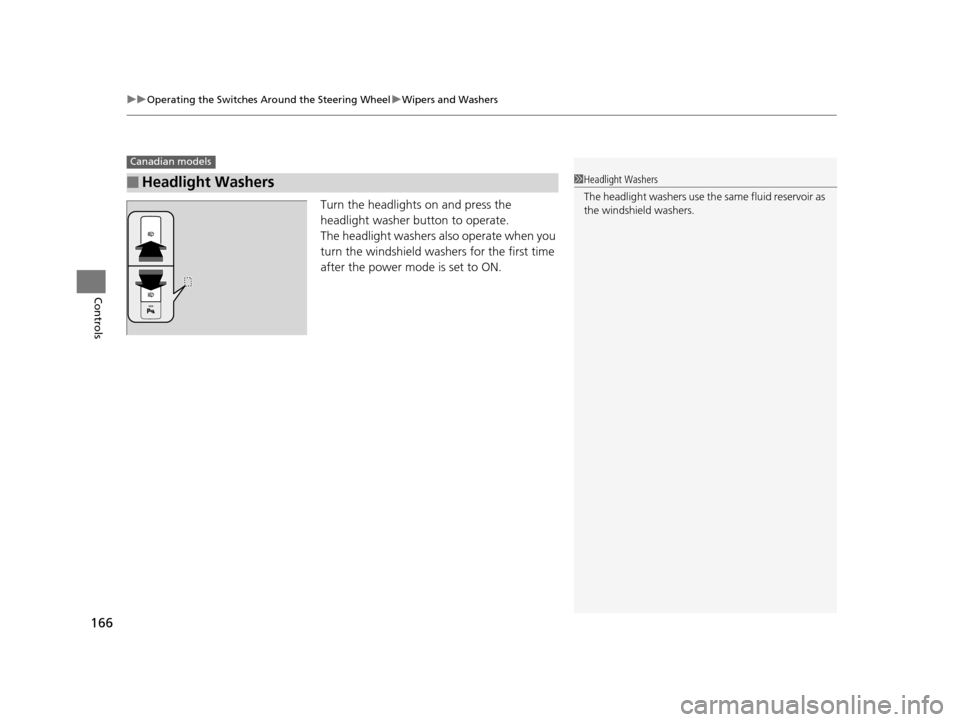
Turn the headlights on and press the
headlight washer button to operate.
The headlight washers also operate when you
turn the windshield wash ers for the first time
after the power mode is set to ON.
■Headlight Washers
Canadian models
1 Headlight Washers
The headlight washers use th e same fluid reservoir as
the windshield washers.
16 ACURA MDX-31TZ56200.book 166 ページ 2015年3月4日 水曜日 午後2時59分
Page 387 of 557

uuWhen Driving uLane Departure Warning (LDW)*
386
Driving
The system begins to search for lane mark ings when all the following conditions are
met:
• The vehicle is traveling between about 45 and 90 mph (72 and 145 km/h).
• The vehicle is on a straight or slightly curved road.
• The turn signals are off.
• The brake pedal is not depressed.
• The wipers are not in continuous operation.
Press the LDW button to turn the system on
and off. u The indicator in the button comes on
when the system is on.
■How the System Activates
■LDW On and Off
1How the System Activates
LDW may automatically shut off and the LDW
indicator comes and stays on.
2 Indicators P. 72
Indicator
LDW Button
16 ACURA MDX-31TZ56200.book 386 ページ 2015年3月4日 水曜日 午後2時59分
Page 391 of 557

uuWhen Driving uRoad Departure Mitigation (RDM) System*
390
Driving
The system becomes ready to start sear ching for lane markings when all the
following conditions are met:
• The vehicle is traveling between about 45 and 90 mph (72 and 145 km/h).
• The vehicle is on a straight or slightly curved road.
• The turn signals are off.
• The brake pedal is not depressed.
• The wipers are not in continuous operation.
• The vehicle is not accelerating or braking, and the steering wheel is not being
turned.
• The system makes a determination that the driver is not actively accelerating,
braking or steering.
■How the System Activates1How the System Activates
The RDM system may automa tically shut off and the
indicator comes and stays on.
2 Indicators P. 86
RDM system function can be impacted when the
vehicle is:
•Not driven within a traffic lane.
•Driven on the inside edge of a curve, or outside of
a lane.
•Driven in a narrow lane.
16 ACURA MDX-31TZ56200.book 390 ページ 2015年3月4日 水曜日 午後2時59分
Page 397 of 557

uuWhen Driving uLane Keeping Assist System (LKAS)*
396
Driving
The system can be used when the following conditions are met.
• The lane in which you are driving has dete ctable lane markers on both sides, and
your vehicle is in the center of the lane.
• The vehicle speed is be tween about 45 and 90 mph (72 and 145 km/h).
• You are driving on a straight or slightly curved road.
• The turn signals are off.
• The brake pedal is not depressed.
• The wipers are not in continuous operation.
■How to activate the system
1.Press the MAIN button.
u The LKAS is on in the MID.
The system is ready to use.
2. Press the LKAS button.
u Lane outlines appear on the MID.
The system is activated.
■When the System can be Used1Lane Keeping Assist System (LKAS)*
You can read about handling information for the
camera equipped with this system.
2 Front Sensor Camera
* P. 363
If the vehicle drifts toward ei th e r l ef t o r r ight lane line
due to the system applying torque, turn off the LKAS
and have your vehicle checked by a dealer.
MAIN Button
LKAS Button
* Not available on all models
16 ACURA MDX-31TZ56200.book 396 ページ 2015年3月4日 水曜日 午後2時59分
Page 399 of 557

398
uuWhen Driving uLane Keeping Assist System (LKAS)*
Driving
■The system operation is suspended if
you:
• Set the wipers to continuous operation.
u Turning the wipers off resumes the
LKAS.
• Decrease the vehicle speed to about 40
mph (64 km/h) or less.
u Increasing the vehicle speed to about 45
mph (72 km/h) or more resumes the
LKAS.
• Depress the brake pedal.
u The LKAS resumes and starts detecting
the lane lines again once you release the
brake pedal.
• Set the wiper switch to AUTO and the
wipers operate continuously.
u The LKAS resumes when the wipers stop
or operate intermittently.
When the LKAS is suspended,
the lane lines on the MID
change to contour lines, and
the beeper sounds.
Models with automatic intermittent wipers
16 ACURA MDX-31TZ56200.book 398 ページ 2015年3月4日 水曜日 午後2時59分
Page 426 of 557

425
Driving
Parking Your Vehicle
When Stopped
1.Depress the brake pedal firmly.
2. Firmly apply the parking brake.
3. Change the gear position to
(P.
4. Turn off the engine.
Always set the parking brake firmly, in pa rticular if you are parked on an incline.
1Parking Your Vehicle
Do not park your vehicle near flammable objects,
such as dry grass, oil, or timber.
Heat from the exhaust can cause a fire.
Raise the wiper arms when snow is expected.
1 When Stopped
NOTICE
The following can dama ge the transmission:
•Depressing the accelerator and brake pedals
simultaneously.
•Changing into ( P before the vehicle stops
completely.
When facing uphill, do not hold the vehicle by
depressing the accelerator pedal.
Doing so may cause the items to malfunction or a fire
inside the vehicle.
3WARNING
The vehicle can roll aw ay if left unattended
without confirming that Park is engaged.
Always keep your foot on the brake pedal
until you have confirmed that
( P is shown
on the gear position Indicator.
16 ACURA MDX-31TZ56200.book 425 ページ 2015年3月4日 水曜日 午後2時59分
Page 440 of 557
439
Maintenance
This chapter discusses basic maintenance.
Before Performing MaintenanceInspection and Maintenance ............ 440
Safety When Performing Maintenance ..441
Parts and Fluids Used in Maintenance Service ........................................... 442
Maintenance Minder
TM..................... 443
Maintenance Under the Hood Maintenance Items Under the Hood .. 447
Opening the Hood ........................... 448
Engine Compartment Cover ............. 449
Recommended Engine Oil ................ 450
Oil Check ......................................... 451
Adding Engine Oil ............................ 452 Changing the Engine Oi
l and Oil Filter... 453
Engine Coolant ................................ 455
Transmission Fluid ............................ 457
Brake Fluid ....................................... 458
Refilling Window Washer Fluid......... 458
Replacing Light Bulbs ....................... 459Checking and Maintaining Wiper Blades... 465Checking and Maintaining Tires
Checking Tires ................................. 469
Tire and Loading Information Label .. 470
Tire Labeling .................................... 470
DOT Tire Quality Grading (U.S. Vehicles).. 472Wear Indicators................................ 474 Tire Service Life ................................ 474
Tire and Wheel Replacement ........... 475
Tire Rotation .................................... 476
Winter Tires ..................................... 477
Battery ............................................... 478
Remote Transmitter Care
Replacing the Button Battery ........... 480
Remote Control and Wireless Headphone Care
*........................... 482Climate Control System Maintenance.. 484Cleaning Interior Care .................................... 485
Exterior Care.................................... 487
* Not available on all models
16 ACURA MDX-31TZ56200.book 439 ページ 2015年3月4日 水曜日 午後2時59分
Page 441 of 557
440
Maintenance
Before Performing Maintenance
Inspection and Maintenance
For your safety, perform all listed inspections and maintenance to keep your vehicle
in good condition. If you become aware of any abnormality (noise, smell, insufficient
brake fluid, oil residue on the ground, etc.), have your vehicle inspected by a dealer.
(Note, however, that service at a dealer is not mandatory to keep your warranties in
effect.) Refer to the separate maintena nce booklet for detailed maintenance and
inspection information.
■Daily inspections
Perform inspections before long distance trips, when washing the vehicle, or when
refueling.
■Periodic inspections
• Check the brake fluid level monthly.
2 Checking the Brake Fluid P. 458
•Check the tire pressure monthly. Examin e the tread for wear and foreign objects.
2Checking and Maintaining Tires P. 469
•Check the operation of the exterior lights monthly.
2 Replacing Light Bulbs P. 459
•Check the condition of the wiper bl ades at least every six months.
2Checking and Maintaining Wiper Blades P. 465
■Types of Inspection and Maintenance
1Inspection and Maintenance
Maintenance, replacement, or repair of
emissions control devices and systems may be
done by any automotive repair establishment or
individuals using parts that are “certified” to
EPA standards.
According to state and fede ral regulations, failure to
perform maintenance on the maintenance main
items marked with # will not void your emissions
warranties. However, all maintenance services should
be performed in accordan ce with the intervals
indicated by the multi-information display (MID).
2 Maintenance Service Items P. 445
If you want to perform complex maintenance tasks
that require more skills a nd tools, you can purchase a
subscription to the Service Express website at
www.techinfo.honda.com .
2 Authorized Manuals P. 545
If you want to perform ma intenance yourself, make
sure that you have the necessary tools and skills first.
After performing ma intenance, update the records in
the separate maintenance booklet.
U.S. models
16 ACURA MDX-31TZ56200.book 440 ページ 2015年3月4日 水曜日 午後2時59分
Page 449 of 557

448
uuMaintenance Under the Hood uOpening the Hood
Maintenance
Opening the Hood
1. Park the vehicle on a level surface, and set
the parking brake.
2. Pull the hood release handle under the
lower left corner of the dashboard.
u The hood will pop up slightly.
3. Push up the hood latch lever in the center
of the hood to release the lock mechanism,
and open the hood.
4. Lift the hood up most of the way.
u The hydraulic supports will lift it up the
rest of the way and hold it up.
When closing, lower it to approximately 12
inches (30 cm), then pr ess down firmly with
your hands.1 Opening the Hood
NOTICE
Do not open the hood when the wiper arms are
raised.
The hood will strike the wipers, and may damage
either the hood or the wipers.
When closing the hood, check that the hood is
securely latched.
If the hood latch lever moves stiffly, or if you can
open the hood without lifti ng the lever, the latch
mechanism should be cleaned and lubricated.
Do not open the hood while the Auto Idle Stop
function is activated.
Models with Auto Idle Stop
Hood Release Handle
Pull
Lever
16 ACURA MDX-31TZ56200.book 448 ページ 2015年3月4日 水曜日 午後2時59分