Ds mode Acura MDX 2016 Owner's Manual
[x] Cancel search | Manufacturer: ACURA, Model Year: 2016, Model line: MDX, Model: Acura MDX 2016Pages: 557, PDF Size: 31.09 MB
Page 482 of 557

481
uuRemote Transmitter Care uReplacing the Button Battery
Maintenance
If the indicator does not come on when the button is pressed, replace the battery.
1. Remove the built-in key.
u As a convenience, lightly place masking
tape over the remote buttons to hold
them in place.
2. Remove the upper half of the cover by
carefully prying on the edge with a coin.
u Wrap a coin with a cloth to prevent
scratching the transmitter.
3. Press down on the center of the assembly
and remove the battery.
u When removing the button battery, be
careful not to touch parts around it.
4. Make sure to replace the battery with the
correct polarity.
Models with remote control engine start system1Replacing the Button Battery
NOTICE
The Remote transmitter is equipped with two
batteries: A standard replaceable CR2032 coin
button battery and an in tegral non-replaceable
rechargeable battery. To prevent permanent damage
to the rechargeable battery, replace the CR2032
battery every three to four years.
Models with remote control engine start system
Battery type: CR2032
Battery
16 ACURA MDX-31TZ56200.book 481 ページ 2015年3月4日 水曜日 午後2時59分
Page 483 of 557

482
Maintenance
Remote Control and Wireless Headphone Care*
Replacing the Battery
If it takes several pushes on the remo te control buttons to operate the rear
entertainment system, replace the battery.
1.Remove the cover.
2. Make sure to replace the battery with the
correct polarity.
■Remote Control
Models with Rear Entertainment System
1 Replacing the Battery
NOTICE
An improperly disposed of battery can damage the
environment. Always conf irm local regulations for
battery disposal.
Replacement batteries are commercially available or
at a dealer.
Battery type: BR3032
* Not available on all models
16 ACURA MDX-31TZ56200.book 482 ページ 2015年3月4日 水曜日 午後2時59分
Page 492 of 557
491
Handling the Unexpected
This chapter explains how to handle unexpected troubles.
ToolsTypes of Tools .................................. 492
If a Tire Goes Flat Changing a Flat Tire
*....................... 493
Temporarily Repair ing a Flat Tire*..... 500
Engine Does Not Start Checking the Engine ........................ 512
If the Keyless Access Remote Battery is Weak ............................................. 513
Emergency Engine Stop ................... 514
Jump Starting .................................... 515 Overheating
How to Handle Overheating............. 517
Indicator, Coming On/Blinking
If the Low Oil Pressure Indicator Comes On ............................................. 519
If the Charging System Indicator Comes
On ................................................. 519
If the Malfunction Indicator Lamp Comes On or Blinks ................................... 520
If the Brake System Indicator (Red) Comes On .................................................... 521
If the Speed-Sensitive Electric Power Steering
(EPS) System Indicator Comes On ........... 521
If the Low Tire Pressure/TPMS Indicator Comes On or Blinks ....................... 522
If the Transmission I ndicator Blinks along
with the Warning Message ............ 522
Fuses Fuse Locations ................................. 523
Inspecting and Changing Fuses ........ 530
Emergency Towing ........................... 531
When You Cannot Unlock the Fuel Fill Door.. 532
When You Cannot Open the Tailgate.. 533
* Not available on all models
16 ACURA MDX-31TZ56200.book 491 ページ 2015年3月4日 水曜日 午後2時59分
Page 493 of 557

492
Handling the Unexpected
Tools
Types of Tools
1Types of Tools
The tools are stored in the cargo area.
Wheel Nut Wrench/
Jack Handle
Jack
Jack Handle Bar Towing Hook
Tool Case
Models with a compact spare tire
16 ACURA MDX-31TZ56200.book 492 ページ 2015年3月4日 水曜日 午後2時59分
Page 494 of 557

493Continued
Handling the Unexpected
If a Tire Goes Flat
Changing a Flat Tire*
If a tire goes flat while driving, grasp the steering wheel firmly, and brake gradually
to reduce speed. Then, stop in a safe plac e. Replace the flat tire with a compact
spare tire. Go to a dealer as soon as possib le to have the full-size tire repaired or
replaced.
1. Park the vehicle on firm, level, non-slip pery surface and apply the parking brake.
2. Change the gear position to
(P.
3. Turn on the hazard warning lights an d set the power mode to VEHICLE OFF
(LOCK).
1 Changing a Flat Tire*
Periodically check the tire pressure of the compact
spare. It should be set to the specified pressure.
Specified Pressure: 60 psi (420 kPa, 4.2 kgf/cm
2)
When driving with the compact spare tire, keep the
vehicle speed under 50 mph (80 km/h). Replace with
a full-size tire as soon as possible.
The compact spare tire and wheel in your vehicle are
specifically for this model. Do not use them with
another vehicle. Do not us e another type of compact
spare tire or wheel with your vehicle.
Do not mount tire chains on a compact spare tire.
If a chain-mounted front tire goes flat, remove one of
the full-size rear tires and replace it with the compact
spare tire. Remove the flat front tire and replace it
with the full-size tire that was removed from the rear.
Mount the tire chains on the front tire.
Do not use a puncture-repairi ng agent on a flat tire,
as it can damage the tire pressure sensor.
* Not available on all models
16 ACURA MDX-31TZ56200.book 493 ページ 2015年3月4日 水曜日 午後2時59分
Page 495 of 557

uuIf a Tire Goes Flat uChanging a Flat Tire*
494
Handling the Unexpected
1. Push the rear edge of the handle on the
floor lid and open the lid.
2. Take out the cargo floor box.
3. Take the jack, wheel nut wrench, and jack
handle bar out of the tool case.
■Getting Ready to Replace the Flat Tire1Changing a Flat Tire*
NOTICE
Do not use the jack if it doesn’t work properly. Call
your dealer or a prof essional towing service.
Handle
Cargo Floor Box
Tool Case
* Not available on all models
16 ACURA MDX-31TZ56200.book 494 ページ 2015年3月4日 水曜日 午後2時59分
Page 501 of 557

500
uuIf a Tire Goes Flat uTemporarily Repairing a Flat Tire*
Handling the Unexpected
Temporarily Repairing a Flat Tire*
If the tire has a large cut or is otherwise se verely damaged, you will need to have the
vehicle towed. If the tire only has a smal l puncture, from a nail for instance, you can
use the temporary tire repair kit so that you can drive to the nearest service station
for a more permanent repair.
If a tire goes flat while driving, grasp the steering wheel firmly, and brake gradually
to reduce speed. Then stop in a safe place.
1. Park the vehicle on a firm, level, and non-slippery surface and apply the parking
brake.
2. Change the gear position to
(P.
3. Turn on the hazard warning lights an d set the power mode to VEHICLE OFF
(LOCK).
1 Temporarily Repairing a Flat Tire*
The kit should not be used in the following situations.
Instead, contact a dealer or a roadside assistant to
have the vehicle towed.
•The tire sealant has expired.
•More than one tire is punctured.•The puncture or cut is larger than 3/16 inch (4mm).
•The tire side wall is da maged or the puncture is
outside the contact area.
•Damage has been caused by driving with the tire
extremely under inflated.
•The tire bead is no longer seated.
•The rim is damaged.
Do not remove a nail or screw that punctured the
tire. If you remove it from the tire, you may not be
able to repair the puncture using the kit.
NOTICE
Do not use a puncture-repairing agent other than the
one provided in the kit that came with your vehicle. If
a different agent is used, you may permanently
damage the tire pressure sensor.
When the puncture is:Kit Use
Smaller than 3/16 inch (4 mm)Yes
Larger than 3/16 inch (4 mm)No
Contact
Area
* Not available on all models
16 ACURA MDX-31TZ56200.book 500 ページ 2015年3月4日 水曜日 午後2時59分
Page 514 of 557

513
uuEngine Does Not Start uIf the Keyless Access Remote Battery is Weak
Handling the Unexpected
If the Keyless Access Re mote Battery is Weak
If the beeper sounds, the To Start, Hold Remote Near Start Button message
appears on the MID, the indicator on the ENGINE START/STOP button flashes, and
the engine won’t start, st art the engine as follows.
1.Touch the center of the ENGINE START/
STOP button with the A logo on the keyless
access remote while the indicator on the
ENGINE START/STOP button is flashing.
The buttons on the keyless access remote
should be facing you.
u The indicator flashes for about 30
seconds.
2. Depress the brake pedal and press the
ENGINE START/STOP button within 10
seconds after the beeper sounds and the
indicator changes from flashing to on.
u If you don’t depress the pedal, the mode
will change to ACCESSORY.
ENGINE
START
STOP
16 ACURA MDX-31TZ56200.book 513 ページ 2015年3月4日 水曜日 午後2時59分
Page 515 of 557

514
uuEngine Does Not Start uEmergency Engine Stop
Handling the Unexpected
Emergency Engine Stop
The ENGINE START/STOP button may be used to st op the engine due to an
emergency situation even while driving. If you must stop the engine, do either of the
following operations:
• Press and hold the ENGINE START/STOP button for about two seconds.
• Firmly press the ENGINE START/STOP button twice.
The steering wheel will not lock. However, because turning off the engine disables
the power assist the engine provides to the steering and braking systems, it will
require significantly more physical effort an d time to steer and slow the vehicle. Use
both feet on the brake pedal to slow down the vehicle and stop immediately in a
safe place.
The gear position auto matically changes to
(P after the vehicle comes to a complete
stop. Then, the power mode changes to VEHICLE OFF.
1Emergency Engine Stop
Do not press the button while driving unless it is
absolutely necessary for th e engine to be switched
off.
16 ACURA MDX-31TZ56200.book 514 ページ 2015年3月4日 水曜日 午後2時59分
Page 523 of 557
522
uuIndicator, Coming On/Blinking uIf the Low Tire Pressure/TPMS Indicator Comes On or Blinks
Handling the Unexpected
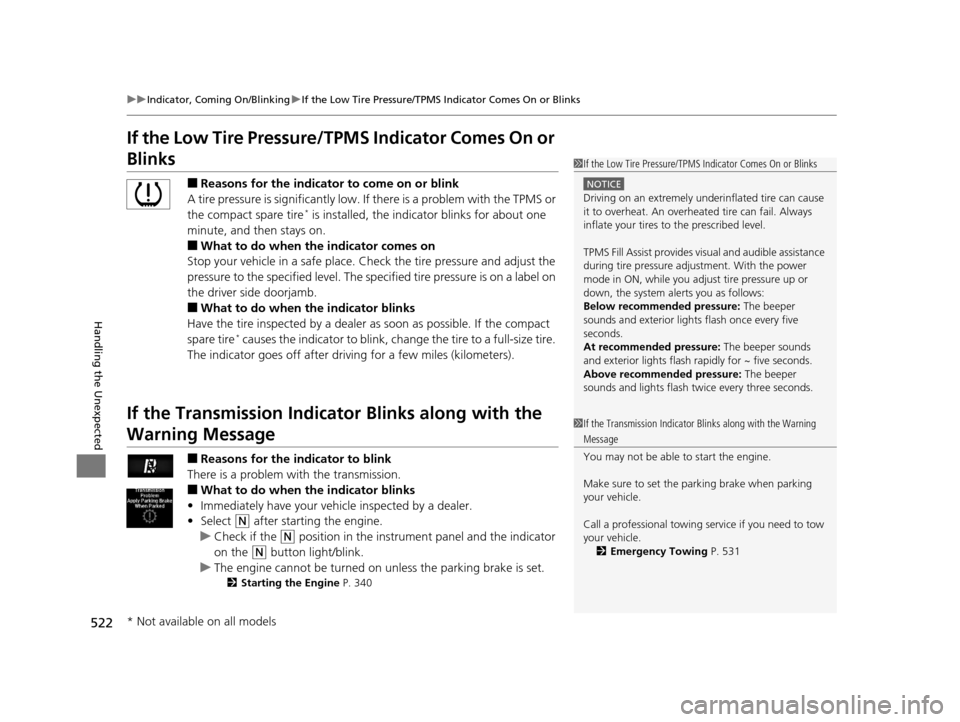
If the Low Tire Pressure/TPMS Indicator Comes On or
Blinks
■Reasons for the indicator to come on or blink
A tire pressure is significantly low. If there is a problem with the TPMS or
the compact spare tire
* is installed, the indica tor blinks for about one
minute, and then stays on.
■What to do when the indicator comes on
Stop your vehicle in a safe place. Ch eck the tire pressure and adjust the
pressure to the specified level. The sp ecified tire pressure is on a label on
the driver side doorjamb.
■What to do when the indicator blinks
Have the tire inspected by a dealer as soon as possible. If the compact
spare tire
* causes the indicator to blink, change the tire to a full-size tire.
The indicator goes off after driv ing for a few miles (kilometers).
If the Transmission Indicator Blinks along with the
Warning Message
■Reasons for the indicator to blink
There is a problem with the transmission.
■What to do when the indicator blinks
• Immediately have your vehi cle inspected by a dealer.
• Select
(N after starting the engine.
u Check if the
(N position in the instrume nt panel and the indicator
on the
(N button light/blink.
u The engine cannot be turned on unless the parking brake is set.
2 Starting the Engine P. 340
1If the Low Tire Pressure/TPMS Indicator Comes On or Blinks
NOTICE
Driving on an extremely unde rinflated tire can cause
it to overheat. An overheated tire can fail. Always
inflate your tires to the prescribed level.
TPMS Fill Assist provides visual and audible assistance
during tire pressure adjustment. With the power
mode in ON, while you adjust tire pressure up or
down, the system alerts you as follows:
Below recommended pressure: The beeper
sounds and exterior lights flash once every five
seconds.
At recommended pressure: The beeper sounds
and exterior lights flash ra pidly for ~ five seconds.
Above recommended pressure: The beeper
sounds and lights flash twice every three seconds.
1 If the Transmission Indicator Blinks along with the Warning
Message
You may not be able to start the engine.
Make sure to set the pa rking brake when parking
your vehicle.
Call a professional towing service if you need to tow
your vehicle.
2 Emergency Towing P. 531
* Not available on all models
16 ACURA MDX-31TZ56200.book 522 ページ 2015年3月4日 水曜日 午後2時59分