interior lights Acura MDX 2017 User Guide
[x] Cancel search | Manufacturer: ACURA, Model Year: 2017, Model line: MDX, Model: Acura MDX 2017Pages: 581, PDF Size: 32.65 MB
Page 206 of 581
Continued205
uuInterior Lights/Interior Convenience Items uInterior Convenience Items
Controls
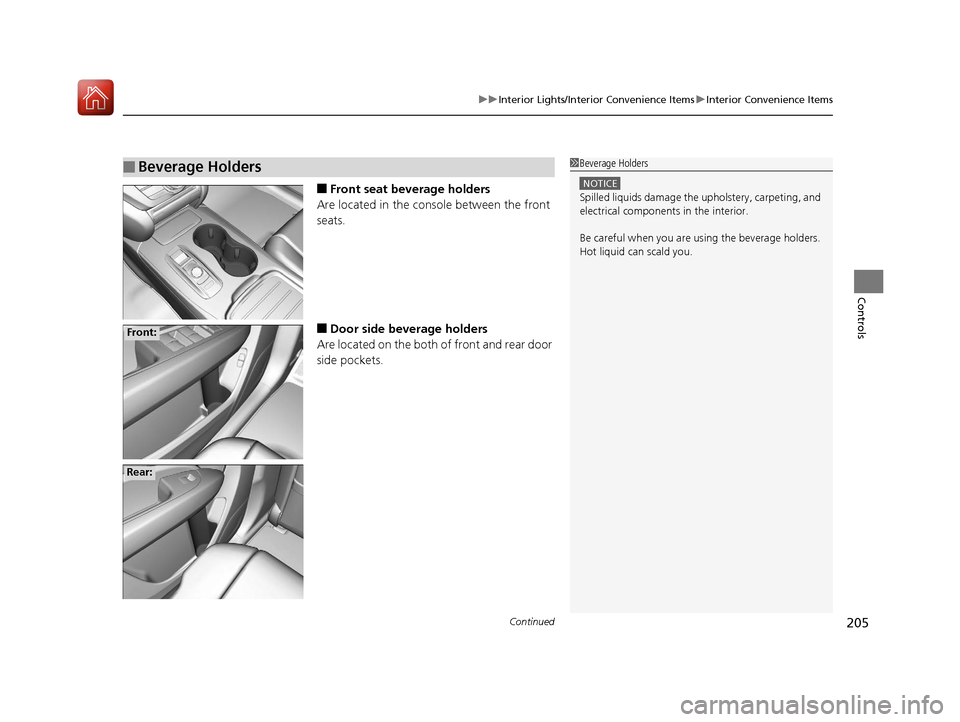
■Front seat beverage holders
Are located in the console between the front
seats.
■Door side beverage holders
Are located on the both of front and rear door
side pockets.
■Beverage Holders1 Beverage Holders
NOTICE
Spilled liquids damage the upholstery, carpeting, and
electrical components in the interior.
Be careful when you are us ing the beverage holders.
Hot liquid can scald you.
Front:
Rear:
17 ACURA MDX-31TZ56300.book 205 ページ 2016年5月13日 金曜日 午後7時46分
Page 207 of 581
206
uuInterior Lights/Interior Convenience Items uInterior Convenience Items
Controls
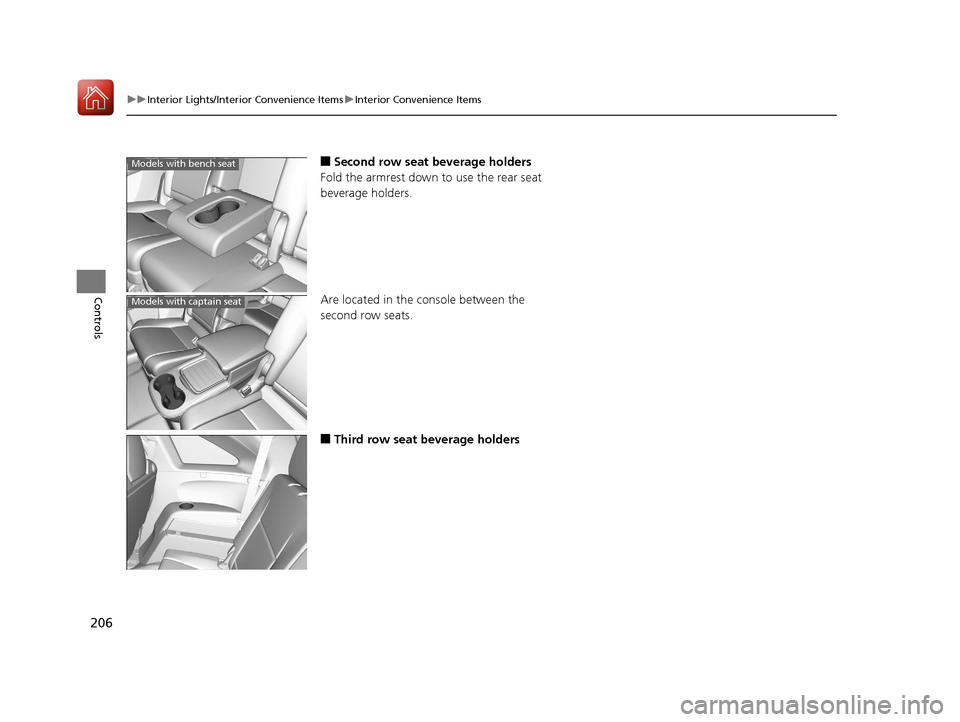
■Second row seat beverage holders
Fold the armrest down to use the rear seat
beverage holders.
Are located in the console between the
second row seats.
■Third row seat beverage holders
Models with bench seat
Models with captain seat
17 ACURA MDX-31TZ56300.book 206 ページ 2016年5月13日 金曜日 午後7時46分
Page 208 of 581
Continued207
uuInterior Lights/Interior Convenience Items uInterior Convenience Items
Controls
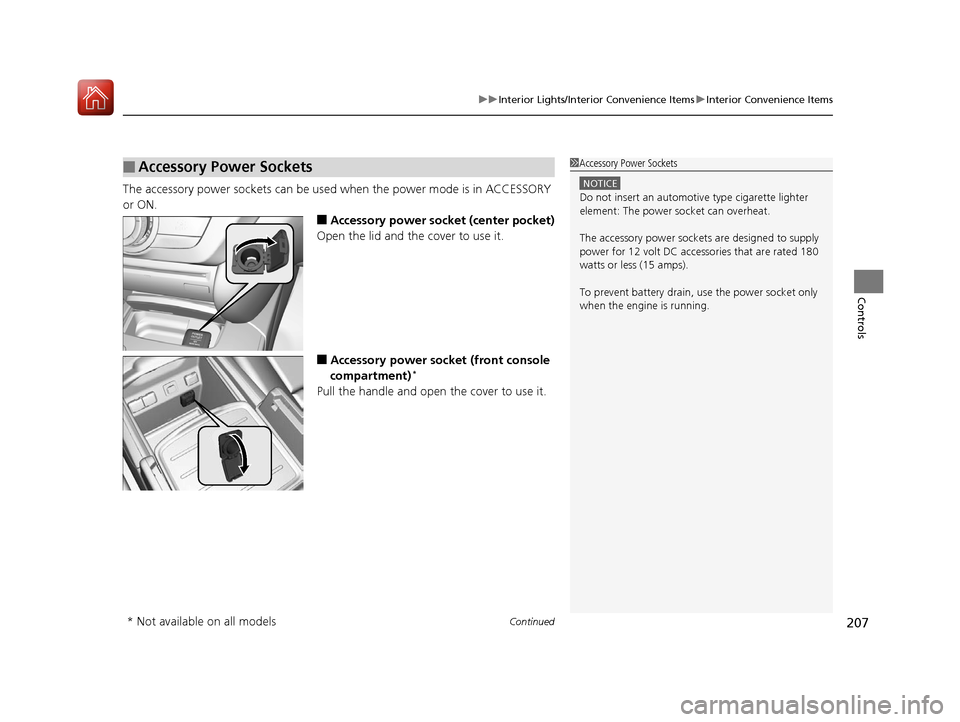
The accessory power sockets can be used when the power mode is in ACCESSORY
or ON.
■Accessory power socket (center pocket)
Open the lid and the cover to use it.
■Accessory power socket (front console
compartment)*
Pull the handle and open the cover to use it.
■Accessory Power Sockets1 Accessory Power Sockets
NOTICE
Do not insert an automotive type cigarette lighter
element: The power socket can overheat.
The accessory power socket s are designed to supply
power for 12 volt DC access ories that are rated 180
watts or less (15 amps).
To prevent battery drain, use the power socket only
when the engine is running.
* Not available on all models
17 ACURA MDX-31TZ56300.book 207 ページ 2016年5月13日 金曜日 午後7時46分
Page 209 of 581
uuInterior Lights/Interior Convenience Items uInterior Convenience Items
208
Controls
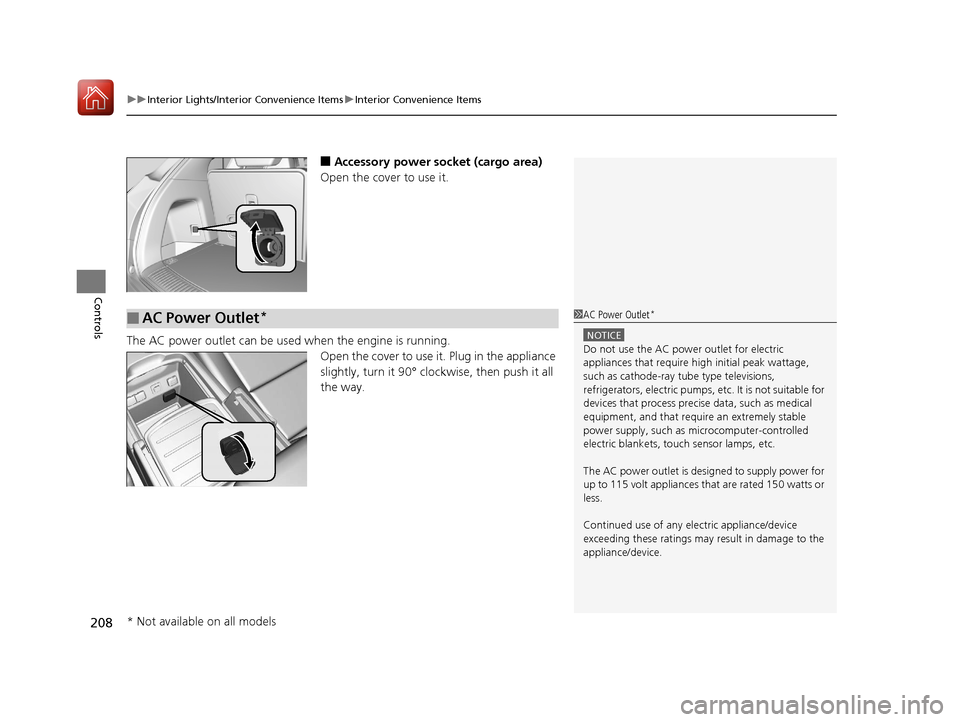
■Accessory power socket (cargo area)
Open the cover to use it.
The AC power outlet can be used when the engine is running. Open the cover to use it. Plug in the appliance
slightly, turn it 90° clockwise, then push it all
the way.
■AC Power Outlet*1AC Power Outlet*
NOTICE
Do not use the AC power outlet for electric
appliances that require hi gh initial peak wattage,
such as cathode-ray tube type televisions,
refrigerators, electric pumps, etc. It is not suitable for
devices that process precis e data, such as medical
equipment, and that require an extremely stable
power supply, such as microcomputer-controlled
electric blankets, touc h sensor lamps, etc.
The AC power outlet is desi gned to supply power for
up to 115 volt appliances that are rated 150 watts or
less.
Continued use of any elec tric appliance/device
exceeding these ratings may result in damage to the
appliance/device.
* Not available on all models
17 ACURA MDX-31TZ56300.book 208 ページ 2016年5月13日 金曜日 午後7時46分
Page 210 of 581
Continued209
uuInterior Lights/Interior Convenience Items uInterior Convenience Items
Controls
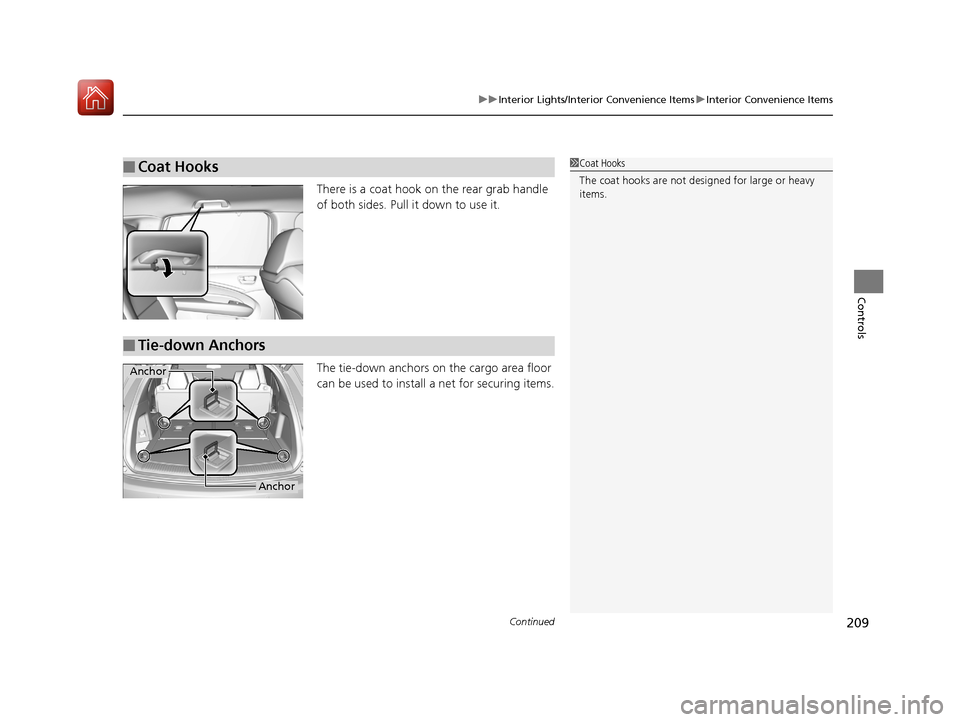
There is a coat hook on the rear grab handle
of both sides. Pull it down to use it.
The tie-down anchors on the cargo area floor
can be used to install a net for securing items.
■Coat Hooks1Coat Hooks
The coat hooks are not desi gned for large or heavy
items.
■Tie-down Anchors
Anchor
Anchor
17 ACURA MDX-31TZ56300.book 209 ページ 2016年5月13日 金曜日 午後7時46分
Page 211 of 581
uuInterior Lights/Interior Convenience Items uInterior Convenience Items
210
Controls
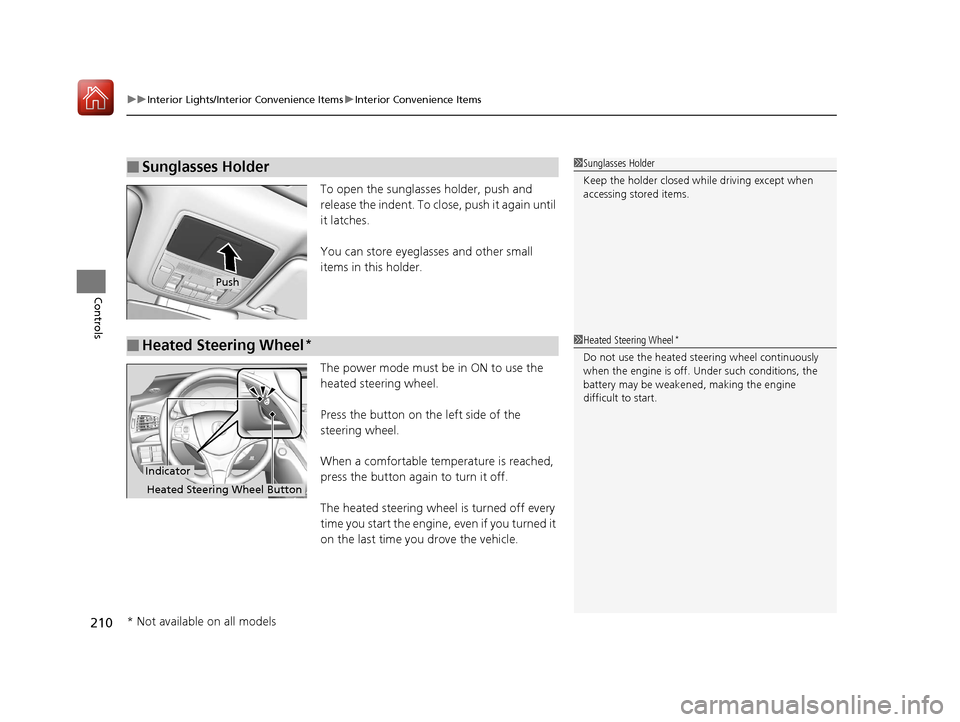
To open the sunglasses holder, push and
release the indent. To clos e, push it again until
it latches.
You can store eyeglasses and other small
items in this holder.
The power mode must be in ON to use the
heated steering wheel.
Press the button on the left side of the
steering wheel.
When a comfortable temperature is reached,
press the button again to turn it off.
The heated steering wheel is turned off every
time you start the engine, even if you turned it
on the last time you drove the vehicle.
■Sunglasses Holder1 Sunglasses Holder
Keep the holder closed wh ile driving except when
accessing stored items.
Push
■Heated Steering Wheel*1 Heated Steering Wheel*
Do not use the heated steering wheel continuously
when the engine is off. Under such conditions, the
battery may be weaken ed, making the engine
difficult to start.
Indicator
Heated Steering Wheel Button
* Not available on all models
17 ACURA MDX-31TZ56300.book 210 ページ 2016年5月13日 金曜日 午後7時46分
Page 212 of 581
Continued211
uuInterior Lights/Interior Convenience Items uInterior Convenience Items
Controls
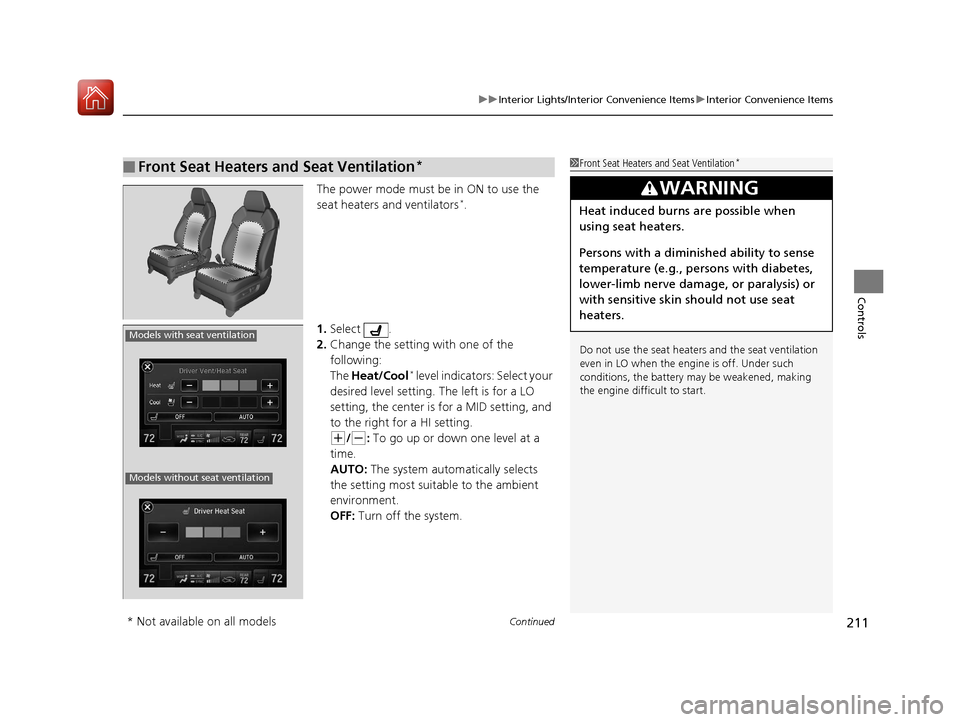
The power mode must be in ON to use the
seat heaters and ventilators*.
1. Select .
2. Change the setting with one of the
following:
The Heat/Cool
* level indicators: Select your
desired level setting. The left is for a LO
setting, the center is for a MID setting, and
to the right for a HI setting.
(+/(-: To go up or down one level at a
time.
AUTO: The system automatically selects
the setting most suitable to the ambient
environment.
OFF: Turn off the system.
■Front Seat Heaters and Seat Ventilation*1 Front Seat Heaters and Seat Ventilation*
Do not use the seat heater s and the seat ventilation
even in LO when the engine is off. Under such
conditions, the battery ma y be weakened, making
the engine difficult to start.
3WARNING
Heat induced burns are possible when
using seat heaters.
Persons with a diminished ability to sense
temperature (e.g., persons with diabetes,
lower-limb nerve damage, or paralysis) or
with sensitive skin should not use seat
heaters.
Models with seat ventilation
Models without seat ventilation
* Not available on all models
17 ACURA MDX-31TZ56300.book 211 ページ 2016年5月13日 金曜日 午後7時46分
Page 213 of 581
uuInterior Lights/Interior Convenience Items uInterior Convenience Items
212
Controls
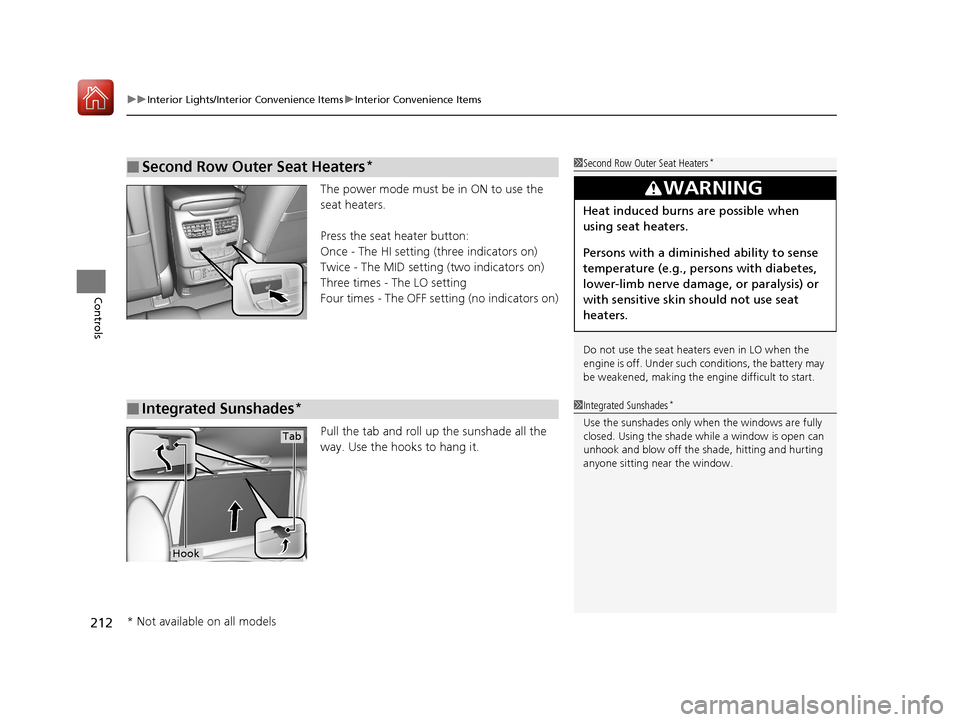
The power mode must be in ON to use the
seat heaters.
Press the seat heater button:
Once - The HI setting (three indicators on)
Twice - The MID setting (two indicators on)
Three times - The LO setting
Four times - The OFF se tting (no indicators on)
Pull the tab and roll up the sunshade all the
way. Use the hooks to hang it.
■Second Row Outer Seat Heaters*1 Second Row Outer Seat Heaters*
Do not use the seat heaters even in LO when the
engine is off. Under such conditions, the battery may
be weakened, making the engine difficult to start.
3WARNING
Heat induced burns are possible when
using seat heaters.
Persons with a diminished ability to sense
temperature (e.g., persons with diabetes,
lower-limb nerve damage, or paralysis) or
with sensitive skin should not use seat
heaters.
■Integrated Sunshades*1Integrated Sunshades*
Use the sunshades only when the windows are fully
closed. Using the shade while a window is open can
unhook and blow off the sh ade, hitting and hurting
anyone sitting near the window.
Tab
Hook
* Not available on all models
17 ACURA MDX-31TZ56300.book 212 ページ 2016年5月13日 金曜日 午後7時46分
Page 298 of 581
297
uuCustomized Features u
Continued
Features
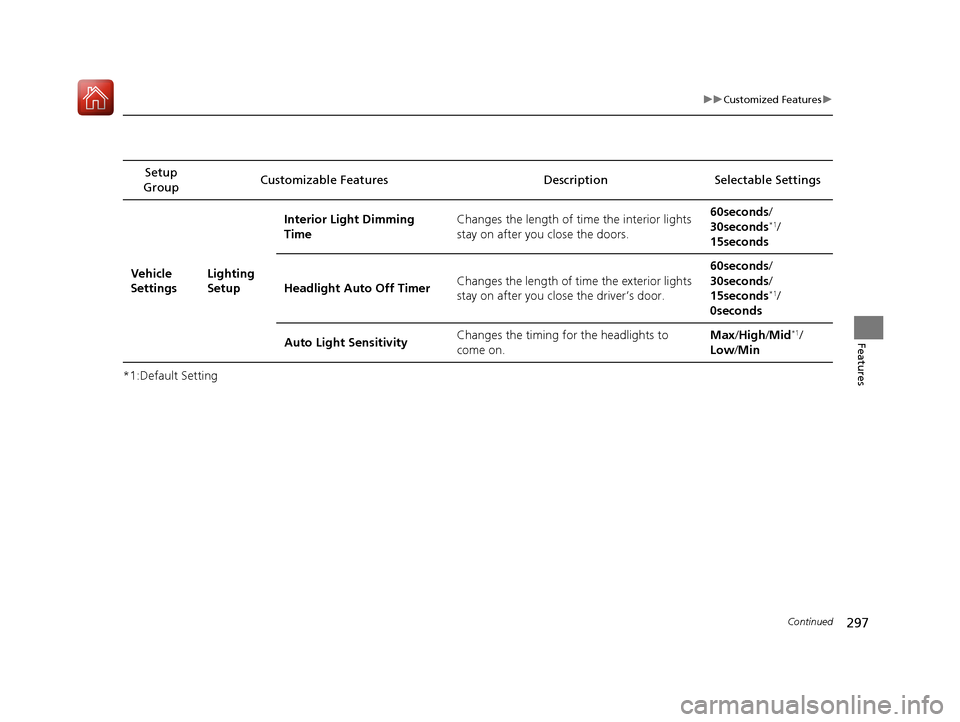
*1:Default SettingSetup
Group Customizable Features
Description Selectable Settings
Vehicle
Settings Lighting
SetupInterior Light Dimming
Time
Changes the length of time the interior lights
stay on after you close the doors. 60seconds/
30seconds
*1/
15seconds
Headlight Auto Off Timer Changes the length of time the exterior lights
stay on after you clos
e the driver’s door. 60seconds/
30seconds/
15seconds
*1/
0seconds
Auto Light Sensitivity Changes the timing fo
r the headlights to
come on. Max
/High /Mid
*1/
Low /Min
17 ACURA MDX-31TZ56300.book 297 ページ 2016年5月13日 金曜日 午後7時46分
Page 441 of 581
440
uuBraking uCollision Mitigation Braking SystemTM (CMBSTM)
Driving
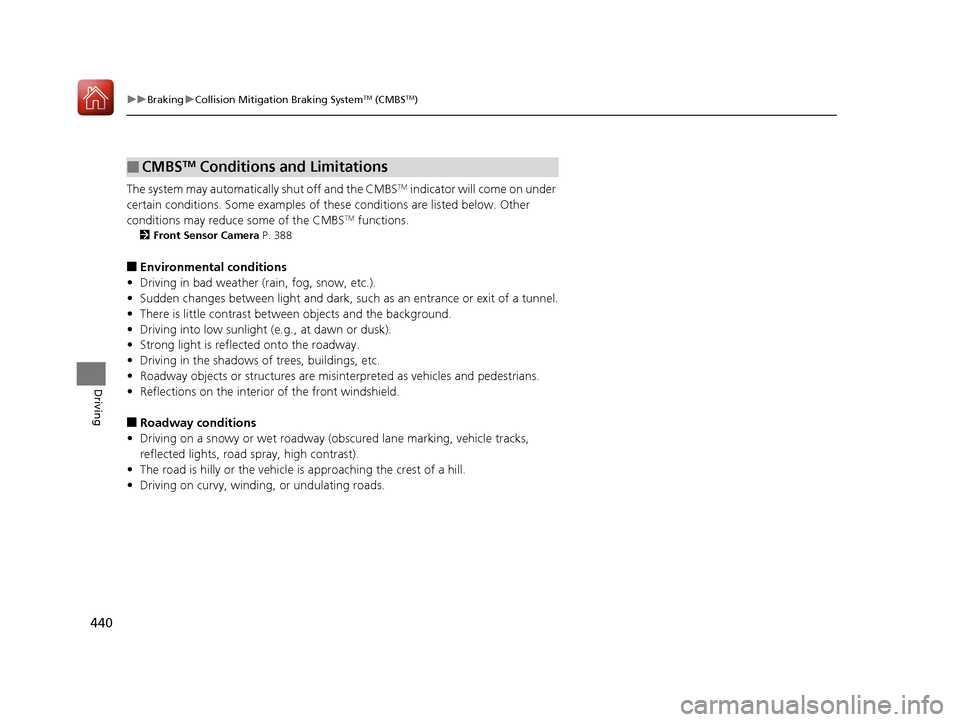
The system may automatically shut off and the CMBSTM indicator will come on under
certain conditions. Some examples of th ese conditions are listed below. Other
conditions may reduce some of the CMBS
TM functions.
2 Front Sensor Camera P. 388
■Environmental conditions
• Driving in bad weather (rain, fog, snow, etc.).
• Sudden changes between light and dark, such as an entrance or exit of a tunnel.
• There is little contrast between objects and the background.
• Driving into low sunlight (e.g., at dawn or dusk).
• Strong light is reflected onto the roadway.
• Driving in the shadows of trees, buildings, etc.
• Roadway objects or structures are misint erpreted as vehicles and pedestrians.
• Reflections on the interior of the front windshield.
■Roadway conditions
• Driving on a snowy or wet roadway (obscured lane marking, vehicle tracks,
reflected lights, road spray, high contrast).
• The road is hilly or the vehicle is approaching the crest of a hill.
• Driving on curvy, winding, or undulating roads.
■CMBSTM Conditions and Limitations
17 ACURA MDX-31TZ56300.book 440 ページ 2016年5月13日 金曜日 午後7時46分