transmission Acura MDX 2017 User Guide
[x] Cancel search | Manufacturer: ACURA, Model Year: 2017, Model line: MDX, Model: Acura MDX 2017Pages: 581, PDF Size: 32.65 MB
Page 168 of 581
167
uuOperating the Switches Around the Steering Wheel uLight Switches
Continued
Controls
Light Switches
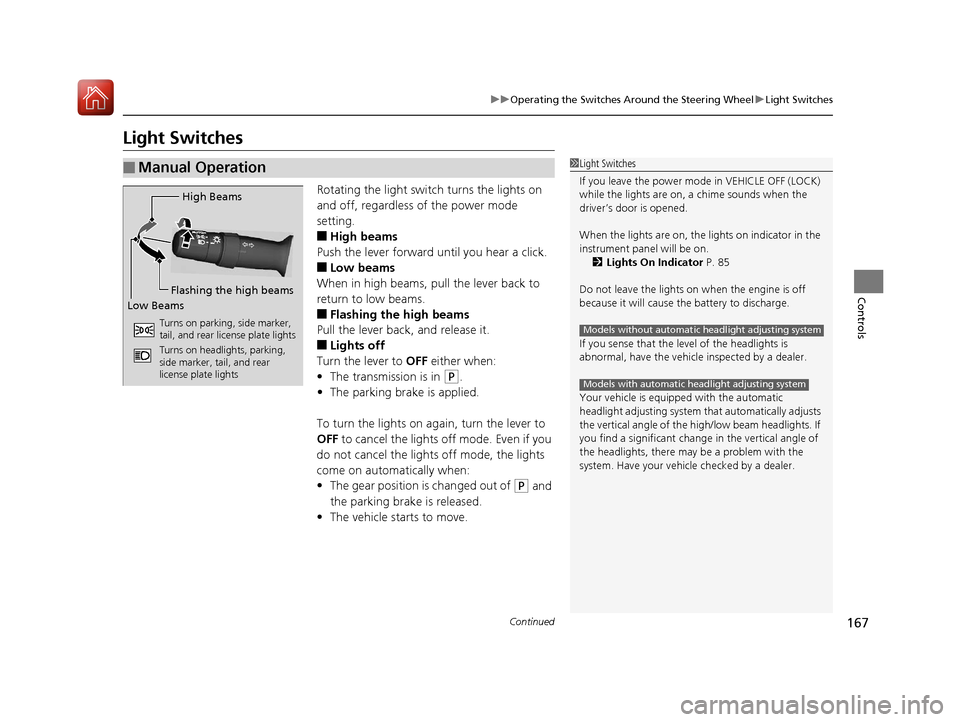
Rotating the light switch turns the lights on
and off, regardless of the power mode
setting.
■High beams
Push the lever forward until you hear a click.
■Low beams
When in high beams, pull the lever back to
return to low beams.
■Flashing the high beams
Pull the lever back, and release it.
■Lights off
Turn the lever to OFF either when:
• The transmission is in
(P.
• The parking brake is applied.
To turn the light s on again, turn the lever to
OFF to cancel the lights off mode. Even if you
do not cancel the lights off mode, the lights
come on automatically when:
• The gear position is changed out of
(P and
the parking brake is released.
• The vehicle starts to move.
■Manual Operation1Light Switches
If you leave the power mode in VEHICLE OFF (LOCK)
while the lights are on, a chime sounds when the
driver’s door is opened.
When the lights are on, the lights on indicator in the
instrument pane l will be on.
2 Lights On Indicator P. 85
Do not leave the lights on when the engine is off
because it will cause the battery to discharge.
If you sense that the le vel of the headlights is
abnormal, have the vehicl e inspected by a dealer.
Your vehicle is equipped with the automatic
headlight adjusting system that automatically adjusts
the vertical angle of the high/low beam headlights. If
you find a significant change in the vertical angle of
the headlights, there may be a problem with the
system. Have your vehicle checked by a dealer.
Models without automatic headlight adjusting system
Models with automatic headlight adjusting system
High Beams
Flashing the high beams
Low Beams
Turns on parking, side marker,
tail, and rear license plate lights
Turns on headlights, parking,
side marker, tail, and rear
license plate lights
17 ACURA MDX-31TZ56300.book 167 ページ 2016年5月13日 金曜日 午後7時46分
Page 177 of 581
176
uuOperating the Switches Around the Steering Wheel uWipers and Washers
Controls
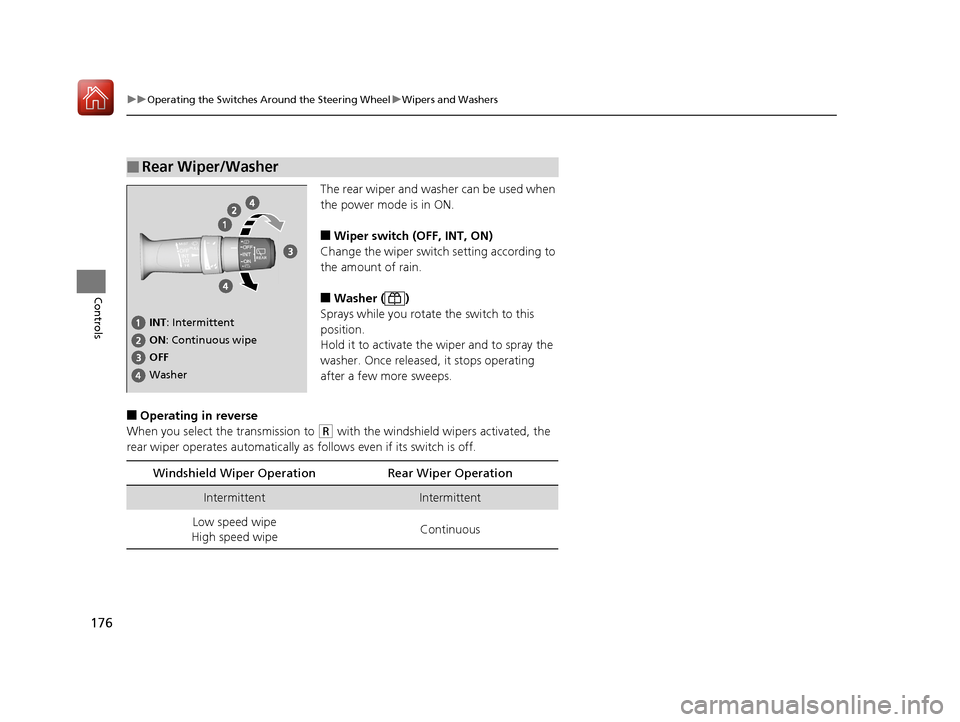
The rear wiper and washer can be used when
the power mode is in ON.
■Wiper switch (OFF, INT, ON)
Change the wiper switch setting according to
the amount of rain.
■Washer ( )
Sprays while you rotate the switch to this
position.
Hold it to activate the wiper and to spray the
washer. Once released, it stops operating
after a few more sweeps.
■Operating in reverse
When you select the transmission to
(R with the windshield wipers activated, the
rear wiper operates automatically as follows even if its switch is off.
■Rear Wiper/Washer
INT : Intermittent
OFF ON : Continuous wipe
Washer
Windshield Wiper Operat ion Rear Wiper Operation
IntermittentIntermittent
Low speed wipe
High speed wipe Continuous
17 ACURA MDX-31TZ56300.book 176 ページ 2016年5月13日 金曜日 午後7時46分
Page 181 of 581
180
uuOperating the Switches Around the Steering Wheel uDriving Position Memory System
Controls
Driving Position Memory System
You can store two driver’s seat (except fo r power lumbar), steering wheel and door
mirror positions with the driving position memory system.
When you unlock and open th e driver’s door with a remote transmitter, or keyless
access system, the seat and door mirrors adjust automatically to one of the two
preset positions.
The steering wheel will move to the stored position when you set the power mode
to ACCESSORY.
When you enter the vehicle, the MID brie fly shows you which remote transmitter
you used to unlock the vehicle.
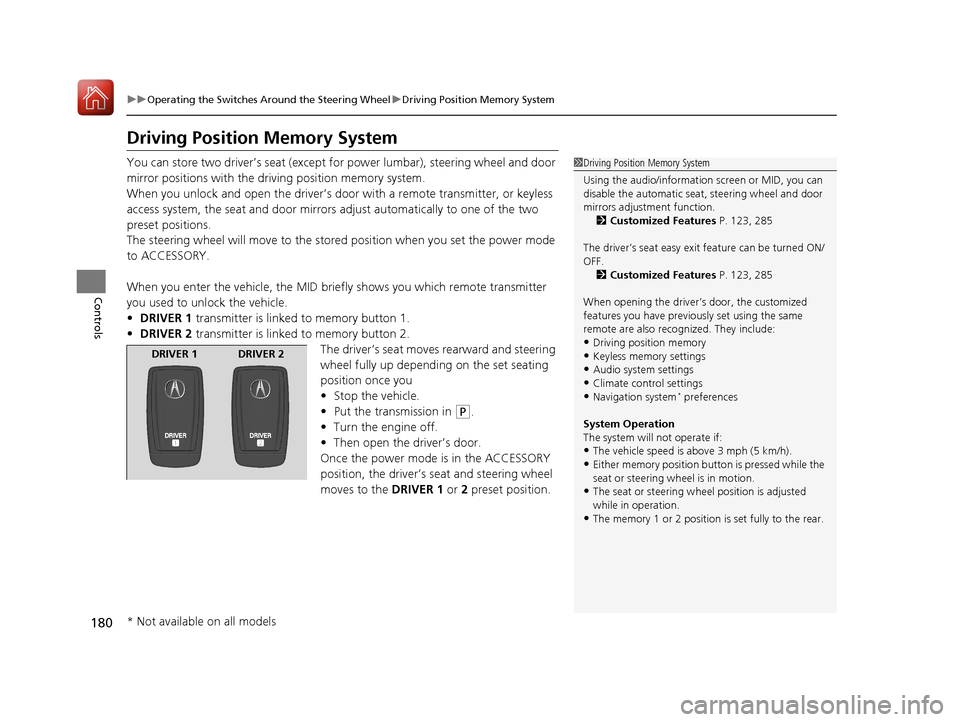
• DRIVER 1 transmitter is linked to memory button 1.
• DRIVER 2 transmitter is linked to memory button 2.
The driver’s seat moves rearward and steering
wheel fully up depending on the set seating
position once you
•Stop the vehicle.
• Put the transmission in
(P.
• Turn the engine off.
• Then open the driver’s door.
Once the power mode is in the ACCESSORY
position, the driver’s seat and steering wheel
moves to the DRIVER 1 or 2 preset position.
1Driving Position Memory System
Using the audio/information screen or MID, you can
disable the automatic seat, steering wheel and door
mirrors adjustment function. 2 Customized Features P. 123, 285
The driver’s seat easy exit feature can be turned ON/
OFF. 2 Customized Features P. 123, 285
When opening the driver’s door, the customized
features you have previously set using the same
remote are also rec ognized. They include:
•Driving position memory
•Keyless memory settings
•Audio system settings•Climate control settings
•Navigation system* preferences
System Operation
The system will not operate if:
•The vehicle speed is above 3 mph (5 km/h).•Either memory position button is pressed while the
seat or steering wheel is in motion.
•The seat or steering wheel position is adjusted
while in operation.
•The memory 1 or 2 position is set fully to the rear.
DRIVER 1 DRIVER 2
* Not available on all models
17 ACURA MDX-31TZ56300.book 180 ページ 2016年5月13日 金曜日 午後7時46分
Page 184 of 581
183
Controls
Adjusting the Mirrors
Interior Rearview Mirror
Adjust the angle of the rearview mirror when you are sitting in the correct driving
position.
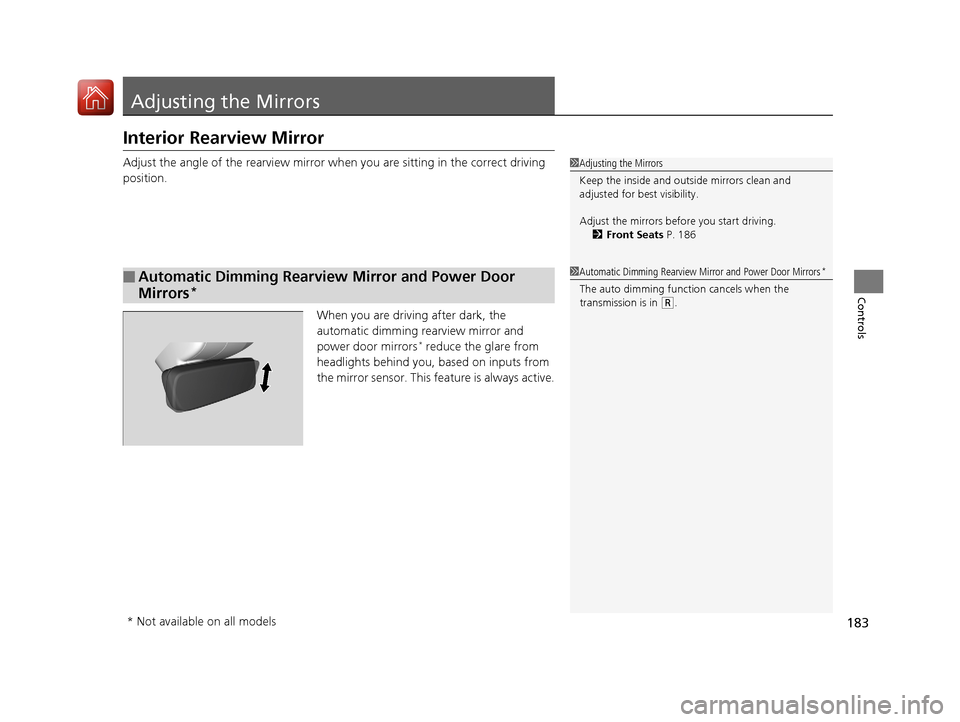
When you are driving after dark, the
automatic dimming rearview mirror and
power door mirrors
* reduce the glare from
headlights behind you, based on inputs from
the mirror sensor. This feature is always active.
■Automatic Dimming Rearview Mirror and Power Door
Mirrors
*
1 Adjusting the Mirrors
Keep the inside and out side mirrors clean and
adjusted for best visibility.
Adjust the mirrors befo re you start driving.
2 Front Seats P. 186
1Automatic Dimming Rearview Mirror and Power Door Mirrors*
The auto dimming function cancels when the
transmission is in
(R.
* Not available on all models
17 ACURA MDX-31TZ56300.book 183 ページ 2016年5月13日 金曜日 午後7時46分
Page 348 of 581
347
Driving
This chapter discusses driving, refueling, and information on items such as accessories.
Before Driving................................... 348
Towing a Trailer ................................ 354
Off-Highway Driving Guidelines ..... 365
When Driving Starting the Engine .......................... 367
Automatic Transmission ................... 373
Shifting ............................................ 374
Auto Idle Stop
*................................ 382
Integrated Dynamics System............. 387
Front Sensor Camera ....................... 388
Adaptive Cruise Control (ACC) with Low
Speed Follow (LSF) ............................. 390
Road Departure Mi tigation (RDM)
System ........................................ 405
Lane Keeping Assist System (LKAS) .. 410Vehicle Stability Assist (VSA ®), aka Electronic
Stability Control (ESC), System ............. 418
Agile Handling Assist System............ 420
Blind spot inform ation (BSI) System*.... 421
Super Handling-All Wheel DriveTM (SH-
AWD® )*......................................... 423Tire Pressure Monitoring System (TPMS) .. 424Tire Pressure Monitoring System (TPMS) -
Required Federal Explanation ......... 426
Braking
Brake System ................................... 428
Anti-lock Brake System (ABS) ........... 434
Brake Assist System.......................... 435 Collision Mitigation Braking System
TM
(CMBSTM) ....................................... 436
Parking Your Vehicle When Stopped ................................ 445
Parking Sensor System
*................... 447
Cross Traffic Monitor*..................... 451
Multi-View Rear Camera*................ 455
Refueling
Fuel Information .............................. 456
How to Refuel ................................. 457
Fuel Economy and CO
2 Emissions .... 459
* Not available on all models
17 ACURA MDX-31TZ56300.book 347 ページ 2016年5月13日 金曜日 午後7時46分
Page 362 of 581
361
uuTowing a Trailer uTowing Preparation
Driving
■Safety chains
Always use safety chains when you tow a trailer. Leave enough slack to allow the
trailer to turn corners easily, but do not allow the chains to drag on the ground.
■Sway control
This device can be used if your trailer te nds to sway. Your trailer maker can tell you
what kind of sway control you need and how to install it. Improper installation could
degrade the handling and stability of your vehicle.
■Trailer mirrors
Many states, provinces and territories requir e special exterior mirrors when towing a
trailer. Install special mirrors whenever you cannot clearly see behind you, or if the
trailer creates a blind spot.
■Automatic transmission cooler
An additional ATF (automatic transmission fluid) cooler is required to keep the
transmission from overheating when towing more than 3,500 lbs (1,588 kg). You
can get the additional ATF cooler at a dealer.
4WD models
17 ACURA MDX-31TZ56300.book 361 ページ 2016年5月13日 金曜日 午後7時46分
Page 365 of 581

364
uuTowing a Trailer uTowing Your Vehicle
Driving
• Turn more slowly and with a wider turning arc than normal.
• Allow more time and distance for braking.
• Do not brake or turn suddenly.
• Monitor your temperature gauge. If it nears the red (Hot) mark, turn off the
climate control system and reduce speed. Pull to the side of the road safely to cool
down the engine if necessary.
• Change the gear position to
(S position if the transmission shifts frequently.
If the vehicle tires slip when retrieving a boat from the water, keep the transmission
in
(D and do not use the sequential shift mode in (S. This prevents damage to the
transmission.
Towing Your Vehicle
Your vehicle is not designed to be towed behind a motor home. If your vehicle needs
to be towed in an emergency, refe r to the emergency towing information.
2Emergency Towing P. 554
■Turning and Braking
■Driving in Hilly Terrain
■Retrieving a Boat
17 ACURA MDX-31TZ56300.book 364 ページ 2016年5月13日 金曜日 午後7時46分
Page 367 of 581

366
uuOff-Highway Driving Guidelines uAvoiding Trouble
Driving
Avoiding Trouble
• Check Out Your Vehicle before you leave the pavement and make sure that all
scheduled maintenance has been comple ted. Pay special attention to the
condition of the tires, an d check the tire pressures.
• Remember the route you choose presents limit s (too steep or bumpy), you have
limits (driving skill and comfort), and your vehicle has limits (traction, stability, and
power). Failing to recognize these limits will likely put you and your passengers in
a hazardous situation.
• Accelerating and Braking should be done slowly and gradually. Trying to start
or stop too fast can cause a loss of traction and you could lose control.
• Avoiding Obstacles and Debris in the road reduces the likelihood of a rollover
or damage to your suspension or other components.
• Driving on Slopes increases your risk of a rollover, particularly if you attempt to
drive across a slope that is too steep. Going straight up or down a slope is usually
the safest. If you can’t clearly see all cond itions or obstacles on a slope, walk it
before you drive it. If there is any doubt whether you can safely pass, don’t try it.
Find another route. If you get stuck when climbing, do not try to turn around.
Back down slowly following the same route you took up the hill.
• Crossing a Stream - Avoid driving through deep water. If you encounter water
in your route (a small stream or large pu ddle, for example), evaluate it carefully
before going ahead. Make sure it is shallow, flowing slowly, and has firm ground
underneath. If you are not sure of the depth or the ground, turn around and find
another route. Driving through deep water can also damage your vehicle. The
water can get into the transmission and differential, diluting the lubricant and
causing an eventual failure. It can also wash the grease out of the wheel bearings.
• If You Get Stuck , carefully go in the direction that you think will get you
unstuck. Do not spin the tires as this will only make things worse and could
damage the transmission. If you are unable to free yourself, your vehicle will need
to be towed. Front and rear tow hooks are provided for this purpose.
17 ACURA MDX-31TZ56300.book 366 ページ 2016年5月13日 金曜日 午後7時46分
Page 368 of 581
367Continued
Driving
When Driving
Starting the Engine
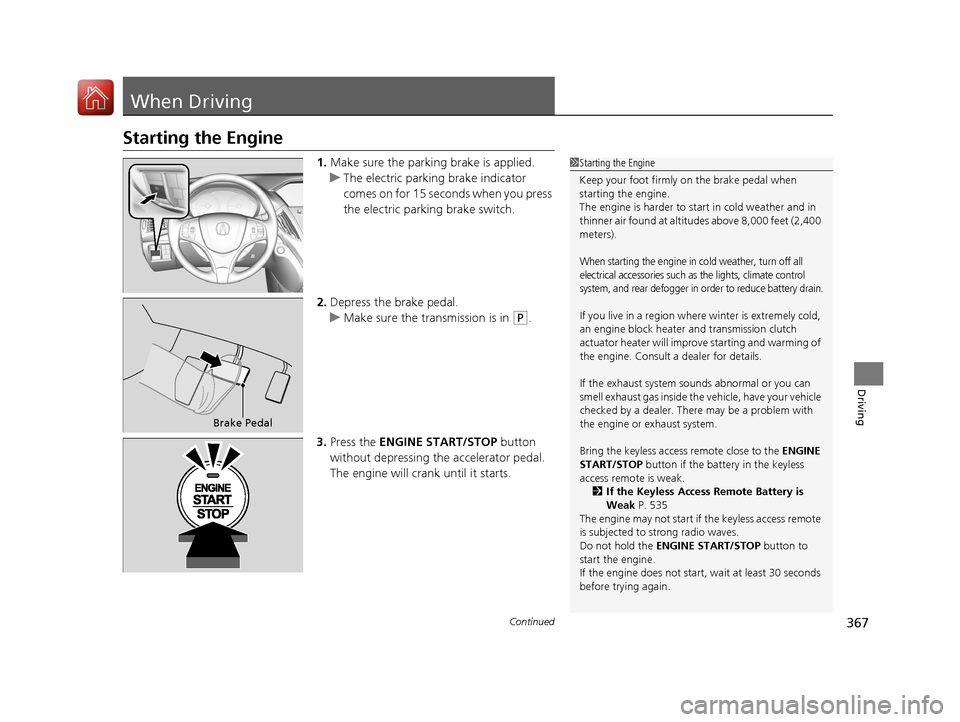
1.Make sure the parkin g brake is applied.
u The electric parking brake indicator
comes on for 15 seconds when you press
the electric parking brake switch.
2. Depress the brake pedal.
u Make sure the transmission is in
(P.
3. Press the ENGINE START/STOP button
without depressing the accelerator pedal.
The engine will crank until it starts.
1 Starting the Engine
Keep your foot firmly on the brake pedal when
starting the engine.
The engine is harder to st art in cold weather and in
thinner air found at altitudes above 8,000 feet (2,400
meters).
When starting the engine in cold weather, turn off all
electrical accessories such as the lights, climate control
system, and rear defogger in order to reduce battery drain.
If you live in a region where winter is extremely cold,
an engine block heater and transmission clutch
actuator heater will impr ove starting and warming of
the engine. Consult a dealer for details.
If the exhaust system sounds abnormal or you can
smell exhaust gas inside the vehicle, have your vehicle
checked by a dealer. There may be a problem with
the engine or exhaust system.
Bring the keyless access remote close to the ENGINE
START/STOP button if the batte ry in the keyless
access remote is weak.
2 If the Keyless Access Remote Battery is
Weak P. 535
The engine may not start if the keyless access remote
is subjected to strong radio waves.
Do not hold the ENGINE START/STOP button to
start the engine.
If the engine does not start, wait at least 30 seconds
before trying again.
Brake Pedal
17 ACURA MDX-31TZ56300.book 367 ページ 2016年5月13日 金曜日 午後7時46分
Page 372 of 581

371
uuWhen Driving uStarting the Engine
Driving
1. Depress the brake pedal and press the ENGINE START/STOP button
simultaneously.
2. Keeping your right foot on the brake pedal, press the
(D button. Select (R when
reversing.
3. With the parking brake applied, release the brake pedal and gently depress the
accelerator pedal.
u Make sure the electric parkin g brake indicator goes off.
2Parking Brake P. 428
2 If the Transmission Indicator Blinks along with the Warning Message P. 545
■Hill start assist system
Hill start assist keeps the brake engaged br iefly to help prevent the vehicle from
rolling on inclines as you move your foot from the brake pedal to the accelerator.
Change the gear position to
(D or (S when facing uphill, or (R when facing
downhill, then release the brake pedal.
The brakes remain engaged briefly as you release the brake pedal.
■Starting to Drive1 Starting to Drive
The engine stops when the gear position is changed
from
( P before the ENGINE START/STOP button is
pressed. Follow the step 1 when starting to drive.
You can also release the parking brake by pulling the
electric parking brake sw itch while depressing the
brake pedal.
When facing downhill, you can start your vehicle
more smoothly by manually releasing it with the
electric parking brake switch than by releasing it with
the accelerator pedal.
When the engine was started using the two-way keyless
access remote*When the engine was started using the two-way keyless access remote*
When the engine was started in any case
1 Hill start assist system
Hill start assist may not prevent the vehicle from
rolling downhill on a very steep or slippe ry slope, and
will not operate on small inclines.
Hill start assist is not a replacement for the parking
brake.
* Not available on all models
17 ACURA MDX-31TZ56300.book 371 ページ 2016年5月13日 金曜日 午後7時46分