wheel Acura MDX 2017 User Guide
[x] Cancel search | Manufacturer: ACURA, Model Year: 2017, Model line: MDX, Model: Acura MDX 2017Pages: 581, PDF Size: 32.65 MB
Page 45 of 581
44
uuAirbags uTypes of Airbags
Safe Driving
Types of Airbags
Your vehicle is equipped with four types of airbags:
• Front airbags: Airbags in front of the driver ’s and front passenger’s seats.
• Driver’s knee airbag: Airbag under the steering column.
• Side airbags: Airbags in the driver’s and front passenger’s seat-backs.
• Side curtain airbags: Airbags above the side windows.
Each is discussed in the following pages.
Front Airbags (SRS)
The front SRS airbags inflate in a moderate-to -severe frontal collision to help protect
the head and chest of the driver and/or front passenger.
SRS (Supplemental Restraint System) indicates that the airbags are designed to
supplement seat belts, not replace them. Seat belts are the occupant’s primary
restraint system.
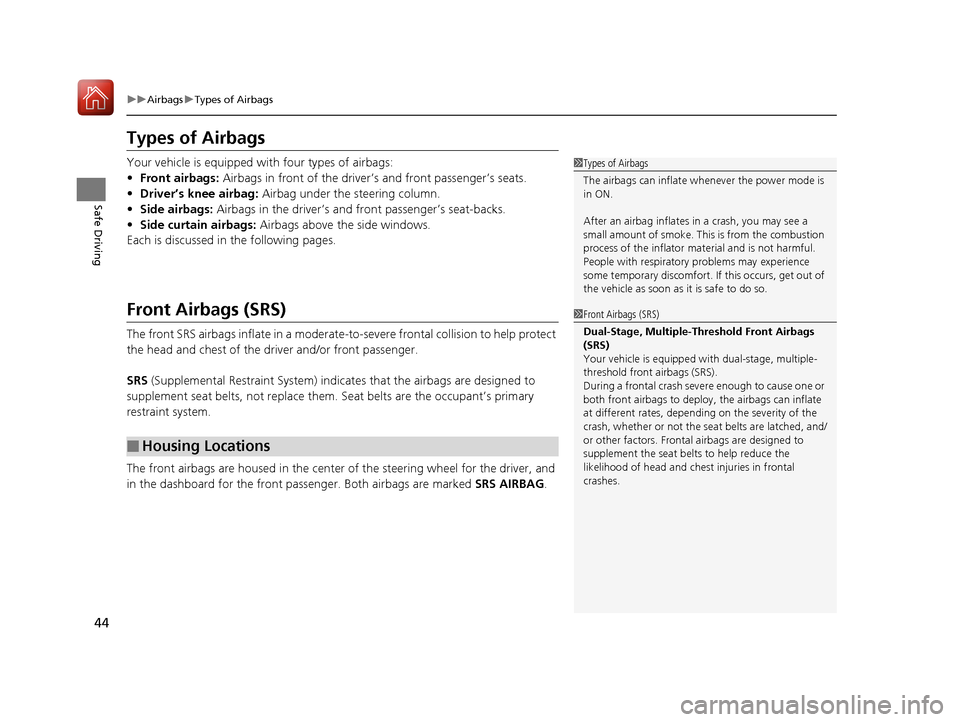
The front airbags are housed in the center of the steering wheel for the driver, and
in the dashboard for the front pass enger. Both airbags are marked SRS AIRBAG.
■Housing Locations
1Types of Airbags
The airbags can inflate whenever the power mode is
in ON.
After an airbag inflates in a crash, you may see a
small amount of smoke. This is from the combustion
process of the infl ator material and is not harmful.
People with respiratory pr oblems may experience
some temporary discomfort. If this occurs, get out of
the vehicle as soon as it is safe to do so.
1 Front Airbags (SRS)
Dual-Stage, Multiple-Threshold Front Airbags
(SRS)
Your vehicle is equipped wi th dual-stage, multiple-
threshold front airbags (SRS).
During a frontal crash severe enough to cause one or
both front airbags to deploy, the airbags can inflate
at different rates, dependi ng on the severity of the
crash, whether or not the se at belts are latched, and/
or other factors. Frontal airbags are designed to
supplement the seat belts to help reduce the
likelihood of head and chest injuries in frontal
crashes.
17 ACURA MDX-31TZ56300.book 44 ページ 2016年5月13日 金曜日 午後7時46分
Page 87 of 581
86
uuIndicators u
Instrument Panel
IndicatorNameOn/BlinkingExplanationMessage
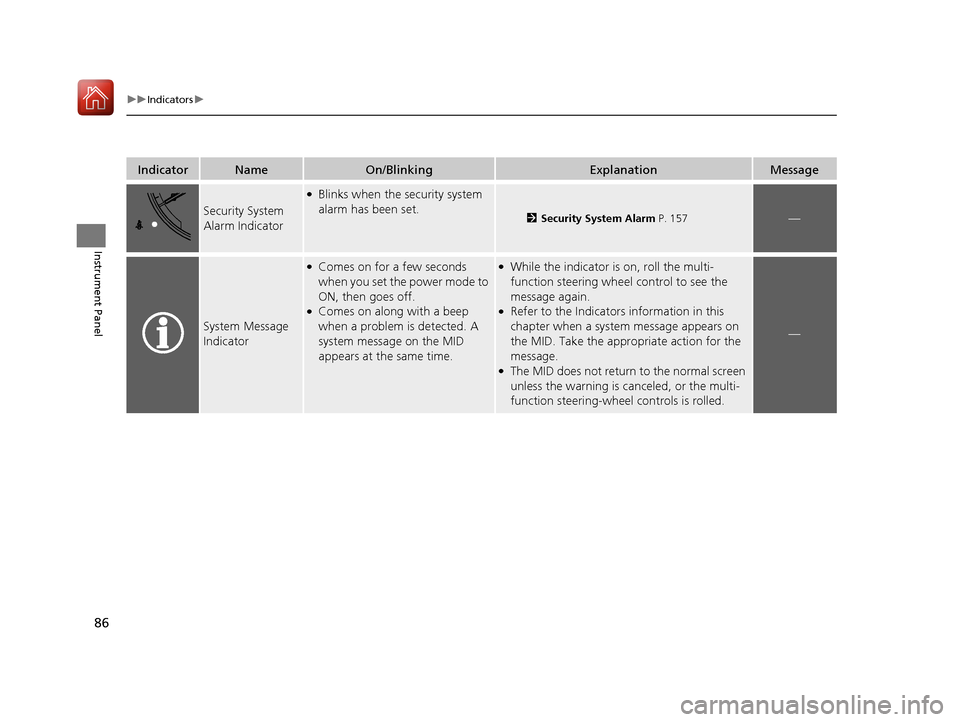
Security System
Alarm Indicator
●Blinks when the security system
alarm has been set.
2Security System Alarm P. 157—
System Message
Indicator
●Comes on for a few seconds
when you set the power mode to
ON, then goes off.
●Comes on along with a beep
when a problem is detected. A
system message on the MID
appears at the same time.
●While the indicator is on, roll the multi-
function steering wheel control to see the
message again.
●Refer to the Indicators information in this
chapter when a system message appears on
the MID. Take the appropriate action for the
message.
●The MID does not return to the normal screen
unless the warning is canceled, or the multi-
function steering-wheel controls is rolled.
—
17 ACURA MDX-31TZ56300.book 86 ページ 2016年5月13日 金曜日 午後7時46分
Page 88 of 581
87
uuIndicators u
Continued
Instrument Panel
IndicatorNameOn/BlinkingExplanationMessage
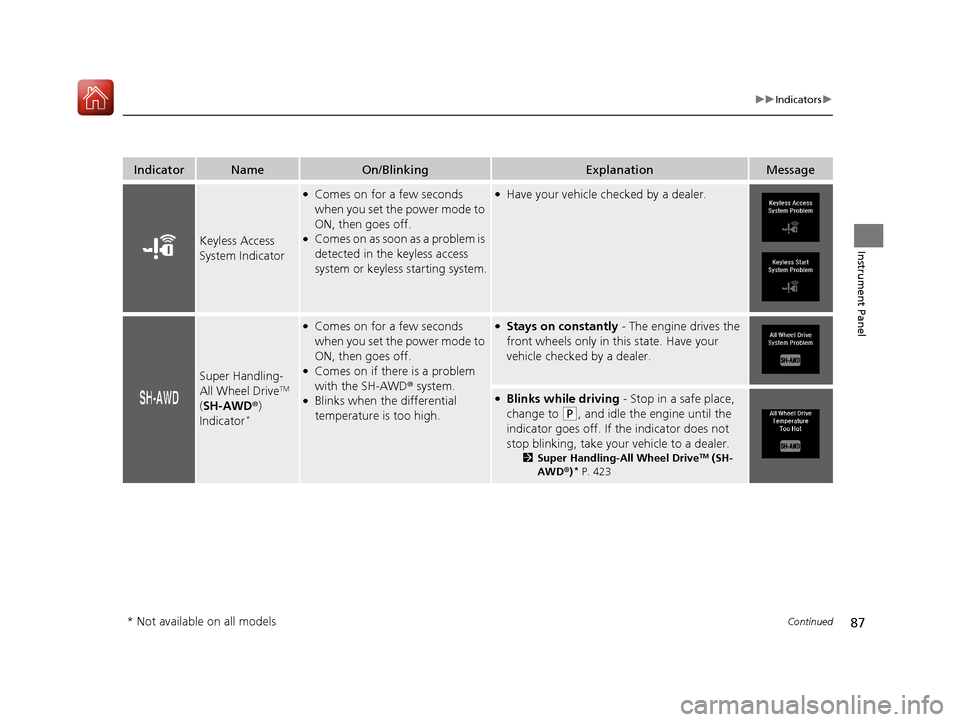
Keyless Access
System Indicator
●Comes on for a few seconds
when you set the power mode to
ON, then goes off.
●Comes on as soon as a problem is
detected in the keyless access
system or keyless starting system.
●Have your vehicle checked by a dealer.
Super Handling-
All Wheel DriveTM
( SH-AWD ®)
Indicator
*
●Comes on for a few seconds
when you set the power mode to
ON, then goes off.
●Comes on if there is a problem
with the SH-AWD ® system.
●Blinks when the differential
temperature is too high.
●Stays on constantly - The engine drives the
front wheels only in this state. Have your
vehicle checked by a dealer.
●Blinks while driving - Stop in a safe place,
change to
(P, and idle the engine until the
indicator goes off. If the indicator does not
stop blinking, take your vehicle to a dealer.
2 Super Handling-All Wheel DriveTM (SH-
AWD® )* P. 423
* Not available on all models
17 ACURA MDX-31TZ56300.book 87 ページ 2016年5月13日 金曜日 午後7時46分
Page 97 of 581
96
uuIndicators uMulti-Information Display (MID) Warning and Information Messages
Instrument Panel
Multi-Information Display (MID) Warning and Information Messages
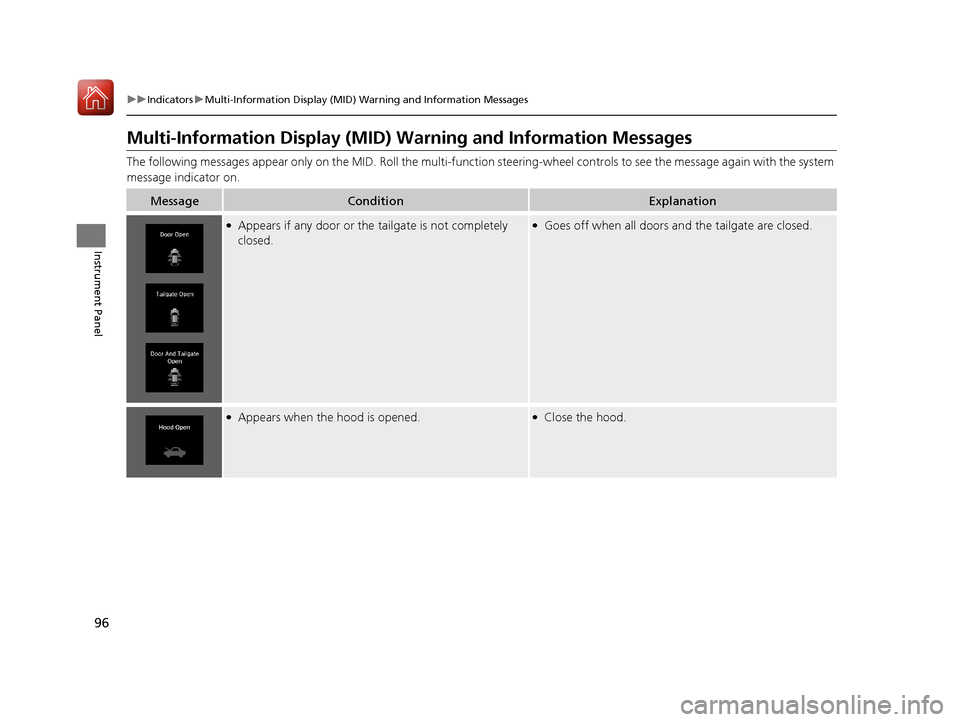
The following messages appear only on the MID. Roll the multi-function steering-wheel controls to see the message again with the system
message indicator on.
MessageConditionExplanation
●Appears if any door or the tailgate is not completely
closed.●Goes off when all doors an d the tailgate are closed.
●Appears when the hood is opened.●Close the hood.
17 ACURA MDX-31TZ56300.book 96 ページ 2016年5月13日 金曜日 午後7時46分
Page 100 of 581
99
uuIndicators uMulti-Information Display (MID) Warning and Information Messages
Continued
Instrument Panel
MessageConditionExplanation
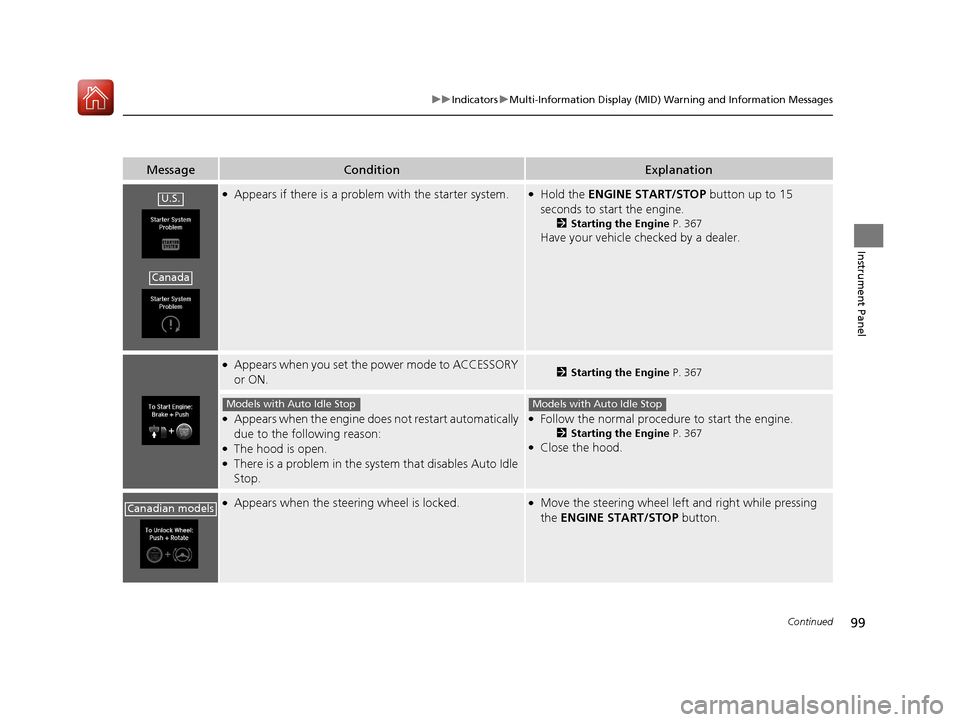
●Appears if there is a problem with the starter system.●Hold the ENGINE START/STOP button up to 15
seconds to start the engine.
2 Starting the Engine P. 367
Have your vehicle checked by a dealer.
●Appears when you set the power mode to ACCESSORY
or ON.2Starting the Engine P. 367
●Appears when the engine doe s not restart automatically
due to the following reason:
●The hood is open.●There is a problem in the syst em that disables Auto Idle
Stop.
●Follow the normal procedure to start the engine.
2 Starting the Engine P. 367●Close the hood.
●Appears when the steering wheel is locked.●Move the steering wheel left and right while pressing
the ENGINE START/STOP button.
U.S.
Canada
Models with Auto Idle StopModels with Auto Idle Stop
Canadian models
17 ACURA MDX-31TZ56300.book 99 ページ 2016年5月13日 金曜日 午後7時46分
Page 113 of 581

112
uuIndicators uMulti-Information Display (MID) Warning and Information Messages
Instrument Panel
MessageConditionExplanation
●Appears when the vehicle is driving out of a detected
lane. Rapid vibrations on the steering wheel.
●Appears when the vehicle is driving out of a detected
lane.
-Rapid vibrations on the steering wheel when the
vehicle is drifting out of a detected lane.
- Rapid vibrations on the steering wheel with steering
assist when the vehicle is drifting out of a detected
lane.
●Keep the vehicle within the lane you are driving.●The color of either line chan ges from white to amber as
the vehicle gets closer to th at side of the lane line.
2Lane Keeping Assist System (LKAS) P. 410
2 Road Departure Mitigation (RDM) System P. 405
●Blinks when you fail to steer the vehicle. The beeper
sounds simultaneously if selected by customization.●Operate the steering wheel to resume the LKAS.
Lane Keeping Assist System (LKAS)
Road Departure Mitigation (RDM) System
When you selected Warning Only
When you selected Normal or Wide
17 ACURA MDX-31TZ56300.book 112 ページ 2016年5月13日 金曜日 午後7時46分
Page 118 of 581
117
uuGauges and Multi-Info rmation Display (MID)uMID
Continued
Instrument Panel
MID
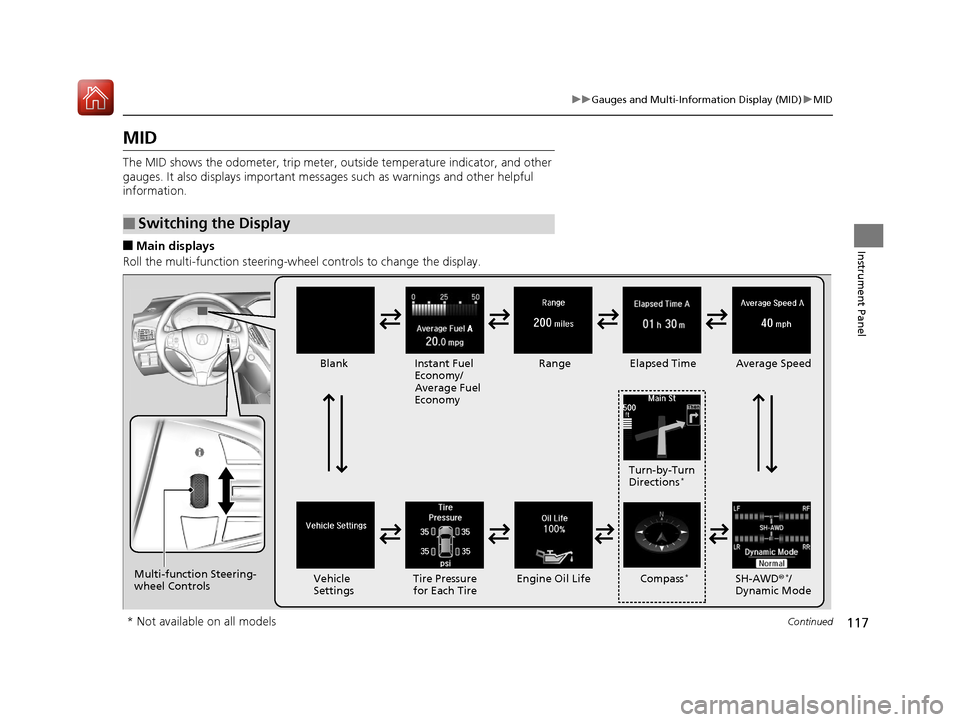
The MID shows the odometer, trip meter, ou tside temperature indicator, and other
gauges. It also displays important messag es such as warnings and other helpful
information.
■Main displays
Roll the multi-function steering-wheel controls to change the display.
■Switching the Display
BlankInstant Fuel
Economy/
Average Fuel
Economy Range
Elapsed Time Average Speed
SH-AWD®
*/
Dynamic Mode
Vehicle
Settings Tire Pressure
for Each Tire Engine Oil Life Turn-by-Turn
Directions
*
Multi-function Steering-
wheel Controls
Compass*
* Not available on all models
17 ACURA MDX-31TZ56300.book 117 ページ 2016年5月13日 金曜日 午後7時46分
Page 122 of 581
Continued121
uuGauges and Multi-Info rmation Display (MID)uMID
Instrument Panel
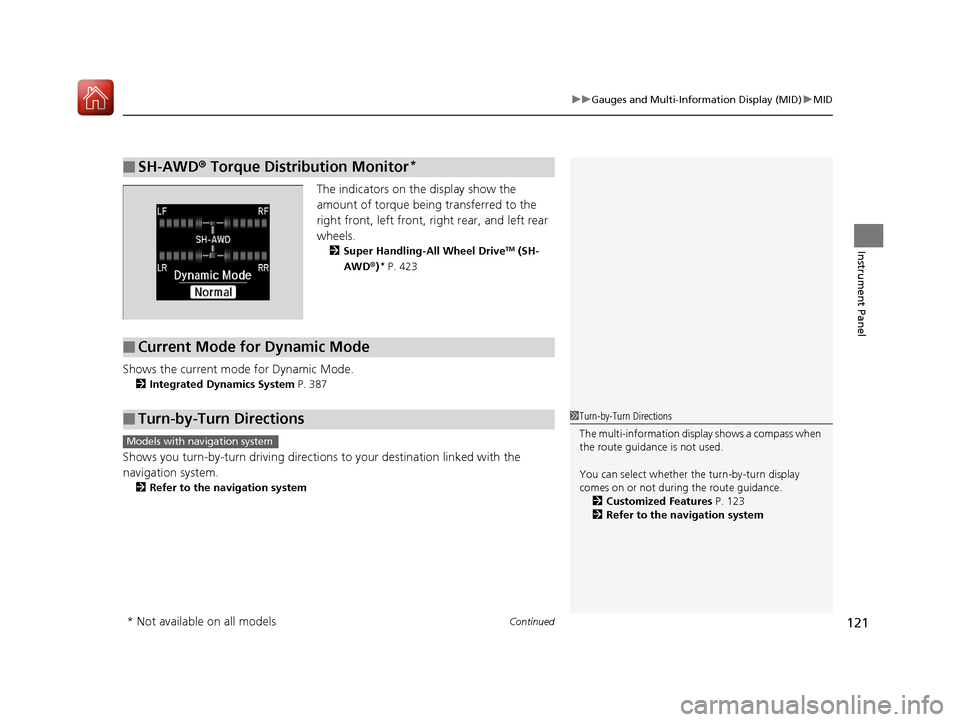
The indicators on the display show the
amount of torque being transferred to the
right front, left front, right rear, and left rear
wheels.
2 Super Handling-All Wheel DriveTM (SH-
AWD ®)* P. 423
Shows the current mode for Dynamic Mode.
2 Integrated Dynamics System P. 387
Shows you turn-by-turn driving directions to your destination linked with the
navigation system.
2 Refer to the navigation system
■SH-AWD ® Torque Distribution Monitor*
■Current Mode for Dynamic Mode
■Turn-by-Turn Directions1 Turn-by-Turn Directions
The multi-information disp lay shows a compass when
the route guidance is not used.
You can select whether the turn-by-turn display
comes on or not during the route guidance.
2 Customized Features P. 123
2 Refer to the navigation system
Models with navigation system
* Not available on all models
17 ACURA MDX-31TZ56300.book 121 ページ 2016年5月13日 金曜日 午後7時46分
Page 124 of 581
Continued123
uuGauges and Multi-Info rmation Display (MID)uMID
Instrument Panel
Use the MID to custom ize certain features.
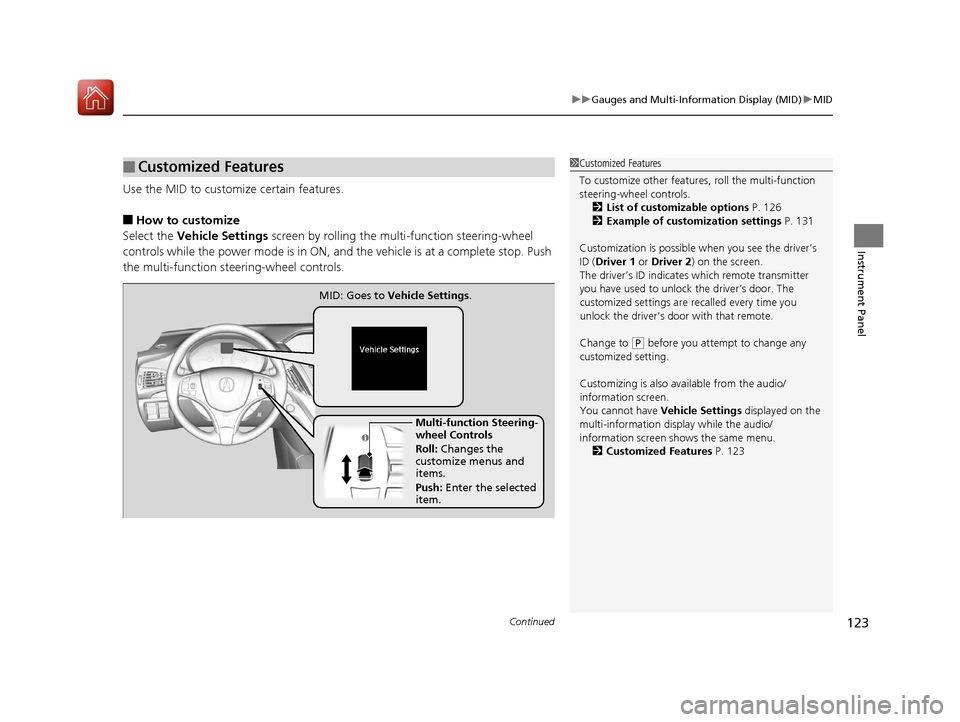
■How to customize
Select the Vehicle Settings screen by rolling the mu lti-function steering-wheel
controls while the power mode is in ON, an d the vehicle is at a complete stop. Push
the multi-function steering-wheel controls.
■Customized Features1 Customized Features
To customize other features , roll the multi-function
steering-wheel controls.
2 List of customizable options P. 126
2 Example of customization settings P. 131
Customization is possible when you see the driver’s
ID ( Driver 1 or Driver 2 ) on the screen.
The driver’s ID indicates which remote transmitter
you have used to unlock the driver’s door. The
customized settings are recalled every time you
unlock the driver’s door with that remote.
Change to
( P before you attempt to change any
customized setting.
Customizing is also av ailable from the audio/
information screen.
You cannot have Vehicle Settings displayed on the
multi-information display while the audio/
information screen shows the same menu. 2 Customized Features P. 123
Multi-function Steering-
wheel Controls
Roll: Changes the
customize menus and
items.
Push: Enter the selected
item.
MID: Goes to
Vehicle Settings.
17 ACURA MDX-31TZ56300.book 123 ページ 2016年5月13日 金曜日 午後7時46分
Page 125 of 581
124
uuGauges and Multi-Information Display (MID) uMID
Instrument Panel
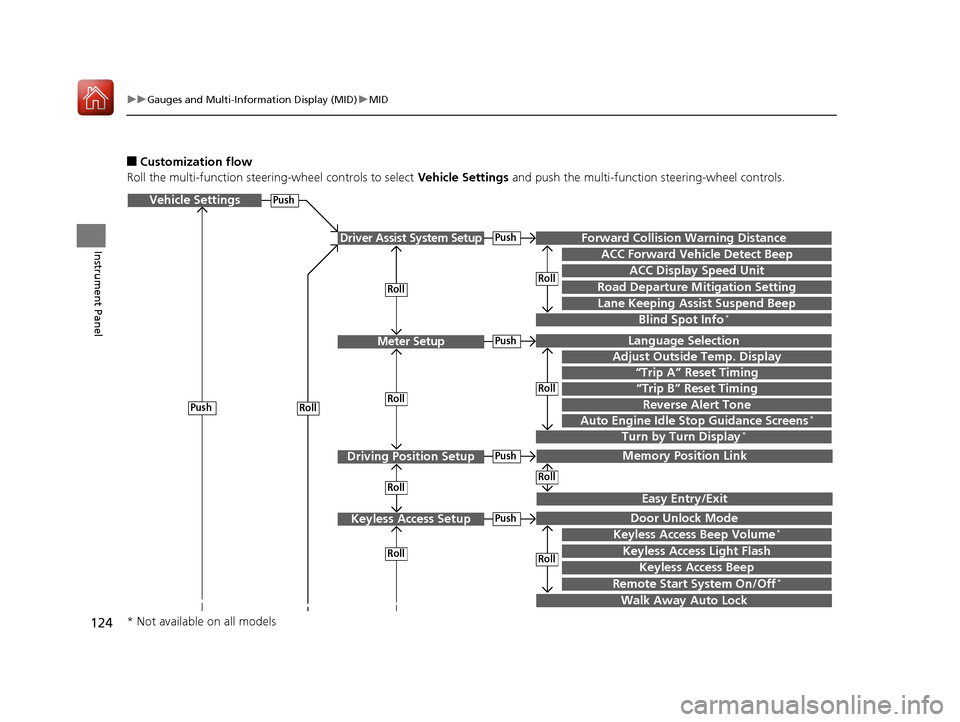
■Customization flow
Roll the multi-function steering-wheel controls to select Vehicle Settings and push the multi-function steering-wheel controls.
Vehicle Settings
“Trip A” Reset Timing
Language Selection
Adjust Outside Temp. Display
Memory Position Link
Door Unlock Mode
Keyless Access Beep
Driver Assist System Setup
Meter Setup
Driving Position Setup
Keyless Access Setup
“Trip B” Reset Timing
Forward Collision Warning Distance
ACC Forward Vehicle Detect Beep
ACC Display Speed Unit
Roll
Push
Roll
Lane Keeping Assist Suspend Beep
Blind Spot Info*
Easy Entry/Exit
Roll
Roll
Walk Away Auto Lock
RollPush
Keyless Access Light Flash
Roll
Roll
Roll
Roll
Keyless Access Beep Volume*
Turn by Turn Display*Auto Engine Idle Stop Guidance Screens*
Road Departure Mitigation Setting
Push
Push
Push
Push
Reverse Alert Tone
Remote Start System On/Off*
* Not available on all models
17 ACURA MDX-31TZ56300.book 124 ページ 2016年5月13日 金曜日 午後7時46分