height Acura MDX 2018 User Guide
[x] Cancel search | Manufacturer: ACURA, Model Year: 2018, Model line: MDX, Model: Acura MDX 2018Pages: 697, PDF Size: 38.45 MB
Page 459 of 697

uuTowing a Trailer uTowing Preparation
458
Driving
■Trailer light
Trailer lights and equipment must comply with federal, state, province/territory, and
local regulations. Check with your local trailer sales or rental agency for the
requirements in the area where you plan to tow.
We recommend that you have a dealer instal l a Acura wiring harness and converter.
They are designed for your vehicle.
■Hitches
Read the trailer manufacturer’s instructions , and select the appropriate draw bar for
the height of the trailer you will be towing.
■Weight distribution hitches
Your vehicle is designed to tow without the need for a load distributing hitch. If you
wish to use one, please consult your trailer maker for proper installation and set-up.
Improper set-up could degrade the handling , stability, and braking performance of
your vehicle.
1 Trailer light
The trailer lighting connect or is located behind the
left side panel in the cargo area.
Even if you are planning to use the non-Acura trailer
lighting harness and converte r, ask a dealer for the
correct connector and pins.
+B Trailer Charge
+B Trailer Hazard Light +B Trailer Hazard Light +B Trailer Back Light
Back Light +B ELEC Brake
Right Turn Signal
Stop Light
Pins’ wiring color codes and their purposes:
+B Trailer Small IG2 HAC
Left Turn Signal
18 ACURA MDX-31TZ56400.book 458 ページ 2017年8月23日 水曜日 午後4時1分
Page 487 of 697

486
uuWhen Driving uIntegrated Dynamics System
Driving
Integrated Dynamics System
Modifies the dynamic character of the vehicl e. There are three modes to select from:
Comfort, Normal, and Sport .
Press the Dynamic Mode button to select a mode. The mode you have selected
appears on the MID.
You can customize the mode default setting using the MID.
2 Customized Features P. 126
Normal
Balanced driving
performance for most
driving situations.
Sport
Enhances vehicle response
feel through decreased
steering assist, heightened
throttle response, increased
SH-AWD
* torque bias, and
modified active sound
control. Comfort
Maximizes driver comfort
through increased steering
assist.
Dynamic Mode
Button
* Not available on all models
18 ACURA MDX-31TZ56400.book 486 ページ 2017年8月23日 水曜日 午後4時1分
Page 544 of 697

543
uuBraking uCollision Mitigation Braking SystemTM (CMBSTM)
Continued
Driving
Limitations applicable to pedestrian detection only
• When there is a group of people in front of your vehicle walking together side by
side.
• Surrounding conditions or belongings of the pedestrian alter the pedestrian’s
shape, preventing the system from recognizing that the person is a pedestrian.
• When the pedestrian is slouching or squatting.
• When the pedestrian is shorter than about 3 feet (1 meter) or taller than about 7
feet (2 meter) in height.
• When a pedestrian blends in with the background.
• When a pedestrian is bent over or squatting, or when their hands are raised or
they are running.
• When several pedestrians are walking ahead in a group.
• When the camera cannot correctly identify that a pedestrian is present due to an
unusual shape (holding luggage, body position, size).
■Automatic shutoff
The CMBSTM may automatically shut itself off and the CMBSTM indicator comes and
stays on when:
• The temperature inside the system is high.
• You drive off-road or on a mountain road, or curved and winding road for an
extended period.
• An abnormal tire condition is detected (wrong tire size, flat tire, etc.).
• The camera behind the rearview mirror, or the area around the camera, including
the windshield, gets dirty.
Once the conditions that caused CMBS
TM to shut off improve or are addressed (e.g.,
cleaning), the system comes back on.
18 ACURA MDX-31TZ56400.book 543 ページ 2017年8月23日 水曜日 午後4時1分
Page 562 of 697
561
uuSurround View Camera System*uDisplaying an Image From the Surround View Cameras
Driving
Following can be displayed when the system is on.
Guide lines : Help you to get a sense of a dist ance between your vehicle and the
rear surroundings. The distance may appear differently than the actual distance.
Projection lines : Indicate vehicle direction while th e steering wheel is in the current
position.
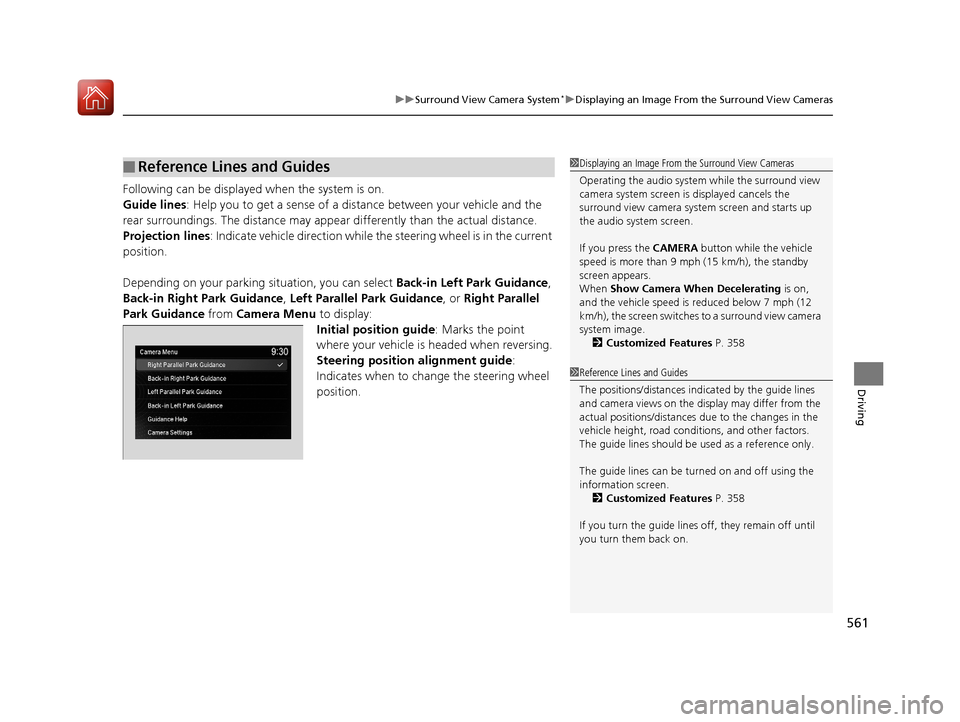
Depending on your parking situation, you can select Back-in Left Park Guidance,
Back-in Right Park Guidance , Left Parallel Park Guidance, or Right Parallel
Park Guidance from Camera Menu to display:
Initial position guide : Marks the point
where your vehicle is headed when reversing.
Steering position alignment guide :
Indicates when to change the steering wheel
position.
■Reference Lines and Guides1 Displaying an Image From the Surround View Cameras
Operating the audio system while the surround view
camera system screen is displayed cancels the
surround view camera system screen and starts up
the audio system screen.
If you press the CAMERA button while the vehicle
speed is more than 9 mph (15 km/h), the standby
screen appears.
When Show Camera When Decelerating is on,
and the vehicle speed is reduced below 7 mph (12
km/h), the screen switches to a surround view camera
system image. 2 Customized Features P. 358
1Reference Lines and Guides
The positions/distances indi cated by the guide lines
and camera views on the display may differ from the
actual positions/distances due to the changes in the
vehicle height, road conditions, and other factors.
The guide lines should be used as a reference only.
The guide lines can be tu rned on and off using the
information screen. 2 Customized Features P. 358
If you turn the guide lines off, they remain off until
you turn them back on.
18 ACURA MDX-31TZ56400.book 561 ページ 2017年8月23日 水曜日 午後4時1分
Page 604 of 697

603
uuChecking and Maintaining Tires uTire and Loading Information Label
Continued
Maintenance
Tire and Loading Information Label
The label attached to the dr iver’s doorjamb provides necessary tire and loading
information.
Tire Labeling
The tires that came on your vehicle have a
number of markings. Those you should be
aware of are described below.
Whenever tires are replaced, they should be replaced with tires of the same size.
1Tire and Loading Information Label
The tire and loading informat ion label attached to the
driver’s doorjamb contains:
aThe number of people your vehicle can carry.
bThe total weight your vehicle can carry. Do not
exceed this weight.
cThe original tire sizes for front, rear, and spare.
dThe proper cold tire pressure for front, rear, and
spare.
Label
Example
Example Tire Size
Tire
Identification
Number (TIN)
Maximum
Tire Load
Maximum
Tire Pressure
Tire Size
■Tire Sizes
1 Tire Sizes
Following is an example of tire size with an
explanation of what each component means.
P235/60R18 102V
P: Vehicle type (P indi cates passenger vehicle).
235: Tire width in millimeters.
60: Aspect ratio (the tire’s section height as a
percentage of its width).
R: Tire construction code (R indicates radial).
18: Rim diameter in inches.
102: Load index (a numerical code associated with
the maximum load the tire can carry).
V: Speed symbol (an alphab etical code indicating the
maximum speed rating).
18 ACURA MDX-31TZ56400.book 603 ページ 2017年8月23日 水曜日 午後4時1分