acc Acura MDX 2019 Owner's Manual
[x] Cancel search | Manufacturer: ACURA, Model Year: 2019, Model line: MDX, Model: Acura MDX 2019Pages: 701, PDF Size: 38.75 MB
Page 546 of 701

545
uuBraking uCollision Mitigation Braking SystemTM (CMBSTM)
Continued
Driving
■Detection limitations
• A vehicle or pedestrian suddenly crosses in front of you.
• The distance between your vehicle and the vehicle or pedestrian ahead of you is
too short.
• A vehicle cuts in front of you at a slow speed, and it brakes suddenly.
• When you accelerate rapidly and approach the vehicle or pedestrian ahead of you
at high speed.
• The vehicle ahead of you is a motorcycle, bicycle, mobility scooter or other small
vehicle.
• When there are animals in front of your vehicle.
• When you drive on a curved, winding or und ulating road that makes it difficult for
the sensor to properly detect a vehicle in front of you.
• The speed difference between your vehicle an d a vehicle or pedestrian in front of
you is significantly large.
• An oncoming vehicle suddenly comes in front of you.
• Another vehicle suddenly comes in front of you at an intersection, etc.
• Your vehicle abruptly crosses over in front of an oncoming vehicle.
• When driving through a narrow iron bridge.
• When the lead vehicl e suddenly slows down.
19 ACURA MDX-31TZ56510.book 545 ページ 2018年12月11日 火曜日 午後4時47分
Page 549 of 701
548
Driving
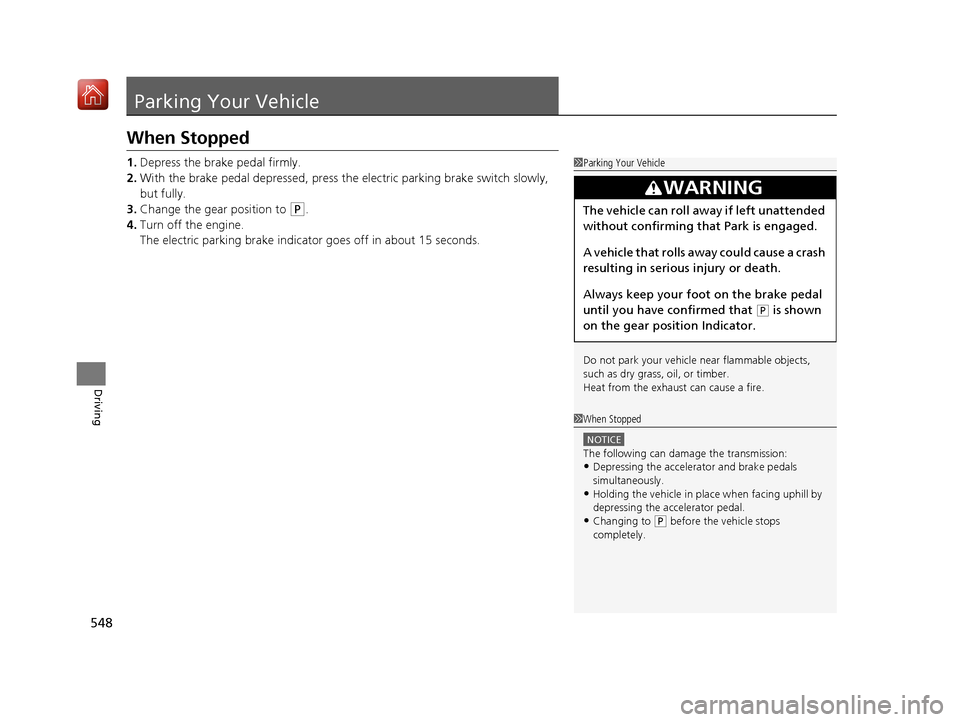
Parking Your Vehicle
When Stopped
1.Depress the brake pedal firmly.
2. With the brake pedal depressed, press the electric parking brake switch slowly,
but fully.
3. Change the gear position to
(P.
4. Turn off the engine.
The electric parking brake indicato r goes off in about 15 seconds.
1Parking Your Vehicle
Do not park your vehicle near flammable objects,
such as dry grass, oil, or timber.
Heat from the exhaust can cause a fire.
3WARNING
The vehicle can roll aw ay if left unattended
without confirming that Park is engaged.
A vehicle that rolls away could cause a crash
resulting in serious injury or death.
Always keep your foot on the brake pedal
until you have confirmed that
( P is shown
on the gear position Indicator.
1 When Stopped
NOTICE
The following can dama ge the transmission:•Depressing the accelerator and brake pedals
simultaneously.
•Holding the vehicle in place when facing uphill by
depressing the accelerator pedal.
•Changing to ( P before the vehicle stops
completely.
19 ACURA MDX-31TZ56510.book 548 ページ 2018年12月11日 火曜日 午後4時47分
Page 551 of 701

550
uuParking Your Vehicle uParking Sensor System*
Driving
Parking Sensor System*
The corner and center sensors monitor obst acles near your vehicle, and the beeper
and information screen le t you know the approximate distance between your
vehicle and the obstacle.
■The sensor location and range
1 Parking Sensor System*
Even when the system is on, always confirm if there is
no obstacle near your ve hicle before parking.
The system may not work properly when:
•The sensors are covered with snow, ice, mud or
dirt.
•The vehicle is on uneven su rface, such as grass,
bumps, or a hill.
•The vehicle has been out in hot or cold weather.•The system is affected by devices that emit
ultrasonic waves.
•Driving in bad weather.
The system may not sense:
•Thin or low objects.•Sonic-absorptive materials, such as snow, cotton,
or sponge.
•Objects directly under the bumper.
Do not put any accessories on or around the sensors.
Within about 28 in (70 cm) or less
Front Corner Sensors
Rear Corner Sensors
Rear Center Sensors
Front: Within about 39 in (100 cm) or less
Rear: Within about 45 in (115 cm) or lessFront Center Sensors
* Not available on all models
19 ACURA MDX-31TZ56510.book 550 ページ 2018年12月11日 火曜日 午後4時47分
Page 558 of 701

Continued557
uuParking Your Vehicle uCross Traffic Monitor*
Driving
An arrow icon appears on the side a ve hicle is approaching on the information
screen.
■When the System Detects a Vehicle1 When the System Detects a Vehicle
If the on the lower right changes to in amber
when the transmission is in
( R, mud snow or ice, etc.
may have accumulated in th e vicinity of the sensor.
Check the bumper corners for any obstructions, and
thoroughly clean the area if necessary.
If the comes on when the transmission is in
( R,
there may be a problem with the Cross Traffic
Monitor system. Do not use the system and have your
vehicle checked by a dealer.
If the display remains the same with the transmission
in
( R, there may be a problem with the rear camera
system and the Cross Traffic Monitor system.
Do not use the system and have your vehicle checked
by a dealer.
Wide View
Normal View Arrow Icon
Models with multi-view rear camera system
Top Down View
Rear Normal View
Rear Wide View
Rear Ground View Arrow Icon
Models with surround view camera system
19 ACURA MDX-31TZ56510.book 557 ページ 2018年12月11日 火曜日 午後4時47分
Page 560 of 701
559Continued
Driving
Multi-View Rear Camera*
About Your Multi-View Rear Camera
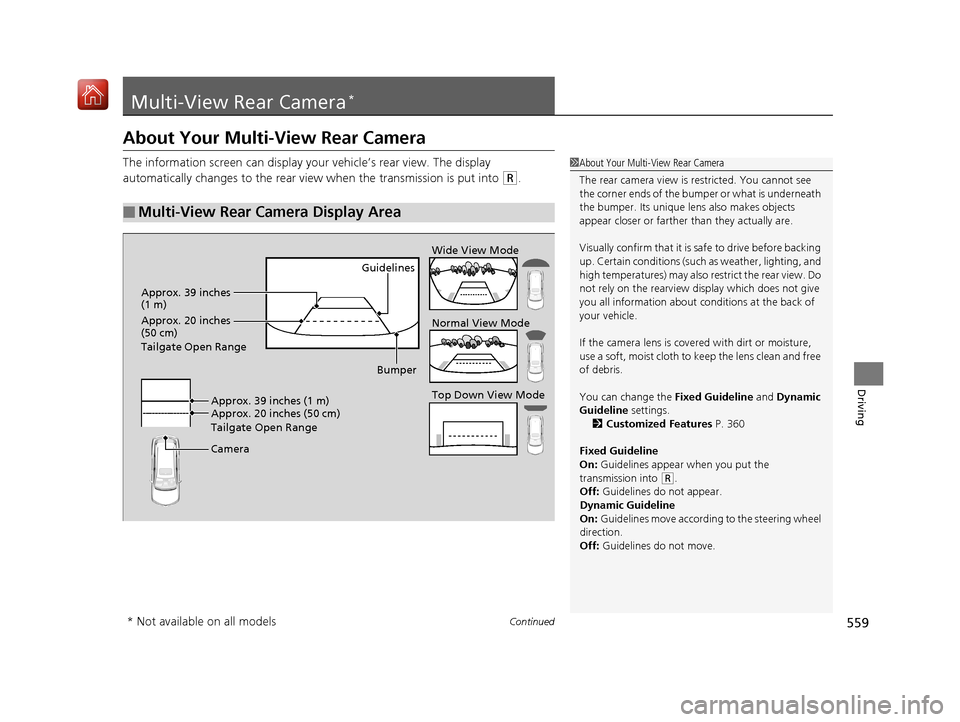
The information screen can display your vehicle’s rear view. The display
automatically changes to the rear view when the transmission is put into
(R.
■Multi-View Rear Camera Display Area
1About Your Multi-View Rear Camera
The rear camera view is restricted. You cannot see
the corner ends of the bum per or what is underneath
the bumper. Its unique le ns also makes objects
appear closer or farther than they actually are.
Visually confirm that it is safe to drive before backing
up. Certain conditions (such as weather, lighting, and
high temperatures) may also re strict the rear view. Do
not rely on the rearview display which does not give
you all information about conditions at the back of
your vehicle.
If the camera lens is cove red with dirt or moisture,
use a soft, moist cloth to keep the lens clean and free
of debris.
You can change the Fixed Guideline and Dynamic
Guideline settings. 2 Customized Features P. 360
Fixed Guideline
On: Guidelines appear when you put the
transmission into
( R.
Off: Guidelines do not appear.
Dynamic Guideline
On: Guidelines move according to the steering wheel
direction.
Off: Guidelines do not move.
Guidelines
Bumper
Camera Approx. 20 inches (50 cm)
Tailgate Open Range Approx. 39 inches (1 m) Wide View Mode
Normal View Mode
Top Down View Mode
Approx. 39 inches
(1 m)
Approx. 20 inches
(50 cm)
Tailgate Open Range
* Not available on all models
19 ACURA MDX-31TZ56510.book 559 ページ 2018年12月11日 火曜日 午後4時47分
Page 573 of 701
572
uuRefueling uHow to Refuel
Driving
How to Refuel
Your fuel tank is not equipped with a fuel filler cap. You can insert the filler nozzle
directly into the filler neck. The tank seal s itself again when you pull out the filler
nozzle.
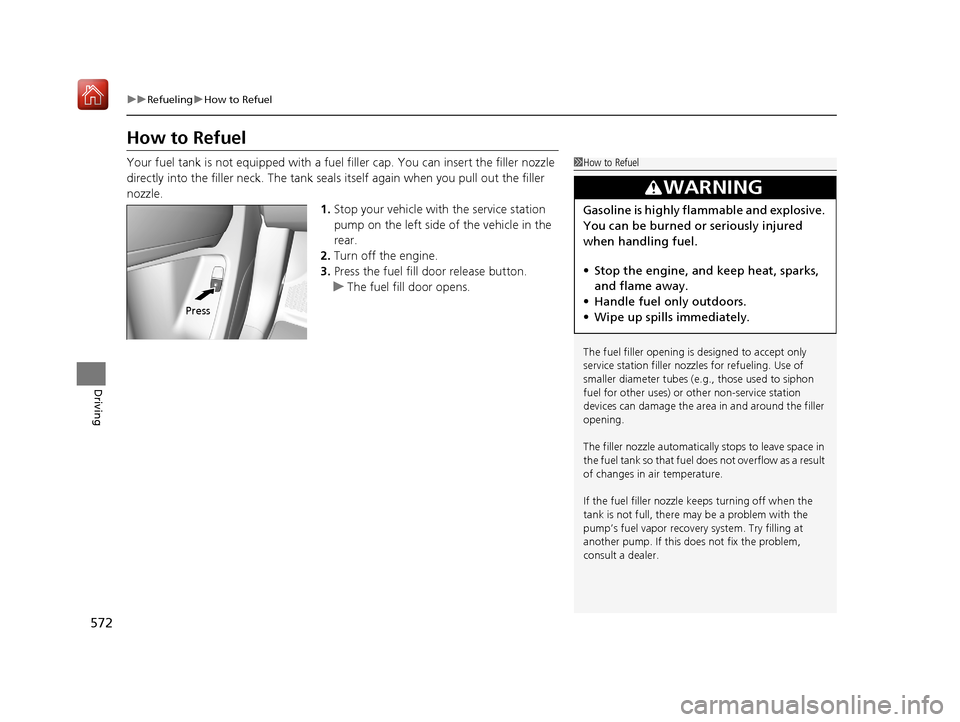
1.Stop your vehicle with the service station
pump on the left side of the vehicle in the
rear.
2. Turn off the engine.
3. Press the fuel fill door release button.
u The fuel fill door opens.1How to Refuel
The fuel filler opening is designed to accept only
service station filler nozzles for refueling. Use of
smaller diamet er tubes (e.g., those used to siphon
fuel for other uses) or other non-service station
devices can damage the area in and around the filler
opening.
The filler nozzle automatically stops to leave space in
the fuel tank so that fuel does not overflow as a result
of changes in air temperature.
If the fuel filler nozzle keeps turning off when the
tank is not full, there ma y be a problem with the
pump’s fuel vapor recovery system. Try filling at
another pump. If this does not fix the problem,
consult a dealer.
3WARNING
Gasoline is highly flammable and explosive.
You can be burned or seriously injured
when handling fuel.
• Stop the engine, and keep heat, sparks,
and flame away.
• Handle fuel only outdoors.
• Wipe up spills immediately.
Press
19 ACURA MDX-31TZ56510.book 572 ページ 2018年12月11日 火曜日 午後4時47分
Page 575 of 701
574
Driving
Fuel Economy and CO2 Emissions
Improving Fuel Economy and Reducing CO2
Emissions
Achieving fuel economy and reducing CO2 emissions is dependent on several
factors, including driving conditions, load weight, idling time, driving habits, and
vehicle condition. Depending on these and other factors, you may not achieve the
rated fuel economy of this vehicle.
You can optimize your fuel economy with proper maintenance of your vehicle.
Always maintain your vehicle in accordance with the messages displayed on the
MID.
• Use the recommended viscosity engine oil.
2 Recommended Engine Oil P. 586
•Maintain the specified tire pressure.
• Do not load the vehicl e with excess cargo.
• Keep your vehicle clean. A buildup of snow or mud on your vehicle’s underside
adds weight and increases wind resistance.
■Maintenance and Fuel Economy
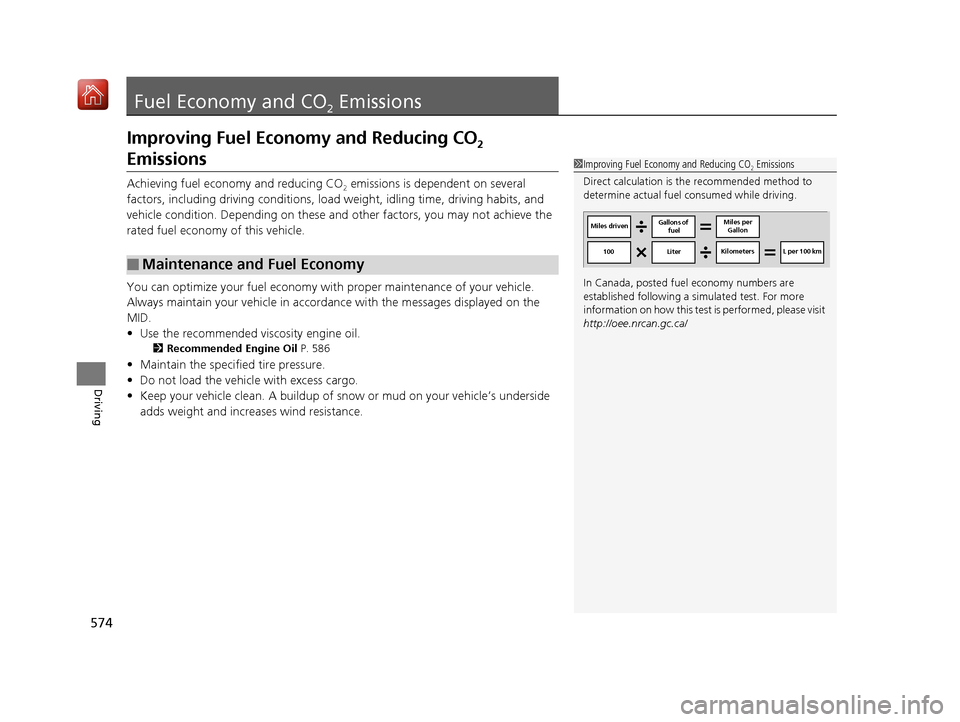
1Improving Fuel Economy and Reducing CO2 Emissions
Direct calculation is the recommended method to
determine actual fuel consumed while driving.
In Canada, posted fuel economy numbers are
established following a simulated test. For more
information on how this test is performed, please visit
http://oee.nrcan.gc.ca/
Miles driven Gallons of
fuel Miles per
Gallon
100 Liter Kilometers L per 100 km
19 ACURA MDX-31TZ56510.book 574 ページ 2018年12月11日 火曜日 午後4時47分
Page 576 of 701
575
Maintenance
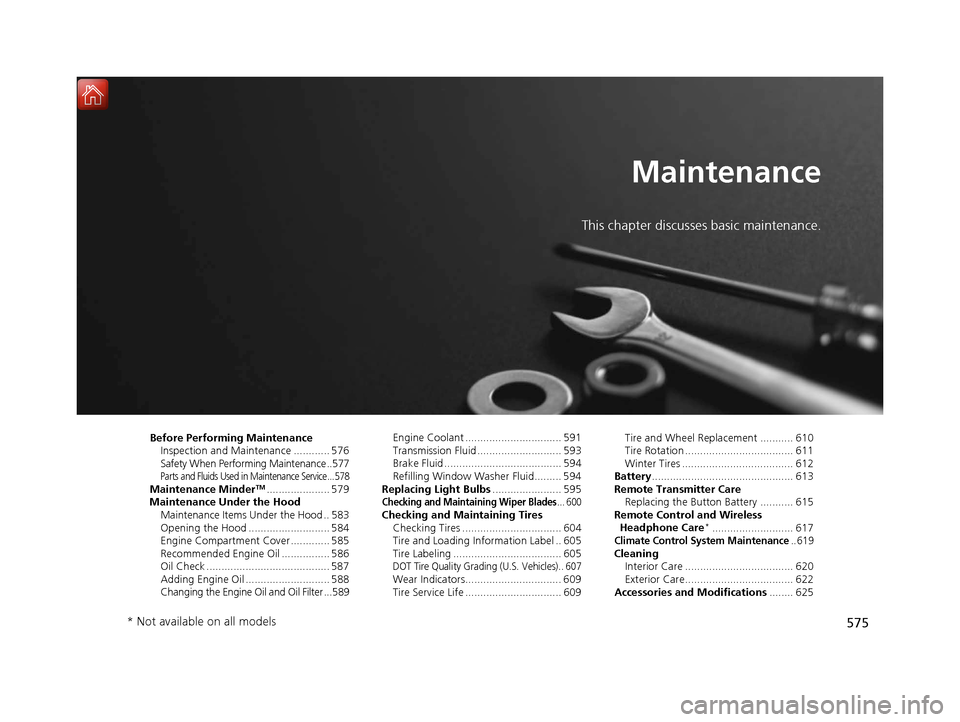
This chapter discusses basic maintenance.
Before Performing MaintenanceInspection and Maintenance ............ 576
Safety When Performing Maintenance ..577
Parts and Fluids Used in Maintenance Service...578Maintenance MinderTM..................... 579
Maintenance Under the Hood
Maintenance Items Under the Hood .. 583
Opening the Hood ........................... 584
Engine Compartment Cover ............. 585
Recommended Engine Oil ................ 586
Oil Check ......................................... 587
Adding Engine Oil ............................ 588
Changing the Engine Oil and Oil Filter ...589 Engine Coolant ................................ 591
Transmission Fluid ............................ 593
Brake Fluid ....................................... 594
Refilling Window Washer Fluid......... 594
Replacing Light Bulbs ....................... 595Checking and Maintaining Wiper Blades... 600Checking and Maintaining Tires
Checking Tires ................................. 604
Tire and Loading Information Label .. 605
Tire Labeling .................................... 605
DOT Tire Quality Grading (U.S. Vehicles).. 607Wear Indicators................................ 609
Tire Service Life ................................ 609 Tire and Wheel Replacement ........... 610
Tire Rotation .................................... 611
Winter Tires ..................................... 612
Battery ............................................... 613
Remote Transmitter Care Replacing the Button Battery ........... 615
Remote Control and Wireless Headphone Care
*........................... 617Climate Control System Maintenance.. 619Cleaning Interior Care .................................... 620
Exterior Care.................................... 622
Accessories and Modifications ........ 625
* Not available on all models
19 ACURA MDX-31TZ56510.book 575 ページ 2018年12月11日 火曜日 午後4時47分
Page 577 of 701
576
Maintenance
Before Performing Maintenance
Inspection and Maintenance
For your safety, perform all listed inspections and maintenance to keep your vehicle
in good condition. If you become aware of any abnormality (noise, smell, insufficient
brake fluid, oil residue on the ground, etc.), have your vehicle inspected by a dealer.
(Note, however, that service at a dealer is not mandatory to keep your warranties in
effect.) Refer to the separate maintena nce booklet for detailed maintenance and
inspection information.
■Daily inspections
Perform inspections before long distance trips, when washing the vehicle, or when
refueling.
■Periodic inspections
• Check the brake fluid level monthly.
2 Checking the Brake Fluid P. 594
•Check the tire pressure monthly. Examin e the tread for wear and foreign objects.
2Checking and Maintaining Tires P. 604
•Check the operation of the exterior lights monthly.
2 Replacing Light Bulbs P. 595
•Check the condition of the wiper bl ades at least every six months.
2Checking and Maintaining Wiper Blades P. 600
■Types of Inspection and Maintenance
1Inspection and Maintenance
Maintenance, replacement, or repair of
emissions control devices and systems may be
done by any automotive repair establishment or
individuals using parts that are “certified” to
EPA standards.
According to state and fede ral regulations, failure to
perform maintenance on the maintenance main
items marked with # will not void your emissions
warranties. However, all maintenance services should
be performed in accordan ce with the intervals
indicated by the multi-information display (MID).
2 Maintenance Service Items P. 581
If you want to perform complex maintenance tasks
that require more skills a nd tools, you can purchase a
subscription to the Service Express website at
www.techinfo.honda.com .
2 Authorized Manuals P. 685
If you want to perform ma intenance yourself, make
sure that you have the necessary tools and skills first.
After performing ma intenance, update the records in
the separate maintenance booklet.
U.S. models
19 ACURA MDX-31TZ56510.book 576 ページ 2018年12月11日 火曜日 午後4時47分
Page 578 of 701
577
uuBefore Performing Maintenance uSafety When Performing Maintenance
Maintenance
Safety When Performing Maintenance
Some of the most important safe ty precautions are given here.
However, we cannot warn you of every conceivable hazard that can arise in
performing maintenance. Only you can decide whether you should perform a given
task.
• To reduce the possibility of fire or explos ion, keep cigarettes, sparks, and flames
away from the battery and all fuel related parts.
• Never leave rags, towels, or other flammable objects under the hood.
u Heat from the engine and exhaust can ignite them, causing a fire.
• To clean parts, use a co mmercially available degreaser or parts cleaner, not
gasoline.
• Wear eye protection and prot ective clothing when working with the battery or
compressed air.
• Engine exhaust contains carbon monoxide, which is poisonous and can kill you.
u Only operate the engine if th ere is sufficient ventilation.
• The vehicle must be in a stationary condition.
u Make sure your vehicle is parked on le vel ground, the parking brake is set, and
the engine is off.
• Be aware that hot parts can burn you.
u Make sure to let the engine and exhaust system cool thoroughly before
touching vehicle parts.
• Be aware that moving parts can injure you.
u Do not start the engine unless instruct ed, and keep your hands and limbs away
from moving parts.
u Do not open the hood while the Auto Idle Stop function
* is activated.
■Maintenance Safety
■Vehicle Safety
1Safety When Performing Maintenance
3WARNING
Improperly maintaining this vehicle or
failing to correct a pr oblem before driving
can cause a crash in which you can be
seriously hurt or killed.
Always follow the inspection and
maintenance recommendations according
to the schedules in this owner’s manual.
3WARNING
Failure to properly follow maintenance
instructions and prec autions can cause you
to be seriously hurt or killed.
Always follow the procedures and
precautions in this owner’s manual.
* Not available on all models
19 ACURA MDX-31TZ56510.book 577 ページ 2018年12月11日 火曜日 午後4時47分