emissions Acura MDX 2019 Owner's Manual
[x] Cancel search | Manufacturer: ACURA, Model Year: 2019, Model line: MDX, Model: Acura MDX 2019Pages: 701, PDF Size: 38.75 MB
Page 1 of 701
Event Data Recorders
This vehicle is equipped with an event data recorder (EDR).
The main purpose of an EDR is to record, in certain crash or near
crash-like situations, such as an air bag deployment or hitting a
road obstacle, data that will assist in understanding how a vehicle’s
systems performed. The EDR is designed to record data related
to vehicle dynamics and safety systems for a short period of
time, typically 30 seconds or le ss. The EDR in this vehicle is
designed to record such data as:
• How various systems in your vehicle were operating;
• Whether or not the driver and passenger safety belts were
buckled/fastened;
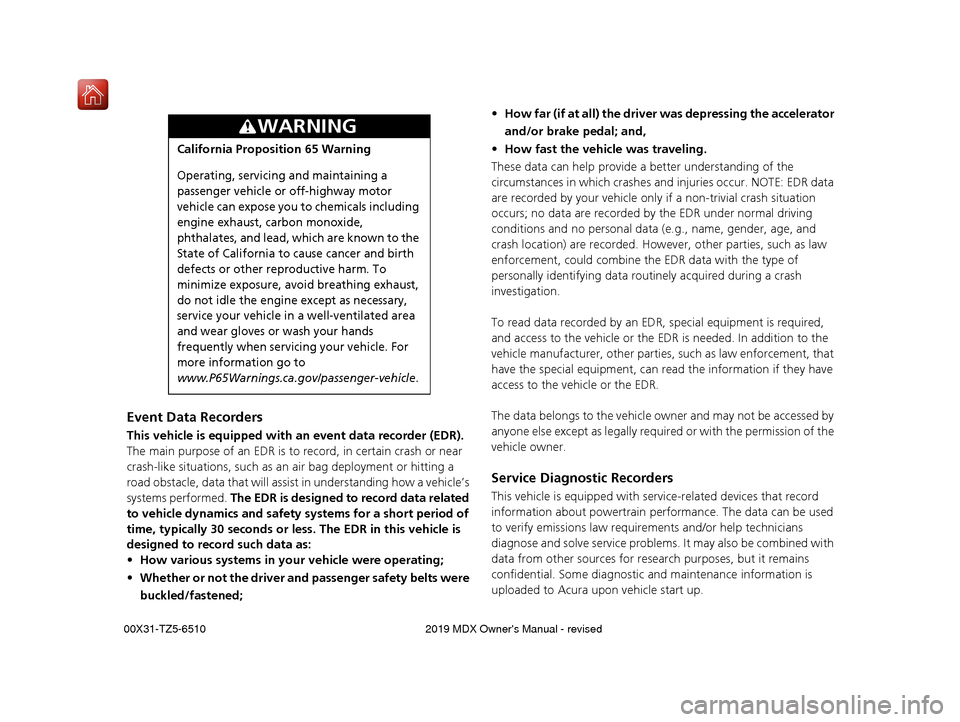
3WARNING
California Proposition 65 Warning
Operating, servicing and maintaining a
passenger vehicle or off-highway motor
vehicle can expose you to chemicals including
engine exhaust, carbon monoxide,
phthalates, and lead, which are known to the
State of California to cause cancer and birth
defects or other reproductive harm. To
minimize exposure, avoid breathing exhaust,
do not idle the engine except as necessary,
service your vehicle in a well-ventilated area
and wear gloves or wash your hands
frequently when servicing your vehicle. For
more information go to
www.P65Warnings.ca.gov/passenger-vehicle.
• How far (if at all) the driver was depressing the accelerator
and/or brake pedal; and,
• How fast the vehicle was traveling.
These data can help provide a better understanding of the
circumstances in which crashes and injuries occur. NOTE: EDR data
are recorded by your vehicle only if a non-trivial crash situation
occurs; no data are recorded by the EDR under normal driving
conditions and no personal data (e.g., name, gender, age, and
crash location) are recorded. Howeve r, other parties, such as law
enforcement, could co mbine the EDR data with the type of
personally identifying data rout inely acquired during a crash
investigation.
To read data recorded by an ED R, special equipment is required,
and access to the vehicle or the EDR is needed. In addition to the
vehicle manufacturer, other parties, such as law enforcement, that
have the special equipment, can re ad the information if they have
access to the vehicle or the EDR.
The data belongs to the vehicle ow ner and may not be accessed by
anyone else except as legally requir ed or with the permission of the
vehicle owner.
Service Diagnostic Recorders
This vehicle is equipped with se rvice-related devices that record
information about powertrain perfo rmance. The data can be used
to verify emissions law requirem ents and/or help technicians
diagnose and solve service problems. It may also be combined with
data from other sources for res earch purposes, but it remains
confidential. Some diagnostic and maintenance information is
uploaded to Acura upon vehicle start up.
19 ACURA MDX-31TZ56510.book 0 ページ 2018年12月11日 火曜日 午後4時47分
Page 3 of 701
Contents
This owner’s manual should be considered a permanent part of the
vehicle and should remain with the vehicle when it is sold.
This owner’s manual covers all models of your vehicle. You may find
descriptions of equipment and features that are not on your
particular model.
Images throughout this owner’s manu al (including the front cover)
represent features and equipment that are available on some, but
not all, models. Your particular mo del may not have some of these
features.
This owner’s manual is for vehicles sold in the United States and
Canada.
The information and specifications in cluded in this publication were
in effect at the time of approval for printing. Honda Motor Co., Ltd.
reserves the right, however, to discontinue or change specifications
or design at any time without notice and without incurring any
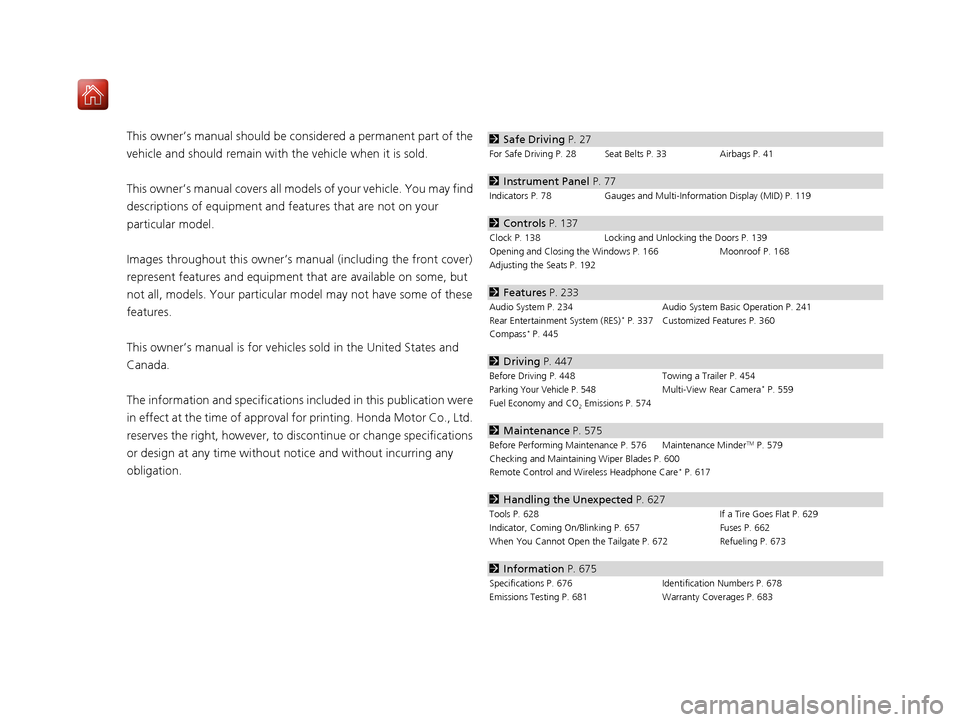
obligation.2 Safe Driving P. 27
For Safe Driving P. 28 Seat Belts P. 33 Airbags P. 41
2Instrument Panel P. 77
Indicators P. 78 Gauges and Multi-Information Display (MID) P. 119
2Controls P. 137
Clock P. 138 Locking and Unlocking the Doors P. 139
Opening and Closing the Windows P. 166 Moonroof P. 168
Adjusting the Seats P. 192
2 Features P. 233
Audio System P. 234 Audio System Basic Operation P. 241
Rear Entertainment System (RES)* P. 337 Customized Features P. 360
Compass* P. 445
2 Driving P. 447
Before Driving P. 448 Towing a Trailer P. 454
Parking Your Vehicle P. 548Multi-View Rear Camera* P. 559
Fuel Economy and CO
2 Emissions P. 574
2 Maintenance P. 575
Before Performing Maintenance P. 576 Maintenance MinderTM P. 579
Checking and Maintaining Wiper Blades P. 600
Remote Control and Wireless Headphone Care
* P. 617
2 Handling the Unexpected P. 627
Tools P. 628 If a Tire Goes Flat P. 629
Indicator, Coming On/Blinking P. 657 Fuses P. 662
When You Cannot Open the Tailgate P. 672 Refueling P. 673
2Information P. 675
Specifications P. 676 Identification Numbers P. 678
Emissions Testing P. 681 Warranty Coverages P. 683
19 ACURA MDX-31TZ56510.book 2 ページ 2018年12月11日 火曜日 午後4時47分
Page 83 of 701
82
uuIndicators u
Instrument Panel
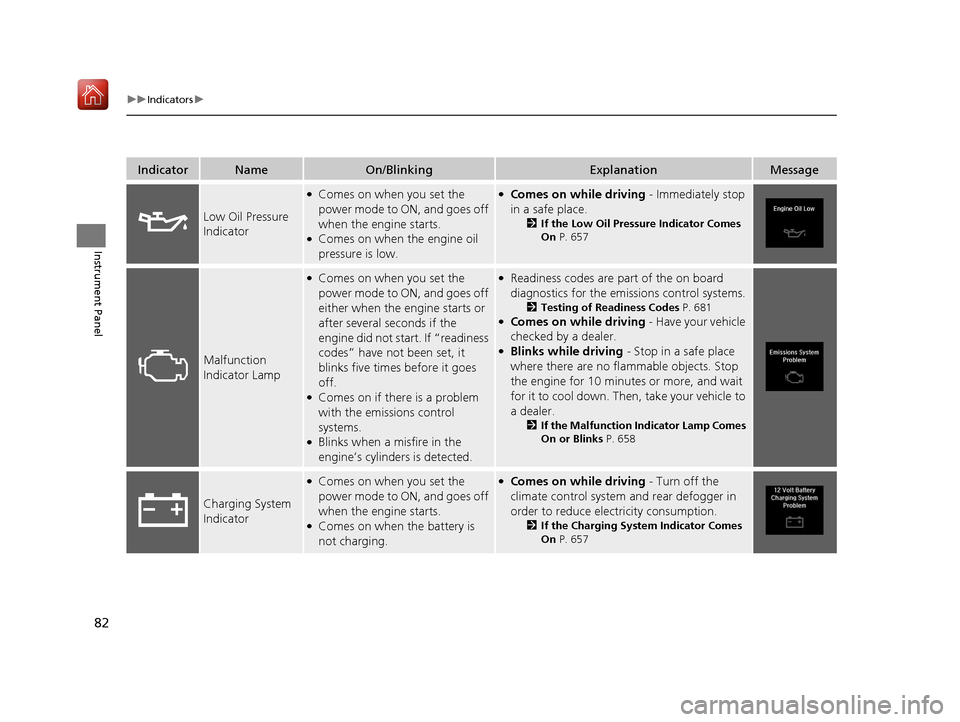
IndicatorNameOn/BlinkingExplanationMessage
Low Oil Pressure
Indicator
●Comes on when you set the
power mode to ON, and goes off
when the engine starts.
●Comes on when the engine oil
pressure is low.
●Comes on while driving - Immediately stop
in a safe place.
2 If the Low Oil Pressure Indicator Comes
On P. 657
Malfunction
Indicator Lamp
●Comes on when you set the
power mode to ON, and goes off
either when the engine starts or
after several seconds if the
engine did not start. If “readiness
codes” have not been set, it
blinks five times before it goes
off.
●Comes on if there is a problem
with the emissions control
systems.
●Blinks when a misfire in the
engine’s cylinders is detected.
●Readiness codes are part of the on board
diagnostics for the emis sions control systems.
2Testing of Readiness Codes P. 681●Comes on while driving - Have your vehicle
checked by a dealer.
●Blinks while driving - Stop in a safe place
where there are no flammable objects. Stop
the engine for 10 minutes or more, and wait
for it to cool down. Then, take your vehicle to
a dealer.
2 If the Malfunction Indicator Lamp Comes
On or Blinks P. 658
Charging System
Indicator
●Comes on when you set the
power mode to ON, and goes off
when the engine starts.
●Comes on when the battery is
not charging.
●Comes on while driving - Turn off the
climate control system and rear defogger in
order to reduce electricity consumption.
2 If the Charging System Indicator Comes
On P. 657
19 ACURA MDX-31TZ56510.book 82 ページ 2018年12月11日 火曜日 午後4時47分
Page 442 of 701
Continued441
uuAcuraLink ®*u
Features
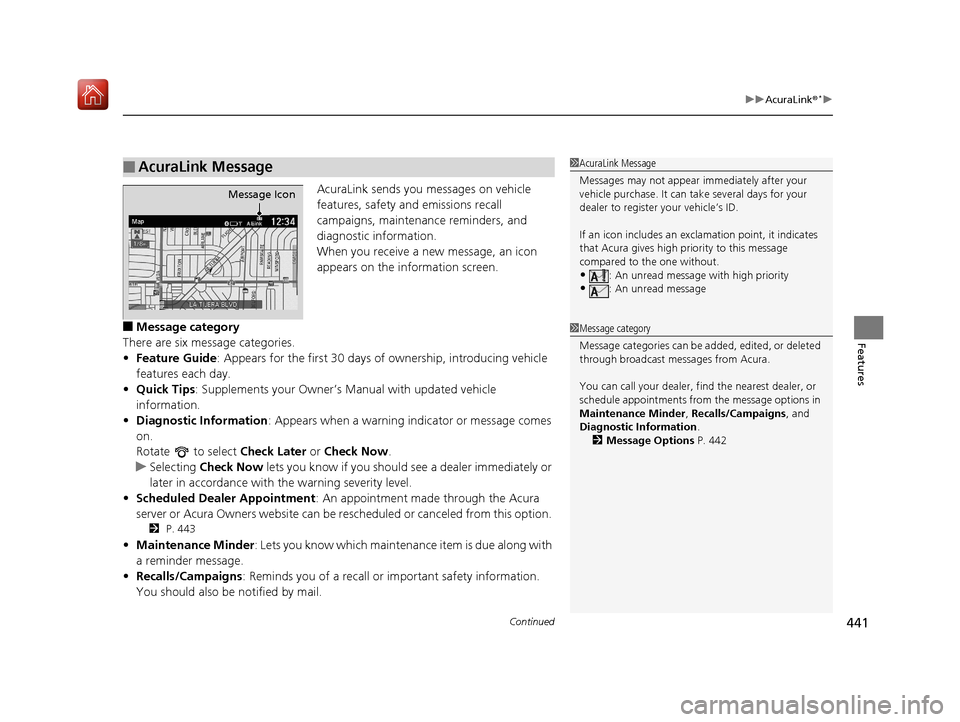
AcuraLink sends you messages on vehicle
features, safety and emissions recall
campaigns, maintenance reminders, and
diagnostic information.
When you receive a new message, an icon
appears on the information screen.
■Message category
There are six message categories.
• Feature Guide : Appears for the first 30 days of ownership, introducing vehicle
features each day.
• Quick Tips : Supplements your Owner’s Manual with updated vehicle
information.
• Diagnostic Information : Appears when a warning in dicator or message comes
on.
Rotate to select Check Later or Check Now .
u Selecting Check Now lets you know if you should see a dealer immediately or
later in accordance with the warning severity level.
• Scheduled Dealer Appointment : An appointment made through the Acura
server or Acura Owners website can be re scheduled or canceled from this option.
2 P. 443
•Maintenance Minder : Lets you know which maintenance item is due along with
a reminder message.
• Recalls/Campaigns : Reminds you of a recall or important safety information.
You should also be notified by mail.
■AcuraLink Message1 AcuraLink Message
Messages may not appear immediately after your
vehicle purchase. It can ta ke several days for your
dealer to register your vehicle’s ID.
If an icon includes an excl amation point, it indicates
that Acura gives high priority to this message
compared to the one without.
•: An unread message with high priority
•: An unread message
Message Icon
1 Message category
Message categories can be added, edited, or deleted
through broadcast me ssages from Acura.
You can call your dealer, find the nearest dealer, or
schedule appointments from the message options in
Maintenance Minder , Recalls/Campaigns, and
Diagnostic Information .
2 Message Options P. 442
19 ACURA MDX-31TZ56510.book 441 ページ 2018年12月11日 火曜日 午後4時47分
Page 448 of 701
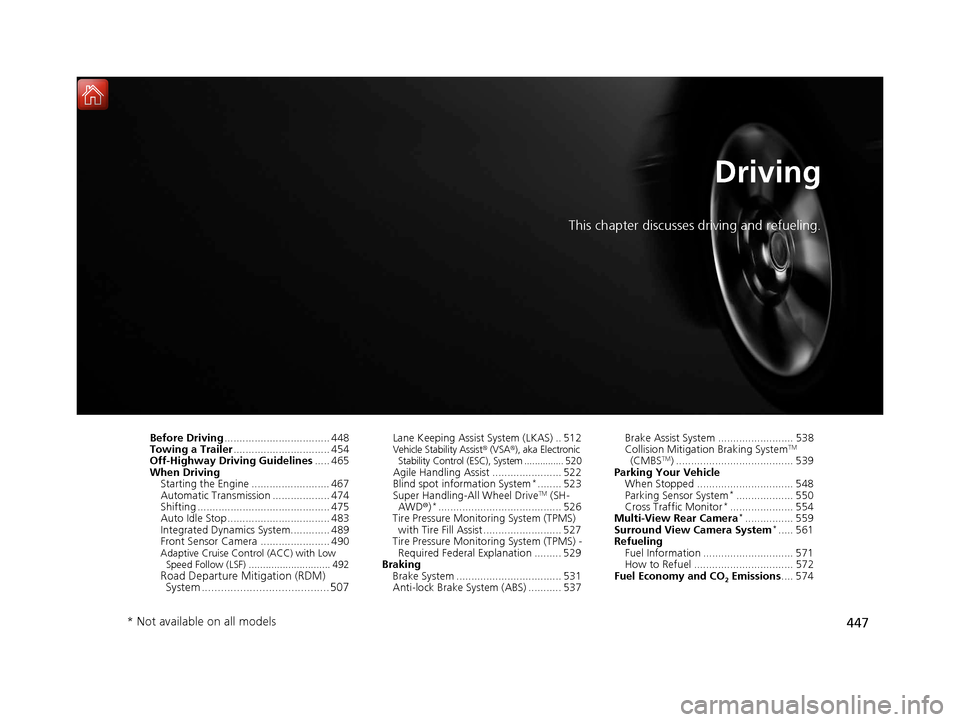
447
Driving
This chapter discusses driving and refueling.
Before Driving................................... 448
Towing a Trailer ................................ 454
Off-Highway Driving Guidelines ..... 465
When Driving Starting the Engine .......................... 467
Automatic Transmission ................... 474
Shifting ............................................ 475
Auto Idle Stop .................................. 483
Integrated Dynamics System............. 489
Front Sensor Camera ....................... 490
Adaptive Cruise Control (ACC) with Low
Speed Follow (LSF) ............................. 492
Road Departure Mi tigation (RDM)
System ........................................ 507
Lane Keeping Assist System (LKAS) .. 512Vehicle Stability Assist® (VSA®), aka Electronic
Stability Control (ESC), System ............... 520
Agile Handling Assist ....................... 522
Blind spot information System*........ 523
Super Handling-All Wheel DriveTM (SH-
AWD® )*......................................... 526
Tire Pressure Monitoring System (TPMS)
with Tire Fill Assist .......................... 527
Tire Pressure Monitoring System (TPMS) - Required Federal Explanation ......... 529
Braking Brake System ................................... 531
Anti-lock Brake System (ABS) ........... 537 Brake Assist System ......................... 538
Collision Mitigation Braking System
TM
(CMBSTM) ....................................... 539
Parking Your Vehicle When Stopped ................................ 548
Parking Sensor System
*................... 550
Cross Traffic Monitor*..................... 554
Multi-View Rear Camera*................ 559
Surround View Camera System*..... 561
Refueling Fuel Information .............................. 571
How to Refuel ................................. 572
Fuel Economy and CO
2 Emissions .... 574
* Not available on all models
19 ACURA MDX-31TZ56510.book 447 ページ 2018年12月11日 火曜日 午後4時47分
Page 572 of 701
571
Driving
Refueling
Fuel Information
■Fuel recommendation
Use of lower octane gasoline can cause occasional metallic knocking noise in the
engine and will result in decreased engine performance.
Use of gasoline with a pump octane less than 87 can lead to engine damage.
■Top tier detergent gasoline
Because the level of detergency and additi ves in gasoline vary in the market, Acura
endorses the use of “TOP TIER Detergent Gasoline” where available to help
maintain the performance and reliability of your vehicle. TOP TIER Detergent
Gasoline meets a new gasoline standard jointly established by leading automotive
manufacturers to meet the needs of today’s advanced engines.
Qualifying gasoline retailers will, in most cases, identify their gasoline as having met
“TOP TIER Detergent Gasoline” standards at the retail location. This fuel is
guaranteed to contain the proper level of de tergent additives and be free of metallic
additives. The proper level of detergent ad ditives, and absence of harmful metallic
additives in gasoline, help avoid build-up of deposits in your engine and emission
control system.
For further important fuel-related information for your vehicle, or on information on
gasoline that does not contain MMT, visit Acura Owners at owners.acura.com In
Canada, visit www.acura.ca for additional informati on on gasoline. For more
information on top tier gasoline, visit www.toptiergas.com.
■Fuel tank capacity: 19.5 US gal (73.8 L)
Unleaded premium gasoline, pump octane number 91 or higher
1Fuel Information
NOTICE
We recommend quality ga soline containing
detergent additives that help prevent fuel system and
engine deposits. In addition, in order to maintain
good performance, fuel economy, and emissions
control, we strongly reco mmend the use of gasoline
that does NOT contain harmful manganese-based
fuel additives such as MMT, if such gasoline is
available.
Use of gasoline with these additives may adversely
affect performance, a nd cause the malfunction
indicator lamp on your inst rument panel to come on.
If this happens, contact a dealer for service. Some
gasoline today is blended with oxygenates such as
ethanol. Your vehicle is designed to operate on
oxygenated gasoline containing up to 15% ethanol
by volume. Do not use gaso line containing methanol.
If you notice any undesira ble operating symptoms, try
another service station or sw itch to another brand of
gasoline.
19 ACURA MDX-31TZ56510.book 571 ページ 2018年12月11日 火曜日 午後4時47分
Page 575 of 701
574
Driving
Fuel Economy and CO2 Emissions
Improving Fuel Economy and Reducing CO2
Emissions
Achieving fuel economy and reducing CO2 emissions is dependent on several
factors, including driving conditions, load weight, idling time, driving habits, and
vehicle condition. Depending on these and other factors, you may not achieve the
rated fuel economy of this vehicle.
You can optimize your fuel economy with proper maintenance of your vehicle.
Always maintain your vehicle in accordance with the messages displayed on the
MID.
• Use the recommended viscosity engine oil.
2 Recommended Engine Oil P. 586
•Maintain the specified tire pressure.
• Do not load the vehicl e with excess cargo.
• Keep your vehicle clean. A buildup of snow or mud on your vehicle’s underside
adds weight and increases wind resistance.
■Maintenance and Fuel Economy
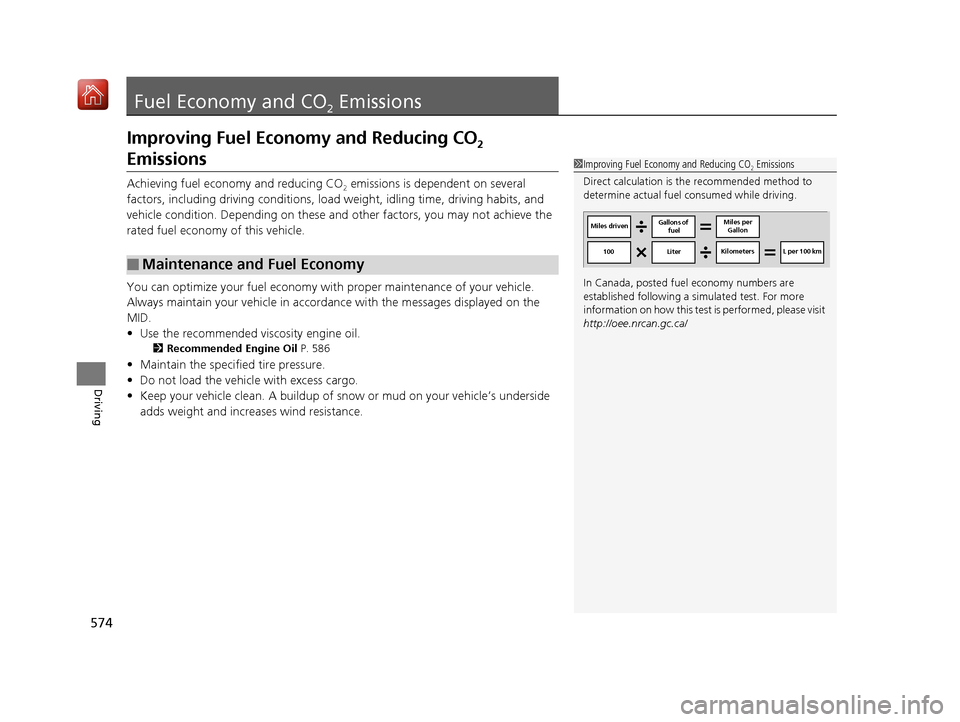
1Improving Fuel Economy and Reducing CO2 Emissions
Direct calculation is the recommended method to
determine actual fuel consumed while driving.
In Canada, posted fuel economy numbers are
established following a simulated test. For more
information on how this test is performed, please visit
http://oee.nrcan.gc.ca/
Miles driven Gallons of
fuel Miles per
Gallon
100 Liter Kilometers L per 100 km
19 ACURA MDX-31TZ56510.book 574 ページ 2018年12月11日 火曜日 午後4時47分
Page 577 of 701
576
Maintenance
Before Performing Maintenance
Inspection and Maintenance
For your safety, perform all listed inspections and maintenance to keep your vehicle
in good condition. If you become aware of any abnormality (noise, smell, insufficient
brake fluid, oil residue on the ground, etc.), have your vehicle inspected by a dealer.
(Note, however, that service at a dealer is not mandatory to keep your warranties in
effect.) Refer to the separate maintena nce booklet for detailed maintenance and
inspection information.
■Daily inspections
Perform inspections before long distance trips, when washing the vehicle, or when
refueling.
■Periodic inspections
• Check the brake fluid level monthly.
2 Checking the Brake Fluid P. 594
•Check the tire pressure monthly. Examin e the tread for wear and foreign objects.
2Checking and Maintaining Tires P. 604
•Check the operation of the exterior lights monthly.
2 Replacing Light Bulbs P. 595
•Check the condition of the wiper bl ades at least every six months.
2Checking and Maintaining Wiper Blades P. 600
■Types of Inspection and Maintenance
1Inspection and Maintenance
Maintenance, replacement, or repair of
emissions control devices and systems may be
done by any automotive repair establishment or
individuals using parts that are “certified” to
EPA standards.
According to state and fede ral regulations, failure to
perform maintenance on the maintenance main
items marked with # will not void your emissions
warranties. However, all maintenance services should
be performed in accordan ce with the intervals
indicated by the multi-information display (MID).
2 Maintenance Service Items P. 581
If you want to perform complex maintenance tasks
that require more skills a nd tools, you can purchase a
subscription to the Service Express website at
www.techinfo.honda.com .
2 Authorized Manuals P. 685
If you want to perform ma intenance yourself, make
sure that you have the necessary tools and skills first.
After performing ma intenance, update the records in
the separate maintenance booklet.
U.S. models
19 ACURA MDX-31TZ56510.book 576 ページ 2018年12月11日 火曜日 午後4時47分
Page 582 of 701
581
uuMaintenance MinderTMuTo Use Maintenance MinderTM
Continued
Maintenance
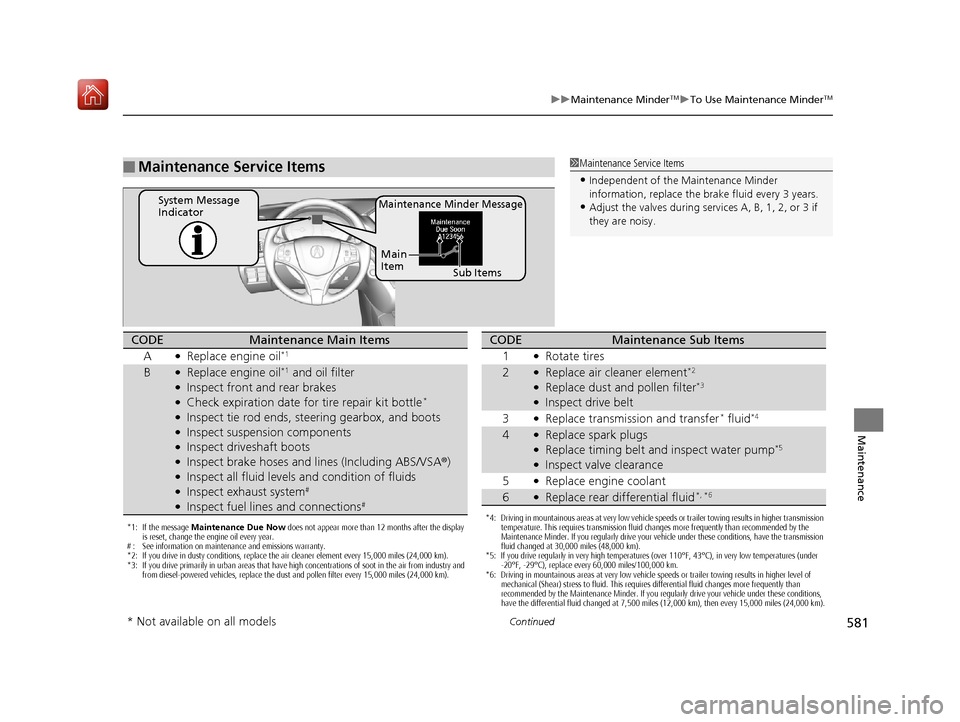
■Maintenance Service Items1Maintenance Service Items
•Independent of the Maintenance Minder
information, replace the brake fluid every 3 years.
•Adjust the valves during services A, B, 1, 2, or 3 if
they are noisy.Maintenance Minder MessageSystem Message
Indicator
Sub Items
Main
Item
*1: If the message
Maintenance Due Now does not appear more than 12 months after the display
is reset, change the engine oil every year.
# : See information on maintenance and emissions warranty.
*2: If you drive in dusty conditions, replace the air cleaner element every 15,000 miles (24,000 km).
*3: If you drive primarily in urban areas that have high concentrations of soot in the air from industry and from diesel-powered vehicles, replace the dust and pollen filter every 15,000 miles (24,000 km).
CODEMaintenance Main Items
A
●Replace engine oil*1
B●Replace engine oil*1 and oil filter●Inspect front and rear brakes●Check expiration date for tire repair kit bottle*
●Inspect tie rod ends, steering gearbox, and boots●Inspect suspension components●Inspect driveshaft boots●Inspect brake hoses and li nes (Including ABS/VSA®)●Inspect all fluid levels and condition of fluids●Inspect exhaust system#
●Inspect fuel lines and connections#
*4: Driving in mountainous areas at very low vehicle speeds or trailer towing results in higher transmission
temperature. This requires transmission fluid changes more frequently than recommended by the
Maintenance Minder. If you regularly drive your vehicle under these conditions, have the transmission
fluid changed at 30,000 miles (48,000 km).
*5: If you drive regularly in very high temperatures (over 110°F, 43°C), in very low temperatures (under
-20°F, -29°C), replace every 60,000 miles/100,000 km.
*6: Driving in mountainous areas at very low vehicle speeds or trailer towing results in higher level of mechanical (Shear) stress to fluid. This requires differential fluid changes more frequently than
recommended by the Maintenance Minder. If you regularly drive your vehicle under these conditions,
have the differential fluid changed at 7,500 miles (12,000 km), then every 15,000 miles (24,000 km).
CODEMaintenance Sub Items
1
●Rotate tires
2●Replace air cleaner element*2
●Replace dust and pollen filter*3
●Inspect drive belt
3
●Replace transmission and transfer* fluid*4
4●Replace spark plugs●Replace timing belt and inspect water pump*5
●Inspect valve clearance
5
●Replace engine coolant
6●Replace rear differential fluid*, *6
* Not available on all models
19 ACURA MDX-31TZ56510.book 581 ページ 2018年12月11日 火曜日 午後4時47分
Page 659 of 701
658
uuIndicator, Coming On/Blinking uIf the Malfunction Indicato r Lamp Comes On or Blinks
Handling the Unexpected
If the Malfunction Indicator Lamp Comes On or
Blinks
■Reasons for the indicator la mp to come on or blink
• Comes on when there is a problem with the engine emissions control
system.
• Blinks when engine misfiring is detected.
■What to do when the indicator lamp comes on
Avoid high speeds and immediately get your vehicle inspected at a
dealer.
■What to do when the indicator lamp blinks
Park the vehicle in a safe place with no flammable items and wait at least
10 minutes or more with the engine stopped until it cools.
1 If the Malfunction Indicato r Lamp Comes On or Blinks
NOTICE
If you drive with the malf unction indicator lamp on,
the emissions control system and the engine could be
damaged.
If the malfunction indicator lamp blinks again when
restarting the engine, drive to the nearest dealer at
31 mph (50 km/h) or less. Have your vehicle
inspected.
19 ACURA MDX-31TZ56510.book 658 ページ 2018年12月11日 火曜日 午後4時47分