minder Acura MDX 2019 Owner's Manual
[x] Cancel search | Manufacturer: ACURA, Model Year: 2019, Model line: MDX, Model: Acura MDX 2019Pages: 701, PDF Size: 38.75 MB
Page 3 of 701
Contents
This owner’s manual should be considered a permanent part of the
vehicle and should remain with the vehicle when it is sold.
This owner’s manual covers all models of your vehicle. You may find
descriptions of equipment and features that are not on your
particular model.
Images throughout this owner’s manu al (including the front cover)
represent features and equipment that are available on some, but
not all, models. Your particular mo del may not have some of these
features.
This owner’s manual is for vehicles sold in the United States and
Canada.
The information and specifications in cluded in this publication were
in effect at the time of approval for printing. Honda Motor Co., Ltd.
reserves the right, however, to discontinue or change specifications
or design at any time without notice and without incurring any
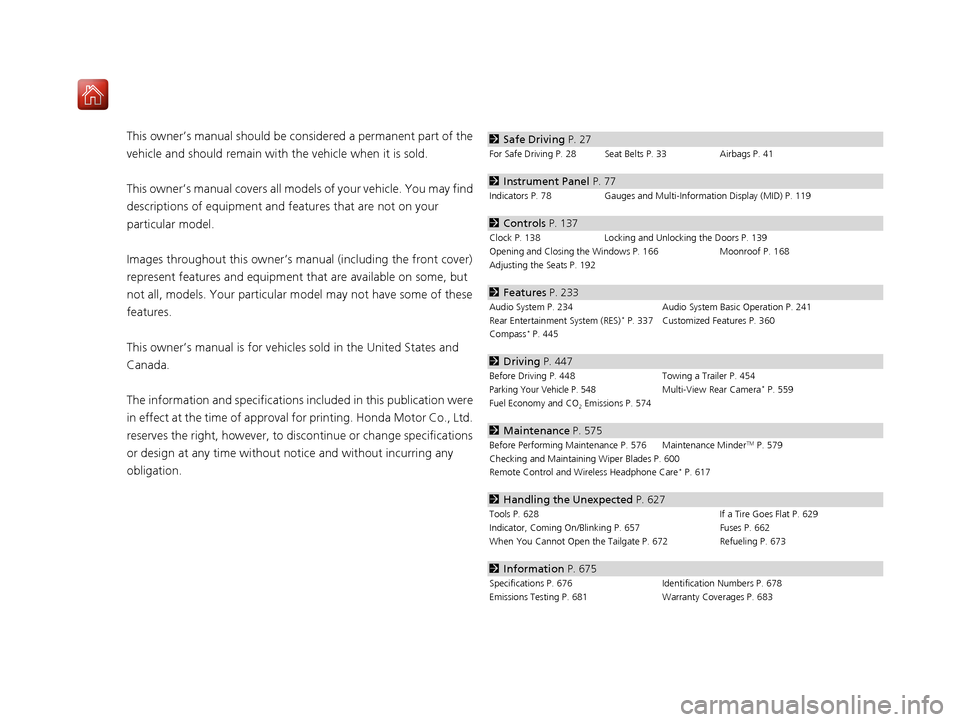
obligation.2 Safe Driving P. 27
For Safe Driving P. 28 Seat Belts P. 33 Airbags P. 41
2Instrument Panel P. 77
Indicators P. 78 Gauges and Multi-Information Display (MID) P. 119
2Controls P. 137
Clock P. 138 Locking and Unlocking the Doors P. 139
Opening and Closing the Windows P. 166 Moonroof P. 168
Adjusting the Seats P. 192
2 Features P. 233
Audio System P. 234 Audio System Basic Operation P. 241
Rear Entertainment System (RES)* P. 337 Customized Features P. 360
Compass* P. 445
2 Driving P. 447
Before Driving P. 448 Towing a Trailer P. 454
Parking Your Vehicle P. 548Multi-View Rear Camera* P. 559
Fuel Economy and CO
2 Emissions P. 574
2 Maintenance P. 575
Before Performing Maintenance P. 576 Maintenance MinderTM P. 579
Checking and Maintaining Wiper Blades P. 600
Remote Control and Wireless Headphone Care
* P. 617
2 Handling the Unexpected P. 627
Tools P. 628 If a Tire Goes Flat P. 629
Indicator, Coming On/Blinking P. 657 Fuses P. 662
When You Cannot Open the Tailgate P. 672 Refueling P. 673
2Information P. 675
Specifications P. 676 Identification Numbers P. 678
Emissions Testing P. 681 Warranty Coverages P. 683
19 ACURA MDX-31TZ56510.book 2 ページ 2018年12月11日 火曜日 午後4時47分
Page 12 of 701
11
Quick Reference Guide
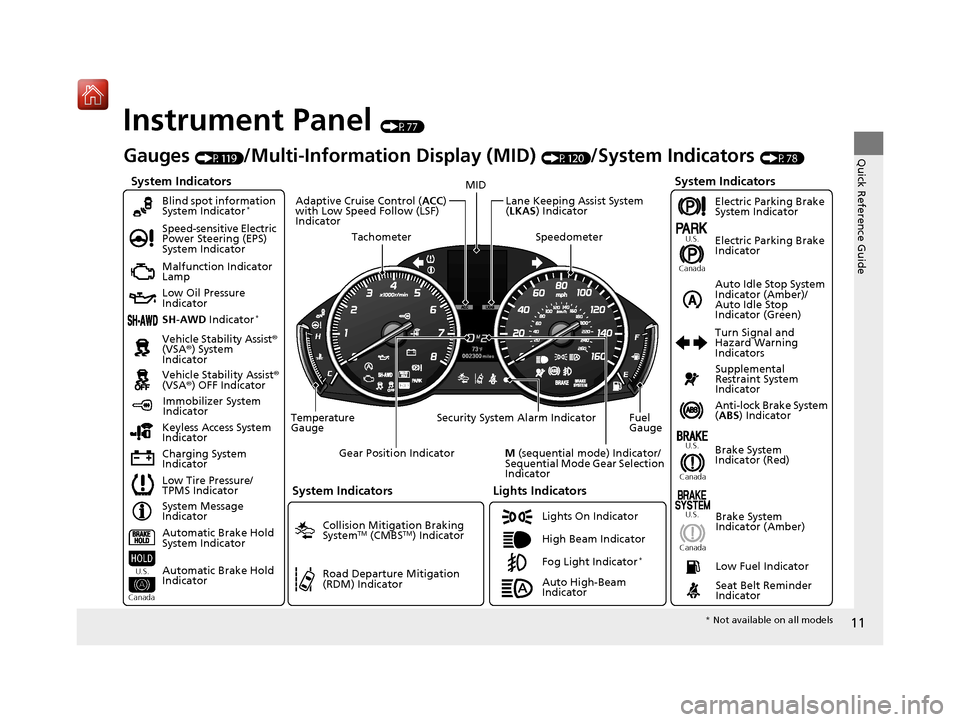
Instrument Panel (P77)
System Indicators
Malfunction Indicator
Lamp
Low Oil Pressure
Indicator
Charging System
IndicatorAnti-lock Brake System
(
ABS ) Indicator
Vehicle Stability Assist
®
(VSA® ) System
Indicator
Vehicle Stability Assist ®
(VSA® ) OFF Indicator
Speed-sensitive Electric
Power Steering (EPS)
System Indicator
Lights Indicators
Lights On Indicator
High Beam Indicator
Immobilizer System
Indicator
Seat Belt Reminder
Indicator
System Indicators
System Message
Indicator Brake System
Indicator (Red)Supplemental
Restraint System
Indicator
Low Fuel Indicator
Gauges (P119)/Multi-Information Display (MID) (P120)/System Indicators (P78)
Low Tire Pressure/
TPMS Indicator Turn Signal and
Hazard Warning
Indicators
Keyless Access System
Indicator
Temperature
Gauge Security System Alarm Indicator Fuel
Gauge
Tachometer
MID
Speedometer
Gear Position Indicator
M (sequential mode) Indicator/
Sequential Mode Gear Selection
Indicator
Brake System
Indicator (Amber)
SH-AWD Indicator*
Blind spot information
System Indicator*
System Indicators
Collision Mitigation Braking
SystemTM (CMBSTM) Indicator
Road Departure Mitigation
(RDM) Indicator
Lane Keeping Assist System
(LKAS ) Indicator
Adaptive Cruise Control (
ACC)
with Low Speed Follow (LSF)
Indicator
U.S.
Canada U.S.
Canada
Fog Light Indicator*
Auto Idle Stop System
Indicator (Amber)/
Auto Idle Stop
Indicator (Green)
Automatic Brake Hold
System Indicator
Automatic Brake Hold
Indicator
U.S.
Canada
Electric Parking Brake
System Indicator
Electric Parking Brake
Indicator
U.S.
Canada
Auto High-Beam
Indicator
* Not available on all models
19 ACURA MDX-31TZ56510.book 11 ページ 2018年12月11日 火曜日 午後4時47分
Page 31 of 701
30
uuFor Safe Driving uImportant Handling Information
Safe Driving
Important Handling Information
Your vehicle has higher ground clearance than a passenger vehicle designed for use
only on pavement. Higher ground clearance has many advantages for off-highway
driving. It allows you to travel over bum ps, obstacles, and rough terrain. It also
provides good visibility so you can anticipate problems earlier.
These advantages come at some cost. Beca use your vehicle is taller and rides higher
off the ground, it has a higher center grav ity making it more susceptible to tipping
or roll over if you make abrupt turns. Utili ty vehicles have a significantly higher
rollover rate than other types of vehicles. In a rollover crash, an unbelted person is
significantly more likely to die than a pe rson wearing a seat belt. As a reminder,
make sure you and your passeng ers always wear seat belts.1Important Handling Information
For information on how to reduce the risk of rollover,
read:
2 Driving Guidelines for Your Utility Vehicle
P. 473
2 Off-Highway Driving Guidelines P. 465
Failure to operate your vehi cle correctly might result
in a crash or a rollover.
19 ACURA MDX-31TZ56510.book 30 ページ 2018年12月11日 火曜日 午後4時47分
Page 35 of 701
uuSeat Belts uAbout Your Seat Belts
34
Safe Driving
■Proper use of seat belts
Follow these guidelines for proper use:
• All occupants should sit upright, well back in the seat, and remain in that position
for the duration of the trip. Slouching and leaning reduce the effectiveness of the
belt and can increase the chance of serious injury in a crash.
• Never place the shoulder part of a lap/shoulder seat belt under your arm or
behind your back. This could cause very serious injuries in a crash.
• Two people should never use the same seat belt. If they do, they could be very
seriously injured in a crash.
• Do not put any accessories on the seat be lts. Devices intended to improve comfort
or reposition the shoulder part of a seat be lt can reduce the protective capability
and increase the chance of serious injury in a crash.
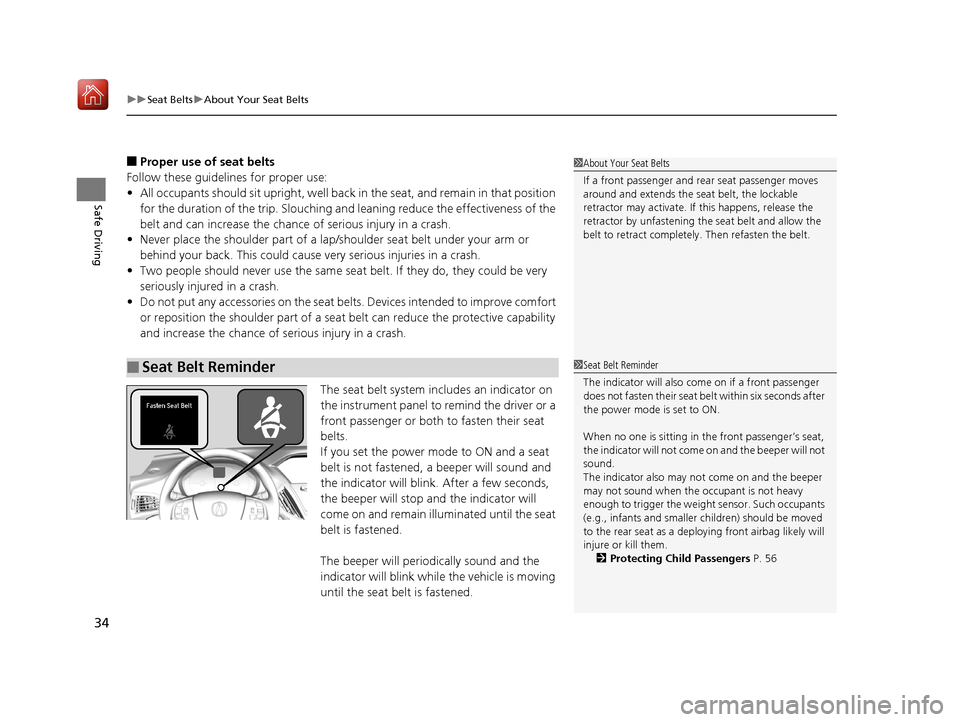
The seat belt system includes an indicator on
the instrument panel to remind the driver or a
front passenger or both to fasten their seat
belts.
If you set the power mode to ON and a seat
belt is not fastened, a beeper will sound and
the indicator will blink. After a few seconds,
the beeper will stop and the indicator will
come on and remain illuminated until the seat
belt is fastened.
The beeper will periodically sound and the
indicator will blink while the vehicle is moving
until the seat belt is fastened.
■Seat Belt Reminder
1 About Your Seat Belts
If a front passenger and rear seat passenger moves
around and extends the seat belt, the lockable
retractor may activate. If this happens, release the
retractor by unfastening th e seat belt and allow the
belt to retract completely. Then refasten the belt.
1 Seat Belt Reminder
The indicator will also come on if a front passenger
does not fasten their seat belt within six seconds after
the power mode is set to ON.
When no one is sitting in th e front passenger’s seat,
the indicator will not come on and the beeper will not
sound.
The indicator also may no t come on and the beeper
may not sound when the occupant is not heavy
enough to trigger the weight sensor. Such occupants
(e.g., infants and smaller children) should be moved
to the rear seat as a deploying front airbag likely will
injure or kill them.
2 Protecting Child Passengers P. 56
19 ACURA MDX-31TZ56510.book 34 ページ 2018年12月11日 火曜日 午後4時47分
Page 86 of 701
85
uuIndicators u
Continued
Instrument Panel
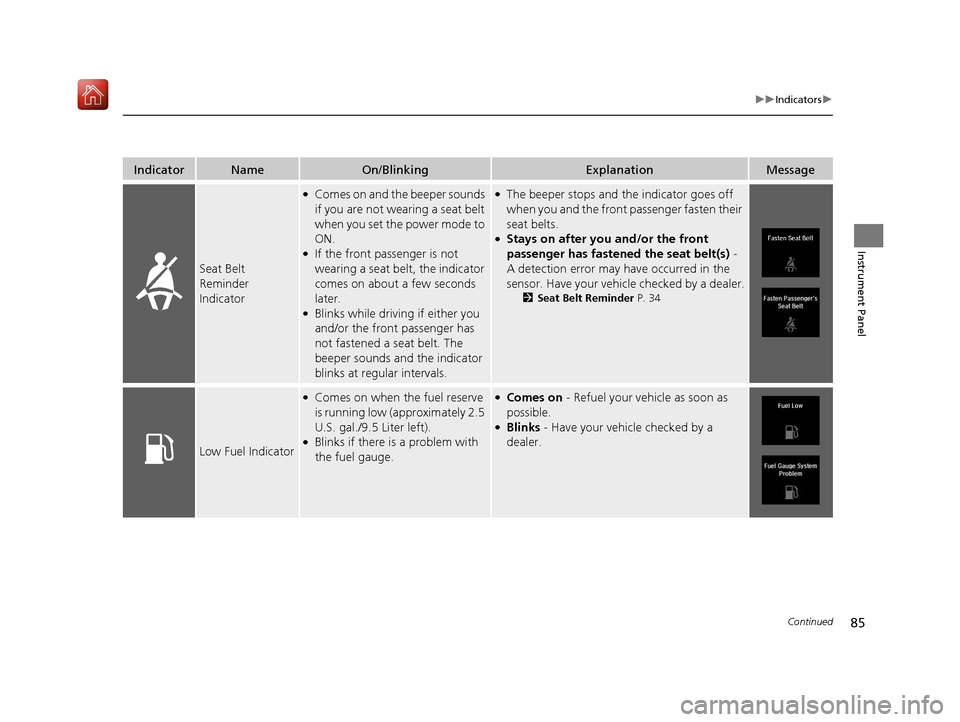
IndicatorNameOn/BlinkingExplanationMessage
Seat Belt
Reminder
Indicator
●Comes on and the beeper sounds
if you are not wearing a seat belt
when you set the power mode to
ON.
●If the front passenger is not
wearing a seat belt, the indicator
comes on about a few seconds
later.
●Blinks while driving if either you
and/or the front passenger has
not fastened a seat belt. The
beeper sounds an d the indicator
blinks at regular intervals.
●The beeper stops and the indicator goes off
when you and the front passenger fasten their
seat belts.
●Stays on after you and/or the front
passenger has fastened the seat belt(s) -
A detection error may have occurred in the
sensor. Have your vehicle checked by a dealer.
2 Seat Belt Reminder P. 34
Low Fuel Indicator
●Comes on when the fuel reserve
is running low (approximately 2.5
U.S. gal./9.5 Liter left).
●Blinks if there is a problem with
the fuel gauge.
●Comes on - Refuel your vehicle as soon as
possible.
●Blinks - Have your vehicle checked by a
dealer.
19 ACURA MDX-31TZ56510.book 85 ページ 2018年12月11日 火曜日 午後4時47分
Page 103 of 701
102
uuIndicators uMulti-Information Display (MID) Warning and Information Messages
Instrument Panel
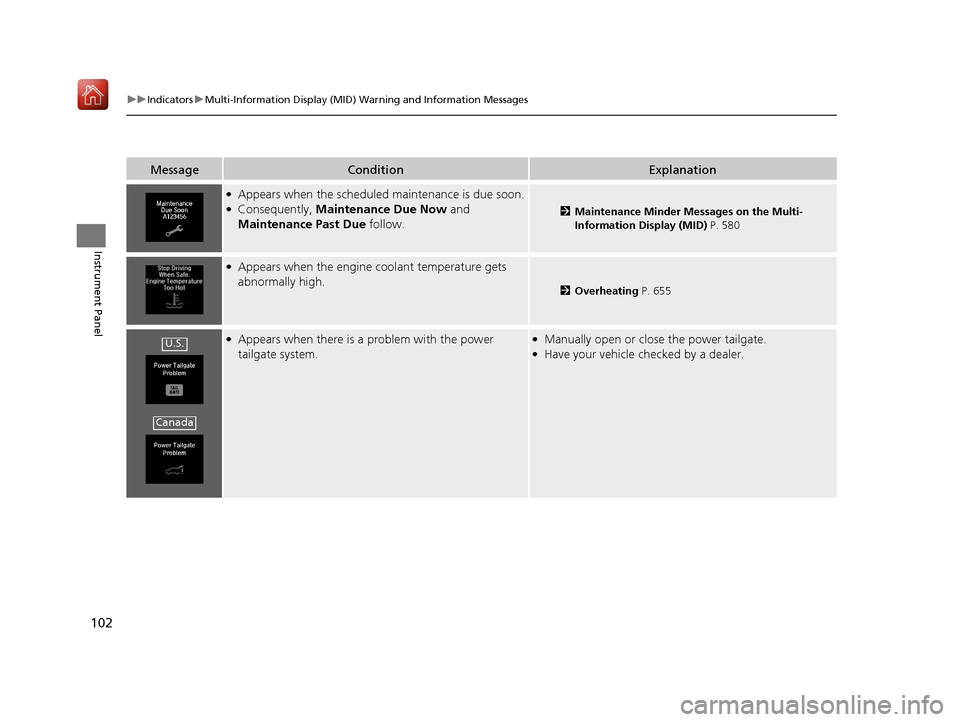
MessageConditionExplanation
●Appears when the scheduled maintenance is due soon.●Consequently, Maintenance Due Now and
Maintenance Past Due follow.2Maintenance Minder Messages on the Multi-
Information Display (MID) P. 580
●Appears when the engine coolant temperature gets
abnormally high.
2Overheating P. 655
●Appears when there is a problem with the power
tailgate system.●Manually open or close the power tailgate.●Have your vehicle ch ecked by a dealer.U.S.
Canada
19 ACURA MDX-31TZ56510.book 102 ページ 2018年12月11日 火曜日 午後4時47分
Page 105 of 701
104
uuIndicators uMulti-Information Display (MID) Warning and Information Messages
Instrument Panel
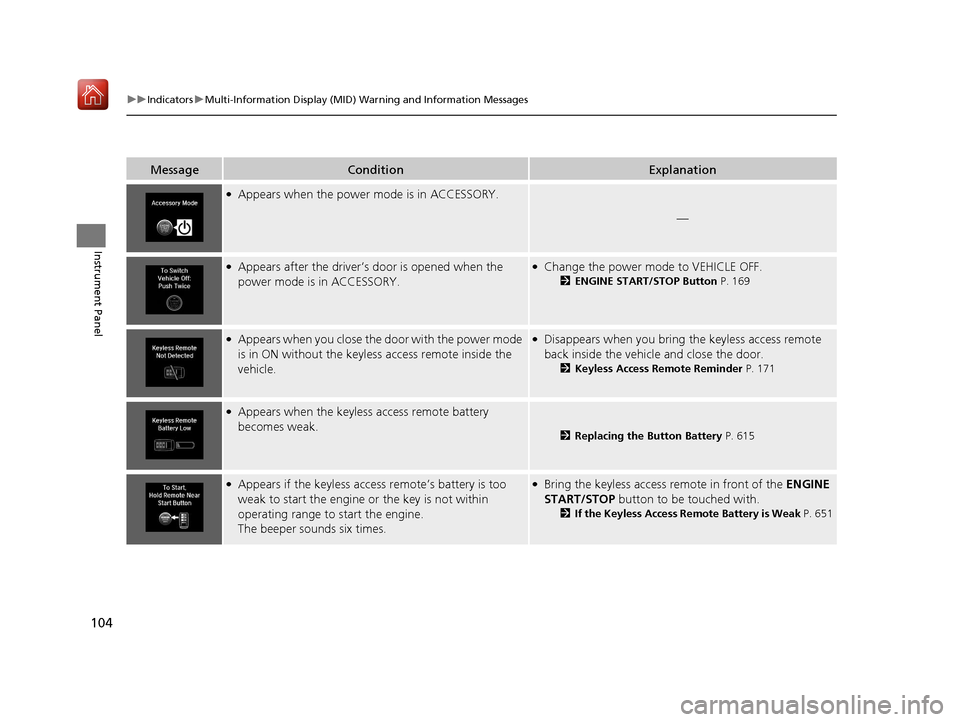
MessageConditionExplanation
●Appears when the power mode is in ACCESSORY.
—
●Appears after the driver’s door is opened when the
power mode is in ACCESSORY.●Change the power mode to VEHICLE OFF.
2 ENGINE START/STOP Button P. 169
●Appears when you close the door with the power mode
is in ON without the keyless access remote inside the
vehicle.●Disappears when you bring the keyless access remote
back inside the vehicle and close the door.
2Keyless Access Remote Reminder P. 171
●Appears when the keyless access remote battery
becomes weak.
2Replacing the Button Battery P. 615
●Appears if the keyless access remote’s battery is too
weak to start the engine or the key is not within
operating range to start the engine.
The beeper sounds six times.●Bring the keyless access remote in front of the ENGINE
START/STOP button to be touched with.
2 If the Keyless Access Remote Battery is Weak P. 651
19 ACURA MDX-31TZ56510.book 104 ページ 2018年12月11日 火曜日 午後4時47分
Page 126 of 701
125
uuGauges and Multi-Info rmation Display (MID)uMID
Continued
Instrument Panel
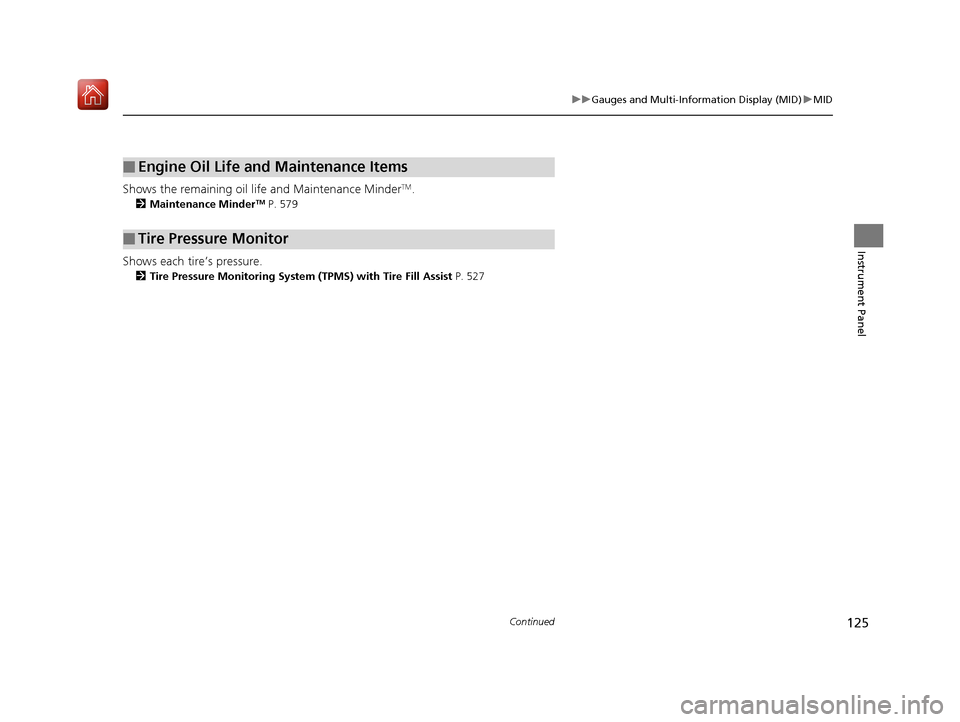
Shows the remaining oil life and Maintenance MinderTM.
2 Maintenance MinderTM P. 579
Shows each tire’s pressure.
2Tire Pressure Monitoring System (TPMS) with Tire Fill Assist P. 527
■Engine Oil Life and Maintenance Items
■Tire Pressure Monitor
19 ACURA MDX-31TZ56510.book 125 ページ 2018年12月11日 火曜日 午後4時47分
Page 171 of 701

170
uuOperating the Switches Around the Steering Wheel uENGINE START/STOP Button
Controls
If you leave the vehicle for 30 to 60 minutes with the transmission in (P and the
power mode in ACCESSORY, the vehicle automa tically goes into the mode similar to
VEHICLE OFF (LOCK) to avoid draining the battery.
When in this mode:
The steering wheel does not lock.
You cannot lock or unlock doors with th e remote transmitter or the keyless access
system.
Press the ENGINE START/STOP button twice to switch the mode to VEHICLE OFF
(LOCK).
If you open the driver’s doo r when the power mode is set to ACCESSORY, a warning
buzzer sounds.
■Automatic Power Off
■Power Mode Reminder
Canadian models
19 ACURA MDX-31TZ56510.book 170 ページ 2018年12月11日 火曜日 午後4時47分
Page 172 of 701

171
uuOperating the Switches Around the Steering Wheel uENGINE START/STOP Button
Controls
Warning buzzers may sound from inside and/
or outside the vehicle to remind you that the
keyless access remote is out of the vehicle. If
the buzzer continues even after the remote is
put back inside, place it to be within its
operational range.
■When the power mode is in ON
If the keyless access remote is taken out of the
vehicle, and the driver’s door is closed, a
warning buzzer sounds from both inside and
outside the vehicle. A warning message on
the MID notifies the driver inside that the
remote is outside of the vehicle.
■When the power mode is in
ACCESSORY
If the keyless access remote is taken out of the
vehicle, and the driver’s door is closed, a
warning buzzer sounds from outside the
vehicle.
■Keyless Access Remote Reminder1 Keyless Access Remote Reminder
When the keyless access remote is within the
system’s operational range, and the driver’s door is
closed, the warni ng function cancels.
If the keyless access remote is taken out of the vehicle
after the engine has been started, you can no longer
change the ENGINE START/STOP button mode or
restart the engine. Always make sure if the remote is
in your vehicle when you operate the ENGINE
START/STOP button.
Removing the keyless access remote from the vehicle
through a window does not activate the warning
buzzer.
Do not put the keyless access remote on the
dashboard or in the glove box. It may cause the
warning buzzer to go of f. Under some other
conditions that can prevent the vehicle from locating
the remote, the warning buzzer may also go off even
if the remote is within the system’s operational
range.
19 ACURA MDX-31TZ56510.book 171 ページ 2018年12月11日 火曜日 午後4時47分