ten Acura MDX 2020 Owner's Manual
[x] Cancel search | Manufacturer: ACURA, Model Year: 2020, Model line: MDX, Model: Acura MDX 2020Pages: 701, PDF Size: 38.91 MB
Page 621 of 701
620
uuCleaning uExterior Care
Maintenance
Exterior Care
Dust off the vehicle body after you drive.
Regularly inspect your vehi cle for scratches on painted surfaces. A scratch on a
painted surface can result in body rust. If you find a scratch, promptly repair it.
Wash the vehicle regularly. Wash more frequently when driving in the following
conditions:
• If driving on roads with road salt.
• If driving in coastal areas.
• If tar, soot, bird droppings, insects, or tree sap are stuck to painted surfaces.
• Make sure to follow the instructions indicated on the automated car wash.
• Fold in the door mirrors.
• For models equipped with automatic inte rmittent wipers, turn the wipers off.
■Washing the Vehicle
■Using an Automated Car Wash
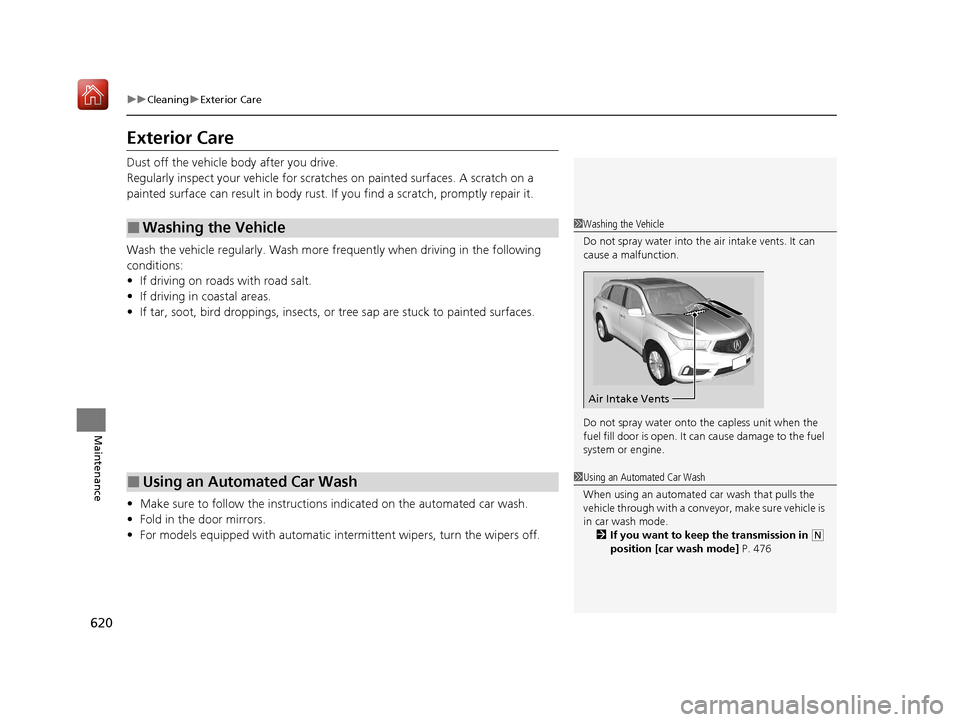
1Washing the Vehicle
Do not spray water into the air intake vents. It can
cause a malfunction.
Do not spray water onto the capless unit when the
fuel fill door is open. It ca n cause damage to the fuel
system or engine.
Air Intake Vents
1 Using an Automated Car Wash
When using an automated car wash that pulls the
vehicle through with a convey or, make sure vehicle is
in car wash mode. 2 If you want to keep the transmission in
(N
position [car wash mode] P. 476
20 ACURA MDX-31TZ56600.book 620 ページ 2019年4月24日 水曜日 午後5時44分
Page 622 of 701

Continued621
uuCleaning uExterior Care
Maintenance
• Keep sufficient distance between the cleaning nozzle and the vehicle body.
• Take particular care around the windows. Standing too close may cause water to
enter the vehicle interior.
• Do not spray high pressure water directly into the engine compartment. Instead,
use low pressure water and a mild detergent.
A good coat of automotive body wax helps protect your vehicle’s paint from the
elements. Wax will wear off over time and expose your vehicle’s paint to the
elements, so reapply as necessary.
If you get gasoline, oil, engine coolant, or battery fluid on resin coated parts, they
may be stained or the coating may peel. Prom ptly wipe it away using a soft cloth and
clean water.
Wipe using a glass cleaner.
■Using High Pressure Cleaners
■Applying Wax
■Maintaining the Bumpers and Other Resin Coated Parts
■Cleaning the Window
1 Applying Wax
NOTICE
Chemical solvents and strong cleaners can damage
the paint, metal, and plasti c on your vehicle. Wipe
away spills immediately.
1 Maintaining the Bumpers an d Other Resin Coated Parts
Ask a dealer about the corr ect coating material when
you want to repair the painted surface of the parts
made of resin.
20 ACURA MDX-31TZ56600.book 621 ページ 2019年4月24日 水曜日 午後5時44分
Page 623 of 701

622
uuCleaning uExterior Care
Maintenance
Aluminum is susceptible to deterioration caused by salt and other road
contaminants. When necessary, as early as possible use a sponge and mild detergent
to wipe away these contaminants. Do no t use a stiff brush or harsh chemicals
(including some commercial wheel cleaners). These can damage the protective finish
on aluminum alloy wheels, resulting in corrosion. Depending on the type of finish,
the wheels also may lose their luster or appear burnished. To avoid water stains,
wipe the wheels dry with a cloth while they are still wet.
The inside lenses of exterior lights (headli ghts, brake lights, etc.) may fog temporarily
if you have driven in the rain, or after the vehicle has been run through a car wash.
Dew condensation also may build up inside the lenses when there is a significant
enough difference between the ambient and inside lens temperatures (similar to
vehicle windows fogging up in rainy conditions). These conditions are natural
processes, not structural design problems in the exterior lights.
Lens design characteristics may result in mo isture developing on the light lens frame
surfaces. This also is not a malfunction.
However, if you see large amounts of wa ter accumulation, or large water drops
building up inside the lenses, have your vehicle inspected by a dealer.
■Maintaining Aluminum Wheels
■Fogged Exterior Light Lenses
20 ACURA MDX-31TZ56600.book 622 ページ 2019年4月24日 水曜日 午後5時44分
Page 624 of 701
623
Maintenance
Accessories and Modifications
Accessories
When installing accessories, check the following:
• Do not install accessories on the windsh ield. They can obstruct your view and
delay your reaction to driving conditions.
• Do not install any accessories over areas marked SRS Airbag, on the sides or backs
of the front seats, on front or side pillars, or near the side windows.
Accessories installed in these areas may interfere with proper operation of the
vehicle’s airbags or may be propelled into you or another occupant if the airbags
deploy.
• Be sure electronic accessories do not overload electrical circuits or interfere with
proper operation of your vehicle.
2 Fuses P. 662
•Before installing any electro nic accessory, have the installer contact a dealer for
assistance. If possible, have a deal er inspect the final installation.
1Accessories and Modifications
Acura Genuine accessori es are recommended to
ensure proper operati on on your vehicle.
3WARNING
Improper accessories or modifications can
affect your vehicle’s handling, stability, and
performance, and cause a crash in which
you can be seriously hurt or killed.
Follow all instruction s in this owner’s
manual regarding accessories and
modifications.
20 ACURA MDX-31TZ56600.book 623 ページ 2019年4月24日 水曜日 午後5時44分
Page 625 of 701

624
uuAccessories and Modifications uModifications
Maintenance
Modifications
Do not modify your vehicle in a manner that may affect its handling, stability, or
reliability, or install non-genuine Acura parts or accessories that may have a similar
effect.
Even minor modifications to vehicle systems can affect overall vehicle performance.
Always make sure all equipment is prop erly installed and maintained, and do not
make any modification to your vehicle or its systems that might cause your vehicle
to no longer meet federal, state, prov ince, territory, and local regulations.
The on-board diagnostic port (OBD-II/SAE J1962 connector) installed on this vehicle
is intended to be used with automobile system diagnostic devices or with other
devices that Acura has appr oved. Use of any other type of device may adversely
affect the vehicle’s electronic systems or allow them to be compromised, possibly
resulting in a system malfunction, drained battery, or other unexpected problems.
Do not modify or attempt to repair any of the electrical components.
20 ACURA MDX-31TZ56600.book 624 ページ 2019年4月24日 水曜日 午後5時44分
Page 633 of 701

uuIf a Tire Goes Flat uChanging a Flat Tire
632
Handling the Unexpected
1. Remove the wheel nuts and flat tire.
2. Wipe the mounting surfaces of the wheel
with a clean cloth.
3. Mount the compact spare tire.
4. Screw the wheel nuts until they touch the
lips around the mounting holes, then stop
rotating.
5. Lower the vehicle and remove the jack.
Tighten the wheel nuts in the order
indicated in the image. Go around,
tightening the nuts, two to three times in
this order.
Wheel nut torque:
94 lbf∙ft (127 N∙m, 13.0 kgf∙m)
■Replacing the Flat Tire1Replacing the Flat Tire
Do not over tighten the wheel nuts by applying extra
torque using your foot or a pipe.
20 ACURA MDX-31TZ56600.book 632 ページ 2019年4月24日 水曜日 午後5時44分
Page 639 of 701

uuIf a Tire Goes Flat uTemporarily Repairing a Flat Tire
638
Handling the Unexpected
1. Remove the valve cap from the tire valve
stem.
2. Remove the sealant/air hose from the
packaging.
3. Attach the sealant/air hose onto the tire
valve stem. Screw it until it is tight.
■Injecting Sealant and Air1Injecting Sealant and Air
In cold temperatures, the sealant may not flow easily.
In this situation, warm it up for five minutes before
using.
The sealant can permanentl y stain clothing and other
materials. Be careful duri ng handling and wipe away
any spills immediately.
3WARNING
Tire sealant contains substances that are
harmful and can be fatal if swallowed.
If accidentally swallowed, do not induce
vomiting. Drink plenty of water and get
medical attention immediately.
For skin or eye contact, flush with cool
water and get medical attention if
necessary.
Valve Stem
Valve Cap
Sealant/Air Hose
Valve Stem
Sealant/Air Hose
20 ACURA MDX-31TZ56600.book 638 ページ 2019年4月24日 水曜日 午後5時44分
Page 688 of 701
687
uuClient Service Information u
Continued
Information
Music recognition technology and related
data are provided by Gracenote ®.
Gracenote is the indus try standard in music
recognition technology and related content
delivery.
For more information, visit
www.gracenote.com.
When music is recorded to the HDD from a
CD, information such as the recording artist
and track name are retrieved from the
Gracenote Database and displayed (when
available).
Gracenote may not contain information for
all albums.
Gracenote is an in ternet-based music
recognition service that allows artist, album,
and track information from CDs to display
on the HDD.
Gracenote users are allowed 4 free updates
a year. More information about Gracenote,
its features, and downloads are available at
■Gracenote Music Recognition
Service (CDDB)*
www.acura.com (in U.S.) or www.acura.ca
(in Canada).
CD and music-related data from Gracenote,
Inc., copyright © 2000 to present
Gracenote. Gracenote Software, copyright
© 2000 to present Gracenote.
One or more patents owned by Gracenote
apply to this produc t and service. See the
Gracenote website for a non-exhaustive list
of applicable Gracenote patents.
Gracenote, CDDB, MusicID, MediaVOCS,
the Gracenote logo and logotype, and the
“Powered by Gracenote” logo are either
registered trademarks or trademarks of
Gracenote in the United States and/or other
countries.
This application or device contains software
from Gracenote, Inc. of Emeryville,
California (“Grace note”). The software
from Gracenote (the “Gracenote
Software”) enables this application to
perform disc and/or f ile identification and
obtain music- related information, including
name, artist, track, and title information
(“Gracenote Data”) from online servers or
■Gracenote ® END USER LICENSE
AGREEMENT*
embedded databases (collectively,
“Gracenote Servers”) and to perform other
functions. You may use Gracenote Data
only by means of th e intended End-User
functions or this application or device.
You agree that you will use Gracenote Data,
the Gracenote Software, and Gracenote
Servers for your own personal non-
commercial use only.
You agree not to assign, copy, transfer, or
transmit the Gracenote Software or any
Gracenote Data to any third party.
YOU AGREE NOT TO USE OR EXPLOIT
GRACENOTE DATA, THE GRACENOTE
SOFTWARE, OR GRACENOTE SERVERS,
EXCEPT AS EXPRESSLY PERMITTED HEREIN.
You agree that your non-exclusive license to
use the Gracenote Data, the Gracenote
Software, and Gracenote Servers will
terminate if you violate these restrictions. If
your license terminates , you agree to cease
any and all use of the Gracenote Data, the
Gracenote Software, and Gracenote
Servers.
* Not available on all models
20 ACURA MDX-31TZ56600.book 687 ページ 2019年4月24日 水曜日 午後5時44分
Page 691 of 701
Index
690
Index
Index
A
AAC.................................................... 268, 293
ABS (Anti-lock Brake System) ................... 535
AC Power Outlet ....................................... 214
Accessories and Modifications ................. 623
Accessory Power Sockets .......................... 213
AcuraLink .................................................. 435
Adaptive Cruise Control (ACC) with Low
Speed Follow ........................................... 489
Indicator .................................................... 95
Additives
Coolant ................................................... 589
Washer .................................................... 592
Adjusting
Armrest ................................................... 204
Front Seats .............................................. 191
Head Restraints........................ 198, 200, 201
Headlights ............................................... 593
Mirrors .................................................... 188
Rear Seats................................................ 203
Steering Wheel ........................................ 187
Temperature ............................................ 122
Agile Handling Assist ................................ 520
Air Conditioning System (Climate Control System) .................................................... 219
Changing the Mode ................................ 222
Defrosting the Windshield and Windows ............................................... 225
Dust and Pollen Filter ............................... 617
Rear Climate Control System ................... 226
Sensors .................................................... 230 Synchronized Mode................................. 223
Using Automatic Climate Control ............ 219
Air Pressure ....................................... 603, 677
Airbags ........................................................ 41
Advanced Airbags ..................................... 47
After a Collision ........................................ 45
Airbag Care............................................... 55
Driver’s Knee Airbag.................................. 48
Event Data Recorder .................................... 0
Front Airbags (SRS) .................................... 44
Indicator.............................................. 53, 86
Passenger Front Airbag Off Indicator ......... 54
Sensors ..................................................... 41
Side Airbags .............................................. 50
Side Curtain Airbags.................................. 52
AM/FM Radio ............................................ 254
Android Auto ........................................... 303
Anti-lock Brake System (ABS) .................. 535
Indicator.................................................... 86
Apple CarPlay ........................................... 299
Armrest ..................................................... 204
Audio Remote Controls ........................... 237
Audio System ............................................ 232
Adjusting the Sound................................ 249
Auxiliary Input Jack.................................. 236
Error Messages ........................................ 308
General Information ................................ 316
HDD ........................................................ 271
iPhone............................................. 291, 318
iPod ........................................................ 284
MP3/WMA/AAC .............................. 268, 293 Pandora
®.............................................. 291
Reactivating ............................................ 236
Recommended CDs ................................ 317
Recommended Devices ........................... 318
Remote Controls ..................................... 237
Security Code ......................................... 236
Theft Protection ...................................... 236
USB Flash Drives...................................... 318
USB Port ................................................. 233
Authorized Manuals ................................ 685
Auto Door Locking/Unlocking ................ 154
Customize ...................................... 132, 374
Auto High-Beam ...................................... 176
Indicator ................................................... 86
Auto Idle Stop .......................................... 480
OFF Button ............................................. 481
Auto Idle Stop Indicator (Green) .............. 92
Auto Idle Stop System Indicator (Amber) ..................................................... 92
Automatic Brake Hold ............................. 533
Indicator ................................................. 533
Automatic Brake Hold System
Indicator ................................................. 533
Automatic Folding Door Mirror .............. 190
Aut omatic Intermittent W
ipers .............. 180
Automatic Lighting .................................. 173
Automatic Transmission .......................... 471
Creeping................................................. 471
Fluid ....................................................... 591
Kickdown ............................................... 471
Operating the Shift Button ...................... 474
20 ACURA MDX-31TZ56600.book 690 ページ 2019年4月24日 水曜日 午後5時44分
Page 692 of 701
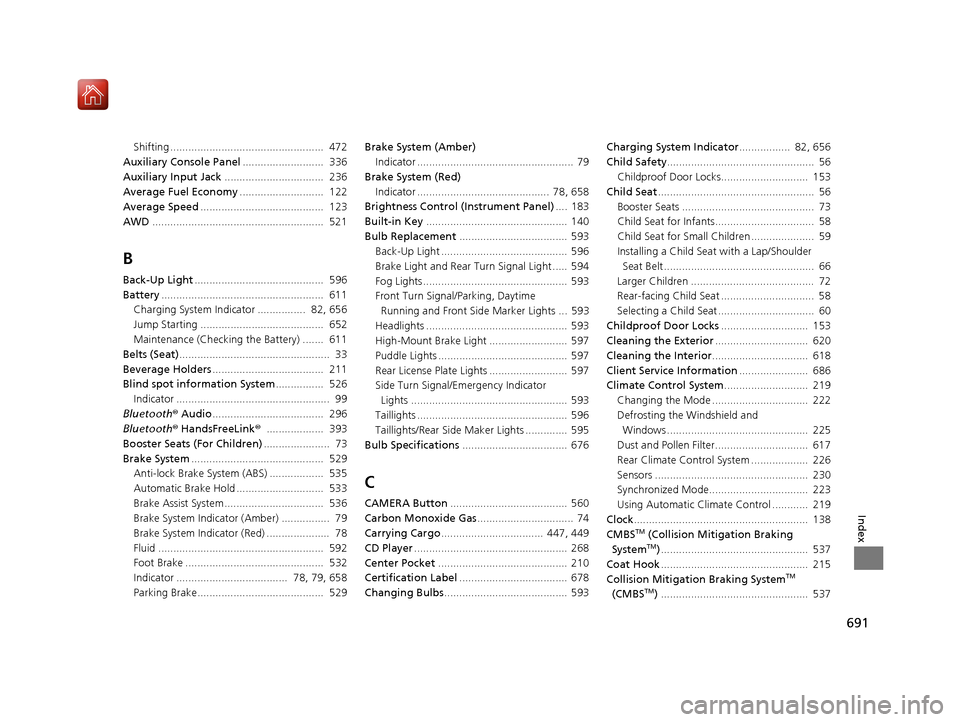
691
Index
Shifting ................................................... 472
Auxiliary Console Panel ........................... 336
Auxiliary Input Jack ................................. 236
Average Fuel Economy ............................ 122
Average Speed ......................................... 123
AWD ......................................................... 521
B
Back-Up Light ........................................... 596
Battery ...................................................... 611
Charging System Indicator ................ 82, 656
Jump Starting ......................................... 652
Maintenance (Checking the Battery) ....... 611
Belts (Seat) .................................................. 33
Beverage Holders ..................................... 211
Blind spot information System ................ 526
Indicator ................................................... 99
Bluetooth ® Audio ..................................... 296
Bluetooth ® HandsFreeLink ®................... 393
Booster Seats (For Children) ...................... 73
Brake System ............................................ 529
Anti-lock Brake System (ABS) .................. 535
Automatic Brake Hold ............................. 533
Brake Assist System................................. 536
Brake System Indicator (Amber) ................ 79
Brake System Indicator (Red) ..................... 78
Fluid ....................................................... 592
Foot Brake .............................................. 532
Indicator ..................................... 78, 79, 658
Parking Brake.......................................... 529 Brake System (Amber)
Indicator .................................................... 79
Brake System (Red) Indicator ............................................ 78, 658
Brightness Control (Instrument Panel) .... 183
Built-in Key ............................................... 140
Bulb Replacement .................................... 593
Back-Up Light .......................................... 596
Brake Light and Rear Turn Signal Light ..... 594
Fog Lights ................................................ 593
Front Turn Signal/ Parking, Daytime
Running and Front Side Marker Lights ... 593
Headlights ............................................... 593
High-Mount Brake Light .......................... 597
Puddle Lights ........................................... 597
Rear License Plate Lights .......................... 597
Side Turn Signal/Em ergency Indicator
Lights .................................................... 593
Taillights .................................................. 596
Taillights/Rear Side Maker Lights .............. 595
Bulb Specifications ................................... 676
C
CAMERA Button....................................... 560
Carbon Monoxide Gas ................................ 74
Carrying Cargo .................................. 447, 449
CD Player ................................................... 268
Center Pocket ........................................... 210
Certification Label .................................... 678
Changing Bulbs ......................................... 593 Charging System Indicator
................. 82, 656
Child Safety ................................................. 56
Childproof Door Locks............................. 153
Child Seat .................................................... 56
Booster Seats ............................................ 73
Child Seat for Infants................................. 58
Child Seat for Small Children ..................... 59
Installing a Child Seat with a Lap/Shoulder
Seat Belt .................................................. 66
Larger Children ......................................... 72
Rear-facing Child Seat ............................... 58
Selecting a Child Seat ................................ 60
Childproof Door Locks ............................. 153
Cleaning the Exterior ............................... 620
Cleaning the Interior ................................ 618
Client Service Information ....................... 686
Climate Control System ............................ 219
Changing the Mode ................................ 222
Defrosting the Windshield and Windows ............................................... 225
Dust and Pollen Filter............................... 617
Rear Climate Control System ................... 226
Sensors ................................................... 230
Synchronized Mode................................. 223
Using Automatic Climate Control ............ 219
Clock .......................................................... 138
CMBS
TM (Collision Mitigation Braking
SystemTM) ................................................. 537
Coat Hook ................................................. 215
Collision Mitigation Braking System
TM
(CMBSTM) ................................................. 537
20 ACURA MDX-31TZ56600.book 691 ページ 2019年4月24日 水曜日 午後5時44分