climate control Acura MDX Hybrid 2017 User Guide
[x] Cancel search | Manufacturer: ACURA, Model Year: 2017, Model line: MDX Hybrid, Model: Acura MDX Hybrid 2017Pages: 453, PDF Size: 23.77 MB
Page 98 of 453

97
uuIndicators u
Continued
Instrument Panel
IndicatorNameOn/BlinkingExplanationMessage
Collision
Mitigation Braking
System
TM
(CMBSTM)
Indicator
●Comes on when the CMBSTM
system shuts itself off.●Stays on - The area around the camera is
blocked by dirt, mud, etc. Stop your vehicle in
a safe place, and wipe it off with a soft cloth.
2 Front Sensor Camera P. 257
●When the radar sensor gets dirty, stop your
vehicle in a safe place, and wipe off dirt using
a soft cloth.
●Have your vehicle checke d by a dealer if the
message does not disappear even after you
clean the sensor cover.
2 Collision Mitigation Braking SystemTM
(CMBSTM) P. 307
●Stays on - The temperature inside the camera
is too high. Use the climate control system to
cool down the camera. The system activates
when the temperature inside the camera cools
down.
2 Front Sensor Camera P. 257
17 ACURA MDX E-AWD-31TRX6000.book 97 ページ 2017年1月20日 金曜日 午後2時5 3分
Page 101 of 453
100
uuIndicators uMulti-Information Display (MID) Warning and Information Messages
Instrument Panel
MessageConditionExplanation
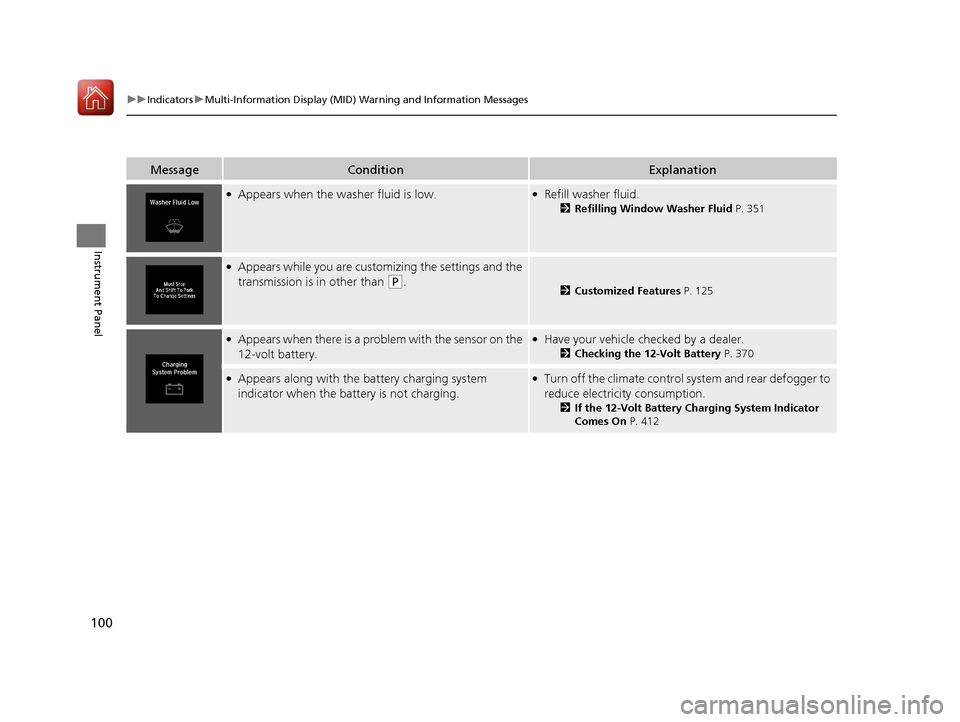
●Appears when the washer fluid is low.●Refill washer fluid.
2 Refilling Window Washer Fluid P. 351
●Appears while you are customizing the settings and the
transmission is in other than
(P.2Customized Features P. 125
●Appears when there is a problem with the sensor on the
12-volt battery.●Have your vehicle checked by a dealer.
2Checking the 12-Volt Battery P. 370
●Appears along with the battery charging system
indicator when the battery is not charging.●Turn off the climate control system and rear defogger to
reduce electricity consumption.
2 If the 12-Volt Battery Charging System Indicator
Comes On P. 412
17 ACURA MDX E-AWD-31TRX6000.book 100 ページ 2017年1月20日 金曜日 午後2時 53分
Page 110 of 453

109
uuIndicators uMulti-Information Display (MID) Warning and Information Messages
Continued
Instrument Panel
MessageConditionExplanation
●Appears if there is a problem with the Auto high-beam.●Manually operate the headlight switch.●If you are driving with the high-beam headlights when
this happens, the headlights are changed to low beams.
●Appears if the temperature inside the camera is too
high and either the auto high beams are in operation or
the headlight switch is turned to AUTO.●Use the climate control system to cool down the
camera.
● Goes off - The camera has cooled down. To resume
the system, turn the headlight switch to AUTO.
2Front Sensor Camera P. 257
●Appears when the area around the camera is blocked
by dirt, mud, etc. Stop your vehicle in a safe place, and
wipe it off with a soft cloth.
●May appear when driving in bad weather (rain, snow,
fog, etc.)
●Have your vehicle checked by a dealer if the message
comes back on after you have cleaned the area around
the camera.
●Appears after the 12-volt battery charging system
indicator comes on.●Your vehicle has less abilit y to accelerate and may be
harder to start on an incline.
●Contact a dealer immediately.
●Appears if there is a problem with the acoustic vehicle
alerting system.●Have your vehicle checked by a dealer immediately.
17 ACURA MDX E-AWD-31TRX6000.book 109 ページ 2017年1月20日 金曜日 午後2時 53分
Page 111 of 453
110
uuIndicators uMulti-Information Display (MID) Warning and Information Messages
Instrument Panel
MessageConditionExplanation
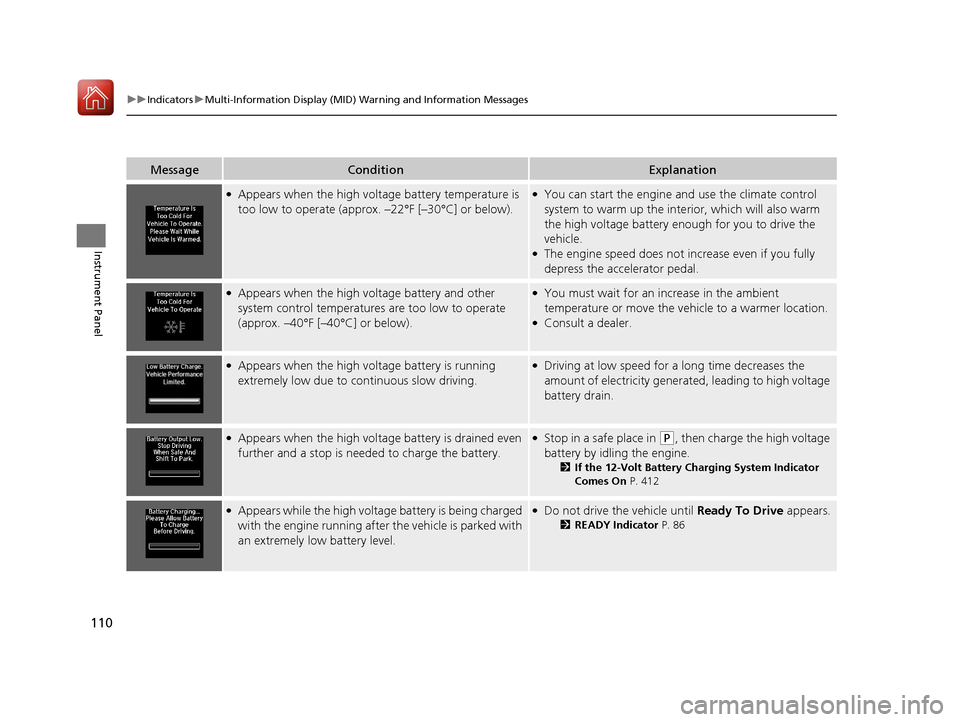
●Appears when the high voltage battery temperature is
too low to operate (approx. –22°F [–30°C] or below).●You can start the engine and use the climate control
system to warm up the inte rior, which will also warm
the high voltage battery en ough for you to drive the
vehicle.
●The engine speed does not in crease even if you fully
depress the accelerator pedal.
●Appears when the high voltage battery and other
system control temperatures are too low to operate
(approx. –40°F [–40°C] or below).●You must wait for an increase in the ambient
temperature or move the vehicle to a warmer location.
●Consult a dealer.
●Appears when the high voltage battery is running
extremely low due to continuous slow driving.●Driving at low speed for a long time decreases the
amount of electricity generate d, leading to high voltage
battery drain.
●Appears when the high voltage battery is drained even
further and a stop is needed to charge the battery.●Stop in a safe place in (P, then charge the high voltage
battery by idling the engine.
2 If the 12-Volt Battery Charging System Indicator
Comes On P. 412
●Appears while the high voltage battery is being charged
with the engine running after the vehicle is parked with
an extremely low battery level.●Do not drive the vehicle until Ready To Drive appears.
2READY Indicator P. 86
17 ACURA MDX E-AWD-31TRX6000.book 110 ページ 2017年1月20日 金曜日 午後2時 53分
Page 136 of 453
135
Controls
This chapter explains how to operate the various controls necessary for driving.
Clock.................................................. 136
Locking and Unlocking the Doors Key Types and Functions .................. 137
Low Keyless Access Remote Signal Strength ......................................... 138
Locking/Unlocking the Doors from the
Outside .......................................... 139
Locking/Unlocking the Doors from the Inside ............................................. 147
Childproof Door Locks ..................... 149
Auto Door Locking/Unlocking .......... 150
Opening and Closing the Tailgate ... 151
Security System Immobilizer System .......................... 158
Security System Alarm ...................... 158 Opening and Closing the Windows
... 161
Opening and Closing the Moonroof .. 163
Operating the Switches Around the
Steering Wheel POWER Button................................. 164
Turn Signals ..................................... 167
Light Switches.................................. 168
Fog Lights
*...................................... 171
Daytime Running Lights ................... 171
Auto High-Beam .............................. 172
Wipers and Washers ........................ 175
Brightness Control ........................... 179
Rear Defogger/Heated Door Mirror Button.. 180Driving Position Memory System ...... 181
Adjusting the Steering Wheel........... 183 Adjusting the Mirrors
Interior Rearview Mirror ................... 184
Power Door Mirrors ......................... 185
Adjusting the Seats Front Seats ...................................... 187
Second Row Seats ........................... 189
Third Row Seats ............................... 198
Armrest ........................................... 199
Interior Lights/Interior Convenience Items
Interior Lights .................................. 201
Interior Convenience Items .............. 203
Climate Control System
Using Automatic Climate Control .... 214
Rear Climate Control System ........... 222
Automatic Climate Control Sensors ... 226
* Not available on all models
17 ACURA MDX E-AWD-31TRX6000.book 135 ページ 2017年1月20日 金曜日 午後2時 53分
Page 174 of 453
Continued173
uuOperating the Switches Around the Steering Wheel uAuto High-Beam
Controls
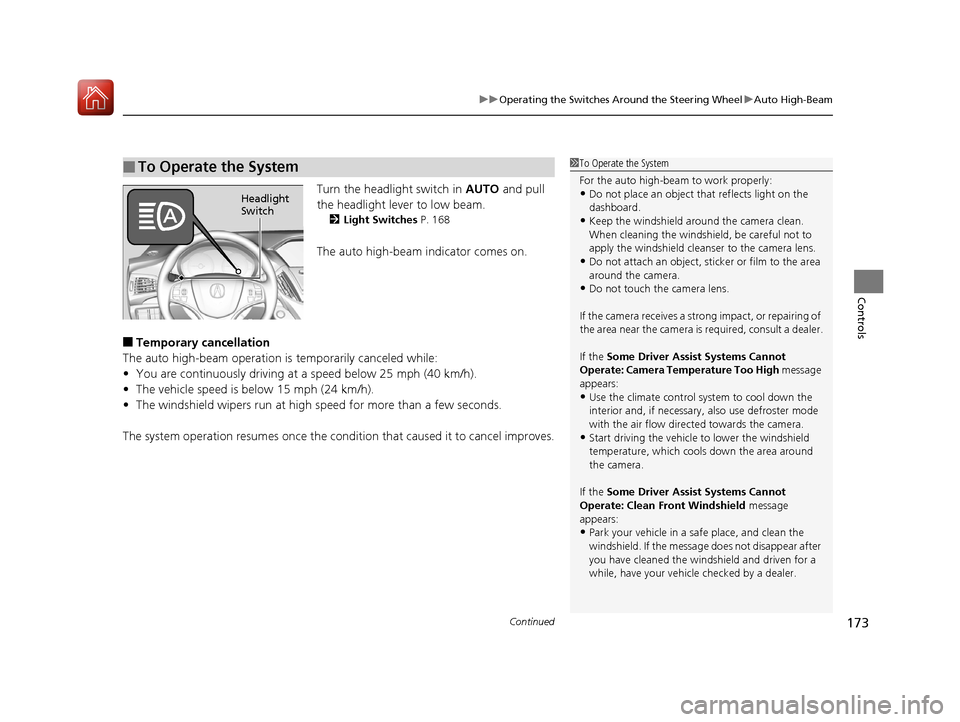
Turn the headlight switch in AUTO and pull
the headlight lever to low beam.
2 Light Switches P. 168
The auto high-beam indicator comes on.
■Temporary cancellation
The auto high-beam operation is temporarily canceled while:
• You are continuously driving at a speed below 25 mph (40 km/h).
• The vehicle speed is below 15 mph (24 km/h).
• The windshield wipers run at high speed for more than a few seconds.
The system operation resumes once the condit ion that caused it to cancel improves.
■To Operate the System1To Operate the System
For the auto high-beam to work properly:
•Do not place an object that reflects light on the
dashboard.
•Keep the windshield around the camera clean.
When cleaning the windshield, be careful not to
apply the windshield cleanser to the camera lens.
•Do not attach an object, sticker or film to the area
around the camera.
•Do not touch the camera lens.
If the camera receives a st rong impact, or repairing of
the area near the camera is required, consult a dealer.
If the Some Driver Assist Systems Cannot
Operate: Camera Temperature Too High message
appears:
•Use the climate control system to cool down the
interior and, if necessary, also use defroster mode
with the air flow directed towards the camera.
•Start driving the vehicle to lower the windshield
temperature, which cool s down the area around
the camera.
If the Some Driver Assist Systems Cannot
Operate: Clean Front Windshield message
appears:
•Park your vehicle in a sa fe place, and clean the
windshield. If the message does not disappear after
you have cleaned the winds hield and driven for a
while, have your vehicle checked by a dealer.
Headlight
Switch
17 ACURA MDX E-AWD-31TRX6000.book 173 ページ 2017年1月20日 金曜日 午後2時 53分
Page 182 of 453

181
uuOperating the Switches Around the Steering Wheel uDriving Position Memory System
Continued
Controls
Driving Position Memory System
You can store two driver’s seat (except for power lumbar), steering wheel and door
mirror positions with the driv ing position memory system.
When you unlock and open the driver’s door with a remote transmitter, or keyless
access system, the seat and door mirrors adjust automatically to one of the two
preset positions.
The steering wheel will move to the stored position when you set the power mode
to ACCESSORY.
When you enter the vehicle, the MID br iefly shows you which remote transmitter
you used to unlock the vehicle.
• DRIVER 1 transmitter is linked to memory button 1.
• DRIVER 2 transmitter is linked to memory button 2.
The driver’s seat moves rearward and steering
wheel fully up depending on the set seating
position once you
•Stop the vehicle.
• Put the transmission in
(P.
• Turn the power system off.
• Then open the driver’s door.
Once the power mode is in the ACCESSORY
position, the driver’s s eat and steering wheel
moves to the DRIVER 1 or 2 preset position.
1 Driving Position Memory System
Using the audio/information screen or MID, you can
disable the automatic seat, steering wheel and door
mirrors adjustment function. 2 Customized Features P. 125
2 Refer to the Navigation System Manual
The driver’s seat easy exit feature can be turned ON/
OFF. 2 Customized Features P. 125
2 Refer to the Navigation System Manual
When opening the driver’s door, the customized
features you have previously set using the same
remote are also rec ognized. They include:
•Driving position memory•Keyless memory settings
•Audio system settings
•Climate control settings•Navigation system preferences
System Operation
The system will not operate if:
•The vehicle speed is above 3 mph (5 km/h).
•Either memory position button is pressed while the
seat or steering wheel is in motion.
•The seat or steering wheel position is adjusted
while in operation.
•The memory 1 or 2 position is set fully to the rear.
DRIVER 1 DRIVER 2
17 ACURA MDX E-AWD-31TRX6000.book 181 ページ 2017年1月20日 金曜日 午後2時 53分
Page 215 of 453

214
Controls
Climate Control System
Using Automatic Climate Control
The automatic climate control system maintains the interior temperature you select.
The system also selects the proper mix of heated or cooled air that raises or lowers
the interior temperature to your pr eference as quickly as possible.
Use the system when the power system is on.
1. Press the AUTO button.
2. Adjust the interior temperature using the driver’s side or passenger’s side
temperature control switch.
3. Press the (On/Off) button to cancel.1Using Automatic Climate Control
If any buttons/icons on the touch screen are pressed
while using the climate control system in auto, the
function of the button/icon th at was pressed will take
priority.
The AUTO indicator will go off, but functions
unrelated to the button/icon that was pressed will be
controlled automatically.
To prevent cold air from bl owing in from outside, the
fan may operate at low speed for a while after the
AUTO button has been pressed.
If the interior is very warm, you can cool it down
more rapidly by partial ly opening the windows,
turning the system on auto, and setting the
temperature to low. Change the fresh mode to
recirculation mode until the temperature cools down.
When you set the temperat ure to the lower or upper
limit, Lo or Hi is displayed.
Pressing the button switches the climate control
system between on and off. When turned on, the
system returns to your last selection.
(On/Off) ButtonAUTO Button
On Demand Multi-Use Display
TM
Driver’s Side
Temperature
Control Switch
Passenger’s
Side
Temperature
Control Switch Passenger’s
Side
Temperature
Driver’s Side
Temperature
17 ACURA MDX E-AWD-31TRX6000.book 214 ページ 2017年1月20日 金曜日 午後2時
53分
Page 216 of 453
Continued215
uuClimate Control System uUsing Automatic Climate Control
Controls
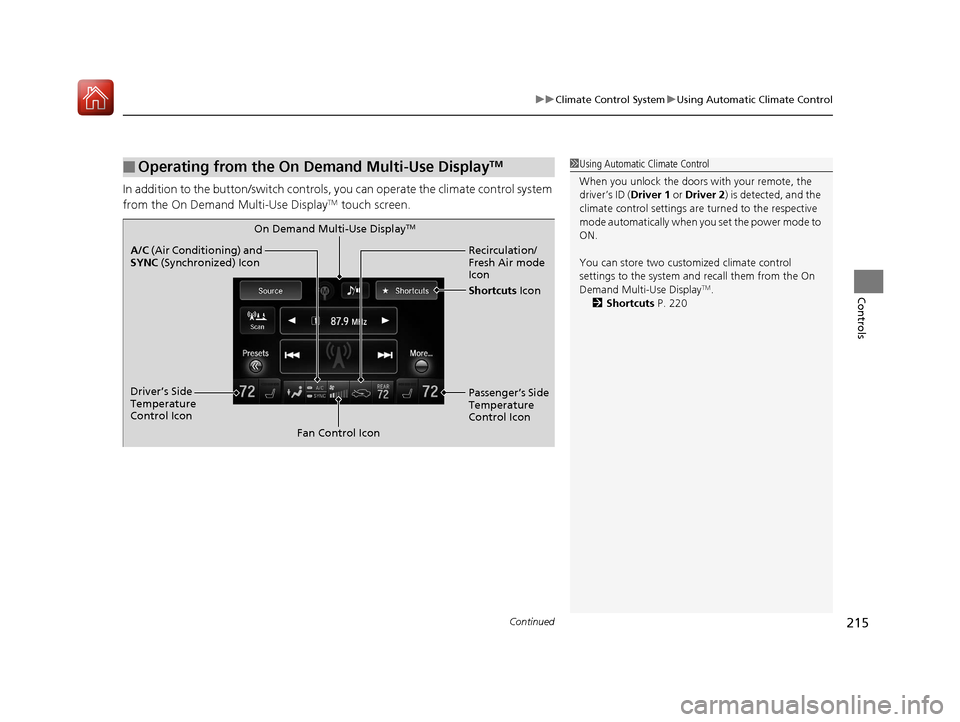
In addition to the button/sw itch controls, you can operate the climate control system
from the On Demand Multi-Use DisplayTM touch screen.
■Operating from the On Demand Multi-Use DisplayTM1 Using Automatic Climate Control
When you unlock the doors with your remote, the
driver’s ID ( Driver 1 or Driver 2) is detected, and the
climate control settings are turned to the respective
mode automatically when you set the power mode to
ON.
You can store two customized climate control
settings to the system and recall them from the On
Demand Multi-Use Display
TM.
2 Shortcuts P. 220
On Demand Multi-Use DisplayTM
A/C (Air Conditioning) and
SYNC (Synchronized) Icon
Driver’s Side
Temperature
Control Icon Recirculation/
Fresh Air mode
Icon
Fan Control Icon Passenger’s Side
Temperature
Control Icon
Shortcuts
Icon
17 ACURA MDX E-AWD-31TRX6000.book 215 ページ 2017年1月20日 金曜日 午後2時 53分
Page 217 of 453

uuClimate Control System uUsing Automatic Climate Control
216
Controls
1. Select the driver’s or passenger’s side
temperature control icon.
2. Change the temperature setting from the
following:
Temperature bar: Select a point where your
desired temperature setting is.
Farther to the left is for a lower, and to the
right for a higher setting.
3 /4 : To raise or lower the temperature
setting one degree at a time.
While you select and hold 3/4 , the
temperature decreases or increases.
MAX COOL ON/OFF: To rapidly cool down
the interior. u The A/C indicator comes on. The setting
returns to the previo usly selected value
when you select it again.
MAX HEAT ON/OFF: To rapidly warm up the
interior.
u The A/C indicator goe s off. The setting
returns to the previo usly selected value
when you select it again.
■Changing the Interior Temperature Setting1 Using Automatic Climate Control
When you set the temperat ure to the lower or upper
limit, Lo or Hi is displayed.
When you set the MAX COOL or MAX HEAT , MAX
COOL or MAX HEAT is displayed.
If you select the MAX HEAT ON/OFF during Auto
Engine Stop, the engine restarts automatically.
The side you selected.
Temperature Bar
17 ACURA MDX E-AWD-31TRX6000.book 216 ページ 2017年1月20日 金曜日 午後2時 53分