lights Acura MDX Hybrid 2017 Owner's Guide
[x] Cancel search | Manufacturer: ACURA, Model Year: 2017, Model line: MDX Hybrid, Model: Acura MDX Hybrid 2017Pages: 453, PDF Size: 23.77 MB
Page 156 of 453

155
uuOpening and Closing the Tailgate uOpening/Closing the Power Tailgate
Continued
Controls
To open or close the power tailgate, press the
power tailgate button for about one second.
Some exterior lights flash and the beeper
sounds.
To reverse direction while the power tailgate is
in operation, press th e button again. The
beeper sounds three times and the tailgate
reverses direction.
To open the power tailgate, press the outer
handle for one second. Some exterior lights
flash and the beeper sounds.
■Power Tailgate Button
Power Tailgate Button
■Power Tailgate Outer Handle
Power Tailgate
Outer Handle
17 ACURA MDX E-AWD-31TRX6000.book 155 ページ 2017年1月20日 金曜日 午後2時 53分
Page 159 of 453

158
Controls
Security System
Immobilizer System
The immobilizer system prevents a key that has not been pre-registered from
starting the power system. Each key cont ains electronic transmitters that use
electronic signals to verify the key.
Pay attention to the follo wing when pressing the POWER button:
• Do not allow objects that emit strong radio waves near the POWER button.
• Make sure the key is not covered by or touching a metal object.
• Do not bring a key from another vehi cle’s immobilizer system near the POWER
button.
• Do not put the key near magnetic items. Electronic devices, such as televisions
and audio systems emit strong magnetic fields. Note that even a key chain can
become magnetic.
Security System Alarm
The security system alarm activates when the tailgate, hood or doors are forcibly
opened. The alarm does not activate if the tailgate or doors are opened with the key,
remote transmitter or keyless access system.
However, the alarm activates if a door is opened with the key and then the hood is
opened before the power mode is set to ON.
■When the security sy stem alarm activates
The horn sounds intermittently, and some exterior lights flash.
■To deactivate the security system alarm
Unlock the vehicle using the key, remote transmitter, or keyless access system. The
system, along with the horn and flashing lights, is deactivated.
1 Immobilizer System
NOTICE
Leaving the key in the vehicl e can result in theft or
accidental movement of the vehicle.
Always take the key with you whenever you leave the
vehicle unattended.
Do not alter the system or add other devices to it.
Doing so may damage the system and make your
vehicle inoperable.
1 Security System Alarm
Do not alter the system or add other devices to it.
Doing so may damage the system and make your
vehicle inoperable.
The security alarm continues for a maximum of two
minutes until the security system alarm deactivates.
17 ACURA MDX E-AWD-31TRX6000.book 158 ページ 2017年1月20日 金曜日 午後2時 53分
Page 161 of 453

160
uuSecurity System uSecurity System Alarm
Controls
■The panic button on the remote
transmitter
If you press the panic button for
approximately one seco nd, the following will
occur for about 30 seconds:
• The horn sounds.
• Some exterior lights flash.
■Canceling panic mode
Press any button on the remote transmitter, or set the power mode to ON.
■Panic Mode
Panic
Button
17 ACURA MDX E-AWD-31TRX6000.book 160 ページ 2017年1月20日 金曜日 午後2時 53分
Page 169 of 453

168
uuOperating the Switches Around the Steering Wheel uLight Switches
Controls
Light Switches
Rotating the light switch turns the lights on
and off, regardless of the power mode
setting.
■High beams
Push the lever forward until you hear a click.
■Low beams
When in high beams, pull the lever back to
return to low beams.
■Flashing the high beams
Pull the lever back, and release it.
■Lights off
Turn the lever to OFF either when:
• The transmission is in
(P.
• The parking brake is applied.
To turn the lights on ag ain, turn the lever to
OFF to cancel the lights off mode. Even if you
do not cancel the lights off mode, the lights
come on automatically when:
• The gear position is changed out of
(P and
the parking brake is released.
• The vehicle starts to move.
■Manual Operation1Light Switches
If you leave the power mode in VEHICLE OFF (LOCK)
while the lights are on, a chime sounds when the
driver’s door is opened.
When the lights are on, the lights on indicator in the
instrument pane l will be on.
2 Lights On Indicator P. 90
Do not leave the lights on when the power system is
off because it will caus e the 12-volt battery to
discharge.
If you sense that the le vel of the headlights is
abnormal, have the vehicl e inspected by a dealer.
Your vehicle is equipped with the automatic
headlight adjusting system that automatically adjusts
the vertical angle of the high/low beam headlights. If
you find a significant change in the vertical angle of
the headlights, there may be a problem with the
system. Have your vehicle checked by a dealer.
Models without automatic headlight adjusting system
Models with automatic headlight adjusting system
High Beams
Flashing the high beams
Low Beams
Turns on parking, side marker,
tail, and rear license plate lights
Turns on headlights, parking,
side marker, tail, and rear
license plate lights
17 ACURA MDX E-AWD-31TRX6000.book 168 ページ 2017年1月20日 金曜日 午後2時 53分
Page 170 of 453

Continued169
uuOperating the Switches Around the Steering Wheel uLight Switches
Controls
Automatic lighting control can be used when
the power mode is in ON.
When the light switch is in AUTO, the
headlights and other exterior lights will switch
on and off automatically depending on the
ambient brightness. u You can change the auto light sensitivity
setting.
2 Customized Features P. 125
2 Refer to the Navigation System Manual
■Automatic Operation (automatic lighting control)1Automatic Operation (aut omatic lighting control)
We recommend that you tu rn on the lights manually
when driving at night, in a dense fog, or in dark areas
such as long tunnels or parking facilities.
The light sensor is in the location shown below.
Adjust the auto light sensitivity as follows:
SettingThe exterior lights come on
when the ambient light is at
Max
High
Mid
Low
Min
Light Sensor
Bright
Dark
17 ACURA MDX E-AWD-31TRX6000.book 169 ページ 2017年1月20日 金曜日 午後2時 53分
Page 171 of 453
uuOperating the Switches Around the Steering Wheel uLight Switches
170
Controls
The headlights automatically co me on when the wipers are used several times within
a certain number of intervals wi th the headlight switch in AUTO.
The headlights automatically go off a few minutes later if the wipers are stopped.
The headlights, all other exterior lights, an d the instrument panel lights turn off 15
seconds after you set the power mode to VE HICLE OFF (LOCK), take the remote with
you, and close th e driver’s door.
If you set the power mode to VEHICLE OFF (LOCK) with the headlight switch on, but
do not open the door, the lights turn off after 10 minutes (3 minutes, if the switch
is in the AUTO position).
The lights turn on again when you unlock or open the driver’s door. If you unlock
the door, but do not open it within 15 seconds, the lights go off. If you open the
driver’s door, you will hear a lights on reminder chime.
■Headlight Integration with Wiper
■Automatic Lighting Off Feature
1Headlight Integration with Wiper
This feature activates while the headlights are off in
AUTO .
The instrument panel br ightness does not change
when the headlights come on.
At dark ambient light levels, the automatic lighting
control feature turns on the headlights, regardless of
the number of wiper sweeps.
1 Automatic Lighting Off Feature
You can change the headlight auto off timer setting.
2 Customized Features P. 125
2 Refer to the Navigation System Manual
17 ACURA MDX E-AWD-31TRX6000.book 170 ページ 2017年1月20日 金曜日 午後2時 53分
Page 172 of 453

171
uuOperating the Switches Around the Steering Wheel uFog Lights*
Controls
Fog Lights*
When the low beam headlights are on, turn
the fog light switch on to use the fog lights.
Daytime Running Lights
The daytime running lights come on when th e following conditions have been met:
• The power mode is in ON.
• The headlight switch is in AUTO or .
• The parking brake is released.
The lights remain on even if you set th e parking brake. Setting the power mode to
VEHICLE OFF (LOCK) will turn off the daytime running lights.
The daytime running lights are off once the h eadlight switch is turned on, or when
the head light switch is in AUTO and it is getting darker outside.
1Fog Lights*
When the fog lights are on, the indicator in the
instrument pane l will be on.
They go off when the headlights turn off, or when
the daytime running lights are on. 2 Fog Light Indicator
* P. 90
Fog Light Switch
* Not available on all models
17 ACURA MDX E-AWD-31TRX6000.book 171 ページ 2017年1月20日 金曜日 午後2時 53分
Page 173 of 453

172
uuOperating the Switches Around the Steering Wheel uAuto High-Beam
Controls
Auto High-Beam
Uses the camera attached to the windsh ield, monitors the space ahead of your
vehicle, and automatically changes th e low beam headlights to high beam
headlights when necessary.1 Auto High-Beam
The auto high-beam determines when to change the
headlight beams by responding to the brightness of
the lights ahead of your vehicle. In the following
cases, the system may not respond to the lights
properly:
•The brightness of the lights from the preceding or
oncoming vehicle is intense or poor.
•Visibility is poor due to the weather (rain, snow,
fog, windshield frost, etc.).
•Other light sources, such as street lights and
electric billboards are illuminating the road ahead.
•The brightness level of th e road ahead constantly
changes.
•The road is bumpy or with many curves.
•A vehicle cuts in front of you, or a vehicle in front
of you is not in the preceding or oncoming
direction.
•Your vehicle is tilted with a heavy load in the rear.
If you find the timing of beam changes inconvenient
for driving, change the headlight beams manually.
■The headlight switch is in AUTO.■The lever is in the low beam
position.
■The system recognizes that you
are driving at night and the low
beam headlights come on.
■The vehicle speed is above 35 mph
(56 km/h).
The system operates when:
The camera is not detecting any lights coming from preceding or oncoming
vehicles: The headlights change to high beams.
The camera detects lights coming from a preceding or oncoming vehicle: The
headlights are return ed to low beams.
The view angle or distance that the camera can detect lights ahead differs
depending on conditions, such as the brightness of the lights and the weather.
The system changes between high and low beam headlights when:
17 ACURA MDX E-AWD-31TRX6000.book 172 ページ 2017年1月20日 金曜日 午後2時 53分
Page 175 of 453

uuOperating the Switches Around the Steering Wheel uAuto High-Beam
174
Controls
■To manually cancel the system temporarily
You can cancel the operation when you manually change the headlights to high
beams. Push the lever forward until you hear a click, or lightly pull the lever towards
you to flash high beams. The auto high-beam indicator goes off.
If you want the auto high-beam operation to resume at once, pull the lever towards
you.
Adjust the system when the vehicle is parked
with the power mode in ON and the light
switch is in the AUTO position.
To disable the system: Pull the light switch
lever towards you and hold it for 40 seconds.
The auto high-beam indica tor in the meter will
blink twice.
To enable the system: Pull the light switch
lever towards you and hold it for 30 seconds.
The auto high-beam indica tor in the meter will
blink once.
To set the high sensitivity: Pull the light
switch lever towards you and hold it for 2
minutes.
The auto high-beam indica tor in the meter will
blink three times. The se tting is reset when the
power mode is set to VEHICLE OFF (LOCK).
■To Adjust the System1 To Adjust the System
The auto high-beam is in the previously selected
disabled or enabled setti ng each time you start the
power system.
AUTO Position
17 ACURA MDX E-AWD-31TRX6000.book 174 ページ 2017年1月20日 金曜日 午後2時 53分
Page 179 of 453
uuOperating the Switches Around the Steering Wheel uWipers and Washers
178
Controls
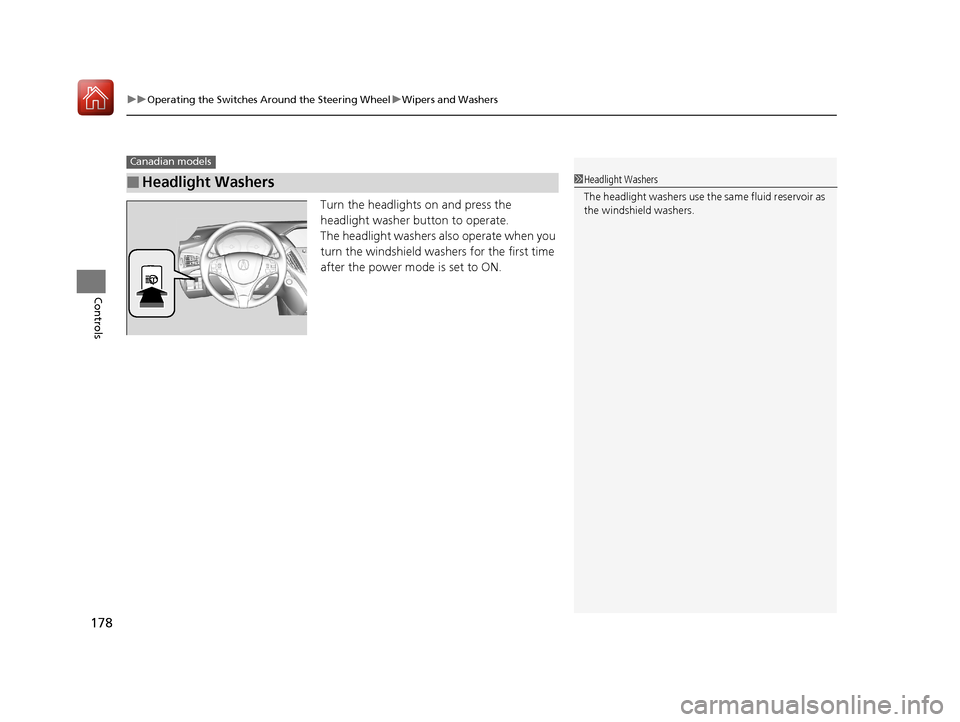
Turn the headlights on and press the
headlight washer button to operate.
The headlight washers also operate when you
turn the windshield wash ers for the first time
after the power mode is set to ON.
■Headlight Washers
Canadian models
1 Headlight Washers
The headlight washers use th e same fluid reservoir as
the windshield washers.
17 ACURA MDX E-AWD-31TRX6000.book 178 ページ 2017年1月20日 金曜日 午後2時 53分