instrument panel Acura MDX Hybrid 2017 Repair Manual
[x] Cancel search | Manufacturer: ACURA, Model Year: 2017, Model line: MDX Hybrid, Model: Acura MDX Hybrid 2017Pages: 453, PDF Size: 23.77 MB
Page 132 of 453

131
uuGauges and Multi-Info rmation Display (MID)uMID
Continued
Instrument Panel
*1: Default SettingSetup Group Customizable Features
Description Selectable Settings
Lighting
Setup
Interior Light Dimming
TimeChanges the length of time the interior lights stay
on after you close the doors.60sec /30sec*1/15sec
Headlight Auto Off
TimerChanges the length of time the exterior lights stay
on after you close the driver’s door.60sec /30sec /15sec*1/0sec
Auto Light SensitivityChanges the timing for the headlights to come on.Max/High /Mid*1/Low/ Min
Door Setup Auto Door Lock
Changes the setting
for when the doors
automatically lock. With Vehicle Speed
*1/
Shift
From P /Off
Auto Door Unlock Changes the setting
for when the doors
automatically unlock. All Doors When Driver’s
Door Opens
*1/
All Doors
When Shifted To Park /All
Doors When Ignition
Switched Off /Off
Key And Remote Unlock
Mode Sets up either the driver’s door or all doors to unlock
on the first operation of the remote or built-in key.
Driver Door
*1/
All Doors
Keyless Lock Answer
Back LOCK/UNLOCK- The exterior lights flash.
LOCK (2nd push)- The beeper sounds.
On
*1/
Off
Security Relock Timer Changes the time it takes for the doors to relock and
the security system to set after you unlock the
vehicle without opening any door.
90sec
/60sec /30sec
*1
Auto Folding Door
Mirror Changes how you can fold the door mirrors. Auto Fold With Keyless*1/
Manual Only
17 ACURA MDX E-AWD-31TRX6000.book 131 ページ 2017年1月20日 金曜日 午後2時 53分
Page 133 of 453
132
uuGauges and Multi-Information Display (MID) uMID
Instrument Panel
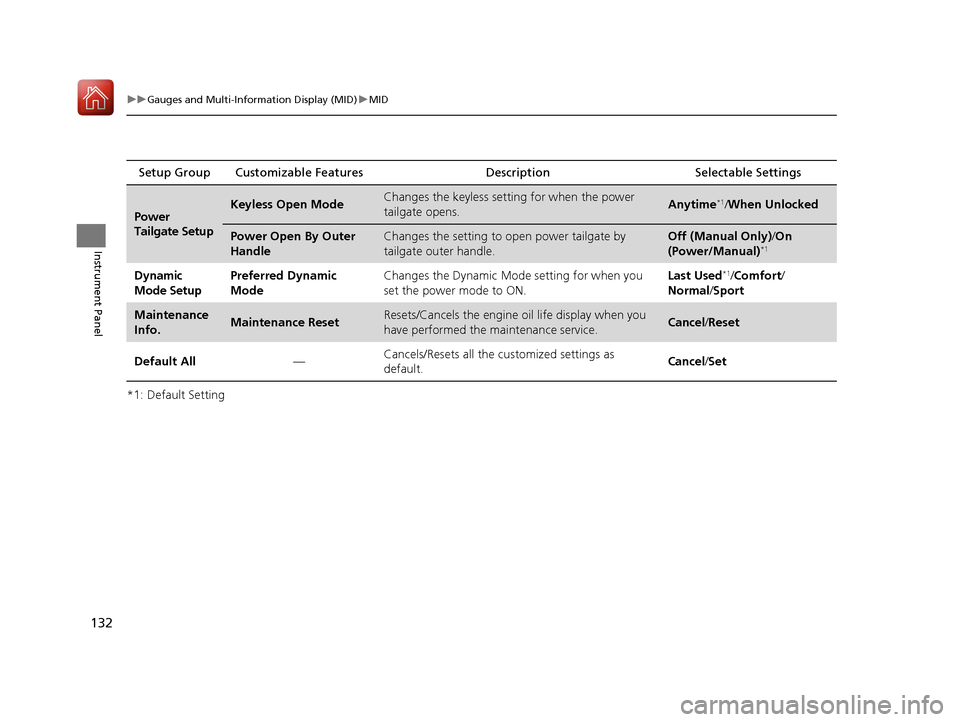
*1: Default SettingSetup Group Customizable Features
Description Selectable Settings
Power
Tailgate SetupKeyless Open ModeChanges the keyless setting for when the power
tailgate opens.Anytime*1/When Unlocked
Power Open By Outer
HandleChanges the setting to open power tailgate by
tailgate outer handle.Off (Manual Only) /On
(Power/Manual)*1
Dynamic
Mode SetupPreferred Dynamic
ModeChanges the Dynamic Mode setting for when you
set the power mode to ON.Last Used*1/ Comfort /
Normal /Sport
Maintenance
Info.Maintenance ResetResets/Cancels the engine oil life display when you
have performed the maintenance service. Cancel /Reset
Default All —Cancels/Resets all the
customized settings as
default. Cancel
/Set
17 ACURA MDX E-AWD-31TRX6000.book 132 ページ 2017年1月20日 金曜日 午後2時 53分
Page 134 of 453

133
uuGauges and Multi-Info rmation Display (MID)uMID
Continued
Instrument Panel
■Example of customization settings
The steps for changing the “Trip A” Reset Timing setting to When Refueled are
shown below. The default setting for “Trip A” Reset Timing is Manually Reset.
1. Roll the multi-function steering-wheel
controls to select Vehicle Settings , then
push the multi-func tion steering-wheel
controls.
2. Roll the multi-function steering-wheel
controls until Meter Setup appears on the
display.
3. Push the multi-func tion steering-wheel
controls.
u Language Selection appears first on
the display.
17 ACURA MDX E-AWD-31TRX6000.book 133 ページ 2017年1月20日 金曜日 午後2時 53分
Page 135 of 453

134
uuGauges and Multi-Information Display (MID) uMID
Instrument Panel
4. Roll the multi-function steering-wheel
controls until “Trip A” Reset Timing
appears on the display, then push the multi-
function steering-wheel controls.
u The display switches to the
customization setup screen, where you
can select When Refueled , IGN Off,
Manually Reset , or Exit .
5. Roll the multi-function steering-wheel
controls and select When Refueled, then
push the multi-functi on steering-wheel
controls.
u The When Refueled Setup screen
appears, then the di splay returns to the
customization menu screen.
6. Roll the multi-function steering-wheel
controls until Exit appears on the display,
then push the multi-function steering-
wheel controls.
7. Repeat Step 6 until you return to the
normal screen.
17 ACURA MDX E-AWD-31TRX6000.book 134 ページ 2017年1月20日 金曜日 午後2時 53分
Page 160 of 453

Continued159
uuSecurity System uSecurity System Alarm
Controls
■Setting the security system alarm
The security system alarm automatically sets when the following conditions have
been met:
• The power mode is set to VEHICLE OFF (LOCK).
• The hood is closed.
• All doors and the tailgate are locked from outside with the key, remote
transmitter, or keyle ss access system.
■When the security system alarm sets
The security system alarm indicator in the instrument panel blinks. When the
blinking interval changes after about 15 se conds, the security system alarm is set.
■To cancel the security system alarm
The security system alarm is canceled wh en the vehicle is unlocked using the key,
remote transmitter, keyless access system, or the power mode is set to ON. The
security system alarm indicato r goes off at the same time.
1Security System Alarm
Do not set the security system alarm when someone
is in the vehicle or a window is open. The system can
accidentally activate when:
•Unlocking the door with the lock tab.•Opening the hood with the hood release.
If the 12-volt battery goes dead after you have set the
security system alarm, the security alarm may go off
once the 12-volt battery is recharged or replaced.
If this occurs, deactivate the security system alarm by
unlocking a door using the ke y, remote transmitter,
or keyless access system.
17 ACURA MDX E-AWD-31TRX6000.book 159 ページ 2017年1月20日 金曜日 午後2時 53分
Page 171 of 453
uuOperating the Switches Around the Steering Wheel uLight Switches
170
Controls
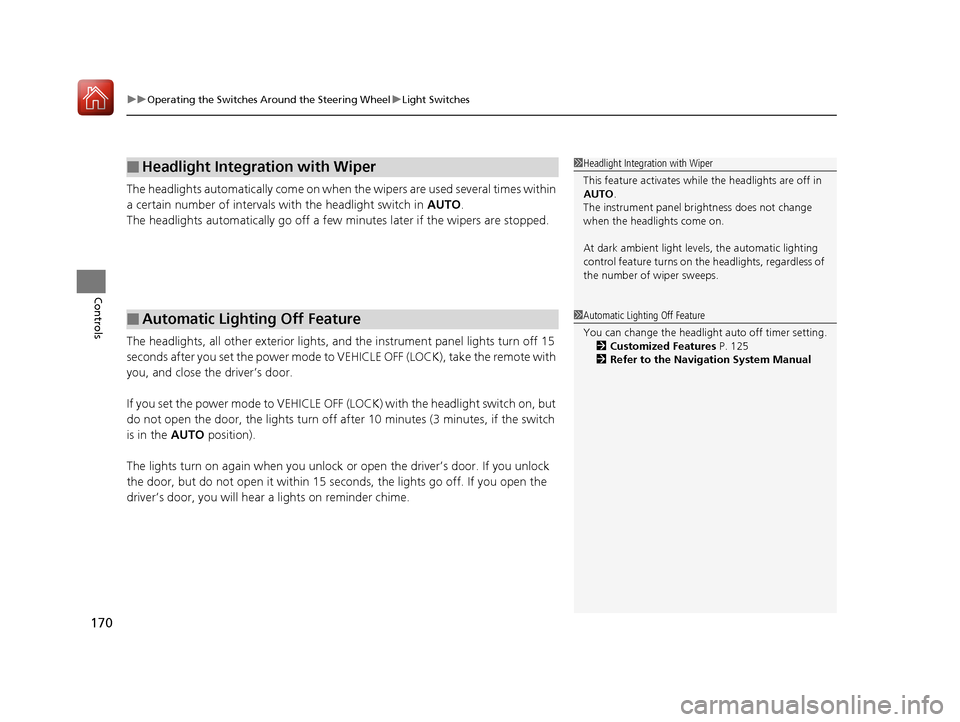
The headlights automatically co me on when the wipers are used several times within
a certain number of intervals wi th the headlight switch in AUTO.
The headlights automatically go off a few minutes later if the wipers are stopped.
The headlights, all other exterior lights, an d the instrument panel lights turn off 15
seconds after you set the power mode to VE HICLE OFF (LOCK), take the remote with
you, and close th e driver’s door.
If you set the power mode to VEHICLE OFF (LOCK) with the headlight switch on, but
do not open the door, the lights turn off after 10 minutes (3 minutes, if the switch
is in the AUTO position).
The lights turn on again when you unlock or open the driver’s door. If you unlock
the door, but do not open it within 15 seconds, the lights go off. If you open the
driver’s door, you will hear a lights on reminder chime.
■Headlight Integration with Wiper
■Automatic Lighting Off Feature
1Headlight Integration with Wiper
This feature activates while the headlights are off in
AUTO .
The instrument panel br ightness does not change
when the headlights come on.
At dark ambient light levels, the automatic lighting
control feature turns on the headlights, regardless of
the number of wiper sweeps.
1 Automatic Lighting Off Feature
You can change the headlight auto off timer setting.
2 Customized Features P. 125
2 Refer to the Navigation System Manual
17 ACURA MDX E-AWD-31TRX6000.book 170 ページ 2017年1月20日 金曜日 午後2時 53分
Page 180 of 453

179
uuOperating the Switches Around the Steering Wheel uBrightness Control
Controls
Brightness Control
When the power mode is in ON, you can use
the
(+ or (- button to adjust instrument
panel brightness.
Brighten: Press the
(+ button.
Dim: Press the
(- button.
You will hear a beep when the brightness
reaches minimum or maximum. Several
seconds after you have adjusted the
brightness, you will be returned to the
previous display.
■Brightness level indicator
The brightness level is shown on the MID
while you are adjusting it.
1 Brightness Control
Instrument panel brightne ss varies, depending on
whether the exterior lights are on or off. The
instrument panel dims to reduce glare when they are
on.
When it is bright out side and the headlight
integration with the wi per is activated, the
instrument panel bri ghtness does not change.
To cancel the reduced in strument panel brightness
when the exterior lights are on, press the
( + button
until the brightness display is up to max, the beeper
sounds.
The brightness can be set differently for when the
exterior lights are on, and when they are off.
( + Button
(- Button
17 ACURA MDX E-AWD-31TRX6000.book 179 ページ 2017年1月20日 金曜日 午後2時 53分
Page 184 of 453
183
uuOperating the Switches Around the Steering Wheel uAdjusting the Steering Wheel
Controls
Adjusting the Steering Wheel
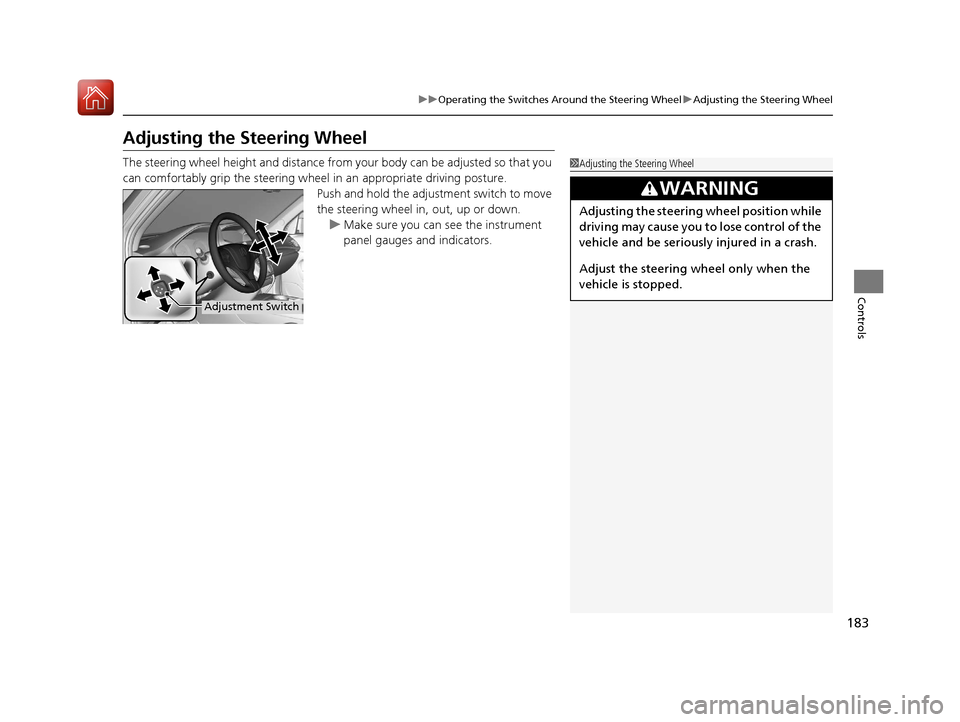
The steering wheel height and distance from your body can be adjusted so that you
can comfortably grip the steering wheel in an appropriate driving posture.
Push and hold the adjust ment switch to move
the steering wheel in, out, up or down. u Make sure you can see the instrument
panel gauges and indicators.1Adjusting the Steering Wheel
3WARNING
Adjusting the steering wheel position while
driving may cause you to lose control of the
vehicle and be seriously injured in a crash.
Adjust the steering wh eel only when the
vehicle is stopped.
Adjustment Switch
17 ACURA MDX E-AWD-31TRX6000.book 183 ページ 2017年1月20日 金曜日 午後2時 53分
Page 258 of 453

257
uuWhen Driving uFront Sensor Camera
Continued
Driving
Front Sensor Camera
The camera, used in systems such as LKAS, RDM, ACC with LSF, and CMBSTM, auto
high-beam, is designed to detect an obj ect that triggers any of the systems to
operate its functions.
This camera is located behind the rearview
mirror.
To help reduce the likelihood that high interior
temperatures will cause the camera’s sensing
s y s t e m t o s h u t o f f , w h e n p a r k i n g , f i n d a s h a d y
area or face the front of the vehicle away from
the sun. If you use a reflective sun shade, do
not allow it to cover the camera housing.
Covering the camera can concentrate heat on
it.
■Camera Location and Handling Tips
1Front Sensor Camera
Never apply a film or attach any objects to the
windshield, the hood, or the front grill that could
obstruct the camera’s fiel d of vision and cause the
system to operate abnormally.
Scratches, nicks, and othe r damage to the windshield
within the camera’s fiel d of vision can cause the
system to operate abnormall y. If this occurs, we
recommend that you replac e the windshield with a
genuine Acura replacement windshield. Making even
minor repairs within the ca mera’s field of vision or
installing an aftermarke t replacement windshield
may also cause the system to operate abnormally.
After replacing the winds hield, have a dealer
recalibrate the camera. Pr oper calibration of the
camera is necessary for the system to operate
properly.
Do not place an object on the top of the instrument
panel. It may reflect onto the windshield and prevent
the system from detecting lane lines properly.
Front Sensor
Camera
17 ACURA MDX E-AWD-31TRX6000.book 257 ページ 2017年1月20日 金曜日 午後2時 53分
Page 261 of 453

uuWhen Driving uAdaptive Cruise Control (ACC) with Low Speed Follow (LSF)
260
Driving
■How to activate the system1Adaptive Cruise Control (ACC) with Low Speed Follow (LSF)
When the MAIN button is pressed, ACC with LSF and
Lane Keeping Assist System (LKAS) are both turned
on or off.
ACC with LSF may not work properly under certain
conditions. 2 ACC with LSF Conditions and Limitations
P. 265
When not using ACC with LSF: Turn off adaptive
cruise by pressing the MAIN button. This also will
turn off the Lane Keeping Assist System (LKAS).
Do not use ACC with LSF under the following
conditions:
•On roads with heavy traf fic or while driving in
continuous stop and go traffic.
•On roads with sharp turns.
•On roads with steep downhill sections, as the set
vehicle speed can be exceeded by coasting. In such
cases, ACC with LSF will not apply the brakes to
maintain the set speed.
•On roads with toll collection facilities or other
objects between lanes of traffic, or in parking
areas, or faci lities with driv e through access.
■Press the MAIN button on
the steering wheel. ACC
(green) is on in the
instrument panel.
ACC with LSF is ready to
use.
17 ACURA MDX E-AWD-31TRX6000.book 260 ページ 2017年1月20日 金曜日 午後2時 53分