heating Acura MDX Hybrid 2017 Owner's Manual
[x] Cancel search | Manufacturer: ACURA, Model Year: 2017, Model line: MDX Hybrid, Model: Acura MDX Hybrid 2017Pages: 453, PDF Size: 23.77 MB
Page 4 of 453
Contents
Child Safety P. 60Exhaust Gas Hazard P. 75Safety Labels P. 76
Opening and Closing the Tailgate P. 151 Security System P. 158 Opening and Closing the Windows P. 161
Operating the Switches Around the Steering Wheel P. 164 Adjusting the Mirrors P. 184
Interior Lights/Interior Convenience It ems P. 201 Climate Control System P. 214
Off-Highway Driving Guidelines P. 237 When Driving P. 239 Braking P. 299
Refueling P. 327 Fuel Economy and CO
2 Emissions P. 330
Maintenance Under the Hood P. 339 Replacing Light Bulbs P. 352
Checking and Maintaining Tires P. 361 12-Volt Battery P. 370 Remote Transmitter Care P. 371
Climate Control System Maintenance P. 374 Cleaning P. 375Accessories and Modifications P. 380
Power System Won’t Start P. 404 Jump Starting P. 407 Overheating P. 409
Emergency Towing P. 427 When You Cannot Unlock the Fuel Fill Door P. 428
Refueling P. 430
Devices that Emit Radio Waves P. 435 Reporting Safety Defects P. 436
Authorized Manuals P. 440 Client Service Information P. 441
Quick Reference GuideP. 4
Safe DrivingP. 31
Instrument PanelP. 77
ControlsP. 135
FeaturesP. 227
DrivingP. 229
MaintenanceP. 331
Handling the UnexpectedP. 383
InformationP. 431
IndexP. 442
17 ACURA MDX E-AWD-31TRX6000.book 3 ページ 2017年1月20日 金曜日 午後2時53分
Page 27 of 453
26
Quick Reference Guide
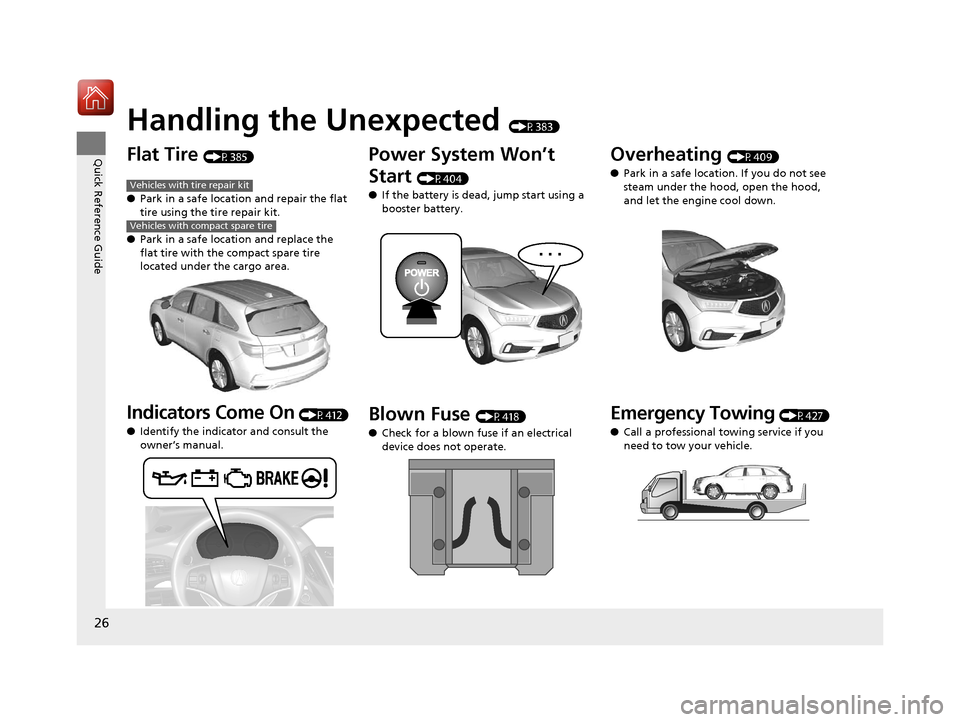
Handling the Unexpected (P383)
Flat Tire (P385)
● Park in a safe location and repair the flat
tire using the tire repair kit.
● Park in a safe location and replace the
flat tire with the compact spare tire
located under the cargo area.
Indicators Come On (P412)
● Identify the indicator and consult the
owner’s manual.
Vehicles with tire repair kit
Vehicles with compact spare tire
Power System Won’t
Start
(P404)
● If the battery is dead, jump start using a
booster battery.
Blown Fuse (P418)
● Check for a blown fuse if an electrical
device does not operate.
Overheating (P409)
● Park in a safe location. If you do not see
steam under the hood, open the hood,
and let the engine cool down.
Emergency Towing (P427)
● Call a professional towing service if you
need to tow your vehicle.
17 ACURA MDX E-AWD-31TRX6000.book 26 ページ 2017年1月20日 金曜日 午後2時5 3分
Page 87 of 453
86
uuIndicators u
Instrument Panel
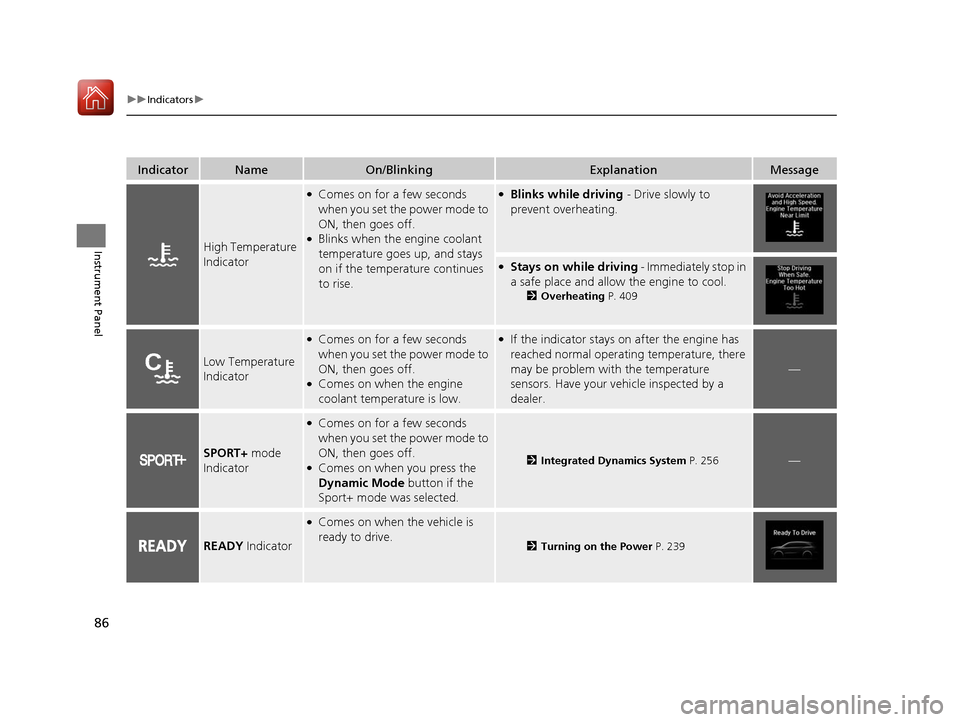
IndicatorNameOn/BlinkingExplanationMessage
High Temperature
Indicator
●Comes on for a few seconds
when you set the power mode to
ON, then goes off.
●Blinks when the engine coolant
temperature goes up, and stays
on if the temperature continues
to rise.
●Blinks while driving - Drive slowly to
prevent overheating.
●Stays on while driving - Immediately stop in
a safe place and allow the engine to cool.
2 Overheating P. 409
Low Temperature
Indicator
●Comes on for a few seconds
when you set the power mode to
ON, then goes off.
●Comes on when the engine
coolant temperature is low.
●If the indicator stays on after the engine has
reached normal operating temperature, there
may be problem with the temperature
sensors. Have your vehicle inspected by a
dealer.
—
SPORT+ mode
Indicator
●Comes on for a few seconds
when you set the power mode to
ON, then goes off.
●Comes on when you press the
Dynamic Mode button if the
Sport+ mode was selected.2 Integrated Dynamics System P. 256—
READY Indicator
●Comes on when the vehicle is
ready to drive.
2Turning on the Power P. 239
17 ACURA MDX E-AWD-31TRX6000.book 86 ページ 2017年1月20日 金曜日 午後2時5 3分
Page 108 of 453
107
uuIndicators uMulti-Information Display (MID) Warning and Information Messages
Continued
Instrument Panel
MessageConditionExplanation
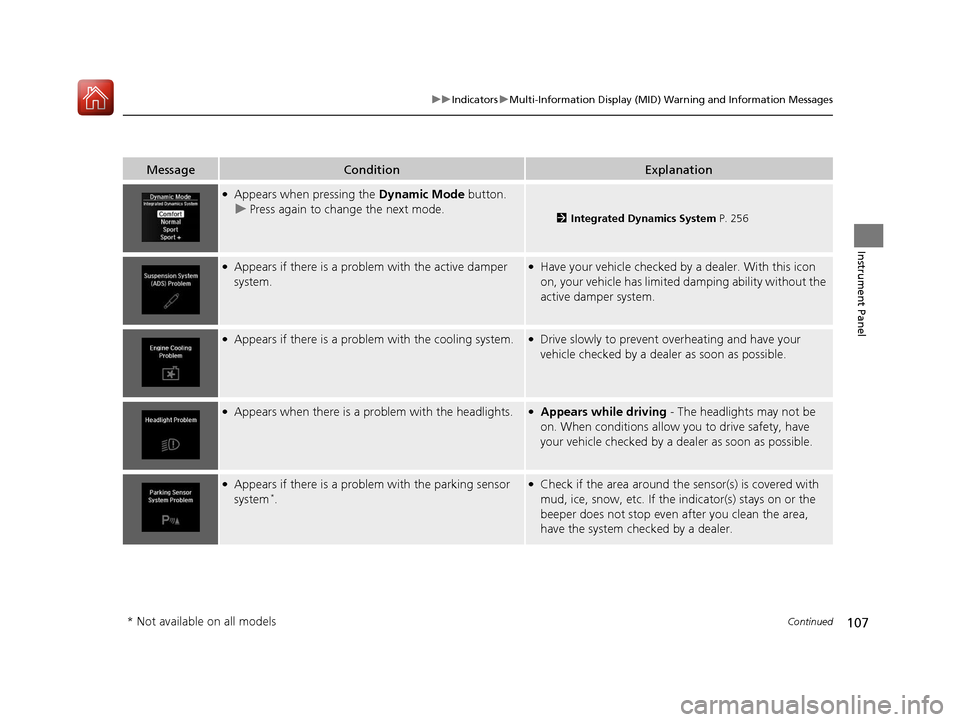
●Appears when pressing the Dynamic Mode button.
u Press again to change the next mode.
2 Integrated Dynamics System P. 256
●Appears if there is a problem with the active damper
system.●Have your vehicle checked by a dealer. With this icon
on, your vehicle has limited damping ability without the
active damper system.
●Appears if there is a problem with the cooling system.●Drive slowly to prevent overheating and have your
vehicle checked by a dealer as soon as possible.
●Appears when there is a problem with the headlights.●Appears while driving - The headlights may not be
on. When conditions allow you to drive safety, have
your vehicle checked by a dealer as soon as possible.
●Appears if there is a problem with the parking sensor
system*.
●Check if the area around the sensor(s) is covered with
mud, ice, snow, etc. If the indicator(s) stays on or the
beeper does not stop even after you clean the area,
have the system checked by a dealer.
* Not available on all models
17 ACURA MDX E-AWD-31TRX6000.book 107 ページ 2017年1月20日 金曜日 午後2時 53分
Page 181 of 453

180
uuOperating the Switches Around the Steering Wheel uRear Defogger/Heated Door Mirror Button
Controls
Rear Defogger/Heated Door Mirror Button
Press the rear defogger and heated door mirror button to defog the rear window
and mirrors when the power mode is in ON.
The rear defogger and heated door mirrors
automatically switch off after 10-30 minutes
depending on the outside temperature.
Heated Windshield Button*
Press the heated windshield button to deice
the windshield when the power mode is in
ON.
1Rear Defogger/Heated Door Mirror Button
NOTICE
When cleaning the inside of the rear window, be
careful not to damage the heating wires.
It is critical to wipe the window from side to side
along the defogger heating wires.
This system consumes a lot of power, so turn it off
when the window has been defogged. Also, do not
use the system for a long time while the power
system is stopped. This may weaken the 12-volt
battery, making it difficult to turn the power system
on.
When the outside temperature is below 41°F (5°C),
the heated door mirror may activate automatically for
10 minutes when you set the power mode to ON.
1 Heated Windshield Button*
This system consumes a lot of power, so turn it off
when the window has been deiced. Also, do not use
the system for a long period when the power system
is stopped. This may weak en the 12-volt battery,
making it difficult to turn the power system on.
When the outside temperature is below 39°F (4°C),
the heated windshield may automatically activate.
The system deactivates itself once the outside
temperature reaches 43°F (6°C).
* Not available on all models
17 ACURA MDX E-AWD-31TRX6000.book 180 ページ 2017年1月20日 金曜日 午後2時 53分
Page 362 of 453

361
Maintenance
Checking and Maintaining Tires
Checking Tires
To safely operate your vehicle, your tires must be of the proper type and size, in
good condition with adequate tread, and properly inflated.
■Inflation guidelines
Properly inflated tires provid e the best combination of hand ling, tread life, and comfort.
Refer to the driver’s doorjamb label or spec ifications page for the specified pressure.
Underinflated tires wear unev enly, adversely affect handling and fuel economy, and
are more likely to fail from overheating.
Overinflated tires make your vehicle ride ha rshly, are more prone to road hazards,
and wear unevenly.
Every day before you drive, look at each of the tires. If one looks lower than the
others, check the pressure with a tire gauge.
At least once a month or before long trips , use a gauge to measure the pressure in
all tires, including the spare
*. Even tires in good condition can lose 1–2 psi (10–20
kPa, 0.1–0.2 kgf/cm2) per month.
■Inspection guidelines
Every time you check inflation, also examine the tires and valve stems.
Look for:
• Bumps or bulges on the side or in the tr ead. Replace the tire if you find any cuts,
splits, or cracks in the side of the tire . Replace it if you see fabric or cord.
• Remove any foreign objects and inspect for air leaks.
• Uneven tread wear. Have a deal er check the wheel alignment.
• Excessive tread wear.
2 Wear Indicators P. 366
•Cracks or other damage around valve stem.
1Checking Tires
Measure the air pressure when tires are cold. This
means the vehicle has been parked for at least three
hours, or driven less than 1 mile (1.6 km). If
necessary, add or releas e air until the specified
pressure is reached.
If checked when hot, tire pressure can be as much as
4–6 psi (30–40 kPa, 0.3–0.4 kgf/cm
2) higher than if
checked when cold.
Have a dealer check the tires if you feel a consistent
vibration while driving. Ne w tires and any that have
been removed and reinst alled should be properly
balanced.
3WARNING
Using tires that are excessively worn or
improperly inflated can cause a crash in
which you can be seriously hurt or killed.
Follow all instruction s in this owner’s
manual regarding tire inflation and
maintenance.
* Not available on all models
17 ACURA MDX E-AWD-31TRX6000.book 361 ページ 2017年1月20日 金曜日 午後2時 53分
Page 384 of 453
383
Handling the Unexpected
This chapter explains how to handle unexpected troubles.
ToolsTypes of Tools .................................. 384
If a Tire Goes Flat
Changing a Flat Tire
*....................... 385
Temporarily Repair ing a Flat Tire*..... 392
Power System Won’t Start ............... 404
Checking the Procedure ................... 404
If the Keyless Access Remote Battery is Weak ............................................. 405
Emergency Power System Off........... 406
Jump Starting .................................... 407
Overheating
How to Handle Overheating ............. 409 Indicator, Coming On/Blinking
If the Low Oil Pressure Indicator Comes On ... 412If the 12-Volt Battery Charging System
Indicator Comes On ....................... 412
If the Malfunction Indicator Lamp Comes On or Blinks ................................... 413
If the Brake System Indicator (Red) Comes On ................................................... 414
If the Speed-Sensitive Electric Power Steering (EPS) System Indicator Comes
On.................................................. 414
If the Low Tire Pressure/TPMS Indicator
Comes On or Blinks........................ 416 If the Transmission System Indicator Blinks
along with the Warning Message ...... 416
If the Power System Indicator Comes On .. 417Fuses Fuse Locations ................................. 418
Inspecting and Changing Fuses ........ 426
Emergency Towing ........................... 427
When You Cannot Unlock the Fuel Fill Door ................................................. 428
When You Cannot Open the Tailgate.. 429Refueling ........................................... 430Refueling From a Portable Fuel
Container ................................... 430
* Not available on all models
17 ACURA MDX E-AWD-31TRX6000.book 383 ページ 2017年1月20日 金曜日 午後2時 53分
Page 410 of 453

409Continued
Handling the Unexpected
Overheating
How to Handle Overheating
Overheating symptoms are as follows:
•The high temperature indicator comes on or the engine suddenly loses power.
• The Stop Driving When Safe. En gine Temperature Too Hot message appears
on the multi-information display (MID).
• Steam or spray comes out of the engine compartment.
17 ACURA MDX E-AWD-31TRX6000.book 409 ページ 2017年1月20日 金曜日 午後2時 53分
Page 411 of 453

uuOverheating uHow to Handle Overheating
410
Handling the Unexpected
■First thing to do
1. Immediately park the vehicle in a safe place.
2. Turn off all accessories and turn on the hazard warning lights.
u No steam or spray present: Keep the power system on and open the hood.
u Steam or spray is present: Turn off the power system and wait until it
subsides. Then open the hood.
■The Stop Driving When Safe. Engine Temperature Too Hot
Message Appears on the Multi-Information Display (MID)1 The Stop Driving When Safe. Engine Temperature Too Hot
Message Appears on the Multi-Information Display (MID)
NOTICE
Continuing to drive with the Stop Driving When
Safe. Engine Temperature Too Hot message on
the multi-information display may damage the
engine.
3WARNING
Steam and spray from an overheated
engine can seri ously scald you.
Do not open the hood if steam is coming
out.
17 ACURA MDX E-AWD-31TRX6000.book 410 ページ 2017年1月20日 金曜日 午後2時 53分
Page 412 of 453
411
uuOverheating uHow to Handle Overheating
Handling the Unexpected
■Next thing to do
1.Check that the cooling fan is operating and
turn the power system off once the Stop
Driving When Safe. Engine
Temperature Too Hot message on the
multi-information display goes off.
u If the cooling fan is not operating,
immediately turn the power system off.
2. Once the engine has cooled down, inspect
the coolant level and check the cooling
system components for leaks.
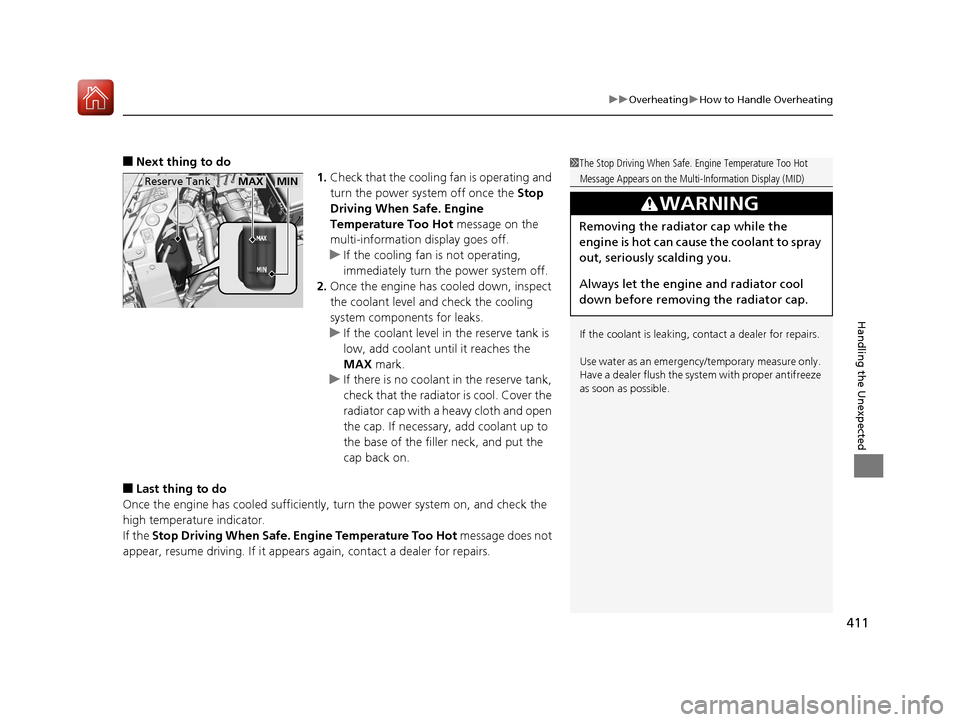
u If the coolant level in the reserve tank is
low, add coolant until it reaches the
MAX mark.
u If there is no coolant in the reserve tank,
check that the radiator is cool. Cover the
radiator cap with a heavy cloth and open
the cap. If necessary, add coolant up to
the base of the filler neck, and put the
cap back on.
■Last thing to do
Once the engine has cooled sufficiently, turn the power system on, and check the
high temperature indicator.
If the Stop Driving When Safe. Engine Temperature Too Hot message does not
appear, resume driving. If it appears again, contact a dealer for repairs.
1 The Stop Driving When Safe. Engine Temperature Too Hot
Message Appears on the Multi-Information Display (MID)
If the coolant is leaking, contact a dealer for repairs.
Use water as an emergency/temporary measure only.
Have a dealer flush the system with proper antifreeze
as soon as possible.
3WARNING
Removing the radiator cap while the
engine is hot can cause the coolant to spray
out, seriously scalding you.
Always let the engine and radiator cool
down before removing the radiator cap.
Reserve TankMAXMIN
17 ACURA MDX E-AWD-31TRX6000.book 411 ページ 2017年1月20日 金曜日 午後2時 53分