lock Acura NSX 2017 Owner's Guide
[x] Cancel search | Manufacturer: ACURA, Model Year: 2017, Model line: NSX, Model: Acura NSX 2017Pages: 473, PDF Size: 16.01 MB
Page 82 of 473
81
uuIndicators u
Continued
Instrument Panel
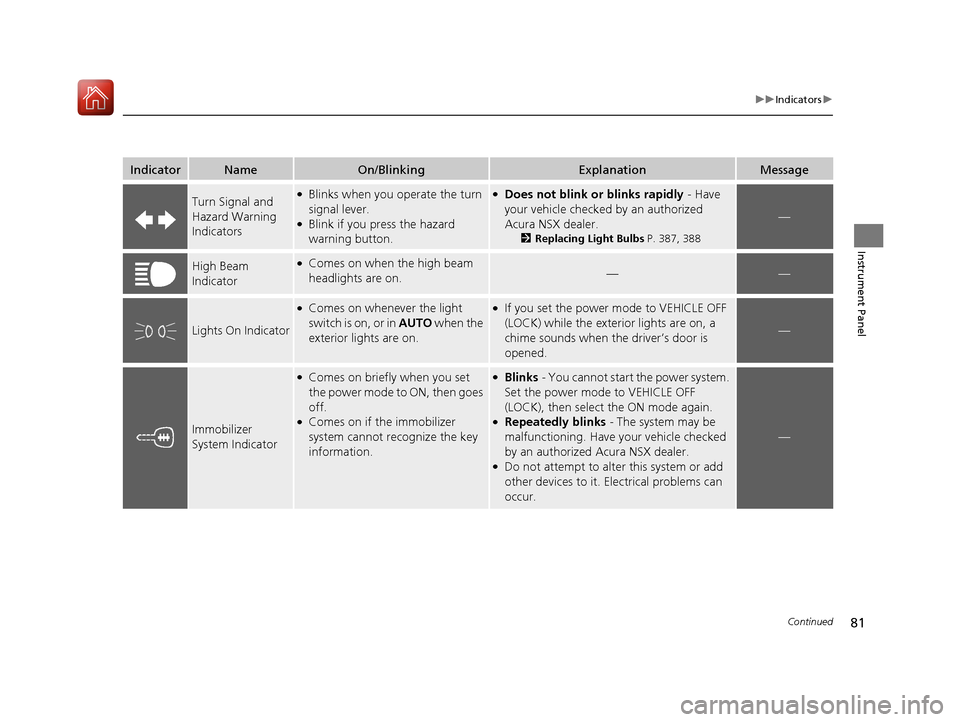
IndicatorNameOn/BlinkingExplanationMessage
Turn Signal and
Hazard Warning
Indicators●Blinks when you operate the turn
signal lever.
●Blink if you press the hazard
warning button.
●Does not blink or blinks rapidly - Have
your vehicle checked by an authorized
Acura NSX dealer.
2 Replacing Light Bulbs P. 387, 388
—
High Beam
Indicator●Comes on when the high beam
headlights are on.——
Lights On Indicator
●Comes on whenever the light
switch is on, or in AUTO when the
exterior lights are on.●If you set the power mode to VEHICLE OFF
(LOCK) while the exterior lights are on, a
chime sounds when the driver’s door is
opened.
—
Immobilizer
System Indicator
●Comes on briefly when you set
the power mode to ON, then goes
off.
●Comes on if the immobilizer
system cannot recognize the key
information.
●Blinks - You cannot start the power system.
Set the power mode to VEHICLE OFF
(LOCK), then select the ON mode again.
●Repeatedly blinks - The system may be
malfunctioning. Have your vehicle checked
by an authorized Acura NSX dealer.
●Do not attempt to alter this system or add
other devices to it. Electrical problems can
occur.
—
17 NSX-31T6N6000.book 81 ページ 2016年4月22日 金曜日 午後3時44分
Page 85 of 473

84
uuIndicators uDriver Information Interface Wa rning and Information Messages
Instrument Panel
MessageConditionExplanation
●Appears when there is a problem with the sensor on the
12-volt battery.●Have your vehicle checked by an authorized Acura NSX
dealer.
2 Checking the 12-Volt Battery P. 403
●Appears when the starter system has a problem.●As a temporary measure, press and hold the ENGINE
START/STOP button for up to 15 seconds while
depressing the brake pedal and manually turn on the
power system.
Have your vehicle checked by an authorized Acura NSX
dealer.
●Appears after the driver’s door is opened when the
power mode is in ACCESSORY.●Press the ENGINE START/STOP button twice with your
foot off the brake pedal to change the power mode to
VEHICLE OFF (LOCK).
●Appears when the power mode is in ACCESSORY.
—
U.S.
Canada
17 NSX-31T6N6000.book 84 ページ 2016年4月22日 金曜日 午後3時44分
Page 86 of 473

85
uuIndicators uDriver Information Interface Wa rning and Information Messages
Continued
Instrument Panel
MessageConditionExplanation
●Appears when you close the door with the power mode
in ON without the keyless access remote inside the
vehicle.●Disappears when you bring the keyless access remote
back inside the vehicle and close the door.
2 Keyless Access Remote Reminder P. 129
●Appears when the keyless access remote battery
becomes weak.●Replace the battery as soon as possible.
2Replacing the Button Battery P. 404
●Appears if the keyless access remote battery is too weak
to turn on the power system or the key is not within
operating range to turn on the power system.
A beeper sounds six times.●Bring the keyless access remote in front of the ENGINE
START/STOP button to be touched with.
2 If the Keyless Access Remote Battery is Weak P. 432
●Appears three seconds after you bring the keyless
access remote in front of the ENGINE START/STOP
button when To Start, Hold Remote Near Start
Button appears. To Start Engine: Brake + Push
appears sequentially.●Unless you bring the keyless access remote in front of
the ENGINE START/STOP button, this message does
not appear.
2 If the Keyless Access Remote Battery is Weak P. 432
●Appears when you set the power mode to ACCESSORY
or ON.
2Turning on the Power P. 309
●Appears if you press the ENGINE START/STOP button
while the vehicle is moving.●The message will disappear after six seconds or when
the power mode is set to VEHICLE OFF (LOCK).
17 NSX-31T6N6000.book 85 ページ 2016年4月22日 金曜日 午後3時44分
Page 92 of 473
91
uuIndicators uDriver Information Interface Wa rning and Information Messages
Continued
Instrument Panel
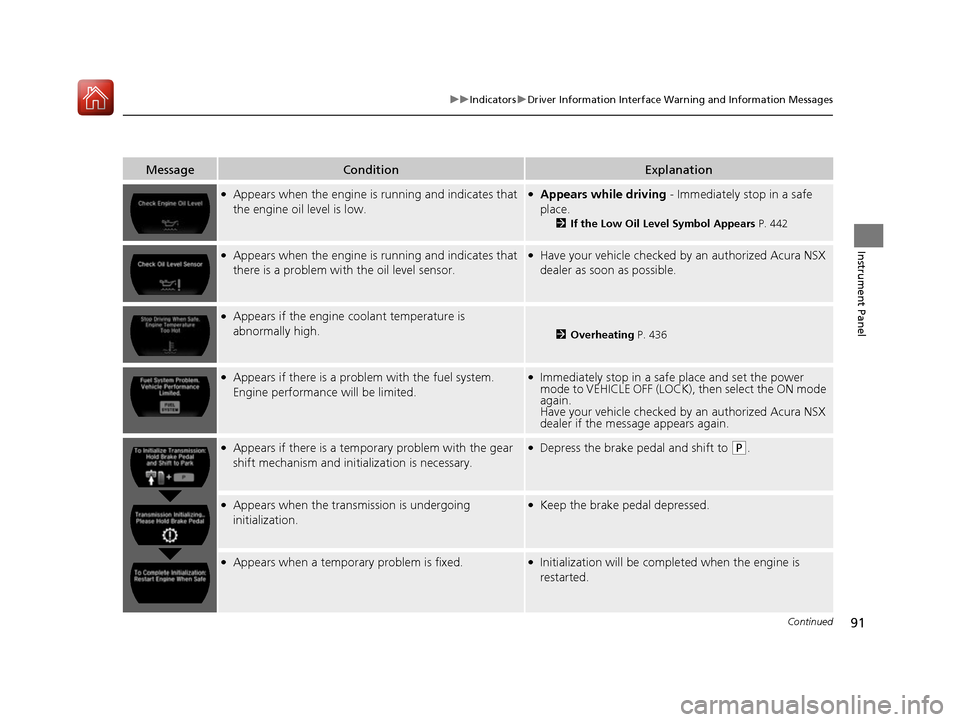
MessageConditionExplanation
●Appears when the engine is running and indicates that
the engine oil level is low.●Appears while driving - Immediately stop in a safe
place.
2 If the Low Oil Level Symbol Appears P. 442
●Appears when the engine is running and indicates that
there is a problem with the oil level sensor.●Have your vehicle checked by an authorized Acura NSX
dealer as soon as possible.
●Appears if the engine coolant temperature is
abnormally high.
2 Overheating P. 436
●Appears if there is a problem with the fuel system.
Engine performance will be limited.●Immediately stop in a safe place and set the power
mode to VEHICLE OFF (LOCK), then select the ON mode
again.
Have your vehicle checked by an authorized Acura NSX
dealer if the message appears again.
●Appears if there is a temporary problem with the gear
shift mechanism and initialization is necessary.●Depress the brake pedal and shift to (P.
●Appears when the transmission is undergoing
initialization.●Keep the brake pedal depressed.
●Appears when a temporary problem is fixed.●Initialization will be completed when the engine is
restarted.
17 NSX-31T6N6000.book 91 ページ 2016年4月22日 金曜日 午後3時44分
Page 98 of 473
97
uuGauges and Displays uGauges
Instrument Panel
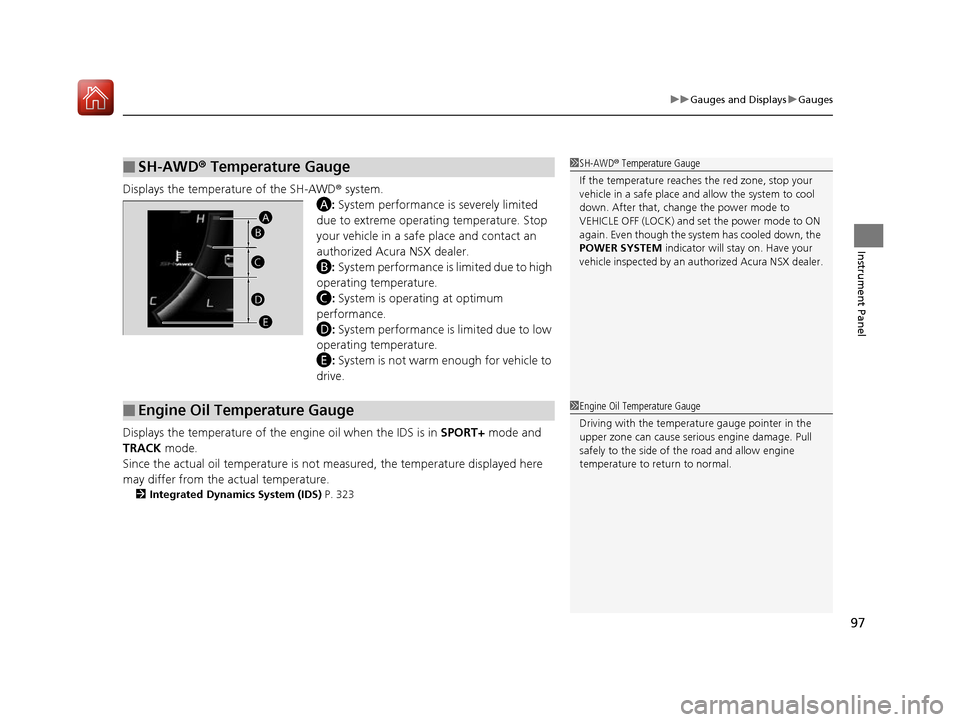
Displays the temperature of the SH-AWD ® system.
A : System performance is severely limited
due to extreme operating temperature. Stop
your vehicle in a safe place and contact an
authorized Acura NSX dealer.
B : System performance is limited due to high
operating temperature.
C : System is operating at optimum
performance.
D : System performance is limited due to low
operating temperature.
E : System is not warm enough for vehicle to
drive.
Displays the temperature of the engine oil when the IDS is in SPORT+ mode and
TRACK mode.
Since the actual oil temper ature is not measured, the temperature displayed here
may differ from the actual temperature.
2 Integrated Dynamics System (IDS) P. 323
■SH-AWD® Temperature Gauge1 SH-AWD ® Temperature Gauge
If the temperature reaches the red zone, stop your
vehicle in a safe place and allow the system to cool
down. After that, change the power mode to
VEHICLE OFF (LOCK) and se t the power mode to ON
again. Even though the system has cooled down, the
POWER SYSTEM indicator will stay on. Have your
vehicle inspected by an au thorized Acura NSX dealer.
A
B
C
D
E
■Engine Oil Temperature Gauge1 Engine Oil Temperature Gauge
Driving with the temperat ure gauge pointer in the
upper zone can cause serious engine damage. Pull
safely to the side of th e road and allow engine
temperature to return to normal.
17 NSX-31T6N6000.book 97 ページ 2016年4月22日 金曜日 午後3時44分
Page 104 of 473

103
Controls
This chapter explains how to operate the various controls necessary for driving.
Clock.................................................. 104
Locking and Unlocking the Doors Key Types and Functions .................. 105
Low Keyless Access Remote Signal Strength ......................................... 106
Locking/Unlocking the Doors from the
Outside .......................................... 107
Locking/Unlocking the Doors from the Inside ............................................. 115
Auto Door Locking/Unlocking .......... 118
Opening and Closing the Hatch....... 119
Security System ................................ 122
Immobilizer System .......................... 122 Security System Alarm...................... 122Opening and Closing the Windows.... 125Operating the Switches Around the
Steering Wheel ENGINE START/STOP Button............. 127
Turn Signals ..................................... 130
Light Switches.................................. 131
Daytime Running Lights ................... 134
Wipers and Washers ........................ 135
Brightness Control ........................... 136
Rear Defogger/Heated Door Mirror Button.....137Driving Position Memory System*.... 138
Adjusting the Steering Wheel........... 140 Adjusting the Mirrors
....................... 141
Interior Rearview Mirror ................... 141
Power Door Mirrors ......................... 142
Adjusting the Seats .......................... 144
Interior Lights/Interior Convenience Items ................................................ 149
Interior Lights .................................. 149
Interior Convenience Items .............. 151
Climate Control System ................... 156
Using Automatic Climate Control .... 156Automatic Climate Control Sensors......160
* Not available on all models
17 NSX-31T6N6000.book 103 ページ 2016年4月22日 金曜日 午後3時44分
Page 105 of 473
104
Controls
Clock
Adjusting the Clock
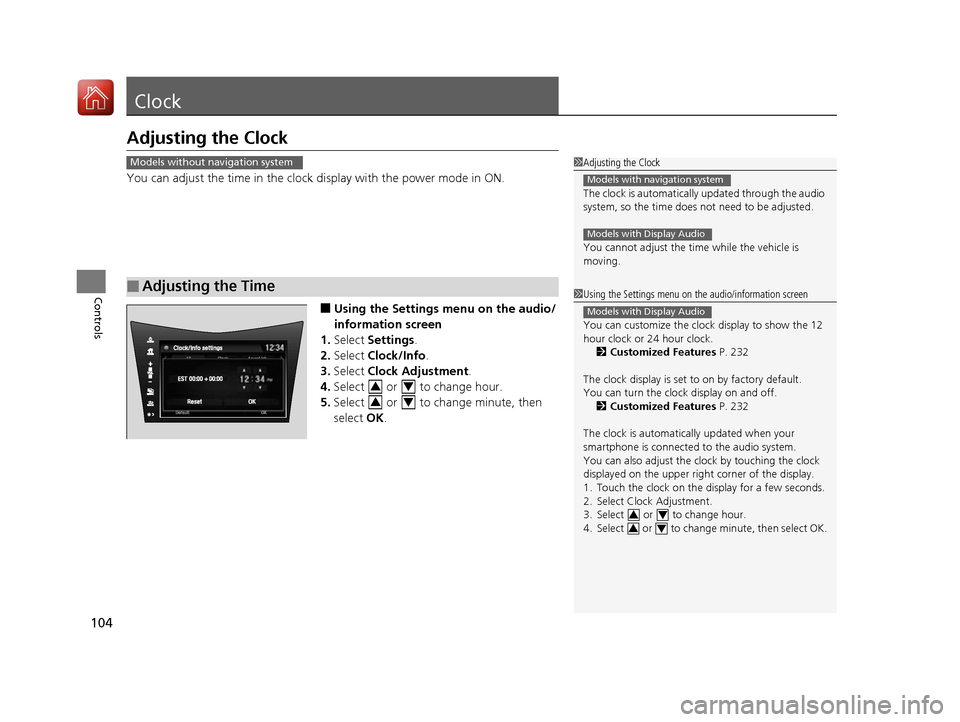
You can adjust the time in the clock display with the power mode in ON.
■Using the Settings menu on the audio/
information screen
1. Select Settings .
2. Select Clock/Info .
3. Select Clock Adjustment .
4. Select or to change hour.
5. Select or to change minute, then
select OK.
■Adjusting the Time
1Adjusting the Clock
The clock is automatically updated through the audio
system, so the time does not need to be adjusted.
You cannot adjust the time while the vehicle is
moving.
Models with navigation system
Models with Display Audio
Models without navigation system
1 Using the Settings menu on the audio/information screen
You can customize the clock display to show the 12
hour clock or 24 hour clock.
2 Customized Features P. 232
The clock display is set to on by factory default.
You can turn the clock display on and off. 2 Customized Features P. 232
The clock is automatica lly updated when your
smartphone is connected to the audio system.
You can also adjust the clock by touching the clock
displayed on the upper right corner of the display.
1. Touch the clock on the display for a few seconds.
2. Select Clock Adjustment.
3. Select or to change hour.
4. Select or to change minute, then select OK.
Models with Display Audio
34
34
34
34
17 NSX-31T6N6000.book 104 ページ 2016年4月22日 金曜日 午後3時44分
Page 106 of 473
105Continued
Controls
Locking and Unlocking the Doors
Key Types and Functions
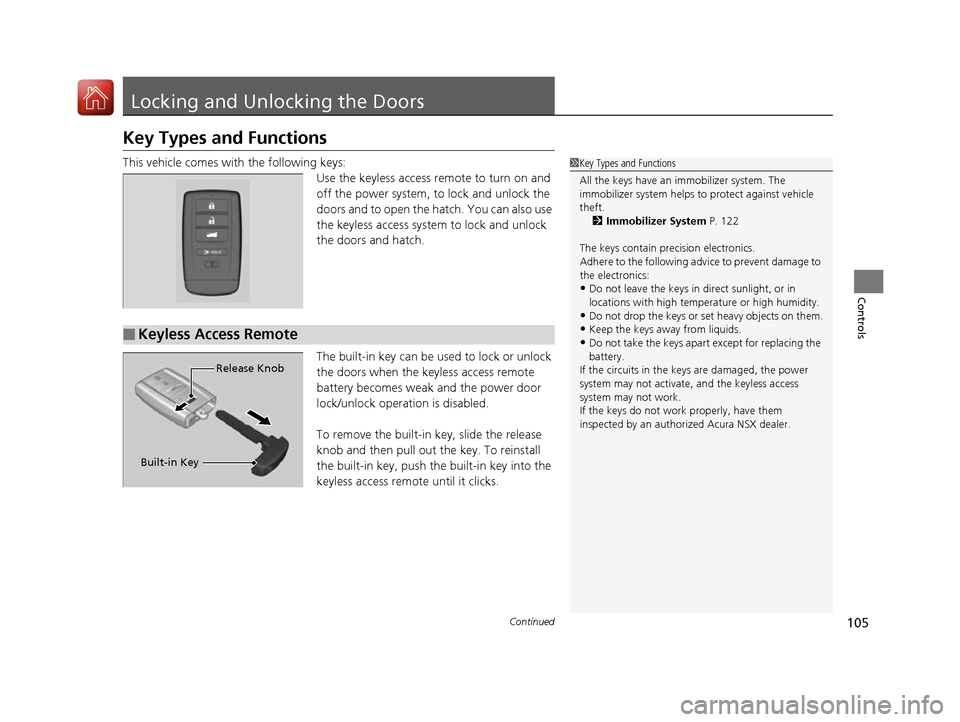
This vehicle comes with the following keys:
Use the keyless access remote to turn on and
off the power system, to lock and unlock the
doors and to open the hatch. You can also use
the keyless access system to lock and unlock
the doors and hatch.
The built-in key can be used to lock or unlock
the doors when the keyless access remote
battery becomes weak and the power door
lock/unlock operation is disabled.
To remove the built-in key, slide the release
knob and then pull out the key. To reinstall
the built-in key, push the built-in key into the
keyless access remote until it clicks.1 Key Types and Functions
All the keys have an immobilizer system. The
immobilizer system helps to protect against vehicle
theft. 2 Immobilizer System P. 122
The keys contain precision electronics.
Adhere to the following advi ce to prevent damage to
the electronics:
•Do not leave the keys in direct sunlight, or in
locations with high temperature or high humidity.
•Do not drop the keys or set heavy objects on them.
•Keep the keys away from liquids.
•Do not take the keys apart except for replacing the
battery.
If the circuits in the keys are damaged, the power
system may not activate, and the keyless access
system may not work.
If the keys do not work properly, have them
inspected by an authorized Acura NSX dealer.■Keyless Access Remote
Built-in Key Release Knob
17 NSX-31T6N6000.book 105 ページ 2016年4月22日 金曜日 午後3時44分
Page 107 of 473
uuLocking and Unlocking the Doors uLow Keyless Access Remote Signal Strength
106
Controls
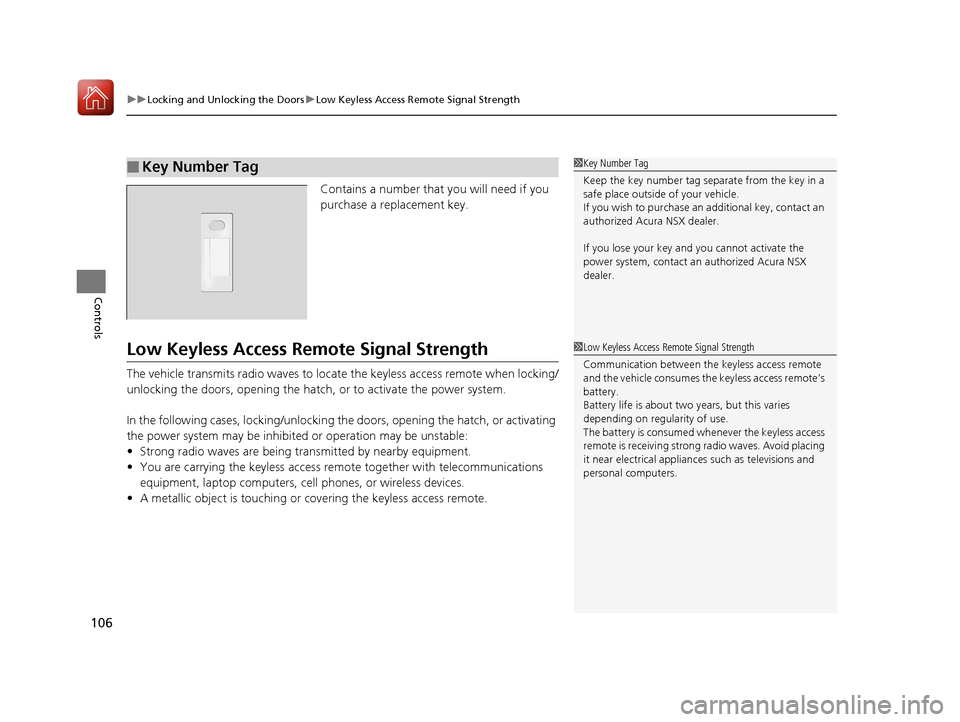
Contains a number that you will need if you
purchase a replacement key.
Low Keyless Access Remo te Signal Strength
The vehicle transmits radio waves to locate the keyless access remote when locking/
unlocking the doors, opening the hatch, or to activate the power system.
In the following cases, locking/unlocking the doors, opening the hatch, or activating
the power system may be inhibited or operation may be unstable:
•Strong radio waves are being tra nsmitted by nearby equipment.
• You are carrying the keyless access remote together with telecommunications
equipment, laptop computers, ce ll phones, or wireless devices.
• A metallic object is touching or co vering the keyless access remote.
■Key Number Tag1Key Number Tag
Keep the key number tag separate from the key in a
safe place outside of your vehicle.
If you wish to purchase an additional key, contact an
authorized Acura NSX dealer.
If you lose your key and you cannot activate the
power system, contact an authorized Acura NSX
dealer.
1 Low Keyless Access Remote Signal Strength
Communication between the keyless access remote
and the vehicle consumes the keyless access remote’s
battery.
Battery life is about two years, but this varies
depending on re gularity of use.
The battery is consumed whenever the keyless access
remote is receivi ng strong radio wave s. Avoid placing
it near electrical appliances such as televisions and
personal computers.
17 NSX-31T6N6000.book 106 ページ 2016年4月22日 金曜日 午後3時44分
Page 108 of 473

107
uuLocking and Unlocking the Doors uLocking/Unlocking the Doors from the Outside
Continued
Controls
Locking/Unlocking the Doors from the Outside
When you carry the keyle ss access remote, the
outer door handles automatically pop in/out
and you can lock/unlock the doors and open
the hatch.
Outer door handles automatically pop in/out
within about 6 feet (2 m) radius of the outside
door handle.
You can lock/unlock the doors within a radius
of about 32 inches (80 cm) of the outside door
handle. You can open the hatch within about
32 inches (80 cm) radius from the hatch
release button.
■Locking the vehicle Press the door lock button on either door.u Some exterior lights flash; the beeper
sounds; both doors lock; both outer door
handles pop in if they are popped out;
and the security system sets.
■Using the Keyless Access System1Using the Keyless Access System
If you do not open a door within 30 seconds of
unlocking the vehicle, th e doors will automatically
relock and the outer ha ndles of the doors will
automatically pop back in.
You can lock or unlock doors using the remote
transmitter or keyless access system only when the
power mode is in VEHICLE OFF.
•Do not leave the keyless access remote in the
vehicle when you get out . Carry it with you.
•Even if you are not carrying the keyless access
remote, you can lock/unlock the doors while
someone else with the remote is within range.
•The door may be unlocked if the door handle is
covered with water in heavy rain or in a car wash if
the keyless access remote is within range.
•If you grip either door handle wearing gloves, the
door sensor may be slow to respond or may not
respond by unlocking the doors.
•The door may not open if you pull it immediately
after gripping the door handle. Grip the handle
again and confirm that th e door is unlocked before
pulling the handle.
•Even within the 32 inches (80 cm) radius, you may
not be able to lock/unl ock the doors with the
keyless access remote if it is above or below the
outside handle.
•The keyless access remote may not operate if it is
too close to the door and door glass.
17 NSX-31T6N6000.book 107 ページ 2016年4月22日 金曜日 午後3時44分