USB Acura NSX 2018 Owner's Guide
[x] Cancel search | Manufacturer: ACURA, Model Year: 2018, Model line: NSX, Model: Acura NSX 2018Pages: 489, PDF Size: 27.64 MB
Page 211 of 489
uuAudio System Basic Operation uPlaying a USB Flash Drive
210
Features
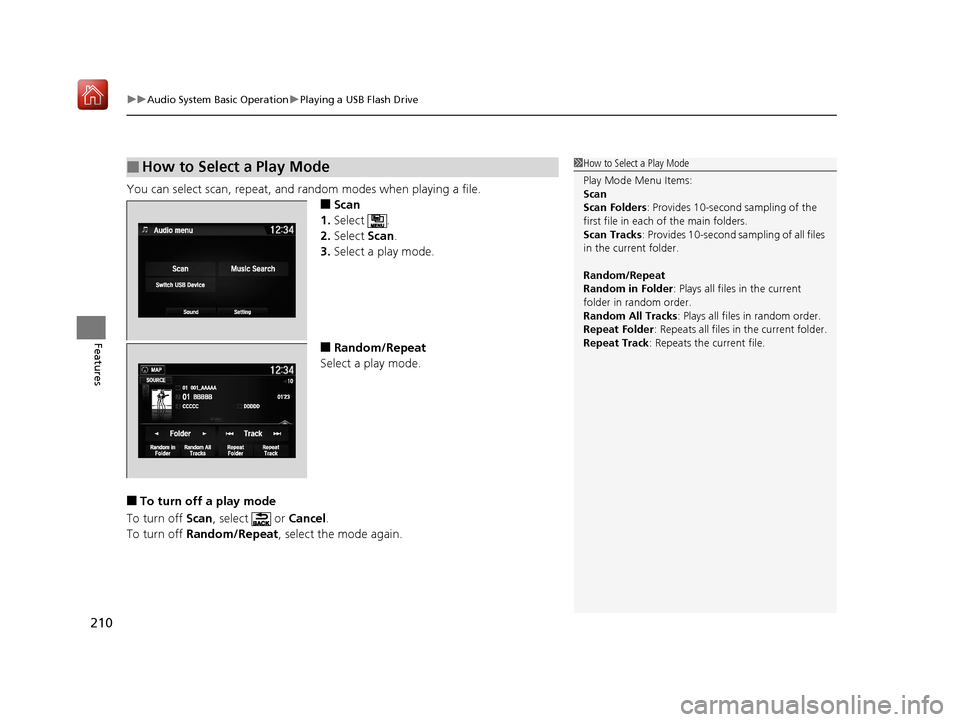
You can select scan, repeat, and random modes when playing a file.
■Scan
1. Select .
2. Select Scan.
3. Select a play mode.
■Random/Repeat
Select a play mode.
■To turn off a play mode
To turn off Scan, select or Cancel.
To turn off Random/Repeat , select the mode again.
■How to Select a Play Mode1How to Select a Play Mode
Play Mode Menu Items:
Scan
Scan Folders : Provides 10-second sampling of the
first file in each of the main folders.
Scan Tracks: Provides 10-second sa mpling of all files
in the current folder.
Random/Repeat
Random in Folder : Plays all files in the current
folder in random order.
Random All Tracks : Plays all files in random order.
Repeat Folder : Repeats all files in the current folder.
Repeat Track: Repeats the current file.
18 NSX-31T6N6100.book 210 ページ 2017年10月27日 金曜日 午後1時39分
Page 217 of 489
216
uuAudio System Basic Operation uApple CarPlayTM
Features
Apple CarPlayTM
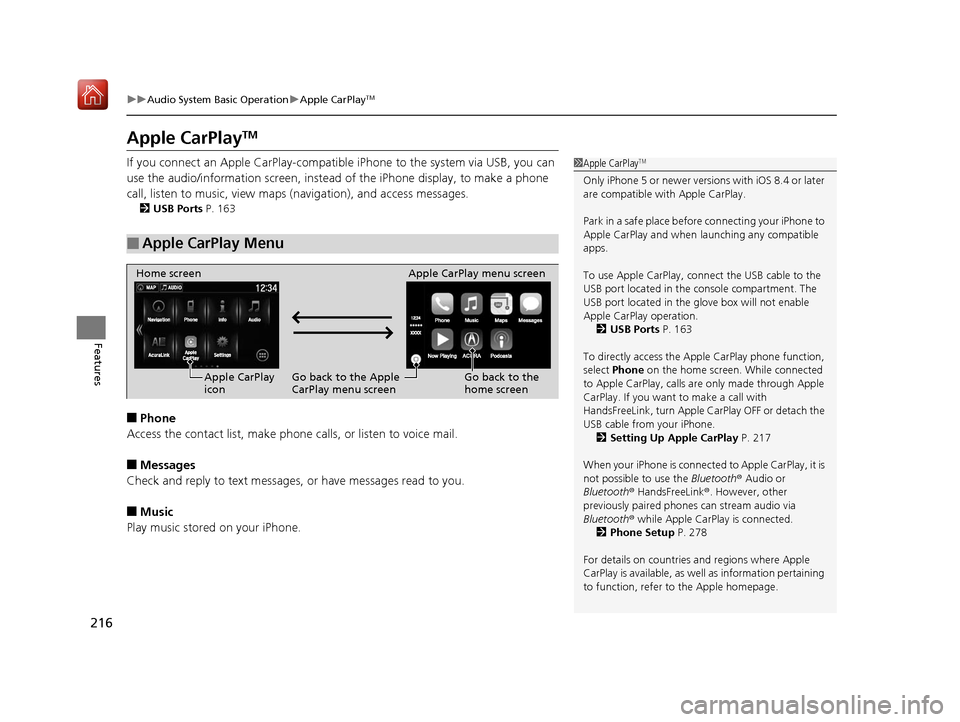
If you connect an Apple CarPlay-compatible iPhone to the system via USB, you can
use the audio/information screen, instead of the iPhone display, to make a phone
call, listen to music, view maps (navigation), and access messages.
2USB Ports P. 163
■Phone
Access the contact list, make phone calls, or listen to voice mail.
■Messages
Check and reply to text messages, or have messages read to you.
■Music
Play music stored on your iPhone.
■Apple CarPlay Menu
1Apple CarPlayTM
Only iPhone 5 or newer versi ons with iOS 8.4 or later
are compatible with Apple CarPlay.
Park in a safe place before connecting your iPhone to
Apple CarPlay and when launching any compatible
apps.
To use Apple CarPlay, connect the USB cable to the
USB port located in the console compartment. The
USB port located in the glove box will not enable
Apple CarPla y operation.
2 USB Ports P. 163
To directly access the Appl e CarPlay phone function,
select Phone on the home screen. While connected
to Apple CarPlay, calls are only made through Apple
CarPlay. If you want to make a call with
HandsFreeLink, turn Apple CarPlay OFF or detach the
USB cable from your iPhone. 2 Setting Up Apple CarPlay P. 217
When your iPhone is connected to Apple CarPlay, it is
not possible to use the Bluetooth® Audio or
Bluetooth ® HandsFreeLink ®. However, other
previously paired phones can stream audio via
Bluetooth ® while Apple CarPlay is connected.
2 Phone Setup P. 278
For details on c ountries and regions where Apple
CarPlay is available, as well as information pertaining
to function, refer to the Apple homepage.
Home screen
Apple CarPlay
icon Apple CarPlay menu screen
Go back to the Apple
CarPlay menu screen
Go back to the
home screen
18 NSX-31T6N6100.book 216 ページ 2017年10月27日 金曜日 午後1時39分
Page 218 of 489
Continued217
uuAudio System Basic Operation uApple CarPlayTM
Features
■Maps
Display Apple CarPlay map and use the navigation function just as you would on
your iPhone.
Only one navigation system (pre-installed navigation or Apple CarPlay) can give
directions at a time. When you are using one system, directions to any prior
destination set on the other system will be canceled, and the system you are
currently using will direct you to your destination.
After you have connected your iPhone to the system via USB, use the following
procedure to set up Apple CarPlay. Us e of Apple CarPlay will result in the
transmission of certain user and vehicle information (such as vehicle location, speed,
and status) to your iPhone to enhance the Apple CarPlay experience. You will need
to consent to the sharing of this info rmation on the audio/information screen.
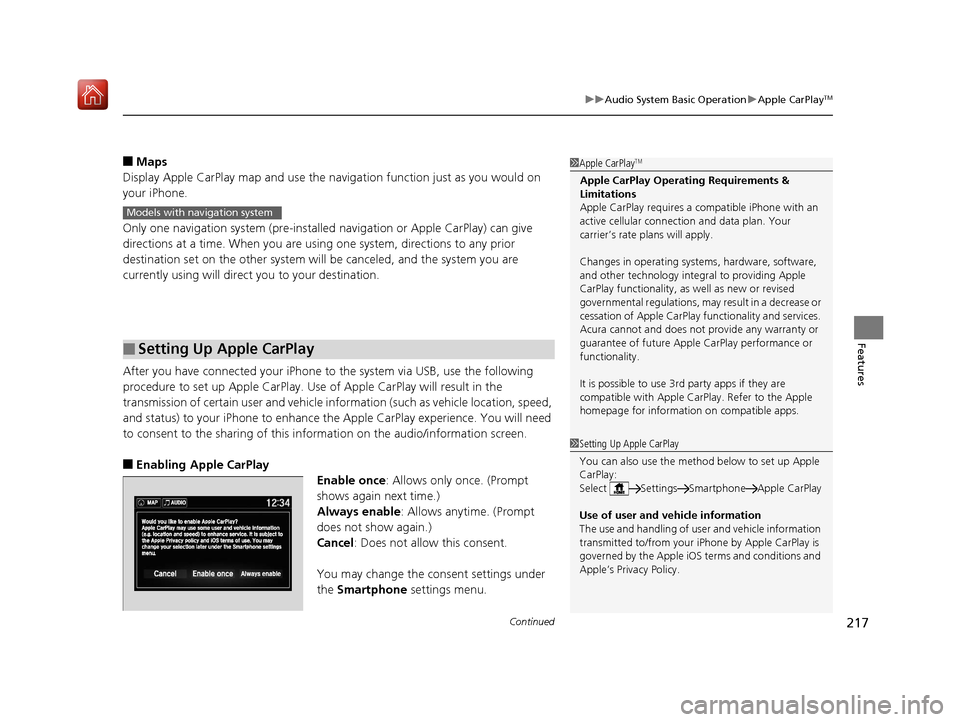
■Enabling Apple CarPlay
Enable once: Allows only once. (Prompt
shows again next time.)
Always enable: Allows anytime. (Prompt
does not show again.)
Cancel: Does not allow this consent.
You may change the consent settings under
the Smartphone settings menu.
■Setting Up Apple CarPlay
1Apple CarPlayTM
Apple CarPlay Operating Requirements &
Limitations
Apple CarPlay requi res a compatible iPhone with an
active cellular connecti on and data plan. Your
carrier’s rate plans will apply.
Changes in operating system s, hardware, software,
and other technology integral to providing Apple
CarPlay functionality, as well as new or revised
governmental regulations, may result in a decrease or
cessation of Apple CarPlay functionality and services.
Acura cannot and does not provide any warranty or
guarantee of future Appl e CarPlay performance or
functionality.
It is possible to use 3r d party apps if they are
compatible with Apple CarPlay. Refer to the Apple
homepage for information on compatible apps.
Models with navigation system
1 Setting Up Apple CarPlay
You can also use the method below to set up Apple
CarPlay:
Select Settings Smartphone Apple CarPlay
Use of user and vehicle information
The use and handling of user and vehicle information
transmitted to/from your iP hone by Apple CarPlay is
governed by the Apple iOS terms and conditions and
Apple’s Privacy Policy.
18 NSX-31T6N6100.book 217 ページ 2017年10月27日 金曜日 午後1時39分
Page 220 of 489
219
uuAudio System Basic Operation uAndroid AutoTM
Continued
Features
Android AutoTM
When you connect an Android phone to the audio system via USB, Android Auto is
automatically initiated. When connected via Android Auto, you can use the audio/
information screen to acce ss the Phone, Google Maps (Navigation), Google Play
Music, and Google Now functions. When you first use Android Auto, a tutorial will
appear on the screen.
We recommend that you comple te this tutorial while safely parked before using
Android Auto.
2 USB Ports P. 163
2 Auto Pairing Connection P. 221
1Android AutoTM
To use Android Auto, you need to download the
Android Auto app from Google Play to your
smartphone.
Only Android 5.0 (Lollipop) or later versions are
compatible with Android Auto.
Bluetooth A2DP cannot be used on your phone while
connected to Android Auto.
Park in a safe place befo re connecting your Android
phone to Android Auto and when launching any
compatible apps.
To use Android Auto, connect the USB cable to the
USB port located in the console compartment. The
USB port in the glove box will not enable Android
Auto operation.
2 USB Ports P. 163
When your Android phone is connected to Android
Auto, it is not possible to use the Bluetooth® Audio.
However, other previously paired phones can stream
audio via Bluetooth ® while Android Auto is
connected. 2 Phone Setup P. 278
18 NSX-31T6N6100.book 219 ページ 2017年10月27日 金曜日 午後1時39分
Page 222 of 489
Continued221
uuAudio System Basic Operation uAndroid AutoTM
Features
d Music and audio
Play Google Play Music an d music apps that are compatible with Android Auto.
To switch between music apps, press this icon.
e Go back to the Home Screen.
f Voice
Operate Android Auto with your voice.
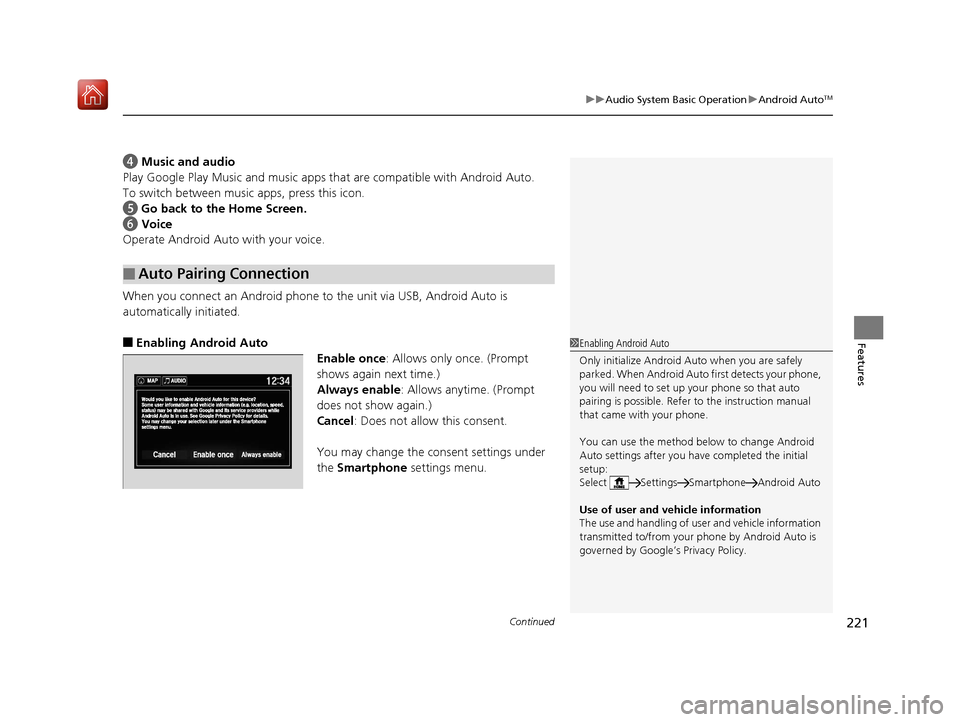
When you connect an Android phone to the unit via USB, Android Auto is
automatically initiated.
■Enabling Android Auto
Enable once: Allows only once. (Prompt
shows again next time.)
Always enable: Allows anytime. (Prompt
does not show again.)
Cancel: Does not allow this consent.
You may change the consent settings under
the Smartphone settings menu.
■Auto Pairing Connection
1Enabling Android Auto
Only initialize Android Au to when you are safely
parked. When Android Auto first detects your phone,
you will need to set up your phone so that auto
pairing is possibl e. Refer to the instruction manual
that came with your phone.
You can use the method below to change Android
Auto settings after you have completed the initial
setup:
Select Settings Smartphone Android Auto
Use of user and vehicle information
The use and handling of user and vehicle information
transmitted to/from your phone by Android Auto is
governed by Google’s Privacy Policy.
18 NSX-31T6N6100.book 221 ページ 2017年10月27日 金曜日 午後1時39分
Page 224 of 489
223
Features
Audio Error Messages
iPod/USB Flash Drive
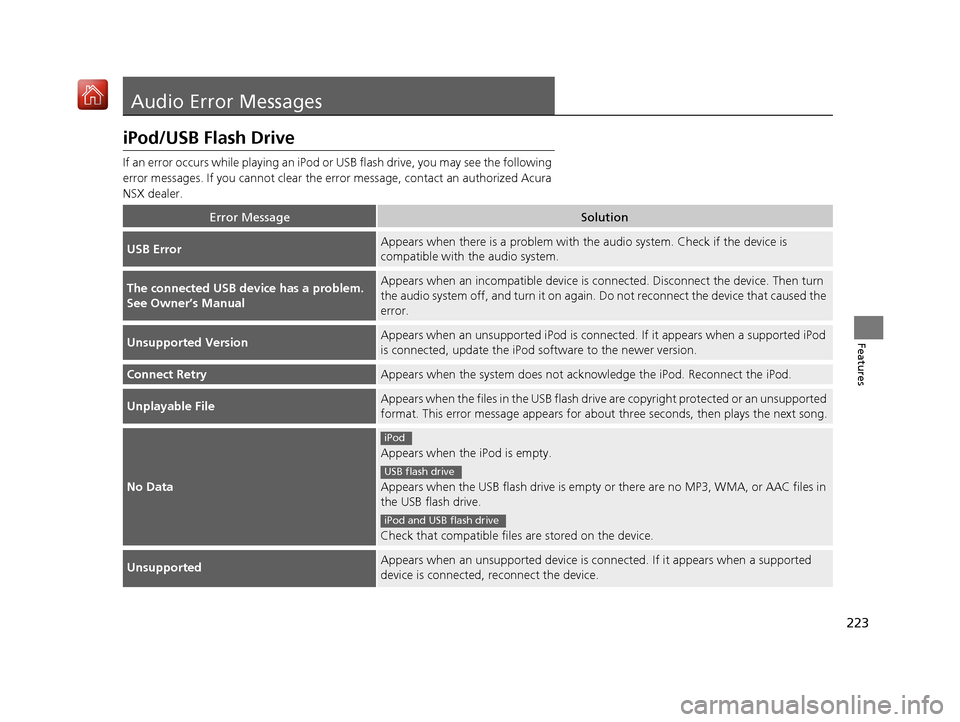
If an error occurs while playing an iPod or USB flash drive, you may see the following
error messages. If you cannot clear the e rror message, contact an authorized Acura
NSX dealer.
Error MessageSolution
USB ErrorAppears when there is a problem with th e audio system. Check if the device is
compatible with the audio system.
The connected USB device has a problem.
See Owner’s ManualAppears when an incomp atible device is connected. Disconnect the device. Then turn
the audio system off, and turn it on again. Do not reconnect the device that caused the
error.
Unsupported VersionAppears when an unsupported iPod is connecte d. If it appears when a supported iPod
is connected, update the iPod software to the newer version.
Connect RetryAppears when the system does not ackn owledge the iPod. Reconnect the iPod.
Unplayable FileAppears when the files in the USB flash driv e are copyright protected or an unsupported
format. This error message appears for about three seconds, then plays the next song.
No Data
Appears when the iPod is empty.
Appears when the USB flash drive is empty or there are no MP3, WMA, or AAC files in
the USB flash drive.
Check that compatible files are stored on the device.
UnsupportedAppears when an unsupported device is co nnected. If it appears when a supported
device is connected, reconnect the device.
iPod
USB flash drive
iPod and USB flash drive
18 NSX-31T6N6100.book 223 ページ 2017年10月27日 金曜日 午後1時39分
Page 228 of 489
227
uuGeneral Information on the Audio System uCompatible iPod, iPhone, and USB Flash Drives
Features
Compatible iPod, iPhone , and USB Flash Drives
•A USB flash drive of 256 MB or higher is recommended.
• Some digital audio players may not be compatible.
• Some USB flash drives (e.g., a device with security lockout) may not work.
• Some software files may not allow for audio play or text data display.
• Some versions of MP3, WMA, or AAC formats may be unsupported.
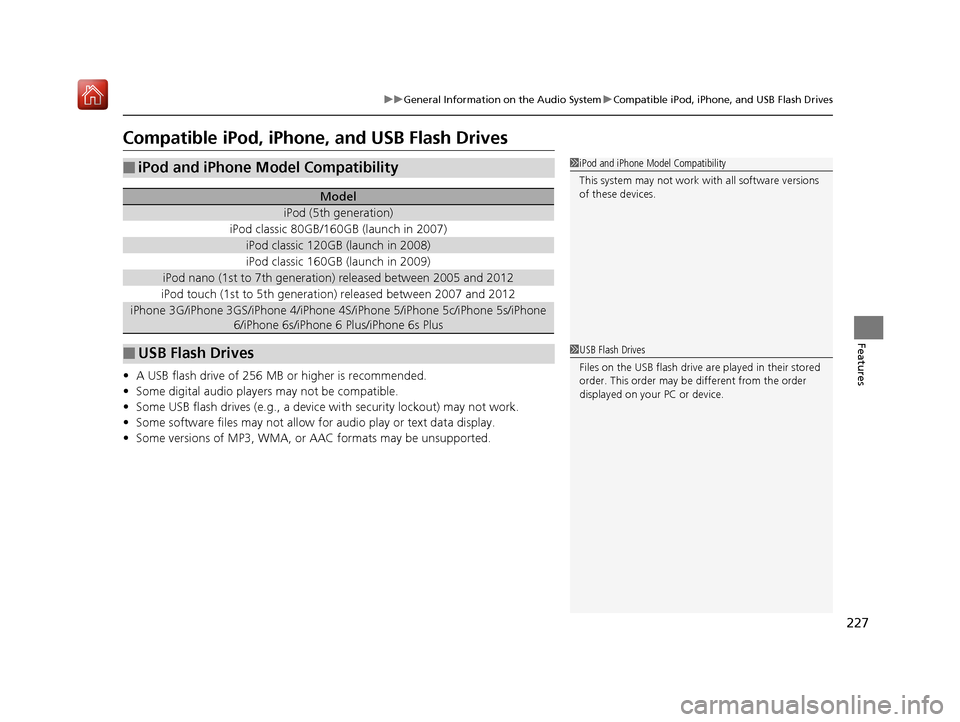
■iPod and iPhone Model Compatibility
Model
iPod (5th generation)
iPod classic 80GB/160GB (launch in 2007)
iPod classic 120GB (launch in 2008)
iPod classic 160GB (launch in 2009)
iPod nano (1st to 7th generation) released between 2005 and 2012
iPod touch (1st to 5th generation) released between 2007 and 2012
iPhone 3G/iPhone 3GS/iPhone 4/iPhone 4S/iPhone 5/iPhone 5c/iPhone 5s/iPhone
6/iPhone 6s/iPhone 6 Plus/iPhone 6s Plus
■USB Flash Drives
1iPod and iPhone Model Compatibility
This system may not work with all software versions
of these devices.
1USB Flash Drives
Files on the USB flash drive are played in their stored
order. This order may be different from the order
displayed on your PC or device.
18 NSX-31T6N6100.book 227 ページ 2017年10月27日 金曜日 午後1時39分
Page 480 of 489
Index
479
Index
Index
Numbers
12-Volt Battery Charging System Indicator ................................................... 75
A
AAC........................................................... 208
ABS (Anti-lock Brake System) .................. 361
Accessories and Modifications ................ 426
Accessory Power Socket ........................... 154
Active Damper System Indicator ............... 74
AcuraLink ................................................. 304
Adding the Coolant ................................. 397
Additives Coolant .......................................... 396, 398
Washer ................................................... 400
Adjusting Mirrors.................................................... 141
Seats....................................................... 144
Steering Wheel ....................................... 140
Temperature ........................................... 100
Agile Handling Assist System .................. 349
Air Conditioning System (Climate Control System) .................................................... 156
Changing the Mode................................ 157
Defrosting the Windshield and Windows ...................................... 158, 159
Dust and Pollen Filters ............................. 419
Recirculation/Fresh Air Mode................... 157
Sensors ................................................... 160
Using Automatic Climate Control............ 156 Air Pressure
....................................... 408, 469
Airbags ........................................................ 43
Advanced Airbags ..................................... 49
Airbag Care ............................................... 57
Driver’s Knee Airbag .................................. 50
Event Data Recorder .................................... 0
Front Airbags (SRS) .................................... 46
Indicator .............................................. 55, 78
Passenger Airbag Off Indicator .................. 56
Sensors ...................................................... 43
Side Airbags .............................................. 52
Side Curtain Airbags .................................. 54
Android Auto ............................................ 219
Anti-lock Brake System (ABS) .................. 361
Indicator .................................................... 78
Apple CarPlay ........................................... 216
Audio Remote Controls ............................ 165
Audio System ............................................ 162
Adjusting the Sound ................................ 181
Changing the Home Screen Icon Layout .. 170
Closing Apps ........................................... 180
Error Messages ........................................ 223
General Information ................................ 226
Home Screen ........................................... 173
iPod ......................................................... 199
Limitations for Manua l Operation ............ 183
MP3/WMA/AAC ...................................... 208
Reactivating ............................................. 164
Recommended Devices ............................ 227
Remote Controls ..................................... 165
Security Code .......................................... 164 Selecting an Audio Source ....................... 183
Status Area ............................................. 179
Theft Protection ...................................... 164
USB Flash Drives ...................................... 227
USB Ports ................................................ 163
Wallpaper Setup...................................... 171
Audio/Information Screen ....................... 167
Authorized Manuals ................................ 477
Auto Door Locking/Unlocking ................. 118
Auto Engine Stop/Start .............................. 13
Automatic Brake Hold ............................. 359
Indicator............................................ 72, 359
Automatic Brake Hold System Indicator............................................ 72, 359
Automatic Operation (automatic lighting control) .................................................... 132
Average Fuel Economy ............................ 101
Average Speed ......................................... 101
B
Battery
12-Volt.................................................... 417
12-Volt Battery Charging System
Indicator .......................................... 75, 452
Charging (AGM Battery) .......................... 417
High Voltage ........................................... 355
Jump Starting .......................................... 448
Maintenance (Checking the 12-Volt Battery) ................................................. 417
Maintenance (Replacing) ......................... 418
18 NSX-31T6N6100.book 479 ページ 2017年10月27日 金曜日 午後1時39分
Page 487 of 489
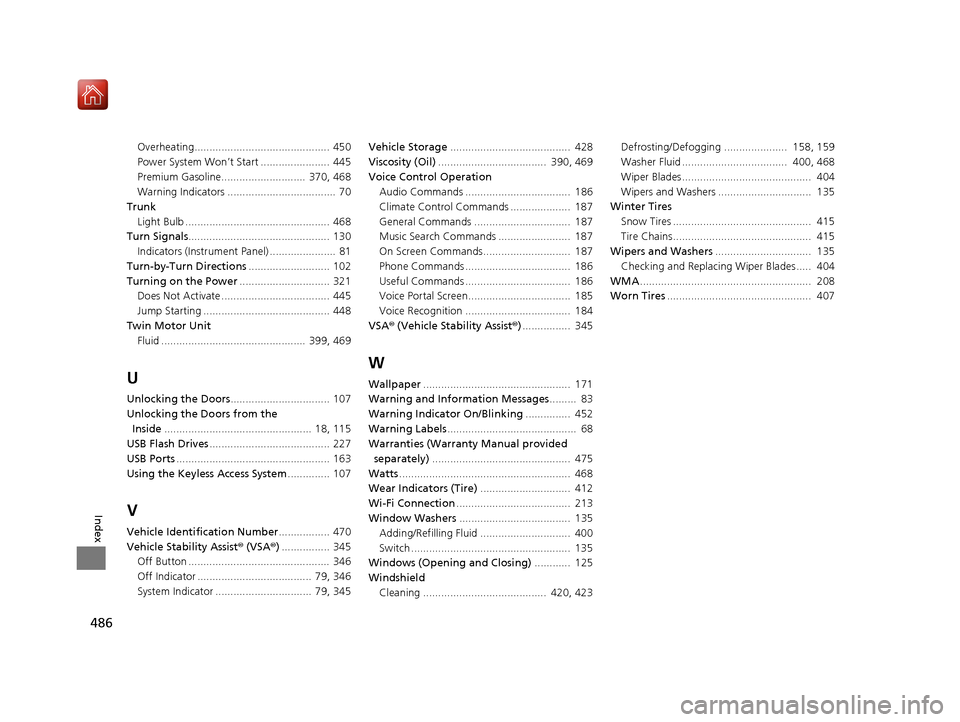
486
Index
Overheating............................................. 450
Power System Won’t Start ....................... 445
Premium Gasoline............................ 370, 468
Warning Indicators .................................... 70
Trunk
Light Bulb ................................................ 468
Turn Signals ............................................... 130
Indicators (Instrum ent Panel) ...................... 81
Turn-by-Turn Directions ........................... 102
Turning on the Power .............................. 321
Does Not Activate .................................... 445
Jump Starting .......................................... 448
Twin Motor Unit Fluid ................................................ 399, 469
U
Unlocking the Doors ................................. 107
Unlocking the Doors from the Inside ................................................. 18, 115
USB Flash Drives ........................................ 227
USB Ports ................................................... 163
Using the Keyless Access System .............. 107
V
Vehicle Identification Number................. 470
Vehicle Stability Assist ® (VSA ®) ................ 345
Off Button ............................................... 346
Off Indicator ...................................... 79, 346
System Indicator ................................ 79, 345 Vehicle Storage
........................................ 428
Viscosity (Oil) .................................... 390, 469
Voice Control Operation Audio Commands ................................... 186
Climate Control Commands .................... 187
General Commands ................................ 187
Music Search Commands ........................ 187
On Screen Commands............................. 187
Phone Commands ................................... 186
Useful Commands ................................... 186
Voice Portal Screen.................................. 185
Voice Recognition ................................... 184
VSA ® (Vehicle Stability Assist ®)................ 345
W
Wallpaper ................................................. 171
Warning and Information Messages ......... 83
Warning Indicator On/Blinking ............... 452
Warning Labels ........................................... 68
Warranties (Warranty Manual provided
separately) .............................................. 475
Watts ......................................................... 468
Wear Indicators (Tire) .............................. 412
Wi-Fi Connection ...................................... 213
Window Washers ..................................... 135
Adding/Refilling Fluid .............................. 400
Switch ..................................................... 135
Windows (Opening and Closing) ............ 125
Windshield
Cleaning ......................................... 420, 423 Defrosting/Defogging ..................... 158, 159
Washer Fluid ................................... 400, 468
Wiper Blades........................................... 404
Wipers and Washers ............................... 135
Winter Tires
Snow Tires .............................................. 415
Tire Chains.............................................. 415
Wipers and Washers ................................ 135
Checking and Replacing Wiper Blades..... 404
WMA ......................................................... 208
Worn Tires ................................................ 407
18 NSX-31T6N6100.book 486 ページ 2017年10月27日 金曜日 午後1時39分