set Acura NSX 2019 Owner's Manual
[x] Cancel search | Manufacturer: ACURA, Model Year: 2019, Model line: NSX, Model: Acura NSX 2019Pages: 485, PDF Size: 27.6 MB
Page 2 of 485
California Perchlorate Contamination Prevention Act
The airbags, seat belt tensioners , and CR type batteries in this
vehicle may contain perchlorate materials - special handling may
apply. See www.dtsc.ca.gov/hazardouswaste/perchlorate/
As you read this manual, you will find information that is preceded
by a symbol. This information is intended to help you avoid
damage to your vehicle, othe r property, or the environment.
Software End User License Agreement
Your vehicle comes equipped with software, which is governed by
the End User License Agreement in Owner’s Manual, and which
contains a binding arbitration clau se. Please refer to the End User
License Agreement for the terms and conditions governing your
use of the installed software, as we ll as the applications, services,
functions, and content provided through the software. Your use of
the installed software wi ll serve as your consent to the terms and
conditions of the End User License Agreement.
You may opt out within 30 days of your initial use of the Software
by sending a signed, written noti ce to ACURA at American Honda
Motor Co., Inc. Acura Client Relations Mail Stop 100-5E-8F, 1919
Torrance Blvd. Torrance, CA 90501-2746.
Privacy Notice
This vehicle may share location a nd usage information. To manage
this setting, visit www.acuralink.com/ve hicle-data-choices.
A Few Words About Safety
Your safety, and the safety of others, is very important. And
operating this vehicle safely is an important responsibility.
NOTICE
To help you make informed decisions about safety, we have
provided operating procedures and other information on labels and
in this manual. This information al erts you to potential hazards that
could hurt you or others.
Of course, it is not practical or possible to warn you about all the
hazards associated with operating or maintaining your vehicle. You
must use your own good judgment.
You will find this impo rtant safety information in a variety of forms,
including:
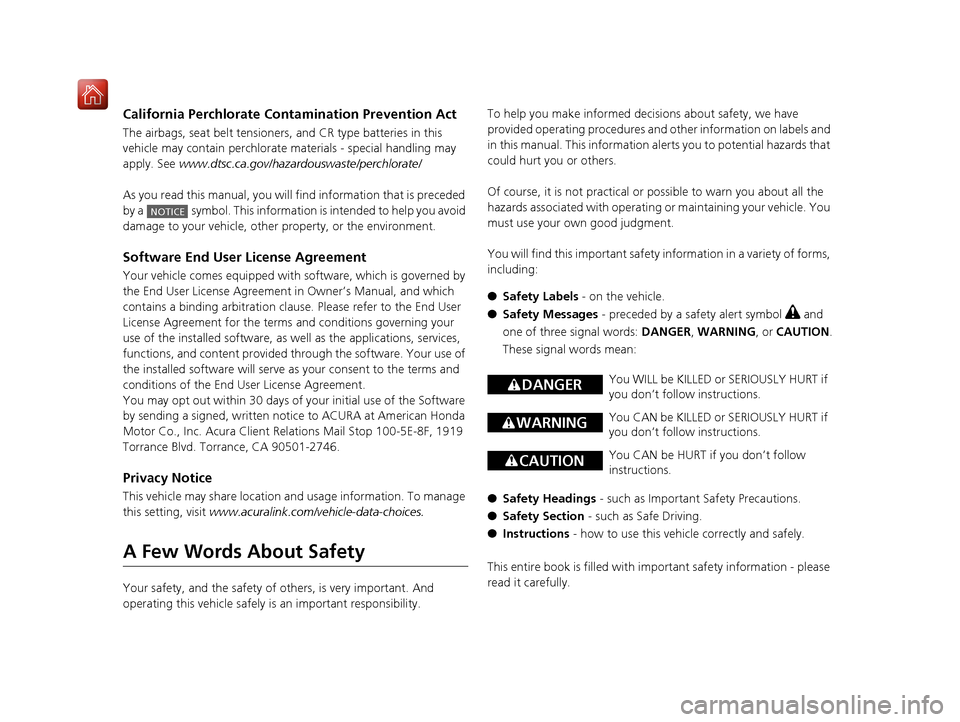
● Safety Labels - on the vehicle.
● Safety Messages - preceded by a safety alert symbol
3 and
one of three signal words: DANGER, WARNING , or CAUTION .
These signal words mean:
● Safety Headings - such as Important Safety Precautions.
● Safety Section - such as Safe Driving.
● Instructions - how to use this vehi cle correctly and safely.
This entire book is filled with important safety information - please
read it carefully.
3 DANGERYou WILL be KILLED or SERIOUSLY HURT if
you don’t follow instructions.
3 WARNINGYou CAN be KILLED or SERIOUSLY HURT if
you don’t follow instructions.
3CAUTIONYou CAN be HURT if you don’t follow
instructions.
19 NSX-31T6N6200.book 1 ページ 2018年8月9日 木曜日 午前11時12分
Page 7 of 485
Visual Index
6
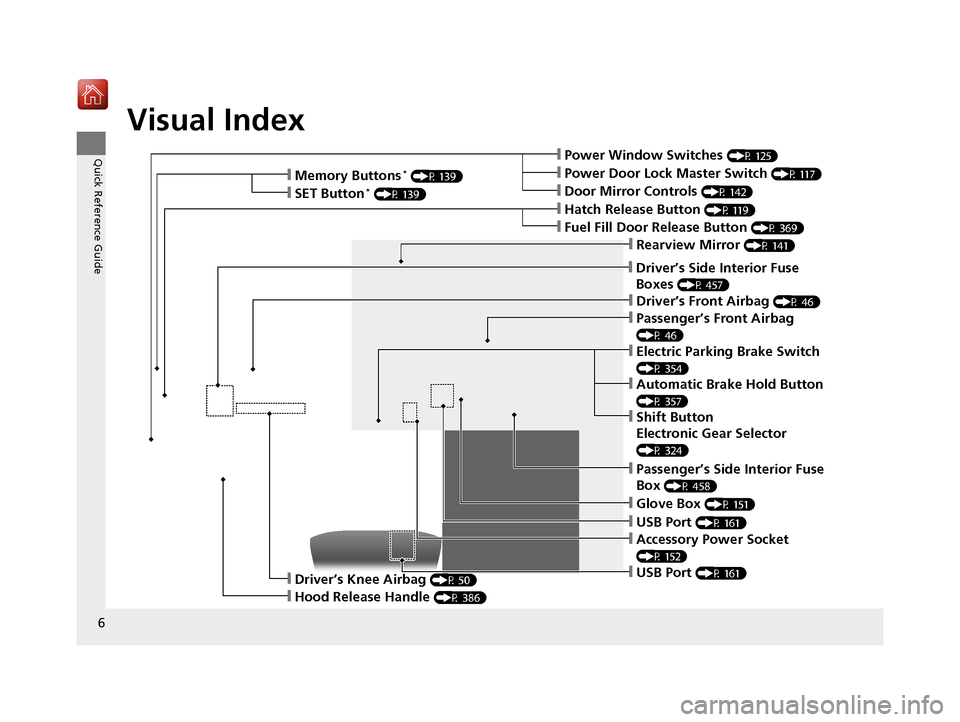
Quick Reference Guide❙Power Window Switches (P 125)
❙Driver’s Front Airbag (P 46)
❙Hatch Release Button (P 119)
❙Hood Release Handle (P 386)
❙Passenger’s Front Airbag
(P 46)
❙Glove Box (P 151)
❙Driver’s Knee Airbag (P 50)
❙Door Mirror Controls (P 142)
❙Power Door Lock Master Switch (P 117)
❙Fuel Fill Door Release Button (P 369)
❙USB Port (P 161)
❙Memory Buttons* (P 139)
❙SET Button* (P 139)
❙Rearview Mirror (P 141)
❙Driver’s Side Interior Fuse
Boxes
(P 457)
❙Passenger’s Side Interior Fuse
Box
(P 458)
❙USB Port (P 161)
❙Accessory Power Socket
(P 152)
❙Electric Parking Brake Switch
(P 354)
❙Automatic Brake Hold Button
(P 357)
❙Shift Button
Electronic Gear Selector
(P 324)
19 NSX-31T6N6200.book 6 ページ 2018年8月9日 木曜日 午前11時12分
Page 18 of 485
17
Quick Reference Guide
Controls (P 103)
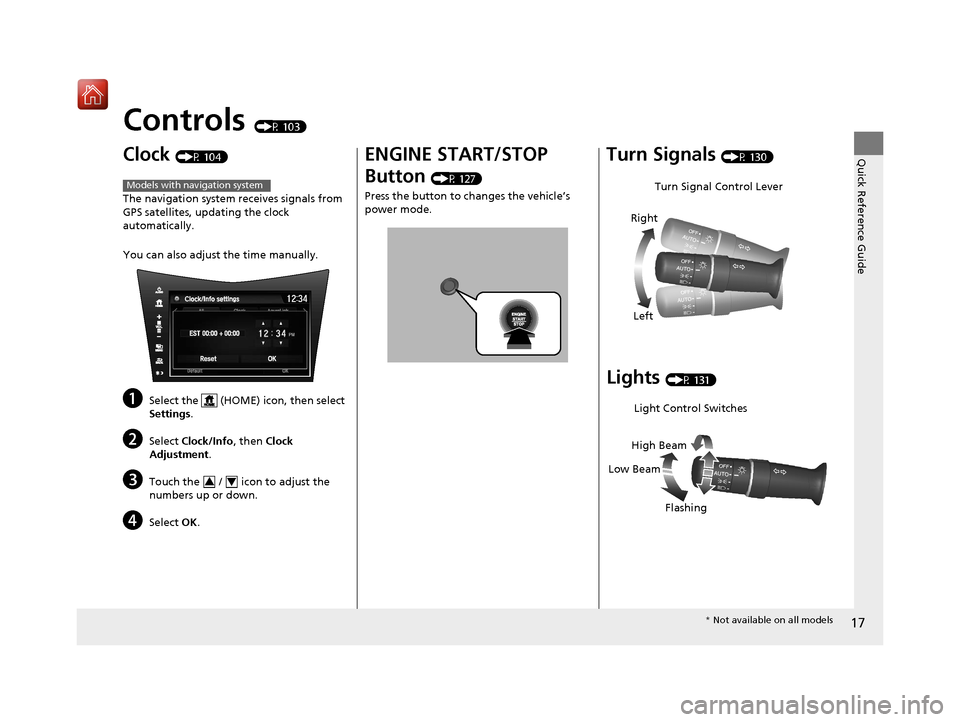
Clock (P 104)
The navigation system receives signals from
GPS satellites, updating the clock
automatically.
You can also adjust the time manually.
aSelect the (HOME) icon, then select
Settings.
bSelect Clock/Info , then Clock
Adjustment .
cTouch the / icon to adjust the
numbers up or down.
dSelect OK.
Models with navigation system
34
ENGINE START/STOP
Button
(P 127)
Press the button to ch anges the vehicle’s
power mode.
Turn Signals (P 130)
Lights (P 131)
Turn Signal Control Lever
Right
Left
Light Control Switches
Low Beam High Beam
Flashing
* Not available on all models
19 NSX-31T6N6200.book 17 ページ 2018年8月9日 木曜日 午前11時12分
Page 23 of 485
22
Quick Reference Guide
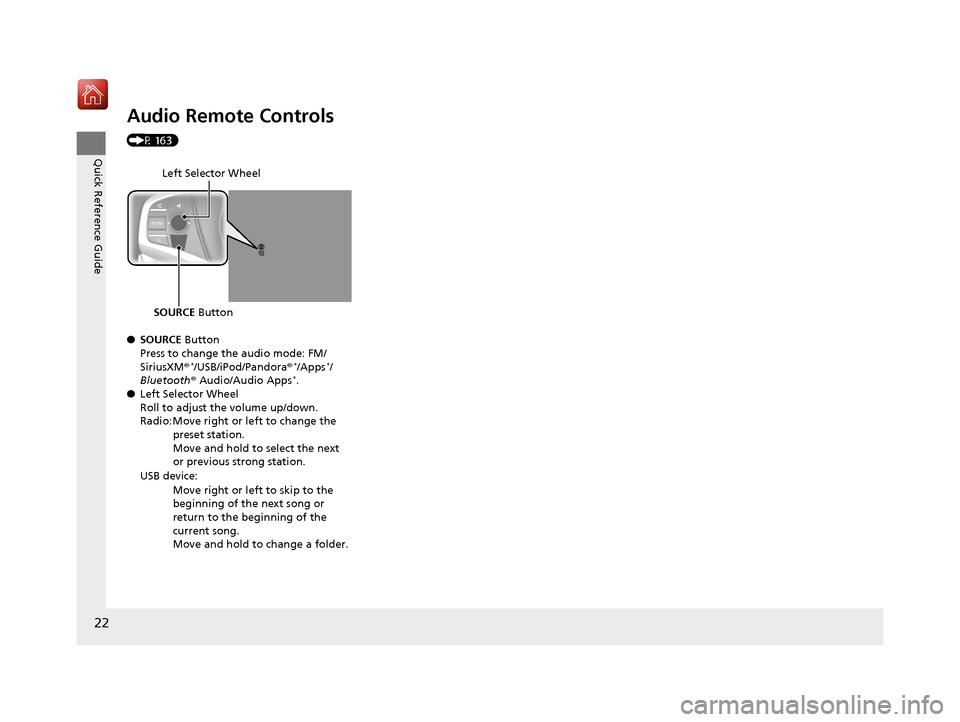
Audio Remote Controls
(P 163)
●SOURCE Button
Press to change the audio mode: FM/
SiriusXM ®
*/USB/iPod/Pandora ®*/Apps*/
Bluetooth ® Audio/Audio Apps*.
● Left Selector Wheel
Roll to adjust the volume up/down.
Radio: Move right or left to change the
preset station.
Move and hold to select the next
or previous strong station.
USB device: Move right or left to skip to the
beginning of the next song or
return to the beginning of the
current song.
Move and hold to change a folder.
Left Selector Wheel
SOURCE Button
19 NSX-31T6N6200.book 22 ページ 2018年8月9日 木曜日 午前11時12分
Page 38 of 485
Continued37
uuSeat Belts uAbout Your Seat Belts
Safe Driving
■Proper use of seat belts
Follow these guidelines for proper use:
• All occupants should sit upright, well back in the seat, and remain in that position
for the duration of the trip. Slouching and leaning reduce the effectiveness of the
belt and can increase the chance of serious injury in a crash.
• Never place the shoulder part of a lap/shoulder seat belt under your arm or
behind your back. This could cause very serious injuries in a crash.
• Two people should never use the same seat belt. If they do, they could be very
seriously injured in a crash.
• Do not put any accessories on the seat belt s. Devices intended to improve comfort
or reposition the shoulder part of a seat belt can reduce the protective capability
and increase the chance of serious injury in a crash.
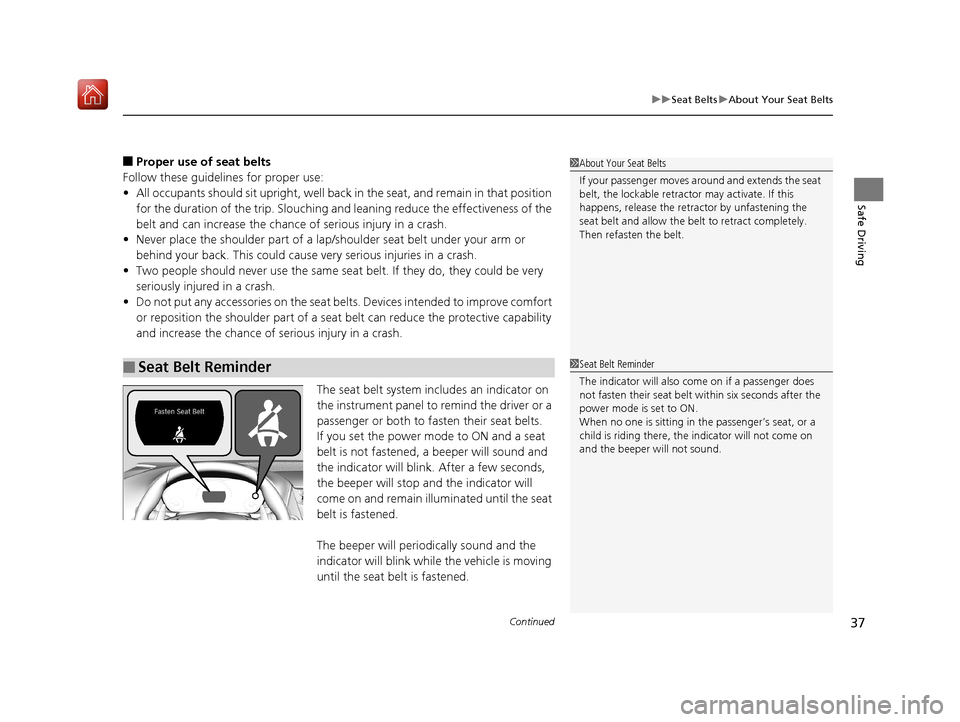
The seat belt system includes an indicator on
the instrument panel to remind the driver or a
passenger or both to fasten their seat belts.
If you set the power mode to ON and a seat
belt is not fastened, a beeper will sound and
the indicator will blink. After a few seconds,
the beeper will stop and the indicator will
come on and remain illuminated until the seat
belt is fastened.
The beeper will periodically sound and the
indicator will blink while the vehicle is moving
until the seat belt is fastened.
■Seat Belt Reminder
1About Your Seat Belts
If your passenger moves around and extends the seat
belt, the lockable retractor may activate. If this
happens, release the retractor by unfastening the
seat belt and allow the belt to retract completely.
Then refasten the belt.
1Seat Belt Reminder
The indicator will also co me on if a passenger does
not fasten their seat belt within six seconds after the
power mode is set to ON.
When no one is sitting in th e passenger’s seat, or a
child is riding there, the indicator will not come on
and the beeper will not sound.
19 NSX-31T6N6200.book 37 ページ 2018年8月9日 木曜日 午前11時12分
Page 56 of 485
Continued55
uuAirbags uAirbag System Indicators
Safe Driving
■When side curtain airbags deploy in a frontal collision
One or both side curtain ai rbags may also inflate in a moderate-to-severe angled
frontal collision.
Airbag System Indicators
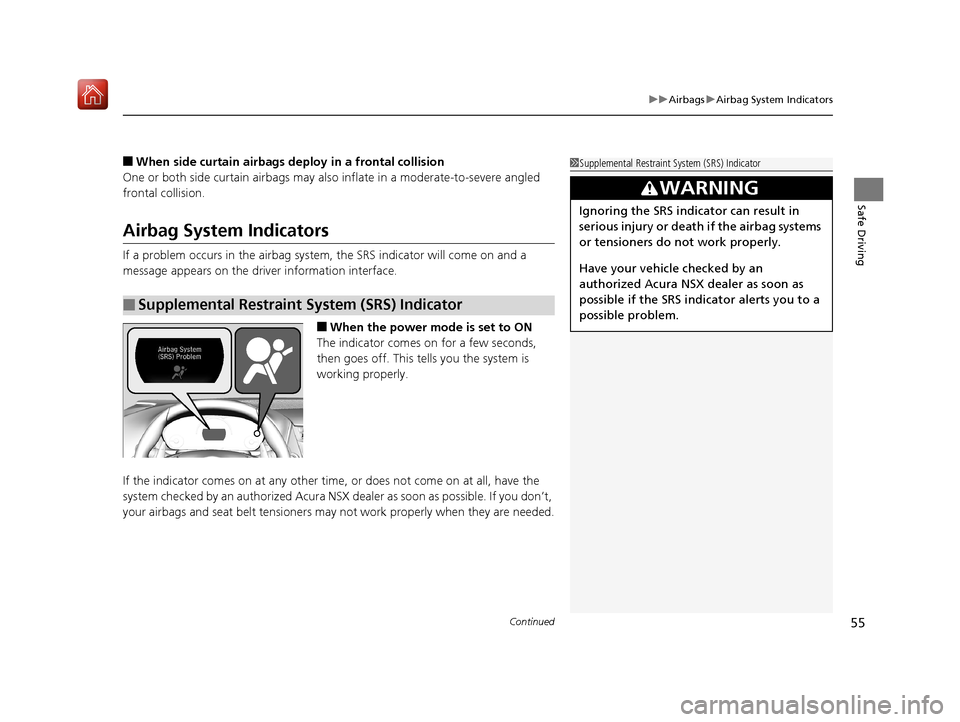
If a problem occurs in the airbag system , the SRS indicator will come on and a
message appears on the driver information interface.
■When the power mode is set to ON
The indicator comes on for a few seconds,
then goes off. This tells you the system is
working properly.
If the indicator comes on at any other time , or does not come on at all, have the
system checked by an authorized Acura NSX dealer as soon as possible. If you don’t,
your airbags and seat belt tensioners may not work properly when they are needed.
■Supplemental Restraint System (SRS) Indicator
1Supplemental Restraint Sy stem (SRS) Indicator
3WARNING
Ignoring the SRS indicator can result in
serious injury or death if the airbag systems
or tensioners do not work properly.
Have your vehicle checked by an
authorized Acura NSX dealer as soon as
possible if the SRS indicator alerts you to a
possible problem.
19 NSX-31T6N6200.book 55 ページ 2018年8月9日 木曜日 午前11時12分
Page 71 of 485
70
Instrument Panel
Indicators
IndicatorNameOn/BlinkingExplanationMessage
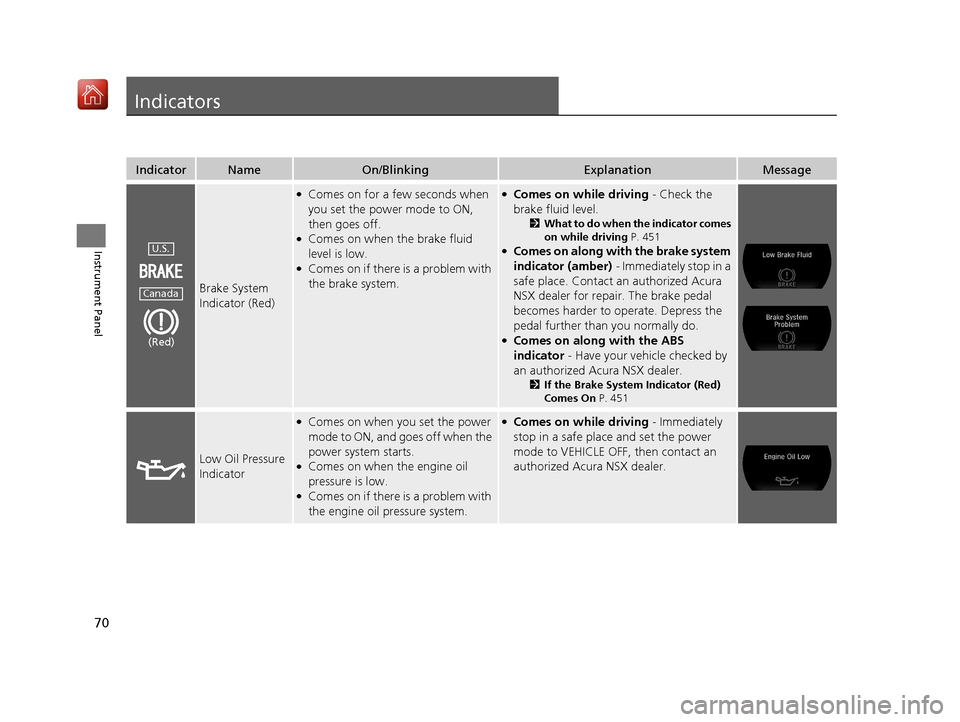
Brake System
Indicator (Red)
●Comes on for a few seconds when
you set the power mode to ON,
then goes off.
●Comes on when the brake fluid
level is low.
●Comes on if there is a problem with
the brake system.
●Comes on while driving - Check the
brake fluid level.
2 What to do when the indicator comes
on while driving P. 451
●Comes on along with the brake system
indicator (amber) - Immediately stop in a
safe place. Contact an authorized Acura
NSX dealer for repair. The brake pedal
becomes harder to operate. Depress the
pedal further than you normally do.
●Comes on along with the ABS
indicator - Have your vehicle checked by
an authorized Acura NSX dealer.
2 If the Brake System Indicator (Red)
Comes On P. 451
Low Oil Pressure
Indicator
●Comes on when you set the power
mode to ON, and goes off when the
power system starts.
●Comes on when the engine oil
pressure is low.
●Comes on if there is a problem with
the engine oil pressure system.
●Comes on while driving - Immediately
stop in a safe place and set the power
mode to VEHICLE OFF, then contact an
authorized Acura NSX dealer.
U.S.
Canada
(Red)
19 NSX-31T6N6200.book 70 ページ 2018年8月9日 木曜日 午前11時12分
Page 72 of 485
71
uuIndicators u
Continued
Instrument Panel
IndicatorNameOn/BlinkingExplanationMessage
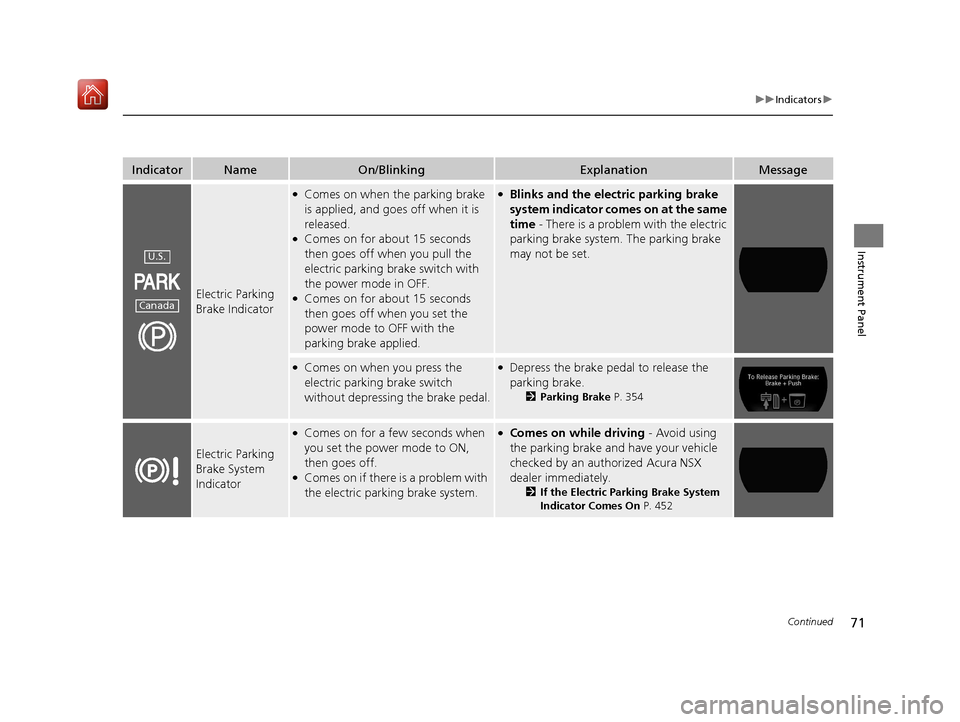
Electric Parking
Brake Indicator
●Comes on when the parking brake
is applied, and goes off when it is
released.
●Comes on for about 15 seconds
then goes off when you pull the
electric parking brake switch with
the power mode in OFF.
●Comes on for about 15 seconds
then goes off when you set the
power mode to OFF with the
parking brake applied.
●Blinks and the electric parking brake
system indicator comes on at the same
time - There is a problem with the electric
parking brake system. The parking brake
may not be set.
●Comes on when you press the
electric parking brake switch
without depressing the brake pedal.●Depress the brake pedal to release the
parking brake.
2 Parking Brake P. 354
Electric Parking
Brake System
Indicator
●Comes on for a few seconds when
you set the power mode to ON,
then goes off.
●Comes on if there is a problem with
the electric parking brake system.
●Comes on while driving - Avoid using
the parking brake and have your vehicle
checked by an authorized Acura NSX
dealer immediately.
2 If the Electric Parking Brake System
Indicator Comes On P. 452
U.S.
Canada
19 NSX-31T6N6200.book 71 ページ 2018年8月9日 木曜日 午前11時12分
Page 73 of 485
72
uuIndicators u
Instrument Panel
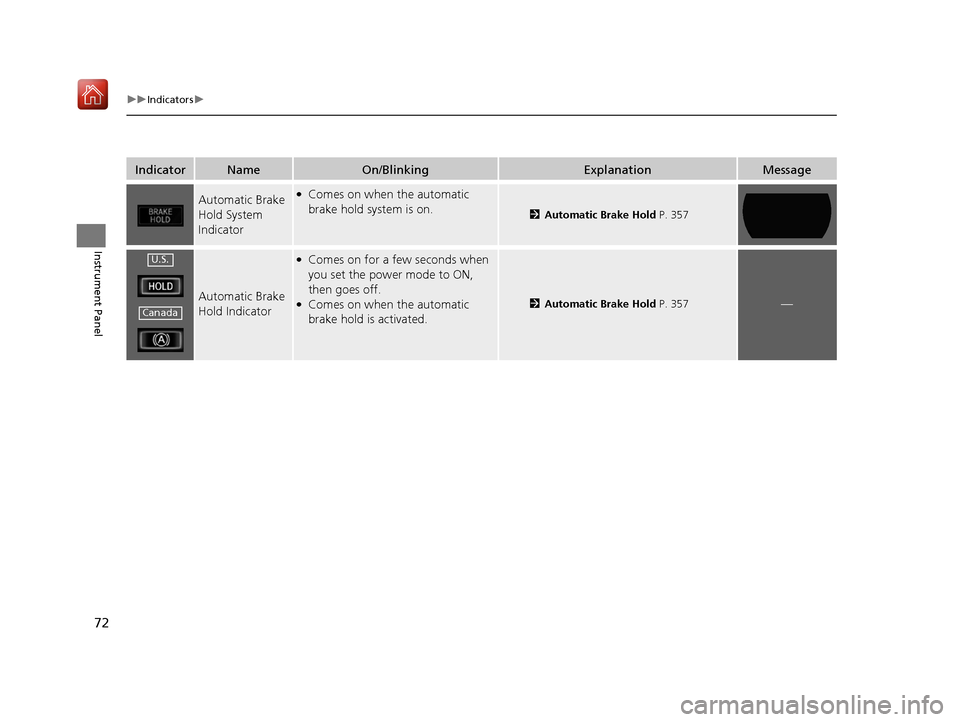
IndicatorNameOn/BlinkingExplanationMessage
Automatic Brake
Hold System
Indicator●Comes on when the automatic
brake hold system is on.
2Automatic Brake Hold P. 357
Automatic Brake
Hold Indicator
●Comes on for a few seconds when
you set the power mode to ON,
then goes off.
●Comes on when the automatic
brake hold is activated.2Automatic Brake Hold P. 357—
U.S.
Canada
19 NSX-31T6N6200.book 72 ページ 2018年8月9日 木曜日 午前11時12分
Page 74 of 485
73
uuIndicators u
Continued
Instrument Panel
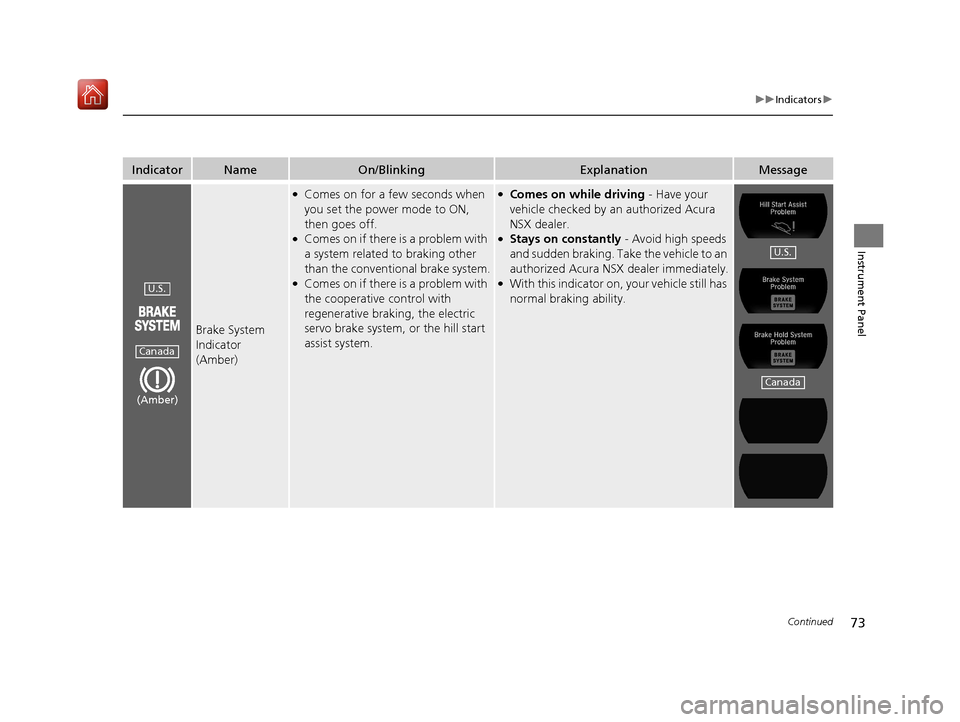
IndicatorNameOn/BlinkingExplanationMessage
Brake System
Indicator
(Amber)
●Comes on for a few seconds when
you set the power mode to ON,
then goes off.
●Comes on if there is a problem with
a system related to braking other
than the conventional brake system.
●Comes on if there is a problem with
the cooperative control with
regenerative braking, the electric
servo brake system, or the hill start
assist system.
●Comes on while driving - Have your
vehicle checked by an authorized Acura
NSX dealer.
●Stays on constantly - Avoid high speeds
and sudden braking. Take the vehicle to an
authorized Acura NSX dealer immediately.
●With this indicator on, your vehicle still has
normal braking ability.U.S.
Canada
(Amber)
U.S.
Canada
19 NSX-31T6N6200.book 73 ページ 2018年8月9日 木曜日 午前11時12分