key ACURA RDX 2010 Owner's Guide
[x] Cancel search | Manufacturer: ACURA, Model Year: 2010, Model line: RDX, Model: ACURA RDX 2010Pages: 514, PDF Size: 30.21 MB
Page 316 of 514

Press HFL
Talk button‘‘
System
Set up ’’ ‘‘
Security ’’
‘‘ Change Passcode ’’
‘‘ Call Notification ’’
‘‘ Auto Transfer ’’
‘‘ Clear ’’
‘‘ Change Language ’’
‘‘ Tutorial ’’
‘‘ Hands Free Help ’’
Press and release the HFL Talk button each time you give a command.
ꭧ : Canadian models Apply a security passcode to the system that must be input at each key
cycle to access the system (See page
328)
Change your security passcode (See page 329)
Set how you would like to be notified of an incoming call
(See page 329)
Set calls to automatically transfer from your phone to HFL when you
enter the vehicle (See page 329)
Clear the system of all paired phones, phonebook entries and security
passcode (See page 330)
Change language from English to French (See page 331)
ꭧ
Hear a tutorial for general rules on using the system (See page 308)
Hear a list of available commands and additional information describing each command
(See page 308)
Bluetooth
®HandsFreeLink
®
31209/07/07 15:02:04 10 ACURA RDX MMC North America Owner's M 50 31STK630 enu
ProCarManuals.com
2010 RDX
Page 320 of 514

Making a Call
You can make calls using any phone
number or a name in the HFL
phonebook. You can also redial the
last number called.
HFL uses a Class 2 Bluetooth, which
means, the maximum range between
your phone and vehicle is 30 feet (10
meters).
During a call, HFL allows you to talk
up to 30 minutes after you remove
the key from the ignition switch.
However, this may weaken the
vehicle’s battery.
To make a call using a phone
number:Press and release the HFL Talk
button before a command.
1. Say ‘‘Call ’’or ‘‘Dial .’’
2. Follow the HFL prompts and say the phone number you want to
dial.
3. Follow the HFL prompts to confirm the number and say ‘‘Call ’’
or ‘‘Dial .’’
Once connected, you will hear the
person you called through the audio
speakers.
To make a call using a name in the HFL phonebook:Press and release the HFL Talk
button before a command.
1. Say ‘‘Call ’’or ‘‘Dial .’’
2. Follow the HFL prompts and say the name stored in the HFL
phonebook that you want to call.
3. Follow the HFL prompts to confirm the name and make the
call.
Bluetooth
®HandsFreeLink
®
31609/07/07 15:02:04 10 ACURA RDX MMC North America Owner's M 50 31STK630 enu
ProCarManuals.com
2010 RDX
Page 323 of 514
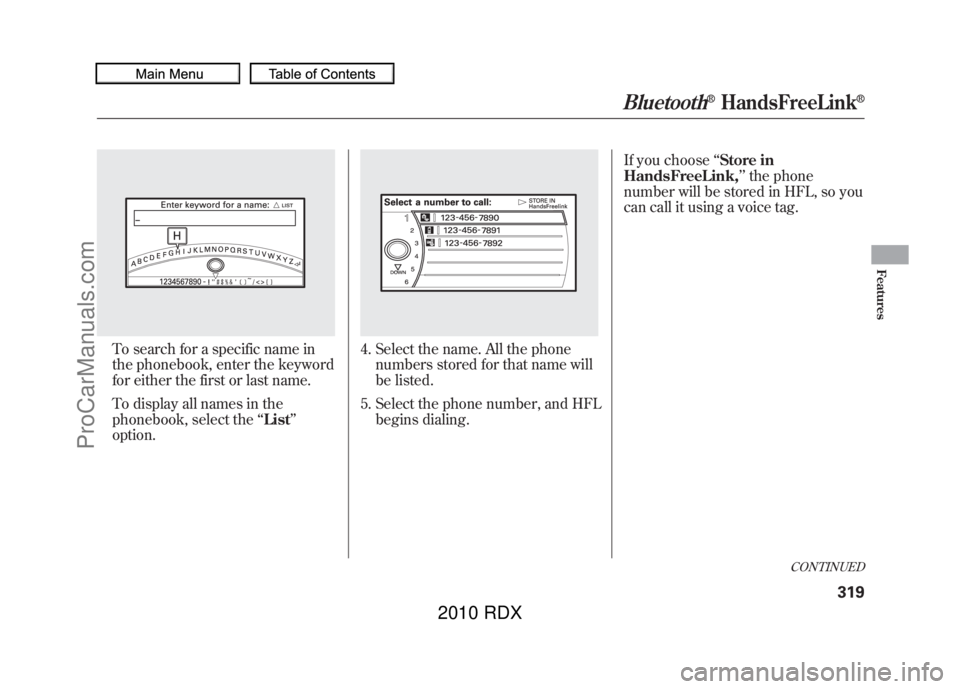
To search for a specific name in
the phonebook, enter the keyword
for either the first or last name.
To display all names in the
phonebook, select the‘‘List ’’
option.
4. Select the name. All the phone numbers stored for that name will
be listed.
5. Select the phone number, and HFL begins dialing. If you choose
‘‘Store in
HandsFreeLink, ’’the phone
number will be stored in HFL, so you
can call it using a voice tag.
CONTINUED
Bluetooth
®HandsFreeLink
®
319
Features
09/07/07 15:02:04 10 ACURA RDX MMC North America Owner's M 50 31STK630 enu
ProCarManuals.com
2010 RDX
Page 328 of 514
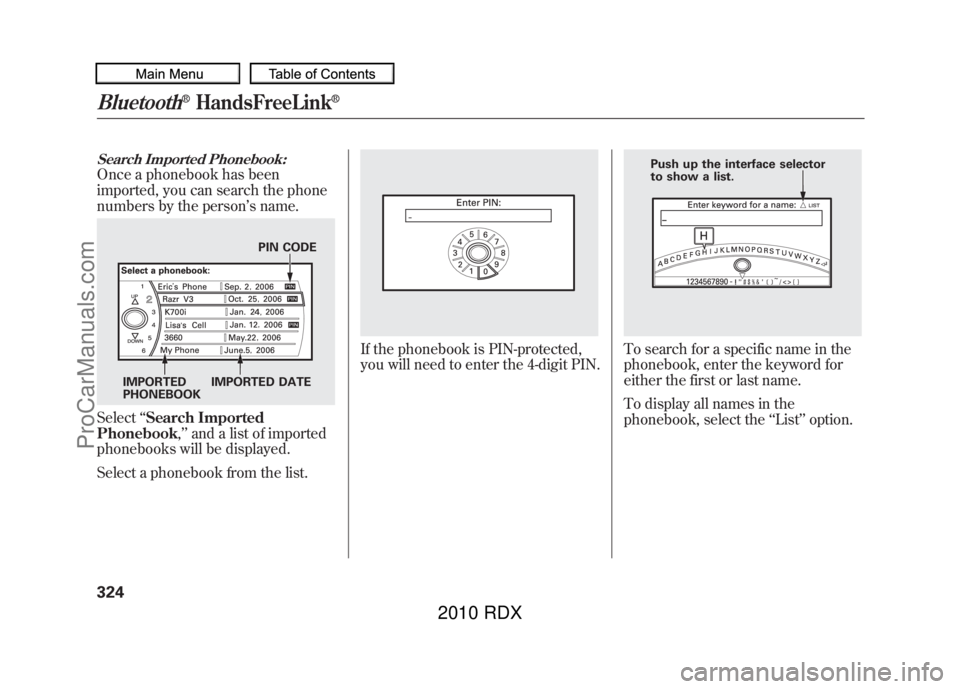
Search Imported Phonebook:Once a phonebook has been
imported, you can search the phone
numbers by the person’s name.Select ‘‘Search Imported
Phonebook ,’’ and a list of imported
phonebooks will be displayed.
Select a phonebook from the list.
If the phonebook is PIN-protected,
you will need to enter the 4-digit PIN.
To search for a specific name in the
phonebook, enter the keyword for
either the first or last name.
To display all names in the
phonebook, select the ‘‘List ’’option.
PIN CODE
IMPORTED
PHONEBOOK IMPORTED DATE
Push up the interface selector
to show a list.
Bluetooth
®HandsFreeLink
®
32409/07/07 15:02:04 10 ACURA RDX MMC North America Owner's M 50 31STK630 enu
ProCarManuals.com
2010 RDX
Page 378 of 514
Your vehicle's starting system has an
auto control mode. When you turn
the ignition switch to the START (III)
position, this feature keeps the
engine's starter motor running until
the engine starts. Follow these
instructions to start the engine:1. Apply the parking brake.
2. In cold weather, turn off all
electrical accessories to reduce the
drain on the battery.
3. Make sure the shift lever is in Park. Press on the brake pedal.
4. Without touching the accelerator pedal, turn the ignition key to the
START (III) position. Do not hold
the key in the START (III) position
for more than 15 seconds at a time.
If the engine does not start right
away, pause for at least 10 seconds
before trying again.
The immobilizer system protects your
vehicle from theft. If an improperly
coded key (or other device) is used, the
engine's fuel system is disabled. For
more information, see page 124.The engine is harder to start in cold
weather. Also, the thinner air found at
altitudes above 8,000 feet (2,400
meters) adds to this problem.
Starting the Engine37409/07/07 15:02:04 10 ACURA RDX MMC North America Owner's M 50 31STK630 enu
ProCarManuals.com
2010 RDX
Page 381 of 514

To shift from:Do this:
PtoR Press the brake pedal, and
press the shift lever release
button.
RtoP
NtoR DtoS Press the shift lever release
button.
StoD
DtoN
NtoD
RtoN Move the shift lever.
Park (P)
-This position
mechanically locks the transmission.
Use Park whenever you are turning
off or starting the engine. To shift out
of Park, you must press on the brake
pedal and have your foot off the
accelerator pedal. Press the release
button on the front of the shift lever
to move it.
If you have done all of the above and
still cannot move the lever out of
Park, see Shift Lock Release on
page 379.
To avoid transmission damage, come
to a complete stop before shifting
into Park. You must also press the
release button to shift into Park. The
shift lever must be in Park before
you can remove the key from the
ignition switch. Reverse (R)
-Press the brake
pedal and press the release button on
the front of the shift lever to shift
from Park to reverse. To shift from
reverse to neutral, come to a
complete stop, and then shift. Press
the release button before shifting
into reverse from neutral.
Neutral (N) -Use neutral if you
need to restart a stalled engine, or if
it is necessary to stop briefly with the
engine idling. Shift to the Park
position if you need to leave your
vehicle for any reason. Press on the
brake pedal when you are moving
the shift lever from neutral to
another gear.
CONTINUED
Automatic Transmission
377
Driving
09/07/07 15:02:04 10 ACURA RDX MMC North America Owner's M 50 31STK630 enu
ProCarManuals.com
2010 RDX
Page 383 of 514
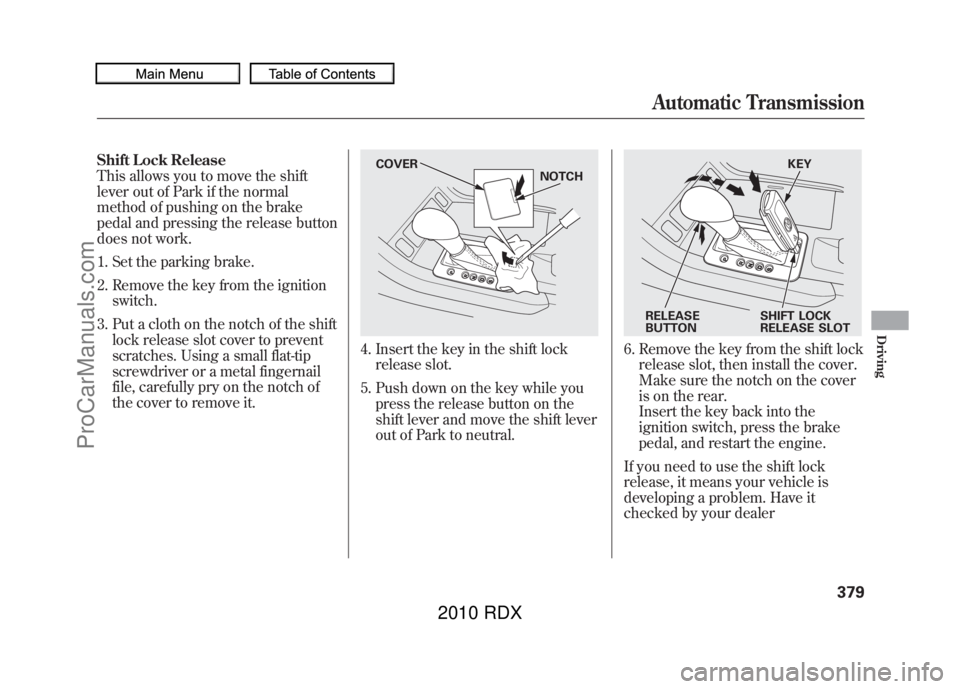
Shift Lock Release
This allows you to move the shift
lever out of Park if the normal
method of pushing on the brake
pedal and pressing the release button
does not work.1. Set the parking brake.
2. Remove the key from the ignition switch.
3. Put a cloth on the notch of the shift lock release slot cover to prevent
scratches. Using a small flat-tip
screwdriver or a metal fingernail
file, carefully pry on the notch of
the cover to remove it.
4. Insert the key in the shift lockrelease slot.
5. Push down on the key while you press the release button on the
shift lever and move the shift lever
out of Park to neutral.
6. Remove the key from the shift lockrelease slot, then install the cover.
Make sure the notch on the cover
is on the rear.
Insert the key back into the
ignition switch, press the brake
pedal, and restart the engine.
If you need to use the shift lock
release, it means your vehicle is
developing a problem. Have it
checked by your dealer
COVER NOTCH
KEY
RELEASE
BUTTON SHIFT LOCK
RELEASE SLOT
Automatic Transmission
379
Driving
09/07/07 15:02:04 10 ACURA RDX MMC North America Owner's M 50 31STK630 enu
ProCarManuals.com
2010 RDX
Page 435 of 514

Headlight Aiming
The headlights were properly aimed
when your vehicle was new. If you
regularly carry heavy items in the
cargo area or pull a trailer,
readjustment may be required.
Adjustments should be done by your
dealer or another qualified
technician.
Low Beam Headlight Bulb
Replacement
The low beam headlight bulbs are
high voltage discharge tube. High
voltage can remain in the circuit even
with the light switch off and the key
removed. Because of this, you should
not attempt to examine or change a
low beam headlight bulb yourself. If
a low beam headlight bulb fails, take
the vehicle to your dealer to have it
replaced.Replacing a High Beam Headlight
Bulb
Your vehicle has halogen headlight
bulbs. When replacing a bulb, handle
it by its base, and protect the glass
from contact with your skin or hard
objects. If you touch the glass, clean
it with denatured alcohol and a clean
cloth.
Halogen headlight bulbs get very hot
when lit. Oil, perspiration, or a scratch
on the glass can cause the bulb to
overheat and shatter.
1. Open the hood.
Remove the electrical connector
from the bulb by pushing on the
tab and pulling the connector
down.
2. Remove the bulb by turning it about one-quarter turn
counterclockwise.
3. Insert the new bulb into the hole,and turn it one-quarter turn
clockwise to lock it in place.
4. Push the electrical connector onto the new bulb.
5. Turn on the headlights to test the new bulb.
BULB CONNECTOR
CONTINUED
Lights
431
Maintenance
09/07/07 15:02:04 10 ACURA RDX MMC North America Owner's M 50 31STK630 enu
ProCarManuals.com
2010 RDX
Page 464 of 514
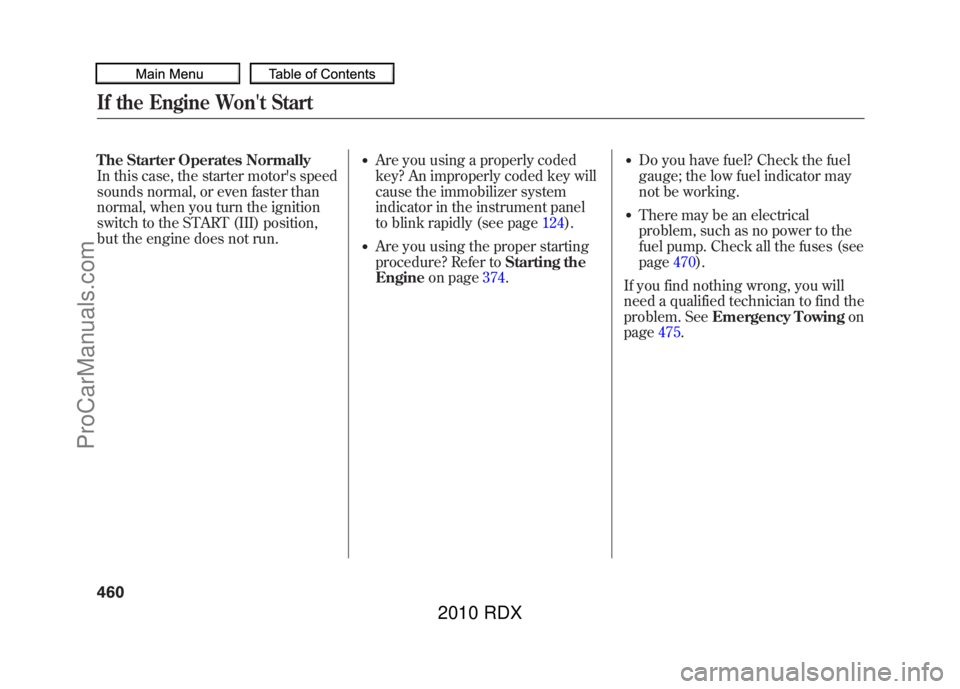
The Starter Operates Normally
In this case, the starter motor's speed
sounds normal, or even faster than
normal, when you turn the ignition
switch to the START (III) position,
but the engine does not run.
●Are you using a properly coded
key? An improperly coded key will
cause the immobilizer system
indicator in the instrument panel
to blink rapidly (see page124).●Are you using the proper starting
procedure? Refer toStarting the
Engine on page 374.
●Do you have fuel? Check the fuel
gauge; the low fuel indicator may
not be working.●There may be an electrical
problem, such as no power to the
fuel pump. Check all the fuses (see
page470).
If you find nothing wrong, you will
need a qualified technician to find the
problem. See Emergency Towing on
page 475.
If the Engine Won't Start46009/07/07 15:02:04 10 ACURA RDX MMC North America Owner's M 50 31STK630 enu
ProCarManuals.com
2010 RDX
Page 502 of 514
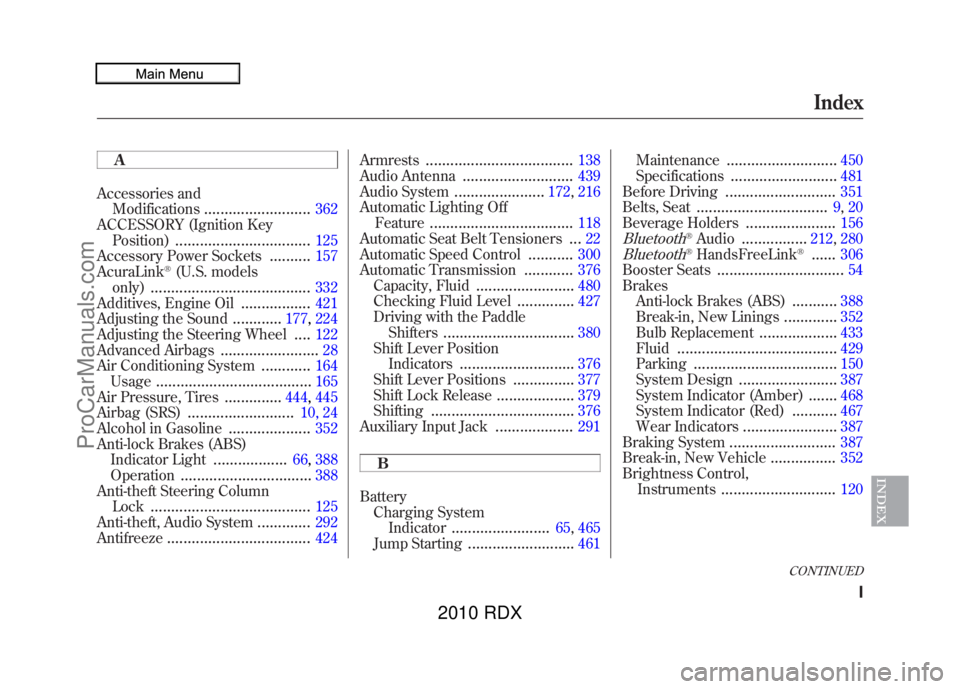
A
Accessories andModifications
..........................
362
ACCESSORY (Ignition Key Position)
.................................
125
Accessory Power Sockets
..........
157
AcuraLink
®(U.S. models
only)
.......................................
332
Additives, Engine Oil
.................
421
Adjusting the Sound
............
177, 224
Adjusting the Steering Wheel....
122
Advanced Airbags
........................
28
Air Conditioning System
............
164
Usage
......................................
165
Air Pressure, Tires
..............
444, 445
Airbag (SRS)
..........................
10, 24
Alcohol in Gasoline
....................
352
Anti-lock Brakes (ABS) Indicator Light
..................
66, 388
Operation
................................
388
Anti-theft Steering Column Lock
.......................................
125
Anti-theft, Audio System
.............
292
Antifreeze
...................................
424 Armrests
....................................
138
Audio Antenna
...........................
439
Audio System
......................
172, 216
Automatic Lighting Off
Feature
...................................
118
Automatic Seat Belt Tensioners...
22
Automatic Speed Control
...........
300
Automatic Transmission
............
376
Capacity, Fluid
........................
480
Checking Fluid Level
..............
427
Driving with the Paddle Shifters
................................
380
Shift Lever Position Indicators
............................
376
Shift Lever Positions
...............
377
Shift Lock Release
...................
379
Shifting
...................................
376
Auxiliary Input Jack
...................
291
B
Battery Charging System
Indicator
........................
65, 465
Jump Starting
..........................
461 Maintenance
...........................
450
Specifications
..........................
481
Before Driving
...........................
351
Belts, Seat
................................
9, 20
Beverage Holders
......................
156
Bluetooth
®Audio
................
212, 280
Bluetooth
®HandsFreeLink
®......
306
Booster Seats
...............................
54
Brakes Anti-lock Brakes (ABS)
...........
388
Break-in, New Linings
.............
352
Bulb Replacement
...................
433
Fluid
.......................................
429
Parking
...................................
150
System Design
........................
387
System Indicator (Amber)
.......
468
System Indicator (Red)
...........
467
Wear Indicators
.......................
387
Braking System
..........................
387
Break-in, New Vehicle
................
352
Brightness Control,
Instruments
............................
120
CONTINUED
Index
I
INDEX
09/07/07 15:02:04 10 ACURA RDX MMC North America Owner's M 50 31STK630 enu
ProCarManuals.com
2010 RDX