display Acura RDX 2011 Owners Manual
[x] Cancel search | Manufacturer: ACURA, Model Year: 2011, Model line: RDX, Model: Acura RDX 2011Pages: 517, PDF Size: 27.89 MB
Page 205 of 517
Text Data Display FunctionEach time you press the DISP/
MODE button, the display mode
switches between the album name,
the song name, the artist name, or
name off (which turns off the text
display).
The center display shows up to about
16 characters of the selected data. If
the text data has more than 16
characters, you will see the first 16
characters and the
indicator in the
center display. Press and hold the
DISP/MODE button until the next
16 characters are shown.
To Change or Select FilesUse the SEEK/SKIP bar while an
iPod is playing to select passages and
change files.
SKIP -Each time you press and
release the
side of the SEEK/
SKIP bar, the system skips forward
to the beginning of the next file.
Press and release the
side of the
bar, to skip backward to the
beginning of the current file. Press it
again to skip to the beginning of the
previous file.
To move rapidly within a file, press
and hold either side (or
)of
the SEEK/SKIP bar.
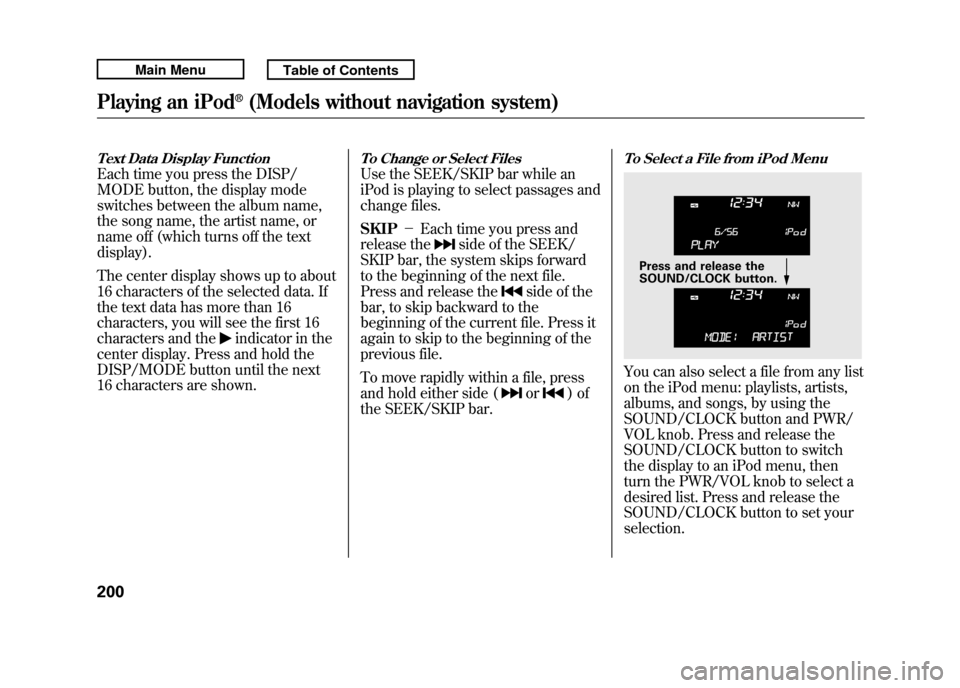
To Select a File from iPod MenuYou can also select a file from any list
on the iPod menu: playlists, artists,
albums, and songs, by using the
SOUND/CLOCK button and PWR/
VOL knob. Press and release the
SOUND/CLOCK button to switch
the display to an iPod menu, then
turn the PWR/VOL knob to select a
desired list. Press and release the
SOUND/CLOCK button to set your
selection.
Press and release the
SOUND/CLOCK button.
Playing an iPod
®(Models without navigation system)
20010/06/08 17:42:32 11 ACURA RDX MMC North America Owner's M 50 31STK640 enu
Page 206 of 517
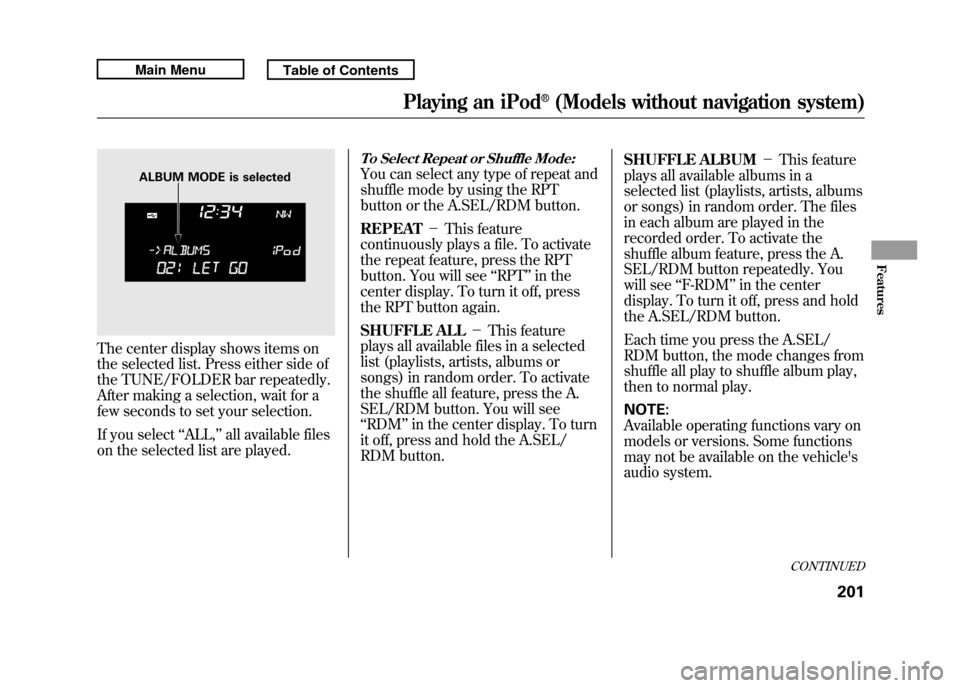
The center display shows items on
the selected list. Press either side of
the TUNE/FOLDER bar repeatedly.
After making a selection, wait for a
few seconds to set your selection.
If you select‘‘ALL,’’ all available files
on the selected list are played.
To Select Repeat or Shuffle Mode:You can select any type of repeat and
shuffle mode by using the RPT
button or the A.SEL/RDM button.
REPEAT -This feature
continuously plays a file. To activate
the repeat feature, press the RPT
button. You will see ‘‘RPT ’’in the
center display. To turn it off, press
the RPT button again.
SHUFFLE ALL -This feature
plays all available files in a selected
list (playlists, artists, albums or
songs) in random order. To activate
the shuffle all feature, press the A.
SEL/RDM button. You will see
‘‘ RDM ’’in the center display. To turn
it off, press and hold the A.SEL/
RDM button. SHUFFLE ALBUM
-This feature
plays all available albums in a
selected list (playlists, artists, albums
or songs) in random order. The files
in each album are played in the
recorded order. To activate the
shuffle album feature, press the A.
SEL/RDM button repeatedly. You
will see ‘‘F-RDM ’’in the center
display. To turn it off, press and hold
the A.SEL/RDM button.
Each time you press the A.SEL/
RDM button, the mode changes from
shuffle all play to shuffle album play,
then to normal play.
NOTE:
Available operating functions vary on
models or versions. Some functions
may not be available on the vehicle's
audio system.
ALBUM MODE is selected
CONTINUED
Playing an iPod
®(Models without navigation system)
201
Features
10/06/08 17:42:32 11 ACURA RDX MMC North America Owner's M 50 31STK640 enu
Page 207 of 517

To Stop Playing Your iPod
To play the radio, press the AM/FM,
or
button. Press the CD/AUX
button to switch between disc (if a
disc is loaded),
Bluetooth
®Audio,
and the iPod.
Disconnecting an iPodYou can disconnect the iPod at any
time when you see the ‘‘OK to
disconnect ’’message
ꭧin the iPod
display. Always make sure you see
the ‘‘OK to disconnect ’’message in
the iPod display before you
disconnect it. Make sure to follow
the iPod's instructions on how to
disconnect the dock connector from
the USB adapter cable.
ꭧ : The displayed message may
vary on models or versions. On
some models, there is no
message to disconnect. If you reconnect the same iPod, the
system may begin playing where it
left off, depending on what mode the
iPod is in when it is reconnected.
iPod Error Messages
For information, see page 203.
Playing an iPod
®(Models without navigation system)
20210/06/08 17:42:32 11 ACURA RDX MMC North America Owner's M 50 31STK640 enu
Page 208 of 517

If you see an error message in the
center display while playing an iPod,
find the solution in the chart to the
right. If you cannot clear the error
message, take your vehicle to your
dealer.Error Message
Cause Solution
USB ERRORUSB ROM error There is a problem with the USB adapter
unit.
BAD USB DEVICE PLEASE CHECK OWNERSMANUAL Abnormal power
source Appears when the overcurrent protection
feature of the system stops supplying
power to USB because an incompatible
device is connected. Disconnect the
device. Then, turn the audio system off,
and turn it on again. Do not reconnect the
device that caused the error.
NO SONG No files in iPod Appears when the iPod is empty. Store
some files in the iPod.
UNSUPPORTED VER. Use of unsupported
iPod Appears when an unsupported iPod is
connected. See page 198 for specification
information on iPods. If it appears when a
supported iPod is connected, update the
iPod software to the newer version.
CONNECT RETRY Recognition failure of
iPod Appears when the system does not
acknowledge the iPod. Reconnect the
iPod.
iPod
®Error Messages (Models without navigation system)
203
Features
10/06/08 17:42:32 11 ACURA RDX MMC North America Owner's M 50 31STK640 enu
Page 210 of 517

To Play a USB Flash Memory
Device
This audio system can operate the
audio files on a USB flash memory
device with the same controls used
for the in-dash disc changer. To play
a USB flash memory device, connect
it to the USB adapter cable in the
console compartment, then press the
CD/AUX button. The ignition switch
must be in the ACCESSORY (I) or
ON (II) position.The audio system reads and plays
the audio files on the USB flash
memory device in MP3, WMA or
AAC
ꭧformats. Depending on the
format, the display shows MP3,
WMA or AAC when a USB flash
memory device is playing. The USB
flash memory device limit is up to
700 folders or up to 65535 files.
ꭧ : Only AAC format files recorded
with iTunes are playable on this
audio unit. The recommended USB flash
memory devices are 256 MB or
higher, and formatted with the FAT
file system. Some digital audio
players may be compatible as well.
Some USB flash memory devices
(such as devices with security lock-
out features, etc.) will not work in
this audio unit.
CONTINUED
Playing a USB Flash Memory Device (Models without navigation system)
205
Features
10/06/08 17:42:32 11 ACURA RDX MMC North America Owner's M 50 31STK640 enu
Page 211 of 517

NOTE:●Do not use a device such as a card
reader or hard drive as the device
or your files may be damaged.●Do not connect your USB flash
memory device using a hub.●Do not use an extension cable to
the USB adapter cable equipped
with your vehicle.●Do not keep a USB flash memory
device in the vehicle. Direct
sunlight and high heat will damage
it.
●We recommend backing up your
data before playing a USB flash
memory device.●Depending on the type and
number of files, it may take some
time before they begin to play.●Depending on the software the
files were made with, it may not be
possible to play some files, or
display some text data.●Some devices cannot be powered
or charged via the USB adapter, if
this is the case use the accessory
adapter to supply power to your
device.Depending on the type of encoding
and writing software used, there may
be cases where character information
does not display properly.
Even if recorded in MP3, WMA or
AAC format, unsupported files
cannot be played. If the system finds
an unsupported file, the screen
displays UNPLAYABLE, and then
skips to the next file.
Playing a USB Flash Memory Device (Models without navigation system)20610/06/08 17:42:32 11 ACURA RDX MMC North America Owner's M 50 31STK640 enu
Page 212 of 517
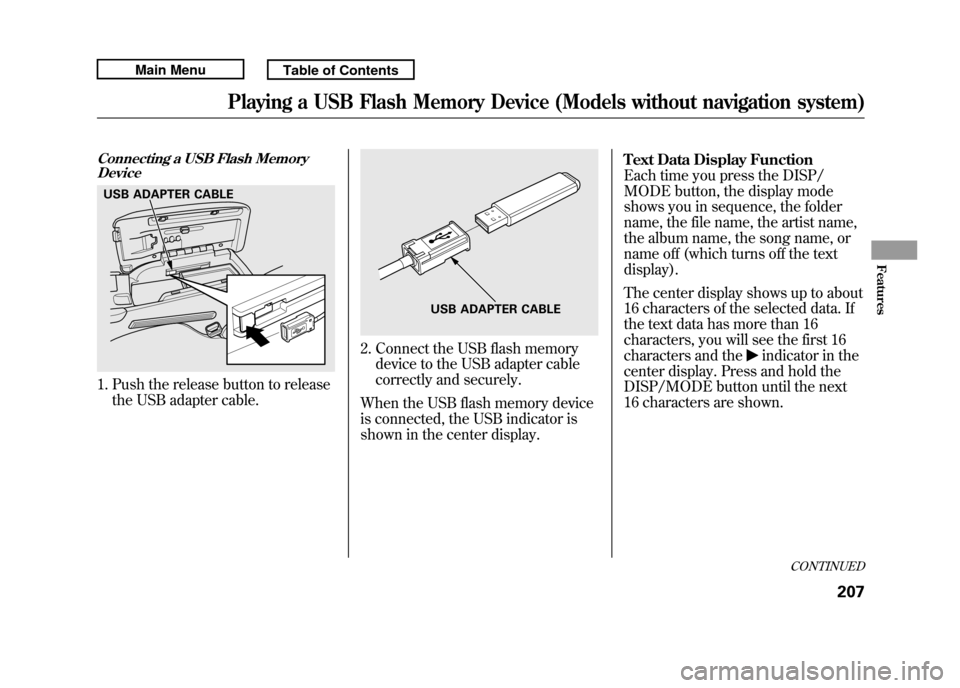
Connecting a USB Flash MemoryDevice1. Push the release button to release
the USB adapter cable.
2. Connect the USB flash memorydevice to the USB adapter cable
correctly and securely.
When the USB flash memory device
is connected, the USB indicator is
shown in the center display. Text Data Display Function
Each time you press the DISP/
MODE button, the display mode
shows you in sequence, the folder
name, the file name, the artist name,
the album name, the song name, or
name off (which turns off the text
display).
The center display shows up to about
16 characters of the selected data. If
the text data has more than 16
characters, you will see the first 16
characters and the
indicator in the
center display. Press and hold the
DISP/MODE button until the next
16 characters are shown.
USB ADAPTER CABLE
USB ADAPTER CABLE
CONTINUED
Playing a USB Flash Memory Device (Models without navigation system)
207
Features
10/06/08 17:42:32 11 ACURA RDX MMC North America Owner's M 50 31STK640 enu
Page 213 of 517
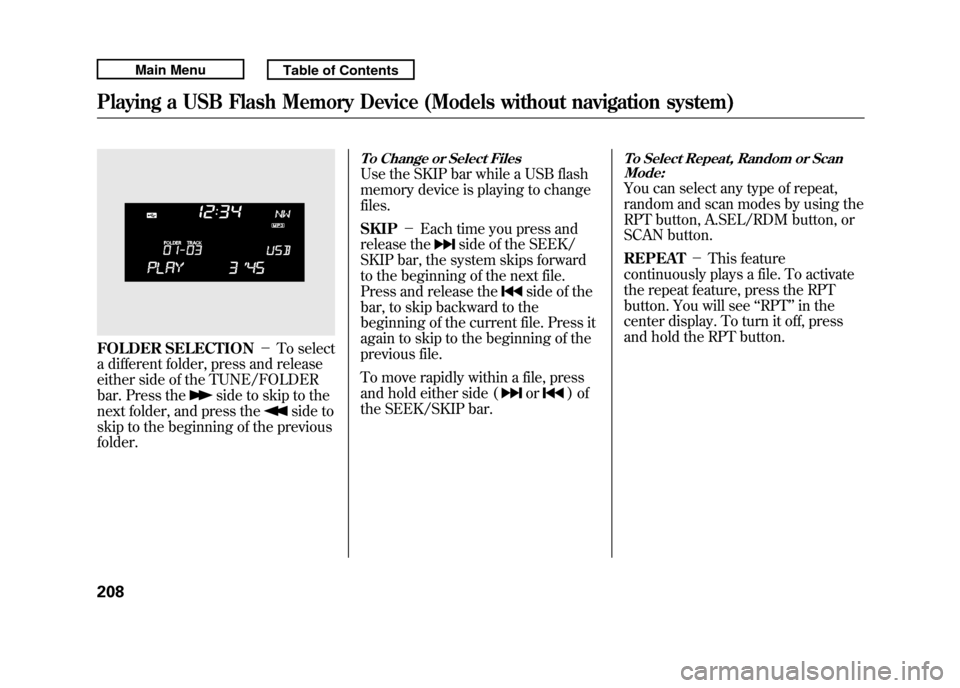
FOLDER SELECTION-To select
a different folder, press and release
either side of the TUNE/FOLDER
bar. Press the
side to skip to the
next folder, and press the
side to
skip to the beginning of the previous
folder.
To Change or Select FilesUse the SKIP bar while a USB flash
memory device is playing to change
files.
SKIP -Each time you press and
release the
side of the SEEK/
SKIP bar, the system skips forward
to the beginning of the next file.
Press and release the
side of the
bar, to skip backward to the
beginning of the current file. Press it
again to skip to the beginning of the
previous file.
To move rapidly within a file, press
and hold either side (or
)of
the SEEK/SKIP bar.
To Select Repeat, Random or Scan Mode:You can select any type of repeat,
random and scan modes by using the
RPT button, A.SEL/RDM button, or
SCAN button.
REPEAT -This feature
continuously plays a file. To activate
the repeat feature, press the RPT
button. You will see ‘‘RPT ’’in the
center display. To turn it off, press
and hold the RPT button.
Playing a USB Flash Memory Device (Models without navigation system)20810/06/08 17:42:32 11 ACURA RDX MMC North America Owner's M 50 31STK640 enu
Page 214 of 517

FOLDER REPEAT-This feature
replays all the files in the selected
folder in the order they are stored.
To activate the folder repeat feature,
press the RPT button repeatedly. You
will see ‘‘F-RPT ’’in the center
display. To turn it off, press and hold
the RPT button.
Each time you press and release the
RPT button, the mode changes from
file repeat to folder repeat, then to
normal play. FOLDER RANDOM
-This feature
plays the files in the selected folder
in random order. To activate the
folder random feature, press the
A.SEL/RDM button. You will see ‘‘F-
RDM ’’in the center display. To turn
it off, press and hold the A.SEL/
RDM button.
RANDOM -This feature plays all
the files in random order. To activate
the track random feature, press the
A.SEL/RDM button repeatedly. You
will see ‘‘RDM ’’in the center display.
To turn it off, press and hold the
A.SEL/RDM button.
Each time you press and release the
A.SEL/RDM button, the mode
changes folder random to random
play, then to normal play. SCAN
-This feature samples all
files in the selected folder in the
order they are stored. To activate the
scan feature, press the SCAN button.
You will see ‘‘SCAN ’’in the center
display. You will get a 10 second
sampling of each file in the folder.
Press and hold the SCAN button to
get out of the scan mode and play the
last file sampled.
FOLDER SCAN -This feature
samples the first file in each folder in
the order they are stored. To activate
the folder scan feature, press the
SCAN button repeatedly. You will
see ‘‘F-SCAN ’’in the center display.
You will get a 10 second sampling of
the first file in each folder. Press and
hold the SCAN button to get out of
the folder scan mode and play the
last file sampled.
CONTINUED
Playing a USB Flash Memory Device (Models without navigation system)
209
Features
10/06/08 17:42:32 11 ACURA RDX MMC North America Owner's M 50 31STK640 enu
Page 215 of 517

Each time you press and release the
SCAN button, the mode changes
from file scan to folder scan, then to
normal play.To Stop Playing a USB Flash
Memory Device
To play the radio, press the FM, AM
or
button. Press the CD/AUX
button to switch between disc (if a
disc is loaded) and
Bluetooth
®Audio.
You can also press the MODE button
on the steering wheel to change
modes.
If you reconnect the same USB flash
memory device, the system will
begin playing where it left off.
Disconnecting a USB Flash Memory DeviceYou can disconnect the USB flash
memory device at any time even if
the USB mode is selected on the
audio system. Always follow the USB
flash memory device's instructions
when you remove it.
When you disconnect the USB flash
memory device while it is playing,
the center display shows ‘‘USB NO
DATA. ’’
If you reconnect the same USB flash
memory device, the system will
begin playing where it left off.
USB Flash Memory Device Error
Messages
For information, see page 211.
Playing a USB Flash Memory Device (Models without navigation system)21010/06/08 17:42:32 11 ACURA RDX MMC North America Owner's M 50 31STK640 enu