Front wheel drive Acura RDX 2014 Owner's Manual
[x] Cancel search | Manufacturer: ACURA, Model Year: 2014, Model line: RDX, Model: Acura RDX 2014Pages: 363, PDF Size: 13.7 MB
Page 39 of 363
38
uuAirbags uAirbag System Components
Safe Driving
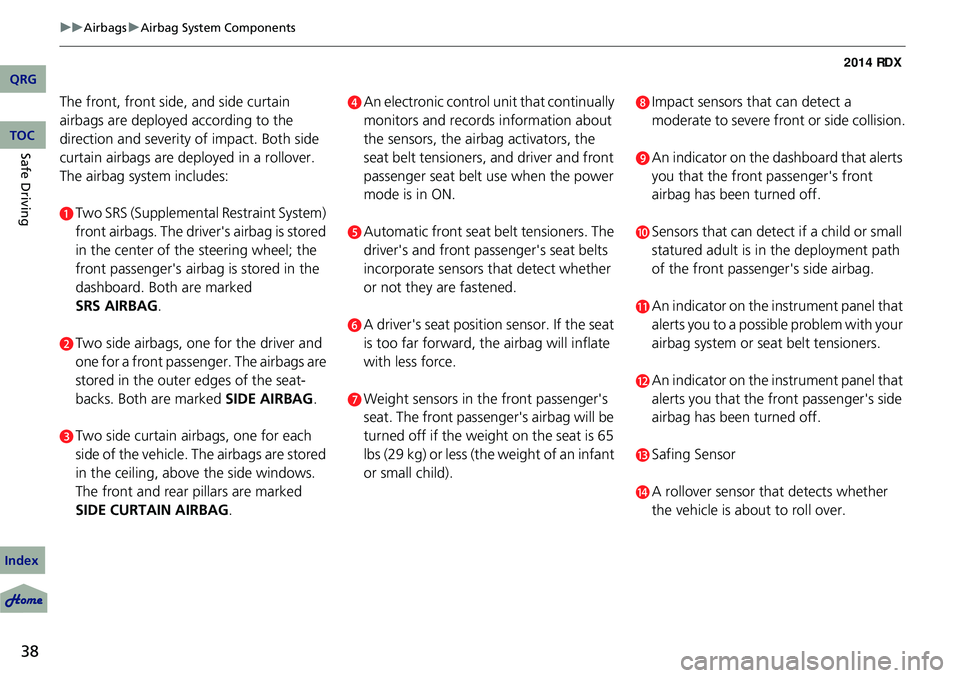
The front, front side, and side curtain
airbags are deployed according to the
direction and severity of impact. Both side
curtain airbags are deployed in a rollover.
The airbag system includes:
aTwo SRS (Supplemental Restraint System)
front airbags. The driver's airbag is stored
in the center of the steering wheel; the
front passenger's airbag is stored in the
dashboard. Both are marked
.
bTwo side airbags, one for the driver and
one for a front passenger. The airbags are
stored in the outer edges of the seat-
backs. Both are marked SIDE AIRBAG .
cTwo side curtain airbags, one for each
side of the vehicle. The airbags are stored
in the ceiling, above the side windows.
The front and rear pillars are marked
SIDE CURTAIN AIRBAG.
dAn electronic control unit that continually
monitors and records information about
the sensors, the airb ag activators, the
seat belt tensioners, and driver and front
passenger seat belt use when the power
mode is in ON.
eAutomatic front seat belt tensioners. The
driver's and front passenger's seat belts
incorporate sensors that detect whether
or not they are fastened.
fA driver's seat position sensor. If the seat
is too far forward, the airbag will inflate
with less force.
gWeight sensors in the front passenger's
seat. The front passenger's airbag will be
turned off if the weight on the seat is 65
lbs (29 kg) or less (the weight of an infant
or small child).
hImpact sensors that can detect a
moderate to severe front or side collision.
iAn indicator on the dashboard that alerts
you that the front passenger's front
airbag has been turned off.
jSensors that can detect if a child or small
statured adult is in the deployment path
of the front passenger's side airbag.
kAn indicator on the instrument panel that
alerts you to a possibl e problem with your
airbag system or seat belt tensioners.
lAn indicator on the instrument panel that
alerts you that the front passenger's side
airbag has been turned off.
mSafing Sensor
nA rollover sensor that detects whether
the vehicle is about to roll over.
QRG
Index
TOC
SRS AIRBAG
Page 41 of 363
40
uuAirbags uTypes of Airbags
Safe Driving
Types of Airbags
Your vehicle is equipped with three types of airbags:
• Front airbags: Airbags in front of the driver 's and front passenger's seats.
• Side airbags: Airbags in the driver's and front passenger's seat-backs.
• Side curtain airbags: Airbags above the side windows.
Each is discussed in the following pages.
Front Airbags (SRS)
The front SRS airbags inflate in a moderate-to -severe frontal collision to help protect
the head and chest of the driver and/or front passenger.
SRS (Supplemental Restraint System) indica tes that the airbags are designed to
supplement seat belts, not replace them. Seat belts are the occupant's primary
restraint system.
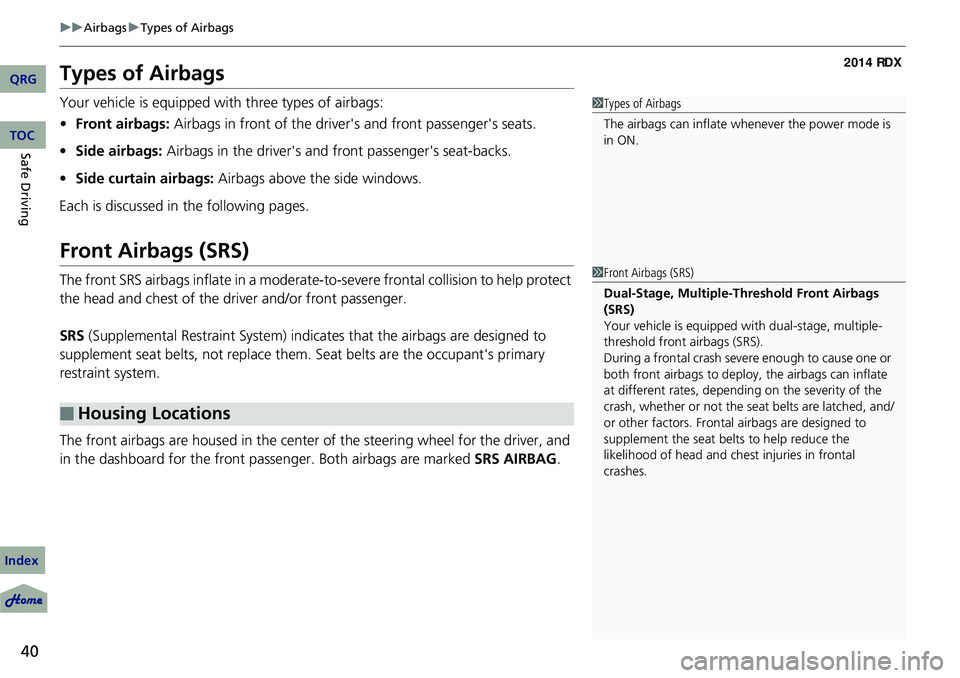
The front airbags are housed in the center of the steering wheel for the driver, and
in the dashboard for the front pass enger. Both airbags are marked SRS AIRBAG.
■Housing Locations
1Types of Airbags
The airbags can inflate whenever the power mode is
in ON.
1Front Airbags (SRS)
Dual-Stage, Multiple-Threshold Front Airbags
(SRS)
Your vehicle is equipped wi th dual-stage, multiple-
threshold front airbags (SRS).
During a frontal crash severe enough to cause one or
both front airbags to deploy, the airbags can inflate
at different rates, dependi ng on the severity of the
crash, whether or not the se at belts are latched, and/
or other factors. Frontal airbags are designed to
supplement the seat belts to help reduce the
likelihood of head and chest injuries in frontal
crashes.
QRG
Index
TOC
Page 73 of 363
72
uuIndicators u
Instrument Panel
IndicatorNameOn/BlinkingExplanationMessage
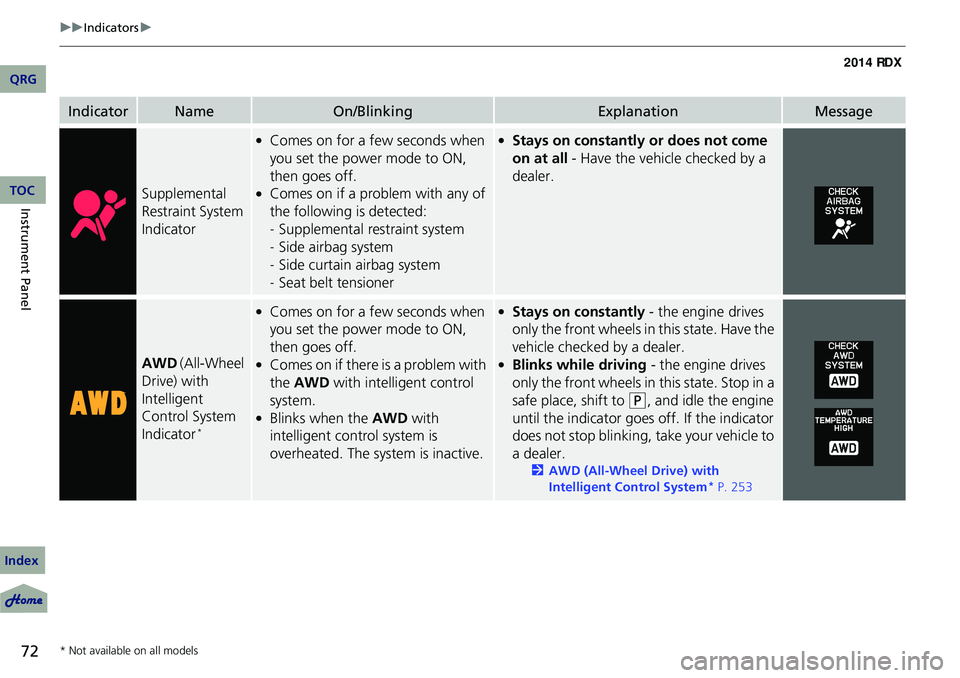
Supplemental
Restraint System
Indicator
●Comes on for a few seconds when
you set the power mode to ON,
then goes off.
●Comes on if a problem with any of
the following is detected:
-Supplemental restraint system
- Side airbag system
- Side curtain airbag system
- Seat belt tensioner
●Stays on constantly or does not come
on at all - Have the vehicle checked by a
dealer.
AWD (All-Wheel
Drive) with
Intelligent
Control System
Indicator
*
●Comes on for a few seconds when
you set the power mode to ON,
then goes off.
●Comes on if there is a problem with
the AWD with intelligent control
system.
●Blinks when the AWD with
intelligent control system is
overheated. The system is inactive.
●Stays on constantly - the engine drives
only the front wheels in this state. Have the
vehicle checked by a dealer.
●Blinks while driving - the engine drives
only the front wheels in this state. Stop in a
safe place, shift to
(P, and idle the engine
until the indicator goes off. If the indicator
does not stop blinking, take your vehicle to
a dealer.
2 AWD (All-Wheel Drive) with
Intelligent Control System* P. 253
* Not available on all models
QRG
Index
TOC
Page 137 of 363
136
Controls
Adjusting the Seats
Adjusting the Seat Positions
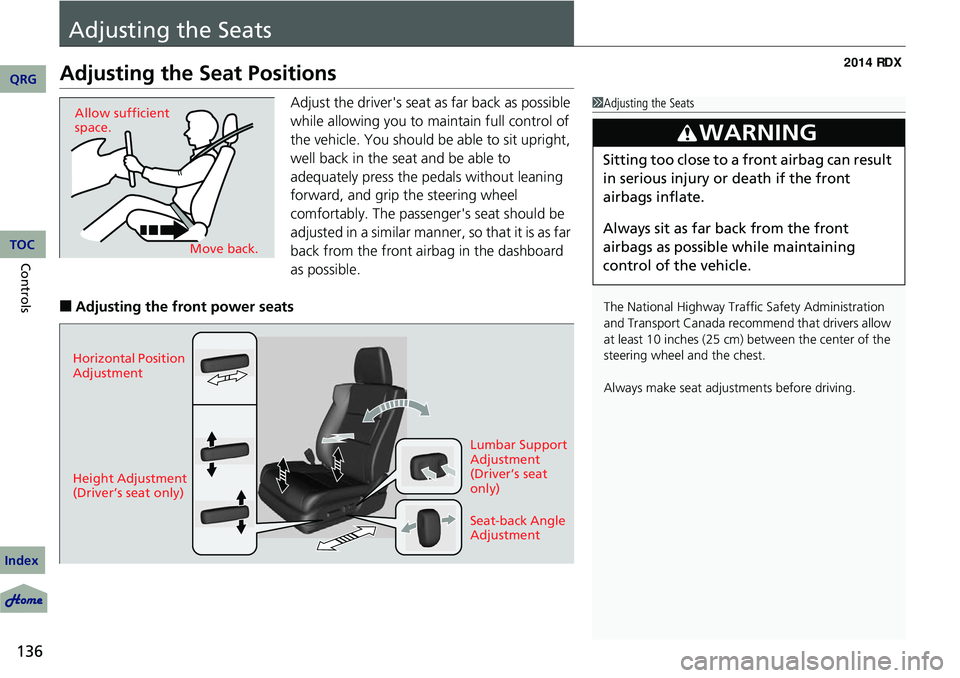
Adjust the driver's seat as far back as possible
while allowing you to maintain full control of
the vehicle. You should be able to sit upright,
well back in the seat and be able to
adequately press the pedals without leaning
forward, and grip the steering wheel
comfortably. The passenger's seat should be
adjusted in a similar manner, so that it is as far
back from the front airbag in the dashboard
as possible.
■Adjusting the front power seats
1Adjusting the Seats
The National Highway Traffic Safety Administration
and Transport Cana da recommend that drivers allow
at least 10 inches (25 cm) between the center of the
steering wheel and the chest.
Always make seat adjustments before driving.
3WARNING
Sitting too close to a front airbag can result
in serious injury or death if the front
airbags inflate.
Always sit as far back from the front
airbags as possible while maintaining
control of the vehicle.
Move back.
Allow sufficient
space.
Horizontal Position
Adjustment
Height Adjustment
(Driver’s seat only)
Seat-back Angle
Adjustment Lumbar Support
Adjustment
(Driver’s seat
only)
QRG
Index
TOC
Page 138 of 363
Continued137
uuAdjusting the Seats uAdjusting the Seat Positions
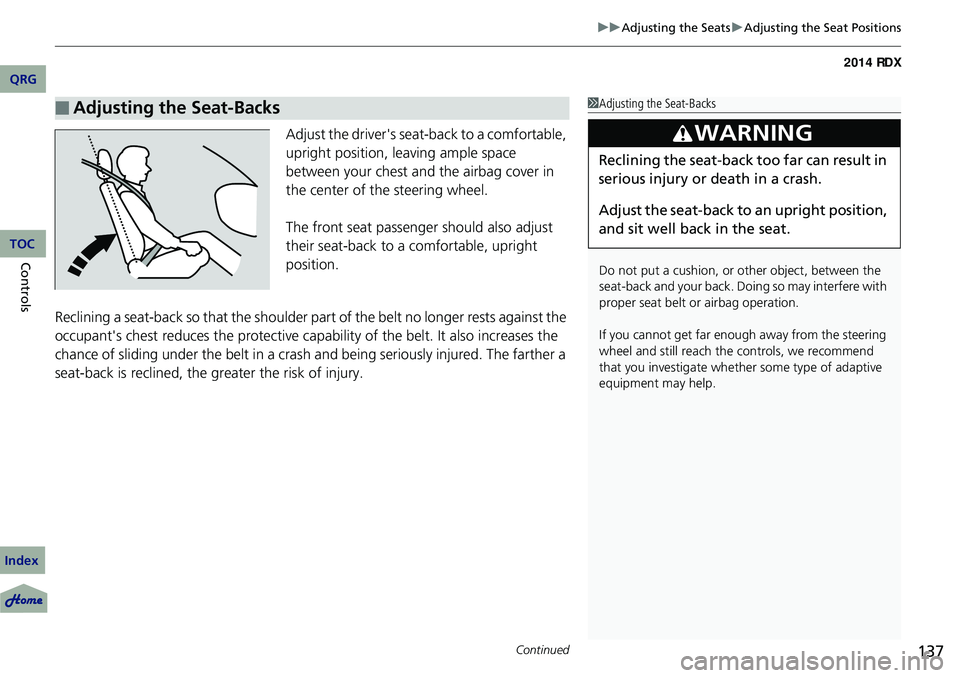
Adjust the driver's seat -back to a comfortable,
upright position, leaving ample space
between your chest and the airbag cover in
the center of the steering wheel.
The front seat passenger should also adjust
their seat-back to a comfortable, upright
position.
Reclining a seat-back so that the shoulder part of the belt no longer rests against the
occupant's chest reduces the protective capa bility of the belt. It also increases the
chance of sliding under the belt in a crash and being seriously injured. The farther a
seat-back is reclined, the gr eater the risk of injury.
■Adjusting the Seat-Backs1Adjusting the Seat-Backs
Do not put a cushion, or other object, between the
seat-back and your back. Do ing so may interfere with
proper seat belt or airbag operation.
If you cannot get far e nough away from the steering
wheel and still reach th e controls, we recommend
that you investigate whether some type of adaptive
equipment may help.
3WARNING
Reclining the seat-back too far can result in
serious injury or death in a crash.
Adjust the seat-back to an upright position,
and sit well back in the seat.
QRG
Index
ControlsTOC
Page 240 of 363
239
uuOff-Highway Driving Guidelines uAvoiding Trouble
Avoiding Trouble
• Check Out Your Vehicle before you leave the pavement and make sure that all
scheduled maintenance has been completed. Pay special attention to the
condition of the tires, and check the tire pressures.
• Remember the route you choose presents limi ts (too steep or bumpy), you have
limits (driving skill and comfort), and your vehicle has limits (traction, stability, and
power). Failing to recognize these limits will likely put you and your passengers in
a hazardous situation.
• Accelerating and Braking should be done slowly and gradually. Trying to start
or stop too fast can cause a loss of traction and you could lose control.
• Avoiding Obstacles and Debris in the road reduces the likelihood of a rollover
or damage to your suspension or other components.
• Driving on Slopes increases your risk of a rollover, particularly if you attempt to
drive across a slope that is too steep. Goin g straight up or down a slope is usually
the safest. If you can’t clearly see all cond itions or obstacles on a slope, walk it
before you drive it. If there is any doubt whether you can safely pass, don’t try it.
Find another route. If you get stuck when climbing, do not try to turn around.
Back down slowly following the same route you took up the hill.
• Crossing a Stream - Avoid driving through deep water. If you encounter water
in your route (a small stream or large pu ddle, for example), evaluate it carefully
before going ahead. Make sure it is shallow, flowing slowly, and has firm ground
underneath. If you are not sure of the depth or the ground, turn around and find
another route. Driving through deep water can also damage your vehicle. The
water can get into the transmission and di fferential, diluting the lubricant and
causing an eventual failure. It can also wash the grease out of the wheel bearings.
• If You Get Stuck , carefully go in the direction that you think will get you
unstuck. Do not spin the tires as this will only make things worse and could
damage the transmission. If you are unable to free yourself, your vehicle will need
to be towed. Front and rear tow ho oks are provided for this purpose.
QRG
Index
DrivingTOC
Page 254 of 363
253
uuWhen Driving uAWD (All-Wheel Drive) with Intelligent Control System*
Continued
AWD (All-Wheel Drive) with Intelligent Control System*
Your vehicle is equipped with the AWD with intelligent control system. When
You still need to exercise the same care when accelerating, steering, and braking
that you would in a two wheel drive vehicle.
If you excessively spin all four wheels and overheat the AWD with intelligent control
system, only the front wheels receive powe r. Stop until the system cools down.
TPMS (Tire Pressure Monitoring System)
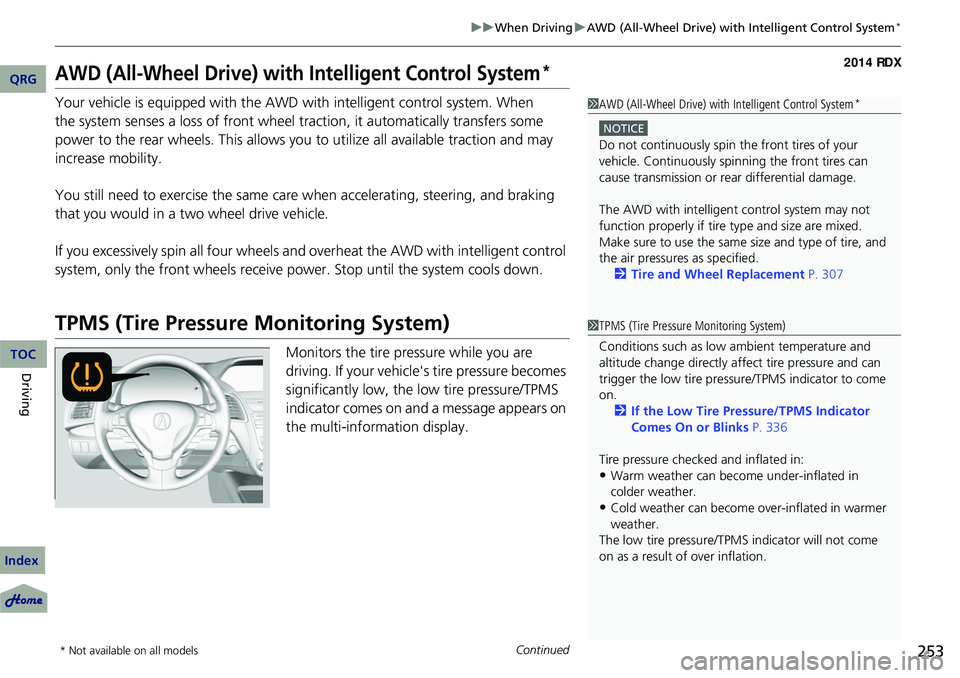
Monitors the tire pressure while you are
driving. If your vehicle's tire pressure becomes
significantly low, the low tire pressure/TPMS
indicator comes on and a message appears on
the multi-information display.
1 AWD (All-Wheel Drive) with Intelligent Control System*
NOTICE
Do not continuously spin the front tires of your
vehicle. Continuously spinning the front tires can
cause transmission or re ar differential damage.
The AWD with intelligent control system may not
function properly if tire ty pe and size are mixed.
Make sure to use the same size and type of tire, and
the air pressures as specified.
2 Tire and Wheel Replacement P. 307
1TPMS (Tire Pressure Monitoring System)
Conditions such as low ambient temperature and
altitude change directly affect tire pressure and can
trigger the low tire pressure/TPMS indicator to come
on.
2 If the Low Tire Pressure/TPMS Indicator
Comes On or Blinks P. 336
Tire pressure checked and inflated in:
•Warm weather can beco me under-inflated in
colder weather.
•Cold weather can become over-inflated in warmer
weather.
The low tire pressure/TPMS indicator will not come
on as a result of over inflation.
* Not available on all models
QRG
Index
DrivingTOC
the system senses a loss of front wheel traction, it automatically transfers some
power to the rear wheels. This allows you to utilize all available traction and may
increase mobility.
Page 292 of 363
291
uuReplacing Light Bulbs uFront Turn Signal/Parking Light and Front Side Marker Light Bulbs
Front Turn Signal/Parking Light and Front Side
Marker Light Bulbs
When replacing, use the following bulbs.
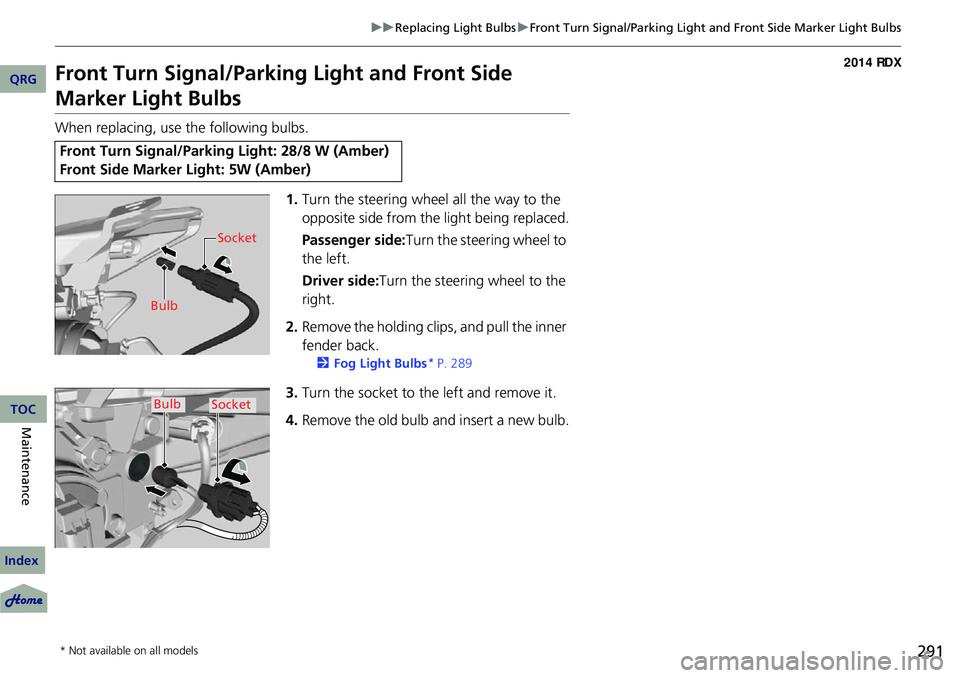
1.Turn the steering wheel all the way to the
opposite side from the light being replaced.
Passenger side: Turn the steering wheel to
the left.
Driver side:Turn the steering wheel to the
right.
2. Remove the holding clips, and pull the inner
fender back.
2 Fog Light Bulbs* P. 289
3.Turn the socket to the left and remove it.
4. Remove the old bulb and insert a new bulb.
Front Turn Signal/Parking Light: 28/8 W (Amber)
Front Side Marker Light: 5W (Amber)
Bulb Socket
BulbSocket
* Not available on all models
QRG
Index
MaintenanceTOC
Page 308 of 363
307
uuChecking and Maintaining Tires uTire and Wheel Replacement
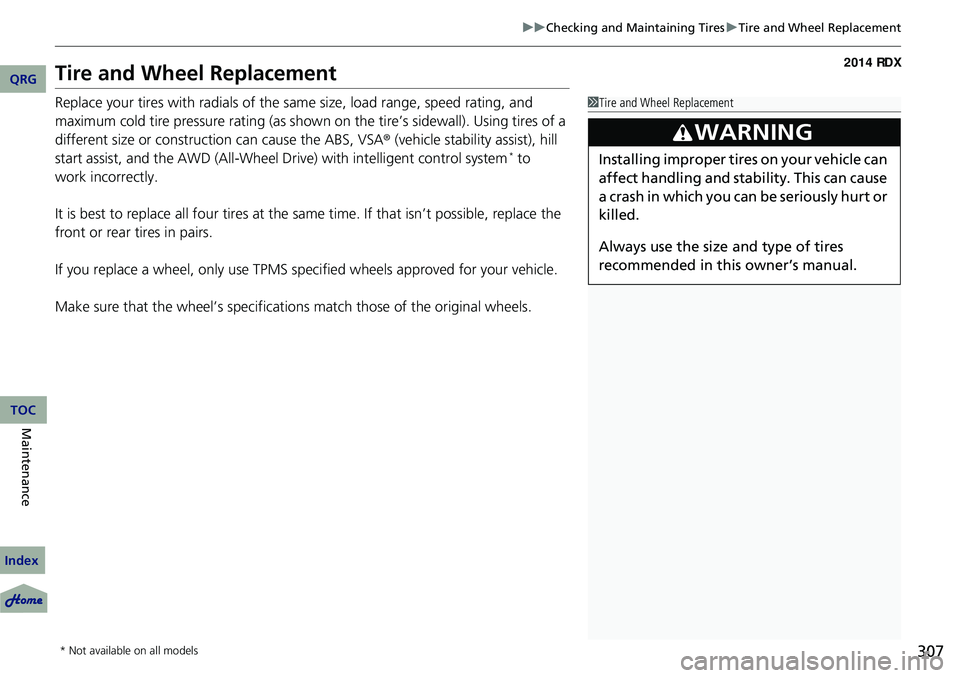
Tire and Wheel Replacement
Replace your tires with radials of the same size, load range, speed rating, and
maximum cold tire pressure rating (as shown on the tire’s sidewall). Using tires of a
different size or construction can cause the ABS, VSA ® (vehicle stability assist), hill
start assist, and the AWD (All-Wheel Drive) with intelligent control system to
*
It is best to replace all four tires at the same time. If that isn’t possible, replace the
front or rear tires in pairs.
If you replace a wheel, only use TPMS spec ified wheels approved for your vehicle.
Make sure that the wheel’s specifications match those of the original wheels.
1 Tire and Wheel Replacement
3WARNING
Installing improper tires on your vehicle can
affect handling and stability. This can cause
a crash in which you can be seriously hurt or
killed.
Always use the size and type of tires
recommended in this owner’s manual.
* Not available on all models
QRG
Index
MaintenanceTOC
work incorrectly.
Page 310 of 363
309
uuChecking and Maintaining Tires uWinter Tires
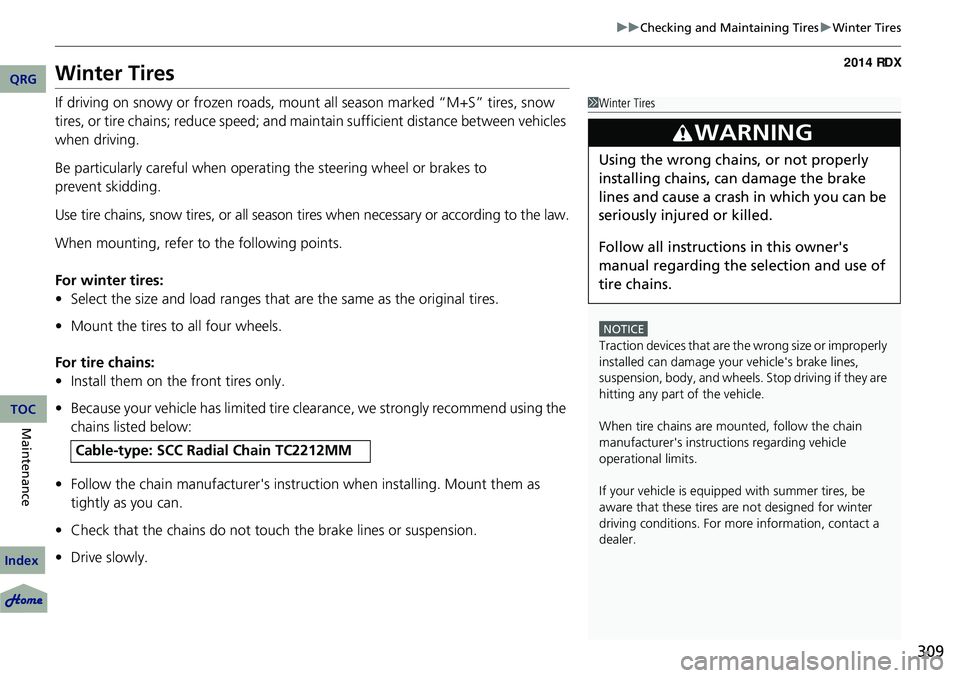
Winter Tires
If driving on snowy or frozen roads, mount all season marked “M+S” tires, snow
tires, or tire chains; reduce speed; and main tain sufficient distance between vehicles
when driving.
Be particularly careful when operating the steering wheel or brakes to
prevent skidding.
Use tire chains, snow tires, or all season tires when necessary or according to the law.
When mounting, refer to the following points.
For winter tires:
• Select the size and load ranges that are the same as the original tires.
• Mount the tires to all four wheels.
For tire chains:
• Install them on the front tires only.
• Because your vehicle has limited tire clea rance, we strongly recommend using the
chains listed below:
• Follow the chain manufactur er's instruction when installing. Mount them as
tightly as you can.
• Check that the chains do not touc h the brake lines or suspension.
• Drive slowly.
Cable-type: SCC Ra dial Chain TC2212MM
1Winter Tires
NOTICE
Traction devices that are th e wrong size or improperly
installed can damage your vehicle's brake lines,
suspension, body, and wheels. Stop driving if they are
hitting any part of the vehicle.
When tire chains are mounted, follow the chain
manufacturer's instructi ons regarding vehicle
operational limits.
If your vehicle is equipped with summer tires, be
aware that these tires are not designed for winter
driving conditions. For more information, contact a
dealer.
3WARNING
Using the wrong chains, or not properly
installing chains, can damage the brake
lines and cause a crash in which you can be
seriously injured or killed.
Follow all instruction s in this owner's
manual regarding the selection and use of
tire chains.
QRG
Index
MaintenanceTOC