keyless Acura RDX 2015 Owner's Guide
[x] Cancel search | Manufacturer: ACURA, Model Year: 2015, Model line: RDX, Model: Acura RDX 2015Pages: 365, PDF Size: 12.56 MB
Page 122 of 365
121
uuOperating the Switches Around the Steering Wheel uENGINE START/STOP Button
Controls
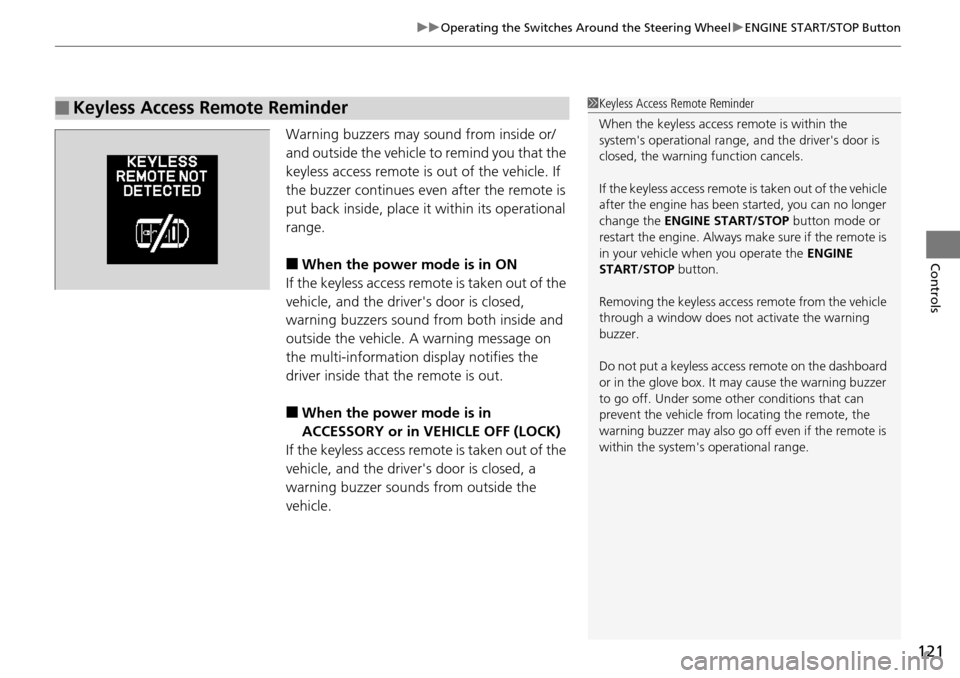
Warning buzzers may sound from inside or/
and outside the vehicle to remind you that the
keyless access remote is out of the vehicle. If
the buzzer continues even after the remote is
put back inside, place it within its operational
range.
■When the power mode is in ON
If the keyless access remote is taken out of the
vehicle, and the driver's door is closed,
warning buzzers sound from both inside and
outside the vehicle. A warning message on
the multi-information display notifies the
driver inside that the remote is out.
■When the power mode is in
ACCESSORY or in VEHICLE OFF (LOCK)
If the keyless access remote is taken out of the
vehicle, and the driver's door is closed, a
warning buzzer sounds from outside the
vehicle.
■Keyless Access Remote Reminder1 Keyless Access Remote Reminder
When the keyless access remote is within the
system's operational range, and the driver's door is
closed, the warni ng function cancels.
If the keyless access remote is taken out of the vehicle
after the engine has been started, you can no longer
change the ENGINE START/STOP button mode or
restart the engine. Always make sure if the remote is
in your vehicle when you operate the ENGINE
START/STOP button.
Removing the keyless access remote from the vehicle
through a window does not activate the warning
buzzer.
Do not put a keyless access remote on the dashboard
or in the glove box. It may cause the warning buzzer
to go off. Under some other conditions that can
prevent the vehicle from locating the remote, the
warning buzzer may al so go off even if the remote is
within the system's operational range.
Page 241 of 365
240
Driving
When Driving
Starting the Engine
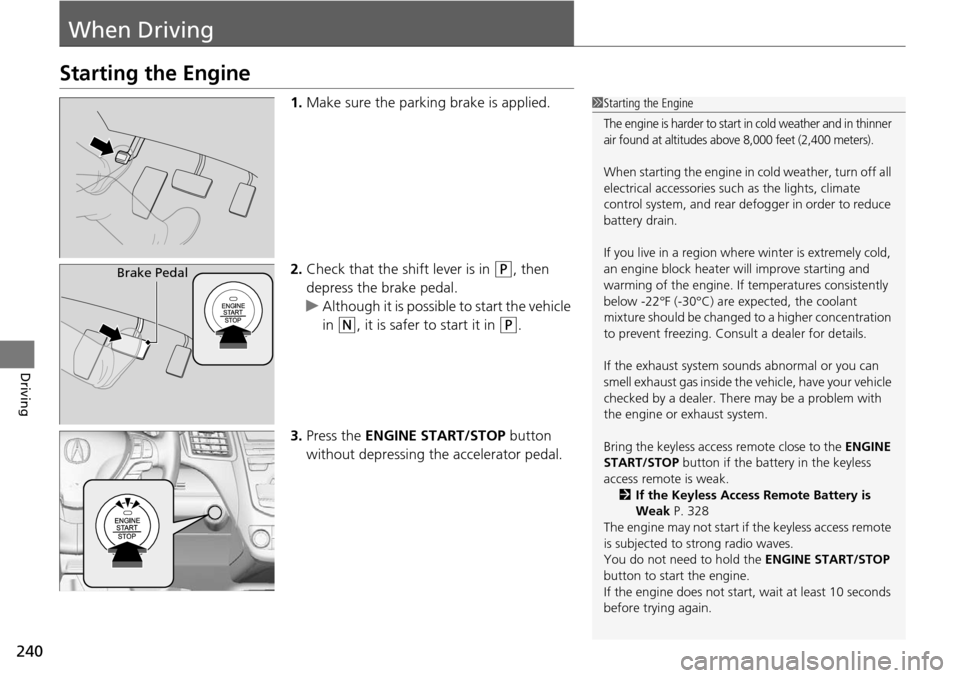
1.Make sure the parking brake is applied.
2. Check that the shift lever is in
(P, then
depress the brake pedal.
u Although it is possible to start the vehicle
in
(N, it is safer to start it in (P.
3. Press the ENGINE START/STOP button
without depressing the accelerator pedal.
1 Starting the Engine
The engine is harder to start in cold weather and in thinner
air found at altitudes above 8,000 feet (2,400 meters).
When starting the engine in cold weather, turn off all
electrical accessories such as the lights, climate
control system, and rear de fogger in order to reduce
battery drain.
If you live in a region where winter is extremely cold,
an engine block heater will improve starting and
warming of the engine. If temperatures consistently
below -22°F (-30°C) are expected, the coolant
mixture should be changed to a higher concentration
to prevent freezing. Cons ult a dealer for details.
If the exhaust system sounds abnormal or you can
smell exhaust gas inside the vehicle, have your vehicle
checked by a dealer. There may be a problem with
the engine or exhaust system.
Bring the keyless access remote close to the ENGINE
START/STOP button if the batte ry in the keyless
access remote is weak.
2 If the Keyless Access Remote Battery is
Weak P. 328
The engine may not start if the keyless access remote
is subjected to strong radio waves.
You do not need to hold the ENGINE START/STOP
button to start the engine.
If the engine does not start, wait at least 10 seconds
before trying again.
Brake Pedal
Page 320 of 365
319
Handling the Unexpected
This chapter explains how to handle unexpected troubles.
ToolsTypes of Tools .................................. 320
If a Tire Goes Flat Changing a Flat Tire ......................... 321
Engine Does Not Start Checking the Engine ........................ 327
If the Keyless Access Remote Battery is Weak ............................................. 328
Emergency Engine Stop ................... 329
Jump Starting .................................... 330
Shift Lever Does Not Move .............. 332Overheating
How to Handle Overheating............. 333
Indicator, Coming On/Blinking
If the Low Oil Pressure Indicator Comes On ............................................. 335
If the Charging System Indicator Comes
On ................................................. 335
If the Malfunction Indicator Lamp Comes On or Blinks ................................... 336
If the Brake System Indicator (Red) Comes On .................................................... 337
If the Electric Power Steering (EPS) System
Indicator Comes On ............................... 337
If the Low Tire Pressure/TPMS Indicator Comes On or Blinks ....................... 338
Fuses Fuse Locations ................................. 339
Inspecting and Changing Fuses ........ 341
Emergency Towing ........................... 342
When You Cannot Open the Tailgate..... 343
Page 328 of 365
327
Handling the Unexpected
Engine Does Not Start
Checking the Engine
If the engine does not start, check the starter.
Starter conditionChecklist
Starter doesn’t turn or turns
over slowly.
The battery may be dead. Check
each of the items on the right and
respond accordingly.Check for a message on the multi-information display.
●If the TO START, HOLD REMOTE NEAR START BUTTON message appears
2If the Keyless Access Remote Battery is Weak P. 328
uMake sure the keyless remote is in its operating range.
2ENGINE START/STOP Button P. 119
Check brightness of the interior lights.
Turn on the interior lights and check the brightness.
●If the interior lights are dim or do not come on at all
2Battery P. 310●If the interior lights come on normally 2 Fuses P. 339
The starter turns over normally
but the engine doesn’t start.
There may be a problem with the
fuse. Check each of the items on
the right and respond accordingly. Review the engine start procedure.
Follow its instructions, and try
to start the engine again.
2 Starting the Engine P. 240
Check the immobilize r system indicator.
When the immobilizer system indicator is blinking, the engine cannot be started.
2 Immobilizer System P. 113
Check the fuel level.
There should be enough fuel in the tank.
2 Fuel Gauge P. 82
Check the fuse.
Check all fuses, or have the vehicle checked by a dealer.
2 Inspecting and Changing Fuses P. 341
If the problem continues:
2Emergency Towing P. 342
1Checking the Engine
If you must start the vehi cle immediately, use an
assisting vehicle to jump start it.
2 Jump Starting P. 330
Page 329 of 365

328
uuEngine Does Not Start uIf the Keyless Access Remote Battery is Weak
Handling the Unexpected
If the Keyless Access Re mote Battery is Weak
If the beeper sounds, the TO START, HOLD REMO TE NEAR START BUTTON
message appears on the multi-informa tion display, the indicator on the ENGINE
START/STOP button flashes, and the engine wo n’t start, start the engine as
follows. 1.Touch the center of the ENGINE START/
STOP button with the A logo on the keyless
access remote while the indicator on the
ENGINE START/STOP button is flashing.
The buttons on the keyle ss access remote
should be facing you.
u The indicator flashes for about 30
seconds.
2. Depress the brake pedal and press the
ENGINE START/STOP button within 10
seconds after the beeper sounds and the
indicator changes from flashing to on.
u If you don’t depress the pedal, the mode
will change to ACCESSORY.
HOLD
Page 333 of 365

332
Handling the Unexpected
Shift Lever Does Not Move
Follow the procedure below if you cannot move the shift lever out of the (P
position.
1.Set the parking brake.
2. Remove the built-in key from the keyless
access remote.
3. Wrap a cloth around the tip of a small flat-
tip screwdriver. Put it into the shift lock
release slot as shown in the image, and
remove the cover.
4. Insert the key into the sh ift lock release slot.
5. While pushing the key down, press the shift
lever release button and place the shift lever
into
(N.
u The lock is now released. Have the shift
lever checked by a dealer as soon as
possible.
■Releasing the Lock
Slot
Cover
Release Button
Shift Lock Release Slot
Page 350 of 365
349
Information
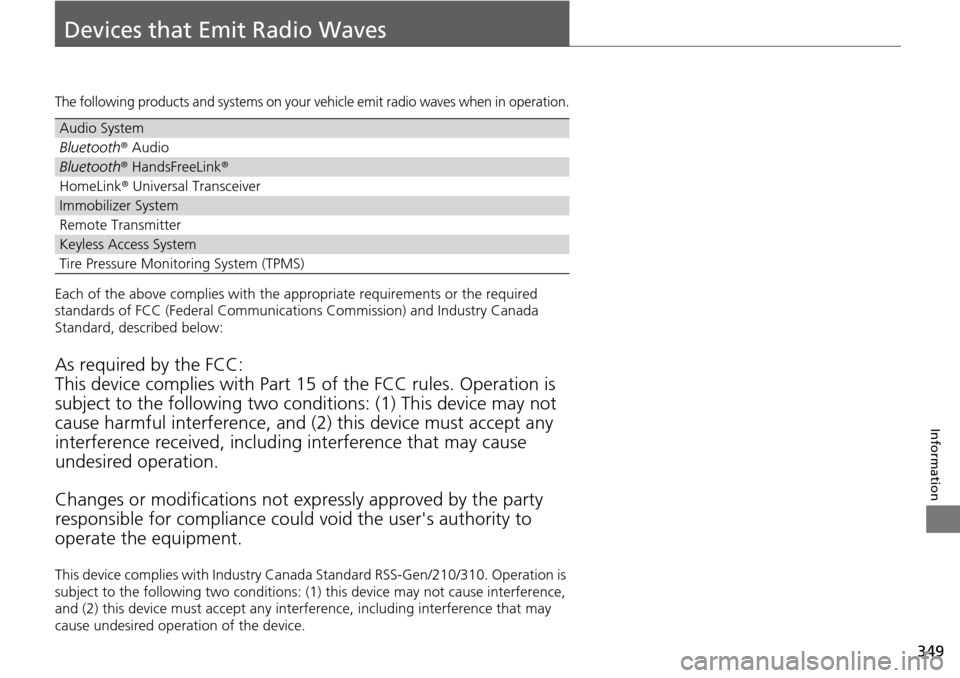
Devices that Emit Radio Waves
The following products and systems on your vehicle emit radio waves when in operation.
Each of the above complies with the appropriate requirements or the required
standards of FCC (Federal Communications Commission) and Industry Canada
Standard, described below:
As required by the FCC:
This device complies with Part 15 of the FCC rules. Operation is
subject to the following two cond itions: (1) This device may not
cause harmful interferenc e, and (2) this device must accept any
interference received, including interference that may cause
undesired operation.
Changes or modifications not ex pressly approved by the party
responsible for compliance could void the user's authority to
operate the equipment.
This device complies with Industry Canada Standard RSS-Gen/210/310. Operation is
subject to the following two conditions: (1) this device may not cause interference,
and (2) this device must accept any inte rference, including interference that may
cause undesired operation of the device.
Audio System
Bluetooth ® Audio
Bluetooth® HandsFreeLink ®
HomeLink® Universal Transceiver
Immobilizer System
Remote Transmitter
Keyless Access System
Tire Pressure Monitoring System (TPMS)
Page 361 of 365
360
Index
Glass (care)................................................ 316
Glove Box .................................................. 145
H
Halogen Bulbs ................................... 287, 289
Handling the Unexpected ........................ 319
HandsFreeLink® (HFL)............................... 196
Automatic Import of Ce llular Phonebook and
Call History ............................................ 212
Automatic Transferring ............................ 210
Caller’s ID Information ............................. 210
HFL Buttons ............................................. 196
HFL Menus .............................................. 198
HFL Status Display.................................... 197
Making a Call .......................................... 215
Options During a Call .............................. 219
Phone Setup ............................................ 203
Receiving a Call ....................................... 218
Speed Dial ............................................... 213
Text Message................................... 208, 220
To Clear the System ................................. 211
To Create a Security PIN........................... 209
Hazard Warning Button ............................... 4
Head Restraints ......................................... 138
Headlights ................................................. 122
Aiming .................................................... 287
Automatic Operation ............................... 123
Dimming ......................................... 122, 125
Operating ................................................ 122
Heaters (Seat) ............................................ 151 HFL (HandsFreeLink
®)............................... 196
High Beam Indicator .................................. 74
Hill Start Assist System ............................. 241
HomeLink ® Universal Transceiver ............ 194I
Identification Numbers ............................ 348
Engine and Transmission ......................... 348
Vehicle Identification ............................... 348
Illumination Control ................................. 128
Knob ....................................................... 128
Immobilizer System .................................. 113
Indicator.................................................... 75
Indicators .................................................... 68
ABS (Anti-lock Brake System)..................... 71
AWD System ............................................. 72
Brake System............................................. 68
Charging System ............................... 69, 335
CRUISE CONTROL ............................. 76, 249
CRUISE MAIN .................................... 76, 248
Door Open .......................................... 28, 73
EPS (Electric Power Steering) System .. 74, 337
Fog Light ................................................... 75
High Beam ................................................ 74
Immobilizer System ................................... 75
Lights On .................................................. 75
Low Fuel ................................................... 71
Low Oil Pressure ................................ 69, 335
Low Tire Pressure/TPMS ............................. 74
Maintenance Minder ............................... 271 Malfunction Indicator Lamp .............. 69, 336
Parking Brake and Brak
e System ....... 68, 337
Seat Belt Reminder .............................. 30, 71
Security System Alarm............................... 76
Shift Lever Position.................................... 70
Side Airbag Off ................................... 50, 75
Supplemental Restraint System ........... 48, 72
System Message ....................................... 76
Transmission ............................................. 70
Turn Signal ............................................... 74
VSA ® (Vehicle Stability Assist)
System ............................................ 73, 251
VSA ® OFF .......................................... 73, 252
Information .............................................. 345
Instrument Panel ........................................ 67
Brightness Control .................................. 128
Interior Lights ........................................... 143
Interior Rearview Mirror ......................... 133
iPod ®......................................................... 174
J
Jack (Wheel Nut Wrench) ........................ 324
Jump Starting ........................................... 330
K
Key Number Tag ........................................ 98
Keyless Access System .............................. 101
Keyless Lockout Prevention ..................... 100