cruise Acura RDX 2017 User Guide
[x] Cancel search | Manufacturer: ACURA, Model Year: 2017, Model line: RDX, Model: Acura RDX 2017Pages: 449, PDF Size: 10.88 MB
Page 282 of 449

281
uuWhen Driving uCruise Control*
Driving
Increase or decrease the vehicle speed using the RES/ACCEL or DECEL/SET buttons
on the steering wheel.
• Each time you press the button, the vehicl e speed is increased or decreased by
about 1 mph (1.6 km/h).
• If you keep the button pressed, the vehicl e speed increases or decreases until you
release it. This speed is then set.
To cancel cruise control, do any of the
following:
•Press the CANCEL button.
• Press the CRUISE button.
• Depress the brake pedal.
The CRUISE CONTROL indicator goes off.
■To Adjust the Vehicle Speed
■To Cancel
To decrease speed
To increase speed
1To Cancel
Resuming the prior set speed:
After cruise control has be en canceled, you can still
resume the prior set speed by pressing the RES/
ACCEL button while driving at a speed of at least 25
mph (40 km/h) or more.
You cannot set or resume in the following situations:
•When vehicle speed is less than 25 mph (40 km/h)
•When the CRUISE button is turned off
At vehicle speeds of 22 m ph (35 km/h) or less, cruise
control is canceled automatically.
CRUISE
Button
CANCEL
Button
Page 285 of 449
284
uuWhen Driving uAdaptive Cruise Control (ACC)*
Driving
Adaptive Cruise Control (ACC)*
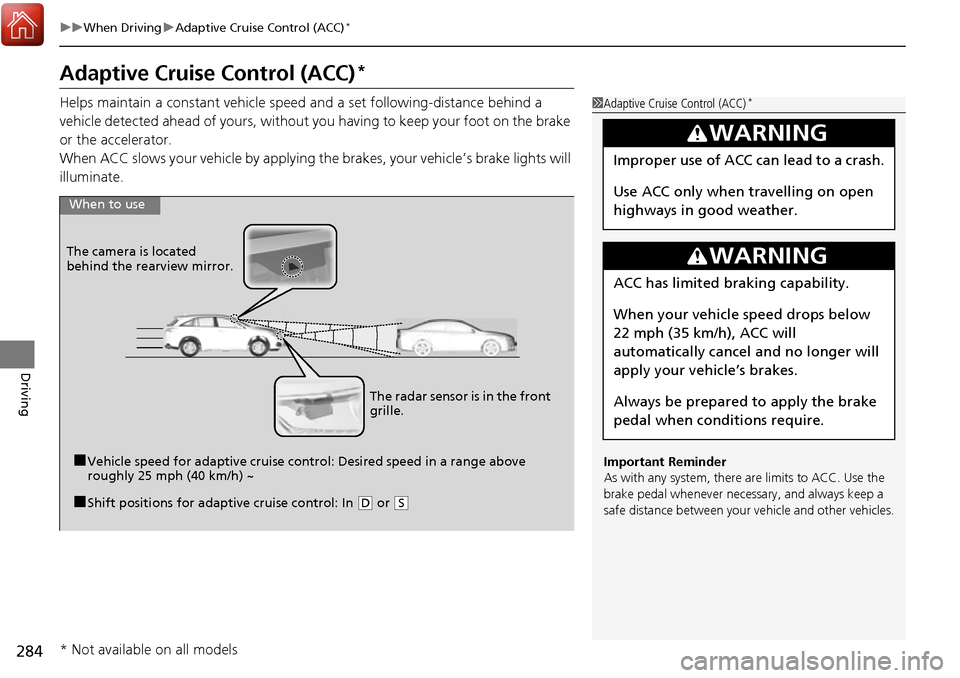
Helps maintain a constant vehicle speed and a set following-distance behind a
vehicle detected ahead of yours, without you having to keep your foot on the brake
or the accelerator.
When ACC slows your vehicle by applying the brakes, your vehicle’s brake lights will
illuminate.1 Adaptive Cruise Control (ACC)*
Important Reminder
As with any system, there are limits to ACC. Use the
brake pedal whenever necessary, and always keep a
safe distance between your vehicle and other vehicles.
3WARNING
Improper use of ACC can lead to a crash.
Use ACC only when travelling on open
highways in good weather.
3WARNING
ACC has limited braking capability.
When your vehicle speed drops below
22 mph (35 km/h), ACC will
automatically cancel and no longer will
apply your vehicle’s brakes.
Always be prepared to apply the brake
pedal when conditions require.
When to use
■Vehicle speed for adaptive cruise control: Desired speed in a range above
roughly 25 mph (40 km/h) ~
The camera is located
behind the rearview mirror.
■Shift positions for adaptive cruise control: In (
D or (S
The radar sensor is in the front
grille.
* Not available on all models
Page 286 of 449

Continued285
uuWhen Driving uAdaptive Cruise Control (ACC)*
Driving
■How to activate the system1Adaptive Cruise Control (ACC)*
ACC may not work properly under certain conditions.
2 ACC Conditions and Limitations P. 289
When not using adaptive cr uise control: Turn off
adaptive cruise by pressing the MAIN button. This
also will turn off the Lane Keeping Assist System
(LKAS).
Do not use the ACC under the following conditions.
•On roads with heavy traf fic or while driving in
continuous stop and go traffic.
•On roads with sharp turns.
•On roads with steep downhill sections, as the set
vehicle speed can be exceeded by coasting. In such
cases, the ACC will not apply the brakes to
maintain the set speed.
•On roads with toll collection facilities or other
objects between lanes of traffic, or in parking
areas, or faci lities with driv e through access.
■Press the MAIN button on
the steering wheel. ACC
(green) is on in the
instrument panel.
ACC is ready to use.
* Not available on all models
Page 287 of 449
uuWhen Driving uAdaptive Cruise Control (ACC)*
286
Driving
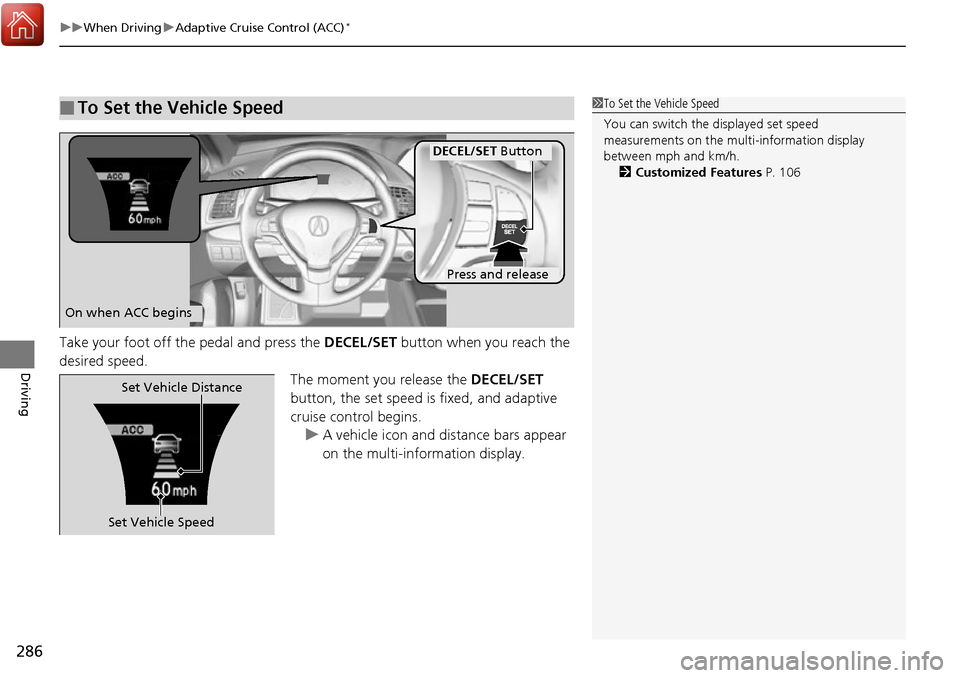
Take your foot off the pedal and press the DECEL/SET button when you reach the
desired speed. The moment you release the DECEL/SET
button, the set speed is fixed, and adaptive
cruise control begins. u A vehicle icon and distance bars appear
on the multi-information display.
■To Set the Vehicle Speed1To Set the Vehicle Speed
You can switch the displayed set speed
measurements on the mult i-information display
between mph and km/h. 2 Customized Features P. 106
On when ACC begins
Press and release
DECEL/SET Button
Set Vehicle SpeedSet Vehicle Distance
Page 288 of 449

Continued287
uuWhen Driving uAdaptive Cruise Control (ACC)*
Driving
■There is a vehicle ahead
ACC monitors if a vehicle ahead of you enters the ACC range. If a vehicle is detected
doing so, the ACC system maintains or decele rates your vehicle’s set speed in order
to keep the vehicle’s set followi ng-distance from the vehicle ahead.
2To Change Vehicle Distance P. 292
■When in Operation1When in Operation
If the vehicle detected ahead of you slows down
abruptly, or if a nother vehicle is de tected cutting in
front of you, the beep er sounds and a message
appears on the multi-informat ion display to alert you
to brake.
Depress the brake pedal, and keep an appropriate
distance from the vehicle ahead.
Even if the distance betw een your vehicle and the
vehicle detected ahead is short, ACC may start
accelerating your vehi cle under the following
circumstances:
•The vehicle ahead of you is going at almost the
same speed as, or fast er than your vehicle.
•A vehicle that cuts in front of you is going faster
than your vehicle, gradua lly distancing itself from
you.
Beep
ACC Range: 394 ft. (120 m)
Page 289 of 449

uuWhen Driving uAdaptive Cruise Control (ACC)*
288
Driving
■There is no vehicle ahead
Your vehicle cruises at the set speed.
■A vehicle ahead is within ACC range and going slower than the set speed
Your vehicle slows down, and maintains the same speed as the speed of the vehicle
ahead to maintain the set following distance.
■A vehicle ahead is within ACC range and going at a steady speed
Your vehicle follows the vehicle ahead of it, keeping a constant distance, without
going beyond the set speed.
■A vehicle ahead goes out of range
ACC accelerates your vehicle to the set speed, and then maintains it.
■When you depress the accelerator pedal
You can temporarily increase th e vehicle speed. In this case, there is no audible or
visual alerts even if a vehicle is in ACC range.
ACC stays on unless you cancel it. Once you release the accelerator pedal, the
system resumes the set speed.
There are times when the vehicle speed will decrease when the accelerator pedal is
lightly applied.
1 When in Operation
You can also set the system to beep when a vehicle
detected in front of you co mes in and goes out of the
ACC detecting range. Change the ACC Forward
Vehicle Detect Beep setting. 2 Customized Features P. 106
Limitations
You may need to use the brake to maintain a safe
distance when using ACC. Additionally, ACC may
not work properly under certain conditions.
2 ACC Conditions and Limitations P. 289
Page 290 of 449
Continued289
uuWhen Driving uAdaptive Cruise Control (ACC)*
Driving
The system may automatically shut off and the ACC indicator will come on under
certain conditions. Some examples of thes e conditions are listed below. Other
conditions may reduce some of the ACC functions.
2 Front Sensor Camera* P. 282
■Environmental conditions
Driving in bad weather (r ain, fog, snow, etc.).
■Roadway conditions
Driving on a snowy or wet roadway (obscure d lane marking, vehicle tracks, reflected
lights, road spra y, high contrast).
■Vehicle conditions
• The outside of the windshield is blocked by dirt, mud, leaves, wet snow, etc.
• An abnormal tire or wheel condition (wro ng sized, varied size or construction,
improperly inflated, compact spare tire
*, etc.).
• The camera temperature gets too hot.
• The parking brake is applied.
• When the front grille is dirty.
• When the front of the vehicle tilts up du e to heavy cargo in the cargo space or
rear seats.
• When tire chains are installed.
■ACC Conditions and Limitations1ACC Conditions and Limitations
The radar sensor for ACC is shared with the Collision
Mitigation Braking System
TM (CMBSTM).
2 Collision Mitigation Braking SystemTM
(CMBSTM)* P. 322
You can read about handling information for the
camera equipped with this system. 2 Front Sensor Camera
* P. 282
* Not available on all models
Page 291 of 449

290
uuWhen Driving uAdaptive Cruise Control (ACC)*
Driving
■Detection limitations
• A vehicle or pedestrian suddenly crosses in front of you.
• The distance between your vehicle and the vehicle or pedestrian ahead of you is
too short.
• A vehicle cuts in front of you at a slow speed, and it brakes suddenly.
• When you accelerate rapidly and approach the vehicle or pedestrian ahead of you
at high speed.
• The vehicle ahead of you is a motorcycle, bicycle, mobility scooter, or other small
vehicle.
• When there are animals in front of your vehicle.
• When you drive on a curved or winding or undulating road that makes it difficult
for the sensor to properly detect a vehicle or a pedestrian in front of you.
• The speed difference between your vehicl e and a vehicle in front of you is
significantly large.
• An oncoming vehicle suddenly comes in front of you.
• Your vehicle abruptly crosses over in front of an oncoming vehicle.
• When driving through a narrow iron bridge.
• When the vehicle ahead of you brakes suddenly.
• When the vehicle ahead of you has a unique shape.
• When your vehicle or the vehicle ahead of you is driving on one edge of the lane.
Page 292 of 449
Continued291
uuWhen Driving uAdaptive Cruise Control (ACC)*
Driving
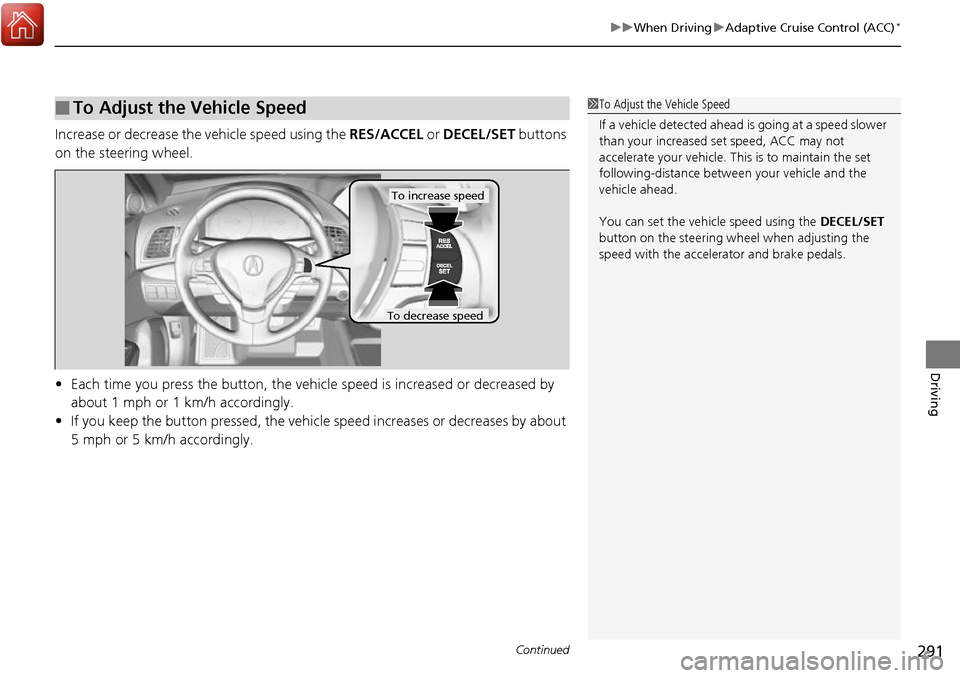
Increase or decrease the vehicle speed using the RES/ACCEL or DECEL/SET buttons
on the steering wheel.
• Each time you press the button, the vehicl e speed is increased or decreased by
about 1 mph or 1 km/h accordingly.
• If you keep the button pressed, the vehicl e speed increases or decreases by about
5 mph or 5 km/h accordingly.
■To Adjust the Vehicle Speed1 To Adjust the Vehicle Speed
If a vehicle detected ahead is going at a speed slower
than your increased set speed, ACC may not
accelerate your vehicle. This is to maintain the set
following-distance betwee n your vehicle and the
vehicle ahead.
You can set the vehicle speed using the DECEL/SET
button on the steering wheel when adjusting the
speed with the accelera tor and brake pedals.
To increase speed
To decrease speed
Page 293 of 449
292
uuWhen Driving uAdaptive Cruise Control (ACC)*
Driving
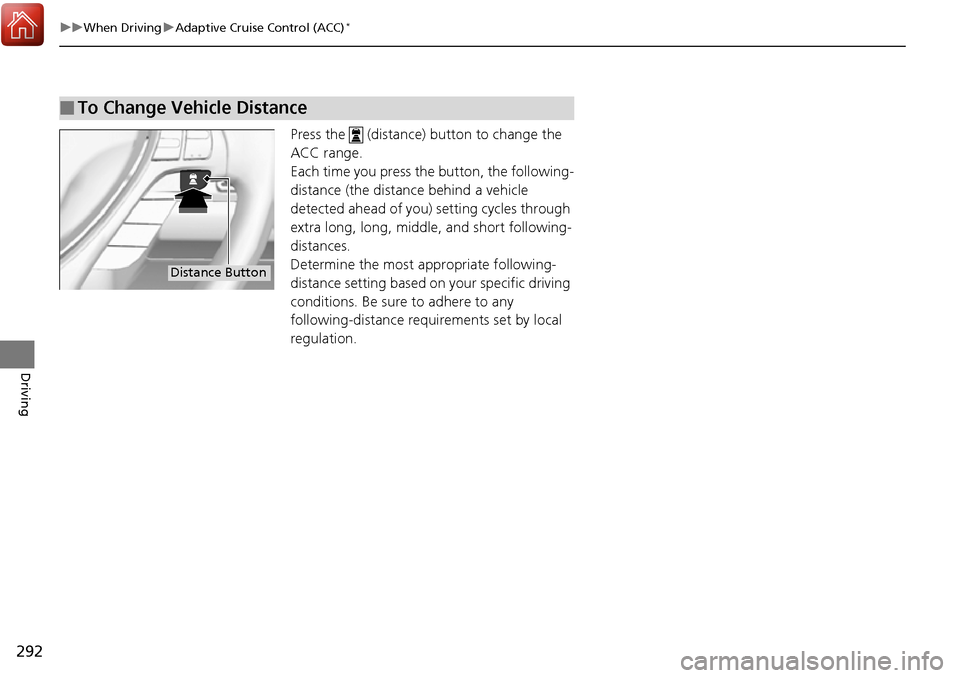
Press the (distance) button to change the
ACC range.
Each time you press the button, the following-
distance (the distance behind a vehicle
detected ahead of you) setting cycles through
extra long, long, middle, and short following-
distances.
Determine the most appropriate following-
distance setting based on your specific driving
conditions. Be sure to adhere to any
following-distance requ irements set by local
regulation.
■To Change Vehicle Distance
Distance Button