power mode Acura RDX 2018 Owner's Guide
[x] Cancel search | Manufacturer: ACURA, Model Year: 2018, Model line: RDX, Model: Acura RDX 2018Pages: 453, PDF Size: 20.13 MB
Page 78 of 453
77
uuIndicators u
Continued
Instrument Panel
*1:On the left: Models wi thout full color display
On the right: Models with full color display
IndicatorNameOn/BlinkingExplanationMessage*1
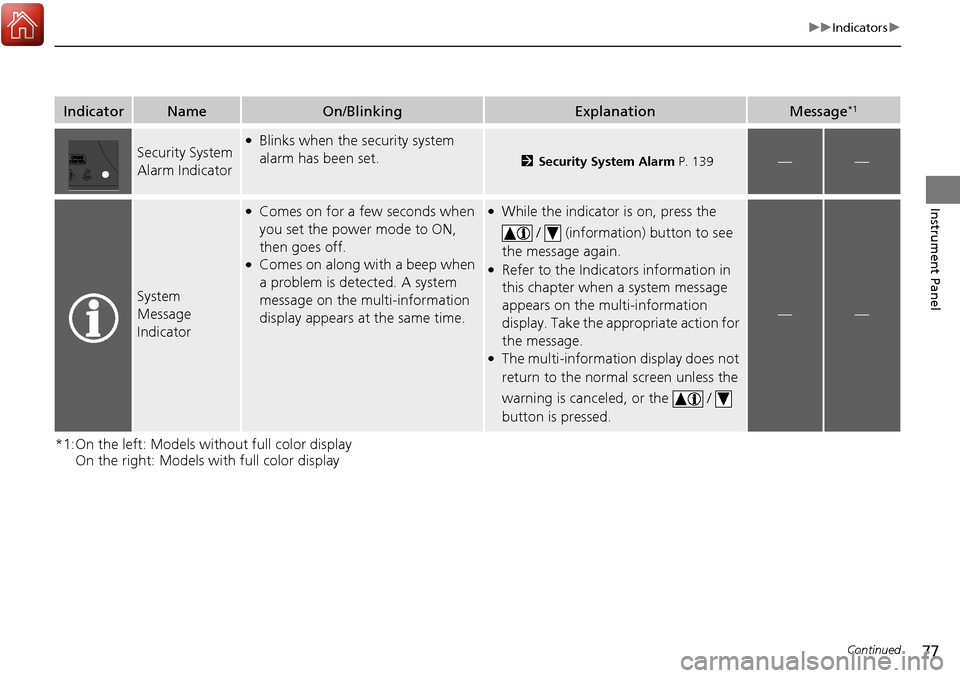
Security System
Alarm Indicator●Blinks when the security system
alarm has been set.
2 Security System Alarm P. 139——
System
Message
Indicator
●Comes on for a few seconds when
you set the power mode to ON,
then goes off.
●Comes on along with a beep when
a problem is detected. A system
message on the multi-information
display appears at the same time.
●While the indicator is on, press the
/ (information) button to see
the message again.
●Refer to the Indicators information in
this chapter when a system message
appears on the multi-information
display. Take the appropriate action for
the message.
●The multi-information display does not
return to the normal screen unless the
warning is canceled, or the /
button is pressed.
——
Page 79 of 453
78
uuIndicators u
Instrument Panel
*1:On the left: Models without full color display
On the right: Models with full color display
*2:Models with full color display
*3:Models without full color display
IndicatorNameOn/BlinkingExplanationMessage*1
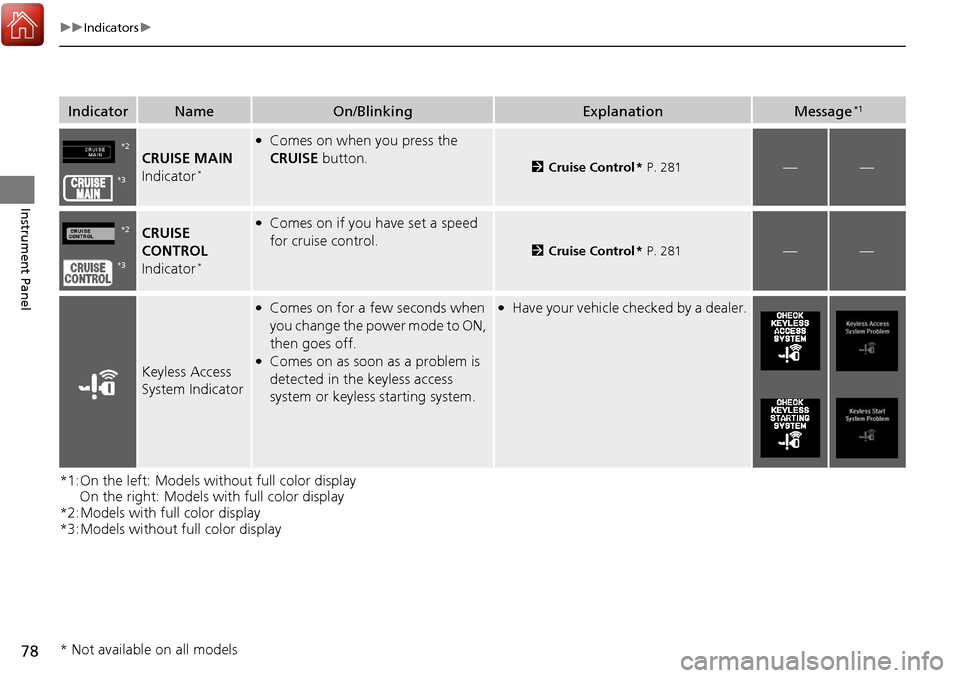
CRUISE MAIN
Indicator*
●Comes on when you press the
CRUISE button.
2Cruise Control * P. 281——
CRUISE
CONTROL
Indicator
*
●Comes on if you have set a speed
for cruise control.
2 Cruise Control * P. 281——
Keyless Access
System Indicator
●Comes on for a few seconds when
you change the power mode to ON,
then goes off.
●Comes on as soon as a problem is
detected in the keyless access
system or keyless starting system.
●Have your vehicle ch ecked by a dealer.
*2
*3
*2
*3
* Not available on all models
Page 80 of 453
79
uuIndicators u
Continued
Instrument Panel
*1:On the left: Models wi thout full color display
On the right: Models with full color display
IndicatorNameOn/BlinkingExplanationMessage*1
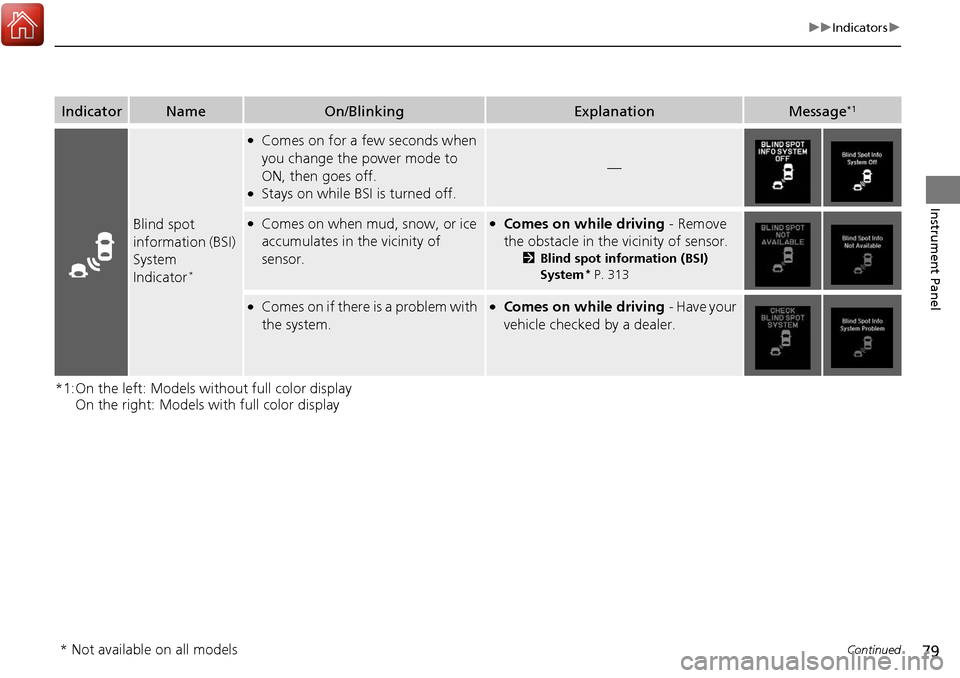
Blind spot
information (BSI)
System
Indicator
*
●Comes on for a few seconds when
you change the power mode to
ON, then goes off.
●Stays on while BS I is turned off.
—
●Comes on when mud, snow, or ice
accumulates in the vicinity of
sensor.●Comes on while driving - Remove
the obstacle in the vicinity of sensor.
2 Blind spot information (BSI)
System* P. 313
●Comes on if there is a problem with
the system.●Comes on while driving - Have your
vehicle checked by a dealer.
* Not available on all models
Page 81 of 453
80
uuIndicators u
Instrument Panel
IndicatorNameOn/BlinkingExplanationMessage
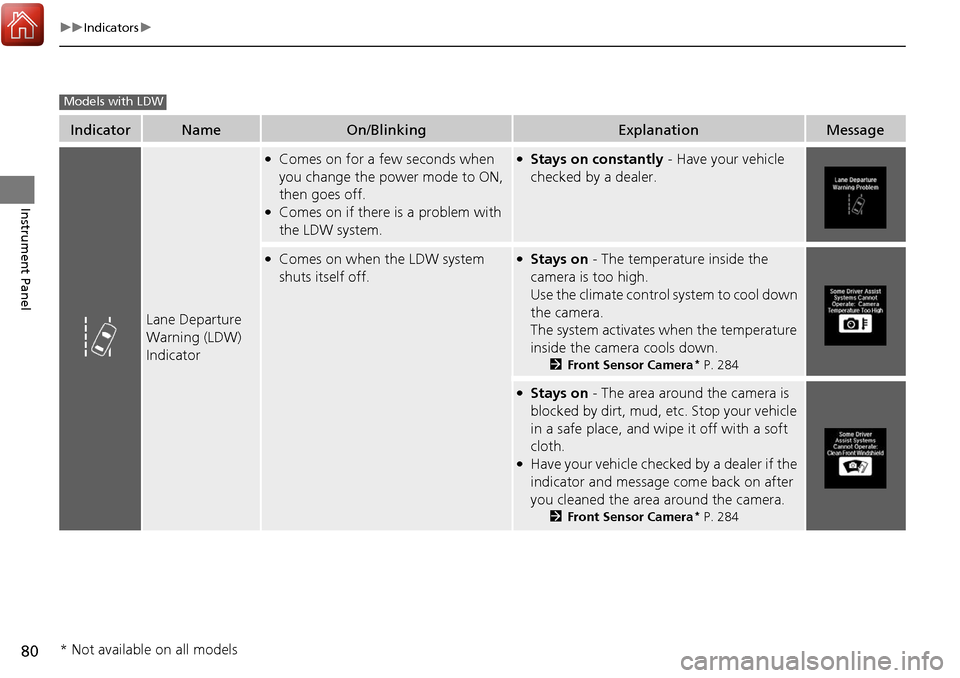
Lane Departure
Warning (LDW)
Indicator
●Comes on for a few seconds when
you change the power mode to ON,
then goes off.
●Comes on if there is a problem with
the LDW system.
●Stays on constantly - Have your vehicle
checked by a dealer.
●Comes on when the LDW system
shuts itself off.●Stays on - The temperature inside the
camera is too high.
Use the climate control system to cool down
the camera.
The system activates when the temperature
inside the camera cools down.
2 Front Sensor Camera* P. 284
●Stays on - The area around the camera is
blocked by dirt, mud, etc. Stop your vehicle
in a safe place, and wipe it off with a soft
cloth.
●Have your vehicle checked by a dealer if the
indicator and message come back on after
you cleaned the area around the camera.
2 Front Sensor Camera* P. 284
Models with LDW
* Not available on all models
Page 82 of 453
81
uuIndicators u
Continued
Instrument Panel
IndicatorNameOn/BlinkingExplanationMessage
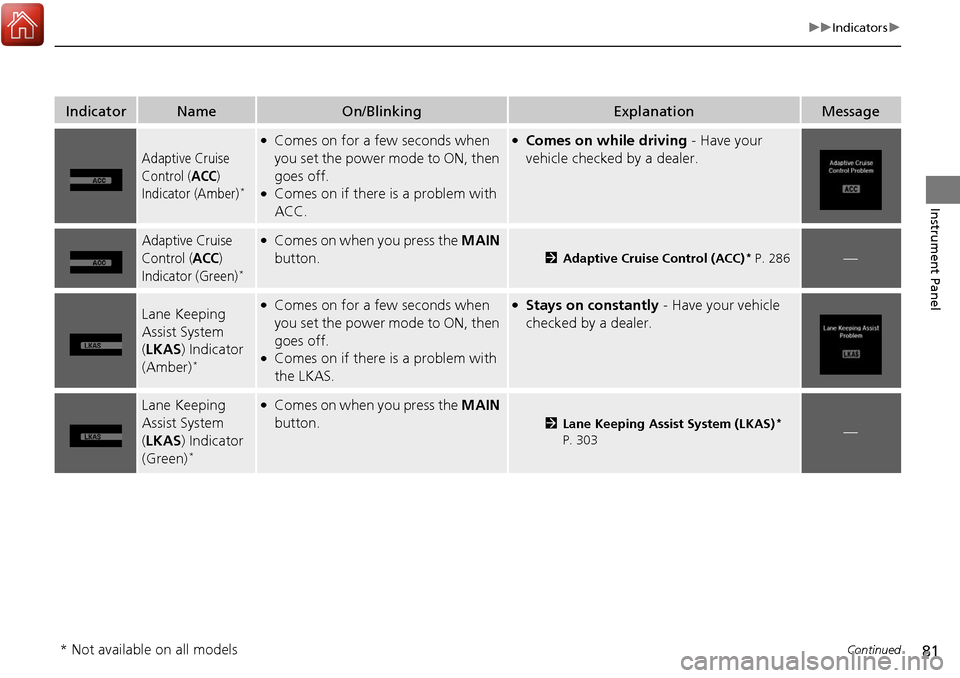
Adaptive Cruise
Control (
ACC)
Indicator (Amber)*
●Comes on for a few seconds when
you set the power mode to ON, then
goes off.
●Comes on if there is a problem with
ACC.
●Comes on while driving - Have your
vehicle checked by a dealer.
Adaptive Cruise
Control (
ACC)
Indicator (Green)*
●Comes on when you press the MAIN
button.
2 Adaptive Cruise Control (ACC)* P. 286—
Lane Keeping
Assist System
(LKAS ) Indicator
(Amber)
*
●Comes on for a few seconds when
you set the power mode to ON, then
goes off.
●Comes on if there is a problem with
the LKAS.
●Stays on constantly - Have your vehicle
checked by a dealer.
Lane Keeping
Assist System
( LKAS ) Indicator
(Green)
*
●Comes on when you press the MAIN
button.
2 Lane Keeping Assist System (LKAS)*
P. 303—
* Not available on all models
Page 83 of 453
82
uuIndicators u
Instrument Panel
IndicatorNameOn/BlinkingExplanationMessage
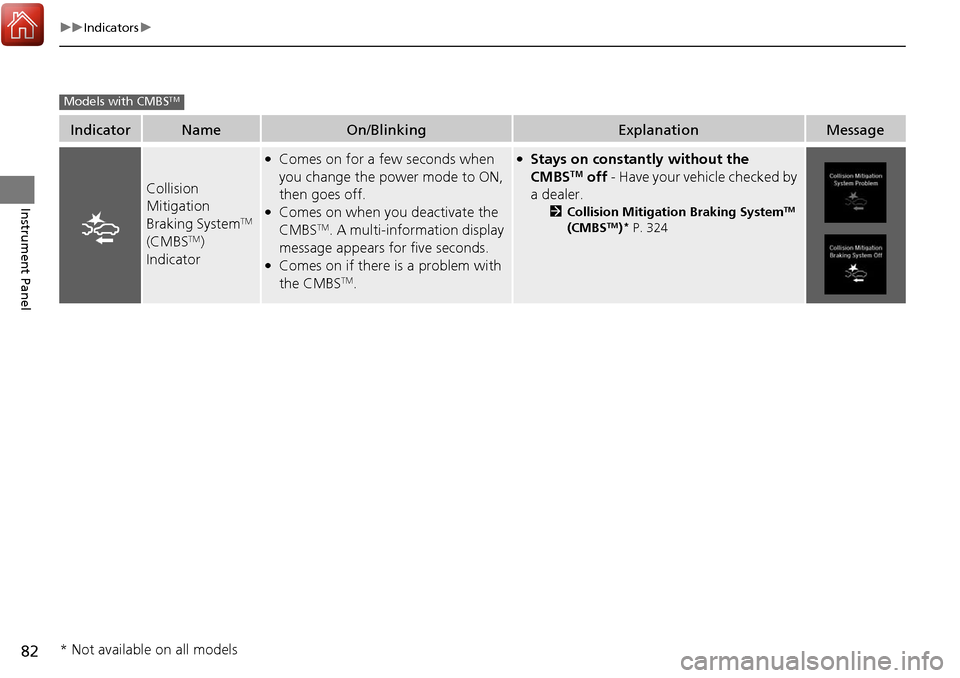
Collision
Mitigation
Braking System
TM
(CMBSTM)
Indicator
●Comes on for a few seconds when
you change the power mode to ON,
then goes off.
●Comes on when you deactivate the
CMBSTM. A multi-information display
message appears for five seconds.
●Comes on if there is a problem with
the CMBSTM.
●Stays on constantly without the
CMBSTM off - Have your vehicle checked by
a dealer.
2 Collision Mitigation Braking SystemTM
(CMBSTM)* P. 324
Models with CMBSTM
* Not available on all models
Page 86 of 453
85
uuIndicators uMulti-Information Display Warning and Information Messages
Continued
Instrument Panel
*1:On the left: Models wi thout full color display
On the right: Models with full color display
Message*1ConditionExplanation
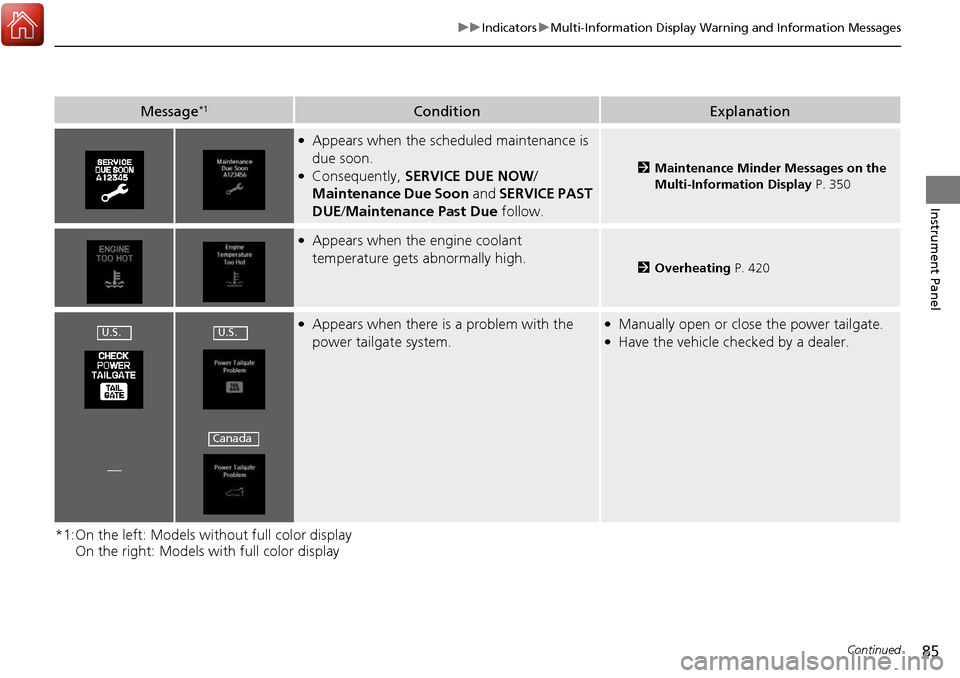
●Appears when the scheduled maintenance is
due soon.
●Consequently, SERVICE DUE NOW /
Maintenance Due Soon and SERVICE PAST
DUE /Maintenance Past Due follow.2Maintenance Minder Messages on the
Multi-Information Display P. 350
●Appears when the engine coolant
temperature gets abnormally high.
2Overheating P. 420
●Appears when there is a problem with the
power tailgate system.●Manually open or close the power tailgate.●Have the vehicle checked by a dealer.
—
U.S.U.S.
Canada
Page 88 of 453
87
uuIndicators uMulti-Information Display Warning and Information Messages
Continued
Instrument Panel
*1:On the left: Models wi thout full color display
On the right: Models with full color display
Message*1ConditionExplanation
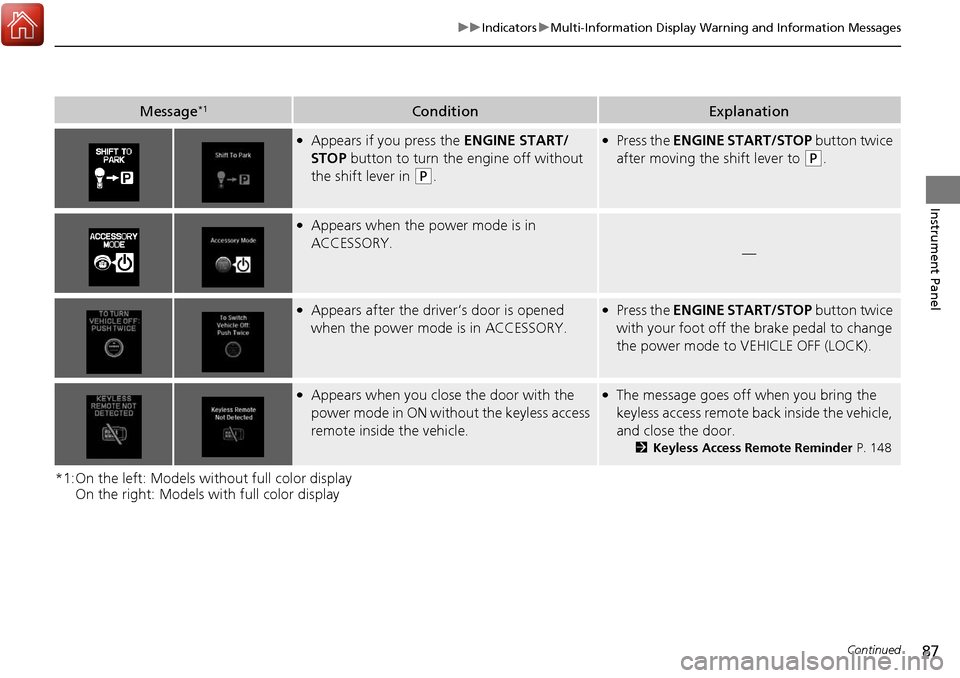
●Appears if you press the ENGINE START/
STOP button to turn the engine off without
the shift lever in
(P.
●Press the ENGINE START/STOP button twice
after moving the shift lever to
(P.
●Appears when the power mode is in
ACCESSORY.
—
●Appears after the driver’s door is opened
when the power mode is in ACCESSORY.●Press the ENGINE START/STOP button twice
with your foot off the brake pedal to change
the power mode to VEHICLE OFF (LOCK).
●Appears when you close the door with the
power mode in ON without the keyless access
remote inside the vehicle.●The message goes off when you bring the
keyless access remote back inside the vehicle,
and close the door.
2Keyless Access Remote Reminder P. 148
Page 96 of 453
95
Instrument Panel
Gauges and Multi-Information Display
Gauges
Gauges include the speedometer, tachometer, fuel gauge, and related indicators.
They are displayed when the power mode is in ON.
Displays your driving speed in mph (U.S.) or km/h (Canada).
Shows the number of engine revolutions per minute.
Displays the amount of fuel left in the fuel tank.
Displays the temperature of the engine coolant.
■Speedometer
■Tachometer
■Fuel Gauge
■Temperature Gauge
1Fuel Gauge
NOTICE
You should refuel when the reading approaches .
Running out of fuel can cause the engine to misfire,
damaging the cata lytic converter.
The actual amount of remain ing fuel may differ from
the fuel gauge reading.E
1 Temperature Gauge
NOTICE
Driving with the temperat ure gauge pointer in the
upper zone can cause serious engine damage. Pull
safely to the side of th e road and allow engine
temperature to return to normal.
2 Overheating P. 420
Page 103 of 453
uuGauges and Multi-Information Display uMulti-Information Display
102
Instrument Panel
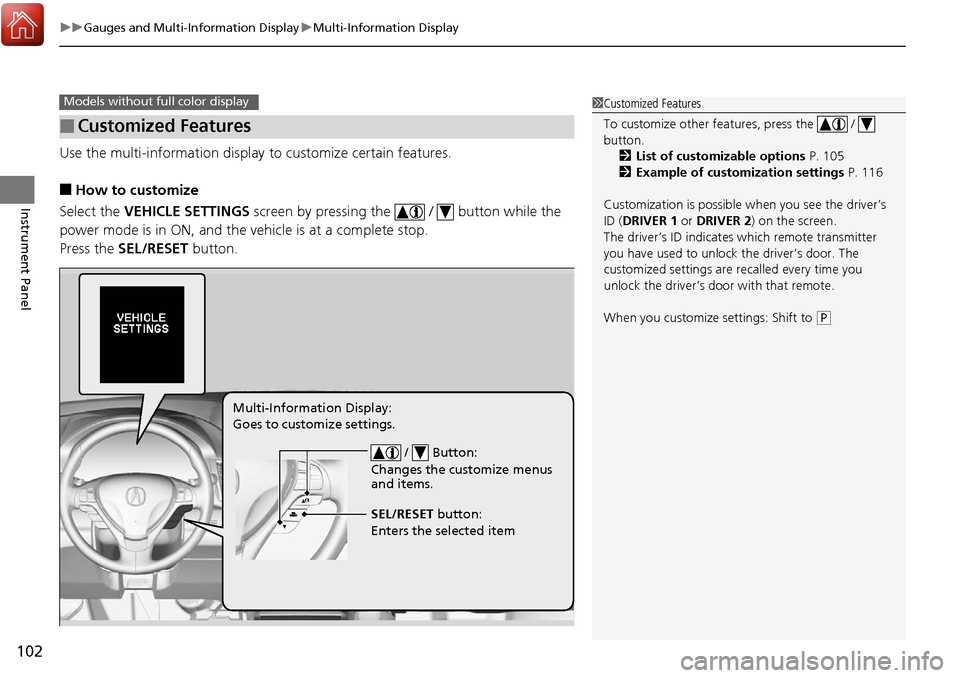
Use the multi-information display to customize certain features.
■How to customize
Select the VEHICLE SETTINGS screen by pressing the / button while the
power mode is in ON, and the vehicle is at a complete stop.
Press the SEL/RESET button.
■Customized Features
Models without fu ll color display1Customized Features
To customize other features, press the /
button.
2 List of customizable options P. 105
2 Example of customization settings P. 116
Customization is possible when you see the driver’s
ID ( DRIVER 1 or DRIVER 2) on the screen.
The driver’s ID indicates which remote transmitter
you have used to unlock the driver’s door. The
customized settings are recalled every time you
unlock the driver’s door with that remote.
When you customize settings: Shift to
( P
/ Button:
Changes the customize menus
and items.
Multi-Information Display:
Goes to customize settings.
SEL/RESET button:
Enters the selected item