Controls Acura RDX 2018 Owner's Manual
[x] Cancel search | Manufacturer: ACURA, Model Year: 2018, Model line: RDX, Model: Acura RDX 2018Pages: 453, PDF Size: 20.13 MB
Page 3 of 453
Contents
This owner’s manual should be considered a permanent part of the
vehicle and should remain with the vehicle when it is sold.
This owner’s manual covers all models of your vehicle. You may find
descriptions of equipment and features that are not on your
particular model.
Images throughout this owner’s manual (including the front cover)
represent features and equipment that are available on some, but
not all, models. Your particular mo del may not have some of these
features.
This owner’s manual is for vehicles sold in the United States and
Canada.
The information and specifications in cluded in this publication were
in effect at the time of approval for printing. Honda Motor Co., Ltd.
reserves the right, however, to discontinue or change specifications
or design at any time without notice and without incurring any
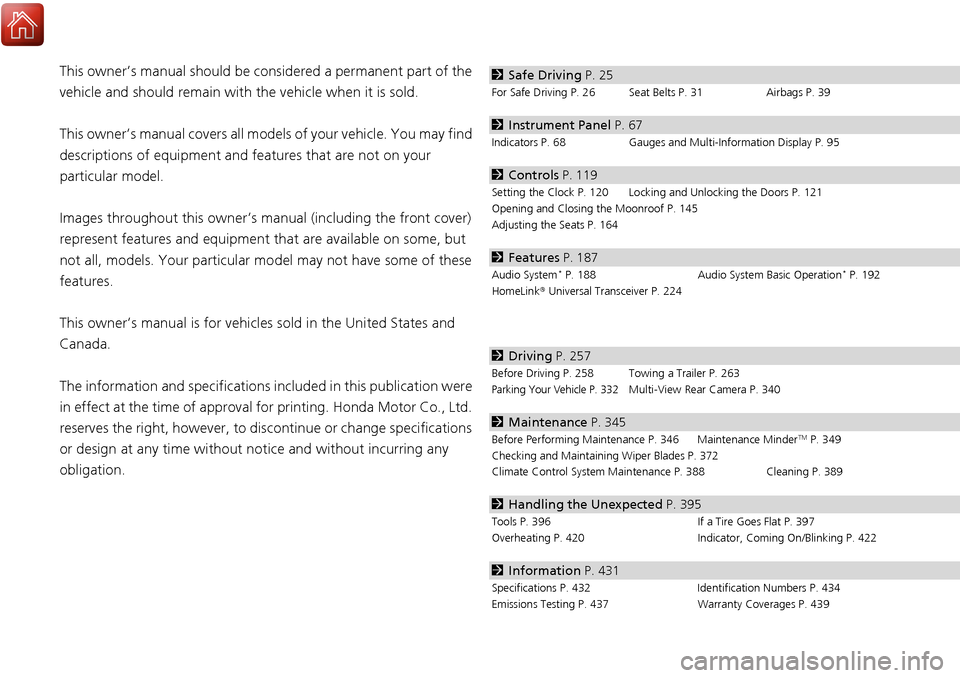
obligation.2 Safe Driving P. 25
For Safe Driving P. 26 Seat Belts P. 31 Airbags P. 39
2Instrument Panel P. 67
Indicators P. 68 Gauges and Multi-Information Display P. 95
2Controls P. 119
Setting the Clock P. 120 Locking and Unlocking the Doors P. 121
Opening and Closing the Moonroof P. 145
Adjusting the Seats P. 164
2Features P. 187
Audio System* P. 188 Audio System Basic Operation* P. 192
HomeLink ® Universal Transceiver P. 224
2 Driving P. 257
Before Driving P. 258 Towing a Trailer P. 263
Parking Your Vehicle P. 332Multi-View Rear Camera P. 340
2Maintenance P. 345
Before Performing Maintenance P. 346 Maintenance MinderTM P. 349
Checking and Maintaining Wiper Blades P. 372
Climate Control System Main tenance P. 388 Cleaning P. 389
2Handling the Unexpected P. 395
Tools P. 396 If a Tire Goes Flat P. 397
Overheating P. 420 Indicator, Coming On/Blinking P. 422
2Information P. 431
Specifications P. 432 Identification Numbers P. 434
Emissions Testing P. 437 Warranty Coverages P. 439
Page 4 of 453
Contents
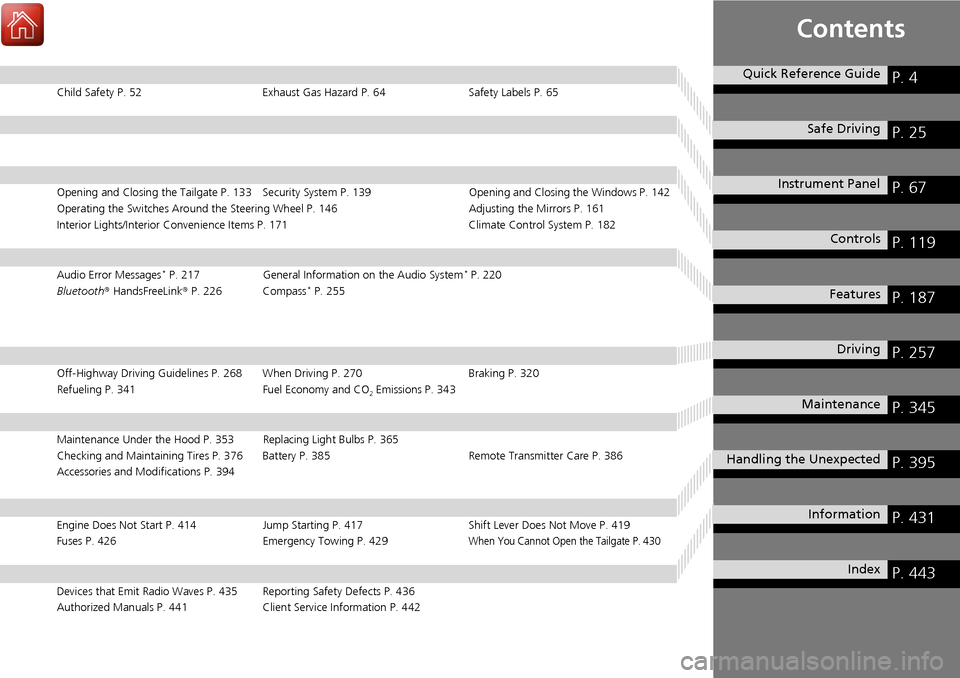
Child Safety P. 52Exhaust Gas Hazard P. 64Safety Labels P. 65
Opening and Closing the Tailgate P. 133 Security System P. 139 Opening and Closing the Windows P. 142
Operating the Switches Around the Steering Wheel P. 146 Adjusting the Mirrors P. 161
Interior Lights/Interior Convenience It ems P. 171 Climate Control System P. 182
Audio Error Messages* P. 217General Information on the Audio System* P. 220
Bluetooth® HandsFreeLink ® P. 226 Compass* P. 255
Off-Highway Driving Guidelines P. 268 When Driving P. 270 Braking P. 320
Refueling P. 341 Fuel Economy and CO
2 Emissions P. 343
Maintenance Under the Hood P. 353 Replacing Light Bulbs P. 365
Checking and Maintaining Tires P. 376 Battery P. 385 Remote Transmitter Care P. 386
Accessories and Modifications P. 394
Engine Does Not Start P. 414Jump Starting P. 417 Shift Lever Does Not Move P. 419
Fuses P. 426 Emergency Towing P. 429When You Cannot Open the Tailgate P. 430
Devices that Emit Radio Waves P. 435 Reporting Safety Defects P. 436
Authorized Manuals P. 441 Client Service Information P. 442
Quick Reference GuideP. 4
Safe DrivingP. 25
Instrument PanelP. 67
ControlsP. 119
FeaturesP. 187
DrivingP. 257
MaintenanceP. 345
Handling the UnexpectedP. 395
InformationP. 431
IndexP. 443
Page 7 of 453
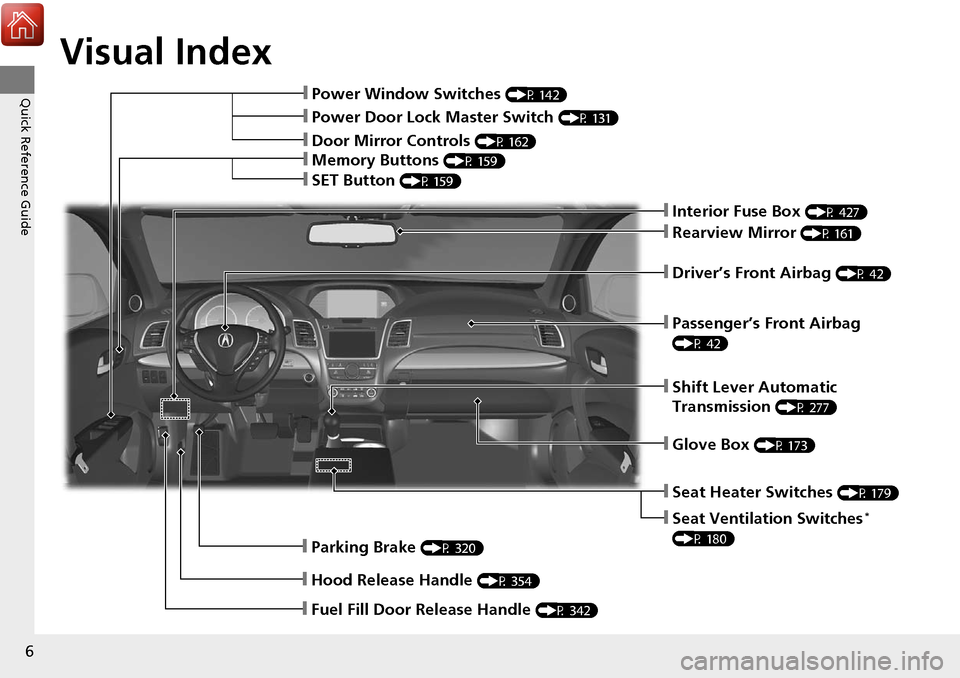
Visual Index
6
Quick Reference Guide❙Power Window Switches (P 142)
❙Rearview Mirror (P 161)
❙Parking Brake (P 320)
❙Hood Release Handle (P 354)
❙Shift Lever Automatic
Transmission
(P 277)
❙Driver’s Front Airbag (P 42)
❙Fuel Fill Door Release Handle (P 342)
❙Interior Fuse Box (P 427)
❙Glove Box (P 173)
❙Passenger’s Front Airbag
(P 42)
❙Memory Buttons (P 159)
❙SET Button (P 159)
❙Power Door Lock Master Switch (P 131)
❙Door Mirror Controls (P 162)
❙Seat Heater Switches (P 179)
❙Seat Ventilation Switches*
(P 180)
Page 12 of 453
11
Quick Reference Guide
Controls (P 119)
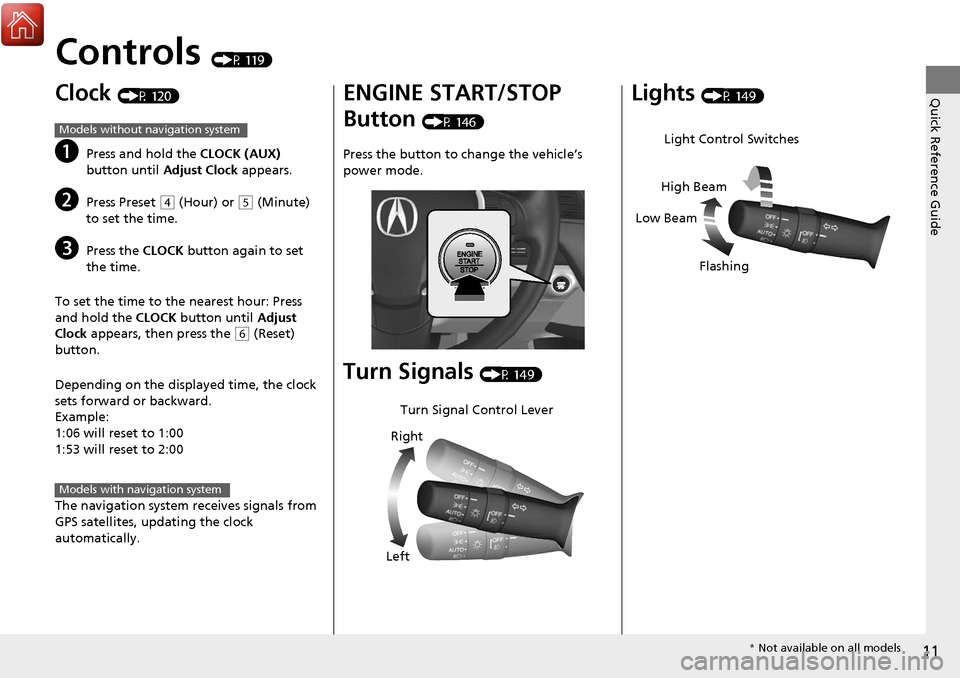
Clock (P 120)
aPress and hold the CLOCK (AUX)
button until Adjust Clock appears.
bPress Preset (4 (Hour) or (5 (Minute)
to set the time.
cPress the CLOCK button again to set
the time.
To set the time to the nearest hour: Press
and hold the CLOCK button until Adjust
Clock appears, then press the
(6 (Reset)
button.
Depending on the displayed time, the clock
sets forward or backward.
Example:
1:06 will reset to 1:00
1:53 will reset to 2:00
The navigation system receives signals from
GPS satellites, updating the clock
automatically.
Models without navigation system
Models with navigation system
ENGINE START/STOP
Button
(P 146)
Press the button to ch ange the vehicle’s
power mode.
Turn Signals (P 149)
Turn Signal Control Lever
Right
Left
Lights (P 149)
Light Control Switches
Low Beam High Beam
Flashing
* Not available on all models
Page 16 of 453
15
Quick Reference Guide
Features (P 187)
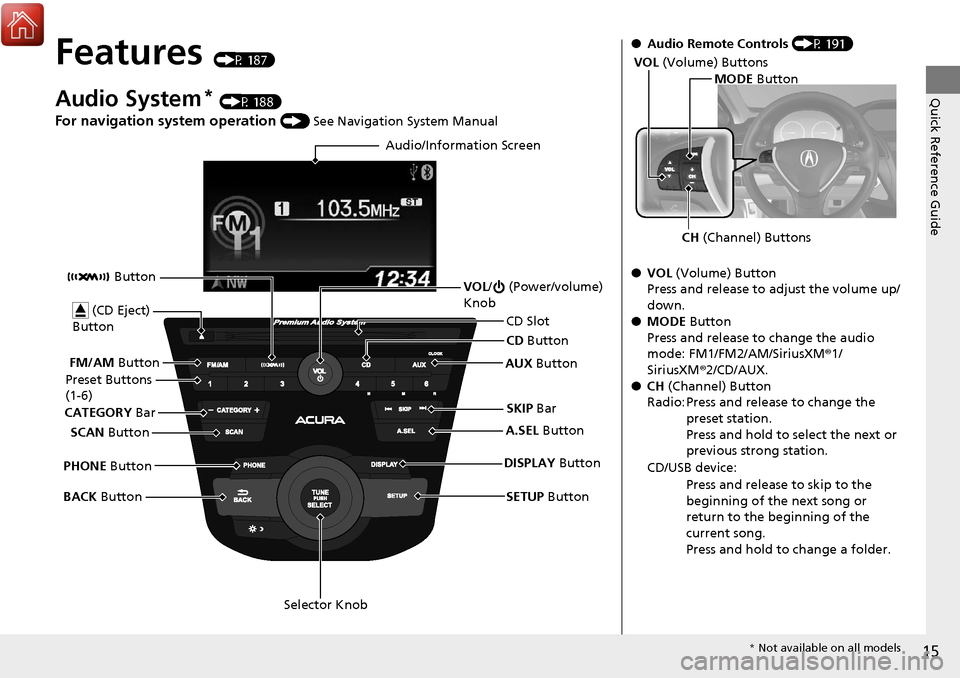
Audio System* (P 188)
For navigation system operation () See Navigation System Manual
Audio/Information Screen
SCAN Button
CATEGORY
Bar
Selector Knob
BACK
Button VOL
/ (Power/volume)
Knob
CD Button
AUX Button
CD Slot
(CD Eject)
Button
Preset Buttons
(1-6)
SETUP Button
SKIP
Bar
PHONE Button Button
FM/AM
Button
A.SEL Button
DISPLAY Button
●Audio Remote Controls (P 191)
● VOL (Volume) Button
Press and release to adjust the volume up/
down.
● MODE Button
Press and release to change the audio
mode: FM1/FM2/AM/SiriusXM ®1/
SiriusXM ®2/CD/AUX.
● CH (Channel) Button
Radio: Press and release to change the preset station.
Press and hold to select the next or
previous strong station.
CD/USB device: Press and release to skip to the
beginning of the next song or
return to the beginning of the
current song.
Press and hold to change a folder.
MODE Button
CH (Channel) Buttons
VOL
(Volume) Buttons
* Not available on all models
Page 44 of 453
Continued43
uuAirbags uFront Airbags (SRS)
Safe DrivingFront airbags are designed to inflate durin g moderate-to-severe frontal collisions.
When the vehicle decelerates suddenly, the sensors send information to the control
unit which signals one or both front airbags to inflate.
A frontal collision can be either head-on or angled between two vehicles, or when a
vehicle crashes into a stationary object, such as a concrete wall.
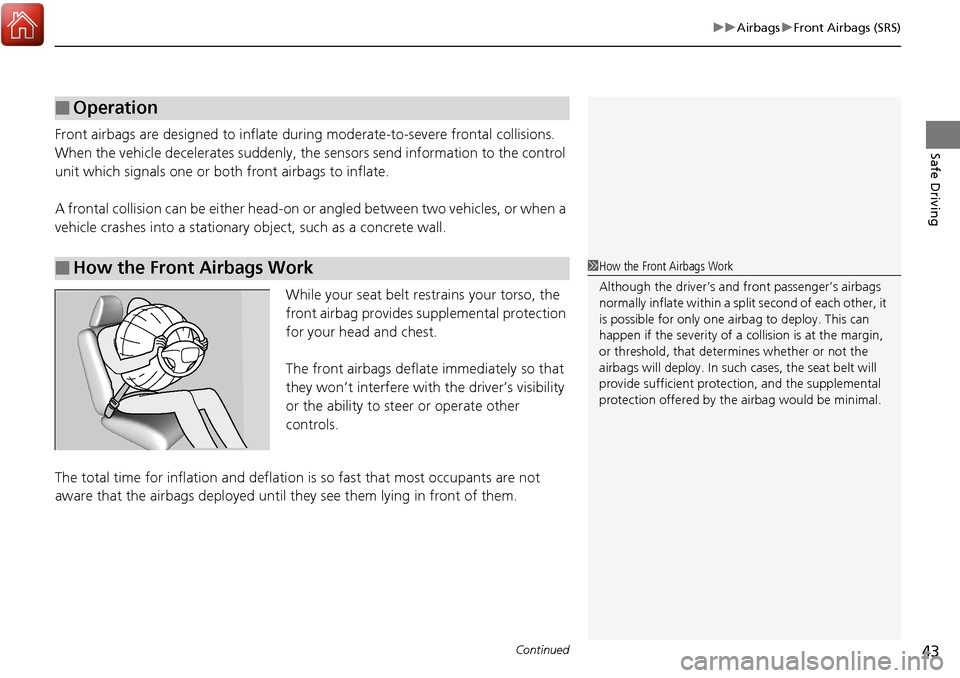
While your seat belt restrains your torso, the
front airbag provides supplemental protection
for your head and chest.
The front airbags deflate immediately so that
they won’t interfere with the driver’s visibility
or the ability to steer or operate other
controls.
The total time for inflation and deflation is so fast that most occupants are not
aware that the airbags deployed until th ey see them lying in front of them.
■Operation
■How the Front Airbags Work1How the Front Airbags Work
Although the driver’s and fr ont passenger’s airbags
normally inflate within a spli t second of each other, it
is possible for only one airbag to deploy. This can
happen if the severity of a collision is at the margin,
or threshold, that determines whether or not the
airbags will deploy. In such cases, the seat belt will
provide sufficient protec tion, and the supplemental
protection offered by the airbag would be minimal.
Page 54 of 453
53
uuChild Safety uProtecting Child Passengers
Safe Driving
• Any child who is too small to wear a seat belt correctly must be restrained in an
approved child seat that is properly secured to the vehicle using either the lap belt
portion of the lap/shoulder belt or the lower anchors of the LATCH system.
• Never hold a child on your lap because it is impossible to protect them in the
event of a collision.
• Never put a seat belt over yourself and a child. During a crash, the belt would
likely press deep into the child and cause serious or fatal injuries.
• Never let two children use the same seat belt. Both children could be very
seriously injured in a crash.
• Do not allow children to operate the doors, windows or seat adjustments.
• Do not leave children in the vehicle unatte nded, especially in hot weather when
the inside of the vehicle can get hot enough to kill them. They could also activate
vehicle controls causing it to move unexpectedly.1 Protecting Child Passengers
To deactivate a lockable retractor, release the buckle
and allow the seat belt to wind up all the way.
To remind you of the pa ssenger’s front airbag
hazards and child safety, y our vehicle warning came
with a label on the dashboard (U.S. models) and has
labels on the front visors. Pl ease read and follow the
instructions on these labels.
2 Safety Labels P. 65
3WARNING
Allowing a child to play with a seat belt or
wrap one around their neck can result in
serious injury or death.
Instruct children not to play with any seat
belt and make sure any unused seat belt a
child can reach is buckled, fully retracted,
and locked.
Page 120 of 453
119
Controls
This chapter explains how to operate the various controls necessary for driving.
Setting the Clock.............................. 120
Locking and Unlocking the Doors Key Types and Functions .................. 121
Low Keyless Access Remote Signal Strength ..... 124Locking/Unlocking the Doors from the Outside .......................................... 125
Locking/Unlocking the Doors from the Inside ... 130Childproof Door Locks ..................... 131
Auto Door Locking/Unlocking .......... 132
Opening and Closing the Tailgate ... 133
Security System Immobilizer System .......................... 139
Security System Alarm ...................... 139
Opening and Closing the Windows .... 142Opening and Closing the Moonroof....... 145Operating the Switches Around the
Steering Wheel ENGINE START/STOP Button............. 146
Turn Signals ..................................... 149
Light Switches.................................. 149
Fog Lights
*...................................... 152
Daytime Running Lights ................... 152
Wipers and Washers ........................ 153
Brightness Control ........................... 156
Rear Defogger/Heated Door Mirror Button ... 157Driving Position Memory System ...... 158 Adjusting the Steering Wheel .......... 160
Adjusting the Mirrors Interior Rearview Mirror ................... 161
Power Door Mirrors ......................... 162
Adjusting the Seats Adjusting the Seat Positions ............. 164
Interior Lights/Interior Convenience ItemsInterior Lights .................................. 171
Interior Convenience Items .............. 173
Climate Control System Using Automatic Climate Control .... 182
Synchronized Mode ......................... 184
Automatic Climate Control Sensors.....185
* Not available on all models
Page 121 of 453
120
Controls
Setting the Clock
Clock
You can adjust the time in the clock display with the power mode in ON.
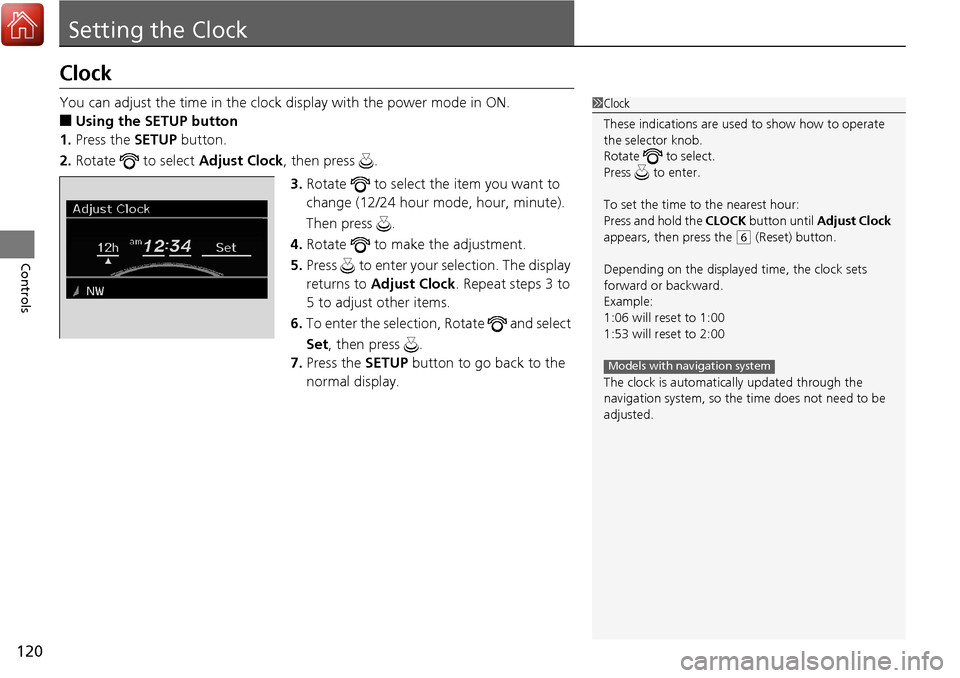
■Using the SETUP button
1. Press the SETUP button.
2. Rotate to select Adjust Clock, then press .
3. Rotate to select the item you want to
change (12/24 hour mode, hour, minute).
Then press .
4. Rotate to make the adjustment.
5. Press to enter your selection. The display
returns to Adjust Clock . Repeat steps 3 to
5 to adjust other items.
6. To enter the selection, Rotate and select
Set , then press .
7. Press the SETUP button to go back to the
normal display.
1Clock
These indications are used to show how to operate
the selector knob.
Rotate to select.
Press to enter.
To set the time to the nearest hour:
Press and hold the CLOCK button until Adjust Clock
appears, then press the
( 6 (Reset) button.
Depending on the displayed time, the clock sets
forward or backward.
Example:
1:06 will reset to 1:00
1:53 will reset to 2:00
The clock is automatica lly updated through the
navigation system, so the ti me does not need to be
adjusted.
Models with navigation system
Page 122 of 453
121Continued
Controls
Locking and Unlocking the Doors
Key Types and Functions
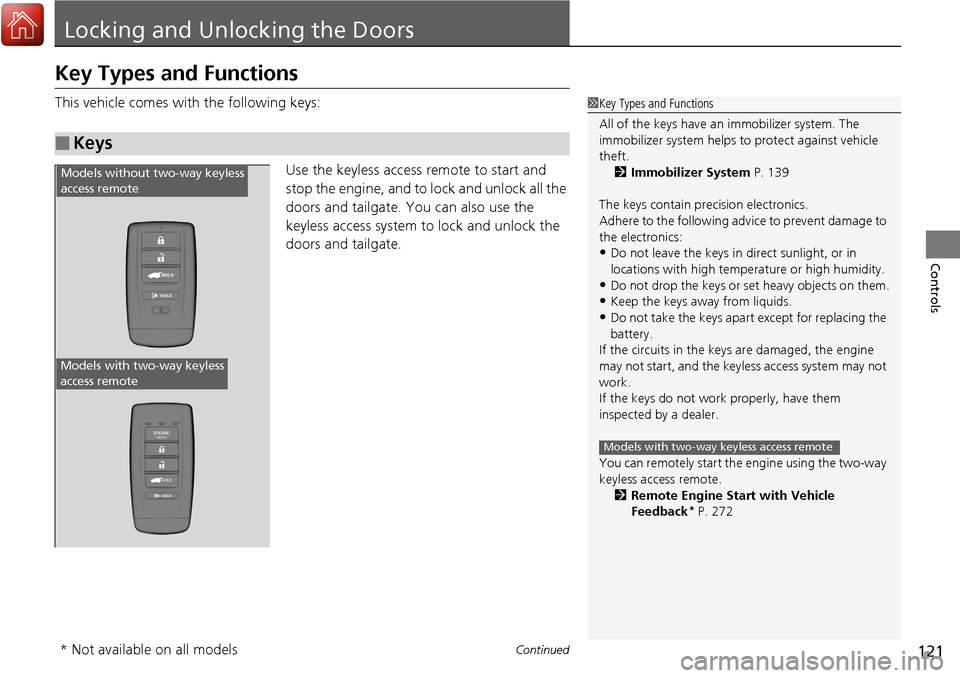
This vehicle comes with the following keys:
Use the keyless access remote to start and
stop the engine, and to lock and unlock all the
doors and tailgate. You can also use the
keyless access system to lock and unlock the
doors and tailgate.
■Keys
1Key Types and Functions
All of the keys have an immobilizer system. The
immobilizer system helps to protect against vehicle
theft. 2 Immobilizer System P. 139
The keys contain precision electronics.
Adhere to the following advi ce to prevent damage to
the electronics:
•Do not leave the keys in direct sunlight, or in
locations with high temperature or high humidity.
•Do not drop the keys or set heavy objects on them.
•Keep the keys away from liquids.
•Do not take the keys apart except for replacing the
battery.
If the circuits in the keys are damaged, the engine
may not start, and the keyless access system may not
work.
If the keys do not work properly, have them
inspected by a dealer.
You can remotely start the engine using the two-way
keyless access remote.
2 Remote Engine Start with Vehicle
Feedback
* P. 272
Models with two-way keyless access remote
HOLD
HOLD
Models without two-way keyless
access remote
Models with two-way keyless
access remote
* Not available on all models