table Acura RDX 2019 Owner's Guide
[x] Cancel search | Manufacturer: ACURA, Model Year: 2019, Model line: RDX, Model: Acura RDX 2019Pages: 649, PDF Size: 33 MB
Page 351 of 649

350
uuCustomized Features u
Features
*1:Default SettingSetup Group Customizable Features
Description Selectable Settings
Vehicle Power
Tailgate
SetupPower Tailgate Keyless Open
Mode
Changes the setting to enable the
power tailgate to be opened with the
keyless access remote at anytime or
only when the door
s are unlocked. Anytime
*1/
When
Unlocked
Power Tailgate Open by
Outer Handle Changes the setting to enable or
disable the power tailgate open
operation when the user presses the
outer handle of the power tailgate. Off (Manual only)
/
On (Power/
Manual)
*1
Hands Free Access Power
Tailgate*
Changes the setting to enable or
disable the power tailgate open
operation when a kicking motion
under the rear bumper is detected. On
*1/
Off
Maintenance
Information (Select Reset Items) Resets the Maintenance Minder
TM
display when you have performed the
maintenance service. —
Reset All Due
* Not available on all models
19 ACURA RDX-31TJB6000.book 350 ページ 2018年4月26日 木曜日 午後4時51分
Page 352 of 649
351
uuCustomized Features u
Continued
Features
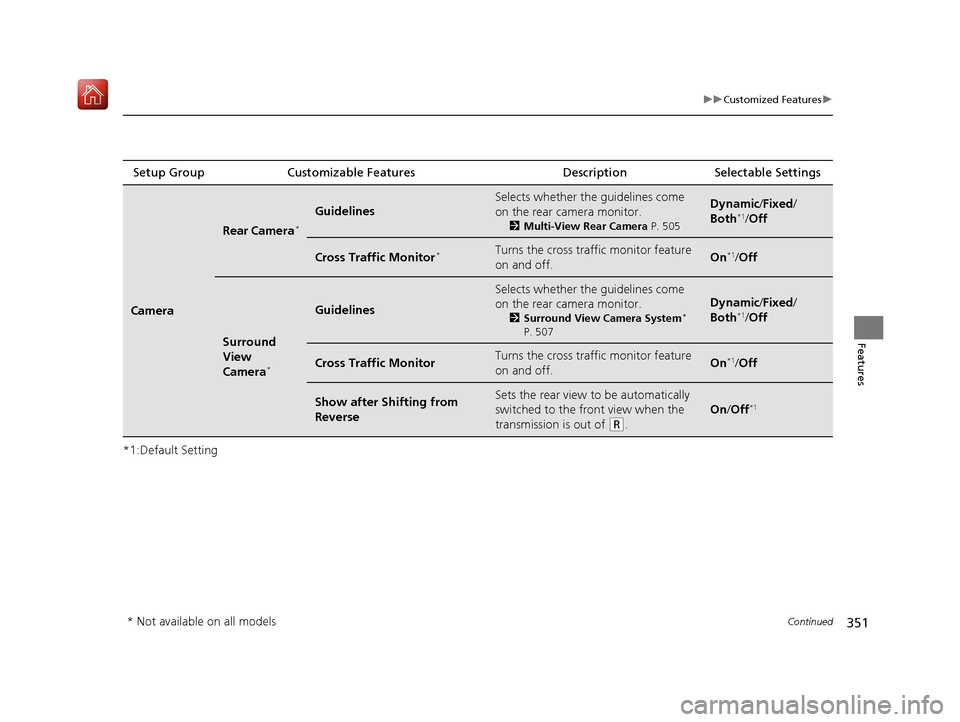
*1:Default SettingSetup Group Customizable Features
Description Selectable Settings
Camera
Rear Camera*
Guidelines
Selects whether the guidelines come
on the rear camera monitor.
2Multi-View Rear Camera P. 505
Dynamic/Fixed /
Both*1/ Off
Cross Traffic Monitor*Turns the cross traffic monitor feature
on and off.On*1/Off
Surround
View
Camera
*
Guidelines
Selects whether the guidelines come
on the rear camera monitor.
2 Surround View Camera System*
P. 507
Dynamic /Fixed /
Both*1/ Off
Cross Traffic MonitorTurns the cross traffic monitor feature
on and off.On*1/Off
Show after Sh ifting from
ReverseSets the rear view to be automatically
switched to the front view when the
transmission is out of
(R.
On /Off*1
* Not available on all models
19 ACURA RDX-31TJB6000.book 351 ページ 2018年4月26日 木曜日 午後4時51分
Page 353 of 649
352
uuCustomized Features u
Features
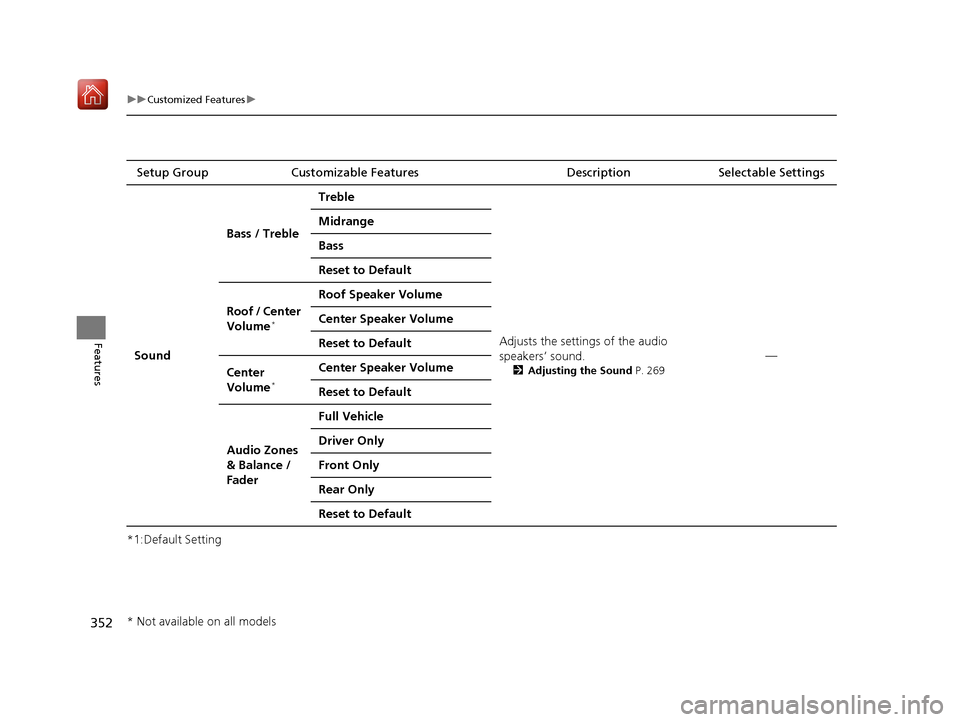
*1:Default SettingSetup Group Customizable Features
Description Selectable Settings
Sound Bass / Treble
Treble
Adjusts the settings of the audio
speakers’ sound.
2Adjusting the Sound P. 269
—
Midrange
Bass
Reset to Default
Roof / Center
Volume
*
Roof Speaker Volume
Center Speaker Volume
Reset to Default
Center
Volume
*
Center Speaker Volume
Reset to Default
Audio Zones
& Balance /
Fader Full Vehicle
Driver Only
Front Only
Rear Only
Reset to Default
* Not available on all models
19 ACURA RDX-31TJB6000.book 352 ページ 2018年4月26日 木曜日 午後4時51分
Page 354 of 649
353
uuCustomized Features u
Features
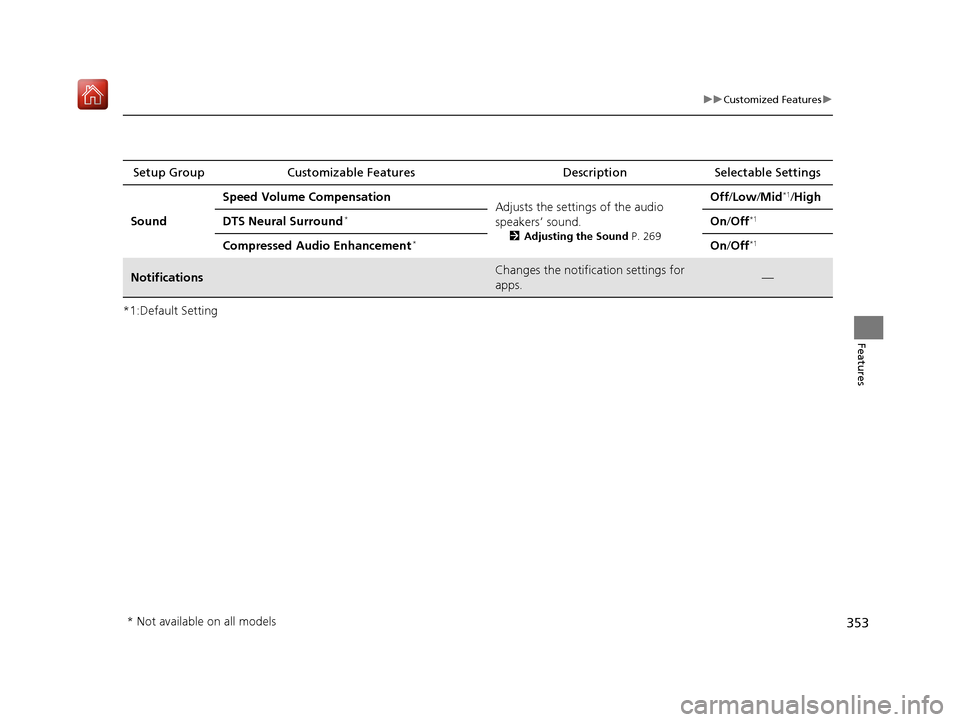
*1:Default SettingSetup Group Customizable Features
Description Selectable Settings
Sound Speed Volume Compensation
Adjusts the settings of the audio
speakers’ sound.
2Adjusting the Sound P. 269
Off /Low /Mid*1/High
DTS Neural Surround
*On /Off*1
Compressed Audio Enhancement*On /Off*1
NotificationsChanges the notification settings for
apps.—
* Not available on all models
19 ACURA RDX-31TJB6000.book 353 ページ 2018年4月26日 木曜日 午後4時51分
Page 395 of 649
uuAcuraLink ®u
394
Features
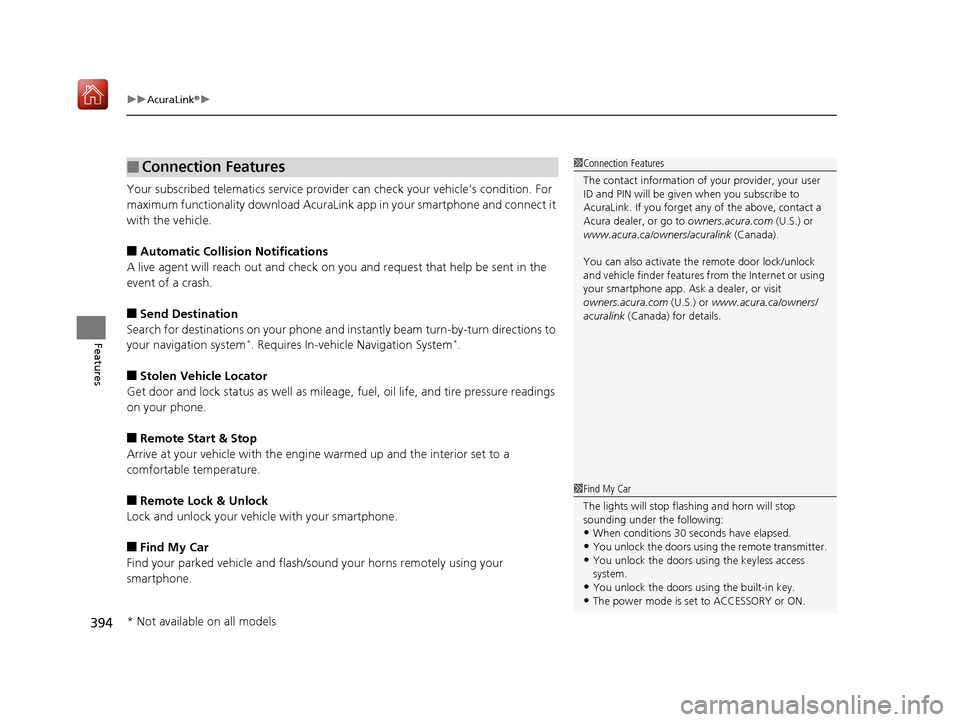
Your subscribed telematics service provider can check your vehicle’s condition. For
maximum functionality download AcuraLink app in your smartphone and connect it
with the vehicle.
■Automatic Collision Notifications
A live agent will reach out and check on you and request that help be sent in the
event of a crash.
■Send Destination
Search for destinations on your phone and in stantly beam turn-by-turn directions to
your navigation system
*. Requires In-vehicle Navigation System*.
■Stolen Vehicle Locator
Get door and lock status as we ll as mileage, fuel, oil life, and tire pressure readings
on your phone.
■Remote Start & Stop
Arrive at your vehicle with the engine warmed up and the interior set to a
comfortable temperature.
■Remote Lock & Unlock
Lock and unlock your vehicle with your smartphone.
■Find My Car
Find your parked vehicle and flash/sound your horns remotely using your
smartphone.
■Connection Features1 Connection Features
The contact information of your provider, your user
ID and PIN will be given when you subscribe to
AcuraLink. If you forget any of the above, contact a
Acura dealer, or go to owners.acura.com (U.S.) or
www.acura.ca/owners/acuralink (Canada).
You can also activate the remote door lock/unlock
and vehicle finder features from the Internet or using
your smartphone app. As k a dealer, or visit
owners.acura.com (U.S.) or www.acura.ca/owners/
acuralink (Canada) for details.
1Find My Car
The lights will stop flas hing and horn will stop
sounding under the following:
•When conditions 30 seconds have elapsed.
•You unlock the doors using the remote transmitter.
•You unlock the doors using the keyless access
system.
•You unlock the doors using the built-in key.
•The power mode is set to ACCESSORY or ON.
* Not available on all models
19 ACURA RDX-31TJB6000.book 394 ページ 2018年4月26日 木曜日 午後4時51分
Page 404 of 649
403Continued
Driving
Towing a Trailer
Towing Preparation
Your vehicle can tow a trailer if you carefully observe the load limits, use the proper
equipment, and follow the towing guidelin es. Check the load limits before driving.
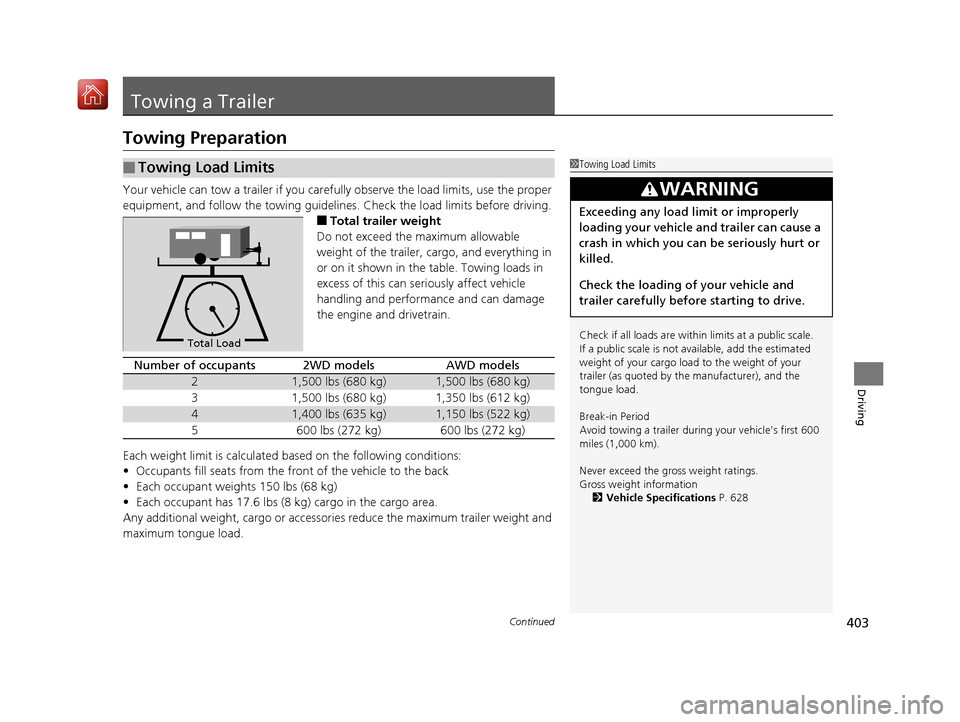
■Total trailer weight
Do not exceed the maximum allowable
weight of the trailer, cargo, and everything in
or on it shown in the table. Towing loads in
excess of this can seriously affect vehicle
handling and performance and can damage
the engine and drivetrain.
Each weight limit is calculated based on the following conditions:
• Occupants fill seats from the front of the vehicle to the back
• Each occupant weights 150 lbs (68 kg)
• Each occupant has 17.6 lbs (8 kg) cargo in the cargo area.
Any additional weight, cargo or accessories reduce the maximum trailer weight and
maximum tongue load.
■Towing Load Limits1 Towing Load Limits
Check if all loads are within limits at a public scale.
If a public scale is not available, add the estimated
weight of your cargo load to the weight of your
trailer (as quoted by th e manufacturer), and the
tongue load.
Break-in Period
Avoid towing a trailer duri ng your vehicle’s first 600
miles (1,000 km).
Never exceed the gross weight ratings.
Gross weight information 2 Vehicle Specifications P. 628
3WARNING
Exceeding any load limit or improperly
loading your vehicle and trailer can cause a
crash in which you can be seriously hurt or
killed.
Check the loading of your vehicle and
trailer carefully before starting to drive.
Total Load
Number of occupants2WD modelsAWD models
21,500 lbs (680 kg)1,500 lbs (680 kg)
31,500 lbs (680 kg)1,350 lbs (612 kg)
41,400 lbs (635 kg)1,150 lbs (522 kg)
5600 lbs (272 kg)600 lbs (272 kg)
19 ACURA RDX-31TJB6000.book 403 ページ 2018年4月26日 木曜日 午後4時51分
Page 405 of 649
404
uuTowing a Trailer uTowing Preparation
Driving
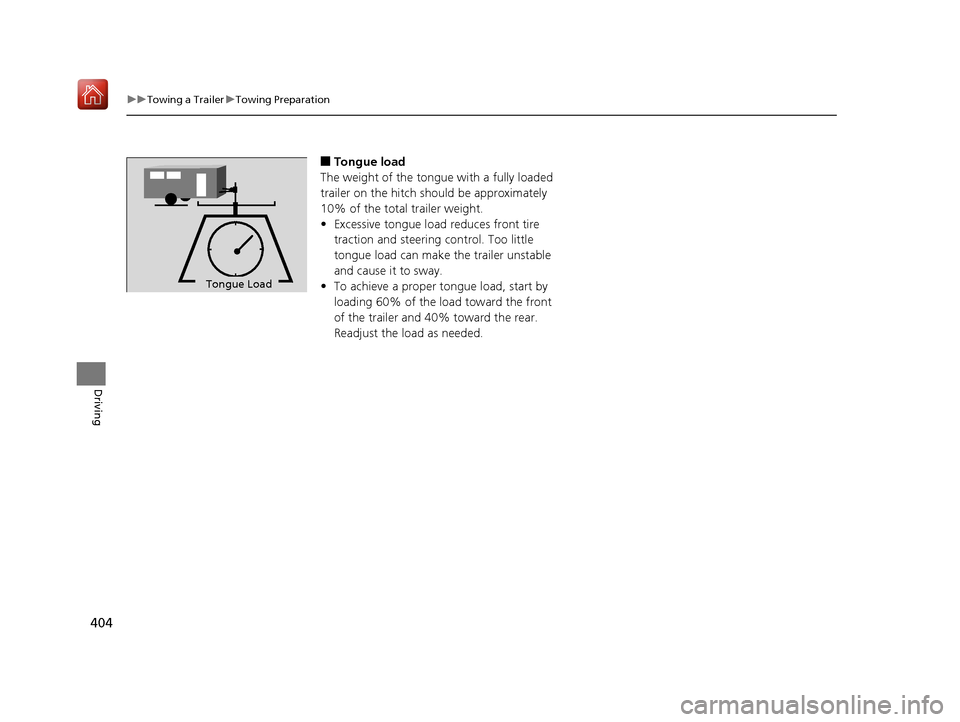
■Tongue load
The weight of the tongue with a fully loaded
trailer on the hitch should be approximately
10% of the total trailer weight.
• Excessive tongue load reduces front tire
traction and steering control. Too little
tongue load can make the trailer unstable
and cause it to sway.
• To achieve a proper tongue load, start by
loading 60% of the load toward the front
of the trailer and 40% toward the rear.
Readjust the load as needed.
To n gue LoadTongue Load
19 ACURA RDX-31TJB6000.book 404 ページ 2018年4月26日 木曜日 午後4時51分
Page 474 of 649
Continued473
uuAcuraWatchTMuLane Keeping Assist System (LKAS)
Driving
The system can be used when th e following conditions are met.
• The lane in which you are driving has detectable lane markers on both sides, and
your vehicle is in the center of the lane.
• The vehicle speed is between 45 and 90 mph (72 and 145 km/h).
• You are driving on a straight or slightly curved road.
• The turn signals are off.
• The brake pedal is not depressed.
• The wipers are not in continuous operation.
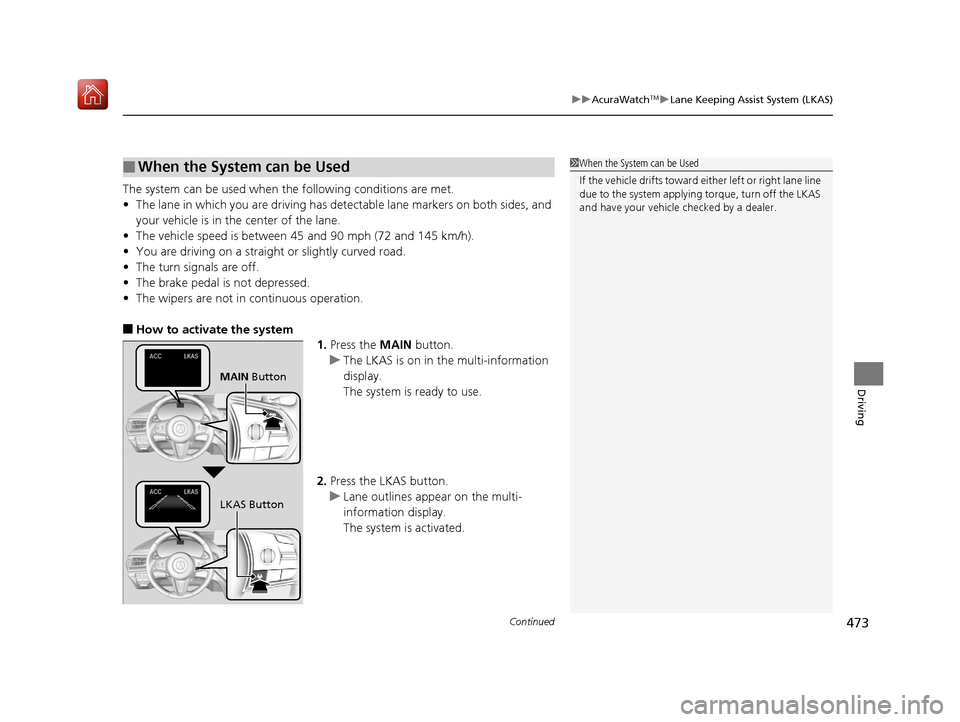
■How to activate the system
1.Press the MAIN button.
u The LKAS is on in the multi-information
display.
The system is ready to use.
2. Press the LKAS button.
u Lane outlines appear on the multi-
information display.
The system is activated.
■When the System can be Used1When the System can be Used
If the vehicle drifts toward ei ther left or right lane line
due to the system applying torque, turn off the LKAS
and have your vehicle checked by a dealer.
MAIN Button
LKAS Button
19 ACURA RDX-31TJB6000.book 473 ページ 2018年4月26日 木曜日 午後4時51分
Page 518 of 649
517
uuRefueling uHow to Refuel
Driving
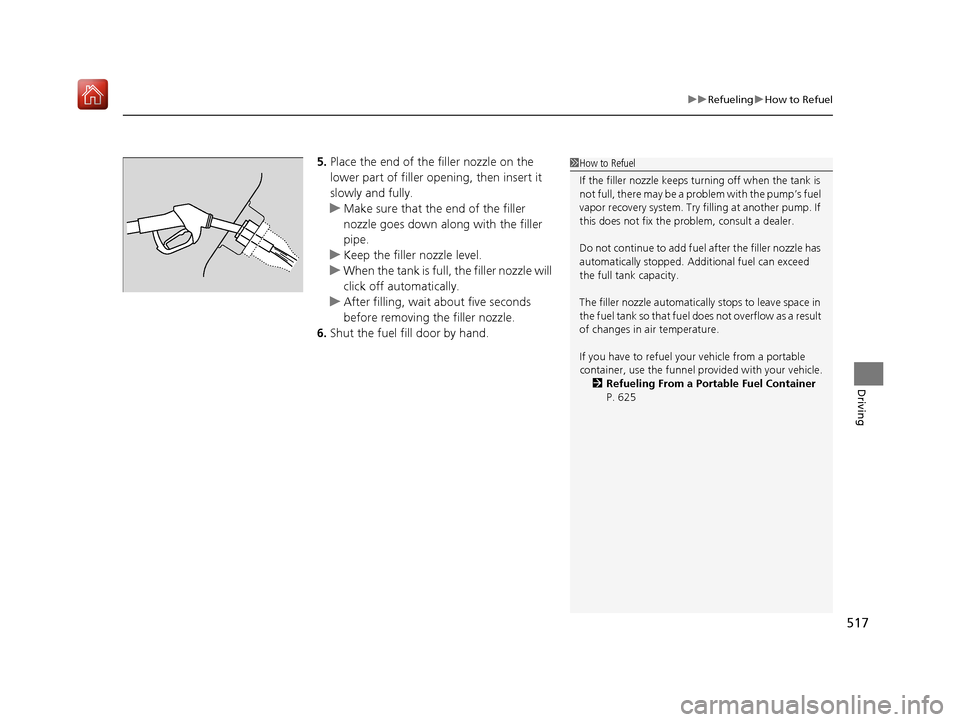
5. Place the end of the filler nozzle on the
lower part of filler opening, then insert it
slowly and fully.
u Make sure that the end of the filler
nozzle goes down along with the filler
pipe.
u Keep the filler nozzle level.
u When the tank is full, the filler nozzle will
click off automatically.
u After filling, wait about five seconds
before removing the filler nozzle.
6. Shut the fuel fill door by hand.1How to Refuel
If the filler nozzle keeps tu rning off when the tank is
not full, there may be a problem with the pump’s fuel
vapor recovery system. Try fi lling at another pump. If
this does not fix the problem, consult a dealer.
Do not continue to add fuel after the filler nozzle has
automatically stopped. Addi tional fuel can exceed
the full tank capacity.
The filler nozzle automatically stops to leave space in
the fuel tank so that fuel does not overflow as a result
of changes in air temperature.
If you have to refuel y our vehicle from a portable
container, use the funnel pr ovided with your vehicle.
2 Refueling From a Portable Fuel Container
P. 625
19 ACURA RDX-31TJB6000.book 517 ページ 2018年4月26日 木曜日 午後4時51分
Page 536 of 649
535
uuMaintenance Under the Hood uRecommended Engine Oil
Maintenance
Recommended Engine Oil
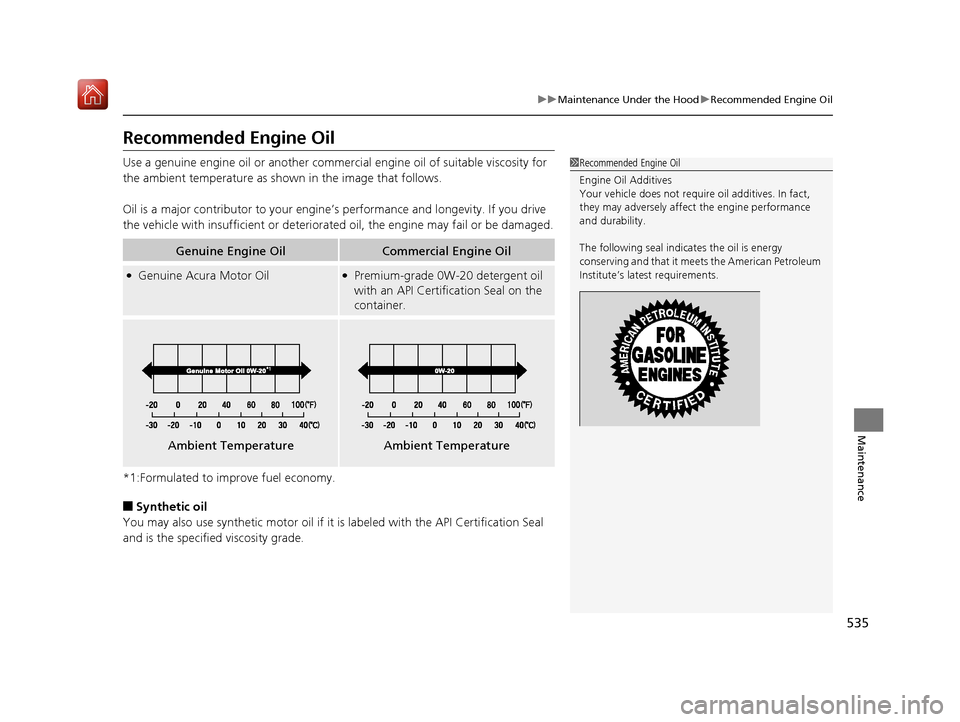
Use a genuine engine oil or another commercial engine oil of suitable viscosity for
the ambient temperature as show n in the image that follows.
Oil is a major contributor to your engine’s performance and longevity. If you drive
the vehicle with insufficient or deteriorated oil, the engine may fail or be damaged.
*1:Formulated to improve fuel economy.
■Synthetic oil
You may also use synthetic motor oil if it is labeled with the API Certification Seal
and is the specified viscosity grade.
Genuine Engine OilCommercial Engine Oil
●Genuine Acura Motor Oil●Premium-grade 0W-20 detergent oil
with an API Certification Seal on the
container.
1 Recommended Engine Oil
Engine Oil Additives
Your vehicle does not require oil additives. In fact,
they may adversely affect the engine performance
and durability.
The following seal indica tes the oil is energy
conserving and that it meet s the American Petroleum
Institute’s late st requirements.
Ambient TemperatureAmbient Temperature
19 ACURA RDX-31TJB6000.book 535 ページ 2018年4月26日 木曜日 午後4時51分