Instrument panel Acura RDX 2019 Manual Online
[x] Cancel search | Manufacturer: ACURA, Model Year: 2019, Model line: RDX, Model: Acura RDX 2019Pages: 649, PDF Size: 33 MB
Page 450 of 649
Continued449
uuAcuraWatchTMuCollision Mitigation Braking SystemTM (CMBSTM)
Driving
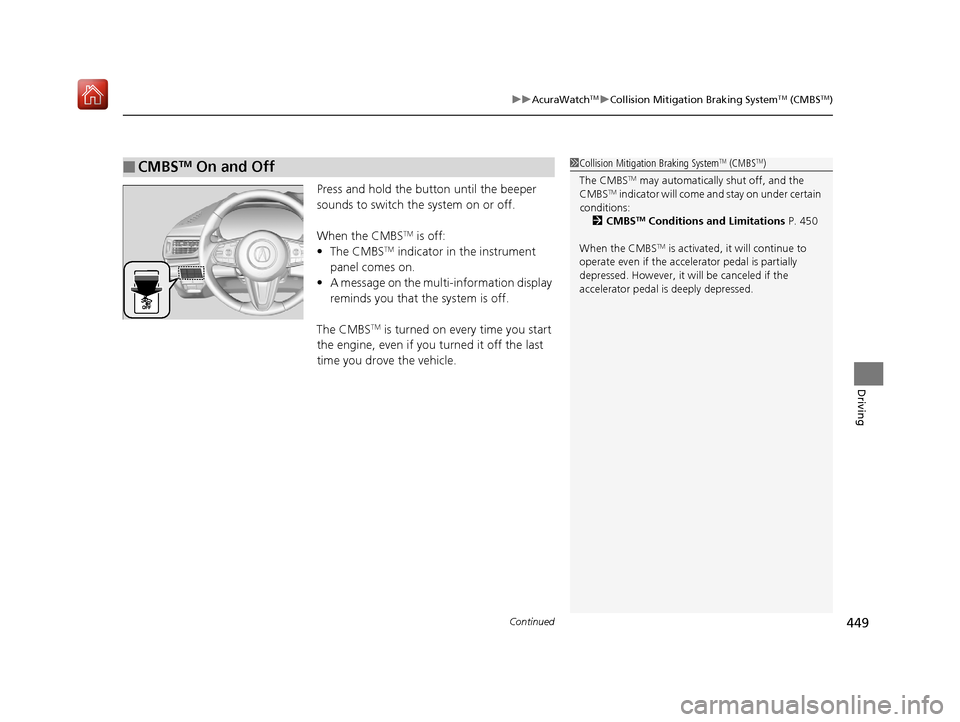
Press and hold the button until the beeper
sounds to switch the system on or off.
When the CMBS
TM is off:
• The CMBSTM indicator in the instrument
panel comes on.
• A message on the multi-information display
reminds you that the system is off.
The CMBS
TM is turned on every time you start
the engine, even if you turned it off the last
time you drove the vehicle.
■CMBSTM On and Off1 Collision Mitigation Braking SystemTM (CMBSTM)
The CMBS
TM may automatically shut off, and the
CMBSTM indicator will come and stay on under certain
conditions:
2 CMBS
TM Conditions and Limitations P. 450
When the CMBS
TM is activated, it will continue to
operate even if the accele rator pedal is partially
depressed. However, it will be canceled if the
accelerator pedal is deeply depressed.
19 ACURA RDX-31TJB6000.book 449 ページ 2018年4月26日 木曜日 午後4時51分
Page 457 of 649
uuAcuraWatchTMuAdaptive Cruise Control (ACC) with Low Speed Follow (LSF)
456
Driving
■How to activate the system1Adaptive Cruise Control (ACC) with Low Speed Follow (LSF)
When the MAIN button is pressed, both ACC with
LSF and the Lane Keeping Assist System (LKAS) are
either turned on or off.
ACC with LSF may not work properly under certain
conditions. 2 ACC with LSF Conditions and Limitations
P. 461
When not using ACC with LSF: Turn off adaptive
cruise by pressing the MAIN button. This also will
turn off the Lane Keeping Assist System (LKAS).
Do not use ACC with LSF under the following
conditions:
•On roads with heavy traf fic or while driving in
continuous stop and go traffic.
•On roads with sharp turns.
•On roads with steep downhill sections, as the set
vehicle speed can be exceeded by coasting. In such
cases, ACC with LSF will not apply the brakes to
maintain the set speed.
•On roads with toll collection facilities or other
objects between lanes of traffic, or in parking
areas, or faci lities with driv e through access.
How to use
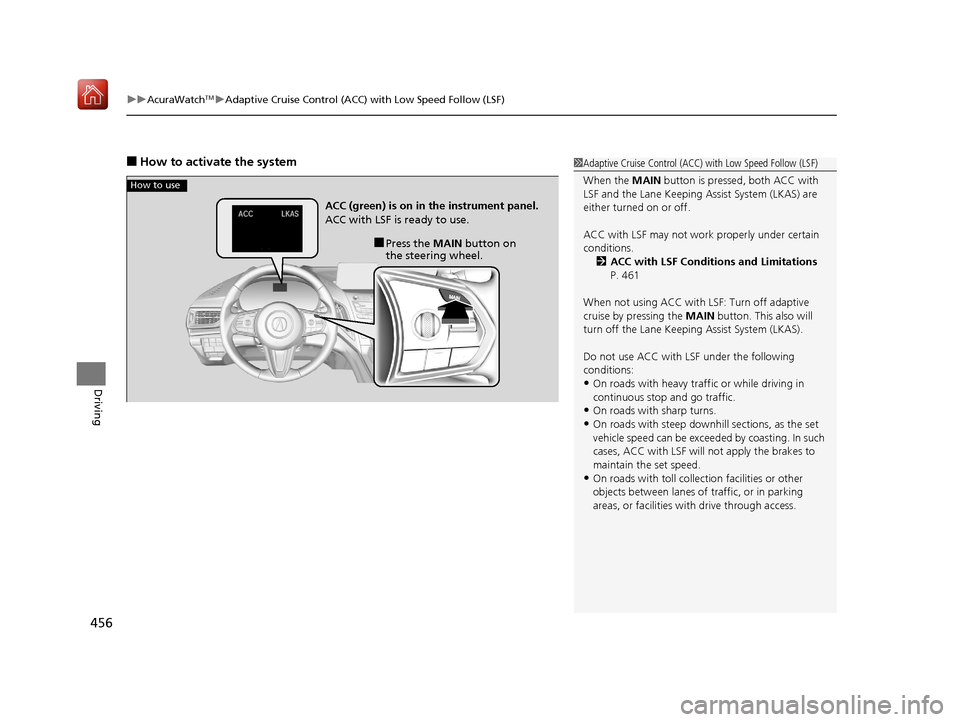
■Press the MAIN button on
the steering wheel.
ACC (green) is on in the instrument panel.
ACC with LSF is ready to use.
19 ACURA RDX-31TJB6000.book 456 ページ 2018年4月26日 木曜日 午後4時51分
Page 472 of 649
471
uuAcuraWatchTMuLane Keeping Assist System (LKAS)
Continued
Driving
Lane Keeping Assist System (LKAS)
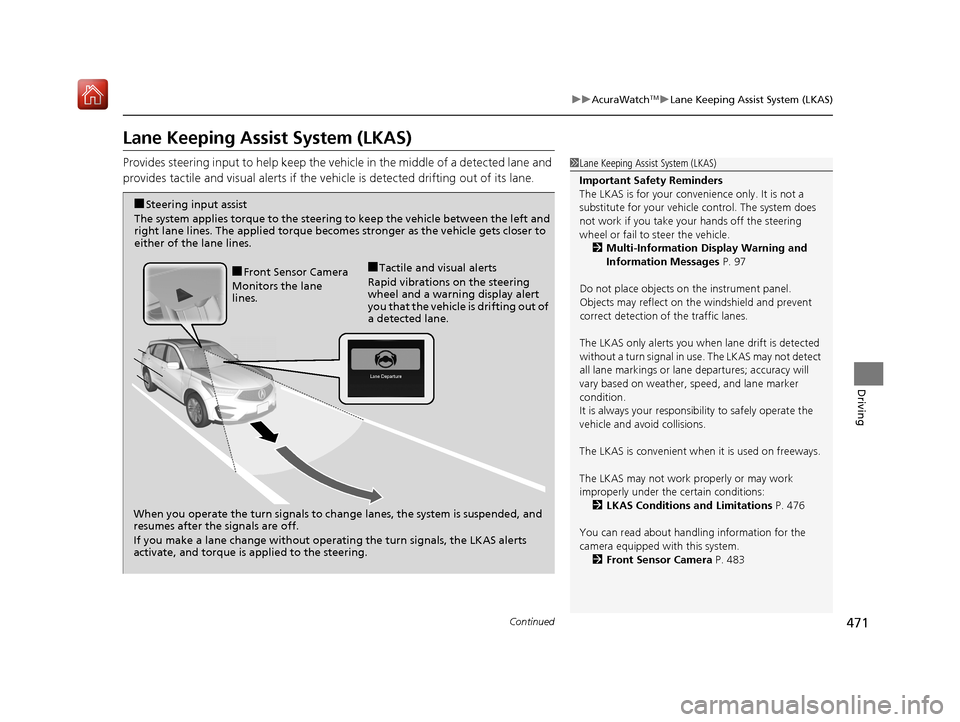
Provides steering input to help keep the vehicle in the middle of a detected lane and
provides tactile and visual al erts if the vehicle is detected drifting out of its lane.1Lane Keeping Assist System (LKAS)
Important Safety Reminders
The LKAS is for your convenience only. It is not a
substitute for your vehicl e control. The system does
not work if you take y our hands off the steering
wheel or fail to steer the vehicle.
2 Multi-Information Display Warning and
Information Messages P. 97
Do not place objects on the instrument panel.
Objects may reflect on th e windshield and prevent
correct detection of the traffic lanes.
The LKAS only alerts you when lane drift is detected
without a turn signal in us e. The LKAS may not detect
all lane markings or lane departures; accuracy will
vary based on weather, speed, and lane marker
condition.
It is always your responsibility to safely operate the
vehicle and avoid collisions.
The LKAS is convenient when it is used on freeways.
The LKAS may not work properly or may work
improperly under the certain conditions:
2 LKAS Conditions and Limitations P. 476
You can read about handling information for the
camera equipped with this system. 2 Front Sensor Camera P. 483
When you operate the turn signals to chan ge lanes, the system is suspended, and
resumes after the signals are off.
If you make a lane change without operating the turn signals, the LKAS alerts
activate, and torque is applied to the steering.
■Front Sensor Camera
Monitors the lane
lines.■Tactile and visual alerts
Rapid vibrations on the steering
wheel and a warning display alert
you that the vehicle is drifting out of
a detected lane.
■Steering input assist
The system applies torque to the steering to keep the vehicle between the left and
right lane lines. The applied torque become s stronger as the vehicle gets closer to
either of the lane lines.
19 ACURA RDX-31TJB6000.book 471 ページ 2018年4月26日 木曜日 午後4時51分
Page 484 of 649

483
uuAcuraWatchTMuFront Sensor Camera
Continued
Driving
Front Sensor Camera
The camera, used in systems such as LKAS, RDM, ACC with LSF, and CMBSTM, is
designed to detect an object that tri ggers any of the systems to operate its
functions.
This camera is located behind the rearview
mirror.
To help reduce the likelihood that high interior
temperatures will cause the camera’s sensing
s y s t e m t o s h u t o f f , w h e n p a r k i n g , f i n d a s h a d y
area or face the front of the vehicle away from
the sun. If you use a reflective sun shade, do
not allow it to cover the camera housing.
Covering the camera can concentrate heat on
it.
■Camera Location and Handling Tips
1Front Sensor Camera
Never apply a film or attach any objects to the
windshield, the hood, or th e front grille that could
obstruct the camera’s fiel d of vision and cause the
system to operate abnormally.
Scratches, nicks, and othe r damage to the windshield
within the camera’s fiel d of vision can cause the
system to operate abnormall y. If this occurs, we
recommend that you replac e the windshield with a
genuine Acura replacement windshield. Making even
minor repairs within the ca mera’s field of vision or
installing an aftermarke t replacement windshield
may also cause the system to operate abnormally.
After replacing the winds hield, have a dealer
recalibrate the camera. Pr oper calibration of the
camera is necessary for the system to operate
properly.
Do not place an object on the top of the instrument
panel. It may reflect onto the windshield and prevent
the system from detecting lane lines properly.
Front Sensor
Camera
19 ACURA RDX-31TJB6000.book 483 ページ 2018年4月26日 木曜日 午後4時51分
Page 615 of 649
614
uuIndicator, Coming On/BlinkinguIf the Transmission System Indicator Blinks along with the Warning Message
Handling the Unexpected
If the Transmission System Indicator Blinks along
with the Warning Message
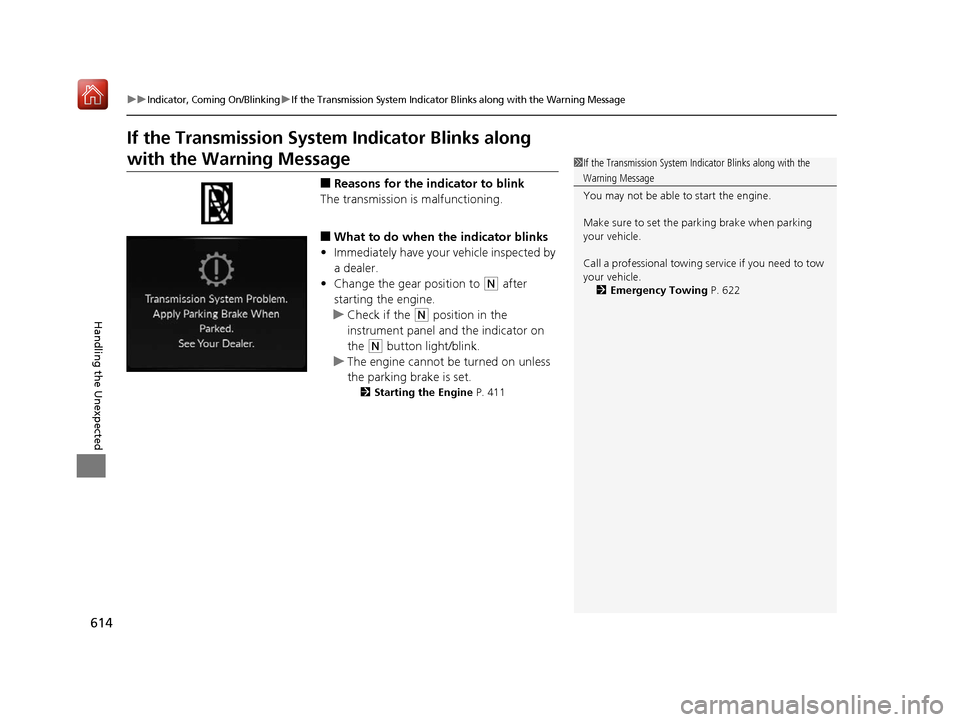
■Reasons for the indicator to blink
The transmission is malfunctioning.
■What to do when the indicator blinks
• Immediately have your vehicle inspected by
a dealer.
• Change the gear position to
(N after
starting the engine.
u Check if the
(N position in the
instrument panel and the indicator on
the
(N button light/blink.
u The engine cannot be turned on unless
the parking brake is set.
2 Starting the Engine P. 411
1If the Transmission System In dicator Blinks along with the
Warning Message
You may not be able to start the engine.
Make sure to set the pa rking brake when parking
your vehicle.
Call a professional towing service if you need to tow
your vehicle. 2 Emergency Towing P. 622
19 ACURA RDX-31TJB6000.book 614 ページ 2018年4月26日 木曜日 午後4時51分
Page 642 of 649
641
Index
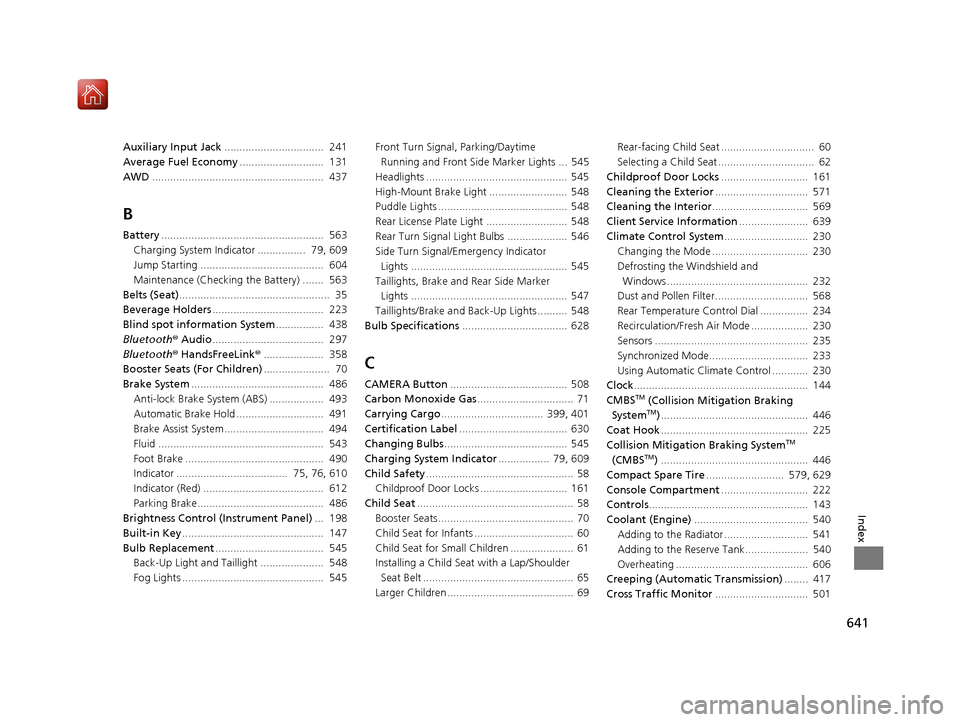
Auxiliary Input Jack................................. 241
Average Fuel Economy ............................ 131
AWD ......................................................... 437
B
Battery ...................................................... 563
Charging System Indicator ................ 79, 609
Jump Starting ......................................... 604
Maintenance (Checking the Battery) ....... 563
Belts (Seat) .................................................. 35
Beverage Holders ..................................... 223
Blind spot information System ................ 438
Bluetooth ® Audio ..................................... 297
Bluetooth ® HandsFreeLink ®.................... 358
Booster Seats (For Children) ...................... 70
Brake System ............................................ 486
Anti-lock Brake System (ABS) .................. 493
Automatic Brake Hold ............................. 491
Brake Assist System................................. 494
Fluid ....................................................... 543
Foot Brake .............................................. 490
Indicator ..................................... 75, 76, 610
Indicator (Red) ........................................ 612
Parking Brake.......................................... 486
Brightness Control (Instrument Panel) ... 198
Built-in Key ............................................... 147
Bulb Replacement .................................... 545
Back-Up Light and Taillight ..................... 548
Fog Lights ............................................... 545 Front Turn Signal,
Parking/Daytime
Running and Front Side Marker Lights ... 545
Headlights ............................................... 545
High-Mount Brake Light .......................... 548
Puddle Lights ........................................... 548
Rear License Plate Light ........................... 548
Rear Turn Signal Light Bulbs .................... 546
Side Turn Signal/Em ergency Indicator
Lights .................................................... 545
Taillights, Brake and Rear Side Marker
Lights .................................................... 547
Taillights/Brake and Back-Up Lights .......... 548
Bulb Specifications ................................... 628
C
CAMERA Button....................................... 508
Carbon Monoxide Gas ................................ 71
Carrying Cargo .................................. 399, 401
Certification Label .................................... 630
Changing Bulbs ......................................... 545
Charging System Indicator ................. 79, 609
Child Safety ................................................. 58
Childproof Door Locks ............................. 161
Child Seat .................................................... 58
Booster Seats ............................................. 70
Child Seat for Infants ................................. 60
Child Seat for Small Children ..................... 61
Installing a Child Seat with a Lap/Shoulder Seat Belt .................................................. 65
Larger Children .......................................... 69 Rear-facing Child Seat ............................... 60
Selecting a Child Seat ................................ 62
Childproof Door Locks ............................. 161
Cleaning the Exterior ............................... 571
Cleaning the Interior ................................ 569
Client Service Information ....................... 639
Climate Control System ............................ 230
Changing the Mode ................................ 230
Defrosting the Windshield and Windows ............................................... 232
Dust and Pollen Filter............................... 568
Rear Temperature Control Dial ................ 234
Recirculation/Fresh Air Mode ................... 230
Sensors ................................................... 235
Synchronized Mode................................. 233
Using Automatic Climate Control ............ 230
Clock .......................................................... 144
CMBSTM (Collision Mitigation Braking
SystemTM) ................................................. 446
Coat Hook ................................................. 225
Collision Mitigation Braking System
TM
(CMBSTM) ................................................. 446
Compact Spare Tire .......................... 579, 629
Console Compartment ............................. 222
Controls ..................................................... 143
Coolant (Engine) ...................................... 540
Adding to the Radiator ............................ 541
Adding to the Reserve Tank..................... 540
Overheating ............................................ 606
Creeping (Automatic Transmission) ........ 417
Cross Traffic Monitor ............................... 501
19 ACURA RDX-31TJB6000.book 641 ページ 2018年4月26日 木曜日 午後4時51分
Page 645 of 649
644
Index
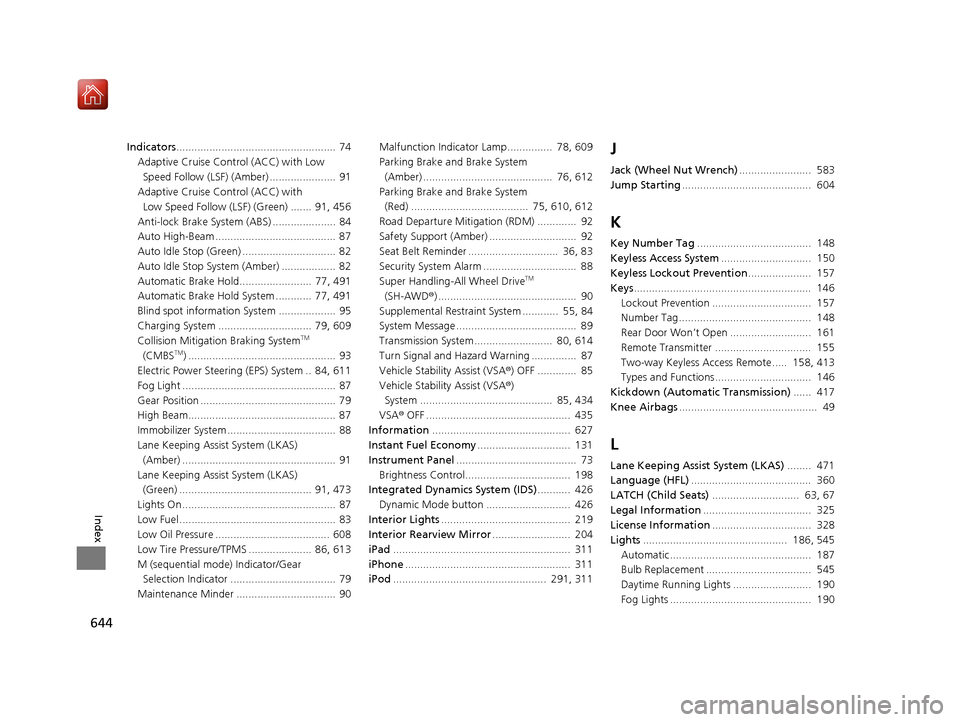
Indicators..................................................... 74
Adaptive Cruise Control (ACC) with Low
Speed Follow (LSF) (Amber) ...................... 91
Adaptive Cruise Control (ACC) with Low Speed Follow (LSF) (Green) ....... 91, 456
Anti-lock Brake System (ABS) ..................... 84
Auto High-Beam ........................................ 87
Auto Idle Stop (Green) ............................... 82
Auto Idle Stop System (Amber) .................. 82
Automatic Brake Hold........................ 77, 491
Automatic Brake Hold System ............ 77, 491
Blind spot information System ................... 95
Charging System ............................... 79, 609
Collision Mitigati on Braking System
TM
(CMBSTM) ................................................. 93
Electric Power Steering (EPS) System .. 84, 611
Fog Light ................................................... 87
Gear Position ............................................. 79
High Beam................................................. 87
Immobilizer System .................................... 88
Lane Keeping Assist System (LKAS) (Amber) ................................................... 91
Lane Keeping Assist System (LKAS) (Green) ............................................ 91, 473
Lights On ................................................... 87
Low Fuel .................................................... 83
Low Oil Pressure ...................................... 608
Low Tire Pressure/TPMS ..................... 86, 613
M (sequential mode ) Indicator/Gear
Selection Indicator ................................... 79
Maintenance Minder ................................. 90 Malfunction Indicator Lamp............... 78, 609
Parking Brake a
nd Brake System
(Amber) ........................................... 76, 612
Parking Brake a nd Brake System
(Red) ....................................... 75, 610, 612
Road Departure Mitigation (RDM) ............. 92
Safety Support (Amber) ............................. 92
Seat Belt Reminder .............................. 36, 83
Security System Alarm ............................... 88
Super Handling-All Wheel Drive
TM
(SH-AWD ®) .............................................. 90
Supplemental Restraint System ............ 55, 84
System Message ........................................ 89
Transmission System.......................... 80, 614
Turn Signal and Hazard Warning ............... 87
Vehicle Stability Assist (VSA ®) OFF ............. 85
Vehicle Stability Assist (VSA ®)
System ............................................ 85, 434
VSA ® OFF ................................................ 435
Information .............................................. 627
Instant Fuel Economy ............................... 131
Instrument Panel ........................................ 73
Brightness Control................................... 198
Integrated Dynamics System (IDS) ........... 426
Dynamic Mode button ............................ 426
Interior Lights ........................................... 219
Interior Rearview Mirror .......................... 204
iPad ........................................................... 311
iPhone ....................................................... 311
iPod ................................................... 291, 311
J
Jack (Wheel Nut Wrench) ........................ 583
Jump Starting ........................................... 604
K
Key Number Tag ...................................... 148
Keyless Access System .............................. 150
Keyless Lockout Prevention ..................... 157
Keys ........................................................... 146
Lockout Prevention ................................. 157
Number Tag............................................ 148
Rear Door Won’t Open ........................... 161
Remote Transmitter ................................ 155
Two-way Keyless Access Remote..... 158, 413
Types and Functions................................ 146
Kickdown (Automatic Transmission) ...... 417
Knee Airbags .............................................. 49
L
Lane Keeping Assist System (LKAS) ........ 471
Language (HFL) ........................................ 360
LATCH (Child Seats) ............................. 63, 67
Legal Information .................................... 325
License Information ................................. 328
Lights ................................................ 186, 545
Automatic............................................... 187
Bulb Replacement ................................... 545
Daytime Running Lights .......................... 190
Fog Lights ............................................... 190
19 ACURA RDX-31TJB6000.book 644 ページ 2018年4月26日 木曜日 午後4時51分