panoramic Acura RDX 2019 Owner's Manual
[x] Cancel search | Manufacturer: ACURA, Model Year: 2019, Model line: RDX, Model: Acura RDX 2019Pages: 649, PDF Size: 33 MB
Page 3 of 649
Contents
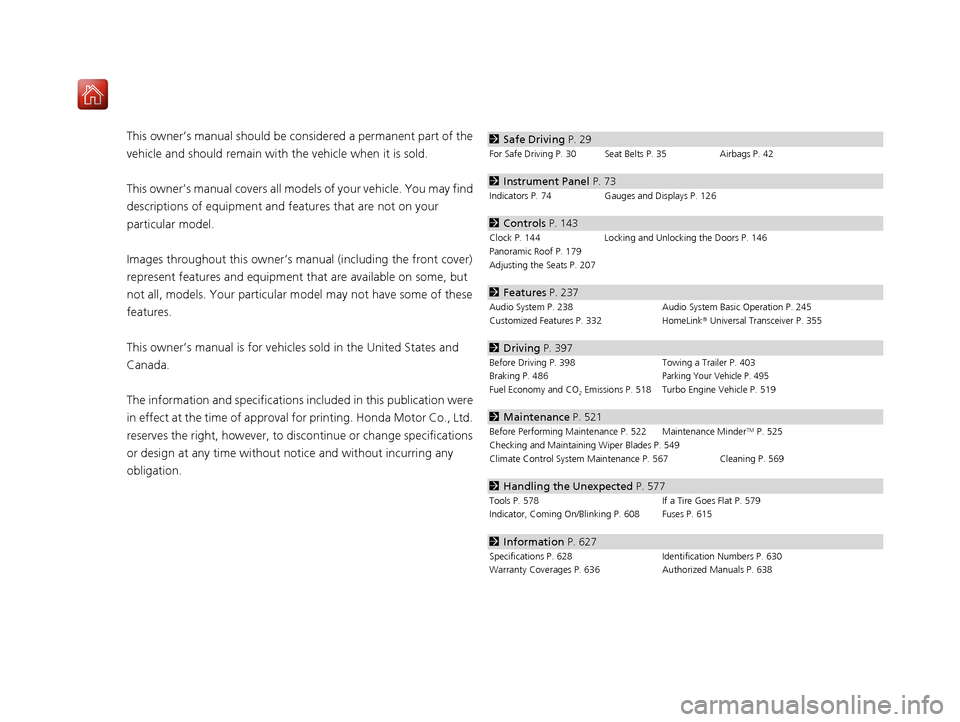
This owner’s manual should be considered a permanent part of the
vehicle and should remain with the vehicle when it is sold.
This owner’s manual covers all models of your vehicle. You may find
descriptions of equipment and features that are not on your
particular model.
Images throughout this owner’s manu al (including the front cover)
represent features and equipment that are available on some, but
not all, models. Your particular mo del may not have some of these
features.
This owner’s manual is for vehicles sold in the United States and
Canada.
The information and specifications in cluded in this publication were
in effect at the time of approval for printing. Honda Motor Co., Ltd.
reserves the right, however, to discontinue or change specifications
or design at any time without notice and without incurring any
obligation.2 Safe Driving P. 29
For Safe Driving P. 30 Seat Belts P. 35 Airbags P. 42
2Instrument Panel P. 73
Indicators P. 74 Gauges and Displays P. 126
2Controls P. 143
Clock P. 144 Locking and Unlocking the Doors P. 146
Panoramic Roof P. 179
Adjusting the Seats P. 207
2 Features P. 237
Audio System P. 238 Audio System Basic Operation P. 245
Customized Features P. 332 HomeLink® Universal Transceiver P. 355
2 Driving P. 397
Before Driving P. 398 Towing a Trailer P. 403
Braking P. 486Parking Your Vehicle P. 495
Fuel Economy and CO2 Emissions P. 518 Turbo Engine Vehicle P. 519
2 Maintenance P. 521
Before Performing Maintenance P. 522 Maintenance MinderTM P. 525
Checking and Maintaining Wiper Blades P. 549
Climate Control System Main tenance P. 567 Cleaning P. 569
2Handling the Unexpected P. 577
Tools P. 578 If a Tire Goes Flat P. 579
Indicator, Coming On/Blinking P. 608 Fuses P. 615
2 Information P. 627
Specifications P. 628 Identification Numbers P. 630
Warranty Coverages P. 636 Authorized Manuals P. 638
19 ACURA RDX-31TJB6000.book 2 ページ 2018年4月26日 木曜日 午後4時51分
Page 8 of 649
7
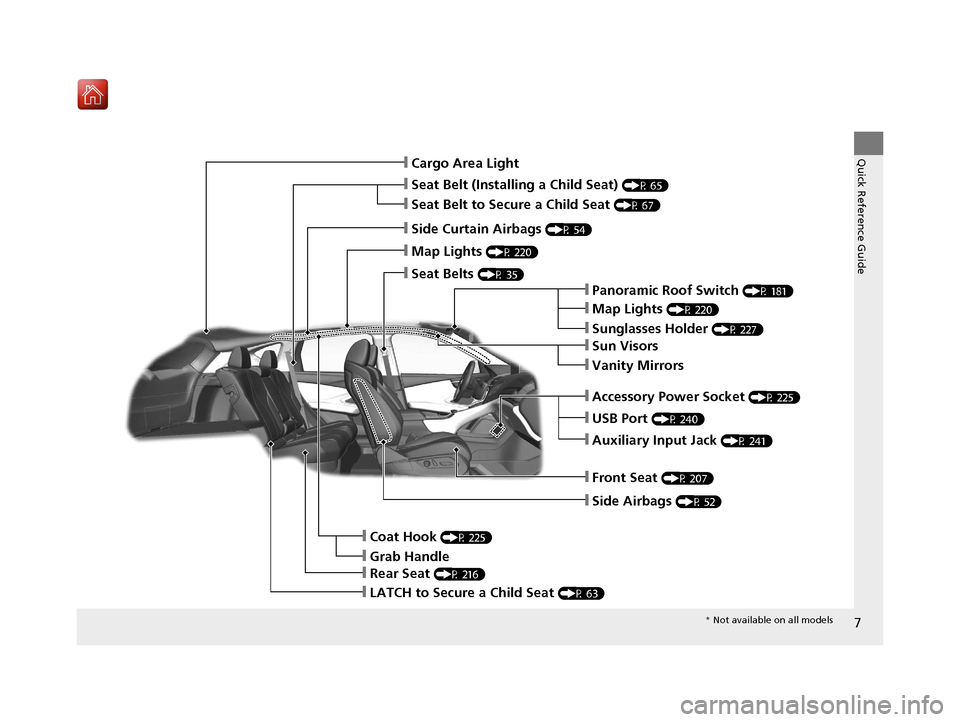
Quick Reference Guide❙Cargo Area Light
❙Seat Belt (Installing a Child Seat) (P 65)
❙Side Curtain Airbags (P 54)
❙Map Lights (P 220)
❙Seat Belts (P 35)
❙Panoramic Roof Switch (P 181)
❙Map Lights (P 220)
❙Sunglasses Holder (P 227)
❙USB Port (P 240)
❙Auxiliary Input Jack (P 241)
❙Front Seat (P 207)
❙Side Airbags (P 52)
❙Coat Hook (P 225)
❙LATCH to Secure a Child Seat (P 63)
❙Accessory Power Socket (P 225)
❙Rear Seat (P 216)
❙Sun Visors
❙Vanity Mirrors
❙Seat Belt to Secure a Child Seat (P 67)
❙Grab Handle
* Not available on all models
19 ACURA RDX-31TJB6000.book 7 ページ 2018年4月26日 木曜日 午後4時51分
Page 144 of 649
143
Controls
This chapter explains how to operate the various controls necessary for driving.
Clock.................................................. 144
Locking and Unlocking the Doors
Key Types and Functions .................. 146
Low Keyless Access Remote Signal Strength ......................................... 149
Locking/Unlocking the Doors from the Outside .......................................... 150
Locking/Unlocking the Doors from the
Inside ............................................. 159
Childproof Door Locks ..................... 161
Auto Door Locking/Unlocking .......... 162
Opening and Closing the Tailgate ... 163
Security System Immobilizer System .......................... 173 Security System Alarm...................... 173
Opening and Closing the Windows ... 176
Panoramic Roof ................................. 179
Operating the Switches Around the Steering Wheel
ENGINE START/STOP Button............. 182
Turn Signals ..................................... 185
Light Switches.................................. 186
Adaptive Front Lighting System (AFS)*.. 189Fog Lights*...................................... 190
Daytime Running Lights ................... 190
Auto High-Beam .............................. 191
Wipers and Washers ........................ 194
Brightness Control ........................... 198
Rear Defogger/Heated Door Mirror Button ........................................ 200
Heated Windshield Button ............... 200
Driving Position Memory System ...... 201
Adjusting the Steering Wheel .......... 203
Adjusting the Mirrors Interior Rearview Mirror ................... 204
Power Door Mirrors ......................... 205
Adjusting the Seats .......................... 207
Interior Lights/Interior Convenience Items ................................................ 219
Climate Control System Using Automatic Climate Control .... 230
Automatic Climate Control Sensors ... 235
* Not available on all models
19 ACURA RDX-31TJB6000.book 143 ページ 2018年4月26日 木曜日 午後4時51分
Page 178 of 649
177
uuOpening and Closing the Windows uOpening/Closing the Power Windows
Continued
Controls
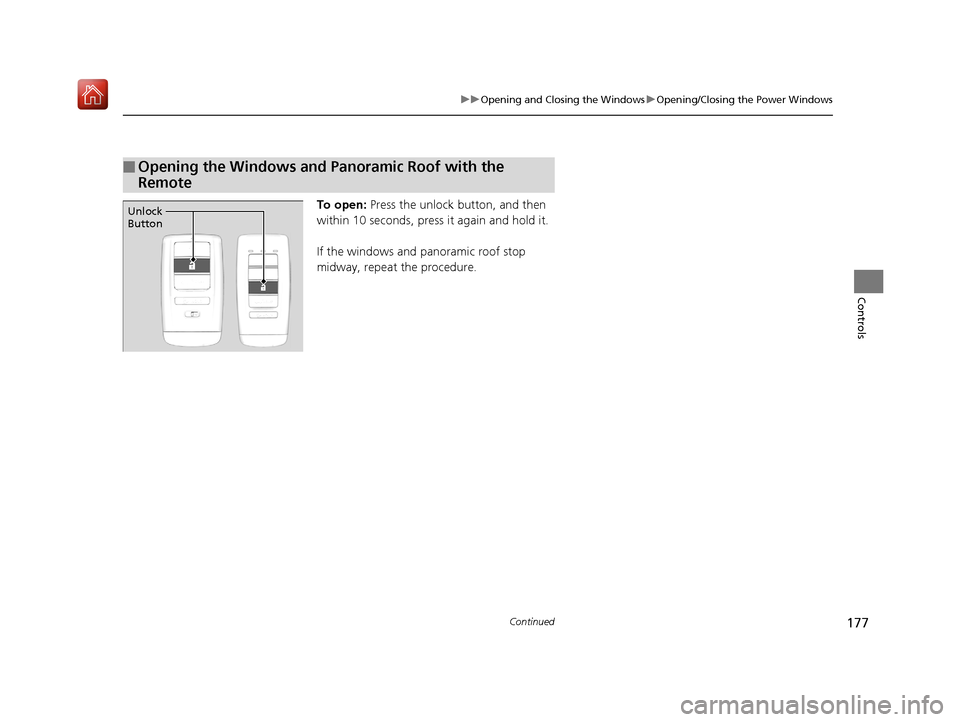
To open: Press the unlock button, and then
within 10 seconds, press it again and hold it.
If the windows and panoramic roof stop
midway, repeat the procedure.
■Opening the Windows and Panoramic Roof with the
Remote
Unlock
Button
19 ACURA RDX-31TJB6000.book 177 ページ 2018年4月26日 木曜日 午後4時51分
Page 179 of 649
178
uuOpening and Closing the Windows uOpening/Closing th e Power Windows
Controls
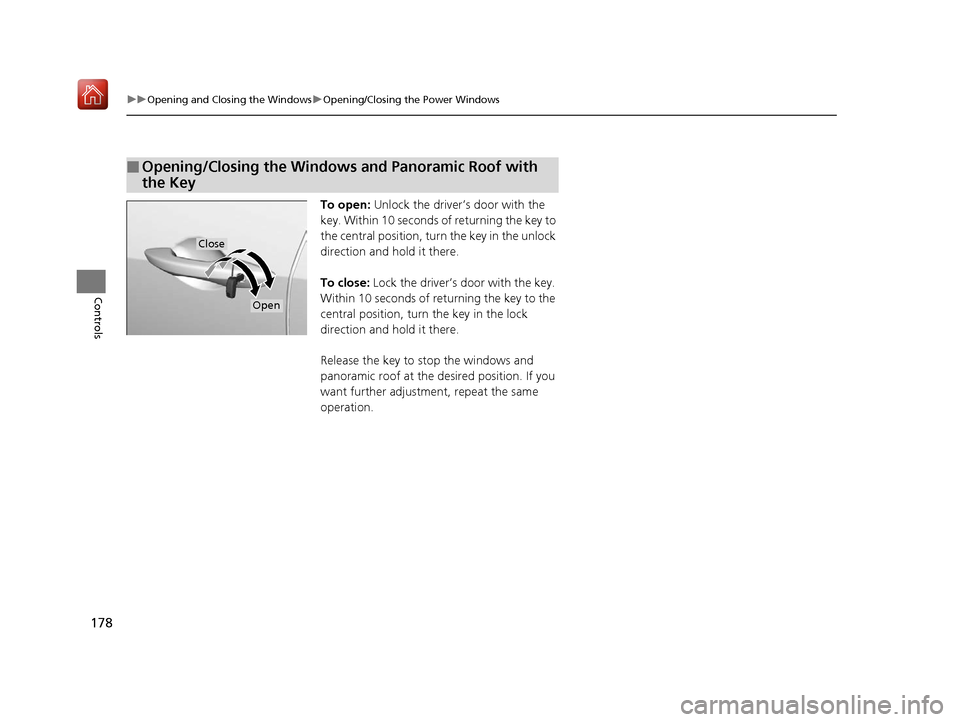
To open: Unlock the driver’s door with the
key. Within 10 seconds of returning the key to
the central position, turn the key in the unlock
direction and hold it there.
To close: Lock the driver’s door with the key.
Within 10 seconds of re turning the key to the
central position, turn the key in the lock
direction and hold it there.
Release the key to stop the windows and
panoramic roof at the desired position. If you
want further adjustment, repeat the same
operation.
■Opening/Closing the Windows and Panoramic Roof with
the Key
Close
Open
19 ACURA RDX-31TJB6000.book 178 ページ 2018年4月26日 木曜日 午後4時51分
Page 180 of 649
179Continued
Controls
Panoramic Roof
You can only operate the panoramic roof and sunshade when the power mode is in
ON. Use the switch in the front of the ceiling to open and close the panoramic roof
and sunshade.1Panoramic Roof
NOTICE
Opening the panoramic roof in below freezing
temperature or when it is covered with snow or ice
can damage the panoramic roof panel or motor.
The panoramic roof and s unshade can be operated
for up to 10 minutes after y ou set the power mode to
VEHICLE OFF (LOCK).
Opening either front door cancels this function.
When resistance is detected, the auto reverse
function causes the panoramic roof and sunshade to
change directions, then stop. Auto reverse stops
sensing when the panoramic roof and sunshade are
almost closed to ensure that it fully closes. Make sure
that all objects, including fingers, are clear of the
panoramic roof and sunshade.
3WARNING
Opening or closing the panoramic roof and
sunshade on someone’s hands or fingers
can cause serious injury.
Make sure all hands and fingers are clear of
the panoramic roof and sunshade before
opening or closing it.
19 ACURA RDX-31TJB6000.book 179 ページ 2018年4月26日 木曜日 午後4時51分
Page 181 of 649

uuPanoramic Roof u
180
Controls
■Automatic operation
To open: Pull the switch back firmly.
To open half: Push on the center of the
sunshade switch.
To close: Push the switch forward firmly.
The sunshade will automatically open or close
all the way. To stop the sunshade midway,
push the switch briefly.
■Manual operation
To open: Pull the switch back lightly, and
hold it until the desired position is reached.
To close: Push the switch fo rward lightly, and
hold it until the desired position is reached.
■Using the Sunshade Switch
1 Panoramic Roof
You can use the remote transmitter or the key to
operate the panoramic roof.
2 Opening the Windows and Panoramic
Roof with the Remote P. 177
2 Opening/Closing the Windows and
Panoramic Roof with the Key P. 178
1Using the Sunshade Switch
The sunshade can be opened or closed to adjust the
amount of light that enters the cabin.
When you use the sunshade switch to open the
sunshade, the panoramic roof does not move.
The sunshade cannot be full y closed if the panoramic
roof is open. When you close the sunshade with the
panoramic roof open, the sunshade stops slightly
before the panoramic roof. When you push the
switch forward again, the sunshade and the
panoramic roof close together.
Open
Half OpenClose
19 ACURA RDX-31TJB6000.book 180 ページ 2018年4月26日 木曜日 午後4時51分
Page 182 of 649
181
uuPanoramic Roof u
Controls
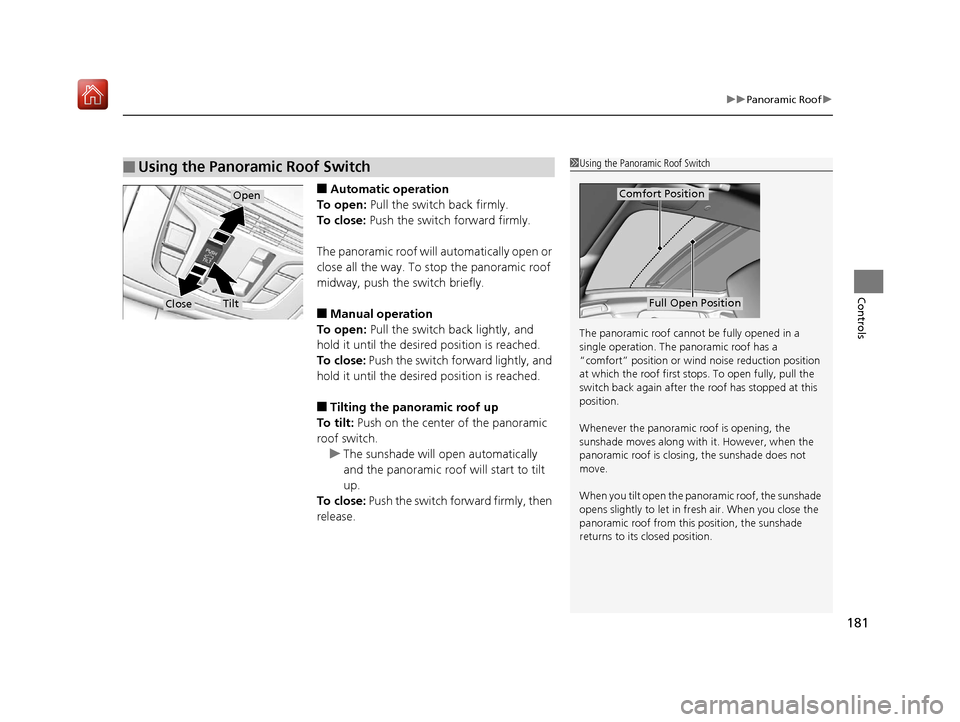
■Automatic operation
To open: Pull the switch back firmly.
To close: Push the switch forward firmly.
The panoramic roof will automatically open or
close all the way. To stop the panoramic roof
midway, push the switch briefly.
■Manual operation
To open: Pull the switch back lightly, and
hold it until the desired position is reached.
To close: Push the switch forward lightly, and
hold it until the desired position is reached.
■Tilting the panoramic roof up
To tilt: Push on the center of the panoramic
roof switch.
u The sunshade will open automatically
and the panoramic roof will start to tilt
up.
To close: Push the switch forward firmly, then
release.
■Using the Panoramic Roof Switch1 Using the Panoramic Roof Switch
The panoramic roof cannot be fully opened in a
single operation. The pa noramic roof has a
“comfort” position or wind noise reduction position
at which the roof first stops. To open fully, pull the
switch back again after the roof has stopped at this
position.
Whenever the panoramic roof is opening, the
sunshade moves along with it. However, when the
panoramic roof is closin g, the sunshade does not
move.
When you tilt open the panor amic roof, the sunshade
opens slightly to let in fr esh air. When you close the
panoramic roof from this position, the sunshade
returns to its closed position.
Comfort Position
Full Open Position
Open
CloseTilt
19 ACURA RDX-31TJB6000.book 181 ページ 2018年4月26日 木曜日 午後4時51分
Page 272 of 649
271
uuAudio System Basic Operation uVoice Control Operation
Continued
Features
Voice Control Operation
Your vehicle has a voice control syst em that allows hands-free operation.
The voice control system uses the (tal k) and (back) buttons on the steering
wheel and a microphone near the map lights on the ceiling.
To achieve optimum voice recognition when using the voice control system:
• The system recognize a natural langua ge and accept your free form voice
command.
An example of voice commands:
2 Voice Recognition Screen P. 272
•Close the windows and panoramic roof.
• Adjust the dashboard and side vents so air does not blow onto the microphone
on the ceiling.
• Speak clearly in a clear, natural speaking voice without pausing between words.
• Reduce any background noise if possible. The system may misinterpret your
command if more than one person is speaking at the same time.
■Voice Recognition
1Voice Control Operation
When you press the button, the system beeps and
the display changes to the voice recognition screen.
Press the (home) button, (back) button on
the true touchpad or APPS button on the steering
wheel to cancel a voice recognition function.
19 ACURA RDX-31TJB6000.book 271 ページ 2018年4月26日 木曜日 午後4時51分
Page 646 of 649
645
Index
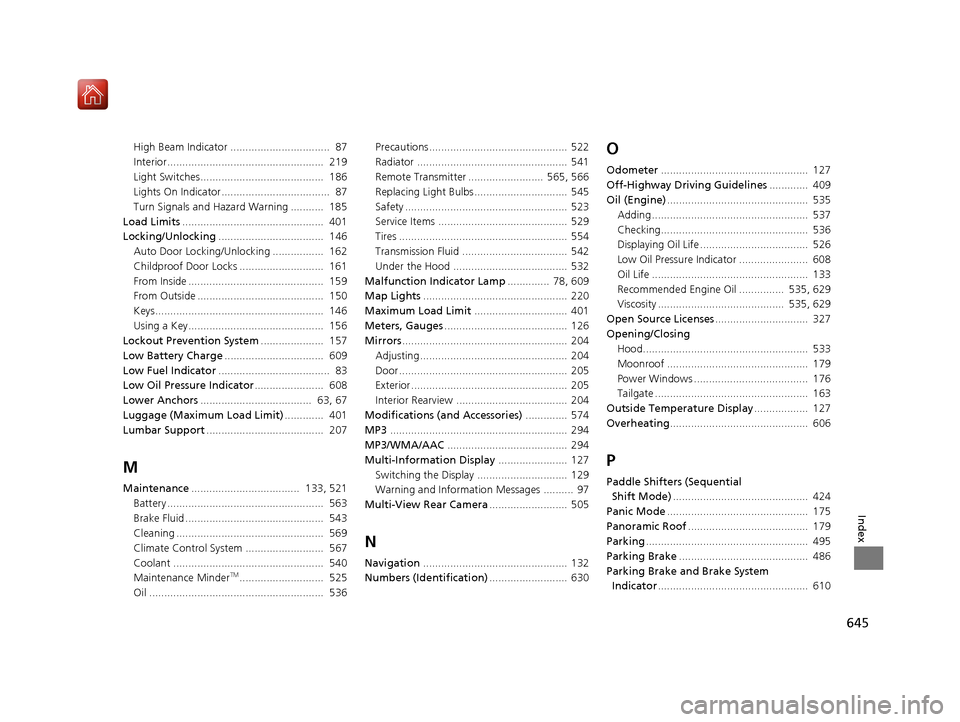
High Beam Indicator ................................. 87
Interior.................................................... 219
Light Switches......................................... 186
Lights On Indicator.................................... 87
Turn Signals and Hazard Warning ........... 185
Load Limits ............................................... 401
Locking/Unlocking ................................... 146
Auto Door Locking/Unlocking ................. 162
Childproof Door Locks ............................ 161
From Inside ............................................. 159
From Outside .......................................... 150
Keys........................................................ 146
Using a Key............................................. 156
Lockout Prevention System ..................... 157
Low Battery Charge ................................. 609
Low Fuel Indicator ..................................... 83
Low Oil Pressure Indicator ....................... 608
Lower Anchors ..................................... 63, 67
Luggage (Maximum Load Limit) ............. 401
Lumbar Support ....................................... 207
M
Maintenance.................................... 133, 521
Battery .................................................... 563
Brake Fluid .............................................. 543
Cleaning ................................................. 569
Climate Control System .......................... 567
Coolant .................................................. 540
Maintenance Minder
TM............................ 525
Oil .......................................................... 536 Precautions .............................................. 522
Radiator .................................................. 541
Remote Transmitter ......................... 565, 566
Replacing Light Bulbs ............................... 545
Safety ...................................................... 523
Service Items ........................................... 529
Tires ........................................................ 554
Transmission Fluid ................................... 542
Under the Hood ...................................... 532
Malfunction Indicator Lamp .............. 78, 609
Map Lights ................................................ 220
Maximum Load Limit ............................... 401
Meters, Gauges ......................................... 126
Mirrors ....................................................... 204
Adjusting ................................................. 204
Door........................................................ 205
Exterior .................................................... 205
Interior Rearview ..................................... 204
Modifications (and Accessories) .............. 574
MP3 ........................................................... 294
MP3/WMA/AAC ........................................ 294
Multi-Information Display ....................... 127
Switching the Display .............................. 129
Warning and Information Messages .......... 97
Multi-View Rear Camera .......................... 505
N
Navigation................................................ 132
Numbers (Identification) .......................... 630
O
Odometer................................................. 127
Off-Highway Driving Guidelines ............. 409
Oil (Engine) ............................................... 535
Adding .................................................... 537
Checking................................................. 536
Displaying Oil Life .................................... 526
Low Oil Pressure Indicator ....................... 608
Oil Life .................................................... 133
Recommended Engine Oil ............... 535, 629
Viscosity .......................................... 535, 629
Open Source Licenses ............................... 327
Opening/Closing Hood....................................................... 533
Moonroof ............................................... 179
Power Windows ...................................... 176
Tailgate ................................................... 163
Outside Temperature Display .................. 127
Overheating .............................................. 606
P
Paddle Shifters (Sequential
Shift Mode) ............................................. 424
Panic Mode ............................................... 175
Panoramic Roof ........................................ 179
Parking ...................................................... 495
Parking Brake ........................................... 486
Parking Brake and Brake System Indicator .................................................. 610
19 ACURA RDX-31TJB6000.book 645 ページ 2018年4月26日 木曜日 午後4時51分