Driver seat setting Acura RDX 2020 Owner's Manual
[x] Cancel search | Manufacturer: ACURA, Model Year: 2020, Model line: RDX, Model: Acura RDX 2020Pages: 657, PDF Size: 33.2 MB
Page 161 of 657
uuLocking and Unlocking the Doors uLocking/Unlocking the Doors from the Inside
160
Controls
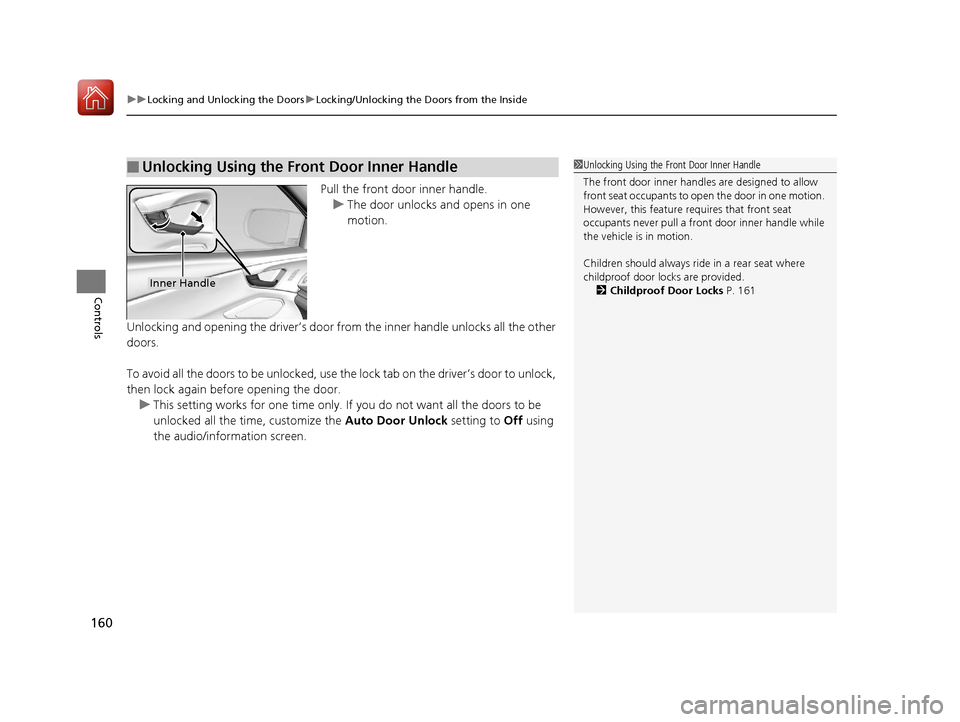
Pull the front door inner handle.
u The door unlocks and opens in one
motion.
Unlocking and opening the driver’s door from the inner handle unlocks all the other
doors.
To avoid all the doors to be unlocked, use the lock tab on the driver’s door to unlock,
then lock again before opening the door. u This setting works for one time only. If you do not want all the doors to be
unlocked all the time, customize the Auto Door Unlock setting to Off using
the audio/information screen.
■Unlocking Using the Front Door Inner Handle1 Unlocking Using the Front Door Inner Handle
The front door inne r handles are designed to allow
front seat occupants to open the door in one motion.
However, this feature requires that front seat
occupants never pull a front door inner handle while
the vehicle is in motion.
Children should always ride in a rear seat where
childproof door locks are provided.
2 Childproof Door Locks P. 161
Inner Handle
20 ACURA RDX-31TJB6111.book 160 ページ 2020年2月11日 火曜日 午後2時6分
Page 269 of 657
268
uuAudio System Basic Operation uAdjusting the Sound
Features
Adjusting the Sound
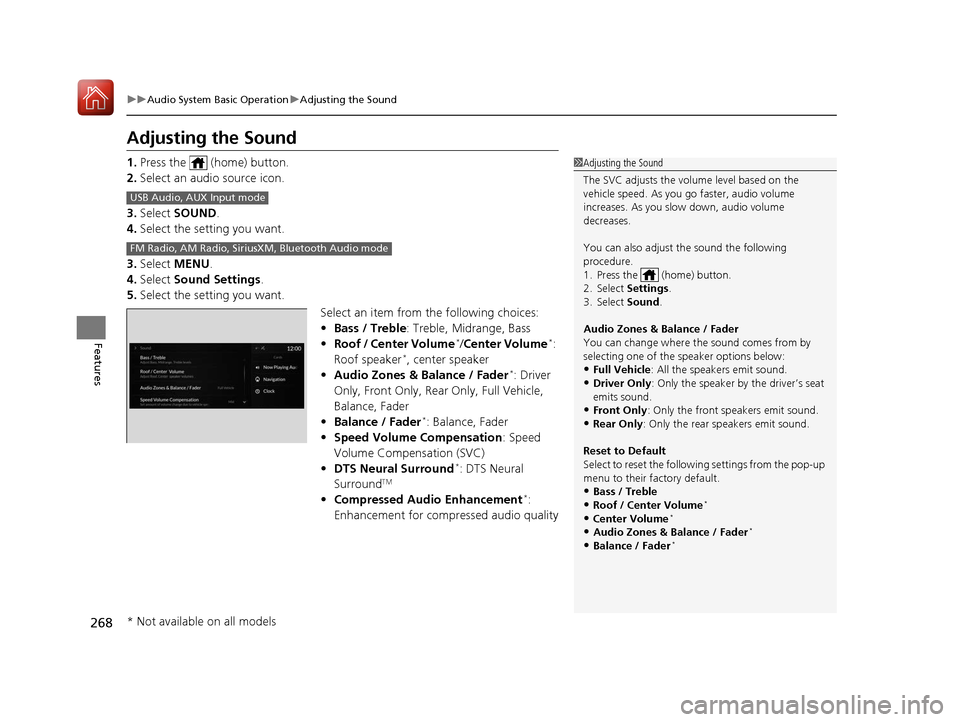
1. Press the (home) button.
2. Select an audio source icon.
3. Select SOUND .
4. Select the setting you want.
3. Select MENU .
4. Select Sound Settings .
5. Select the setting you want.
Select an item from the following choices:
•Bass / Treble : Treble, Midrange, Bass
• Roof / Center Volume
*/Center Volume*:
Roof speaker*, center speaker
• Audio Zones & Balance / Fader*: Driver
Only, Front Only, Rear Only, Full Vehicle,
Balance, Fader
• Balance / Fader
*: Balance, Fader
• Speed Volume Compensation : Speed
Volume Compensation (SVC)
• DTS Neural Surround
*: DTS Neural
SurroundTM
• Compressed Audio Enhancement*:
Enhancement for compressed audio quality
1 Adjusting the Sound
The SVC adjusts the volume level based on the
vehicle speed. As you go faster, audio volume
increases. As you slow down, audio volume
decreases.
You can also adjust the sound the following
procedure.
1. Press the (home) button.
2. Select Settings .
3. Select Sound .
Audio Zones & Balance / Fader
You can change where the sound comes from by
selecting one of the speaker options below:
•Full Vehicle: All the speakers emit sound. •Driver Only: Only the speaker by the driver’s seat
emits sound.
•Front Only : Only the front speakers emit sound.•Rear Only: Only the rear speakers emit sound.
Reset to Default
Select to reset the follow ing settings from the pop-up
menu to their factory default.
•Bass / Treble•Roof / Center Volume*
•Center Volume*
•Audio Zones & Balance / Fader*
•Balance / Fader*
USB Audio, AUX Input mode
FM Radio, AM Radio, Siri usXM, Bluetooth Audio mode
* Not available on all models
20 ACURA RDX-31TJB6111.book 268 ページ 2020年2月11日 火曜日 午後2時6分
Page 339 of 657
338
uuCustomized Features u
Features
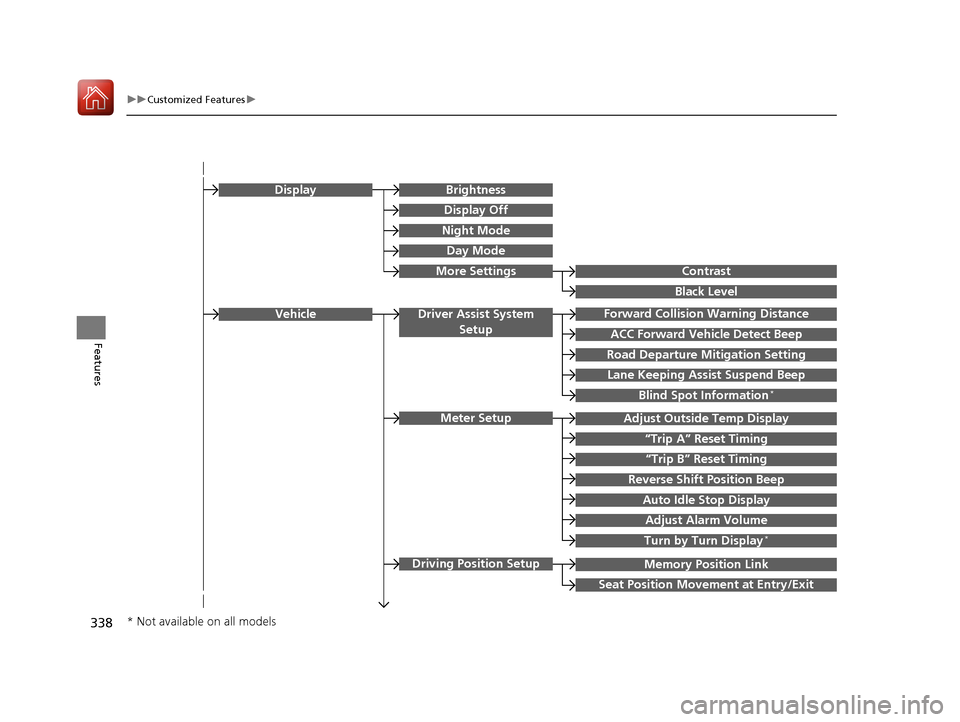
Memory Position Link
“Trip B” Reset Timing
Seat Position Movement at Entry/Exit
Adjust Outside Temp Display
“Trip A” Reset Timing
Meter Setup
Vehicle
Driving Position Setup
Reverse Shift Position Beep
Auto Idle Stop Display
Adjust Alarm Volume
Turn by Turn Display*
Road Departure Mitigation Setting
Forward Collision Warning Distance
ACC Forward Vehicle Detect Beep
Lane Keeping Assist Suspend Beep
Blind Spot Information*
Driver Assist System
Setup
Night Mode
Day Mode
BrightnessDisplay
Contrast
Black Level
More Settings
Display Off
* Not available on all models
20 ACURA RDX-31TJB6111.book 338 ページ 2020年2月11日 火曜日 午後2時6分
Page 351 of 657
350
uuCustomized Features u
Features
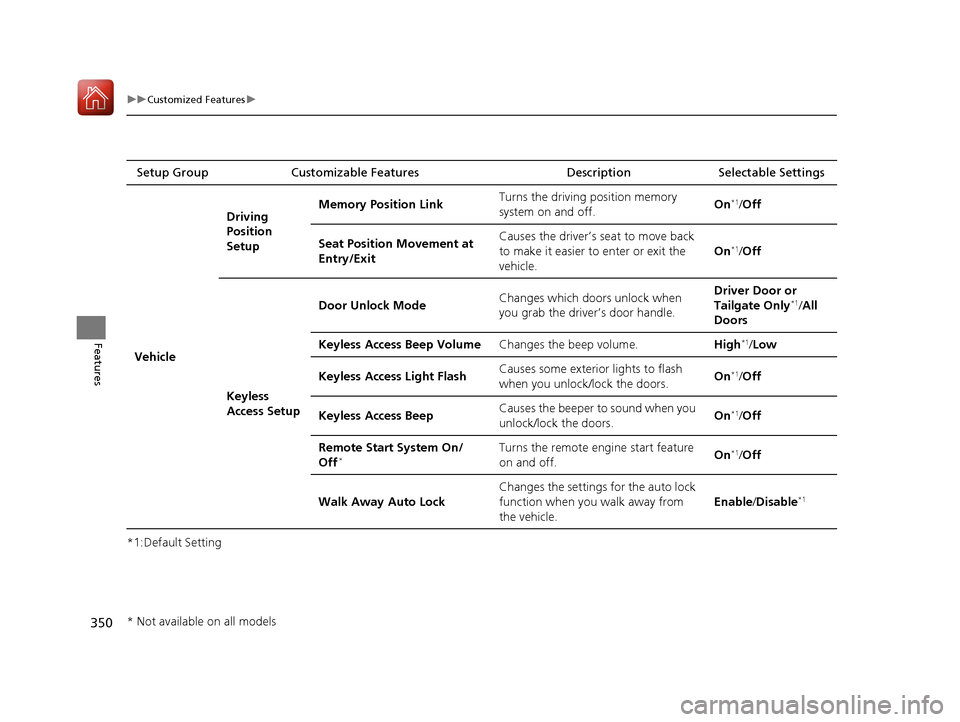
*1:Default SettingSetup Group Customizable Features Description Selectable Settings
Vehicle Driving
Position
Setup
Memory Position Link
Turns the driving position memory
system on and off. On
*1/
Off
Seat Position Movement at
Entry/Exit Causes the driver’s seat to move back
to make it easier to enter or exit the
vehicle.
On
*1/
Off
Keyless
Access Setup Door Unlock Mode
Changes which doors unlock when
you grab the driver’s door handle. Driver Door or
Tailgate Only
*1/
All
Doors
Keyless Access Beep Volume Changes the beep volume. High
*1/Low
Keyless Access Light Flash Causes some exterior lights to flash
when you unlock/lock the doors.
On
*1/
Off
Keyless Access Beep Causes the beeper to sound when you
unlock/lock the doors. On
*1/
Off
Remote Start System On/
Off
*Turns the remote engine start feature
on and off. On*1/
Off
Walk Away Auto Lock Changes the settings for the auto lock
function when you walk away from
the vehicle. Enable
/Disable
*1
* Not available on all models
20 ACURA RDX-31TJB6111.book 350 ページ 2020年2月11日 火曜日 午後2時6分