radio controls ACURA RDX 2023 User Guide
[x] Cancel search | Manufacturer: ACURA, Model Year: 2023, Model line: RDX, Model: ACURA RDX 2023Pages: 713, PDF Size: 21.99 MB
Page 300 of 713

uuAudio System Basic Operation uPlaying SiriusXM ® Radio
298
Features
1. Select MENU .
2. Select SiriusXM Settings .
3. Select Tune Mode .
4. Select All Channels or Within Category .
■To Change the Tune Mode1Playing SiriusXM ® Radio
In the channel mode, all available channels are
selectable. In the categor y mode, you can select a
channel within a ca tegory (Jazz, Rock, Classical, etc.).
There may be instances when SiriusXM ® Radio does
not broadcast all the data fi elds (artist name, title).
This does not indicate a problem with your audio
system.
SiriusXM ® Radio stations load in ascending order,
which can take about a minute. Once they have
loaded you will be able to scroll up or down to make
your selections.
Switching the Audio Mode
Press the APPS button on the steering wheel, then
select an item or select the audio source icon on the
home screen. 2 Audio Remote Controls P. 258
Tune Start:
When you change to a favorite channel, a song being
played on that channel restarts from the beginning
with this function. This can be turned on or off by the
following procedure.
1. Select MENU.
2. Select SiriusXM Settings .
3. Select Tune Start .
4. Select On or Off .
To change a category, select Category icons, or
select Channels and then select category item.
23 ACURA RDX-31TJB6400.book 298 ページ 2022年8月4日 木曜日 午後1時51分
Page 338 of 713
336
Features
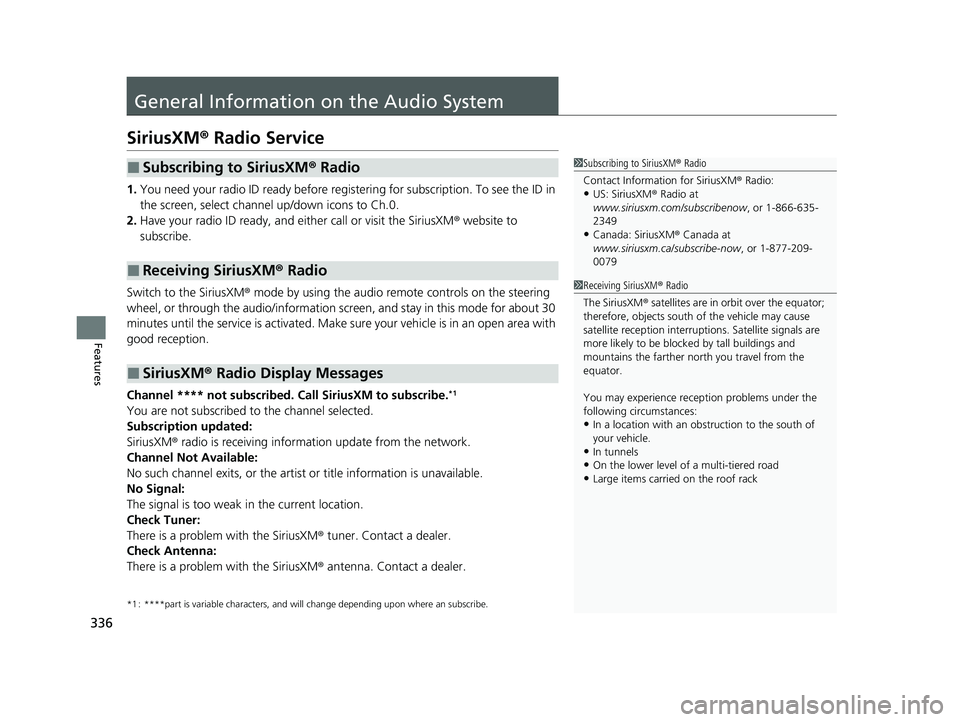
General Information on the Audio System
SiriusXM® Radio Service
1. You need your radio ID ready before registering for subscription. To see the ID in
the screen, select channel up/down icons to Ch.0.
2. Have your radio ID ready, and either call or visit the SiriusXM ® website to
subscribe.
Switch to the SiriusXM ® mode by using the audio remote controls on the steering
wheel, or through the audio/information screen, and stay in this mode for about 30
minutes until the service is activated. Make sure your vehicle is in an open area with
good reception.
Channel **** not subscribed. Ca ll SiriusXM to subscribe.
*1
You are not subscribed to the channel selected.
Subscription updated:
SiriusXM® radio is receiving informat ion update from the network.
Channel Not Available:
No such channel exits, or the artist or title information is unavailable.
No Signal:
The signal is too weak in the current location.
Check Tuner:
There is a problem with the SiriusXM ® tuner. Contact a dealer.
Check Antenna:
There is a problem with the SiriusXM ® antenna. Contact a dealer.
*1 : ****part is variable characters, and w ill change depending upon where an subscribe.
■Subscribing to SiriusXM® Radio
■Receiving SiriusXM ® Radio
■SiriusXM ® Radio Display Messages
1 Subscribing to SiriusXM ® Radio
Contact Information for SiriusXM ® Radio:
•US: SiriusXM ® Radio at
www.siriusxm.com/subscribenow , or 1-866-635-
2349
•Canada: SiriusXM ® Canada at
www.siriusxm.ca/subscribe-now , or 1-877-209-
0079
1 Receiving SiriusXM ® Radio
The SiriusXM ® satellites are in orbit over the equator;
therefore, objects south of the vehicle may cause
satellite reception interruptions. Sa tellite signals are
more likely to be blocked by tall buildings and
mountains the farther north you travel from the
equator.
You may experience rece ption problems under the
following circumstances:
•In a location with an obstruction to the south of
your vehicle.
•In tunnels•On the lower level of a multi-tiered road
•Large items carried on the roof rack
23 ACURA RDX-31TJB6400.book 336 ページ 2022年8月4日 木曜日 午後1時51分
Page 704 of 713

Index
702
Index
Index
A
ABS (Anti-lock Brake System)................... 553
Accessories and Modifications ................. 636
Accessory Power Socket ........................... 239
Acura Integrated Dynamics System ......... 459
Dynamic Mode Switch ............................. 460
AcuraLink® ............................................... 419
AcuraWatch
TM........................................... 483
Adaptive Cruise Control (ACC) with Low Speed Follow ........................... 102, 502
Additives
Coolant ................................................... 600
Engine Oil ................................................ 595
Washer .................................................... 604
Additives, Engine Oil ................................ 595
Adjusting Armrest ................................................... 229
Front Seats .............................................. 216
Head Restraints........................................ 225
Mirrors .................................................... 213
Rear Seats................................................ 222
Steering Wheel ........................................ 212
Agile Handling Assist ................................ 473
Air Conditioning System (Climate Control System) .................................................... 247
Changing the Mode ................................ 247
Defrosting the Windshield and Windows ............................................... 249
Dust and Pollen Filter ............................... 628
Rear Temperature Control Dial................. 251
Recirculation/Fresh Air Mode ................... 247 Sensors ................................................... 252
Synchronized Mode................................. 250
Using Automatic Climate Control ............ 247
Air Pressure ....................................... 615, 691
Airbags ........................................................ 46
Advanced Airbags ..................................... 52
After a Collision ........................................ 49
Airbag Care............................................... 63
Front Airbags (SRS) .................................... 49
Indicator.............................................. 60, 95
Knee Airbags............................................. 54
Passenger Airbag Off Indicator .................. 61
Sensors ..................................................... 46
Side Airbags .............................................. 57
Side Curtain Airbags.................................. 59
AM/FM Radio ............................................ 293
Amazon Alexa .......................................... 289
Android Auto
TM........................................ 327
Anti-lock Brake System (ABS) .................. 553
Indicator.................................................... 94
Apple CarPlay ........................................... 322
Armrest ..................................................... 229
AT&T Hotspot ........................................... 321
Audio Remote Controls ........................... 258
Audio System ............................................ 254
Adjusting the Sound................................ 287
Audio/Information Screen........................ 264
Display Setup .......................................... 288
Error Messages ........................................ 332
General Information ................................ 336
Home Screen........................................... 269 How to Update Wirelessly ....................... 281
How to Update with a USB Device .......... 285
iPod ........................................................ 310
Limitations for Manual Operation ............ 288
MP3/WMA/AAC ..................................... 313
Reactivating ............................................ 257
Remote Controls ..................................... 258
Security Code ......................................... 257
Status Area ............................................. 274
System Updates ...................................... 281
Theft Protection ...................................... 257
True Touchpad Interface ......................... 261
USB Flash Drives.............................. 313, 338
USB Ports ................................................ 255
Audio/Information Screen ....................... 264
Authorized Manuals ................................ 700
Auto Door Locking/Unlocking ................ 172
Auto High-Beam ...................................... 201
Indicator ................................................... 98
Auto Idle Stop .......................................... 464
OFF Button ............................................. 466
Automatic Brake Hold ............................. 550
Indicator ........................................... 85, 550
Automatic Folding Door Mirror .............. 215
Automatic Intermittent Wipers .............. 205
Automatic Lighting .................................. 198
Automatic Transmission .......................... 450
Creeping................................................. 450
Fluid ....................................................... 602
Kickdown ............................................... 450
Operating the Shift Button ...................... 453
23 ACURA RDX-31TJB6400.book 702 ページ 2022年8月4日 木曜日 午後1時51分