brake light ACURA RDX 2023 Owner's Manual
[x] Cancel search | Manufacturer: ACURA, Model Year: 2023, Model line: RDX, Model: ACURA RDX 2023Pages: 713, PDF Size: 21.99 MB
Page 511 of 713

Continued509
uuAcuraWatchTMuAdaptive Cruise Control (ACC) with Low Speed Follow
Driving
The system may automatically shut off u nder certain conditions. Some examples of
these conditions are listed below. Othe r conditions may reduce some of the ACC
with Low Speed Follow functions.
2 Front Sensor Camera P. 541
2 Radar Sensor P. 543
■Environmental conditions
Driving in bad weather (r ain, fog, snow, etc.).
■Roadway conditions
Driving on a snowy or wet roadway (obscured lane marking, vehicle tracks, reflected
lights, road spra y, high contrast).
■Vehicle conditions
• The outside of the windshield is blocked by dirt, mud, leaves, wet snow, etc.
• An abnormal tire or wheel condition (inco rrect sizes, varied sizes or construction,
improperly inflated, compact spare tire
*, etc.).
• The camera temperature gets too high.
• The parking brake is applied.
• The radar sensor cover is dirty.
• The vehicle is tilted due to a heavy load or suspension modifications.
• Tire chains are installed.
• The vehicle is towing a trailer.
■ACC with Low Speed Follow Conditions and Limitations1ACC with Low Speed Follow Conditions and Limitations
If you need the radar sensor to be repaired, or
removed, or the radar se nsor cover is strongly
impacted, turn off the system by pressing the
button and take your vehicle to a dealer.
Have your vehicle checked by a dealer if you find any
unusual behavior of the system (e.g., the warning
message appears too frequently).
If the front of the vehicle is impacted in any of the
following situations, the ra dar sensor may not work
properly. Have your vehi cle checked by a dealer:
•The vehicle mounted onto a bump, curb, chock,
embankment, etc.
•You drive the vehicle where water is deep.
•Your vehicle has a frontal collision.
* Not available on all models
23 ACURA RDX-31TJB6400.book 509 ページ 2022年8月4日 木曜日 午後1時51分
Page 526 of 713

uuAcuraWatchTMuLane Keeping Assist System (LKAS)
524
Driving
The system can be used when the following conditions are met.
• The lane in which you are driving has dete ctable lane markers on both sides, and
your vehicle is in the center of the lane.
• The vehicle is traveling between about 45 and 90 mph (72 and 145 km/h).
• You are driving on a straight or slightly curved road.
• The turn signals are off.
• The brake pedal is not depressed.
• The wipers are not in high speed operation.
■How to activate the system
1.Press the LKAS button.
u LKAS indicator (white) and lane outlines
appear on the multi-information display.
The system is ready to use.
■When the System can be Used1When the System can be Used
If the vehicle drifts toward ei ther left or right lane line
due to the system applying torque, turn off the LKAS
and have your vehicle checked by a dealer.
LKAS Button
(white)
23 ACURA RDX-31TJB6400.book 524 ページ 2022年8月4日 木曜日 午後1時51分
Page 533 of 713
Continued531
uuAcuraWatchTMuRoad Departure Mitigation System
Driving
The system activates when all of the following conditions are met:
• The vehicle is traveling between about 45 and 90 mph (72 and 145 km/h).
• The vehicle is on a straight or slightly curved road.
• The turn signals are off.
• The brake pedal is not depressed.
• The wipers are not in high speed operation.
• The system makes a determination that th e driver is not actively accelerating,
braking, or steering.
■How the System Activates1 How the System Activates
The Road Departure Mi tigation system may
automatically shut off a nd the indicator comes and
stays on. 2 Indicators P. 80
Road Departure Mi tigation system function can be
impacted when the vehicle is:
•Not driven within a traffic lane.
•Driven on the inside edge of a curve, or outside of
a lane.
•Driven in a narrow lane.
23 ACURA RDX-31TJB6400.book 531 ページ 2022年8月4日 木曜日 午後1時51分
Page 547 of 713
545Continued
Driving
Braking
Brake System
Use the parking brake to keep the vehicle stationary when parked. When the
parking brake is applied, you can manu ally or automatically release it.
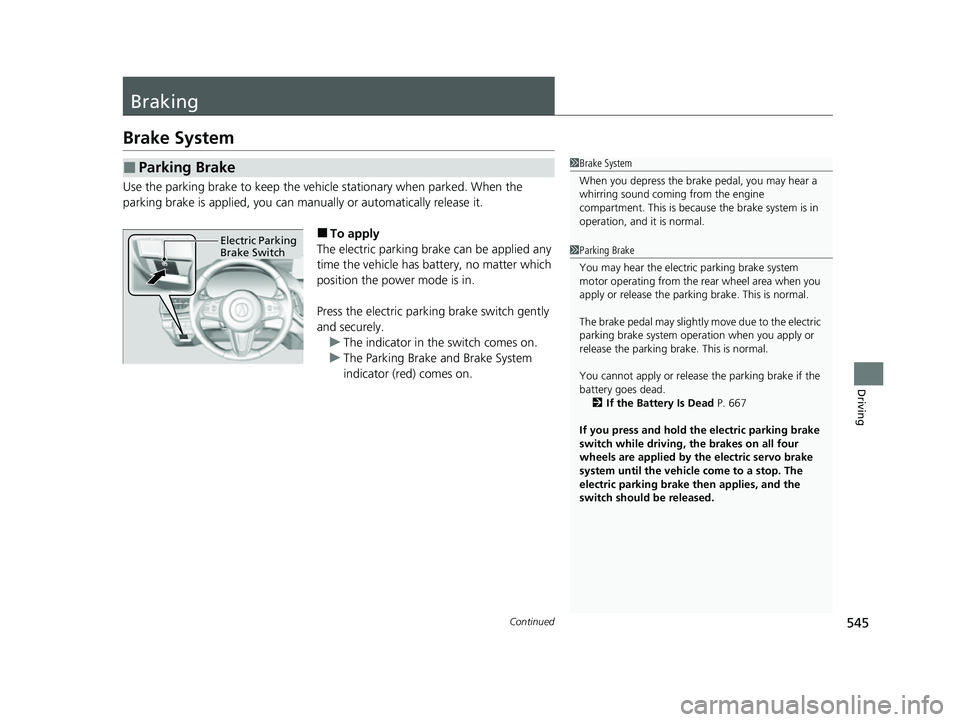
■To apply
The electric parking brake can be applied any
time the vehicle has battery, no matter which
position the power mode is in.
Press the electric parking brake switch gently
and securely. u The indicator in the switch comes on.
u The Parking Brake and Brake System
indicator (red) comes on.
■Parking Brake1Brake System
When you depress the brak e pedal, you may hear a
whirring sound coming from the engine
compartment. This is because the brake system is in
operation, and it is normal.
1Parking Brake
You may hear the electric parking brake system
motor operating from the re ar wheel area when you
apply or release the parking brake. This is normal.
The brake pedal may slightly move due to the electric
parking brake system opera tion when you apply or
release the parking br ake. This is normal.
You cannot apply or release the parking brake if the
battery goes dead. 2 If the Battery Is Dead P. 667
If you press and hold the electric parking brake
switch while driving, the brakes on all four
wheels are applied by the electric servo brake
system until the vehicle come to a stop. The
electric parking brake then applies, and the
switch should be released.Electric Parking
Brake Switch
23 ACURA RDX-31TJB6400.book 545 ページ 2022年8月4日 木曜日 午後1時51分
Page 551 of 713

Continued549
uuBraking uBrake System
Driving
Your vehicle is equipped with disc brakes at all four wheels. The brake assist system
increases the stopping force when you depress the brake pedal hard in an
emergency situation. The an ti-lock brake system (ABS) helps you retain steering
control when brak ing very hard.
2Brake Assist System P. 554
2 Anti-lock Brake System (ABS) P. 553
■Foot Brake1Foot Brake
Check the brakes after driving through deep water,
or if there is a buildup of road surface water. If
necessary, dry the brakes by lightly depressing the
pedal several times.
If you hear a continuous me tallic friction sound when
applying the brakes, this is caused by the brake wear
indicator rubbing on the brake rotor and indicates
that the brake pads need to be replaced. Have the
vehicle checked by a deal er. If you hear only an
occasional squeak or squeal when you initially apply
the brake pedal, this may be normal and caused by
high frequency vibr ation of the brake pads against
the rotating brake disc.
Constantly using the brake pedal while going down a
long hill builds up heat, which reduces the brake
effectiveness. Apply engine braking by taking your
foot off the accelerator pe dal and downshifting to a
lower gear.
Do not rest your foot on the brake pedal while
driving, as it will lightly apply the brakes and cause
them to lose effectiveness over time and reduce pad
life. It will also conf use drivers behind you.
Whenever the brakes are activated by CMBS
TM or
another system that automa tically controls braking,
the brake pedal is depressed and released in
accordance with braking function.
23 ACURA RDX-31TJB6400.book 549 ページ 2022年8月4日 木曜日 午後1時51分
Page 552 of 713

uuBraking uBrake System
550
Driving
Keeps the brake applied after releasing the brake pedal until the accelerator pedal is
pressed. You can use this system while the vehicle is temporarily stopped, like at
traffic lights and in heavy traffic.
■Automatic Brake Hold1Automatic Brake Hold
3WARNING
Activating the automatic brake hold system
on steep hills or slippery roads may still
allow the vehicle to move if you remove
your foot from the brake pedal.
If a vehicle unexpectedly moves, it may
cause a crash resulting in serious injury or
death.
Never activate the automatic brake hold
system or rely on it to keep a vehicle from
moving when stopped on a steep hill or
slippery roads.
3WARNING
Using the automatic brake hold system to
park the vehicle may result in the vehicle
unexpectedly moving.
If a vehicle moves unexpectedly, it may
cause a crash, resulting in serious injury or
death.
Never leave the vehicle when braking is
temporarily kept by automatic brake hold
and always park the vehicle by putting the
transmission in
( P and applying the parking
brake.
■Turning on the system
Fasten your seat belt
properly, then start the
engine. Press the
automatic brake hold
button.
●The automatic brake
hold system indicator
comes on. The system
is turned on.
■Activating the system
Depress the brake pedal
to come to a complete
stop. The transmission
must not be in
( P or (R.●The automatic brake
hold system indicator
changes to the
automatic brake hold
indicator. Braking is
kept for up to 10
minutes.
●Release the brake
pedal after the
automatic brake hold
indicator comes on.
■Canceling the system
Depress the accelerator
pedal while the
transmission is in a
position other than
( P
or ( N. The system is
canceled and the vehicle
starts to move.
●The automatic brake
hold indicator changes
to the automatic
brake hold system
indicator. The system
continues to be on. Accelerator
Pedal
Brake
Pedal
Automatic
Brake Hold
Button
Comes On
Changes toChanges to
U.S.Canada
23 ACURA RDX-31TJB6400.book 550 ページ 2022年8月4日 木曜日 午後1時51分
Page 555 of 713

553
uuBraking uAnti-lock Brake System (ABS)
Driving
Anti-lock Brake System (ABS)
Helps prevent the wheels from locking up, and helps you retain steering control by
pumping the brakes rapidly, much faster than you can.
The electronic brake distribu tion (EBD) system, which is part of the ABS, also
balances the front-to-rear braking distribution according to vehicle loading.
You should never pump the brake pedal. Let the ABS work for you by always
keeping firm, steady pressure on the brake pe dal. This is sometimes referred to as
“stomp and steer.”
■ABS operation
The brake pedal may pulsate slightly when the ABS is working. Depress the brake
pedal and keep holding the pedal firmly do wn. On dry pavement, you will need to
press on the brake pedal very hard before th e ABS activates. However, you may feel
the ABS activate immediately if you are trying to stop on snow or ice.
ABS may activate when you depres s the brake pedal when driving on:
• Wet or snow covered roads.
• Roads paved with stone.
• Roads with uneven surf aces, such as potholes, cracks, manholes, etc.
When the vehicle speed goes under 6 mph (10 km/h), the ABS stops.
■ABS1Anti-lock Brake System (ABS)
NOTICE
The ABS may not function correctly if you use a tire of
the incorrect size or type.
If the ABS indicator comes on while driving, there
may be a problem with the system.
While normal braking will not be affected, there is a
possibility that the ABS wi ll not be operating. Have
your vehicle checked by a dealer immediately.
The ABS is not designed for the purpose of reducing
the time or distance it takes for a vehicle to stop: It is
designed to limit brake lo ckup which can lead to
skidding and loss of steering control.
In the following cases, yo ur vehicle may need more
distance to stop than a vehicle without the ABS:
•You are driving on rough or uneven road surfaces,
such as gravel or snow.
•The tires are equipped with tire chains.
The following may be observed with the ABS system:
•Motor sounds coming from the engine
compartment when the brakes are applied, or
when system checks are being performed after the
engine has been started and while the vehicle
accelerates.
•Brake pedal and/or the vehicle body vibration when
ABS activates.
These vibrations and sounds are normal to ABS
systems and are no cause for concern.
23 ACURA RDX-31TJB6400.book 553 ページ 2022年8月4日 木曜日 午後1時51分
Page 556 of 713
554
uuBraking uBrake Assist System
Driving
Brake Assist System
Designed to assist the driver by generating greater braking force when you depress
the brake pedal hard during emergency braking.
■Brake assist system operation
Press the brake pedal firmly for more powerful braking.
When brake assist operates, the pedal ma y wiggle slightly and an operating noise
may be heard. This is normal. Keep holding the brake pedal firmly down.
23 ACURA RDX-31TJB6400.book 554 ページ 2022年8月4日 木曜日 午後1時51分
Page 583 of 713

581
Maintenance
This chapter discusses basic maintenance.
Before Performing MaintenanceInspection and Maintenance ............ 582
Safety When Performing Maintenance ..583
Parts and Fluids Used in Maintenance Service ........................................... 584
Maintenance Minder
TM..................... 585
Maintenance Under the Hood Maintenance Items Under the Hood .. 592
Opening the Hood ........................... 593
Engine Compartment Cover ............. 594
Recommended Engine Oil ................ 595
Oil Check ......................................... 596
Adding Engine Oil ............................ 597 Changing the Engine Oi
l and Oil Filter .. 598
Engine Coolant ................................ 600
Transmission Fluid ............................ 602
Brake Fluid ....................................... 603
Refilling Window Wa sher Fluid......... 604
Replacing Light Bulbs ....................... 605Checking and Maintaining Wiper
Blades .......................................... 609
Checking and Maintaining Tires
Checking Tires ................................. 614
Tire and Loading Information Label .. 615
Tire Labeling .................................... 615
DOT Tire Quality Grading (U.S. Vehicles).. 617
Wear Indicators ............................... 619
Tire Service Life ................................ 619
Tire and Wheel Replacement ........... 620
Tire Rotation .................................... 621
Winter Tires ..................................... 622
Battery ............................................... 623
Remote Transmitter Care Replacing the Remote Battery .......... 625
Climate Control System Maintenance.. 627Cleaning
Interior Care .................................... 629
Exterior Care.................................... 632
Accessories and Modifications ........ 636
23 ACURA RDX-31TJB6400.book 581 ページ 2022年8月4日 木曜日 午後1時51分
Page 584 of 713

582
Maintenance
Before Performing Maintenance
Inspection and Maintenance
For your safety, perform all listed inspections and maintenance to keep your vehicle
in good condition. If you become aware of an y abnormality (noise, smell, insufficient
brake fluid, oil residue on the ground, etc.), have your vehicle inspected by a dealer.
(Note, however, that service at a dealer is not mandatory to keep your warranties in
effect.) Refer to the separate maintena nce booklet for detailed maintenance and
inspection information.
■Routine inspections
Perform inspections before long distance tri ps, when washing the vehicle, or when
refueling.
2 Maintenance P. 26
■Periodic inspections
• Check the brake fluid level monthly.
2 Checking the Brake Fluid P. 603
•Check the tire pressure monthly. Examin e the tread for wear and foreign objects.
2Checking and Maintaining Tires P. 614
•Check the operation of the exterior lights monthly.
2 Replacing Light Bulbs P. 605
•Check the condition of the wiper bl ades at least every six months.
2Checking and Maintaining Wiper Blades P. 609
■Types of Inspection and Maintenance
1Inspection and Maintenance
Maintenance, replacement, or repair of
emissions control devices and systems may be
done by any automotive repair establishment or
individuals using parts that are “certified” to
EPA standards.
According to state and fede ral regulations, failure to
perform maintenance on the maintenance main
items marked with # will not void your emissions
warranties. However, all ma intenance services should
be performed in accordan ce with the intervals
indicated by the mult i-information display.
2 Maintenance Service Items P. 589
If you want to perform complex maintenance tasks
that require more skills a nd tools, you can purchase a
subscription to the Service Express website at
www.techinfo.acura.com .
2 Authorized Manuals P. 700
If you want to perform ma intenance yourself, make
sure that you have the necessary tools and skills first.
After performing maintenanc e, update the records in
the separate maintenance booklet.
U.S. models
23 ACURA RDX-31TJB6400.book 582 ページ 2022年8月4日 木曜日 午後1時51分