audio ACURA RDX 2023 Owner's Guide
[x] Cancel search | Manufacturer: ACURA, Model Year: 2023, Model line: RDX, Model: ACURA RDX 2023Pages: 713, PDF Size: 21.99 MB
Page 264 of 713
262
uuAudio System Basic Operation uTrue Touchpad Interface
Features
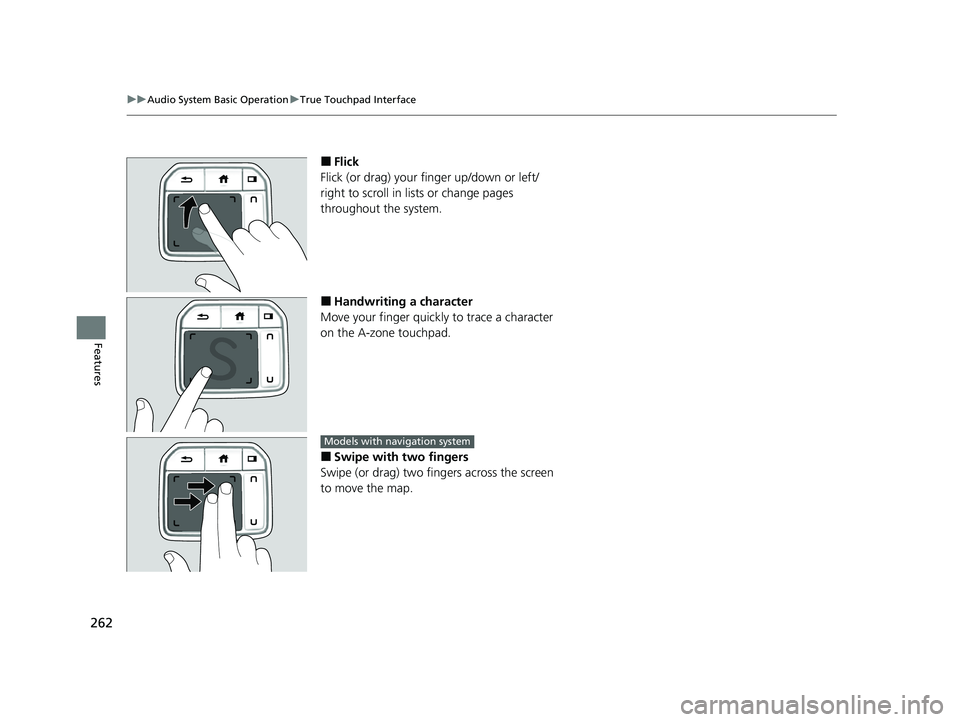
■Flick
Flick (or drag) your finger up/down or left/
right to scroll in lists or change pages
throughout the system.
■Handwriting a character
Move your finger quickl y to trace a character
on the A-zone touchpad.
■Swipe with two fingers
Swipe (or drag) two fing ers across the screen
to move the map.
Models with navigation system
23 ACURA RDX-31TJB6400.book 262 ページ 2022年8月4日 木曜日 午後1時51分
Page 265 of 713
263
uuAudio System Basic Operation uTrue Touchpad Interface
Features
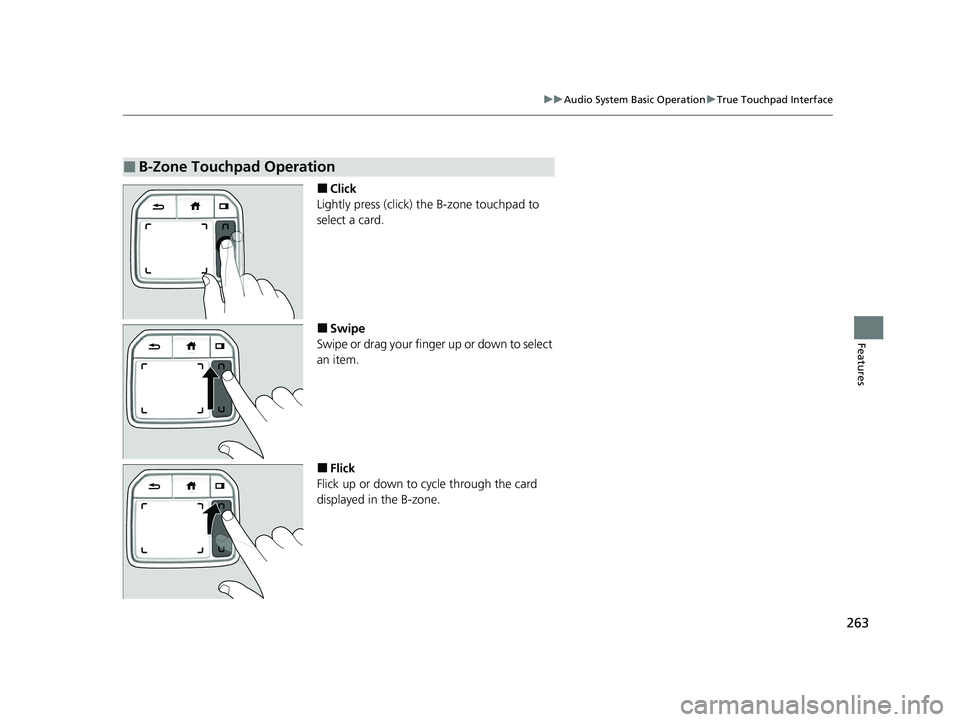
■Click
Lightly press (click) th e B-zone touchpad to
select a card.
■Swipe
Swipe or drag your finger up or down to select
an item.
■Flick
Flick up or down to cycle through the card
displayed in the B-zone.
■B-Zone Touchpad Operation
23 ACURA RDX-31TJB6400.book 263 ページ 2022年8月4日 木曜日 午後1時51分
Page 266 of 713
264
uuAudio System Basic Operation uAudio/Information Screen
Features
Audio/Information Screen
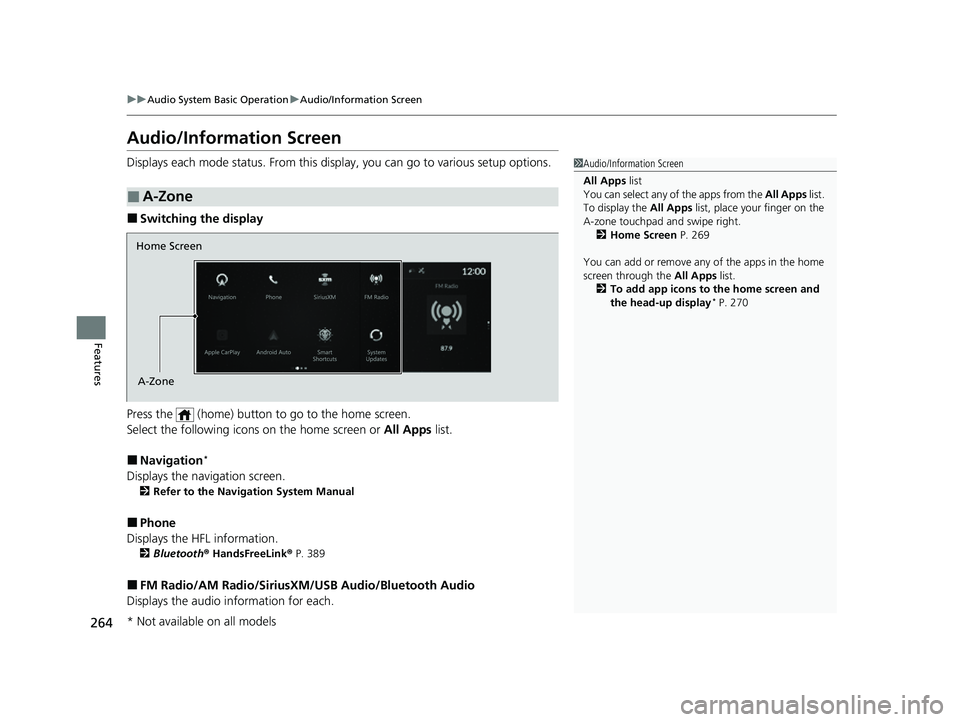
Displays each mode status. From this display, you can go to various setup options.
■Switching the display
Press the (home) button to go to the home screen.
Select the following icon s on the home screen or All Apps list.
■Navigation*
Displays the navigation screen.
2Refer to the Navigation System Manual
■Phone
Displays the HFL information.
2 Bluetooth ® HandsFreeLink ® P. 389
■FM Radio/AM Radio/SiriusXM /USB Audio/Bluetooth Audio
Displays the audio information for each.
■A-Zone
1Audio/Information Screen
All Apps list
You can select any of the apps from the All Apps list.
To display the All Apps list, place your finger on the
A-zone touchpad and swipe right. 2 Home Screen P. 269
You can add or remove any of the apps in the home
screen through the All Apps list.
2 To add app icons to the home screen and
the head-up display
* P. 270
Home Screen
A-Zone
* Not available on all models
23 ACURA RDX-31TJB6400.book 264 ページ 2022年8月4日 木曜日 午後1時51分
Page 267 of 713
265
uuAudio System Basic Operation uAudio/Information Screen
Continued
Features
■Settings
Enters the customizing menu screen.
2 Customized Features P. 359
■Apple CarPlay
Displays the Apple CarPlay screen.
2Apple CarPlay P. 322
■Android Auto
Displays the Android Auto screen.
2Android AutoTM P. 327
■System Updates
Updates the software version of the audio system.
2 System Updates P. 281
■Messages
Displays the text message screen.
2 Text Message P. 407
■AT&T HotSpot
Displays the AT&T Hotspot screen.
2AT&T Hotspot P. 321
■AcuraLink
Displays the AcuraLink screen.
2 AcuraLink ® P. 419
23 ACURA RDX-31TJB6400.book 265 ページ 2022年8月4日 木曜日 午後1時51分
Page 268 of 713
266
uuAudio System Basic Operation uAudio/Information Screen
Features
■Smart Shortcuts
Displays the Smart Shortcuts screen.
2Smart Shortcuts P. 278
■Alexa
Displays the Alexa screen.
2 Alexa Built-In* P. 289
* Not available on all models
23 ACURA RDX-31TJB6400.book 266 ページ 2022年8月4日 木曜日 午後1時51分
Page 269 of 713
Continued267
uuAudio System Basic Operation uAudio/Information Screen
Features
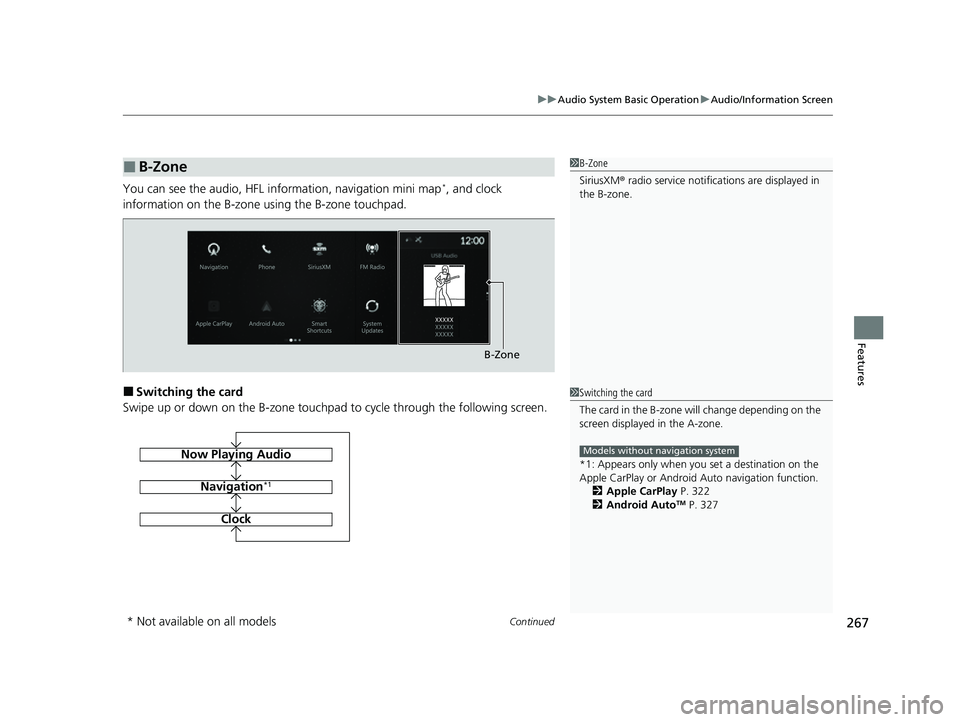
You can see the audio, HFL information, navigation mini map*, and clock
information on the B-zone using the B-zone touchpad.
■Switching the card
Swipe up or down on the B-zone touchpad to cycle through the following screen.
■B-Zone1 B-Zone
SiriusXM ® radio service notifications are displayed in
the B-zone.
B-Zone
1 Switching the card
The card in the B-zone wi ll change depending on the
screen displayed in the A-zone.
*1: Appears only when you set a destination on the
Apple CarPlay or Android Auto navigation function.
2 Apple CarPlay P. 322
2 Android Auto
TM P. 327
Models without navigation systemNow Playing Audio
Navigation*1
Clock
* Not available on all models
23 ACURA RDX-31TJB6400.book 267 ページ 2022年8月4日 木曜日 午後1時51分
Page 270 of 713
268
uuAudio System Basic Operation uAudio/Information Screen
Features
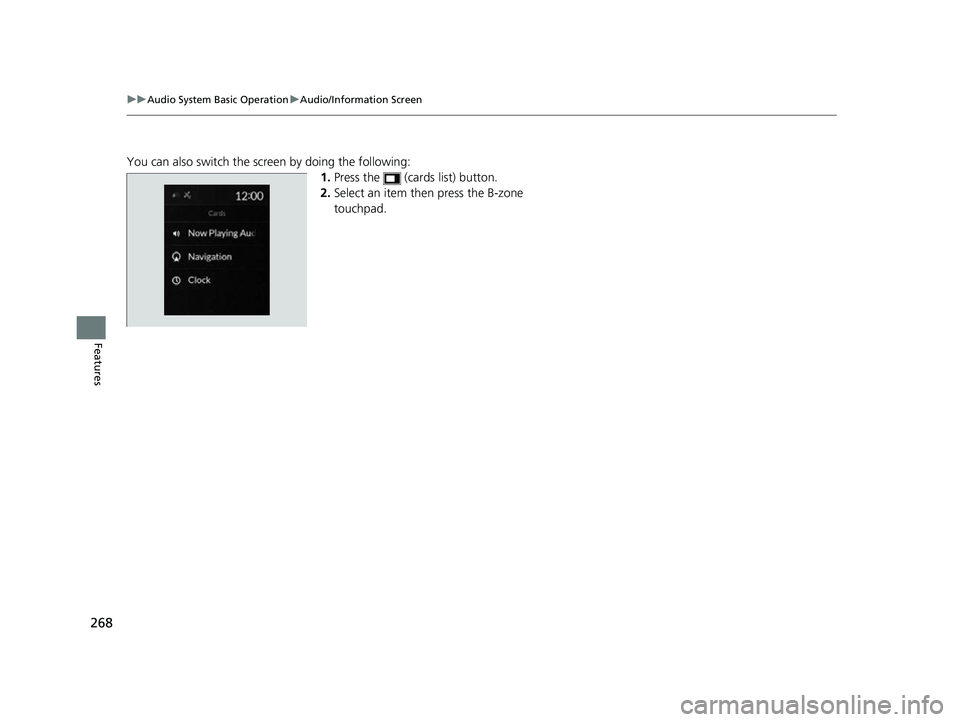
You can also switch the screen by doing the following:
1.Press the (cards list) button.
2. Select an item then press the B-zone
touchpad.
23 ACURA RDX-31TJB6400.book 268 ページ 2022年8月4日 木曜日 午後1時51分
Page 271 of 713
Continued269
uuAudio System Basic Operation uAudio/Information Screen
Features
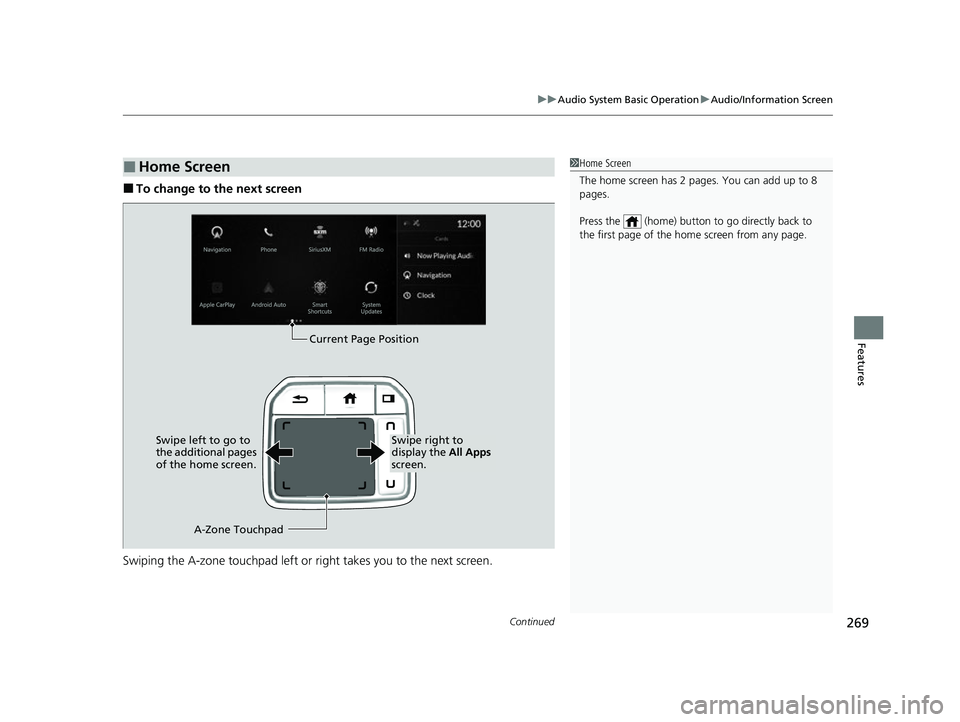
■To change to the next screen
Swiping the A-zone touchp ad left or right takes you to the next screen.
■Home Screen1Home Screen
The home screen has 2 pages. You can add up to 8
pages.
Press the (home) button to go directly back to
the first page of the home screen from any page.
Current Page Position
A-Zone Touchpad
Swipe left to go to
the additional pages
of the home screen.
Swipe right to
display the
All Apps
screen.
23 ACURA RDX-31TJB6400.book 269 ページ 2022年8月4日 木曜日 午後1時51分
Page 272 of 713
uuAudio System Basic Operation uAudio/Information Screen
270
Features
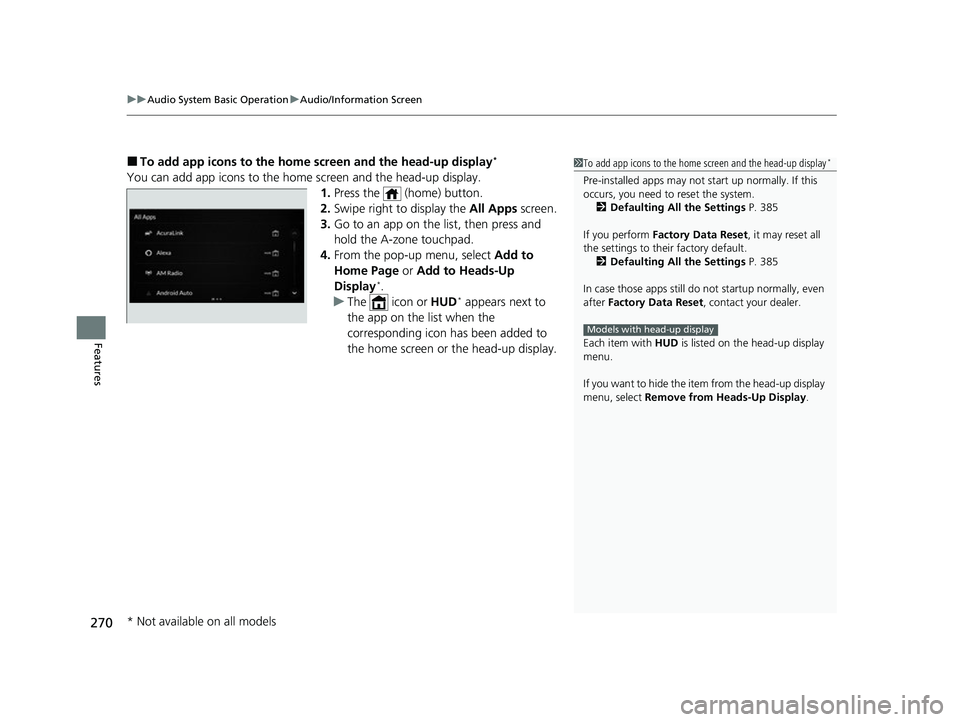
■To add app icons to the home screen and the head-up display*
You can add app icons to the home screen and the head-up display.
1. Press the (home) button.
2. Swipe right to display the All Apps screen.
3. Go to an app on the list, then press and
hold the A-zone touchpad.
4. From the pop-up menu, select Add to
Home Page or Add to Heads-Up
Display
*.
u The icon or HUD* appears next to
the app on the list when the
corresponding icon has been added to
the home screen or the head-up display.
1To add app icons to the home screen and the head-up display*
Pre-installed apps may not start up normally. If this
occurs, you need to reset the system.
2 Defaulting All the Settings P. 385
If you perform Factory Data Reset , it may reset all
the settings to their factory default. 2 Defaulting All the Settings P. 385
In case those apps still do not startup normally, even
after Factory Data Reset , contact your dealer.
Each item with HUD is listed on the head-up display
menu.
If you want to hide the item from the head-up display
menu, select Remove from Heads-Up Display .
Models with head-up display
* Not available on all models
23 ACURA RDX-31TJB6400.book 270 ページ 2022年8月4日 木曜日 午後1時51分
Page 273 of 713
Continued271
uuAudio System Basic Operation uAudio/Information Screen
Features
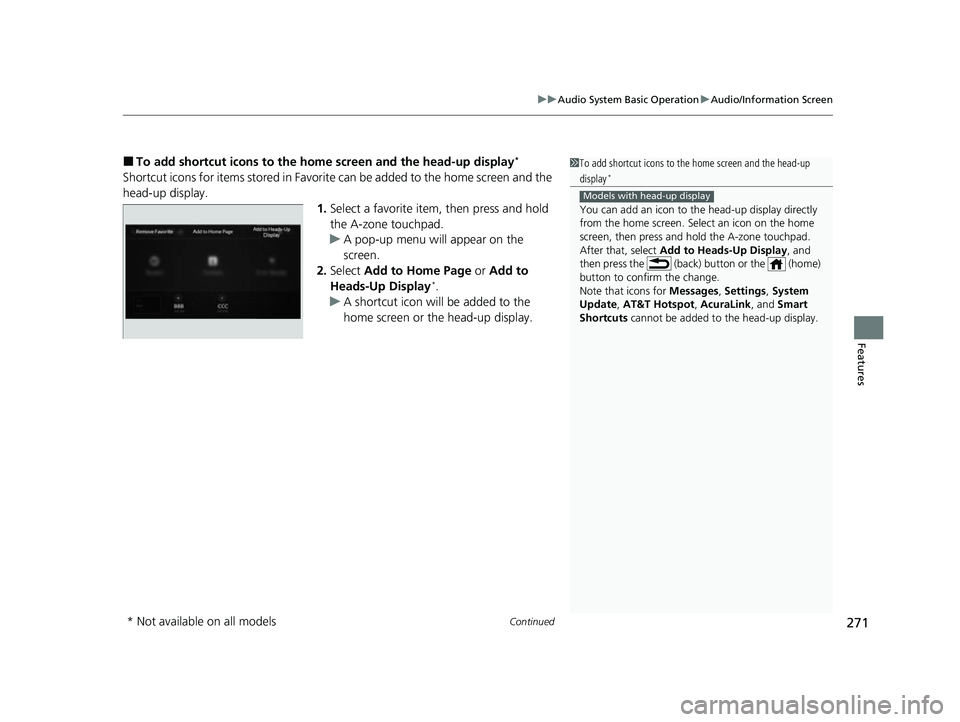
■To add shortcut icons to the home screen and the head-up display*
Shortcut icons for items stored in Favorite can be added to the home screen and the
head-up display.
1.Select a favorite item, then press and hold
the A-zone touchpad.
u A pop-up menu will appear on the
screen.
2. Select Add to Home Page or Add to
Heads-Up Display
*.
u A shortcut icon will be added to the
home screen or the head-up display.
1To add shortcut icons to the home screen and the head-up
display*
You can add an icon to the head-up display directly
from the home screen. Select an icon on the home
screen, then press and hold the A-zone touchpad.
After that, select Add to Heads-Up Display, and
then press the (back) button or the (home)
button to confirm the change.
Note that icons for Messages, Settings , System
Update , AT&T Hotspot , AcuraLink, and Smart
Shortcuts cannot be added to the head-up display.
Models with head-up display
* Not available on all models
23 ACURA RDX-31TJB6400.book 271 ページ 2022年8月4日 木曜日 午後1時51分