change wheel ACURA RDX 2023 Owner's Guide
[x] Cancel search | Manufacturer: ACURA, Model Year: 2023, Model line: RDX, Model: ACURA RDX 2023Pages: 713, PDF Size: 21.99 MB
Page 572 of 713
uuSurround View Camera System*uDisplaying an Image From the Surround View Cameras
570
Driving
Following can be displayed when the system is on.
Guidelines : Help you to get a sense of a distan ce between your vehicle and the rear
surroundings. The distance may appear di fferently than the actual distance.
Projection lines : Indicate vehicle direction while the steering wheel is in the current
position.
■Reference Lines and Guides1 Reference Lines and Guides
The positions/distances i ndicated by the guidelines
and camera views on the display may differ from the
actual positions/distances due to the changes in the
vehicle height, road condi tions, and other factors.
The guidelines should be us ed as a reference only.
The guidelines can be turn ed on and off using the
audio/information screen.
2 Customized Features P. 359
If you turn the guidelines off, they remain off until
you turn them back on.
23 ACURA RDX-31TJB6400.book 570 ページ 2022年8月4日 木曜日 午後1時51分
Page 573 of 713

Continued571
uuSurround View Camera System*uDisplaying an Image From the Surround View Cameras
Driving
■Checking for Obstacles at the Back of Your Vehicle
The display automatically changes to the rear view when the gear position is
changed to
(R.
■Using the Surround View Camera System1 Using the Surround View Camera System
The ground view can be displayed even with the door
mirrors folded. However, the viewable angle and
blind spot change.
Do not refer to the surround view camera system
when the door mirrors are folded.
Folded
Not folded
Rear Wide View Rear Ground View
When the
steering wheel
is turned more
than 90
degrees.
The projection lines
appear approx. 10
inches (25 cm) outside
the vehicle body.
Blind spots
appear in
black.
Press the CAMERA
button.
Approximate distances
the guidelines indicate
Approximate distances the
projection lines indicate
39 inches
(1 m)
20 inches
(50 cm)
39 inches
(1 m)
Ground View Icon
Click the ground
view icon.
1 Checking for Obstacles at the Back of Your Vehicle
When changing the gear position from/to
(R, you
may experience a delay in switching between the
audio/information screen and a rear view image.
23 ACURA RDX-31TJB6400.book 571 ページ 2022年8月4日 木曜日 午後1時51分
Page 589 of 713
587
uuMaintenance MinderTMuTo Use Maintenance MinderTM
Continued
Maintenance
■Maintenance Minder Messages on the Multi-Information
Display
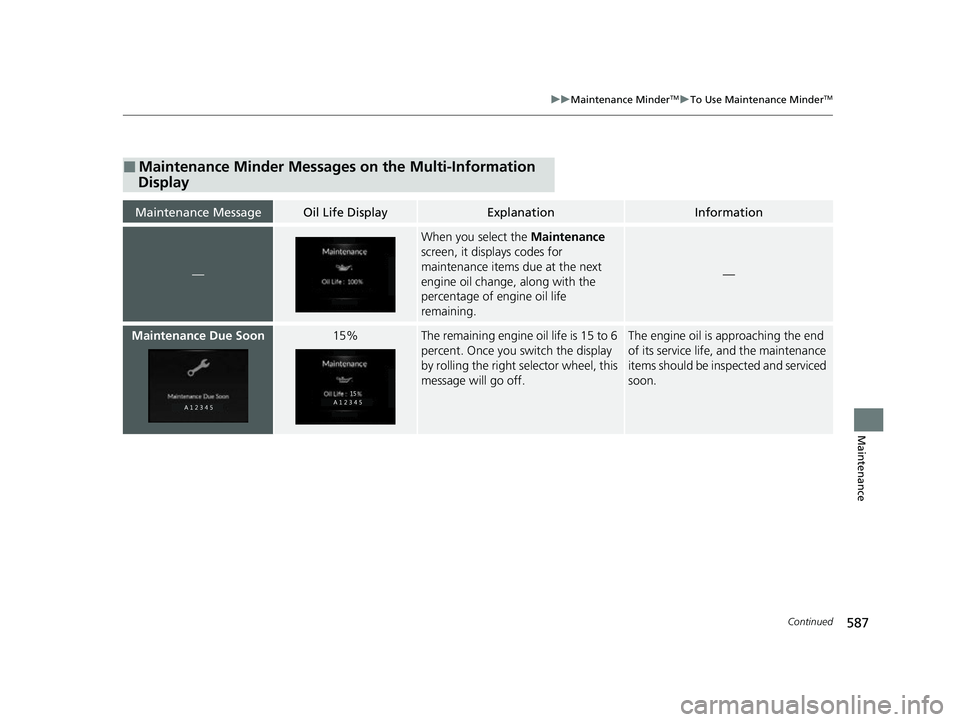
Maintenance MessageOil Life DisplayExplanationInformation
—
When you select the Maintenance
screen, it displays codes for
maintenance items due at the next
engine oil change, along with the
percentage of engine oil life
remaining.
—
Maintenance Due Soon15%The remaining engine oil life is 15 to 6
percent. Once you switch the display
by rolling the right selector wheel, this
message will go off.The engine oil is approaching the end
of its service life, and the maintenance
items should be inspected and serviced
soon.
23 ACURA RDX-31TJB6400.book 587 ページ 2022年8月4日 木曜日 午後1時51分
Page 643 of 713

641Continued
Handling the Unexpected
If a Tire Goes Flat
Changing a Flat Tire
If a tire goes flat while driving, grasp the steering wheel firmly and brake gradually
to reduce speed. Then, stop in a safe plac e. Replace the flat tire with a compact
spare tire. Go to a dealer as soon as possib le to have the full-size tire repaired or
replaced.
1. Park the vehicle on a firm, level, non-slippery surface and apply the parking brake.
2. Change the gear position to
(P.
3. Turn on the hazard warning lights an d set the power mode to VEHICLE OFF.
Vehicles with a compact spare tire
1Changing a Flat Tire
Follow compact spare precautions:
Periodically check the tire pressure of the compact
spare. It should be set to the specified pressure.
Specified Pressure: 60 psi (420 kPa, 4.2 kgf/cm
2)
When driving with the compact spare tire, keep the
vehicle speed under 50 mph (80 km/h). Replace with
a full-size tire as soon as possible.
The compact spare tire and wheel in your vehicle are
specifically for this model. Do not use them with
another vehicle. Do not us e another type of compact
spare tire or wheel with your vehicle.
Do not mount tire chains on a compact spare tire.
If a chain-mounted front tire goes flat, remove one of
the full-size rear tires and replace it with the compact
spare tire. Remove the flat front tire and replace it
with the full-size tire that was removed from the rear.
Mount the tire chains on the front tire.
Do not use a puncture-repairi ng agent on a flat tire,
as it can damage the tire pressure sensor.
23 ACURA RDX-31TJB6400.book 641 ページ 2022年8月4日 木曜日 午後1時51分
Page 647 of 713

Continued645
uuIf a Tire Goes Flat uChanging a Flat Tire
Handling the Unexpected
1. Place the jack under the jacking point
closest to the tire to be changed.
2. Turn the end bracket cl ockwise as shown in
the image until the top of the jack contacts
the jacking point.
u Make sure that the jacking point tab is
resting in the jack notch.
3. Raise the vehicle, using the jack handle bar
and the jack handle, until the tire is off the
ground.
■How to Set Up the Jack1How to Set Up the Jack
Do not use the jack with people or luggage in the
vehicle.
Use the jack provided in your vehicle.
Other jacks may not support the weight (“load”) or
may not fit the jacking point.
The following instructions must be followed to use
the jack safely:
•Do not use while the engine is running.
•Use only where the ground is firm and level.
•Use only at the jacking points.•Do not get in the vehicl e while using the jack.
•Do not put anything on top of or underneath the
jack.
3WARNING
The vehicle can easily roll off the jack,
seriously injuring anyone underneath.
Follow the directions for changing a tire
exactly, and never get under the vehicle
when it is supported only by the jack.
Jack
Handle Bar
Wheel Nut Wrench as Jack Handle
23 ACURA RDX-31TJB6400.book 645 ページ 2022年8月4日 木曜日 午後1時51分
Page 651 of 713
649
uuIf a Tire Goes Flat uTemporarily Repairing a Flat Tire
Continued
Handling the Unexpected
Temporarily Repairing a Flat Tire
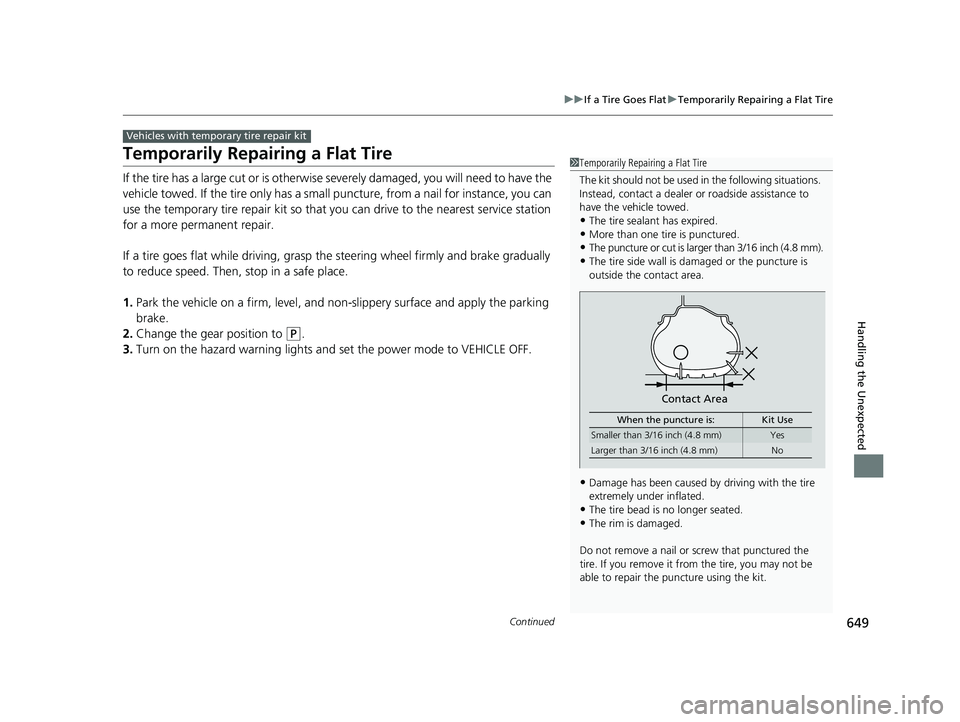
If the tire has a large cut or is otherwise severely damaged, you will need to have the
vehicle towed. If the tire only has a small puncture, from a nail for instance, you can
use the temporary tire repair kit so that you can drive to the nearest service station
for a more permanent repair.
If a tire goes flat while driving, grasp the steering wheel firmly and brake gradually
to reduce speed. Then, stop in a safe place.
1. Park the vehicle on a firm, level, and n on-slippery surface and apply the parking
brake.
2. Change the gear position to
(P.
3. Turn on the hazard warning lights an d set the power mode to VEHICLE OFF.
Vehicles with temporary tire repair kit
1Temporarily Repairing a Flat Tire
The kit should not be used in the following situations.
Instead, contact a dealer or roadside assistance to
have the vehicle towed.
•The tire sealant has expired.
•More than one tire is punctured.•The puncture or cut is larger than 3/16 inch (4.8 mm).
•The tire side wall is damaged or the puncture is
outside the contact area.
•Damage has been caused by driving with the tire
extremely under inflated.
•The tire bead is no longer seated.•The rim is damaged.
Do not remove a nail or screw that punctured the
tire. If you remove it from the tire, you may not be
able to repair the puncture using the kit.
Contact Area
When the puncture is: Kit Use
Smaller than 3/16 inch (4.8 mm)Yes
Larger than 3/16 inch (4.8 mm) No
23 ACURA RDX-31TJB6400.book 649 ページ 2022年8月4日 木曜日 午後1時51分
Page 668 of 713
666
uuEngine Does Not Start uEmergency Engine Stop
Handling the Unexpected
Emergency Engine Stop
The ENGINE START/STOP button may be used to stop the engine due to an
emergency situation even while driving. If you must stop the engine, do either of the
following operations:
• Press and hold the ENGINE START/STOP button for about two seconds.
• Firmly press the ENGINE START/STOP button three times.
The steering wheel will not lock. However, because turning off the engine disables
the power assist the engine provides to the steering and braking systems, it will
require significantly more physical effort an d time to steer and slow the vehicle. Use
both feet on the brake pedal to slow down the vehicle and stop immediately in a
safe place.
The gear position automatically changes to
(P after the vehicle comes to a complete
stop. Then, the power mode changes to VEHICLE OFF.
1 Emergency Engine Stop
NOTICE
Do not press the ENGINE START/STOP button while
driving unless it is absolute ly necessary for the engine
to be turned off.
If you press the ENGINE START/STOP button while
driving, the beeper sounds.
23 ACURA RDX-31TJB6400.book 666 ページ 2022年8月4日 木曜日 午後1時51分
Page 693 of 713
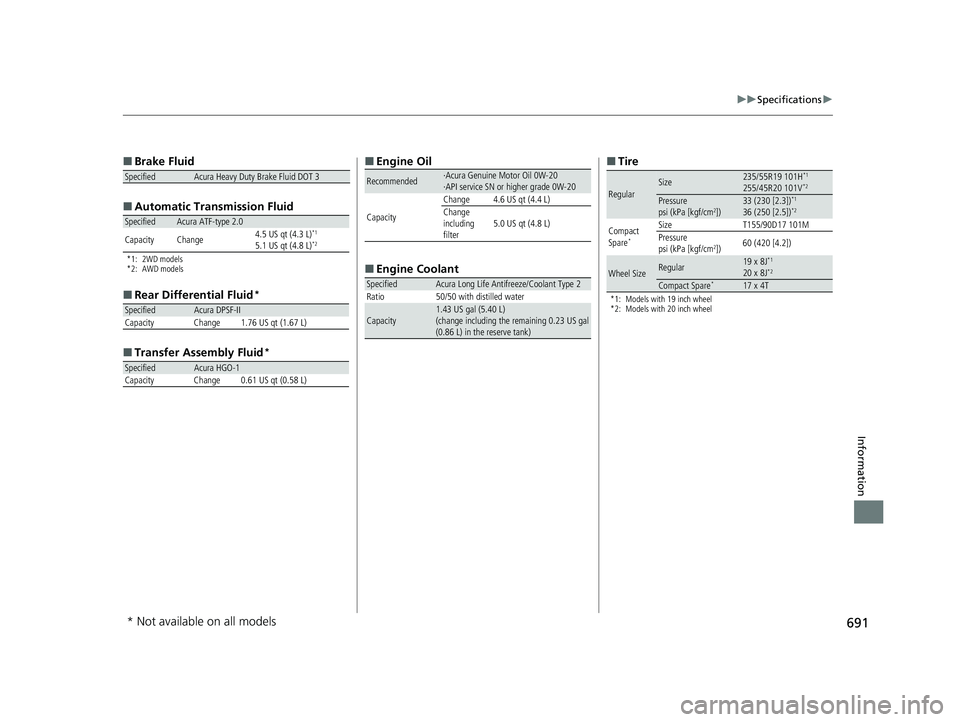
691
uuSpecifications u
Information
■
Brake Fluid
■ Automatic Tran smission Fluid
*1: 2WD models
*2: AWD models
■
Rear Differential Fluid*
■Transfer Assembly Fluid*
SpecifiedAcura Heavy Duty Brake Fluid DOT 3
SpecifiedAcura ATF-type 2.0
Capacity Change 4.5 US qt (4.3 L)*1
5.1 US qt (4.8 L)*2
SpecifiedAcura DPSF-II
Capacity Change 1.76 US qt (1.67 L)
SpecifiedAcura HGO-1
Capacity Change 0.61 US qt (0.58 L)
■ Engine Oil
■ Engine Coolant
Recommended·Acura Genuine Motor Oil 0W-20
·API service SN or higher grade 0W-20
Capacity Change 4.6 US qt (4.4 L)
Change
including
filter
5.0 US qt (4.8 L)
SpecifiedAcura Long Life Antifreeze/Coolant Type 2
Ratio 50/50 with distilled water
Capacity1.43 US gal (5.40 L)
(change including the remaining 0.23 US gal
(0.86 L) in the reserve tank)
■ Tire
*1: Models with 19 inch wheel
*2: Models with 20 inch wheel
RegularSize235/55R19 101H*1
255/45R20 101V*2
Pressure
psi (kPa [kgf/cm2])33 (230 [2.3])*1
36 (250 [2.5])*2
Compact
Spare*
Size T155/90D17 101M
Pressure
psi (kPa [kgf/cm
2]) 60 (420 [4.2])
Wheel SizeRegular19 x 8J*1
20 x 8J*2
Compact Spare*17 x 4T
* Not available on all models
23 ACURA RDX-31TJB6400.book 691 ページ 2022年8月4日 木曜日 午後1時51分