ECO ACURA RDX 2023 Owners Manual
[x] Cancel search | Manufacturer: ACURA, Model Year: 2023, Model line: RDX, Model: ACURA RDX 2023Pages: 713, PDF Size: 21.99 MB
Page 2 of 713
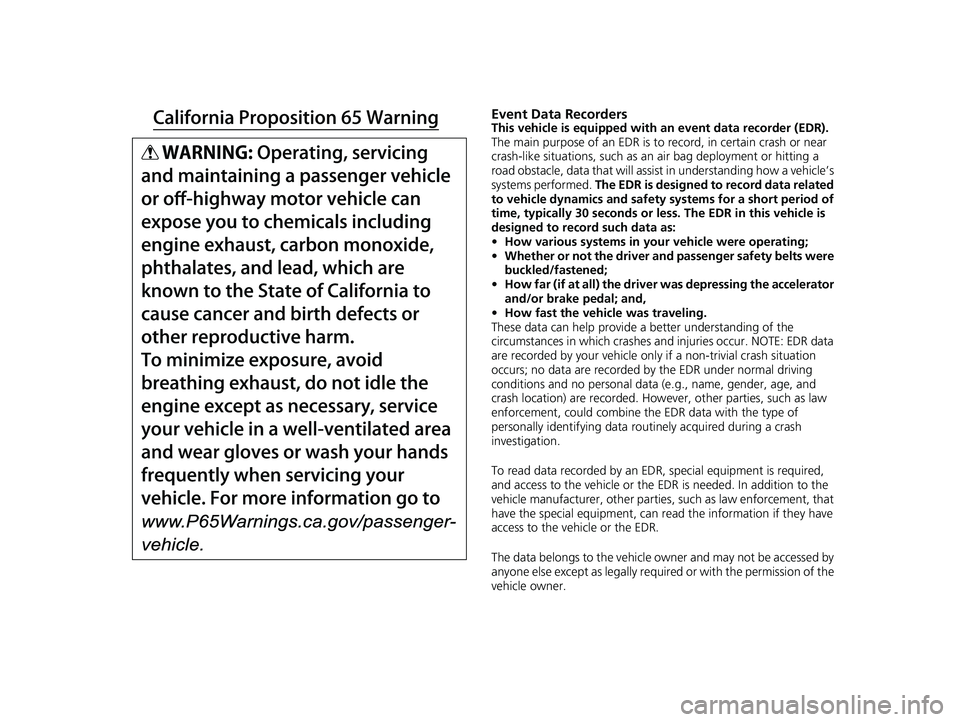
Event Data RecordersThis vehicle is equipped with an event data recorder (EDR).
The main purpose of an EDR is to record, in certain crash or near
crash-like situations, such as an air bag deployment or hitting a
road obstacle, data that will assist in understanding how a vehicle’s
systems performed. The EDR is designed to record data related
to vehicle dynamics and safety systems for a short period of
time, typically 30 seconds or less. The EDR in this vehicle is
designed to record such data as:
• How various systems in your vehicle were operating;
• Whether or not the driver and passenger safety belts were
buckled/fastened;
• How far (if at all) the driver was depressing the accelerator
and/or brake pedal; and,
• How fast the vehicle was traveling.
These data can help provide a better understanding of the
circumstances in which crashes and injuries occur. NOTE: EDR data
are recorded by your vehicle only if a non-trivial crash situation
occurs; no data are recorded by the EDR under normal driving
conditions and no personal data (e.g., name, gender, age, and
crash location) are recorded. Howeve r, other parties, such as law
enforcement, could co mbine the EDR data with the type of
personally identifying data routinely acquired during a crash
investigation.
To read data recorded by an ED R, special equipment is required,
and access to the vehicle or the EDR is needed. In addition to the
vehicle manufacturer, other parties, such as law enforcement, that
have the special equipment, can re ad the information if they have
access to the vehicle or the EDR.
The data belongs to the vehicle ow ner and may not be accessed by
anyone else except as legally requ ired or with the permission of the
vehicle owner.
23 ACURA RDX-31TJB6400.book 0 ページ 2022年8月4日 木曜日 午後1時51分
Page 3 of 713
Service Diagnostic Recorders
This vehicle is equipped with service-related devices that record
information about powertrain perfo rmance. The data can be used
to verify emissions law requirem ents and/or help technicians
diagnose and solve service problems . It may also be combined with
data from other sources for research purposes, but it remains
confidential. Some diagnostic and maintenance information is
uploaded to Acura upon vehicle start up.
California Perchlorate Conta mination Prevention Act
The airbags, seat belt tensioners , and CR type batteries in this
vehicle may contain perchlorate materials - special handling may
apply. See www.dtsc.ca.gov/hazardouswaste/perchlorate/
As you read this manual, you will find information that is preceded
by a symbol. This information is intended to help you avoid
damage to your vehicle, othe r property, or the environment.
NOTICE
Software End User License Agreement
Your vehicle comes equipped with software, which is governed by
the End User License Agreement in this Owner’s Manual, and
which contains a binding arbitration clause. Please refer to the End
User License Agreement for the terms and conditions governing
your use of the installed software, as well as the applications,
services, functions, and content provided through the software.
Your use of the installed software will serve as your consent to the
terms and conditions of the End User License Agreement.
You may opt out within 30 days of your initial use of the Software
by sending a signed, written notice to Acura at American Honda
Motor Co., Inc., Acura Client Relations, Mail Stop CHI-4, 1919
Torrance Blvd., Torrance, CA 90501-2746.
Privacy Notice
This vehicle may share location and usage information. To manage
this setting, visit www.acuralink.com/vehicle-data-choices .
To learn more about how we collect and use Personal
Information, please read our Privacy Policy, accessible
at www.acura.com .
23 ACURA RDX-31TJB6400.book 1 ページ 2022年8月4日 木曜日 午後1時51分
Page 4 of 713
System Updates Terms and Conditions
General
Your vehicle has an application that allows your 10.25-in. Color
Touchscreen to automatically search for Acura software updates
that are specific to your 10.25-in. Color Touchscreen and its
connected devices (initially ever y one (1) week via Wi-Fi or every
four (4) weeks via Telema tics Control Unit (TCU)
*, queries may
occur more or less frequently due to internet outages, retries, direct
user action, WAP push from the server or a change in query policy
on the Honda servers). This application periodically transmits to our
servers a limited amount of vehicl e and device information (Vehicle
Identification Number (VIN), th e Model Type (MT) Identification
Number, Hardware and Software Part Number, Serial Number,
Software Version, preferred lang uage, Internet Protocol (IP)
address, Transaction Log (alert or update viewing, update
download and installation, softw are status), etc.). When the
application finds an update from the server, the application initially
asks permission to download and install the update. Where
available, in your settings menu you may elect to automatically
download and install these updates or you may elect to manually
update the system.
When your 10.25-in. Color Touchs creen searches our servers for
updates or alerts, we will auto matically provide you with the
opportunity to update your devices or transmit the update or alert
directly to your 10.25-in. Color Touchscreen. We will also maintain
on our servers a log of the updates or alerts that are installed.
Your Personal Data
Should the aforementioned info rmation transmitted to Honda
constitute personal information in y our region, please note that this
information will be treated in stri ct accordance with the rules and
regulations outlined in this notice as well as applicable data
protection law. The terms of our privacy policy are
incorporated into these terms by
reference and your use of system updates will be subject to the
privacy policy. Our privacy polic y sets out information about how
we and any named third parties will process any personal data we
collect from you or that you provide to us, via the application.
For further details, see Acura’s connected product privacy policy at:
U.S.: www.acura.com
Canada: www.honda.ca/privacy/vehicledata
Honda collects, uses and stores your personal data for the reasons
set out below:
●to deliver the system updates and related services to you;●to allow us to improve and optimize the system updates
products and services;
●to respond to user questions an d complaints; and for internal
record keeping.
●where necessary for Honda's legitimate interests, as listed below, and
where our interests are not overridden by your data protection rights.
Protecting our legitimate business interests and legal rights
includes, but is not limited to, use in connection with compliance,
regulatory, auditing, legal claims (including disclosure of such
information in connection with legal process or litigation) and other
ethics and compliance reporting requirements.
Honda will also convert personal data into anonymous data and
use it (normally on an aggregated st atistical basis) for uses such as
market research and analysis, to improve the system updates, to
analyze trends, and to assess the success of software update
releases. Aggregated personal in formation does not personally
identify you or any other user of the system updates.
Honda may share this data with Honda's worldwide support
organization or affiliated Honda companies or other third parties
engaged by Honda for the purposes of rendering support services
in connection with system support.
* Not available on all models
23 ACURA RDX-31TJB6400.book 2 ページ 2022年8月4日 木曜日 午後1時51分
Page 6 of 713
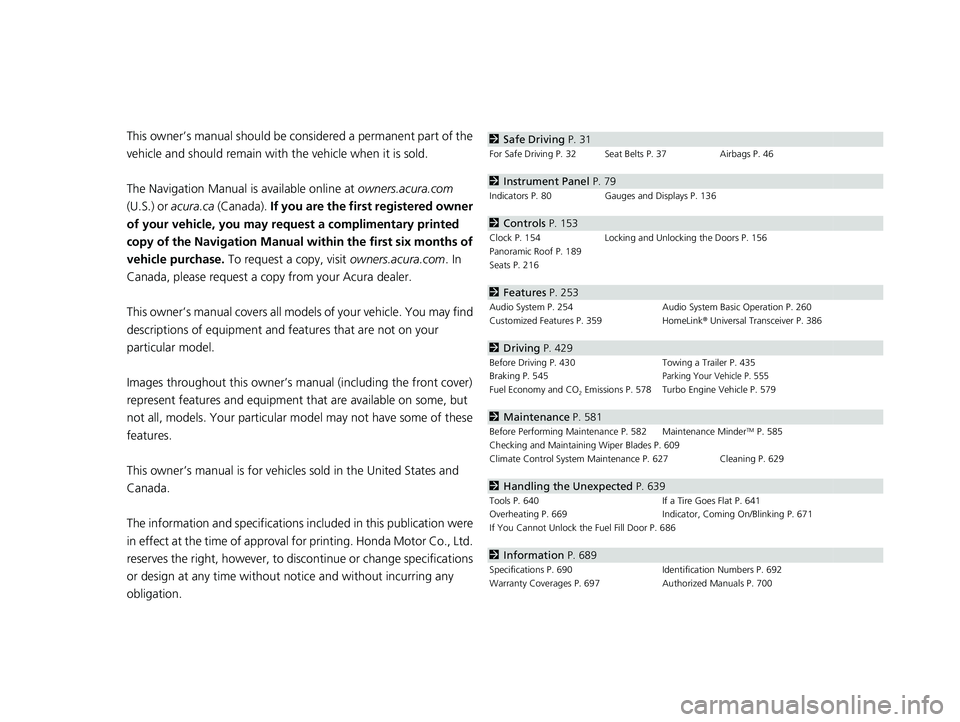
Contents
This owner’s manual should be considered a permanent part of the
vehicle and should remain with the vehicle when it is sold.
The Navigation Manual is available online at owners.acura.com
(U.S.) or acura.ca (Canada). If you are the firs t registered owner
of your vehicle, you may request a complimentary printed
copy of the Navigation Manual within the first six months of
vehicle purchase. To request a copy, visit owners.acura.com. In
Canada, please request a copy from your Acura dealer.
This owner’s manual covers all models of your vehicle. You may find
descriptions of equipment and features that are not on your
particular model.
Images throughout this owner’s ma nual (including the front cover)
represent features and equipment that are available on some, but
not all, models. Your particular mo del may not have some of these
features.
This owner’s manual is for vehicles sold in the United States and
Canada.
The information and specifications in cluded in this publication were
in effect at the time of approval for printing. Honda Motor Co., Ltd.
reserves the right, however, to discontinue or change specifications
or design at any time without notice and without incurring any
obligation.2 Safe Driving P. 31
For Safe Driving P. 32 Seat Belts P. 37 Airbags P. 46
2Instrument Panel P. 79
Indicators P. 80 Gauges and Displays P. 136
2Controls P. 153
Clock P. 154 Locking and Unlocking the Doors P. 156
Panoramic Roof P. 189
Seats P. 216
2 Features P. 253
Audio System P. 254 Audio System Basic Operation P. 260
Customized Features P. 359 HomeLink® Universal Transceiver P. 386
2 Driving P. 429
Before Driving P. 430 Towing a Trailer P. 435
Braking P. 545Parking Your Vehicle P. 555
Fuel Economy and CO2 Emissions P. 578 Turbo Engine Vehicle P. 579
2 Maintenance P. 581
Before Performing Maintenance P. 582 Maintenance MinderTM P. 585
Checking and Maintaining Wiper Blades P. 609
Climate Control System Main tenance P. 627 Cleaning P. 629
2Handling the Unexpected P. 639
Tools P. 640 If a Tire Goes Flat P. 641
Overheating P. 669 Indicator, Coming On/Blinking P. 671
If You Cannot Unlock the Fuel Fill Door P. 686
2 Information P. 689
Specifications P. 690 Identification Numbers P. 692
Warranty Coverages P. 697 Authorized Manuals P. 700
23 ACURA RDX-31TJB6400.book 4 ページ 2022年8月4日 木曜日 午後1時51分
Page 13 of 713
11
Quick Reference Guide
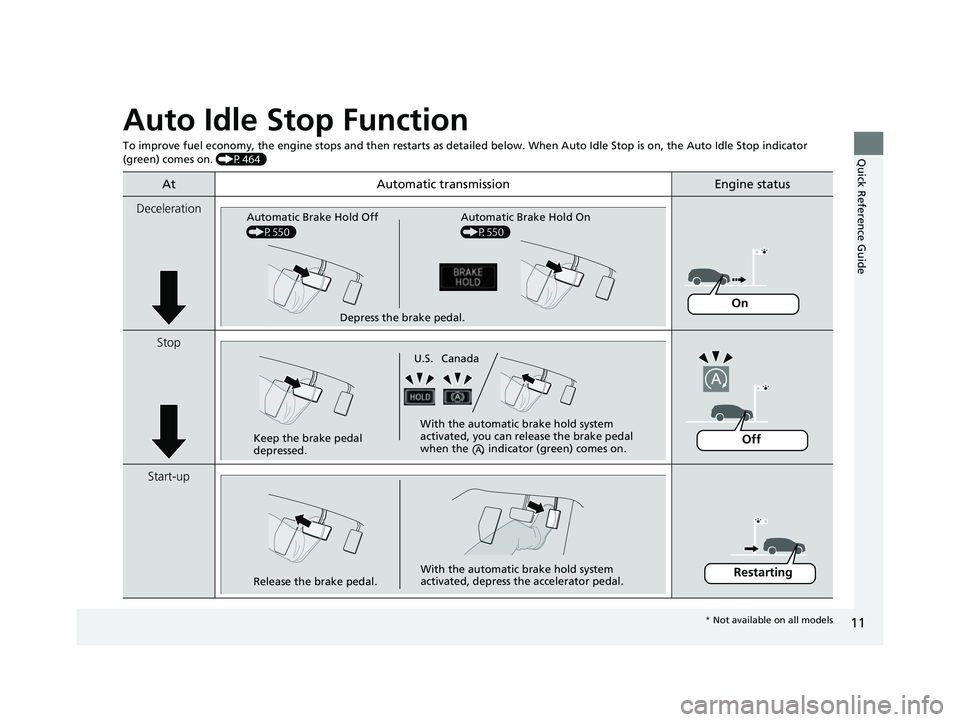
Auto Idle Stop Function
To improve fuel economy, the engine stops and then restarts as detailed below. When Auto Idle Stop is on, the Auto Idle Stop in dicator
(green) comes on. (P464)
At Automatic transmissionEngine status
Deceleration
Stop
Start-up
Depress the brake pedal.
Automatic Brake Hold Off
(P550) Automatic Brake Hold On
(P550)
On
Keep the brake pedal
depressed. With the automatic brake hold system
activated, you can release the brake pedal
when the indicato
r (green) comes on.
U.S. Canada
Off
Release the brake pedal. With the automatic brake hold system
activated, depress the accelerator pedal.Restarting
*
Not available on all models
23 ACURA RDX-31TJB6400.book 11 ページ 2022年8月4日 木曜日 午後1時51分
Page 25 of 713
23
Quick Reference Guide
CMBSTM On and Off
(P490)
●When a possible frontal collision is likely
unavoidable, the CMBSTM can reduce the
vehicle speed and the severity of the
collision.
●The CMBSTM is turned on every time you
start the engine.
●To turn the CMBSTM on or off, use the
safety support switch.
VSA ® On and Off (P 472)
●The Vehicle Stability AssistTM (VSA® )
system helps stabilize the vehicle during
cornering and helps maintain traction
while accelerating on loose or slippery
road surfaces.
●VSA ® comes on automatically every time
you start the engine.
●To partially disable or fully restore VSA®
function, press and hold the (VSA ®
OFF) button until you hear a beep.
Tire Pressure Monitoring
System (TPMS) with Tire
Fill Assist
(P 475)
●The TPMS monitors tire pressure.●TPMS is turned on automatically every
time you start the engine.
●TPMS fill assist provides audible and visual
guidance during tire pressure adjustment.
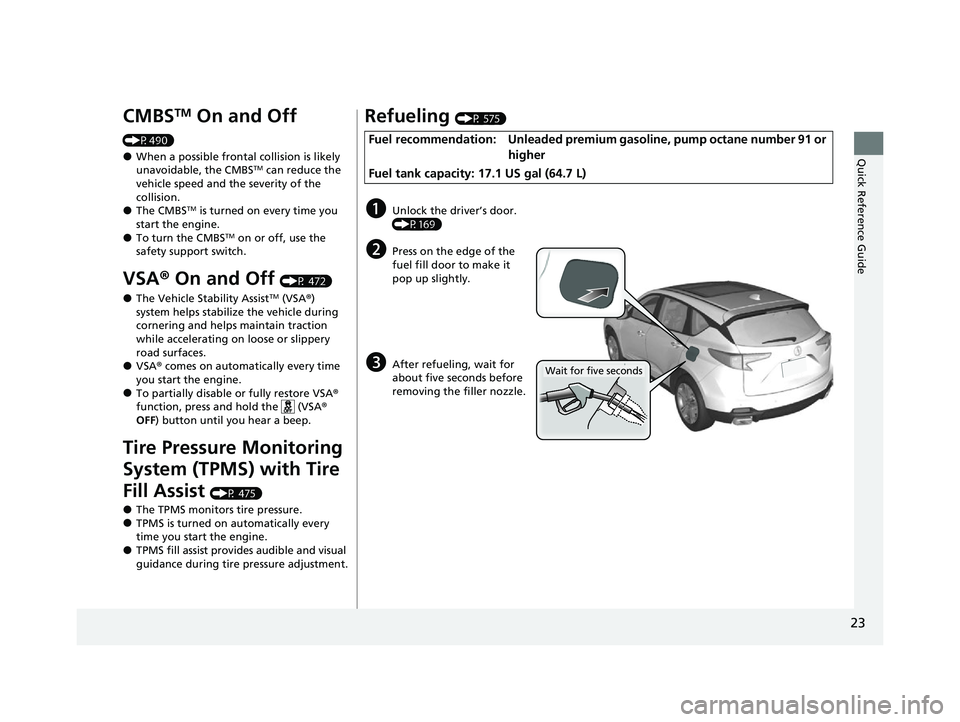
Refueling (P 575)
Fuel recommendation: Unleaded premium gasoline, pump octane number 91 or
higher
Fuel tank capacity: 17.1 US gal (64.7 L)
aUnlock the driver’s door.
(P169)
bPress on the edge of the
fuel fill door to make it
pop up slightly.
cAfter refueling, wait for
about five seconds before
removing the filler nozzle.Wait for five seconds
23 ACURA RDX-31TJB6400.book 23 ページ 2022年8月4日 木曜日 午後1時51分
Page 27 of 713
25
Quick Reference Guide
Adaptive Cruise Control
(ACC) with Low Speed
Follow
(P502)
Helps maintain a constant vehicle speed and
a set following-interval behind a vehicle
detected ahead of yours and, if the detected
vehicle comes to a stop, can decelerate and
stop your vehicle, without you having to
keep your foot on the brake or the
accelerator.
Lane Keeping Assist
System (LKAS)
(P522)
Provides steering input to help keep the
vehicle in the middle of a detected lane and
provides tactile and visual alerts if the
vehicle is detected drifting out of its lane.
Road Departure
Mitigation System
(P530)
Alerts and helps to assist you when the
system detects a possibility of your vehicle
unintentionally crossing over detected lane
markings and/or leaving the roadway
altogether.
Traffic Sign Recognition
System
(P 535)
Reminds you of road sign information, such
as the current speed limit your vehicle has
just passed through, showing it on the
multi-information display and the head-up
display
*.
* Not available on all models
23 ACURA RDX-31TJB6400.book 25 ページ 2022年8月4日 木曜日 午後1時51分
Page 28 of 713
26
Quick Reference Guide
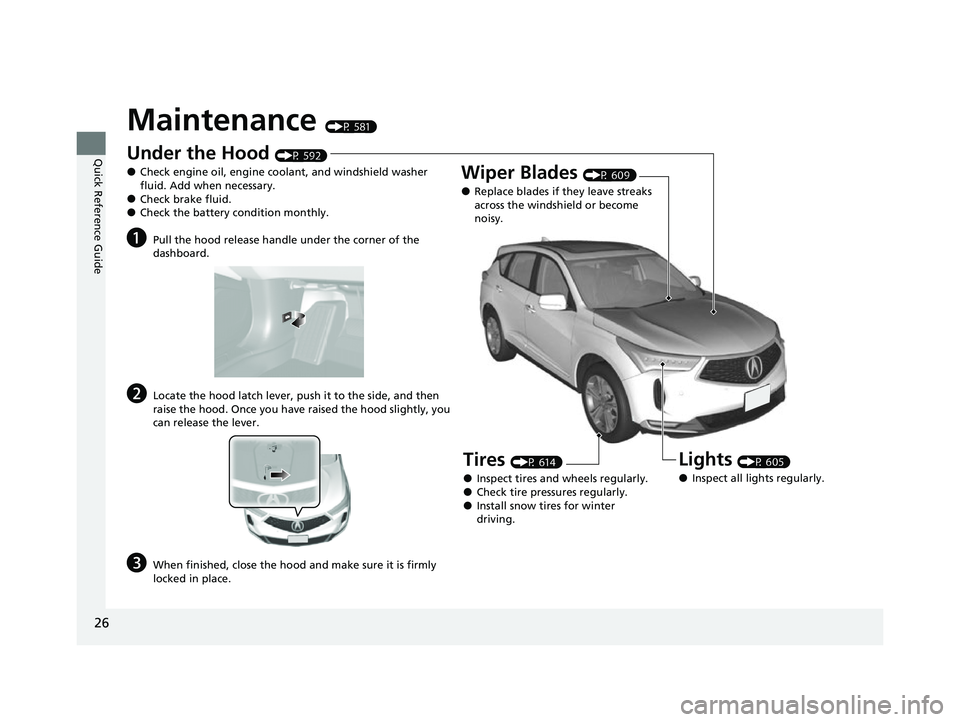
Maintenance (P 581)
Under the Hood (P 592)
●Check engine oil, engine coolant, and windshield washer
fluid. Add when necessary.
●Check brake fluid.●Check the battery condition monthly.
aPull the hood release handle under the corner of the
dashboard.
bLocate the hood latch lever, push it to the side, and then
raise the hood. Once you have raised the hood slightly, you
can release the lever.
cWhen finished, close the hood and make sure it is firmly
locked in place.
Lights (P 605)
●Inspect all lights regularly.
Wiper Blades (P 609)
●Replace blades if they leave streaks
across the windshield or become
noisy.
Tires (P 614)
●Inspect tires and wheels regularly.●Check tire pressures regularly.●Install snow tires for winter
driving.
23 ACURA RDX-31TJB6400.book 26 ページ 2022年8月4日 木曜日 午後1時51分
Page 30 of 713
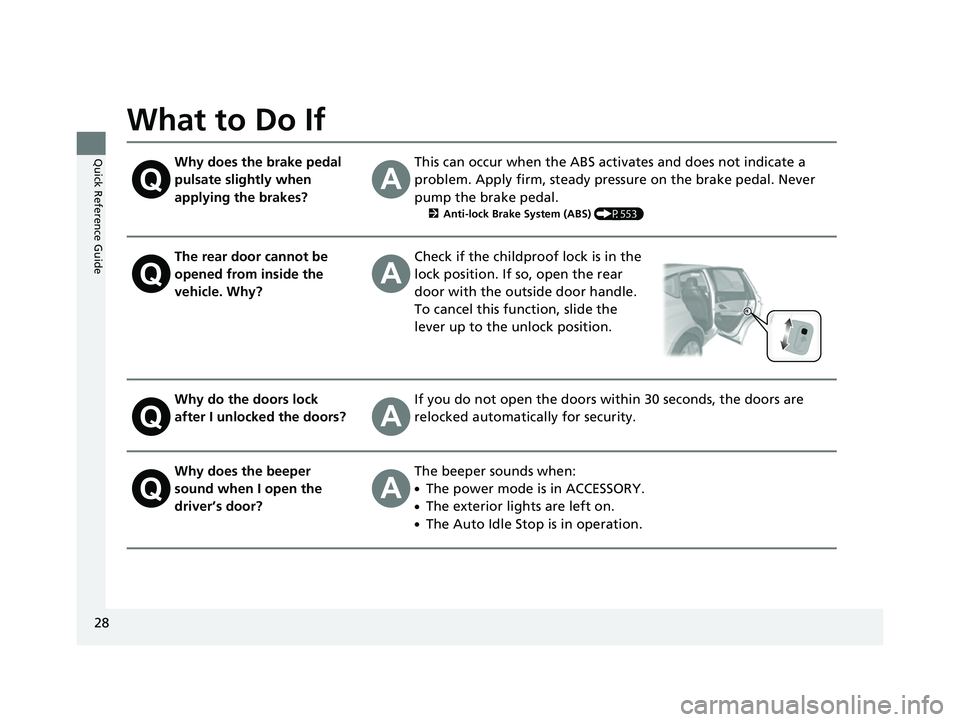
28
Quick Reference Guide
What to Do If
Why does the brake pedal
pulsate slightly when
applying the brakes?This can occur when the ABS activates and does not indicate a
problem. Apply firm, steady pressure on the brake pedal. Never
pump the brake pedal.
2Anti-lock Brake System (ABS) (P553)
The rear door cannot be
opened from inside the
vehicle. Why?Check if the childproof lock is in the
lock position. If so, open the rear
door with the outside door handle.
To cancel this function, slide the
lever up to the unlock position.
Why do the doors lock
after I unlocked the doors?If you do not open the doors within 30 seconds, the doors are
relocked automatically for security.
Why does the beeper
sound when I open the
driver’s door?The beeper sounds when:
●The power mode is in ACCESSORY.
●The exterior lights are left on.
●The Auto Idle Stop is in operation.
23 ACURA RDX-31TJB6400.book 28 ページ 2022年8月4日 木曜日 午後1時51分
Page 32 of 713

30
Quick Reference Guide
Why does the gear position
automatically change to
(P
when I open the driver’s
door to check for parking
space lines when
reversing?
●Fasten the driver’s seat belt.
●Close the driver’s door and manually change the gear
position.
2 When opening the driver’s door (P454)
Why do I hear a screeching
sound when I apply the
brake pedal?The brake pads may need to be replaced. Have your vehicle
inspected by a dealer.
Unleaded gasoline with a
Pump Octane Number
(PON) of 91 or higher is
recommended.
Is it possible to use
unleaded gasoline with a
Pump Octane Number
(PON) of 87 or lower on
this vehicle?Use of a lower octane gasoline can cause occasional metallic
knocking noise in the engine and will result in decreased engine
performance.
Use of a gasoline with a pump octane less than 87 can lead to
engine damage.
23 ACURA RDX-31TJB6400.book 30 ページ 2022年8月4日 木曜日 午後1時51分