radio ACURA RL 2011 User Guide
[x] Cancel search | Manufacturer: ACURA, Model Year: 2011, Model line: RL, Model: ACURA RL 2011Pages: 562, PDF Size: 11.41 MB
Page 226 of 562
If the system does not find a station,
‘‘NOTHING’’ will blink f or about 5
seconds, then the system goes back
to the last selected station.
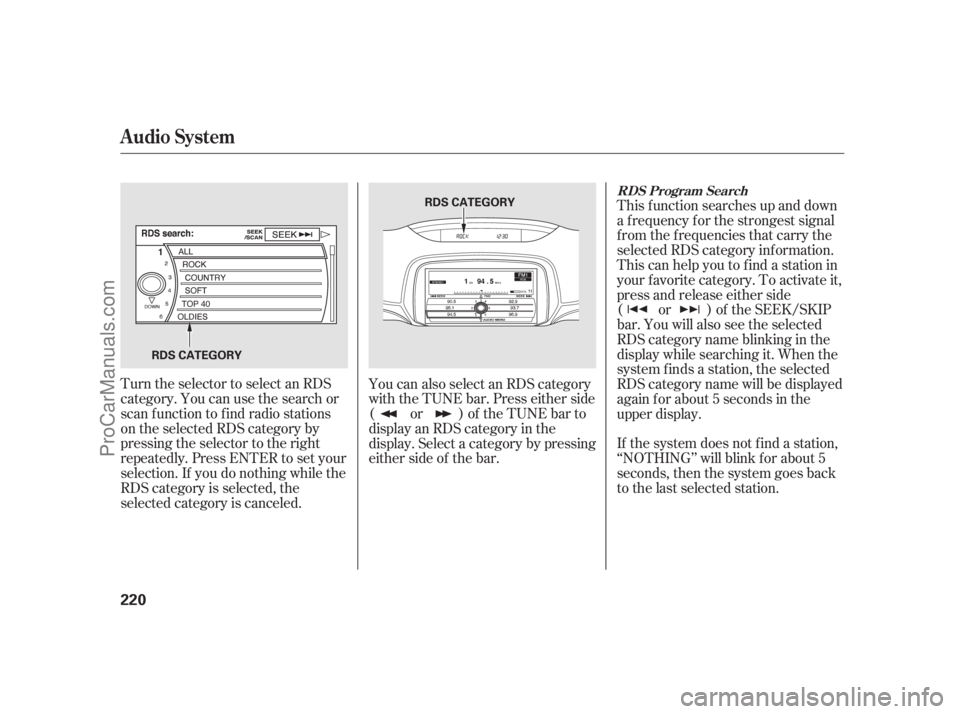
Turn the selector to select an RDS
category. You can use the search or
scan function to find radio stations
on the selected RDS category by
pressing the selector to the right
repeatedly. Press ENTER to set your
selection. If you do nothing while the
RDS category is selected, the
selected category is canceled. You can also select an RDS category
with the TUNE bar. Press either side
( or ) of the TUNE bar to
display an RDS category in the
display. Select a category by pressing
either side of the bar.This f unction searches up and down
a f requency f or the strongest signal
f rom the f requencies that carry the
selected RDS category inf ormation.
This can help you to find a station in
your favorite category. To activate it,
press and release either side
( or ) of the SEEK/SKIP
bar. You will also see the selected
RDScategorynameblinkinginthe
display while searching it. When the
system f inds a station, the selected
RDS category name will be displayed
again for about 5 seconds in the
upper display.
RDS Program Search
Audio System
220
RDS CATEGORY
RDS CATEGORY
10/08/04 19:19:39 31SJA660_225
ProCarManuals.com
Page 227 of 562
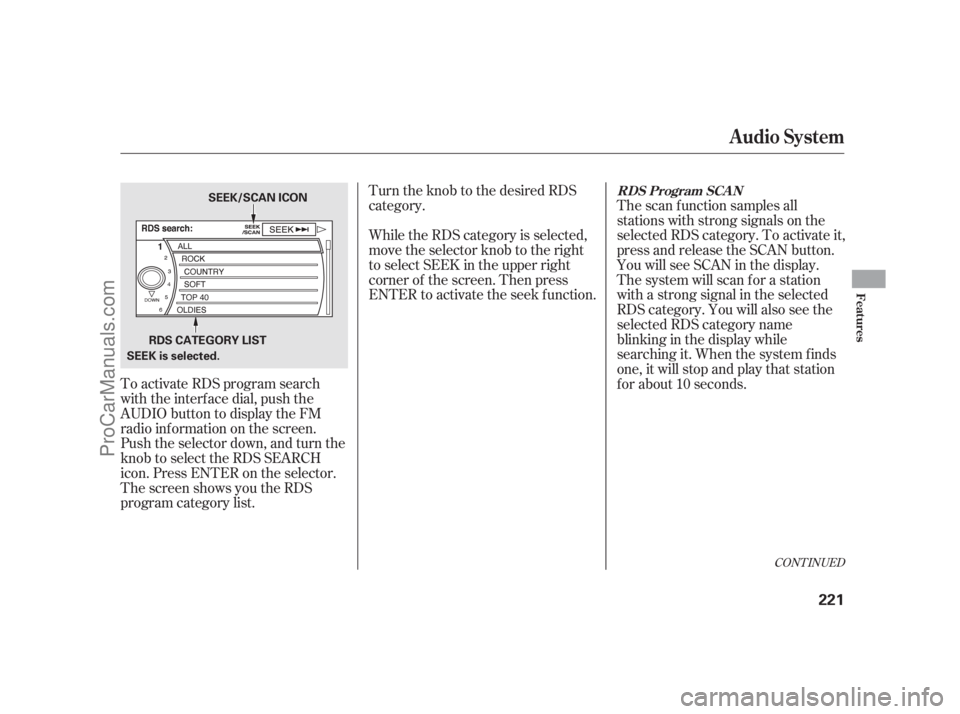
To activate RDS program search
with the interf ace dial, push the
AUDIO button to display the FM
radio inf ormation on the screen.
Push the selector down, and turn the
knob to select the RDS SEARCH
icon. Press ENTER on the selector.
The screen shows you the RDS
program category list.Turn the knob to the desired RDS
category.
While the RDS category is selected,
move the selector knob to the right
to select SEEK in the upper right
corner of the screen. Then press
ENTER to activate the seek f unction.
The scan f unction samples all
stations with strong signals on the
selected RDS category. To activate it,
press and release the SCAN button.
You will see SCAN in the display.
The system will scan f or a station
with a strong signal in the selected
RDS category. You will also see the
selected RDS category name
blinking in the display while
searching it. When the system finds
one, it will stop and play that station
f or about 10 seconds.
CONT INUED
RDS Program SCAN
Audio System
Features
221
RDS CATEGORY LIST
SEEK is selected. SEEK/SCAN ICON
10/08/04 19:19:48 31SJA660_226
ProCarManuals.com
Page 228 of 562
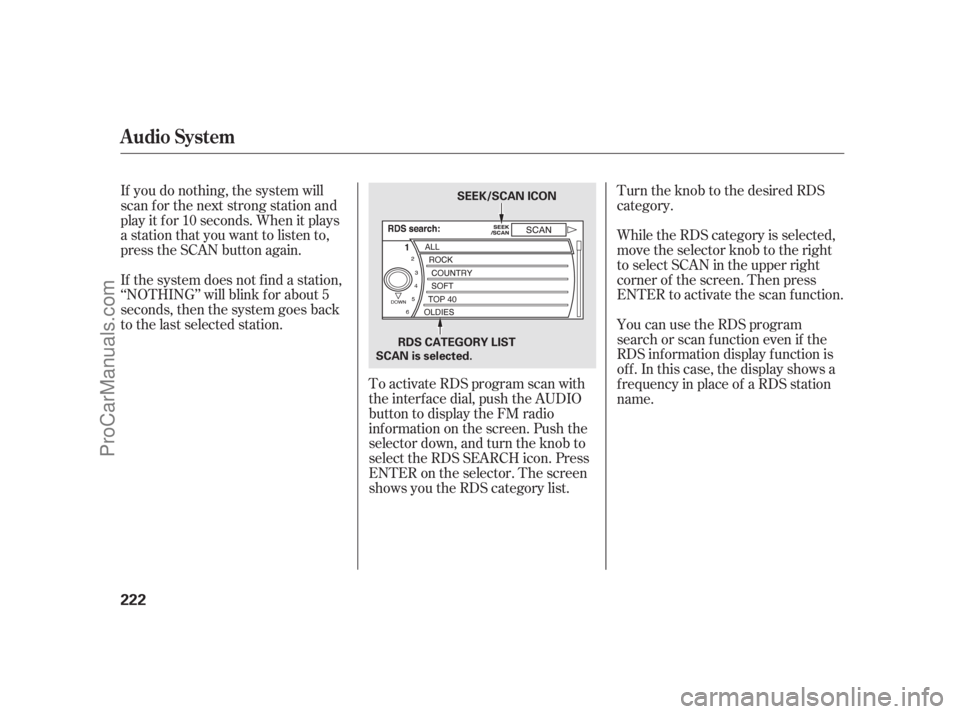
Turn the knob to the desired RDS
category.
To activate RDS program scan with
the interf ace dial, push the AUDIO
button to display the FM radio
inf ormation on the screen. Push the
selector down, and turn the knob to
select the RDS SEARCH icon. Press
ENTER on the selector. The screen
shows you the RDS category list. While the RDS category is selected,
move the selector knob to the right
to select SCAN in the upper right
corner of the screen. Then press
ENTER to activate the scan function.
If you do nothing, the system will
scan f or the next strong station and
play it f or 10 seconds. When it plays
a station that you want to listen to,
press the SCAN button again.
If the system does not find a station,
‘‘NOTHING’’ will blink f or about 5
seconds, then the system goes back
to the last selected station. You can use the RDS program
search or scan f unction even if the
RDS inf ormation display f unction is
of f . In this case, the display shows a
f requency in place of a RDS station
name.
Audio System
222
SEEK/SCAN ICON
RDS CATEGORY LIST
SCAN is selected.
10/08/04 19:19:57 31SJA660_227
ProCarManuals.com
Page 229 of 562
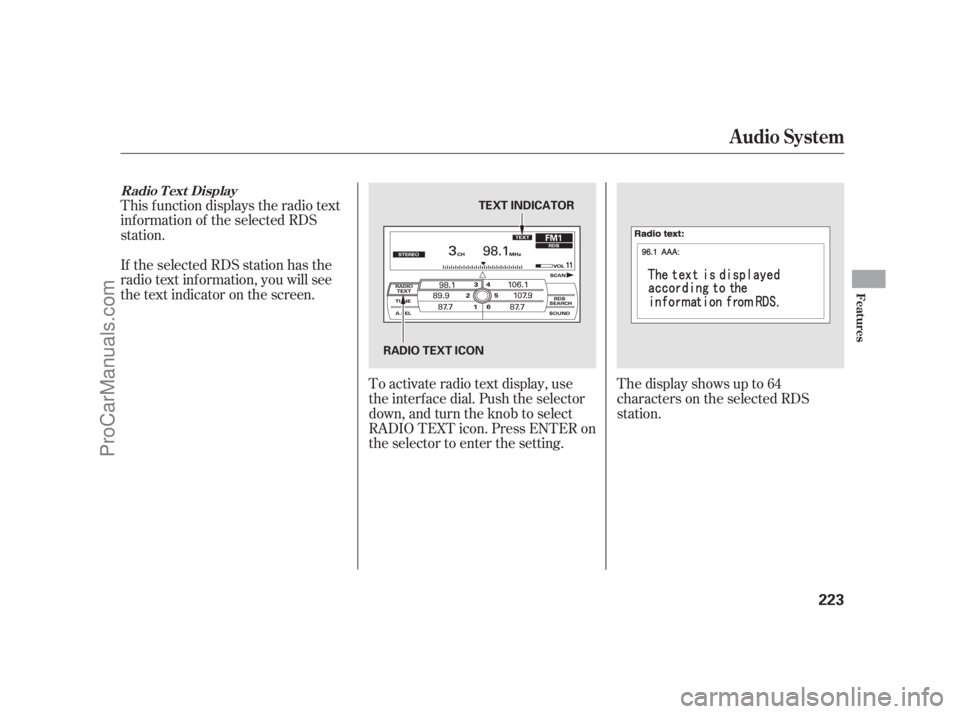
This f unction displays the radio text
inf ormation of the selected RDS
station.To activate radio text display, use
the interf ace dial. Push the selector
down, and turn the knob to select
RADIO TEXT icon. Press ENTER on
the selector to enter the setting.The display shows up to 64
characters on the selected RDS
station.
If the selected RDS station has the
radio text inf ormation, you will see
the text indicator on the screen.
Radio T ext Display
Audio System
Features
223
RADIO TEXT ICON TEXT INDICATOR
10/08/04 19:20:05 31SJA660_228
ProCarManuals.com
Page 230 of 562
Those bands cover these f requen-
cies:
AM band: 530 to 1,710 kHz
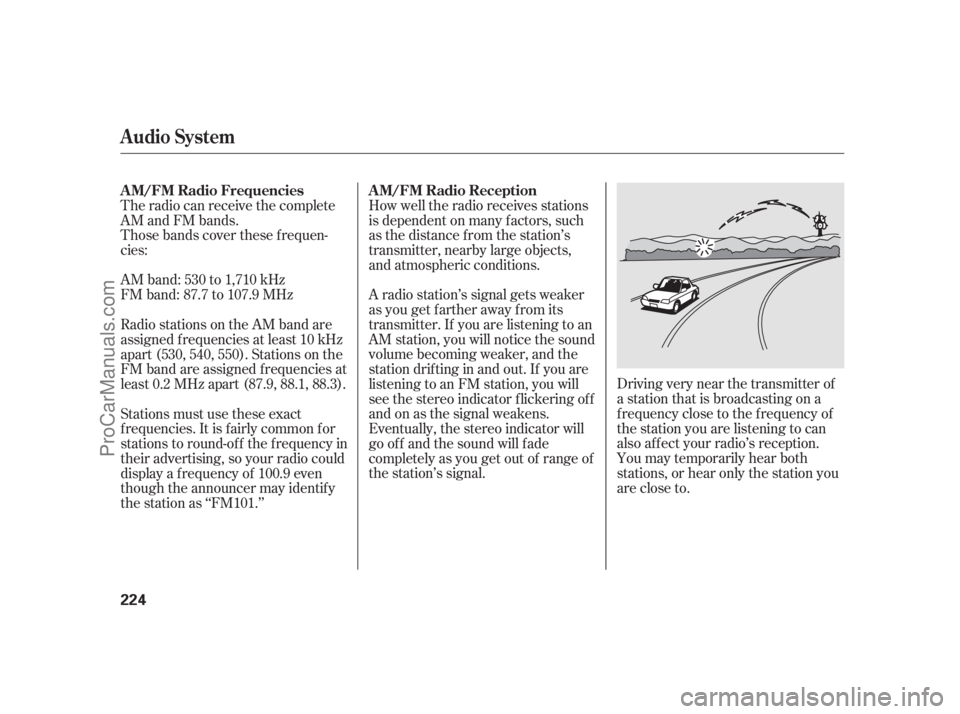
FM band: 87.7 to 107.9 MHzDriving very near the transmitter of
a station that is broadcasting on a
f requency close to the f requency of
the station you are listening to can
also af f ect your radio’s reception.
You may temporarily hear both
stations,orhearonlythestationyou
are close to.
The radio can receive the complete
AM and FM bands.
How well the radio receives stations
is dependent on many f actors, such
as the distance from the station’s
transmitter, nearby large objects,
and atmospheric conditions.
A radio station’s signal gets weaker
as you get f arther away f rom its
transmitter. If you are listening to an
AM station, you will notice the sound
volume becoming weaker, and the
stationdriftinginandout.If youare
listening to an FM station, you will
see the stereo indicator f lickering of f
and on as the signal weakens.
Eventually, the stereo indicator will
go of f and the sound will f ade
completely as you get out of range of
the station’s signal.
Radio stations on the AM band are
assigned f requencies at least 10 kHz
apart (530, 540, 550). Stations on the
FM band are assigned f requencies at
least 0.2 MHz apart (87.9, 88.1, 88.3).
Stations must use these exact
f requencies. It is f airly common f or
stations to round-of f the f requency in
their advertising, so your radio could
display a f requency of 100.9 even
though the announcer may identif y
the station as ‘‘FM101.’’
Audio System
A M/FM Radio Frequencies A M/FM Radio Reception
224
10/08/04 19:20:18 31SJA660_229
ProCarManuals.com
Page 231 of 562
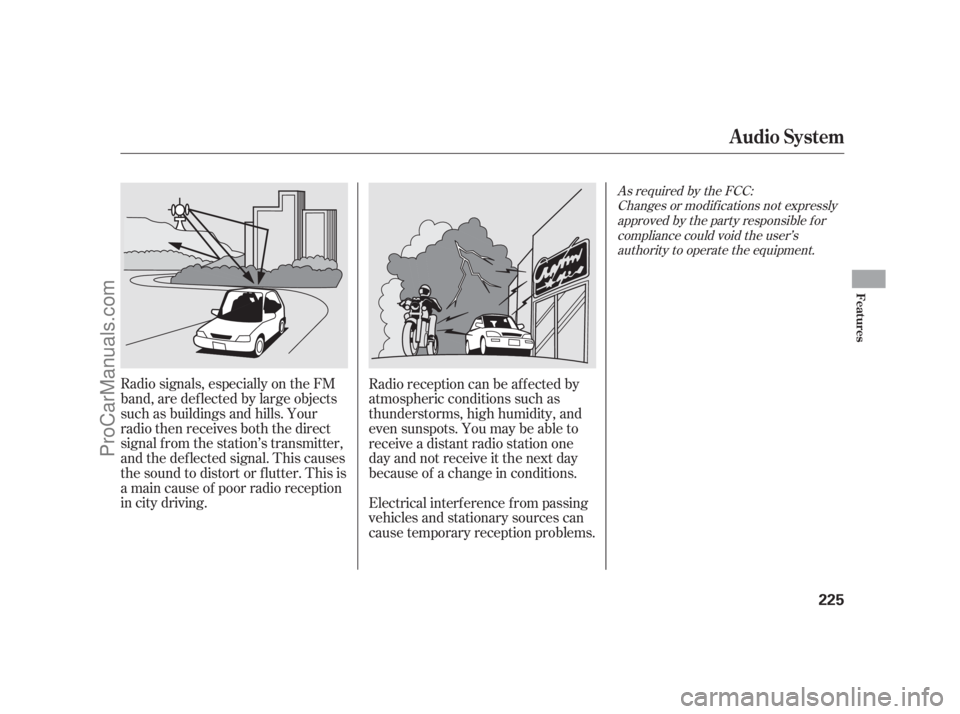
Radio signals, especially on the FM
band, are def lected by large objects
such as buildings and hills. Your
radio then receives both the direct
signal f rom the station’s transmitter,
and the def lected signal. This causes
the sound to distort or flutter. This is
a main cause of poor radio reception
in city driving.Radio reception can be af f ected by
atmospheric conditions such as
thunderstorms, high humidity, and
even sunspots. You may be able to
receive a distant radio station one
day and not receive it the next day
because of a change in conditions.
Electrical interf erence f rom passing
vehicles and stationary sources can
cause temporary reception problems.
As required by the FCC:
Changes or modif ications not expresslyapproved by the party responsible f orcompliance could void the user’sauthority to operate the equipment.
Audio System
Features
225
10/08/04 19:20:26 31SJA660_230
ProCarManuals.com
Page 235 of 562
CONT INUED
Except Hawaiian models
Audio System
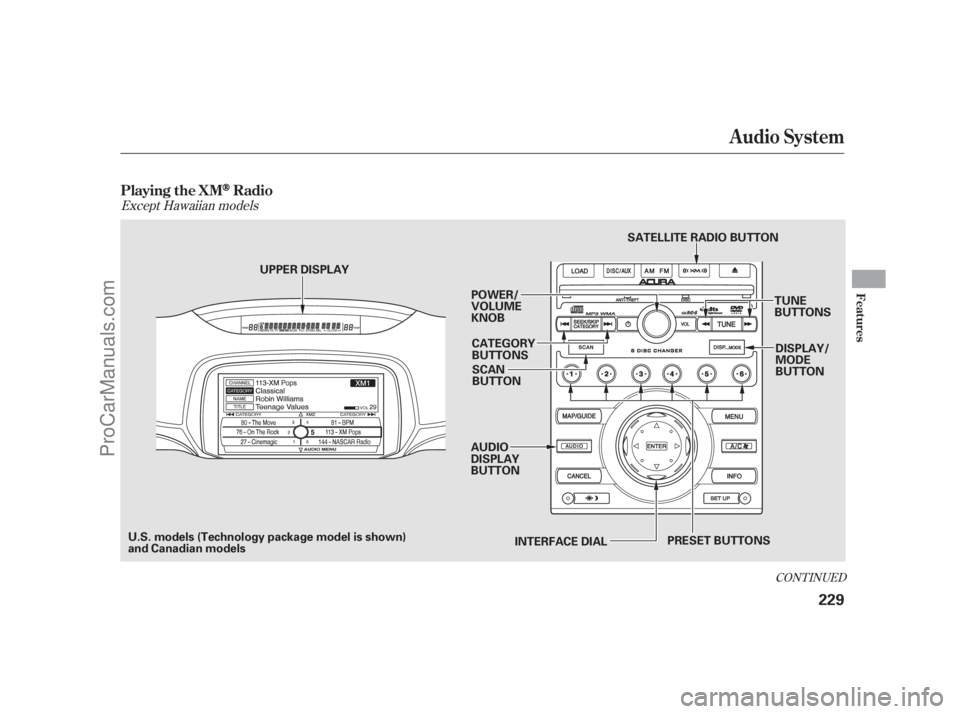
Playing the XMRadio
Features
229
SCAN
BUTTON
UPPER DISPLAY
INTERFACE DIAL
POWER/
VOLUME
KNOB
CATEGORY
BUTTONS
AUDIO
DISPLAY
BUTTON DISPLAY/
MODE
BUTTON
TUNE
BUTTONS
SATELLITE RADIO BUTTON
U.S. models (Technology package model is shown)
and Canadian models PRESET BUTTONS
10/08/04 19:20:57 31SJA660_234
ProCarManuals.com
Page 236 of 562
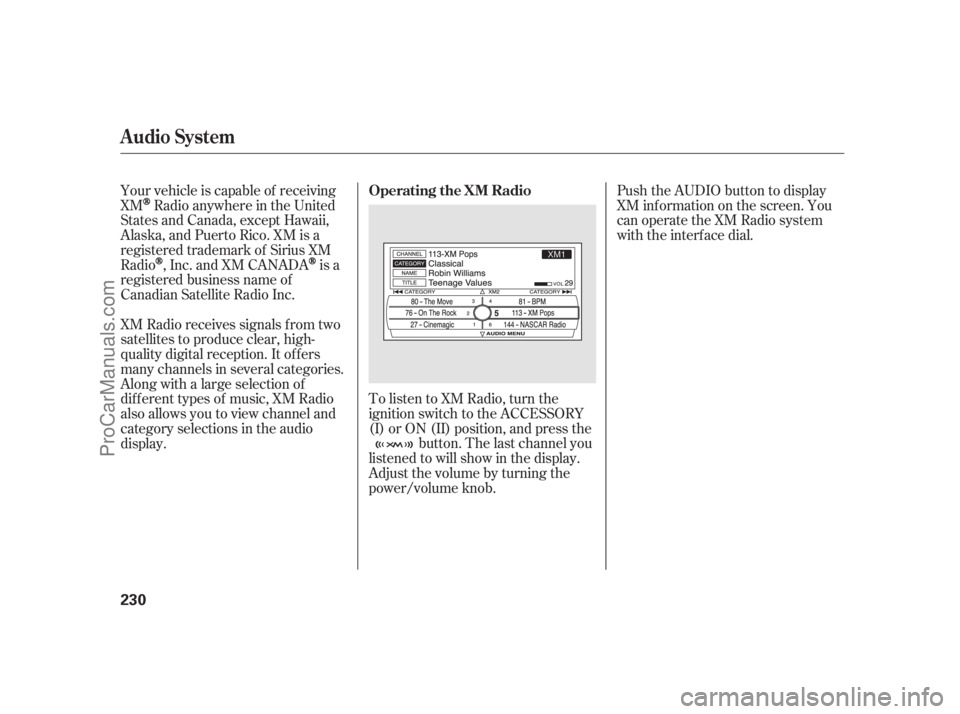
Push the AUDIO button to display
XM inf ormation on the screen. You
can operate the XM Radio system
with the interface dial.
XM Radio receives signals f rom two
satellites to produce clear, high-
quality digital reception. It of f ers
many channels in several categories.
Along with a large selection of
dif f erent types of music, XM Radio
also allows you to view channel and
category selections in the audio
display. Your vehicle is capable of receiving
XM
Radio anywhere in the United
States and Canada, except Hawaii,
Alaska,andPuertoRico.XMisa
registered trademark of Sirius XM
Radio
,Inc.andXMCANADAis a
registered business name of
Canadian Satellite Radio Inc.
To listen to XM Radio, turn the
ignition switch to the ACCESSORY
(I) or ON (II) position, and press thebutton. The last channel you
listened to will show in the display.
Adjust the volume by turning the
power/volume knob.
Audio System
Operating the XM Radio
230
10/08/04 19:21:06 31SJA660_235
ProCarManuals.com
Page 239 of 562

Push down the interf ace selector to
display the audio menu. Turn the
interf ace knob to select NOTE, then
press ENTER. To replay and see the stored file,
press the AUDIO button to select
the audio display on the navigation
screen.Turn the interface knob to select a
sound f ile, then press ENTER. The
display shows the category, name
and title inf ormation of the selected
f ile.
To delete a f ile, select it by turning
the interf ace knob, then push the
selector to the right. Select ‘‘Delete
All’’ or ‘‘Delete Selected Item,’’ then
press ENTER.
This f unction stores the sound
content played on the selected XM
Radio station with the channel,
category, name, and title inf ormation.
To activate this function, press and
hold the button for about 2
seconds while a song or passage
which you want to store is playing.
The f unction records f or about 10
seconds, enough f or you to identif y
the selection when you play it back.
Once you store the recorded sound
f ile, you can replay it and conf irm the
inf ormation. The system can store
up to 30 sound f iles. If you continue
tostoremorefiles,theoldestone
will be deleted each time you add a
new f ile.
CONT INUED
If equipped
Audio System
Note Function
Features
233
10/08/04 19:21:46 31SJA660_238
ProCarManuals.com
Page 241 of 562
Depending on where you drive, you
may experience reception problems.
Interf erence can be caused by any of
these conditions:Driving on the north side of a
large commercial truck on an
east/west road.
Driving in tunnels.
Driving on a road beside a vertical
wall, steep clif f , or hill to the south
of you.
Driving on the lower level of a
multi-tiered road.
Driving on a single lane road
alongside dense trees taller than
50 ft. (15 m) to the south of you.
There may be other geographic
situations that could af f ect satellite
radio reception. Driving on the north side of an
east/west mountain road.
If your XM Radio service has expired
or you purchased your vehicle f rom
a previous owner, you can listen to a
sampling of the broadcasts available
on XM Radio. With the ignition
switch in the ACCESSORY (I) or the
ON (II) position, press thebutton. A variety of music
types and styles will play.
If you decide to purchase XM radio
service, contact XM Radio at ,orat
1-800-852-9696. In Canada, contact
XM CANADA
at , or
at 1-877-209-0079. You will need to
give them your radio I.D. number
and your credit card number. To get
your radio I.D. number, press the side of the TUNE bar until ‘‘0’’
appears in the display. Your I.D. will
appear in the display.
After you’ve registered with XM
Radio, keep your audio system in the
XM Radio mode while you wait f or
activation. This should take about 30
minutes.
While waiting for activation, make
sure your vehicle remains in an open
area with good reception. Once your
audio system is activated, ‘‘category’’
or ‘‘CH’’ will appear in the display,
andyou’llbeabletolistentoXM
Radio broadcasts. XM Radio will
continue to send an activation signal
to your vehicle for at least 12 hours
from the activation request. If the
service has not been activated after
36 hours, contact XMRadio. In
Canada, contact XM CANADA
.
As required by the FCC:
Changes or modif ications not expresslyapproved by the party responsible f orcompliance could void the user’sauthority to operate the equipment.
www.xmradio.com www.xmradio.ca
Audio System
Receiving XM Radio ServiceFeatures
235
10/08/04 19:22:07 31SJA660_240
ProCarManuals.com