mirror ACURA RL 2012 User Guide
[x] Cancel search | Manufacturer: ACURA, Model Year: 2012, Model line: RL, Model: ACURA RL 2012Pages: 562, PDF Size: 12.87 MB
Page 169 of 562
If you do not turn the heaters off,
they will shut themselves of f af ter 5
to 40 minutes (depending on the
ambient temperature). It also shuts
of f when you turn of f the ignition
switch.Never drive your vehicle with the
outside mirrors f olded.
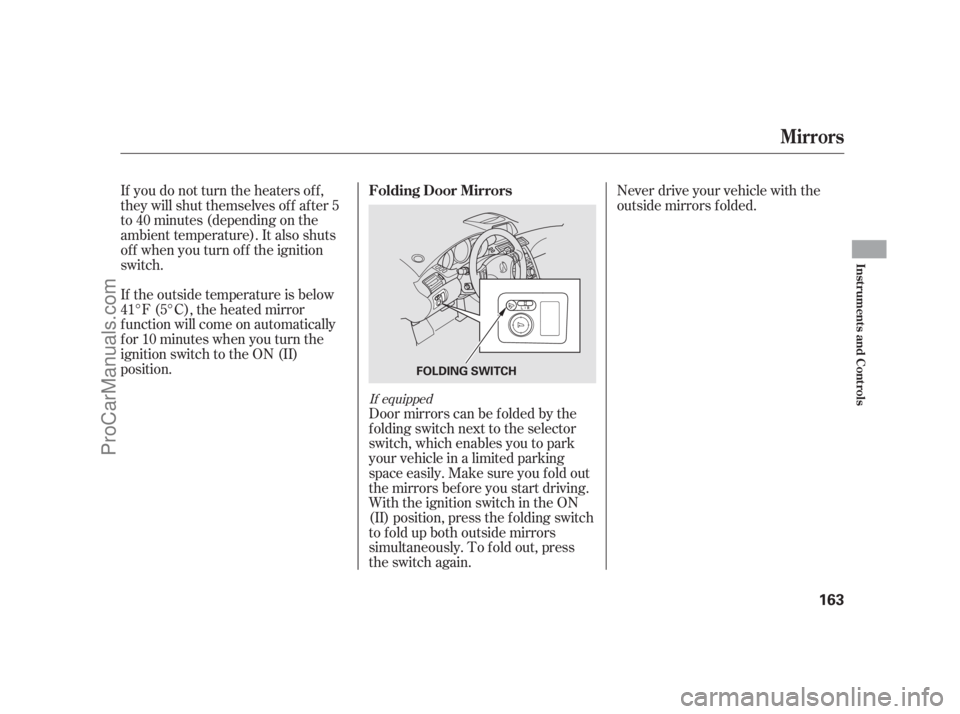
Door mirrors can be f olded by the
f olding switch next to the selector
switch, which enables you to park
your vehicle in a limited parking
space easily. Make sure you fold out
the mirrors bef ore you start driving.
With the ignition switch in the ON
(II) position, press the f olding switch
to fold up both outside mirrors
simultaneously. To f old out, press
the switch again. If the outside temperature is below
41°F (5°C), the heated mirror
function will come on automatically
f or 10 minutes when you turn the
ignition switch to the ON (II)
position.
If equipped
Folding Door Mirrors
Mirrors
Inst rument s and Cont rols
163
FOLDING SWITCH
11/07/20 18:20:29 31SJA670_168
ProCarManuals.com
Page 170 of 562

Your vehicle has a memory feature
f or the steering wheel, driver’s seat,
and outside mirror positions.
Two seat, steering wheel, and
outside mirror positions can be
stored in separate memories. You
select a memorized position by
pushing the appropriate button.
You can also select the memorized
positions by unlocking the doors
with the remote. Each remote has a
driver’s ID (see page ). The
driver’s ID (Driver 1) corresponds to
the memorized positions stored with
the memory button (1). The driver’s
ID (Driver 2) corresponds to the
memorized positions stored with the
memory button (2).Store a driving position only when
the vehicle is parked.
Turn the ignition switch to the ON
(II) position. You cannot add a
new driving position to the
memory unless the ignition switch
is in the ON (II) position. You can
recall a memorized position with
the ignition switch in any position.
Adjust the seat to a comfortable
position (see page ).
Adjust the steering wheel to a
comf ortable position (see page
).
Adjust the outside mirrors f or best
visibility (see page ).Press the MEMO button on the
driver’s door. You will hear a beep.
The indicator in the memory
buttons (1 and 2) will blink.
Immediatelypressoneof the
memory buttons (1 or 2) until you
hear two beeps. The indicator in
the memory button will stay on.
The current positions of the
driver’s seat, steering wheel, and
outside mirrors are now stored. 1.
2.
148 174 3.
156
161
Driving Posit ion Memory Syst em
Storing a Driving Position in
Memory
164
MEMORY
BUTTONSMEMO BUTTON
11/07/20 18:20:39 31SJA670_169
ProCarManuals.com
Page 171 of 562
Fail to press a memory button
within 5 seconds.
Readjust the seat or steering
position.
Readjust the outside mirror
position.
Turn the ignition switch out from
the ON (II) position.
Each memory button stores only one
driving position. Storing a new
position erases the previous setting
stored in that button’s memory.
All stored driving positions will be
lost if your vehicle’s battery goes
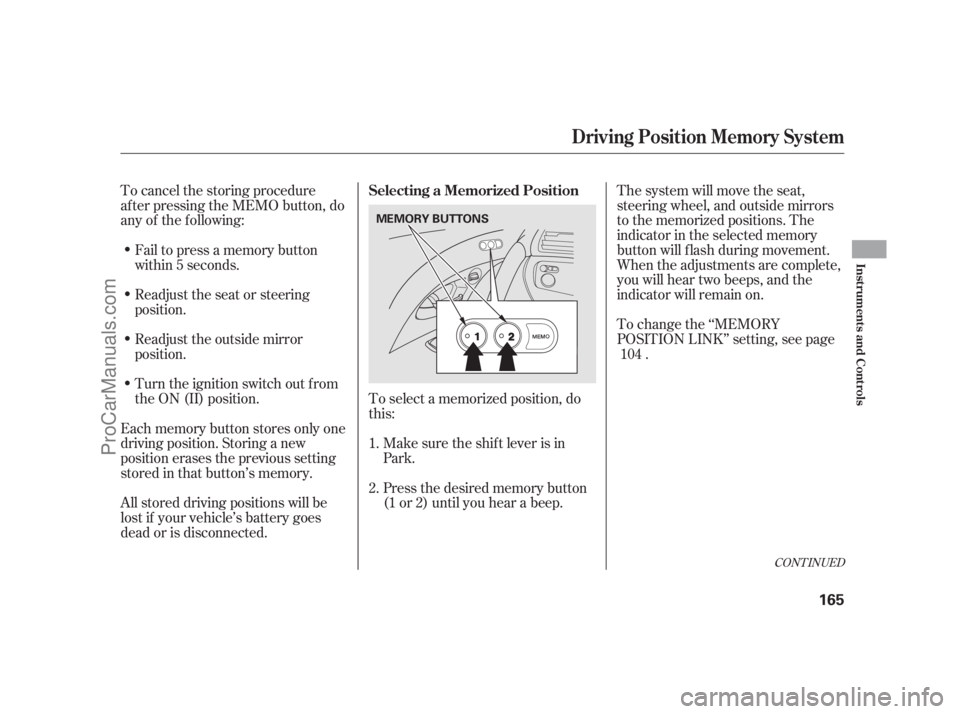
dead or is disconnected.To select a memorized position, do
this:
Make sure the shif t lever is in
Park.
Press the desired memory button
(1 or 2) until you hear a beep.The system will move the seat,
steering wheel, and outside mirrors
to the memorized positions. The
indicator in the selected memory
button will flash during movement.
When the adjustments are complete,
you will hear two beeps, and the
indicator will remain on.
To change the ‘‘MEMORY
POSITION LINK’’ setting, see page
. To cancel the storing procedure
af ter pressing the MEMO button, do
any of the f ollowing:
1.
2.104
CONT INUED
Selecting a Memorized Position
Driving Posit ion Memory Syst em
Inst rument s and Cont rols
165
MEMORY BUTTONS
11/07/20 18:20:49 31SJA670_170
ProCarManuals.com
Page 172 of 562
To stop the system’s automatic
adjustment, do any of the f ollowing:
Press any button on the control
panel: MEMO, 1, or 2.
Push any of the adjustment
switches f or the seat or steering
wheel.
Shif t out of Park.
Adjust the outside mirrors.
If you select a memorized position
without pushing the ignition switch
knob or inserting the built-in key in
the ignition switch, only the seat and
outside mirrors will adjust. To get
the system to also adjust the steering
wheel, push and turn the ignition
switch or insert the built-in key in
the ignition switch. You will hear two
beeps when it is complete.You can use the adjustment switches
to change the positions of the seat,
steering wheel, or outside mirrors
af ter they are in their memorized
position. If you change the
memorized position, the indicator in
the memory button will go out. To
keep this driving position f or later
use, you must store it in the driving
position memory.
Driving Posit ion Memory Syst em
166
11/07/20 18:20:55 31SJA670_171
ProCarManuals.com
Page 180 of 562

The driving position memory
activated (Driver 1, Driver 2) is
shownonthebackof eachremote.
Make sure you store your desired
driving position in the memory thatis activated by the remote you
normally carry.
When you unlock the driver’s door
with your remote transmitter, each
remote transmitter activates the
customized settings related to that
remote.To turn of f this f eature, press and
hold the LOCK and UNLOCK
buttonsatthesametime.TheLED
in the remote will blink once. Then
release the buttons. Doing this
cancels the keyless memory settings
f or that remote and restores the
def ault settings.
Some of them keep the same
settings as they were set previously.
To turn the keyless memory settings
back on, repeat this procedure. The
LED will blink twice to indicate the
f eature has been turned on.
When you unlock and open the
driver’s door with the remote, the
driver’s seat (except power lumbar)
and outside mirrors move to the
positions stored in memory. An
indicator on one of the driving
position memory buttons on the
driver’s door also comes on. Navigation system pref erences
(see the navigation system
manual). Here are the settings activated with
the remote:
Driving position memory
(see page ).
Customized settings
(see page ).
Audio system settings
(see page ).
Climate control settings
(see page ).
Compass system pref erences
(see page ).164
81
213
205
281
U.S. RL model
Except U.S. RL model
K eyless A ccess System
Recalling a Memorized Driving
Position
174
DRIVER’S ID
11/07/20 18:22:22 31SJA670_179
ProCarManuals.com
Page 202 of 562
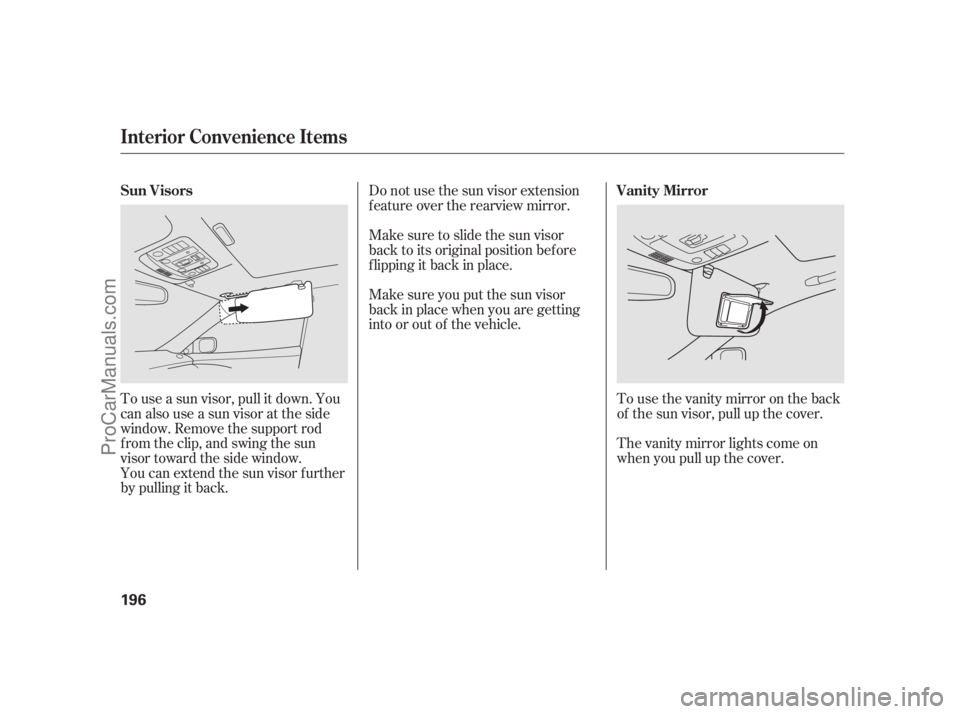
You can extend the sun visor f urther
by pulling it back. To use a sun visor, pull it down. You
can also use a sun visor at the side
window. Remove the support rod
f rom the clip, and swing the sun
visor toward the side window.Do not use the sun visor extension
f eature over the rearview mirror.
Make sure to slide the sun visor
back to its original position bef ore
f lipping it back in place.
Make sure you put the sun visor
back in place when you are getting
into or out of the vehicle.
Tousethevanitymirrorontheback
of the sun visor, pull up the cover.
Thevanitymirrorlightscomeon
when you pull up the cover. Sun Visors Vanity Mirror
Interior Convenience Items
196
11/07/20 18:25:14 31SJA670_201
ProCarManuals.com
Page 210 of 562

Climat e Cont rol Syst em
204
RECIRCULATION
BUTTON
U.S. models
(Technology package model is shown)MODE
BUTTONDRIVER’S SIDE TEMPERATURE
CONTROL BAR
AUTO
BUTTONOFF
BUTTONWINDSHIELD
DEFROSTER
BUTTON FAN CONTROL
BUTTONS TEMPERATURE DISPLAYPASSENGER’S SIDE
TEMPERATURE CONTROL BAR
A/C (AIR CONDITIONING)
BUTTON
INTERFACE DIALREAR
WINDOW
DEFOGGER/
MIRROR
HEATER
BUTTON
11/07/20 18:26:02 31SJA670_209
ProCarManuals.com
Page 213 of 562
The outside air intakes f or the
climate control system are at the
base of the windshield. Keep this
area clear of leaves and other debris.
Thesystemshouldbeleftinfresh
air mode under almost all conditions.
Keeping the system in recirculation
mode, particularly with the A/C of f ,
can cause the windows to fog up.
Switch to recirculation mode when
driving through dusty or smoky
conditions, then return to fresh air
mode.This button turns the windshield
def roster on and of f .
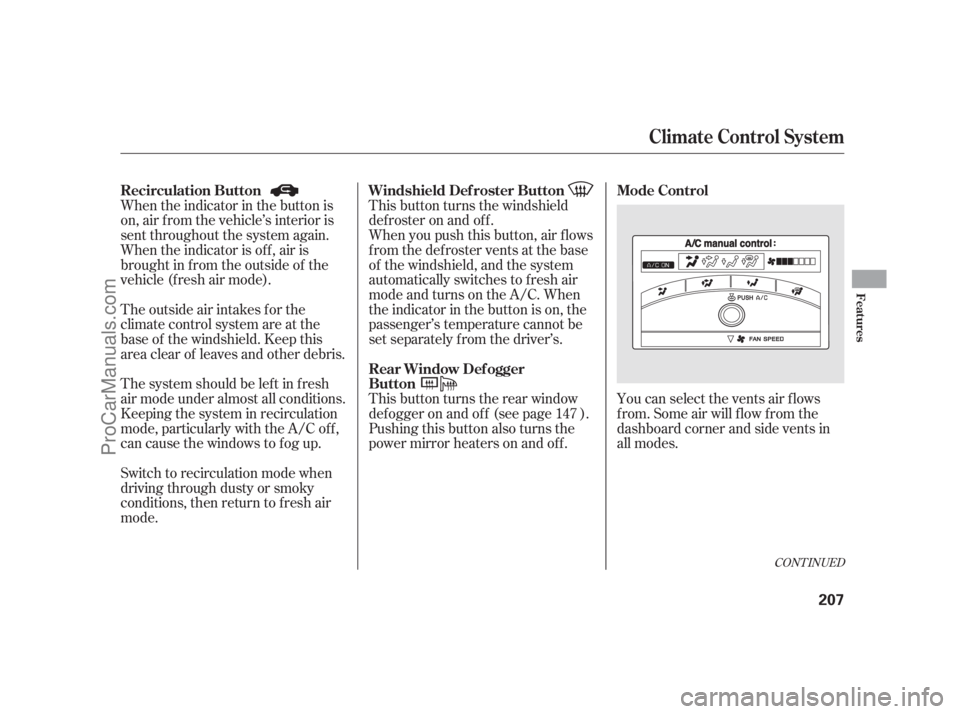
You can select the vents air flows
f rom. Some air will f low f rom the
dashboard corner and side vents in
all modes. When you push this button, air f lows
f rom the def roster vents at the base
of the windshield, and the system
automatically switches to f resh air
mode and turns on the A/C. When
the indicator in the button is on, the
passenger’s temperature cannot be
set separately f rom the driver’s. When the indicator in the button is
on, air f rom the vehicle’s interior is
sent throughout the system again.
When the indicator is off, air is
brought in f rom the outside of the
vehicle (fresh air mode).
Pushing this button also turns the
power mirror heaters on and of f . This button turns the rear window
def ogger on and of f (see page ).147
CONT INUED
Recirculation Button Mode ControlWindshield Def roster Button
Rear Window Def ogger
Button
Climat e Cont rol Syst em
Features
207
11/07/20 18:26:33 31SJA670_212
ProCarManuals.com
Page 406 of 562

Make sure all windows, mirrors,
and outside lights are clean and
unobstructed. Remove f rost, snow,
or ice.
Check that the hood is f ully closed.
Check that any items you may be
carrying are stored properly or
f astened down securely.Check the seat adjustment (see
page ).
Check the steering wheel
adjustment (see page ).
Make sure the doors and the
trunk are securely closed and
locked.
Fasten your seat belt. Check that
your passengers have f astened
their seat belts (see page ). Youshoulddothefollowingchecks
and adjustments bef ore you drive
your vehicle.
When you start the engine, check
the gauges and indicators in the
instrument panel, and the
messages on the multi-inf ormation
display (see pages , and
). Check the adjustment of the
inside and outside mirrors (see
page ).
Visually check the tires. If a tire
looks low, use a gauge to check its
pressure. 1.
2.
3.
4.5.
6.
7.
8.
9.
10.17
7861 70 156
148 161
Preparing to Drive
400
11/07/20 18:52:53 31SJA670_405
ProCarManuals.com
Page 446 of 562
Many states and Canadian
provinces/territories require special
outside mirrors when towing a trailer.
Even if they don’t, you should install
special mirrors if you cannot clearly
see behind you, or if the trailer
creates a blind spot.When preparing to tow, and bef ore
driving away, be sure to check the
f ollowing:
The vehicle has been properly
serviced, and the suspension and
the cooling system are in good
operating condition.
Askyourtrailersalesorrental
agency if any other items are
recommended or required f or your
towing situation.The trailer has been properly
serviced and is in good condition.The lights and brakes on your
vehicle and the trailer are working
properly.
Your vehicle tires and spare are
properly inf lated, and the trailer
tires and spare are inf lated as
recommended by the trailer
maker.
All weights and loads are within
limits.
Thehitch,safetychains,andany
other attachments are secure.
All items in or on the trailer are
properly secured and cannot shif t
while you drive. Pre-T ow Checklist
A ddit ional T owing Equipment
Towing a Trailer
440
11/07/20 18:58:02 31SJA670_445
ProCarManuals.com