ad blue Acura RLX 2014 Service Manual
[x] Cancel search | Manufacturer: ACURA, Model Year: 2014, Model line: RLX, Model: Acura RLX 2014Pages: 518, PDF Size: 15.83 MB
Page 308 of 518
307
uuBluetooth® HandsFreeLink®uHFL Menus
Continued
Features
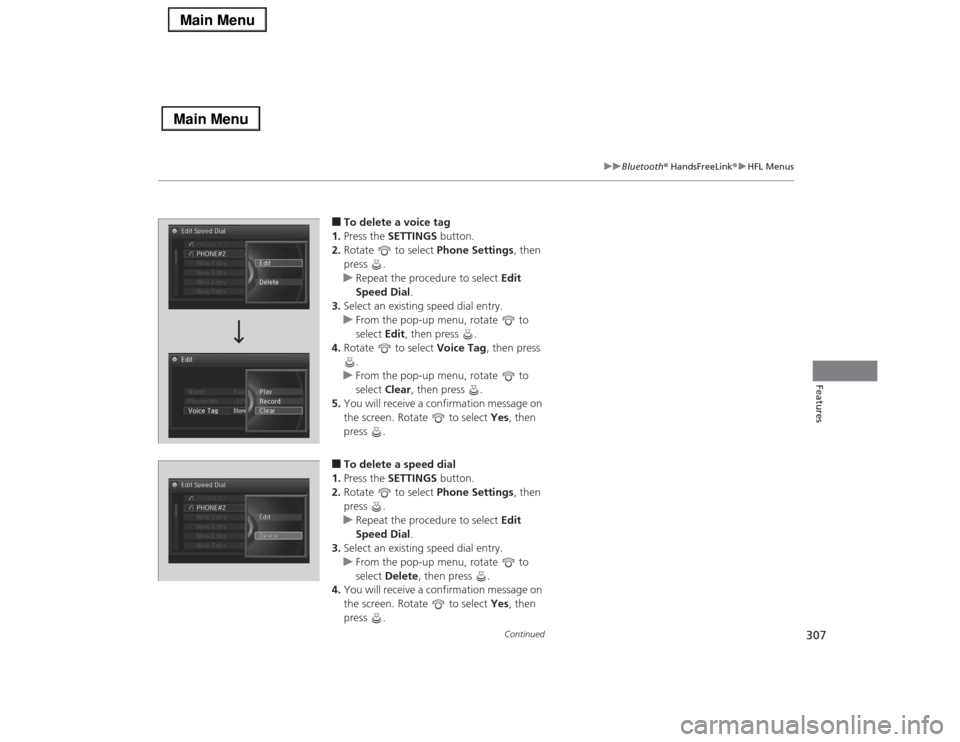
■To delete a voice tag
1.Press the SETTINGS button.
2.Rotate to select Phone Settings, then
press .
uRepeat the procedure to select Edit
Speed Dial.
3.Select an existing speed dial entry.
uFrom the pop-up menu, rotate to
select Edit, then press .
4.Rotate to select Voice Tag, then press
.
uFrom the pop-up menu, rotate to
select Clear, then press .
5.You will receive a confirmation message on
the screen. Rotate to select Yes, then
press .■To delete a speed dial
1.Press the SETTINGS button.
2.Rotate to select Phone Settings, then
press .
uRepeat the procedure to select Edit
Speed Dial.
3.Select an existing speed dial entry.
uFrom the pop-up menu, rotate to
select Delete, then press .
4.You will receive a confirmation message on
the screen. Rotate to select Yes, then
press .
Page 309 of 518
uuBluetooth® HandsFreeLink®uHFL Menus
308Features
Add phonetic modifications or a new voice tag to the phone’s contact name so that
it is easier for HFL to recognize voice commands.
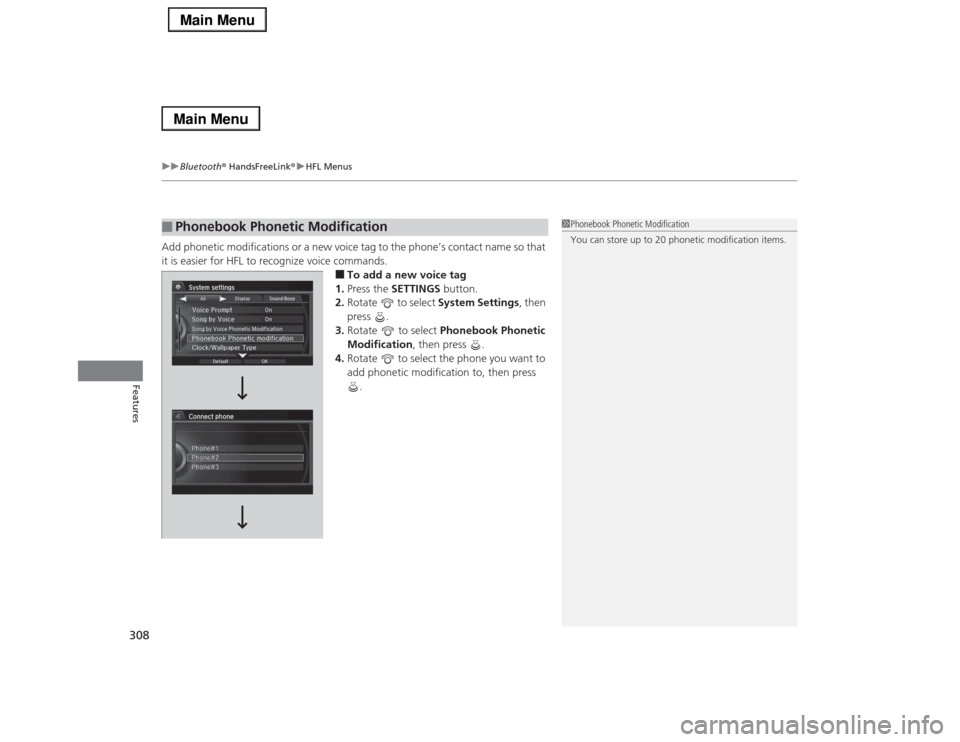
■To add a new voice tag
1.Press the SETTINGS button.
2.Rotate to select System Settings, then
press .
3.Rotate to select Phonebook Phonetic
Modification, then press .
4.Rotate to select the phone you want to
add phonetic modification to, then press
.
■
Phonebook Phonetic Modification
1Phonebook Phonetic Modification
You can store up to 20 phonetic modification items.
Page 310 of 518
309
uuBluetooth® HandsFreeLink®uHFL Menus
Continued
Features
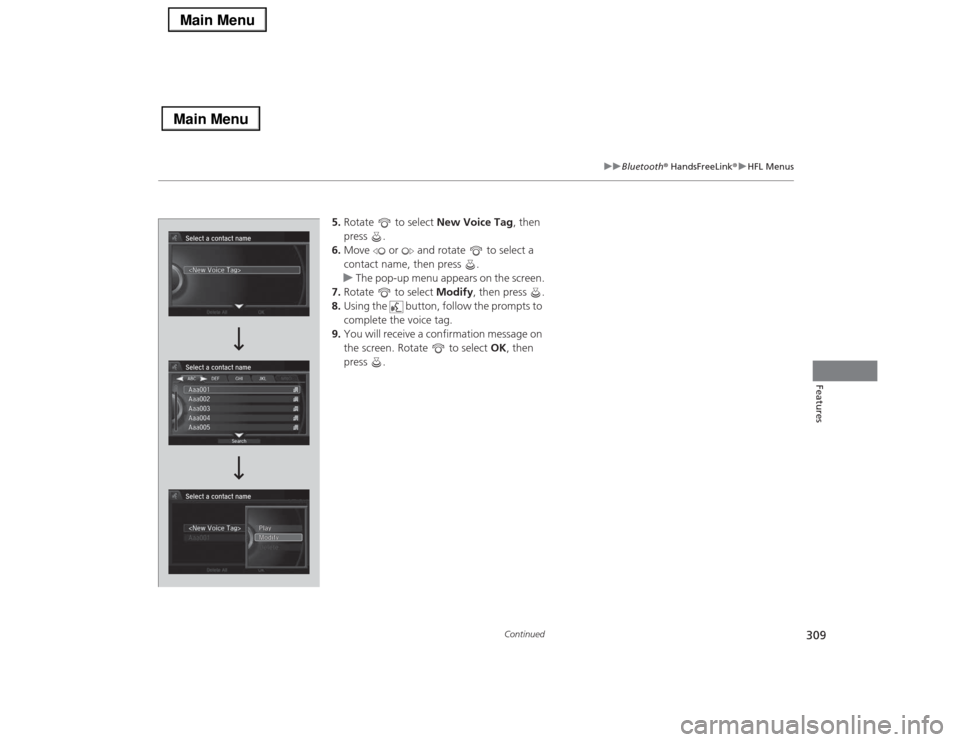
5.Rotate to select New Voice Tag, then
press .
6.Move or and rotate to select a
contact name, then press .
uThe pop-up menu appears on the screen.
7.Rotate to select Modify, then press .
8.Using the button, follow the prompts to
complete the voice tag.
9.You will receive a confirmation message on
the screen. Rotate to select OK, then
press .
Page 311 of 518
uuBluetooth® HandsFreeLink®uHFL Menus
310Features
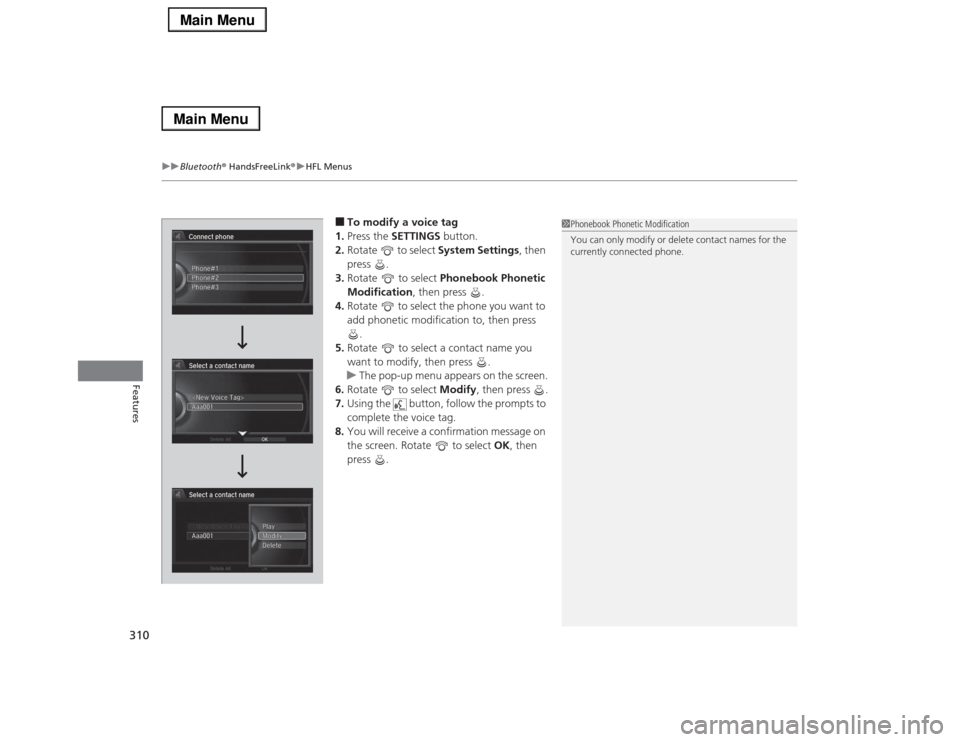
■To modify a voice tag
1.Press the SETTINGS button.
2.Rotate to select System Settings, then
press .
3.Rotate to select Phonebook Phonetic
Modification, then press .
4.Rotate to select the phone you want to
add phonetic modification to, then press
.
5.Rotate to select a contact name you
want to modify, then press .
uThe pop-up menu appears on the screen.
6.Rotate to select Modify, then press .
7.Using the button, follow the prompts to
complete the voice tag.
8.You will receive a confirmation message on
the screen. Rotate to select OK, then
press .
1Phonebook Phonetic Modification
You can only modify or delete contact names for the
currently connected phone.
Page 312 of 518
311
uuBluetooth® HandsFreeLink®uHFL Menus
Continued
Features
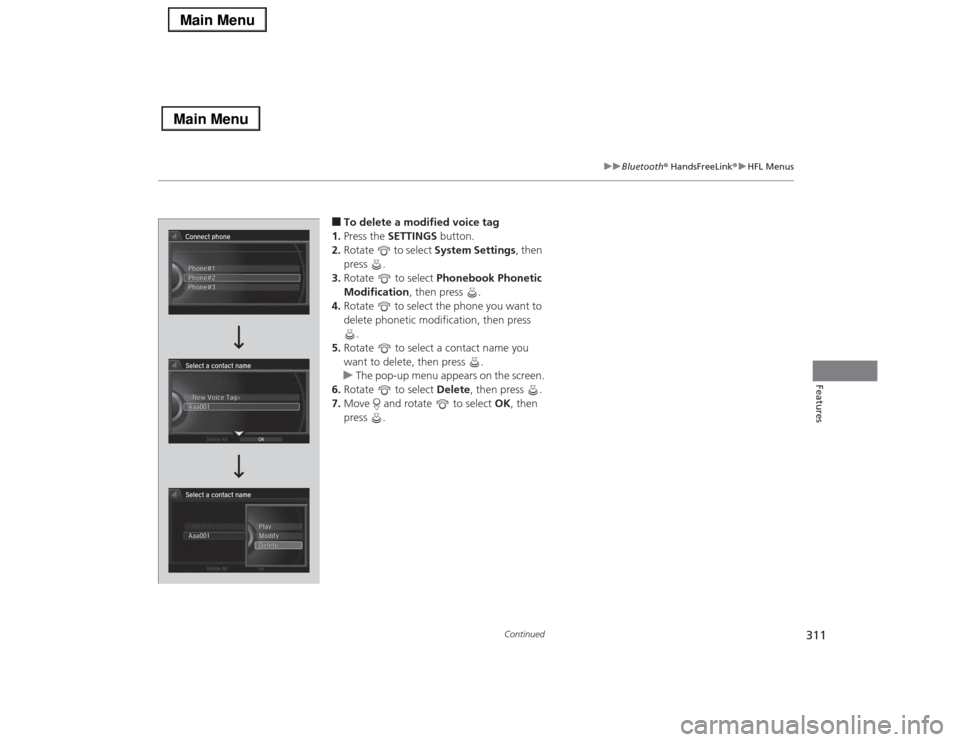
■To delete a modified voice tag
1.Press the SETTINGS button.
2.Rotate to select System Settings, then
press .
3.Rotate to select Phonebook Phonetic
Modification, then press .
4.Rotate to select the phone you want to
delete phonetic modification, then press
.
5.Rotate to select a contact name you
want to delete, then press .
uThe pop-up menu appears on the screen.
6.Rotate to select Delete, then press .
7.Move and rotate to select OK, then
press .
Page 313 of 518
312
uuBluetooth® HandsFreeLink®uHFL Menus
Features
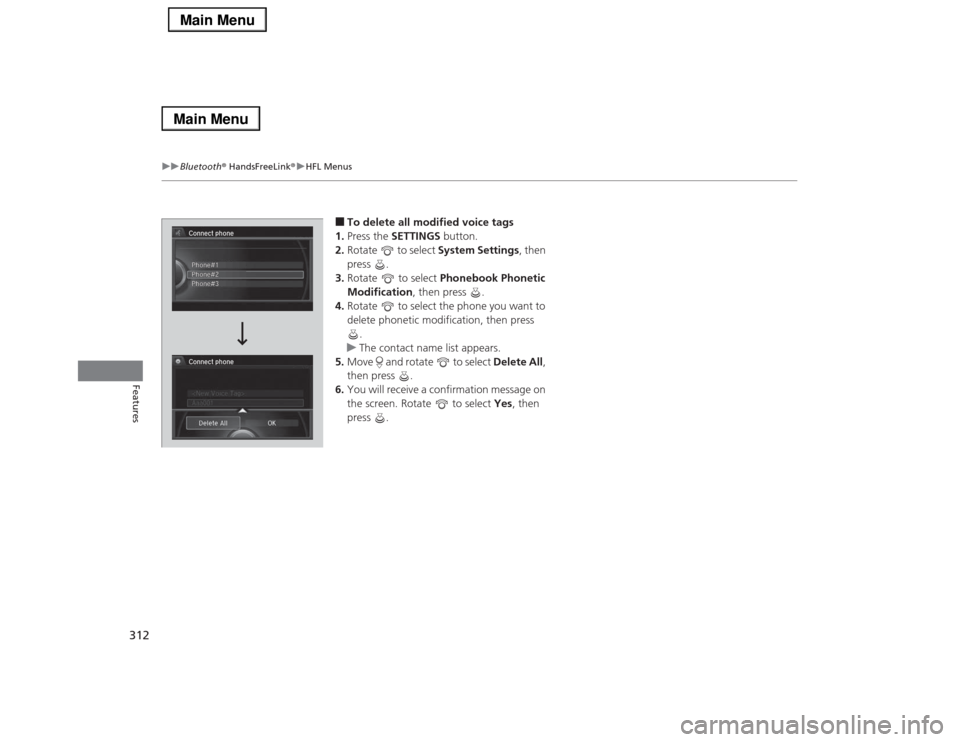
■To delete all modified voice tags
1.Press the SETTINGS button.
2.Rotate to select System Settings, then
press .
3.Rotate to select Phonebook Phonetic
Modification, then press .
4.Rotate to select the phone you want to
delete phonetic modification, then press
.
uThe contact name list appears.
5.Move and rotate to select Delete All,
then press .
6.You will receive a confirmation message on
the screen. Rotate to select Yes, then
press .
Page 314 of 518
Continued
313
uuBluetooth® HandsFreeLink®uHFL Menus
Features
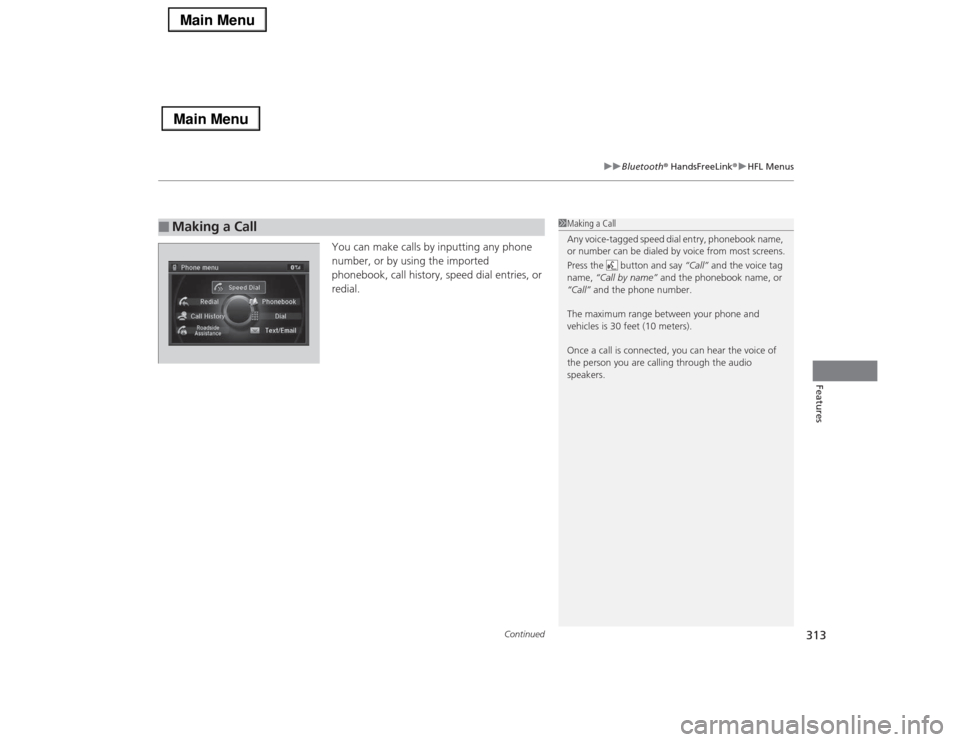
You can make calls by inputting any phone
number, or by using the imported
phonebook, call history, speed dial entries, or
redial.
■
Making a Call
1Making a Call
Any voice-tagged speed dial entry, phonebook name,
or number can be dialed by voice from most screens.
Press the button and say “Call” and the voice tag
name, “Call by name” and the phonebook name, or
“Call” and the phone number.
The maximum range between your phone and
vehicles is 30 feet (10 meters).
Once a call is connected, you can hear the voice of
the person you are calling through the audio
speakers.
Page 315 of 518
uuBluetooth® HandsFreeLink®uHFL Menus
314Features
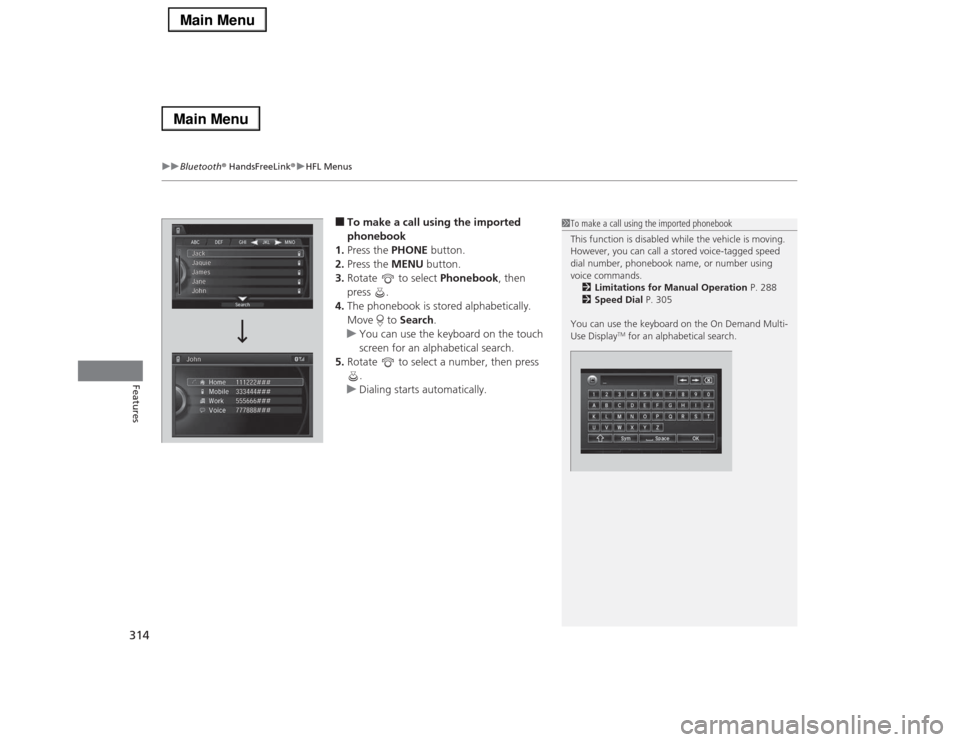
■To make a call using the imported
phonebook
1.Press the PHONE button.
2.Press the MENU button.
3.Rotate to select Phonebook, then
press .
4.The phonebook is stored alphabetically.
Move to Search.
uYou can use the keyboard on the touch
screen for an alphabetical search.
5.Rotate to select a number, then press
.
uDialing starts automatically.
1To make a call using the imported phonebook
This function is disabled while the vehicle is moving.
However, you can call a stored voice-tagged speed
dial number, phonebook name, or number using
voice commands.
2Limitations for Manual Operation P. 288
2Speed Dial P. 305
You can use the keyboard on the On Demand Multi-
Use Display
TM for an alphabetical search.
Page 316 of 518
Continued
315
uuBluetooth® HandsFreeLink®uHFL Menus
Features
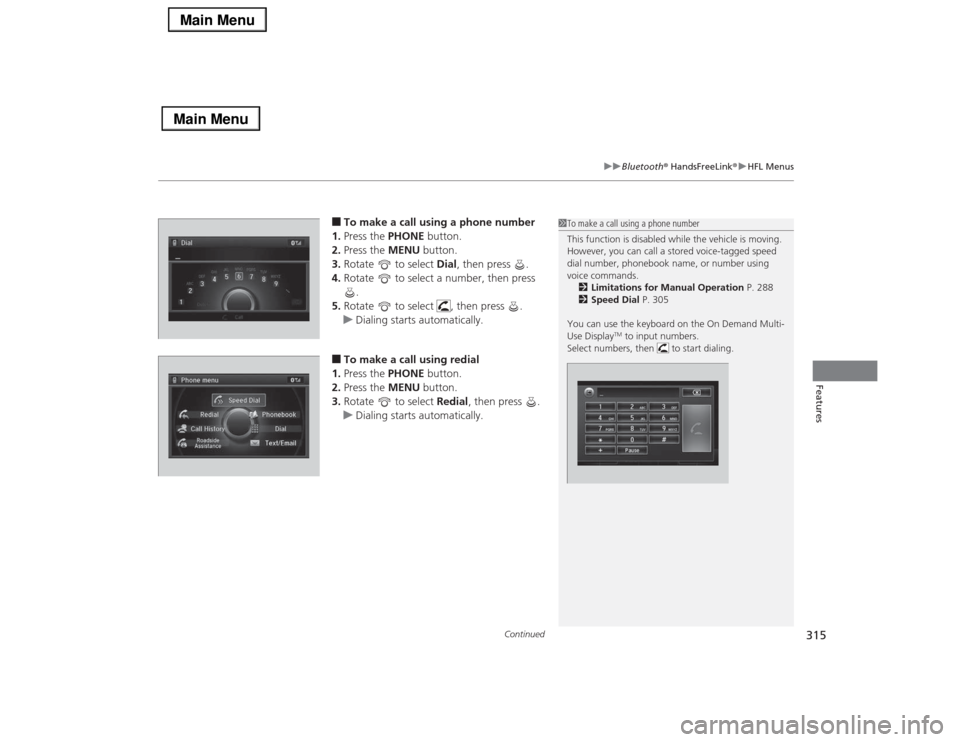
■To make a call using a phone number
1.Press the PHONE button.
2.Press the MENU button.
3.Rotate to select Dial, then press .
4.Rotate to select a number, then press
.
5.Rotate to select , then press .
uDialing starts automatically.■To make a call using redial
1.Press the PHONE button.
2.Press the MENU button.
3.Rotate to select Redial, then press .
uDialing starts automatically.
1To make a call using a phone number
This function is disabled while the vehicle is moving.
However, you can call a stored voice-tagged speed
dial number, phonebook name, or number using
voice commands.
2Limitations for Manual Operation P. 288
2Speed Dial P. 305
You can use the keyboard on the On Demand Multi-
Use Display
TM to input numbers.
Select numbers, then to start dialing.
Page 317 of 518
uuBluetooth® HandsFreeLink®uHFL Menus
316Features
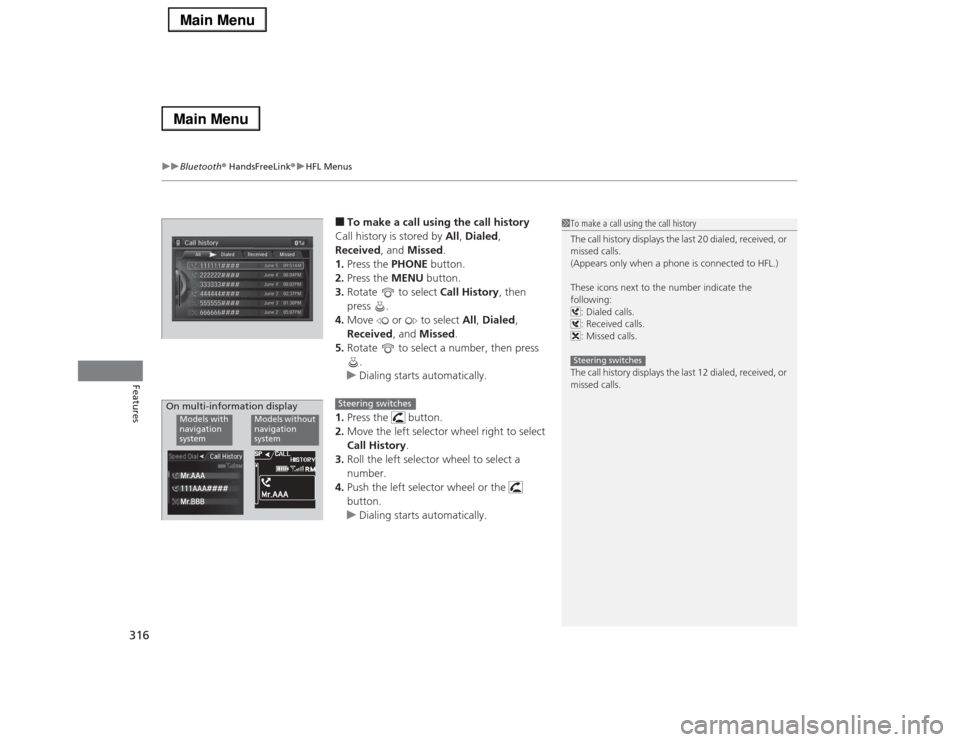
■To make a call using the call history
Call history is stored by All, Dialed,
Received, and Missed.
1.Press the PHONE button.
2.Press the MENU button.
3.Rotate to select Call History, then
press .
4.Move or to select All, Dialed,
Received, and Missed.
5.Rotate to select a number, then press
.
uDialing starts automatically.
1.Press the button.
2.Move the left selector wheel right to select
Call History.
3.Roll the left selector wheel to select a
number.
4.Push the left selector wheel or the
button.
uDialing starts automatically.
1To make a call using the call history
The call history displays the last 20 dialed, received, or
missed calls.
(Appears only when a phone is connected to HFL.)
These icons next to the number indicate the
following:
: Dialed calls.
: Received calls.
: Missed calls.
The call history displays the last 12 dialed, received, or
missed calls.Steering switches
111AAA#### Mr.AAA
Mr.BBBModels with
navigation
system
Models without
navigation
system
On multi-information display
Steering switches