door lock Acura RLX 2014 Owner's Manual
[x] Cancel search | Manufacturer: ACURA, Model Year: 2014, Model line: RLX, Model: Acura RLX 2014Pages: 518, PDF Size: 15.83 MB
Page 1 of 518
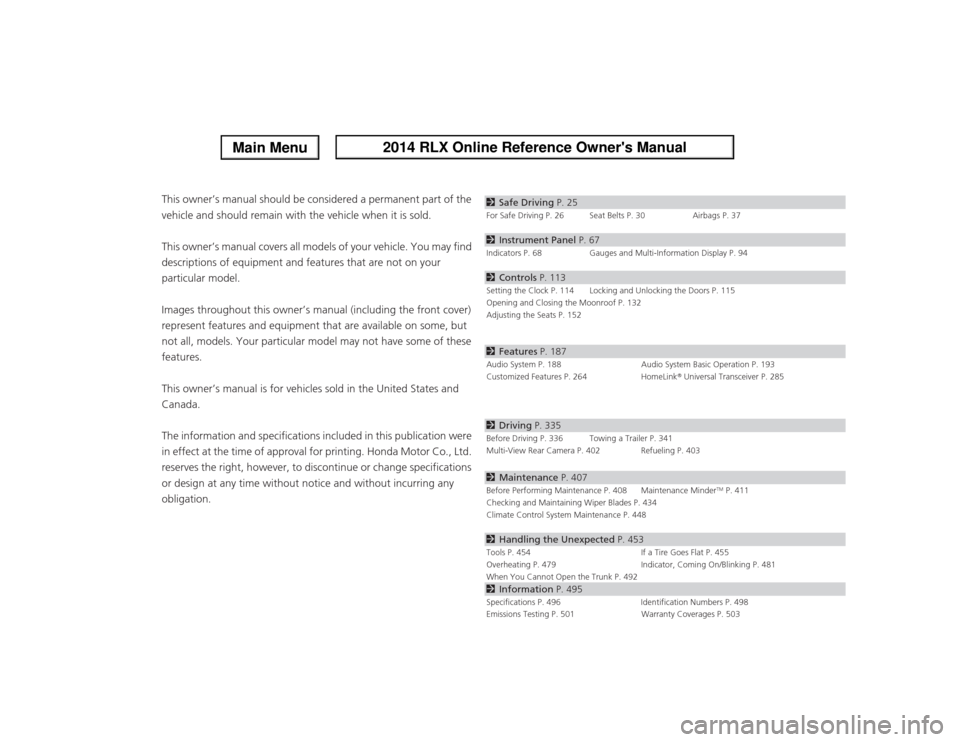
ContentsThis owner’s manual should be considered a permanent part of the
vehicle and should remain with the vehicle when it is sold.
This owner’s manual covers all models of your vehicle. You may find
descriptions of equipment and features that are not on your
particular model.
Images throughout this owner’s manual (including the front cover)
represent features and equipment that are available on some, but
not all, models. Your particular model may not have some of these
features.
This owner’s manual is for vehicles sold in the United States and
Canada.
The information and specifications included in this publication were
in effect at the time of approval for printing. Honda Motor Co., Ltd.
reserves the right, however, to discontinue or change specifications
or design at any time without notice and without incurring any
obligation.
2Safe Driving P. 25For Safe Driving P. 26 Seat Belts P. 30 Airbags P. 372Instrument Panel P. 67Indicators P. 68 Gauges and Multi-Information Display P. 942Controls P. 113Setting the Clock P. 114 Locking and Unlocking the Doors P. 115
Opening and Closing the Moonroof P. 132
Adjusting the Seats P. 1522Features P. 187Audio System P. 188 Audio System Basic Operation P. 193
Customized Features P. 264 HomeLink® Universal Transceiver P. 2852Driving P. 335Before Driving P. 336 Towing a Trailer P. 341
Multi-View Rear Camera P. 402 Refueling P. 4032Maintenance P. 407Before Performing Maintenance P. 408 Maintenance Minder
TM P. 411
Checking and Maintaining Wiper Blades P. 434
Climate Control System Maintenance P. 448
2Handling the Unexpected P. 453Tools P. 454 If a Tire Goes Flat P. 455
Overheating P. 479 Indicator, Coming On/Blinking P. 481
When You Cannot Open the Trunk P. 4922Information P. 495Specifications P. 496 Identification Numbers P. 498
Emissions Testing P. 501 Warranty Coverages P. 503
Page 2 of 518
Contents
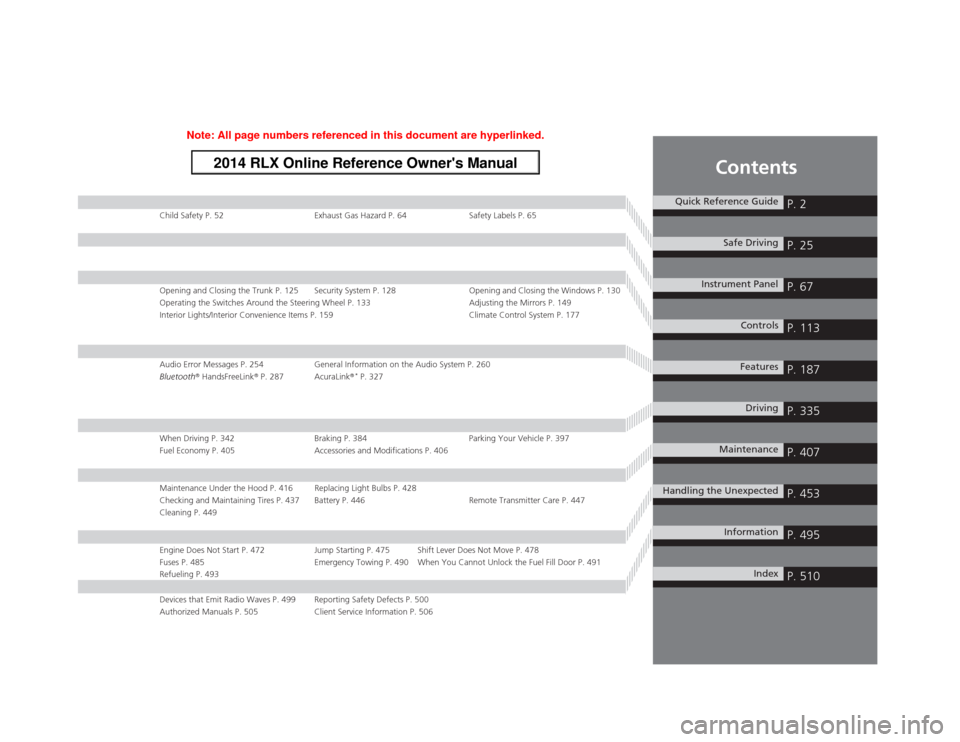
Child Safety P. 52 Exhaust Gas Hazard P. 64 Safety Labels P. 65Opening and Closing the Trunk P. 125 Security System P. 128 Opening and Closing the Windows P. 130
Operating the Switches Around the Steering Wheel P. 133 Adjusting the Mirrors P. 149
Interior Lights/Interior Convenience Items P. 159 Climate Control System P. 177Audio Error Messages P. 254 General Information on the Audio System P. 260
Bluetooth® HandsFreeLink® P. 287 AcuraLink®
* P. 327
When Driving P. 342 Braking P. 384 Parking Your Vehicle P. 397
Fuel Economy P. 405 Accessories and Modifications P. 406Maintenance Under the Hood P. 416 Replacing Light Bulbs P. 428
Checking and Maintaining Tires P. 437 Battery P. 446 Remote Transmitter Care P. 447
Cleaning P. 449Engine Does Not Start P. 472 Jump Starting P. 475 Shift Lever Does Not Move P. 478
Fuses P. 485 Emergency Towing P. 490 When You Cannot Unlock the Fuel Fill Door P. 491
Refueling P. 493Devices that Emit Radio Waves P. 499 Reporting Safety Defects P. 500
Authorized Manuals P. 505 Client Service Information P. 506
Quick Reference Guide
P. 2
Safe Driving
P. 25
Instrument Panel
P. 67
Controls
P. 113
Features
P. 187
Driving
P. 335
Maintenance
P. 407
Handling the Unexpected
P. 453
Information
P. 495
Index
P. 510
Page 5 of 518
Visual Index
4Quick Reference Guide
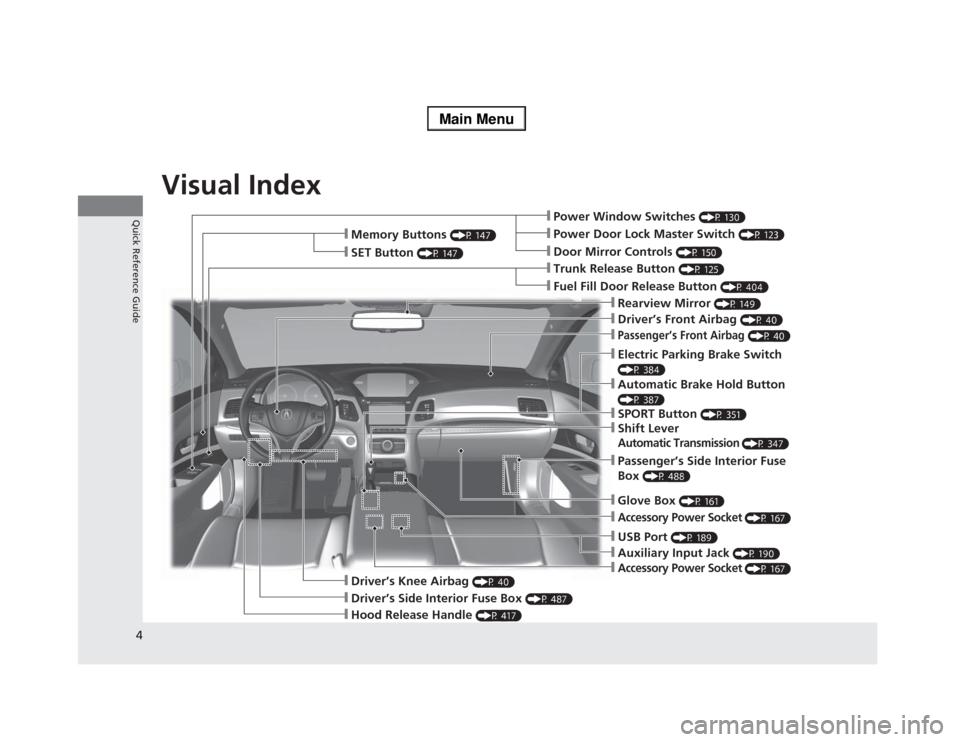
❙Power Window Switches
(P 130)
❙Driver’s Front Airbag
(P 40)
❙Trunk Release Button
(P 125)
❙Hood Release Handle
(P 417)
❙Driver’s Side Interior Fuse Box
(P 487)
❙Passenger’s Front Airbag
(P 40)
❙Shift LeverAutomatic Transmission
(P 347)
❙Glove Box
(P 161)
❙Driver’s Knee Airbag
(P 40)
❙Door Mirror Controls
(P 150)
❙Power Door Lock Master Switch
(P 123)
❙Fuel Fill Door Release Button
(P 404)
❙Electric Parking Brake Switch (P 384)❙Passenger’s Side Interior Fuse
Box
(P 488)
❙Accessory Power Socket
(P 167)
❙Accessory Power Socket
(P 167)
❙Auxiliary Input Jack
(P 190)
❙USB Port
(P 189)
❙Memory Buttons
(P 147)
❙SET Button
(P 147)
❙Rearview Mirror
(P 149)
❙SPORT Button
(P 351)
❙Automatic Brake Hold Button (P 387)
Page 7 of 518
Visual Index
6Quick Reference Guide
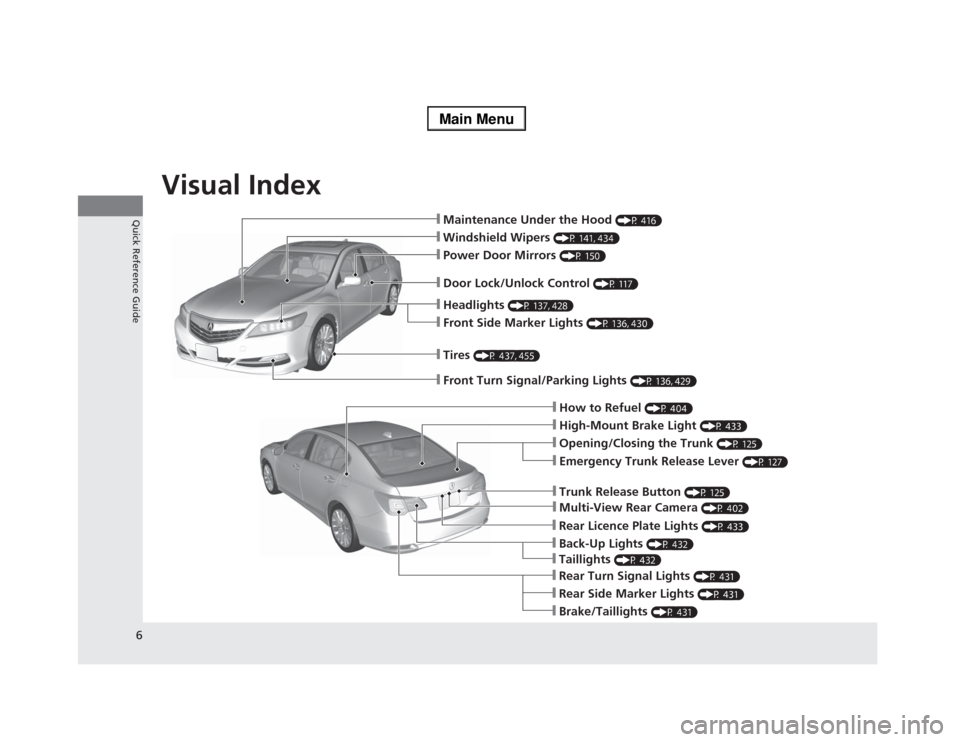
❙Maintenance Under the Hood
(P 416)
❙Windshield Wipers
(P 141, 434)
❙Tires
(P 437, 455)
❙Door Lock/Unlock Control
(P 117)
❙Power Door Mirrors
(P 150)
❙Headlights
(P 137, 428)
❙Front Side Marker Lights
(P 136, 430)
❙How to Refuel
(P 404)
❙High-Mount Brake Light
(P 433)
❙Emergency Trunk Release Lever
(P 127)
❙Opening/Closing the Trunk
(P 125)
❙Multi-View Rear Camera
(P 402)
❙Trunk Release Button
(P 125)
❙Rear Side Marker Lights
(P 431)
❙Brake/Taillights
(P 431)
❙Rear Turn Signal Lights
(P 431)
❙Front Turn Signal/Parking Lights
(P 136, 429)
❙Back-Up Lights
(P 432)
❙Rear Licence Plate Lights
(P 433)
❙Taillights
(P 432)
Page 9 of 518
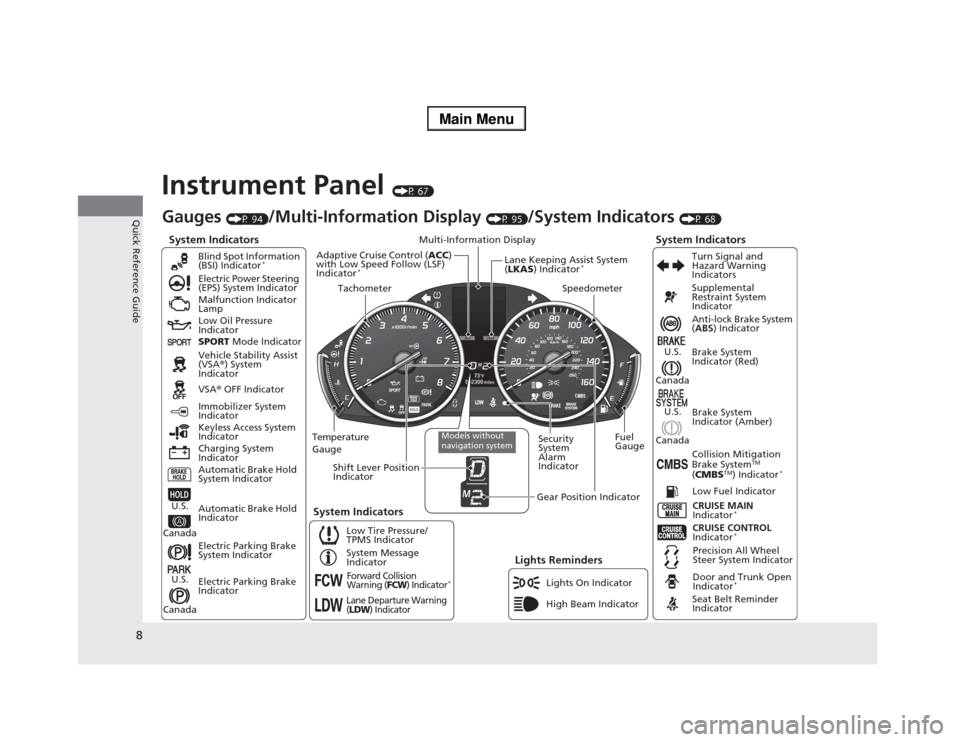
8Quick Reference Guide
Instrument Panel
(P 67)
System Indicators
Malfunction Indicator
Lamp
Low Oil Pressure
Indicator
Charging System
IndicatorAnti-lock Brake System
(ABS) Indicator
Vehicle Stability Assist
(VSA®) System
Indicator
VSA® OFF Indicator Electric Power Steering
(EPS) System Indicator
Lights Reminders
Lights On Indicator
High Beam Indicator Immobilizer System
Indicator
Seat Belt Reminder
Indicator
System Indicators
CRUISE CONTROL
Indicator
*
System Message
IndicatorBrake System
Indicator (Red)Supplemental
Restraint System
Indicator
Door and Trunk Open
Indicator
*
CRUISE MAIN
Indicator
*
Low Fuel Indicator
Gauges
(P 94)
/Multi-Information Display
(P 95)
/System Indicators
(P 68)
Low Tire Pressure/
TPMS IndicatorTurn Signal and
Hazard Warning
Indicators
Keyless Access System
Indicator
Temperature
GaugeSecurity
System
Alarm
IndicatorFuel
Gauge
Tachometer
Multi-Information Display
Speedometer
Shift Lever Position
Indicator
Gear Position Indicator
Electric Parking Brake
System Indicator
Electric Parking Brake
Indicator Automatic Brake Hold
System IndicatorBrake System
Indicator (Amber)
SPORT Mode Indicator Blind Spot Information
(BSI) Indicator
*
System Indicators
Collision Mitigation
Brake System
TM
(CMBS
TM) Indicator
*
Precision All Wheel
Steer System Indicator
Forward Collision
Warning (
FCW
) Indicator
*
Lane Departure Warning
(LDW
) Indicator
Models without
navigation system
Lane Keeping Assist System
(LKAS) Indicator
*
Adaptive Cruise Control (ACC)
with Low Speed Follow (LSF)
Indicator
*
Automatic Brake Hold
Indicator
U.S.
CanadaU.S.
Canada
U.S.
Canada
U.S.
Canada
Page 11 of 518
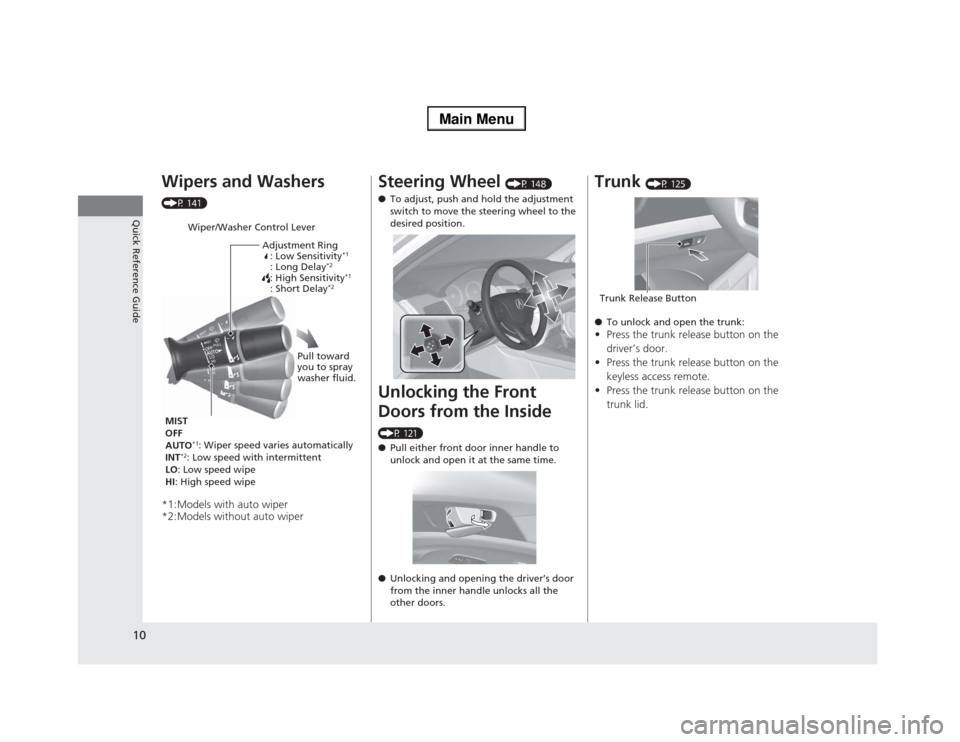
10Quick Reference Guide
Wipers and Washers (P 141)*1:Models with auto wiper
*2:Models without auto wiper
Wiper/Washer Control Lever
Adjustment Ring
: Low Sensitivity
*1
: Long Delay
*2
: High Sensitivity
*1
: Short Delay
*2
MIST
OFF
AUTO
*1: Wiper speed varies automatically
INT
*2: Low speed with intermittent
LO: Low speed wipe
HI: High speed wipePull toward
you to spray
washer fluid.
Steering Wheel
(P 148)
●To adjust, push and hold the adjustment
switch to move the steering wheel to the
desired position.
Unlocking the Front
Doors from the Inside (P 121)
●Pull either front door inner handle to
unlock and open it at the same time.
●Unlocking and opening the driver’s door
from the inner handle unlocks all the
other doors.
Trunk
(P 125)
●To unlock and open the trunk:
•Press the trunk release button on the
driver’s door.
•Press the trunk release button on the
keyless access remote.
•Press the trunk release button on the
trunk lid.Trunk Release Button
Page 12 of 518
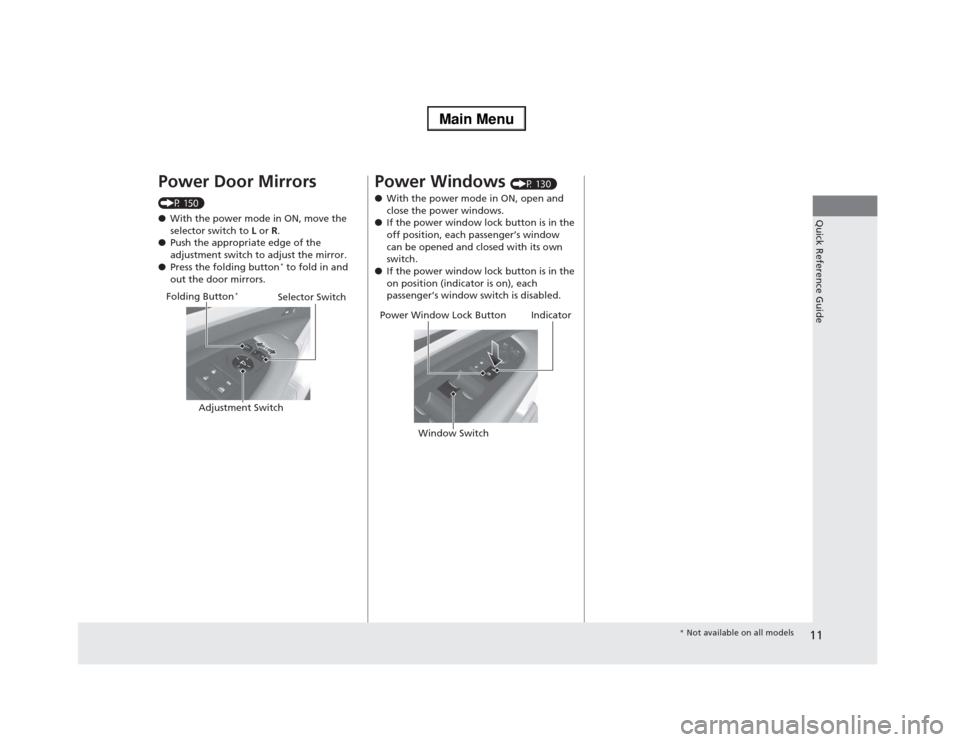
11Quick Reference Guide
Power Door Mirrors (P 150)
●With the power mode in ON, move the
selector switch to L or R.
●Push the appropriate edge of the
adjustment switch to adjust the mirror.
●Press the folding button
* to fold in and
out the door mirrors.Selector Switch
Adjustment Switch Folding Button
*
Power Windows
(P 130)
●With the power mode in ON, open and
close the power windows.
●If the power window lock button is in the
off position, each passenger’s window
can be opened and closed with its own
switch.
●If the power window lock button is in the
on position (indicator is on), each
passenger’s window switch is disabled.
Power Window Lock Button
Window Switch
Indicator
* Not available on all models
Page 20 of 518
19Quick Reference Guide
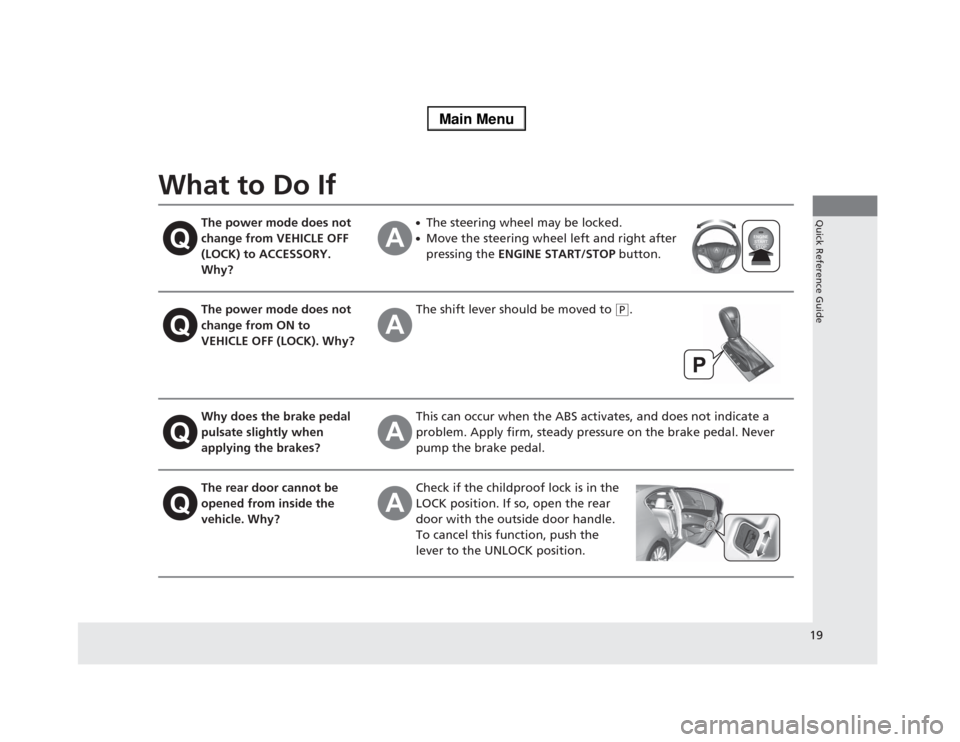
What to Do If
The power mode does not
change from VEHICLE OFF
(LOCK) to ACCESSORY.
Why?
●The steering wheel may be locked.●Move the steering wheel left and right after
pressing the ENGINE START/STOP button.
The power mode does not
change from ON to
VEHICLE OFF (LOCK). Why?
The shift lever should be moved to
(P
.
Why does the brake pedal
pulsate slightly when
applying the brakes?
This can occur when the ABS activates, and does not indicate a
problem. Apply firm, steady pressure on the brake pedal. Never
pump the brake pedal.
The rear door cannot be
opened from inside the
vehicle. Why?
Check if the childproof lock is in the
LOCK position. If so, open the rear
door with the outside door handle.
To cancel this function, push the
lever to the UNLOCK position.
Page 21 of 518
20Quick Reference Guide
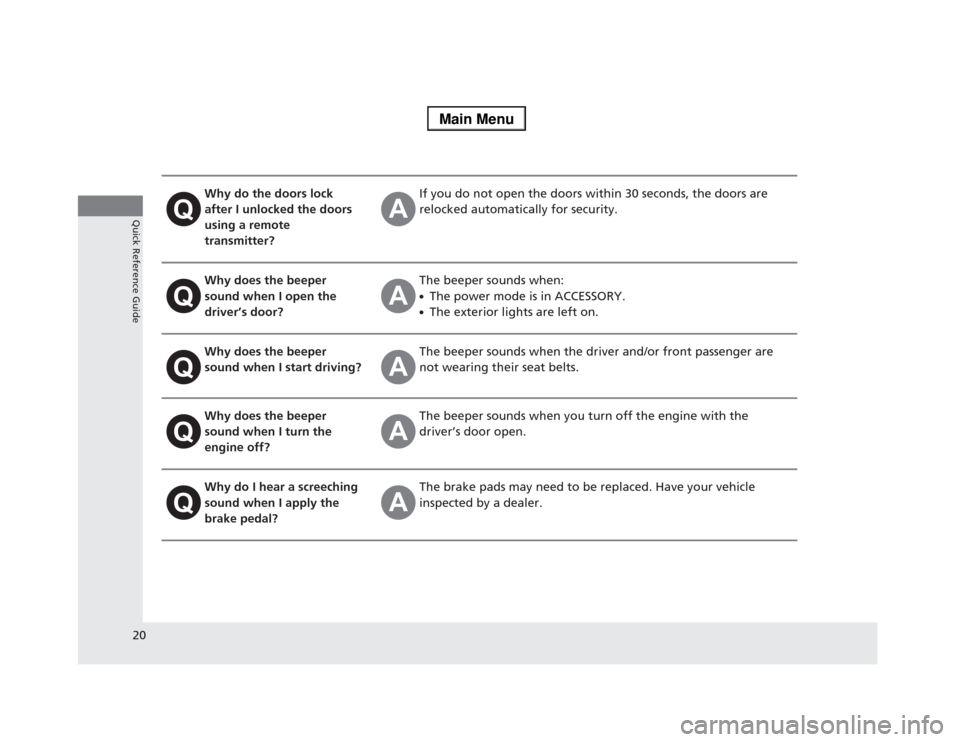
Why do the doors lock
after I unlocked the doors
using a remote
transmitter?
If you do not open the doors within 30 seconds, the doors are
relocked automatically for security.
Why does the beeper
sound when I open the
driver’s door?
The beeper sounds when:●The power mode is in ACCESSORY.●The exterior lights are left on.
Why does the beeper
sound when I start driving?
The beeper sounds when the driver and/or front passenger are
not wearing their seat belts.
Why does the beeper
sound when I turn the
engine off?
The beeper sounds when you turn off the engine with the
driver’s door open.
Why do I hear a screeching
sound when I apply the
brake pedal?
The brake pads may need to be replaced. Have your vehicle
inspected by a dealer.
Page 29 of 518
28
uuFor Safe DrivinguYour Vehicle’s Safety Features
Safe Driving
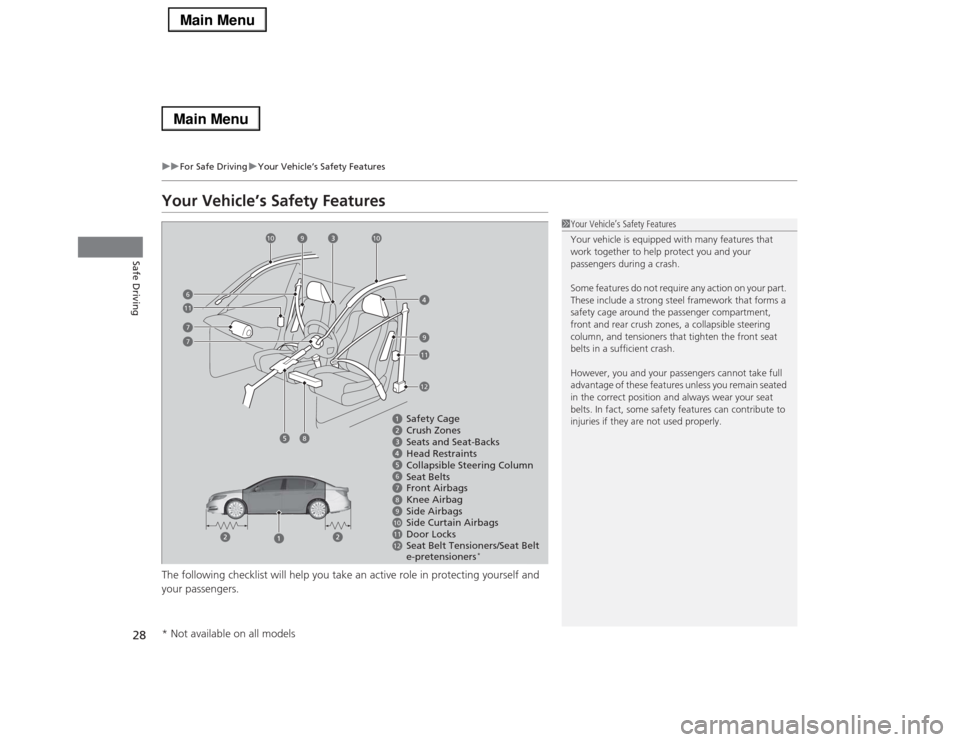
Your Vehicle’s Safety FeaturesThe following checklist will help you take an active role in protecting yourself and
your passengers.
1Your Vehicle’s Safety Features
Your vehicle is equipped with many features that
work together to help protect you and your
passengers during a crash.
Some features do not require any action on your part.
These include a strong steel framework that forms a
safety cage around the passenger compartment,
front and rear crush zones, a collapsible steering
column, and tensioners that tighten the front seat
belts in a sufficient crash.
However, you and your passengers cannot take full
advantage of these features unless you remain seated
in the correct position and always wear your seat
belts. In fact, some safety features can contribute to
injuries if they are not used properly.
679101112
Safety Cage
Crush Zones
Seats and Seat-Backs
Head Restraints
Collapsible Steering Column
Seat Belts
Front Airbags
Side Curtain Airbags
Door Locks Side Airbags
Seat Belt Tensioners/Seat Belt
e-pretensioners
*
77
10
10
9
9
11
116
12
8Knee Airbag
8
* Not available on all models